Lost your Nissan radio code after a flat battery or a service? Enter your serial number above and we will deliver your unlock code by email, sourced directly from the official Nissan database. Works with all Nissan radio types and models. Guaranteed to work or your money back.
The guide below will show you exactly where to find your Nissan radio serial number.
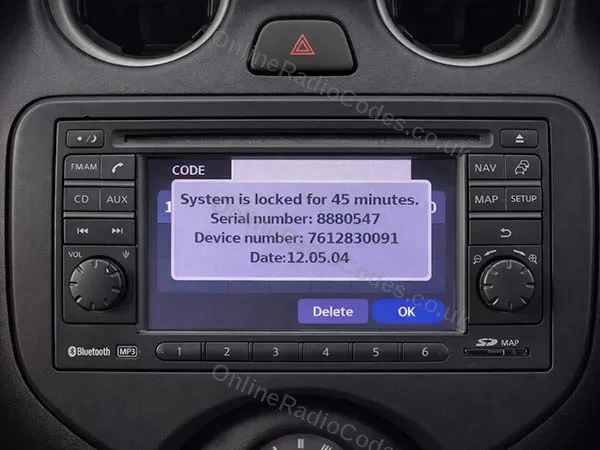
Nissan Connect
Get your serial from the screen
Turn ignition to ACC and switch on the radio. Enter any incorrect 4-digit code three times. The screen will lock and display your Serial Number, Device Number and Date.
Note all three exactly as shown. You need all three to get your code.
Do not use the serial from the label on the back of the unit. Only the serial shown on screen will work.
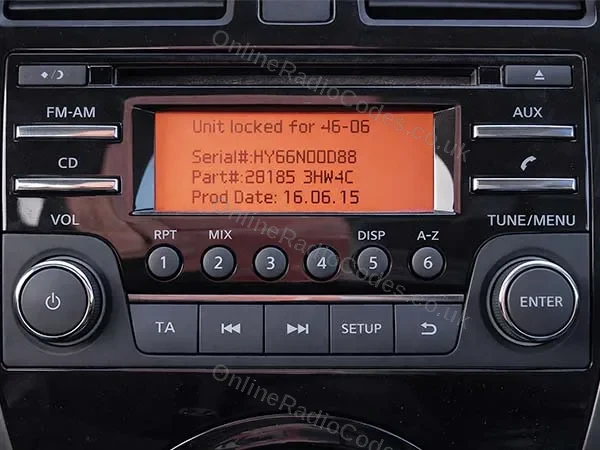
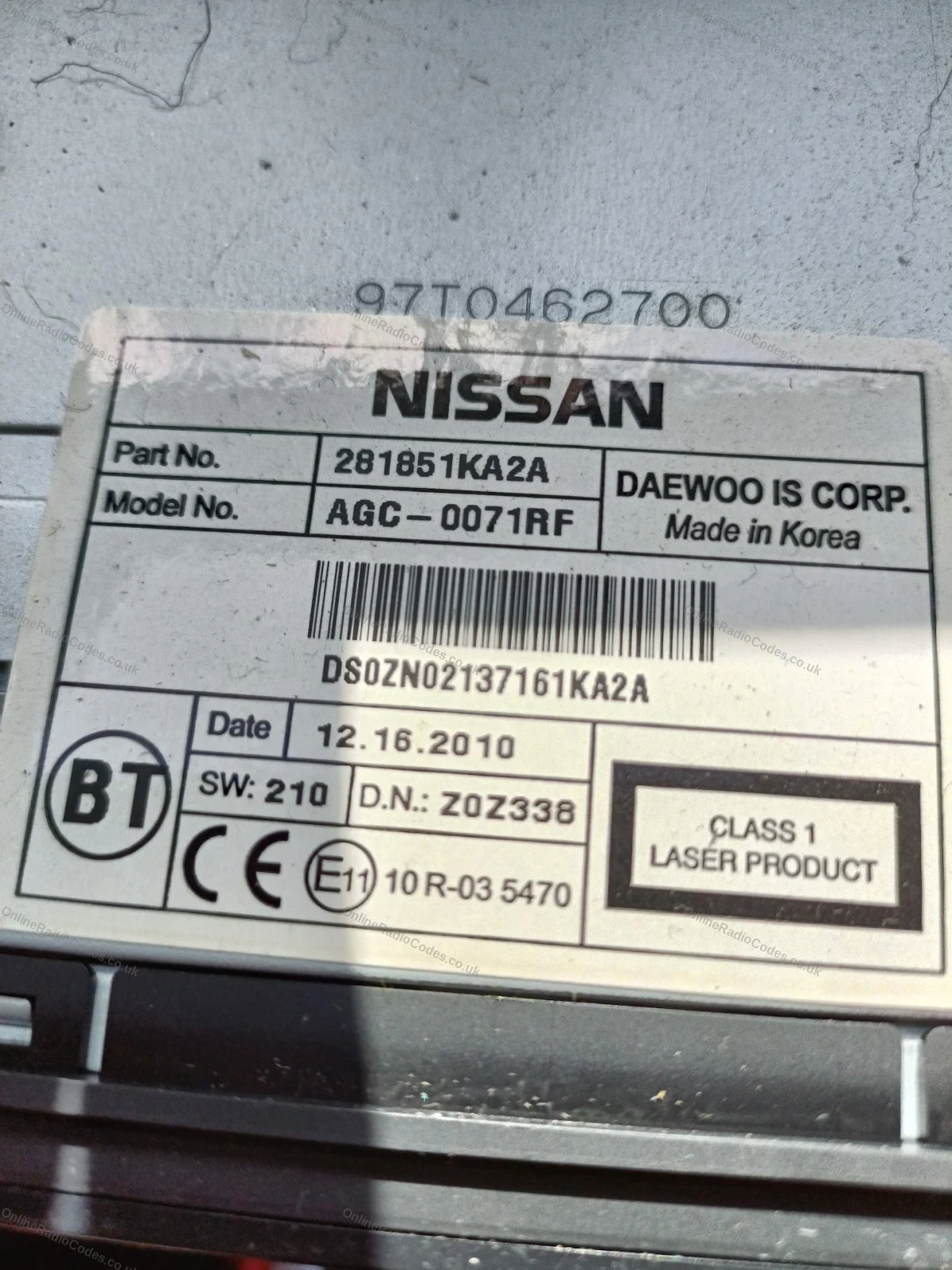
Nissan Daewoo
Get your serial from the screen
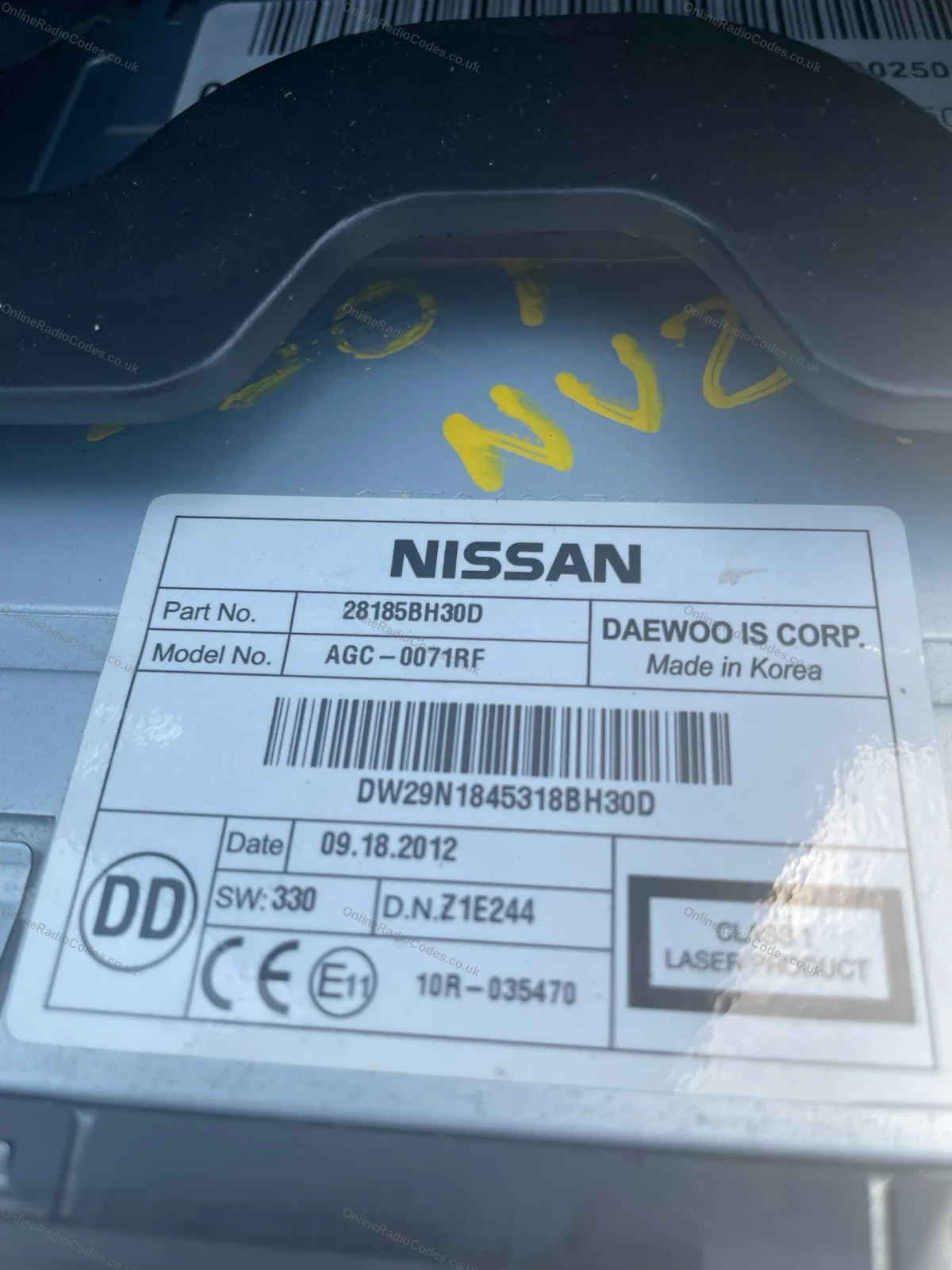
Turn on the ignition and switch on the radio. Enter any incorrect 4-digit code three times. The screen displays your Serial Number, Part Number and Date.
Note all three exactly as shown. The serial starts with DW, DS, HP, HY or HG (for example, DW32N13024).
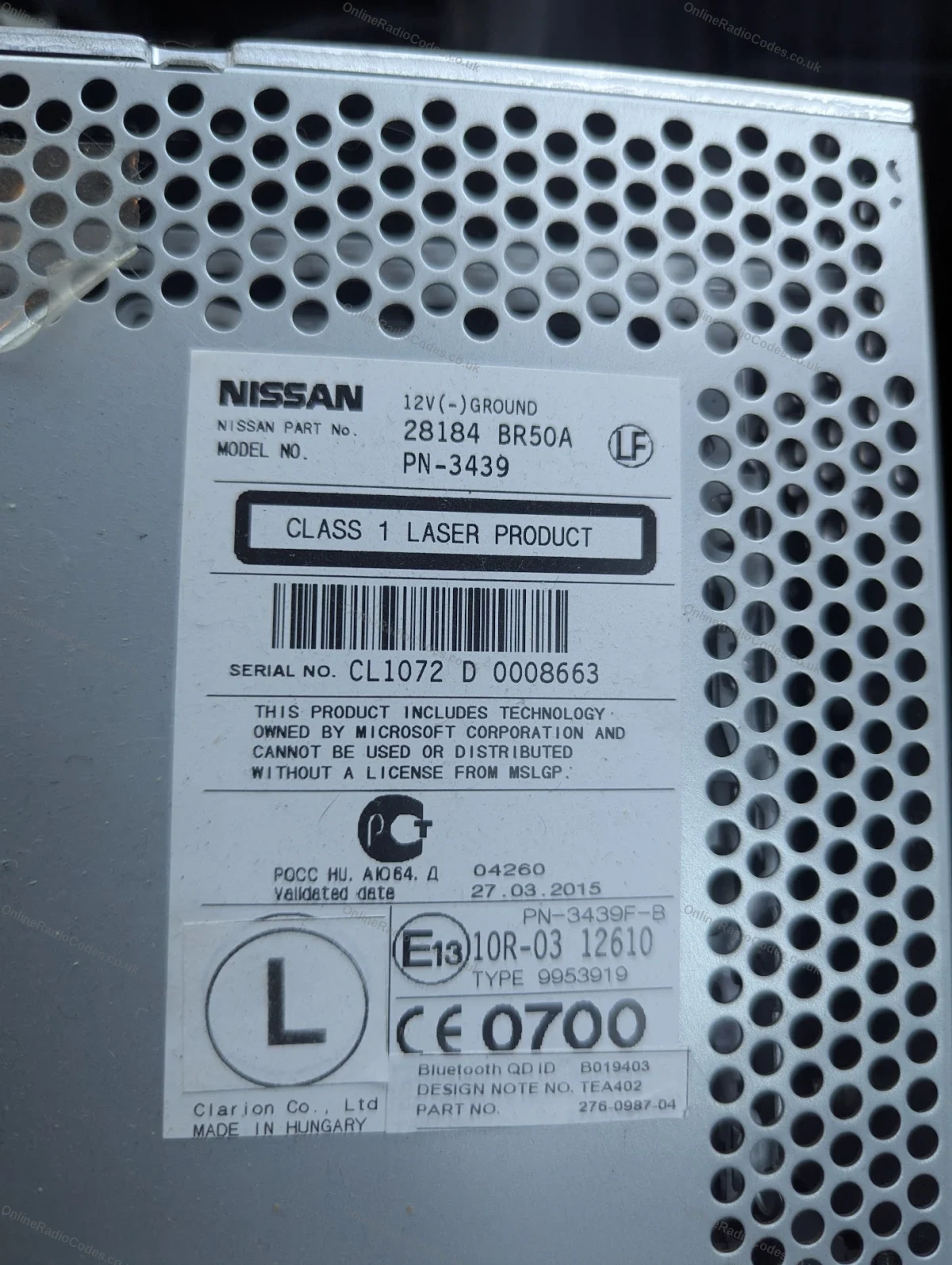
Nissan Clarion (CL / PN / PP)
Remove the radio to find your serial
Insert radio release keys into the four corner holes and slide the unit forward.
The serial is on the back label, 14 characters starting with CL, PN or PP (for example, CL094090001747). Note it exactly as shown.
You will also see a Model No. on the label (for example, PN-3001P or PP-3001M-B). For PN and PP serials this is filled in automatically. For CL serials please enter it in the Model No. field.
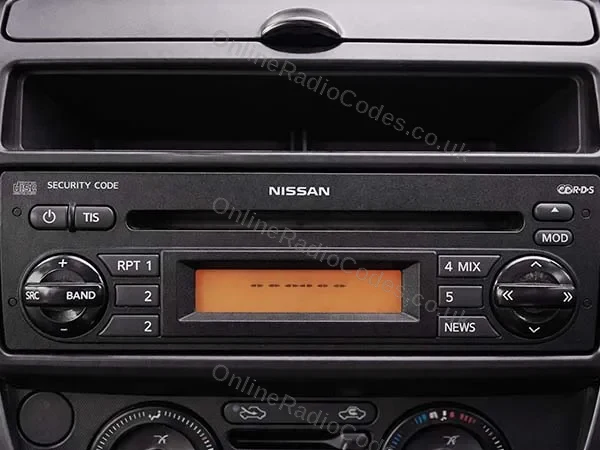
Nissan Blaupunkt (BP)
Remove the radio to find your serial
Insert radio release keys into the four corner holes and slide the unit forward.
The serial is on the label on the back of the unit, starts with BP followed by 12 digits (for example, BP538471207649).
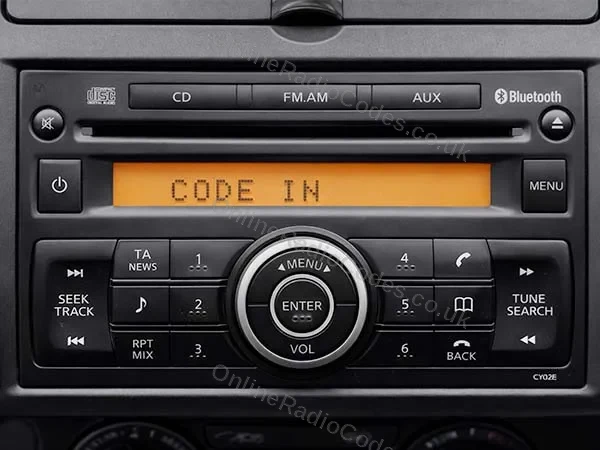
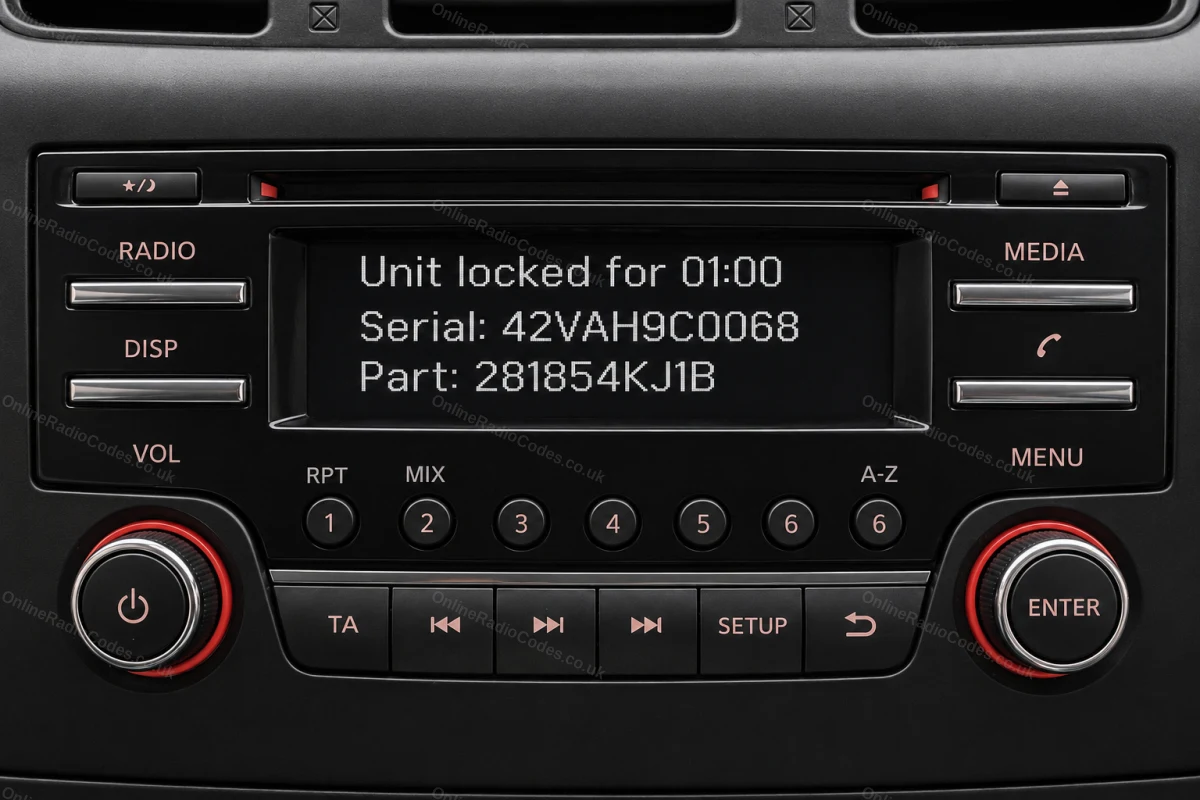
Nissan Visteon
Get your serial and part number from the screen
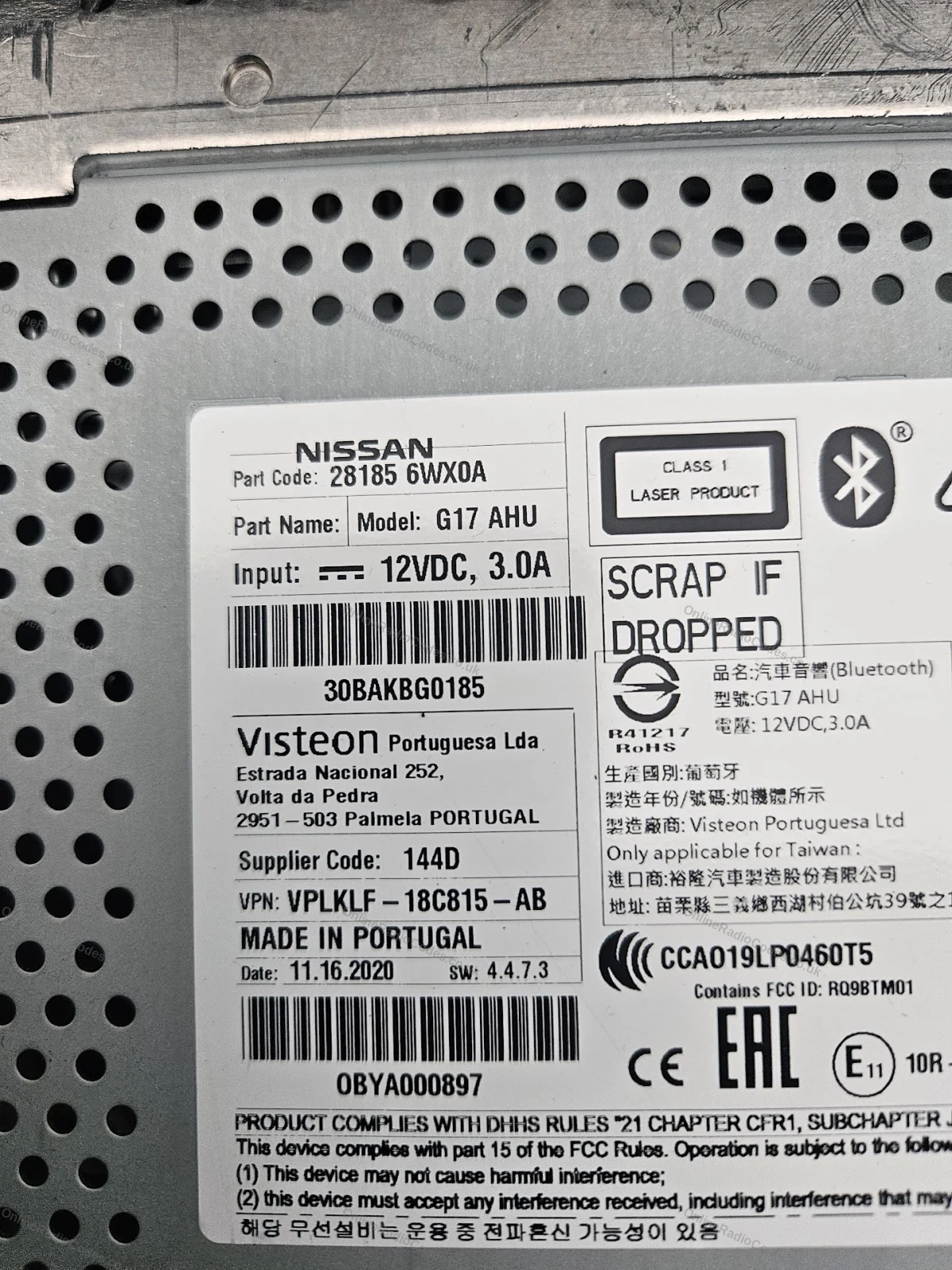
Turn on the ignition and radio. Enter any incorrect 4-digit code three times deliberately. The screen locks and displays your Serial number and Part number. Note both exactly as shown. You need both to complete your order.
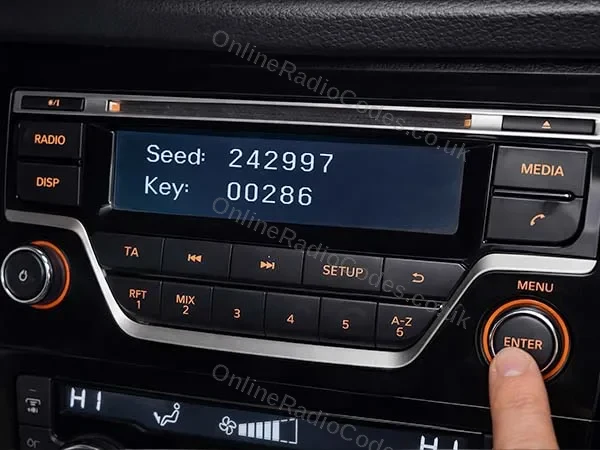
If your screen shows a Seed number instead, see the method below.
Nissan Visteon (Seed)
Your screen shows a Seed number. Remove the radio for the part number.
Some Visteon radios display a Seed number on the locked screen instead of Serial and Part. Note the Seed number down.
You still need the part number from the radio label. Use a trim tool to remove the surrounding dashboard panels, unscrew the unit and slide it forward. The part number is on the sticker on the back or side of the unit. It starts with 2818.
Enter the Seed number in the serial field and the part number in the device field.
What your Nissan serial looks like
Nissan Connect0158493
Device7 612 830 076Date13.07.26
Nissan DaewooDW32N13024
Device28185BH30DDate16.06.15
Nissan ClarionCL094090001747
ModelPN-3001P
Nissan BlaupunktBP538471207649
Nissan Visteon42VAH9C0068
Device281854KJ1B
Nissan Visteon (Seed)123456
Device281854KJ1B
Nissan Clarion (PP)PP3001MB0018964
ModelPN-3001P
Nissan Clarion (PN)PN3001PA0040363
ModelPN-3001P
Can't find it? Contact us. We'll help you locate your serial before you pay a penny.
Radio & label examples
Nissan Clarion (CL series) serial number label
Nissan Daewoo (DS series) serial number label
Nissan Daewoo (DW series) serial number label
Nissan Visteon serial number label
Why choose us
The World's Leading Nissan Radio Code Service
World's No.1
OnlineRadioCodes.co.uk is the world's leading supplier of car radio codes, with over 1 million codes delivered. Our radio experts are on hand to help you every day.
Instant delivery
Most codes appear on screen the moment payment clears. For brands that require manual lookup, our team typically delivers within the hour during business hours.
Money back guarantee
If your code does not work, we refund you in full. No questions, no hassle. We are one of very few radio code companies to back every order with a complete money back guarantee.
Lifetime retrieval
Misplace your code weeks or even years from now? Just get in touch and we will resend it free of charge, every time. One purchase gives you access for life.
Nissan radios have a built-in security lock that activates whenever power is cut. A flat battery, a battery replacement or the radio being removed will all trigger it. The radio asks for a 4-digit code before it will work again. This is a manufacturer anti-theft feature fitted to every Nissan model, and the code is unique to your individual radio unit.
How long will it take to get my code?
Most Nissan codes are delivered within a few hours. Unlike some brands where codes are instant, Nissan codes require a manual lookup from the official database, which our team processes throughout the day. Orders placed overnight are typically ready first thing the next morning. You will receive an email the moment your code is ready.
What if I enter the wrong code too many times?
If you enter three incorrect codes your Nissan radio will lock for 60 minutes. You will see a locked message with a countdown on screen. This is completely normal and not permanent damage. Leave the ignition on for the full hour, then try again with the correct code. Do not attempt any further guesses during the lockout as this resets the timer.
Do I need to remove my radio to find the serial number?
It depends on your radio type. <strong>Nissan Connect</strong> and <strong>Daewoo</strong> radios display the serial on screen after three wrong attempts, so no removal is needed. <strong>Clarion</strong> (serials starting CL, PN or PP) and <strong>Blaupunkt</strong> (serials starting BP) radios have the serial on a label on the casing and do require the unit to be removed. Use the guide above to identify your radio type before ordering.
Can I get my Nissan radio code for free?
Nissan radio codes require a lookup from the official Nissan database, which carries a small access fee. Your local Nissan dealer can provide the code free of charge if you visit in person with proof of ownership, though most will ask you to book an appointment and some do charge. Our service saves you the trip.
Which Nissan models does this service cover?
We cover every Nissan model fitted with a standard factory radio, including Qashqai, Juke, Micra, Note, Navara, X-Trail, Almera, Primera, Pulsar, 350Z, NV200, Primastar and Terrano. If you are unsure whether your model is supported, feel free to contact us before ordering and we will confirm.
What if the code does not work?
If the code we send does not unlock your radio, contact us and we will investigate immediately at no extra charge. In the rare event we cannot resolve it, you receive a full refund with no questions asked. We have a 100% money-back guarantee and have unlocked over a million radios, so you can order with complete confidence.
Will I need the code again in the future?
Yes, and your code will work every time. Your Nissan radio code is permanently tied to your unit and never expires or changes. Once you have it, keep a note of it somewhere safe. You can use the same code whenever the radio locks again in future, whether from a flat battery or any other power interruption.
Verified · Trustpilot
Don't just take our word for it
8 hours ago
Fast and professional service
Fast and professional service. Good communication. Worked first time
Absolutely brilliant service, I didn’t have a clue what I was doing so I just sent pictures and they sorted it, thankyou so much onlineradiocodes.co.uk will …
Very easy to use their interface, make sure you type the correct serial number for car, I received my pin within 5 minutes after purchasing their service. Wo…
OnlineRadioCodes.co.uk is an independent radio code retrieval service and is not affiliated with Nissan Motor Company Ltd or any of its subsidiaries. All radio codes are sourced from the official Nissan database. Nissan and all model names are trademarks of their respective owners.










 Nissan · Radio Codes
 21,873 reviews on