100% Money Back Guarantee The World's Leading Car Radio Code Service Trusted by 1,000,000+ customers
Nissan Nissan · Radio Codes
Est. 2 Hours

Nissan NV200 Radio Codes

Nissan NV200 radio code by serial number. Covers Blaupunkt and Clarion units fitted to the NV200 van from 2009 onwards.

Enter your serial number
Over 1 million codes delivered worldwide.
Not sure which serial to enter? See examples
Est. 2 Hours Money back guarantee Secure checkout

Step 1 of 3

How to find your Nissan serial number

The guide below will show you exactly where to find your Nissan radio serial number.

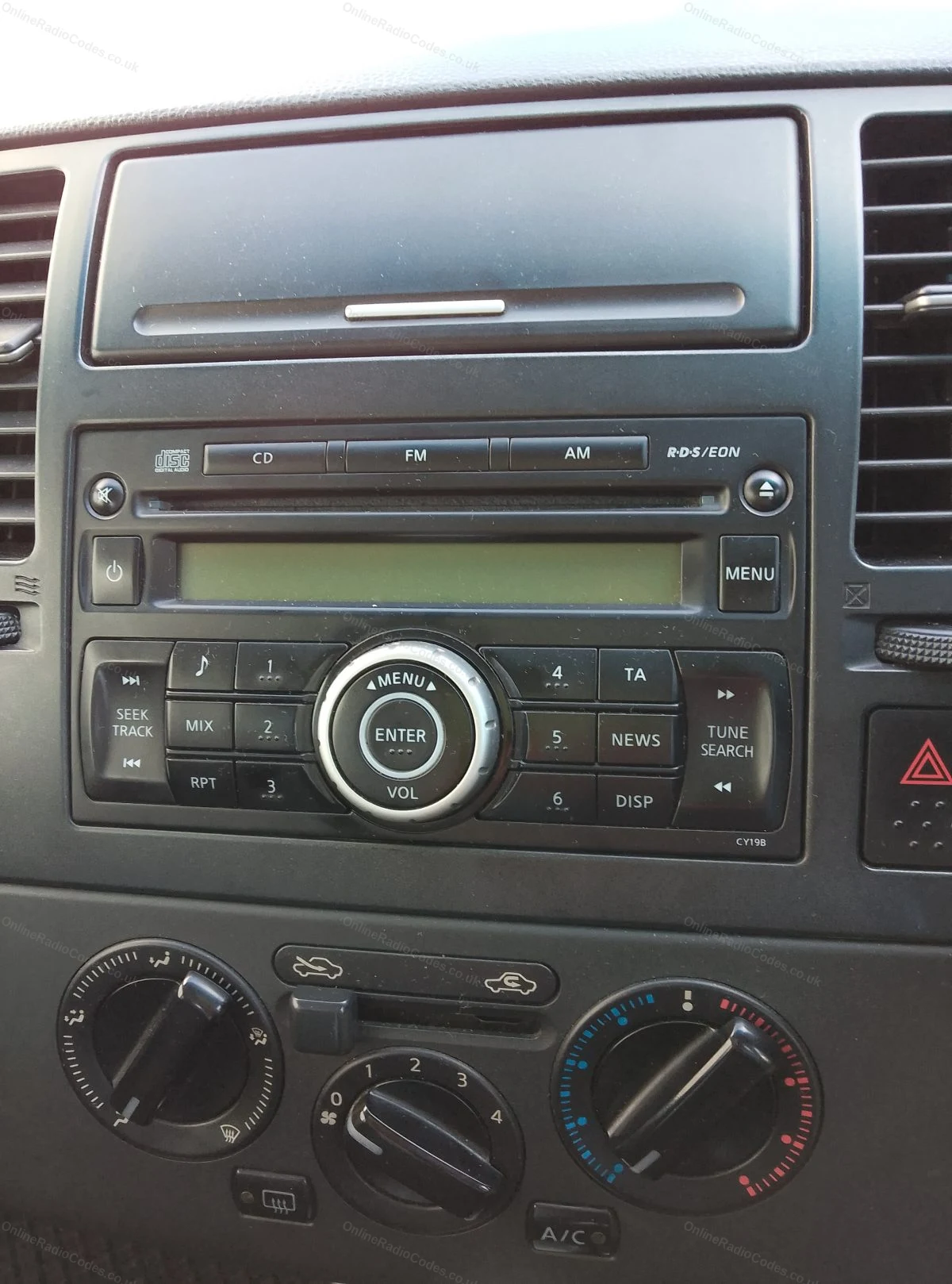
Which radio do you have?
Get your serial from the screen
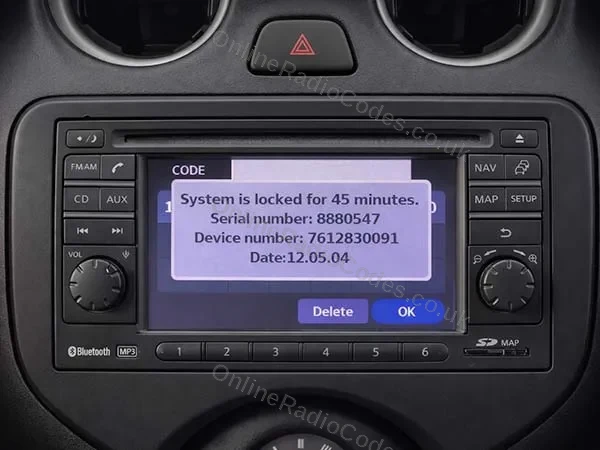
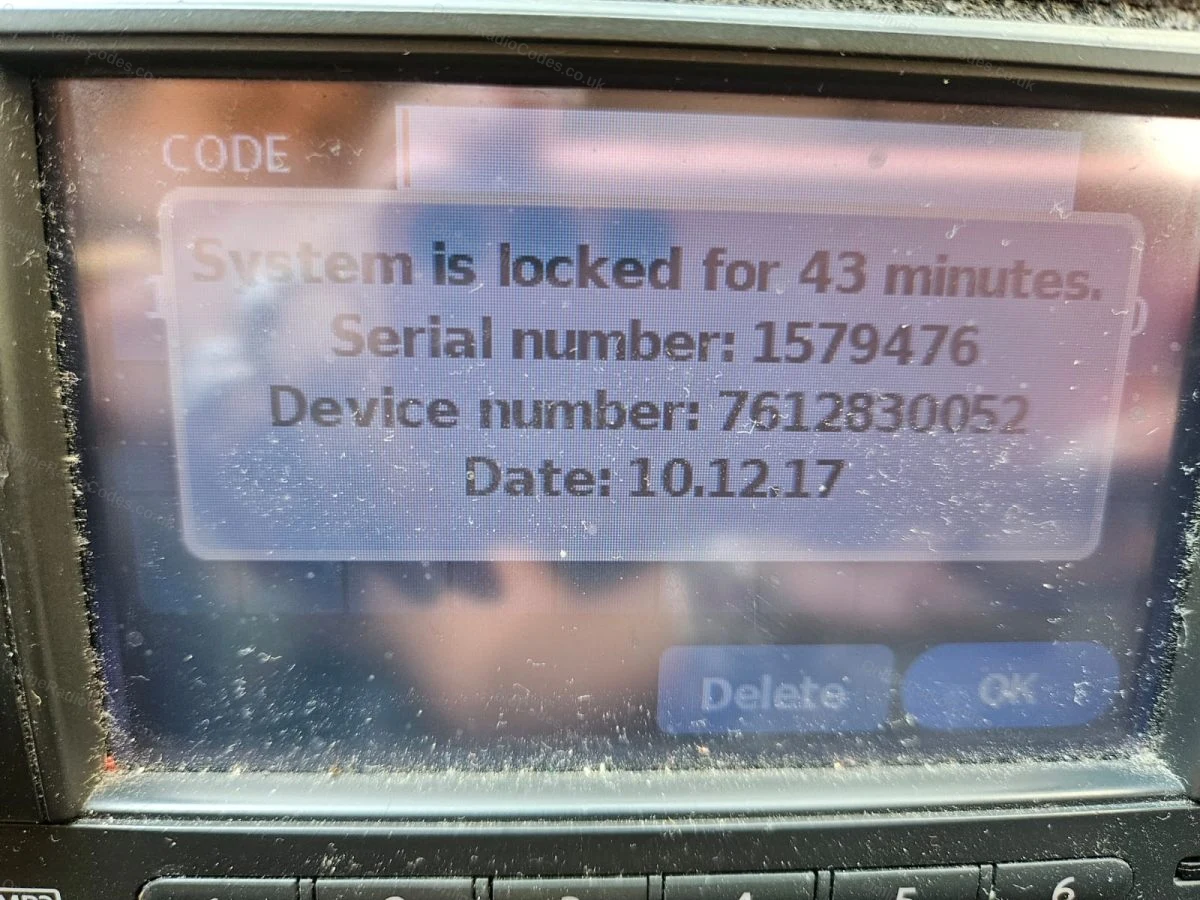
Nissan Connect
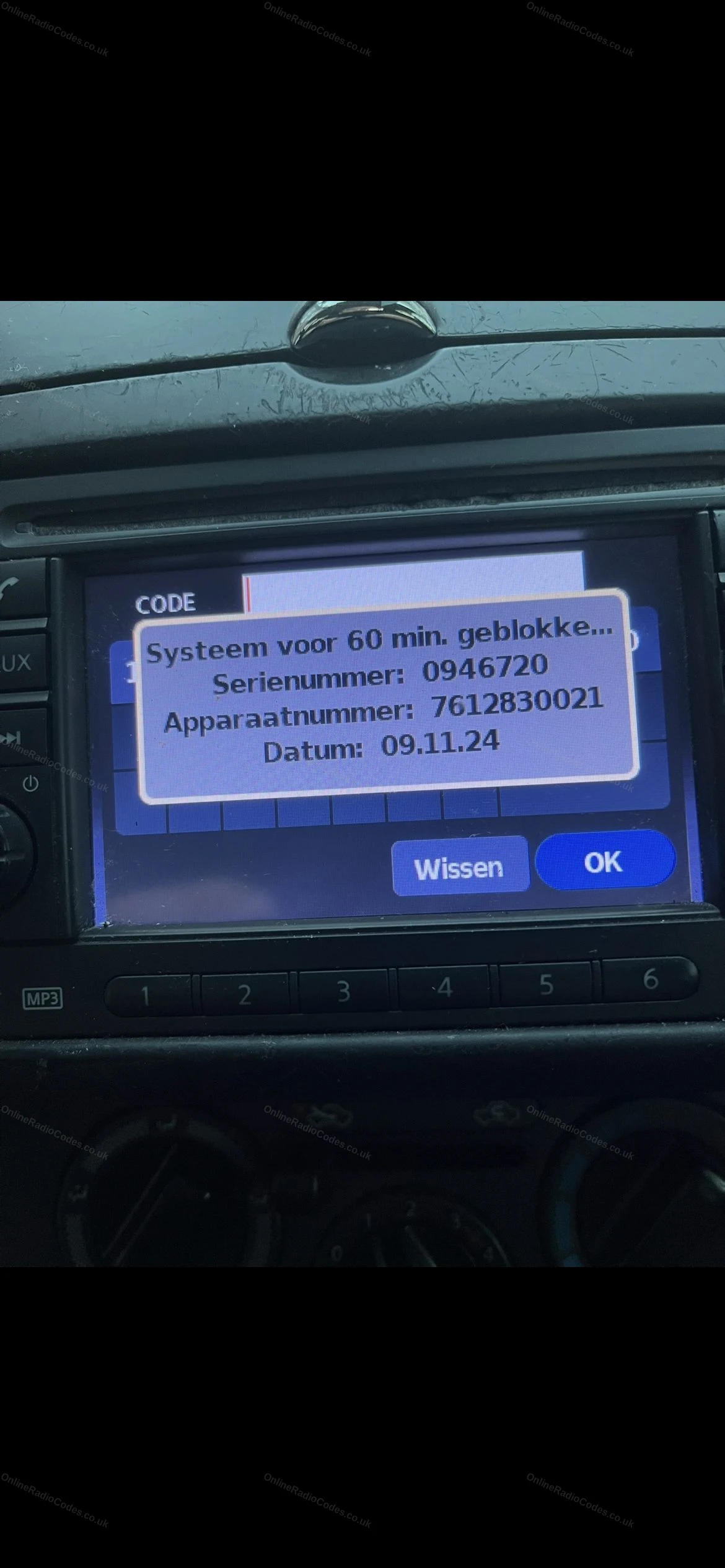
Get your serial from the screen
Turn the ignition to ACC and switch on the radio. Enter any incorrect four digit code three times. The screen locks and shows your Serial Number, Device Number and Date.

Note all three exactly as shown. You need all three to get your code.

Do not use the serial from the label on the back of the unit. Only the serial shown on screen will work.

The lock lasts about an hour. Leave the ignition and the radio on, and enter your code once the countdown has finished.
Get your serial from the screen
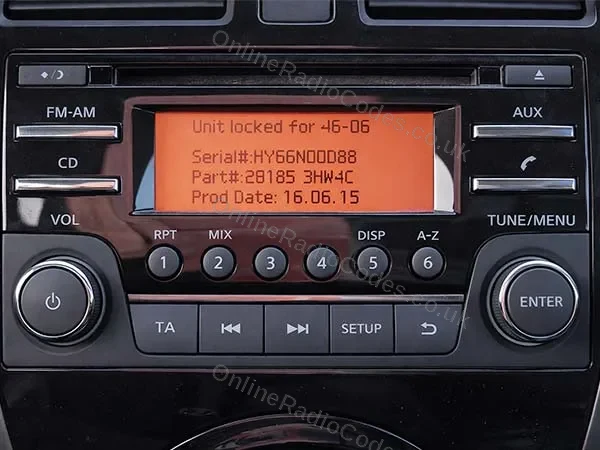
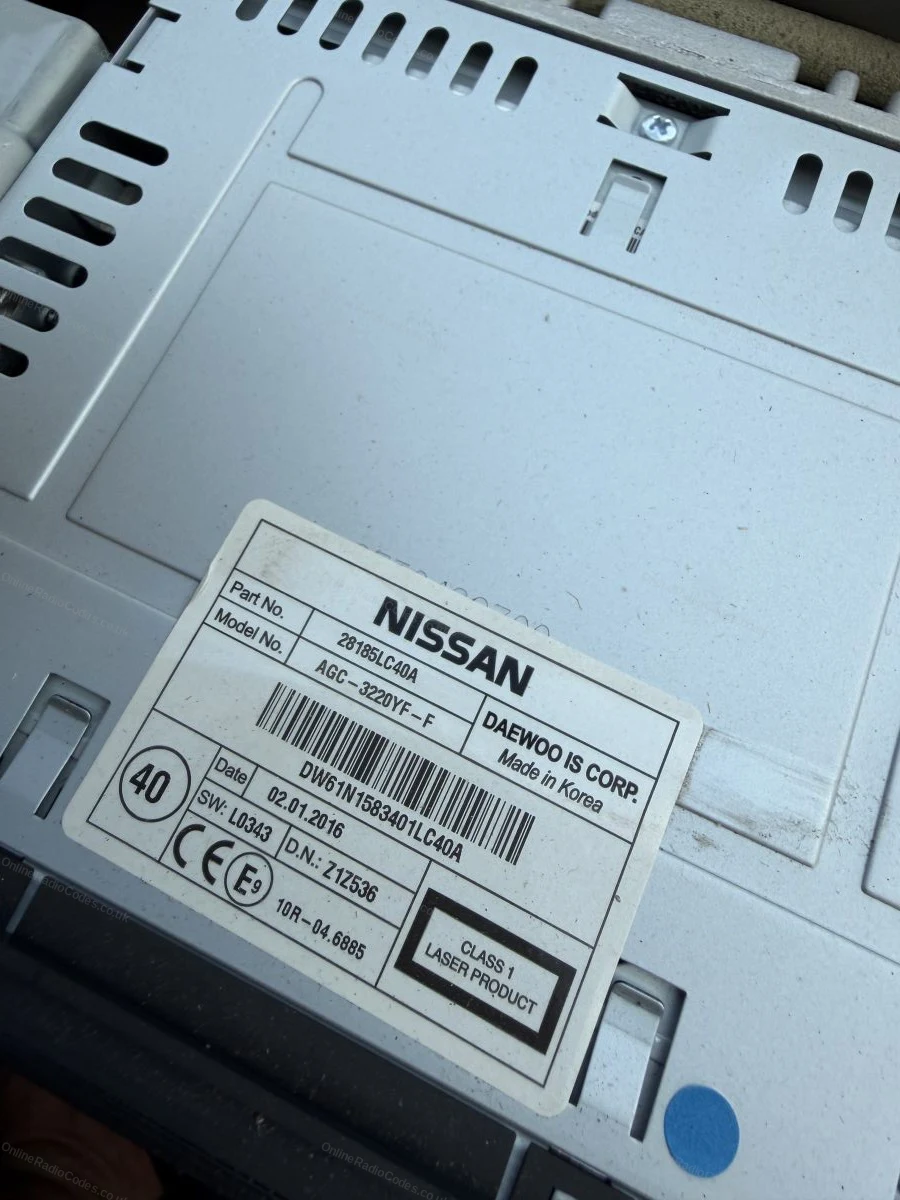
Nissan Daewoo
Get your serial from the screen
Turn on the ignition and switch on the radio. Enter any incorrect four digit code three times. The screen shows your Serial Number, Part Number and Date.

Note all three exactly as shown. The serial starts with DW, DS, HP, HY or HG (for example DW32N13024).

This starts a 60 minute countdown. Leave the ignition and the radio on, and enter your code once it has finished.
Remove the radio to find your serial
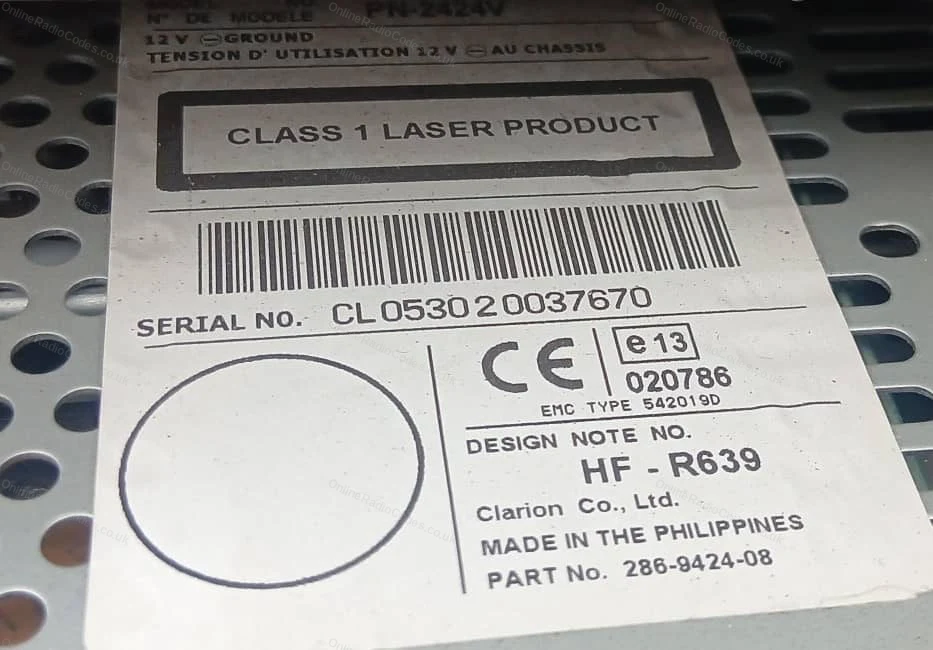
Nissan Clarion (CL / PN / PP)
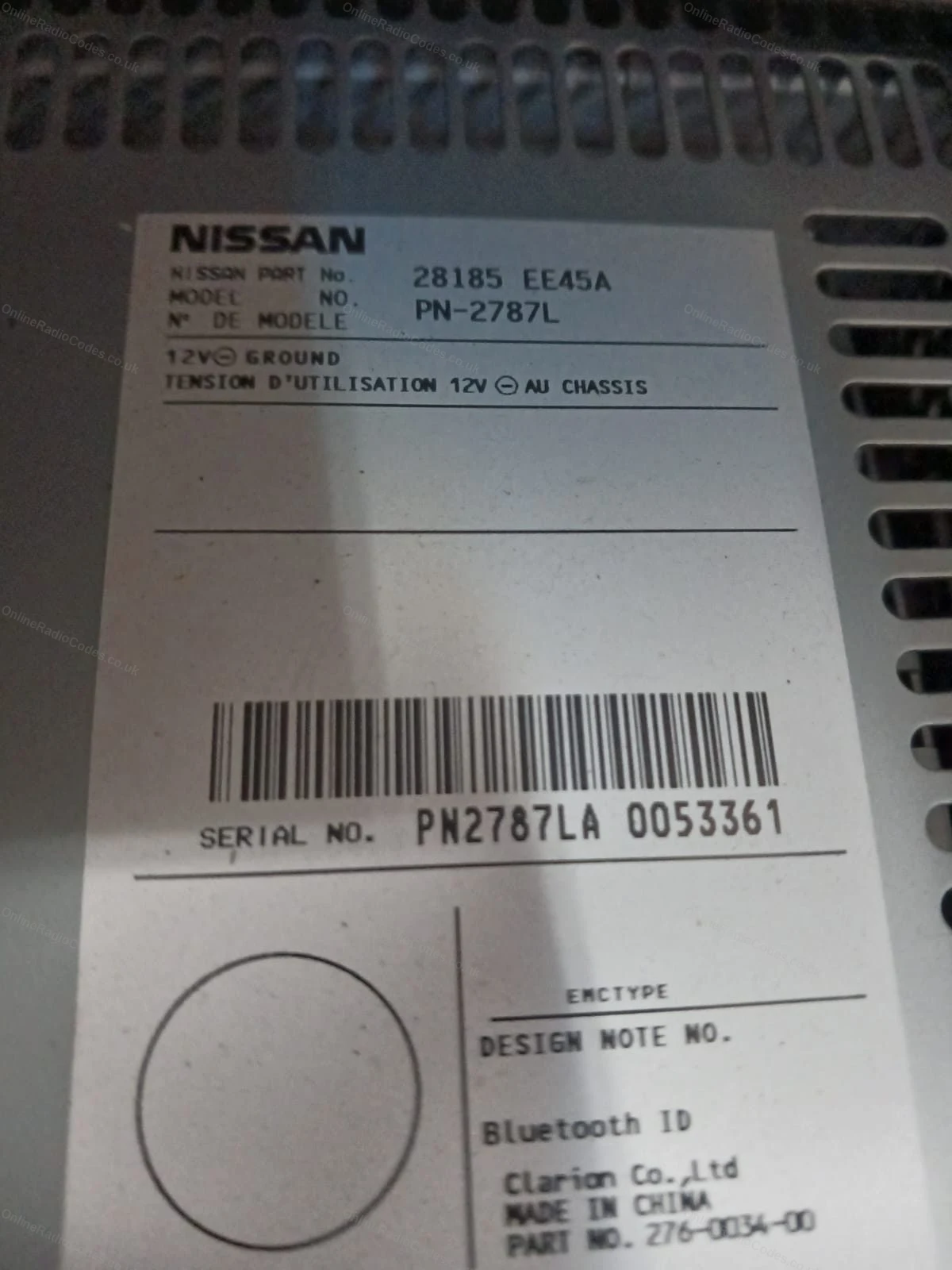
Remove the radio to find your serial
Insert radio release keys into the four corner holes and slide the unit forward.

The serial is on the back label: 14 characters starting with CL, PN or PP (for example CL094090001747). Note it exactly as shown.

The label also shows a Model No. (for example PN-3001P or PP-3001M-B). For PN and PP serials this is filled in automatically. For CL serials, please enter it in the Model No. field.
Remove the radio to find your serial
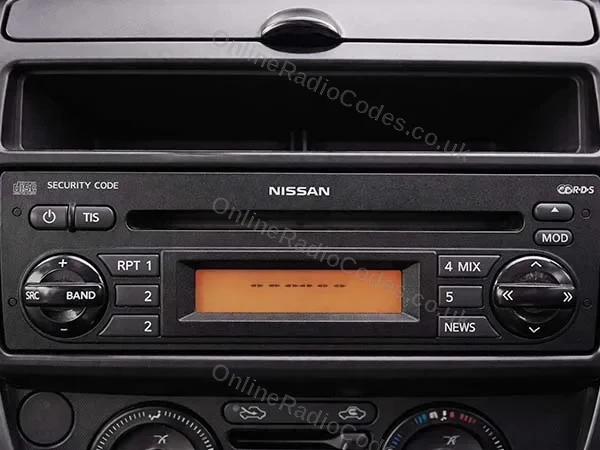
Nissan Blaupunkt (BP)
Remove the radio to find your serial
Insert radio release keys into the four corner holes and slide the unit forward.

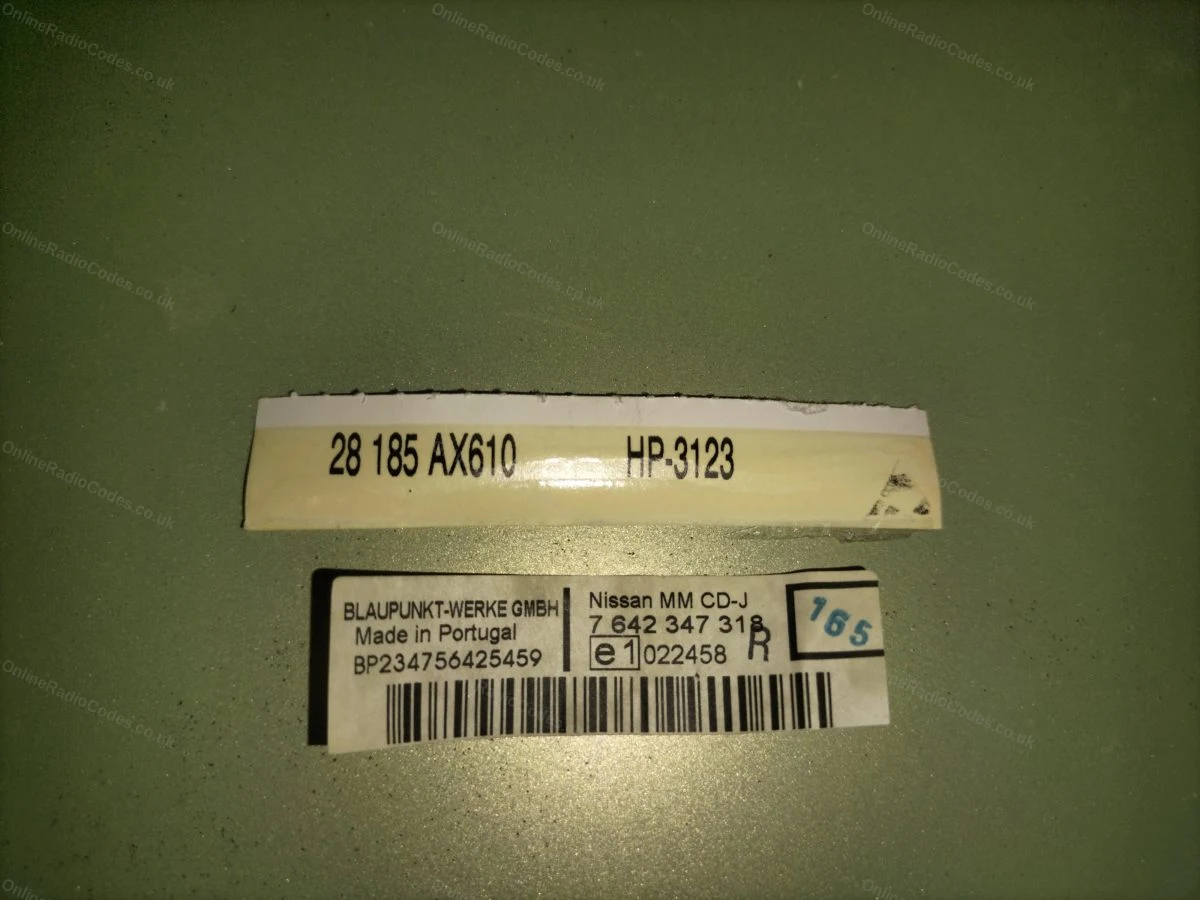
The serial is on the label on the back of the unit. It starts with BP followed by 12 digits (for example BP538471207649).
Get your serial and part number from the screen
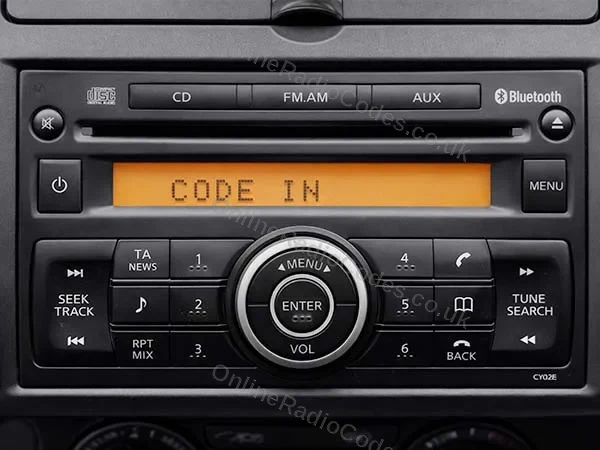
Nissan Visteon
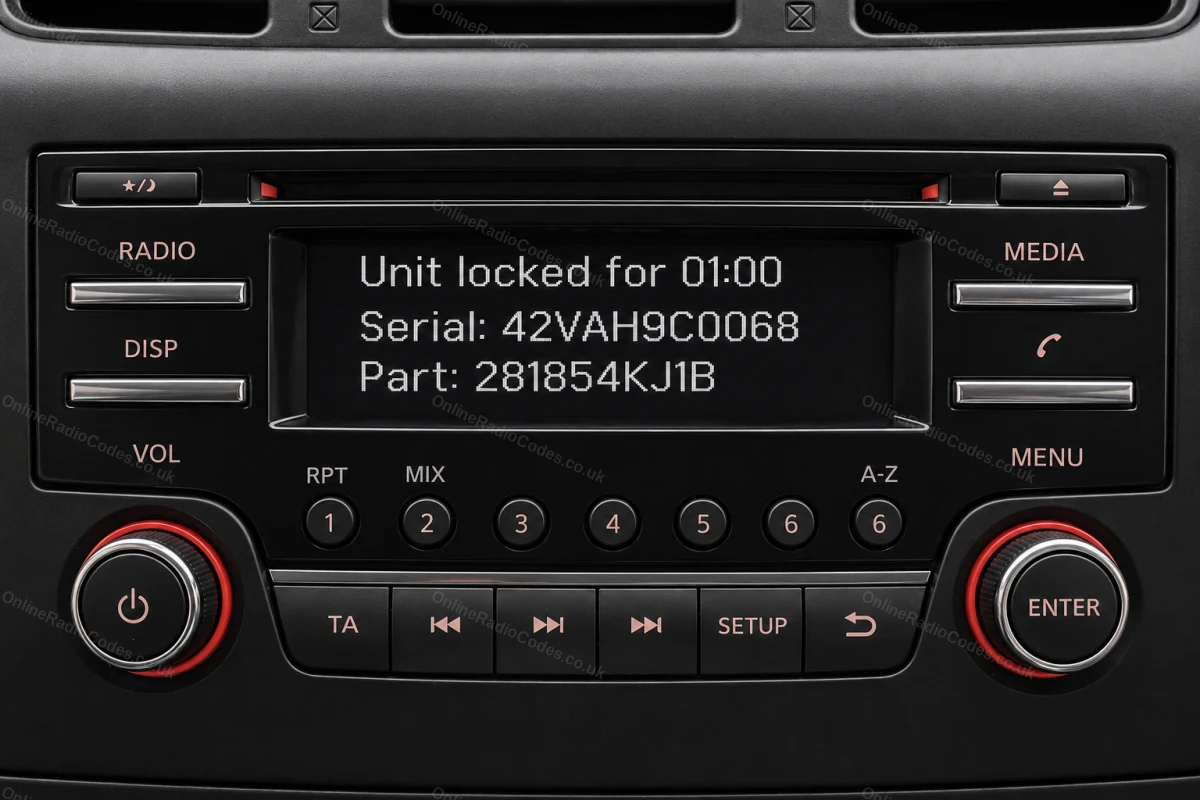
Get your serial and part number from the screen
Turn on the ignition and radio. Enter any incorrect four digit code three times. The screen locks and shows your Serial number and Part number.

Note both exactly as shown. You need both to complete your order.

If your screen shows a Seed number instead, see the method below.
Your screen shows a Seed number. Remove the radio for the part number.
Nissan Visteon (Seed)
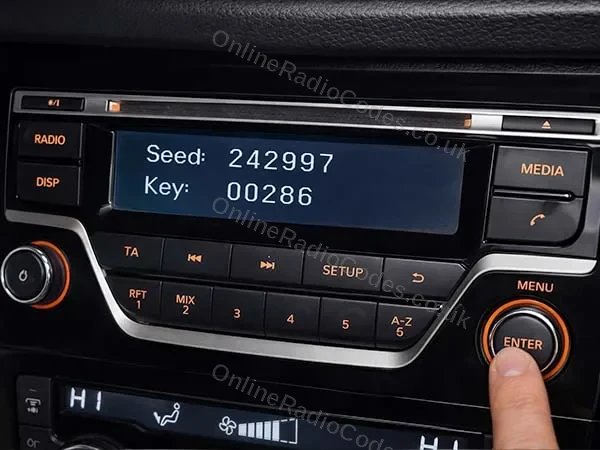
Your screen shows a Seed number. Remove the radio for the part number.
Some Visteon radios show a Seed number on the locked screen instead of Serial and Part. Write it down.

You still need the part number from the radio label. Remove the surrounding dashboard panels with a trim tool, unscrew the unit and slide it forward. The part number, starting 2818, is on the sticker on the back or side.

Enter the Seed number in the serial field and the part number in the device field.
Can't find it? Contact us. We'll help you locate your serial before you pay a penny.

Since 2015 · 1 million decodes

The World’s Leading Nissan Radio Code Service

A Decade of Decoding
Retrieving car radio codes since 2015, with more than a million codes delivered. Registered UK company No. 09736186. Read our story
Your Code, Fast
Most codes appear on screen the moment payment clears. The rest are handled by our team, usually within the hour in business hours.
Works, or Your Money Back
If your code does not work, we refund you in full. One of the very few radio code services that backs every single order.
Your Code, Kept for Life
Lose your code in five years? We keep it on file and will resend it free of charge, as many times as you need.

Real people, worldwide, around the clock

Meet our radio experts

A small team who have decoded radios for a decade, with Nova, our AI assistant, covering around the clock. Wherever you are in the world, we're here to help.

Live chat and email 24/7. Nova answers straight away, day or night.

  • Gavin Wilson Gavin
  • Emma Keevney Emma
  • Lucy Flynn Lucy
  • Leah Holloway Leah
  • Liz Wilson Liz
  • Nova, our AI assistant Nova 24/7

FAQ

Frequently asked questions

Why is my NV200 radio asking for a code?
The radio lost power and locked itself, standard anti-theft. On working vans a battery change or a jump start is the usual trigger, and the code brings it straight back.
Which serial does the NV200 use?
It depends on the radio. Blaupunkt built radios carry a serial starting BP, and Clarion units start PP or PN with a model number such as PN-3001P printed alongside, both on the label on the casing. Connect units show their serial number, device number and date on their own screen, never on the label. Enter whichever your unit shows and the page confirms the type as you type.
Do I need to remove the radio?
For BP and Clarion serials, yes, the label is on the casing and the unit comes out with release keys in a couple of minutes. Connect units show their details on screen instead, the guide above covers the route.
My NV200 is a camper conversion. Does that change anything?
No. The cab radio is the standard Nissan unit whatever has happened behind the seats, so decode from the serial exactly as you would on a panel van.
What if I enter the wrong code too many times?
Three wrong codes lock the radio for about an hour, shown as a countdown. Keep the ignition and the radio on until it clears, because the hour only passes while they are on, then enter the correct code once.

Verified · Trustpilot

Don't just take our word for it

See all reviews on Trustpilot
5 stars
2 hours ago Trustpilot

Very simple and it works

Very simple and it works. Thanks, it makes buying a second hand radio from a breakers good value and so helps save the planet. I expect you’ll be shut down s…

John Pearce · GB
5 stars
3 hours ago Trustpilot

Szybkosc obslugi

Latwosc wypełniania formularza szybkosc obslugi i dostania kodu na meila wszystko dziala bez zarzutow serdedcznie polecam

strycharscyinteria.pl · PL
5 stars
3 hours ago Trustpilot

I have a 22yr old Freelander

I have a 22yr old Freelander, and thought that the chance of getting a radio code for it was very slim after disconnecting the battery.The service was simple…

Malcolm Standen · GB
5 stars
3 hours ago Trustpilot

Our radio code wasn't a straight…

Our radio code wasn't a straight forward find but the team at OnlineRadioCodes sought support from their tech team who had this done is a matter of days!The …

I M Services · GB
5 stars
5 hours ago Trustpilot

Fantastic Service & Speedy Response.

Fantastic Service & Speedy Response.Would Really Like To Thank Lucy For Sorting An Out An Error I Made & Getting The Correct Code To Me Extremely Quickly.Loo…

Ryan · GB
5 stars
1 day ago Trustpilot

I was going insane

I was going insane, thanks so much

Miguel Camacho Mollinedo · ES
3 stars
1 day ago Trustpilot

The code didn’t work my radio is still…

The code didn’t work my radio is still locked

Alleta Ngobeni · ZA
4 stars
1 day ago Trustpilot

Kód zadziałał

Kód zadziałał. Byłem sceptycznie nastawiony, szczególnie że kupiłem używane radio z rozbitego auta. Zamawiałem w niedzielę i musiałem czekać do poniedziałku …

Klaudiusz · US · Ka
5 stars
1 day ago Trustpilot

Got the code instantly

Took off my radio got the serial number and used this service to get a code. Instant reply and it worked. Thank you.

Wright OUMA · US
5 stars
1 day ago Trustpilot

Une rapidité et une efficacité top

Une rapidité et une efficacité top: à peine la demande a été payée que le code s’affiche sur le téléphone et c’est le bon code !!Rapport qualité prix excelle…

Stéphane PORTÉ · FR · Fiat
5 stars
2 days ago Trustpilot

It works perfectly

It works perfectly, just as promised-thank you very much, it has saved me a lot of money.

ABDELMAJID · FR
5 stars
2 days ago Trustpilot

All good,payment and code Ok

All good,payment and code Ok

Biagio D'Arretta · IT
See our 22,884 reviews on Trustpilot

Ready to unlock your Nissan radio?

Enter your serial number above and get your unlock code in seconds.

Get my code now
Online Radio Codes is an independent radio code service and is not affiliated with, authorised by, or connected to Nissan Motor Co., Ltd or any of its subsidiaries or affiliated companies. All manufacturer names, model names and trademarks are the property of their respective owners and are used solely for identification and reference purposes.
Get my radio code