Honda radio code by serial number. Works with U and L or S/N serials plus Gathers navigation systems, across the Civic, Jazz, CR-V, Accord and more; most codes arrive within minutes.
The guide below will show you exactly where to find your Honda radio serial number.
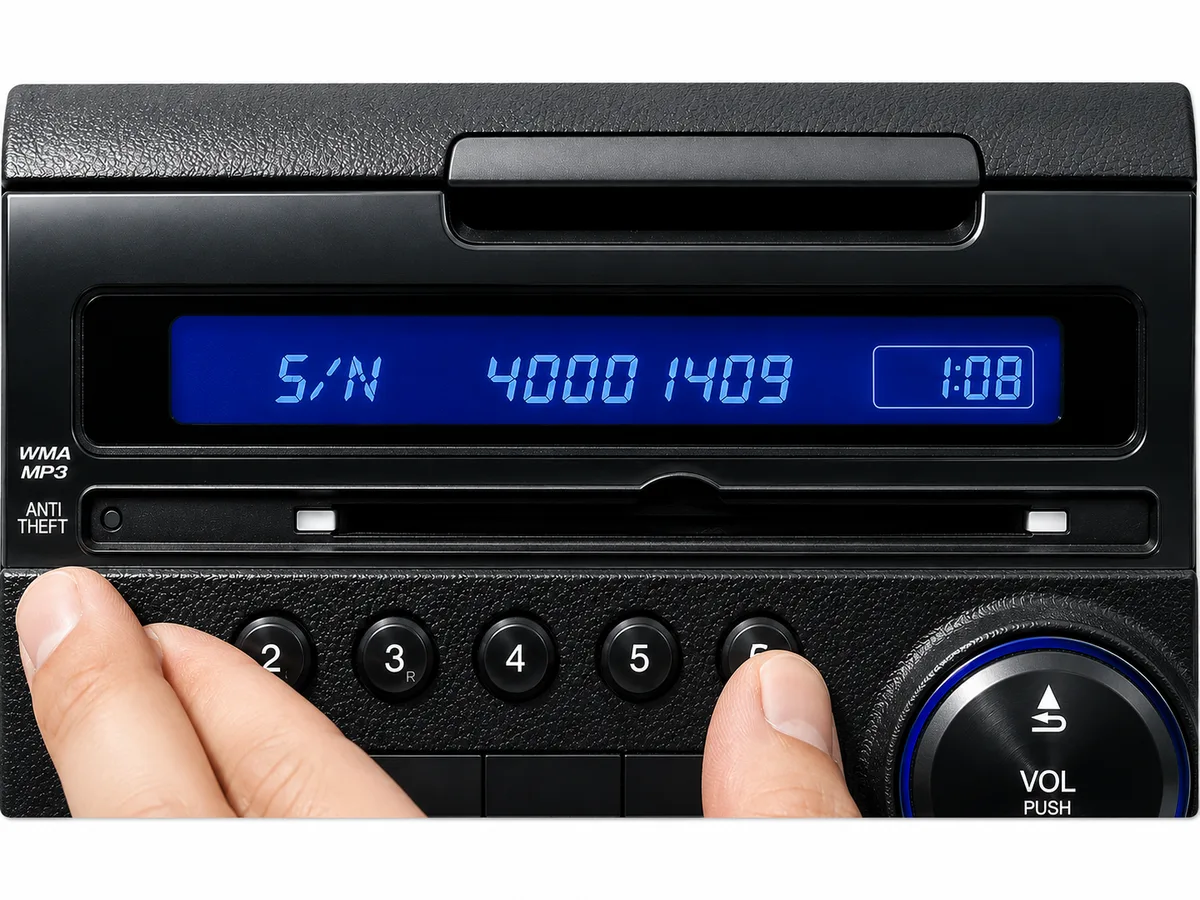
1 + 6 On-Screen
Get your serial from the screen
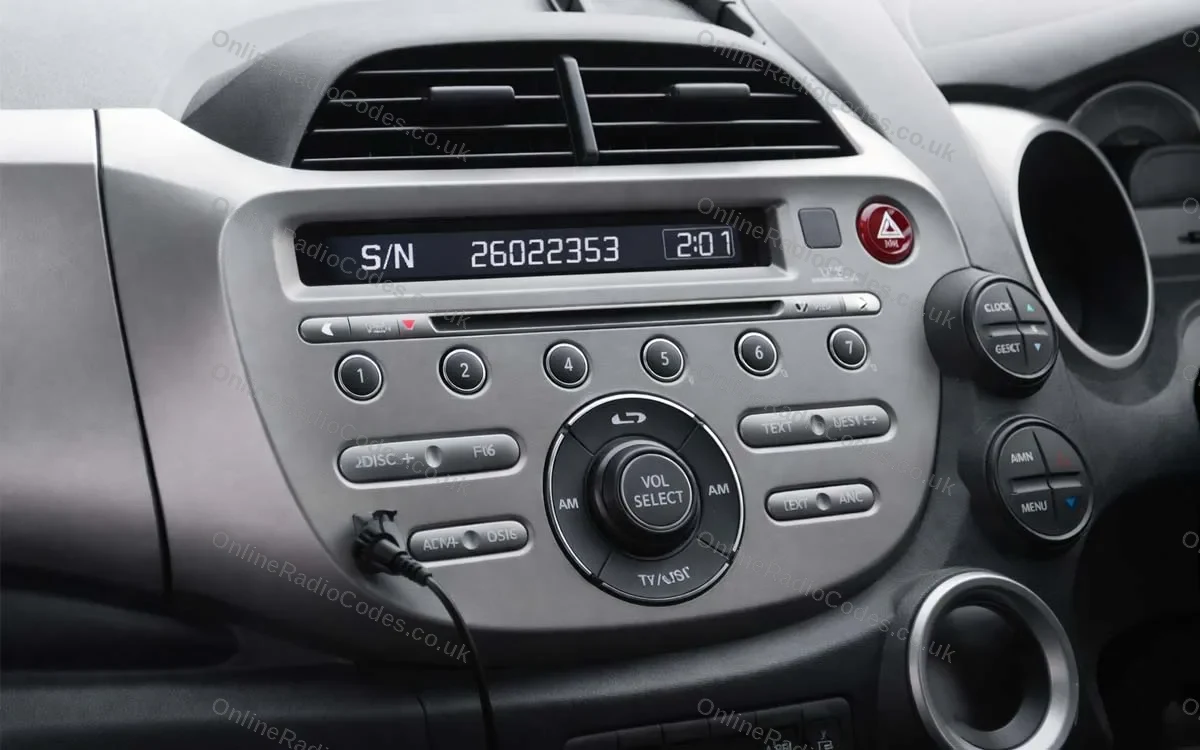
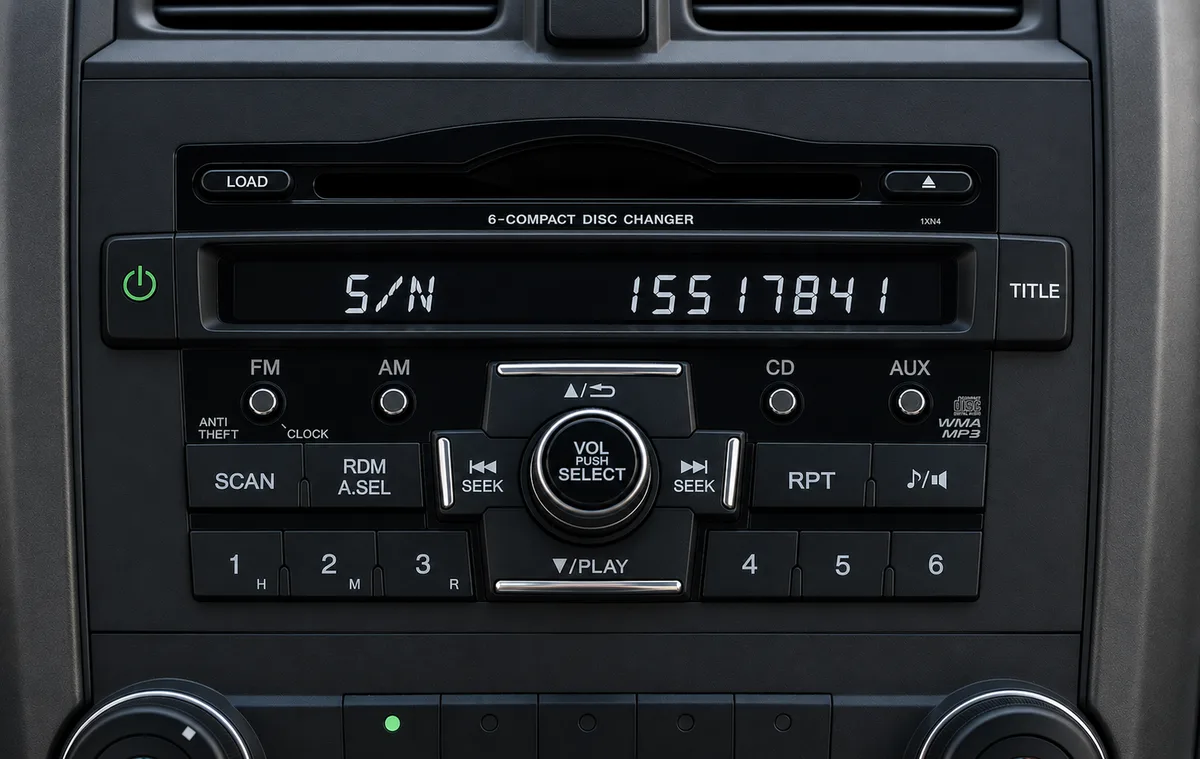
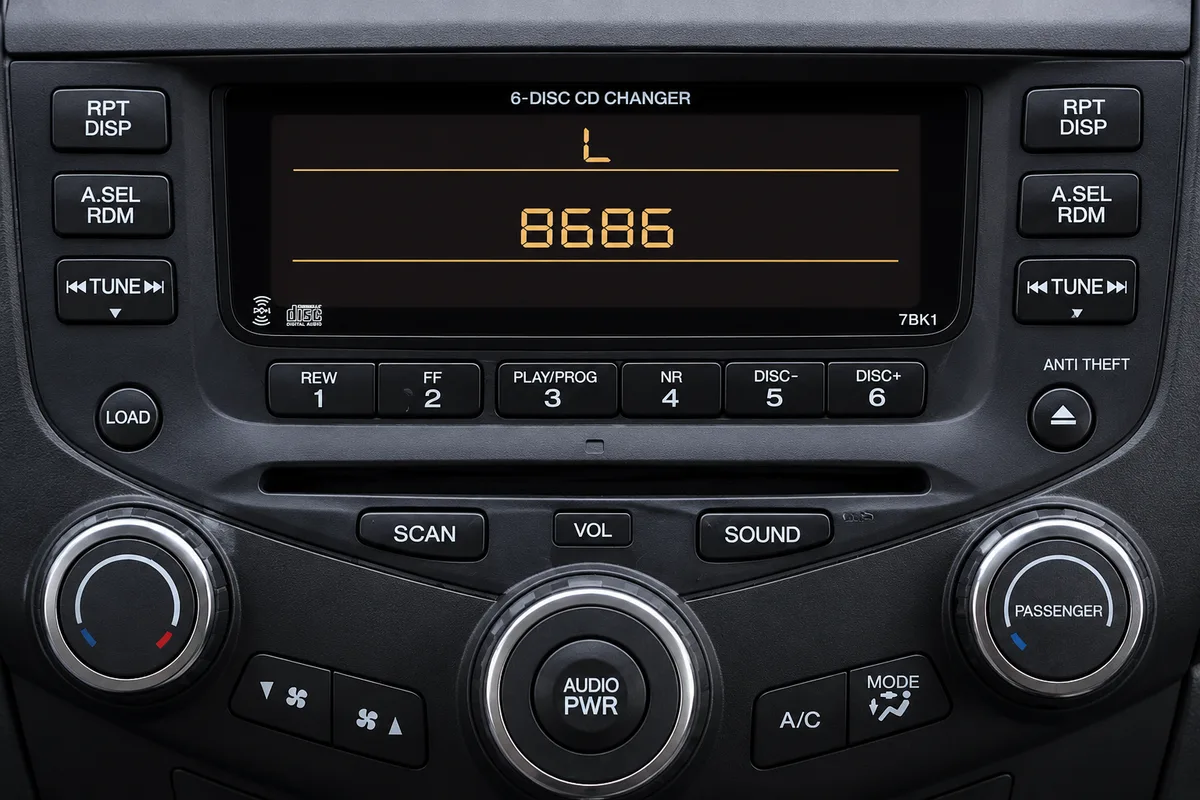
Fitted to Honda radios without a navigation screen. Turn on the ignition and radio, then press and hold preset buttons 1 and 6 simultaneously (on some radios, hold 1, 6 and Power together) for about two seconds until the display changes. The serial appears either as a U number and an L number (for example, U2154 L2135) or as a single S/N number (for example, S/N 2602353). Enter whichever format appears on your screen.
Touchscreen (2013+)
Find your serial in the diagnostics menu
To show your serial number on screen, open the hidden diagnostics screen. Hold one of these until it appears: • The button on the top of the radio + Power + Menu • Power + Eject + Home • Power + Menu + the Day/Night button (about three seconds)
Then touch Detail Information & Setting → Unit Check → HMI Unit or DA Unit to see your serial. Tap Return to exit.
No diagnostics buttons? Touch Home → Info Menu → System / Device Information → System Info and read the device number.
Older Navigation (2003 to 2012)
Find your serial via the diagnostics menu
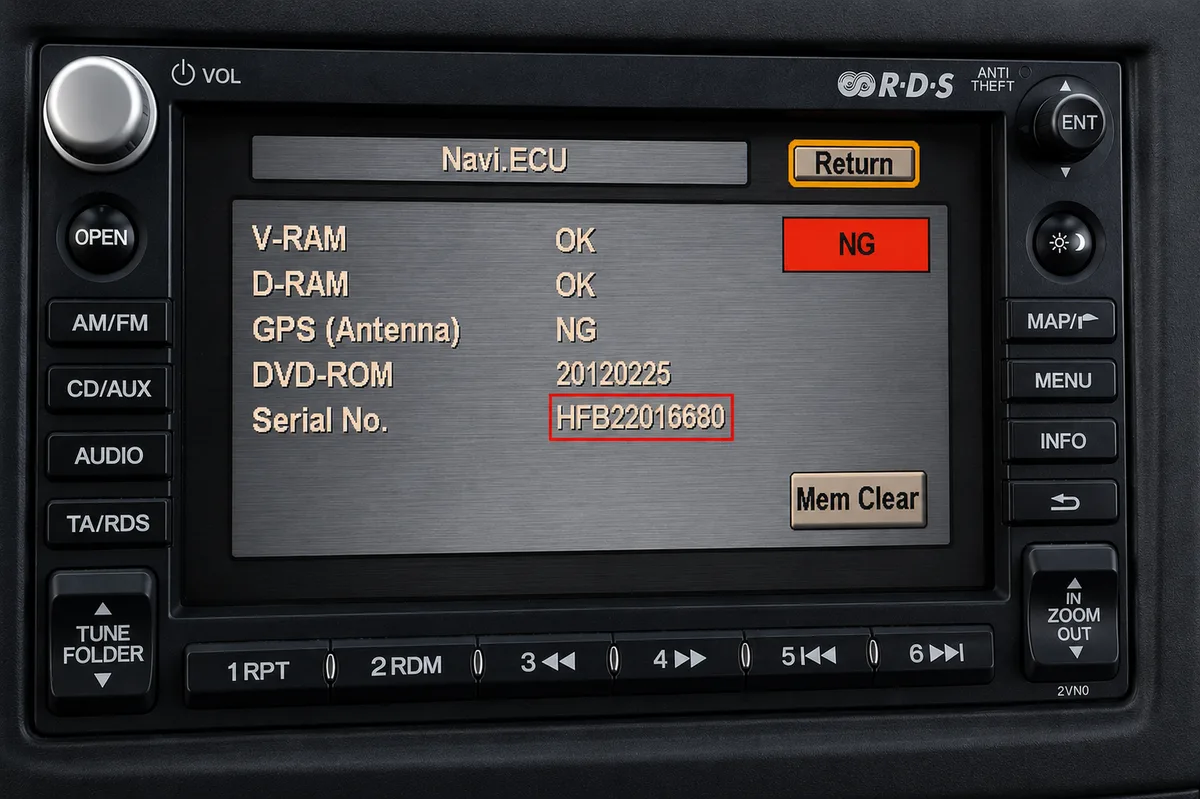
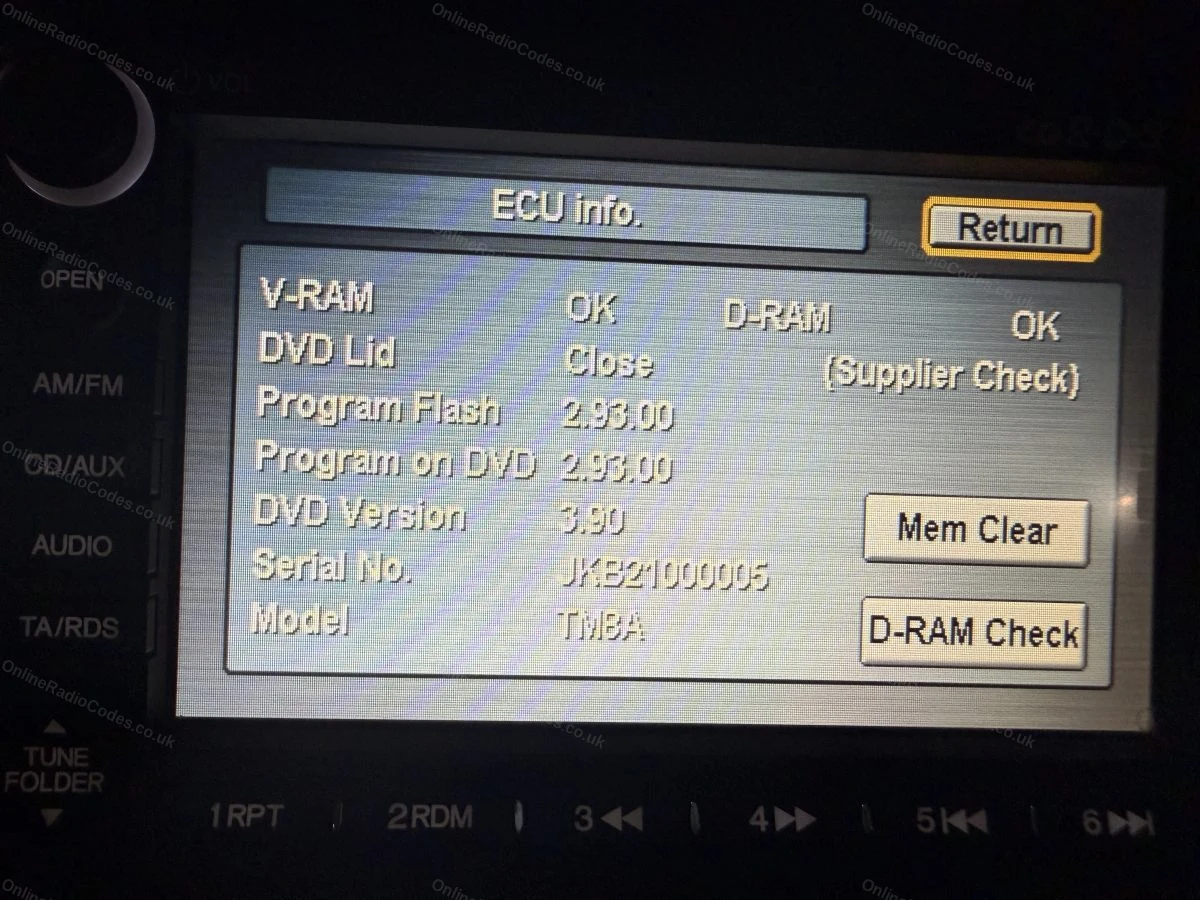
Fitted to navigation units on many 2003 to 2012 models. With the ignition on, press and hold Map (or Guide), Menu and Cancel together until the diagnostics screen appears, then select Unit Check and Navi ECU to see your serial.
On some units you instead press and hold SEEK or SKIP with CH or DISC, then PWR/VOL, and the serial appears on screen. Note it down exactly as shown.
Labels & Screen Examples
What your serial looks like
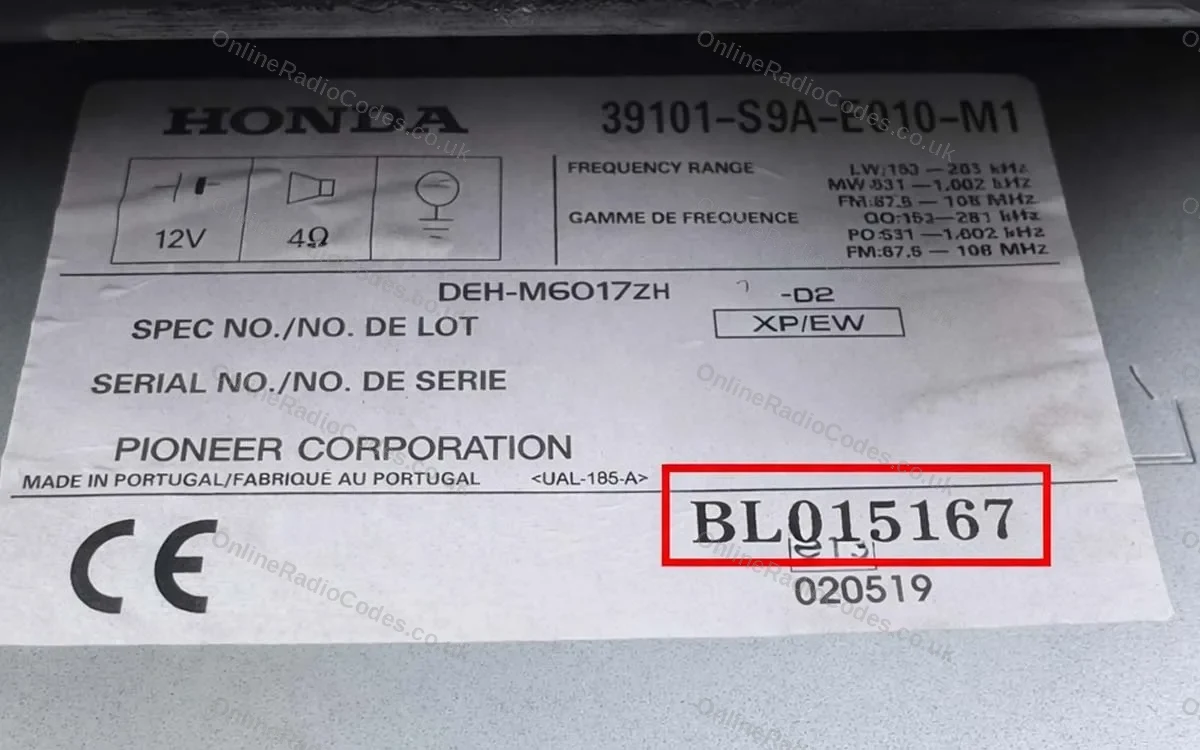
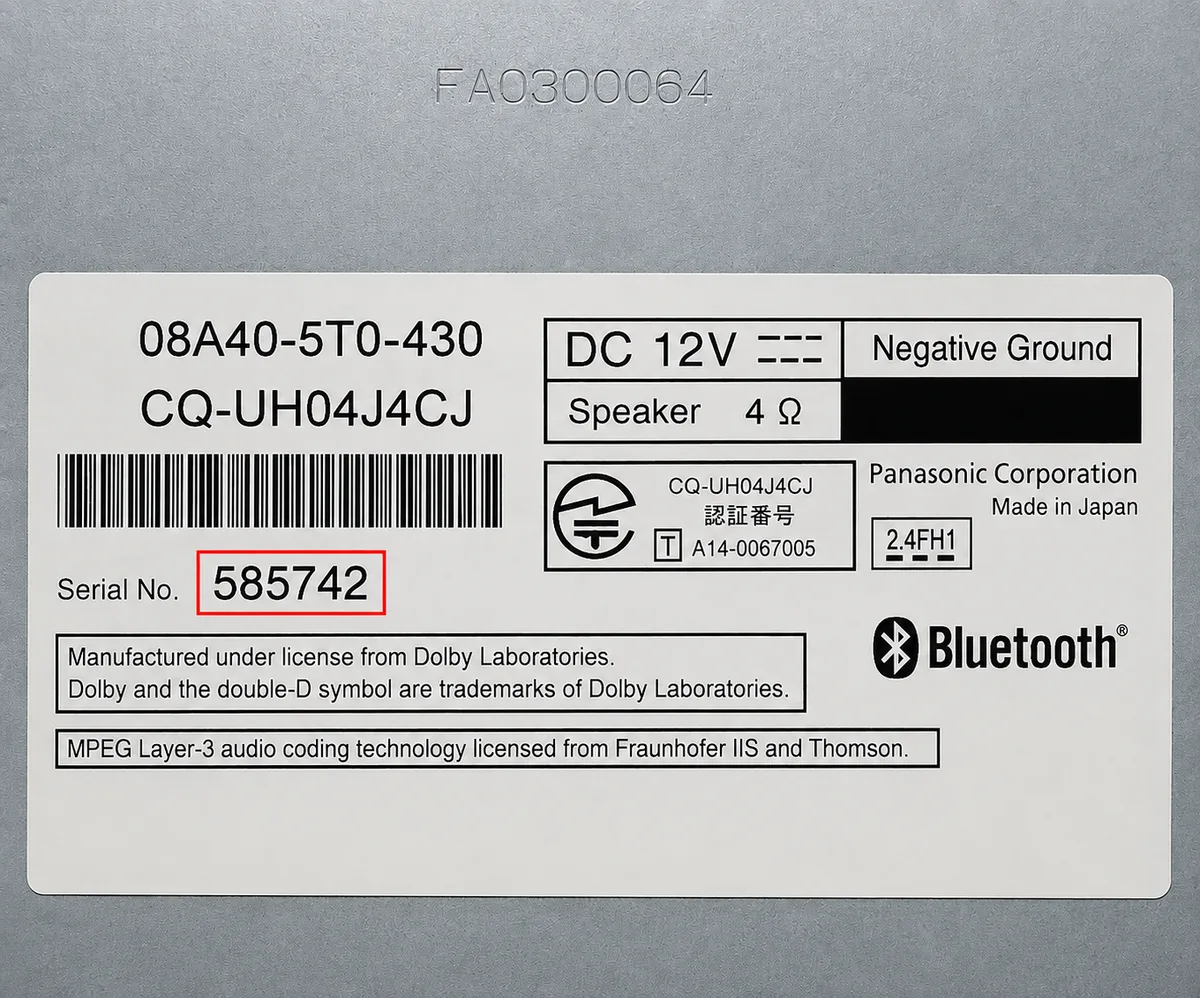
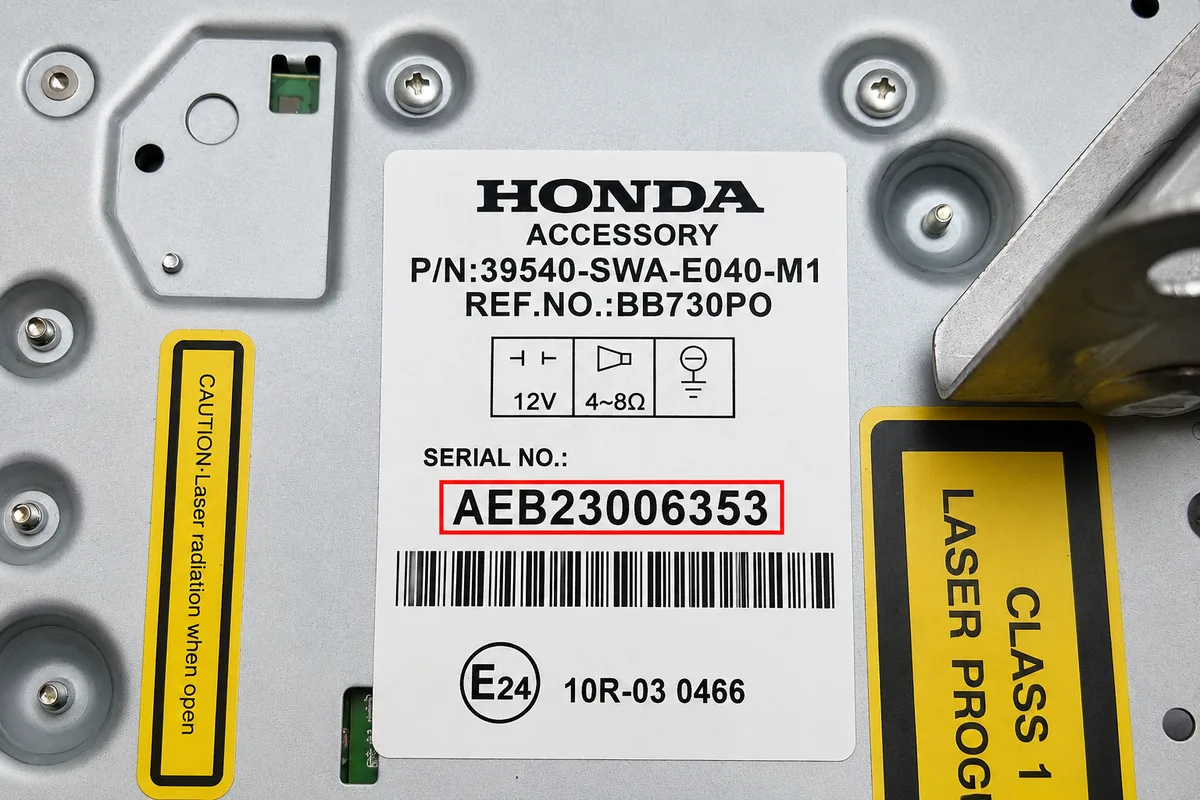
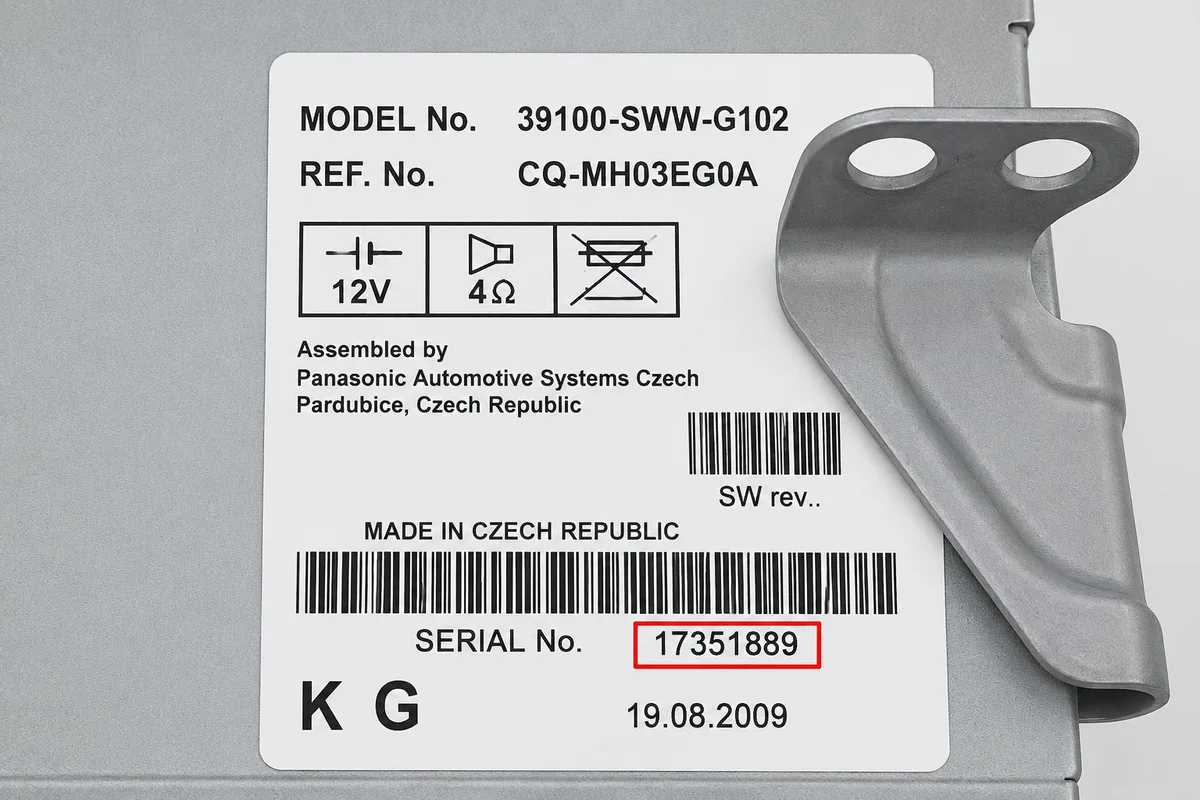
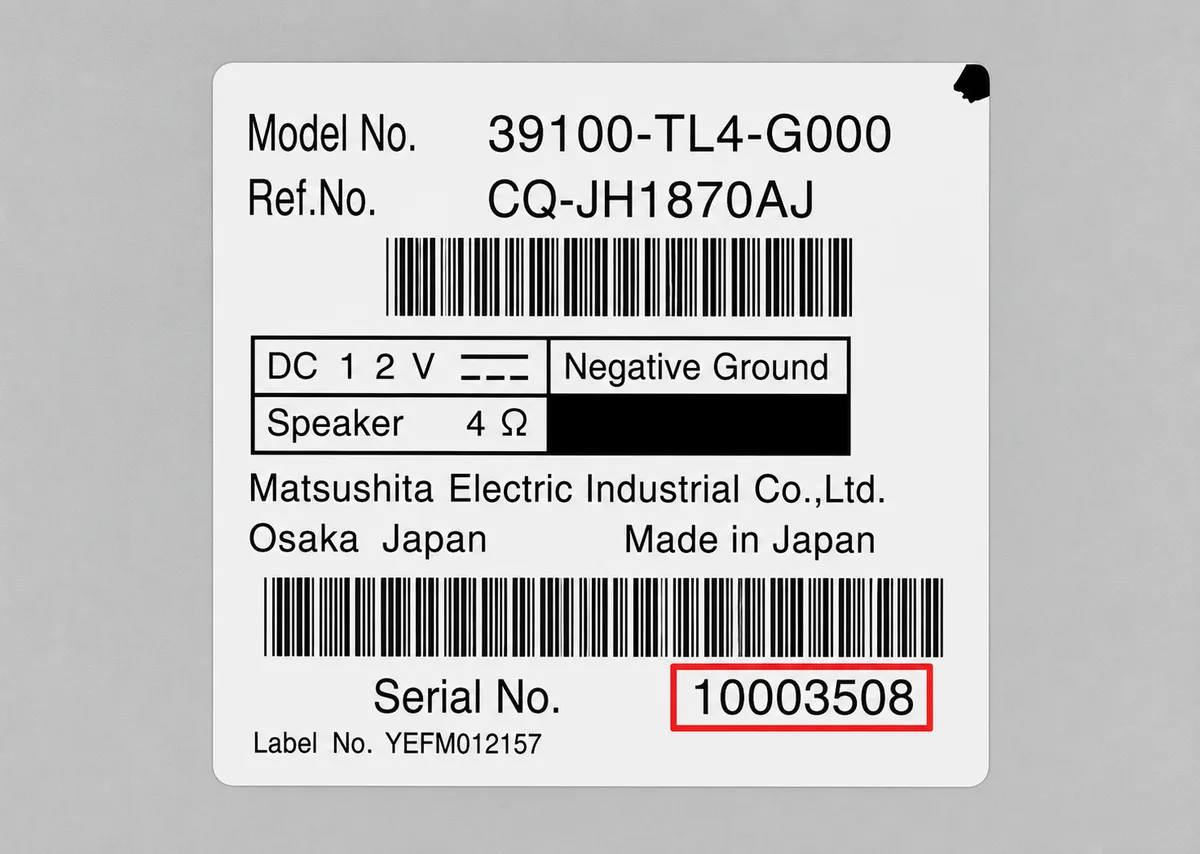
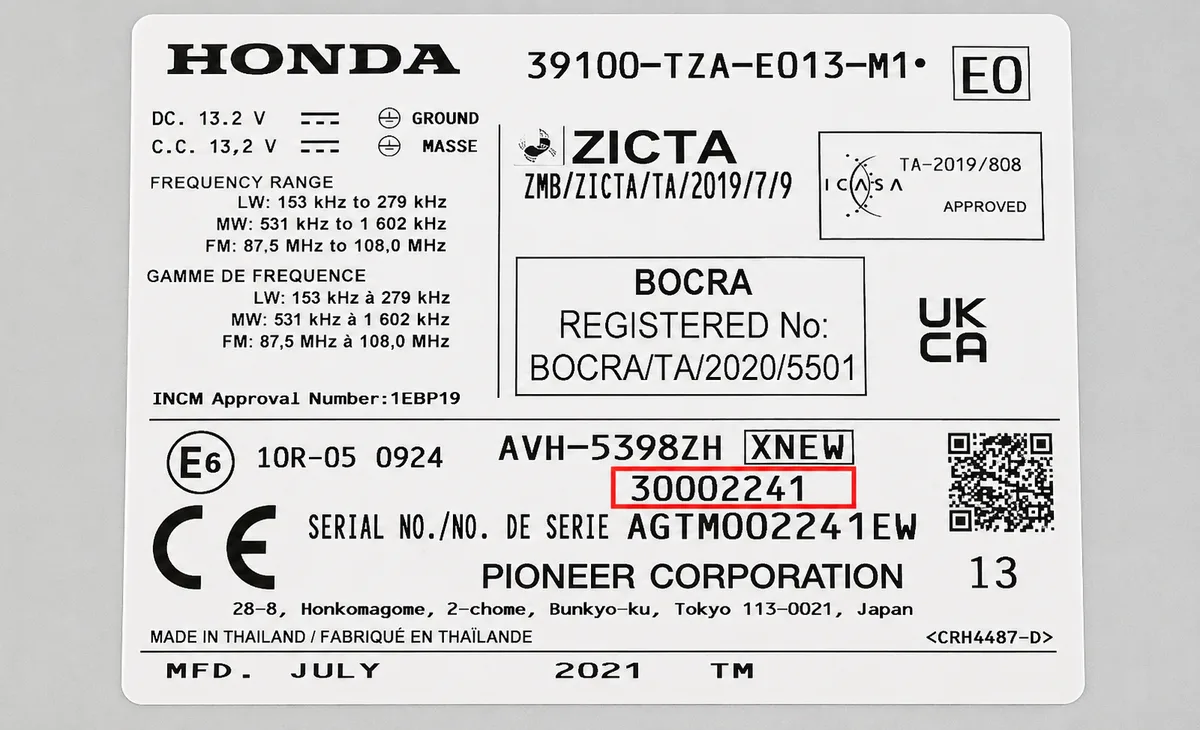
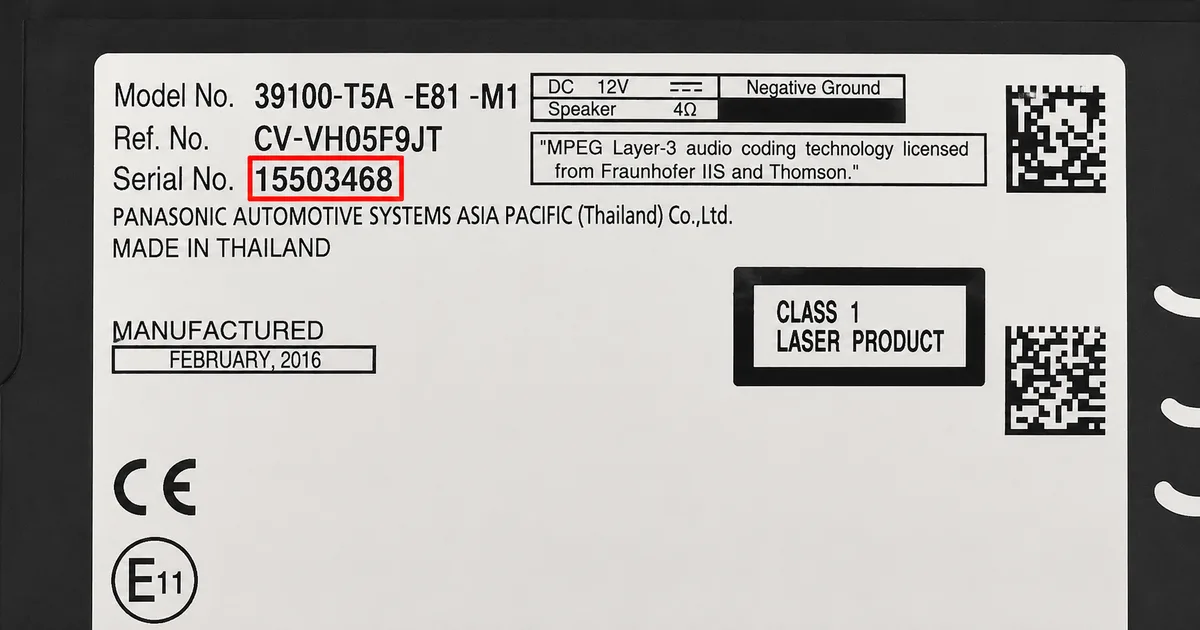
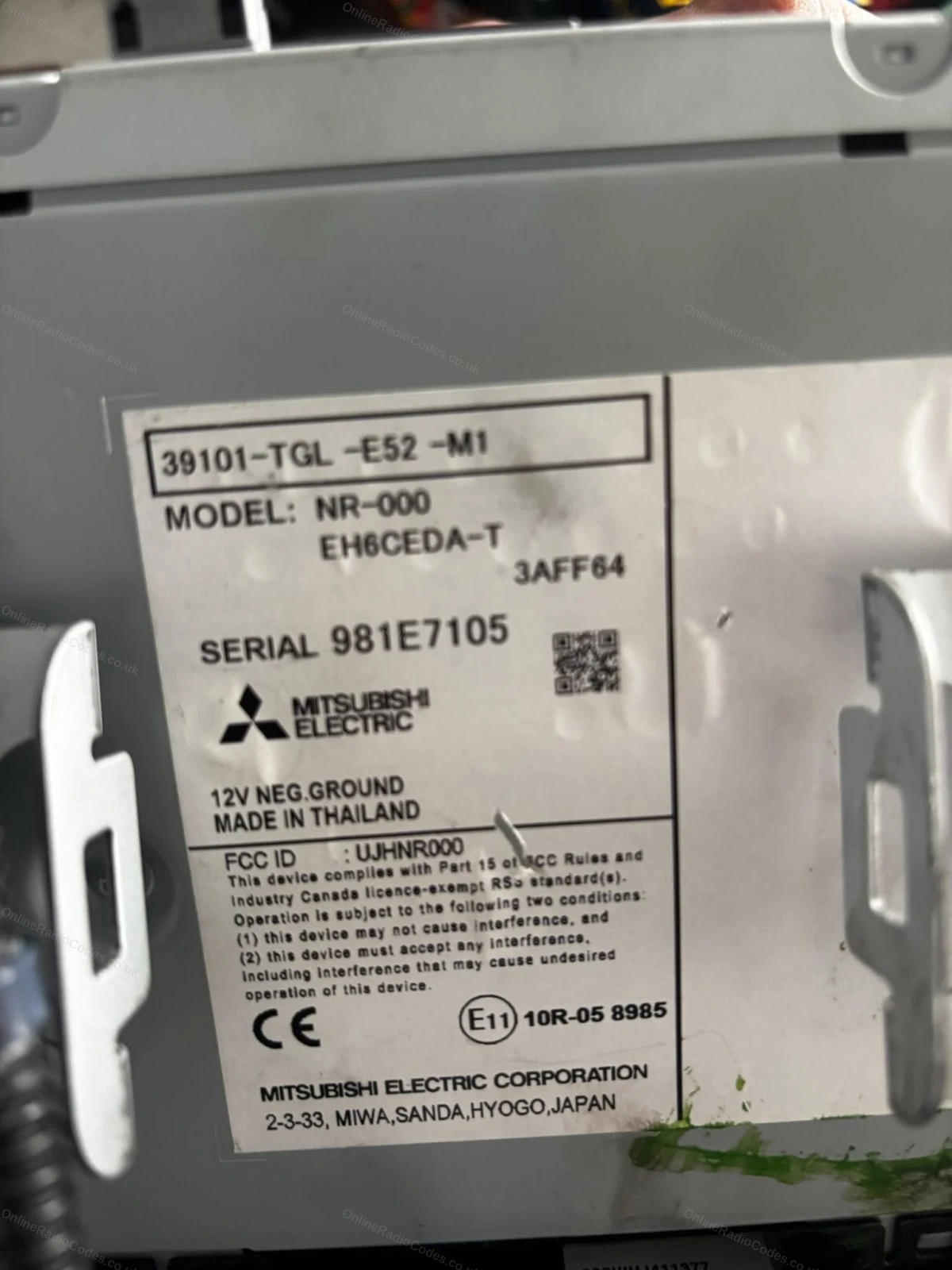
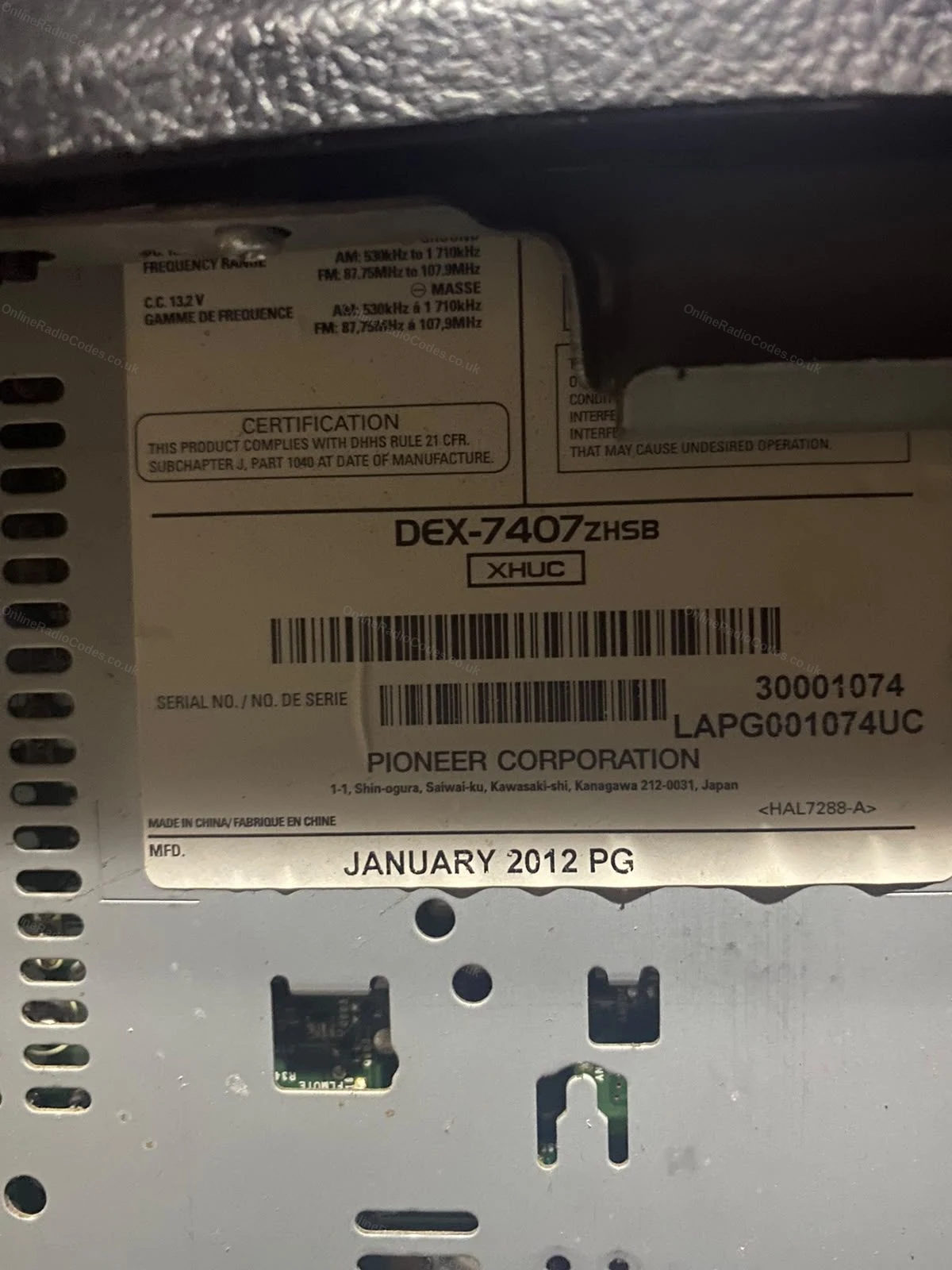
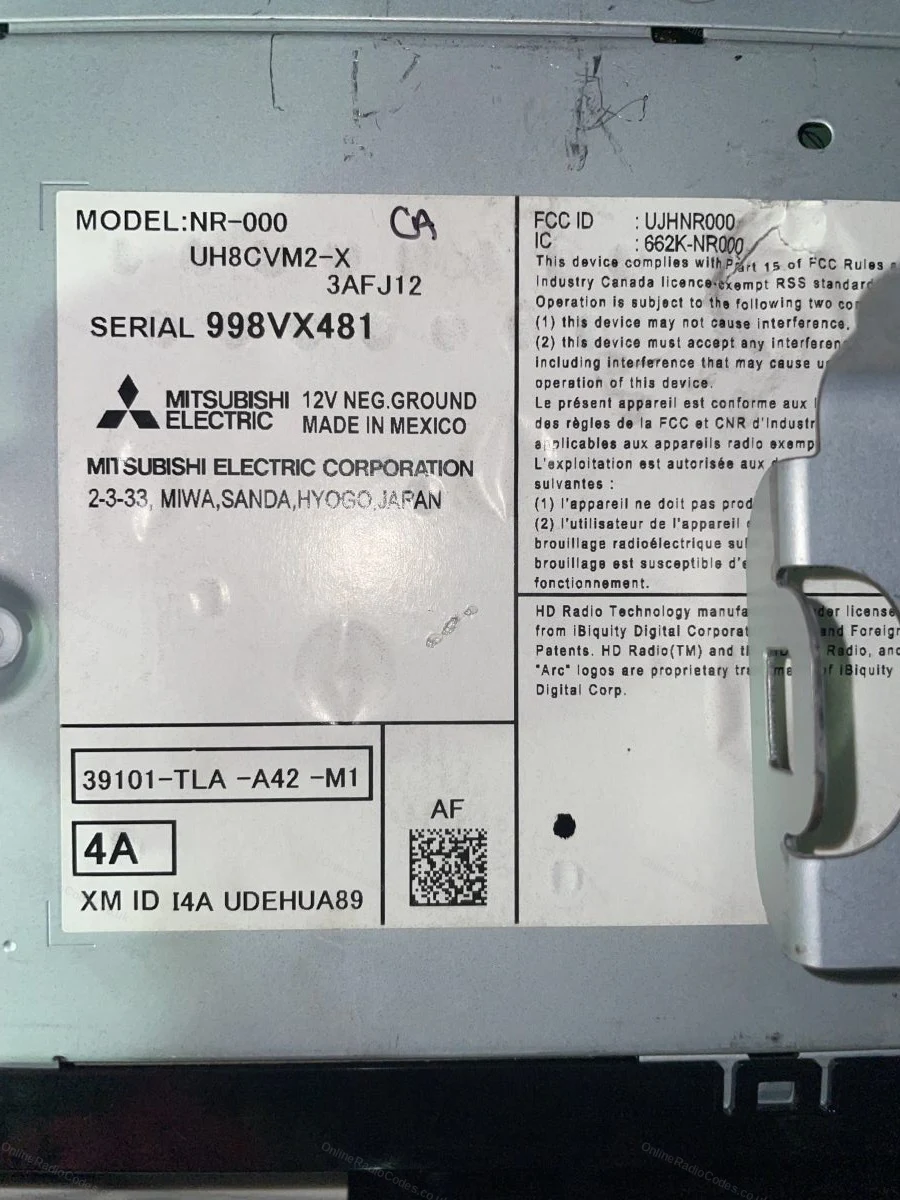
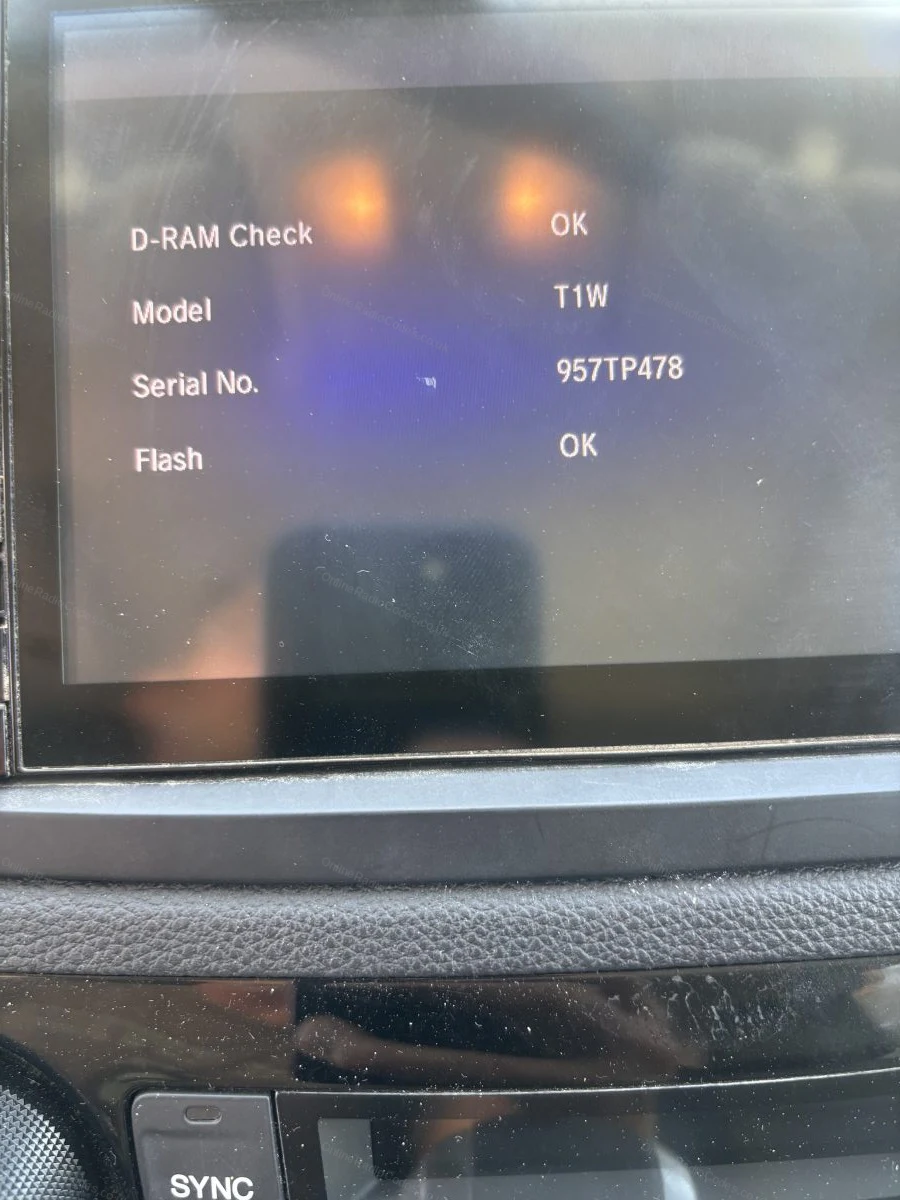
These are real examples of Honda serial numbers, both on the radio label and shown on screen, so you can see exactly what you are looking for.
If the serial is not showing on your screen, remove the unit with DIN release keys or a flat-head screwdriver and slide it forward. The serial is on a sticker on the top, side or rear of the casing, usually 6 to 14 characters (for example 954LR052 or SN500074). Enter it exactly as printed.
What your Honda serial looks like
Standard (U/L)U2154 L2135
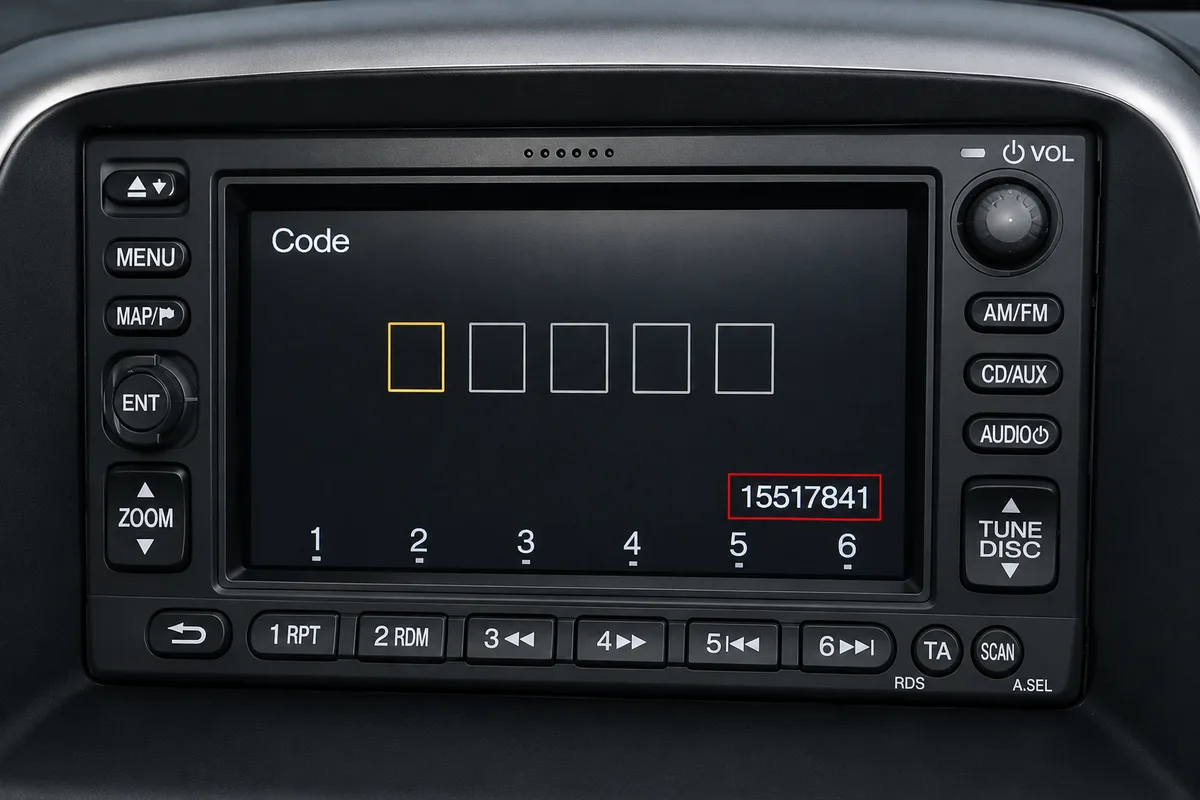
S/NS/N 15517841
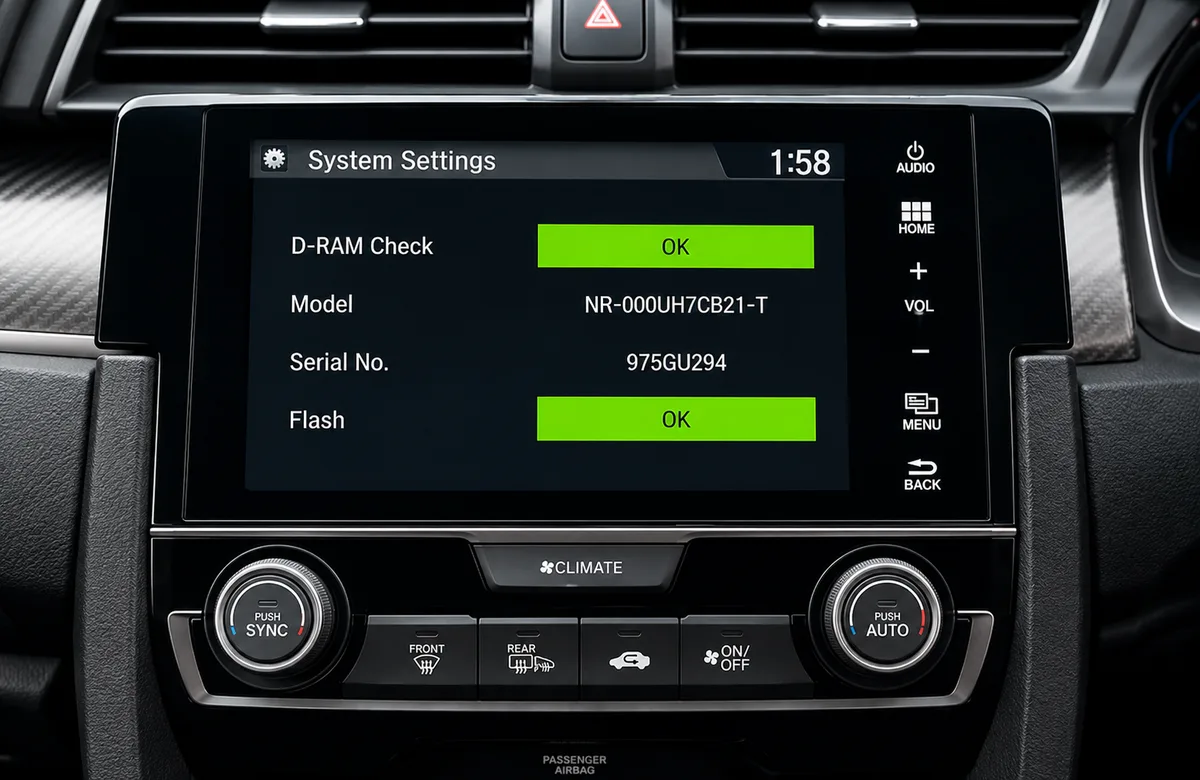
Touchscreen975GU294
NavigationHFB22016680
Mitsubishi954LR052
AccessoryFGZ24253655JC
SN-SeriesSN500074
Numeric22081908
Can't find it? Contact us. We'll help you locate your serial before you pay a penny.
Radio & label examples
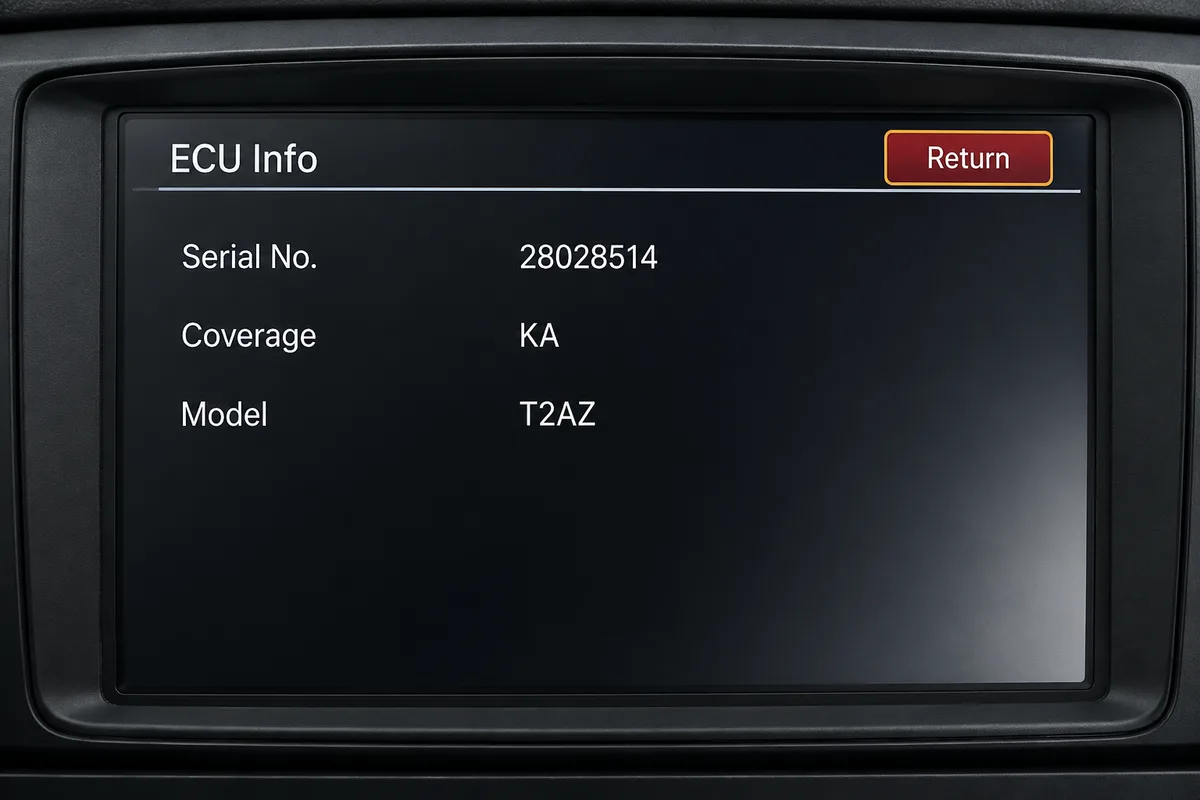
ECU info screen on a Honda navigation unit showing the model and serial number
Mitsubishi Electric serial label on the back of a Honda unit
White serial number label on the casing of a Honda CD tuner
Model and serial label on a Honda unit casing
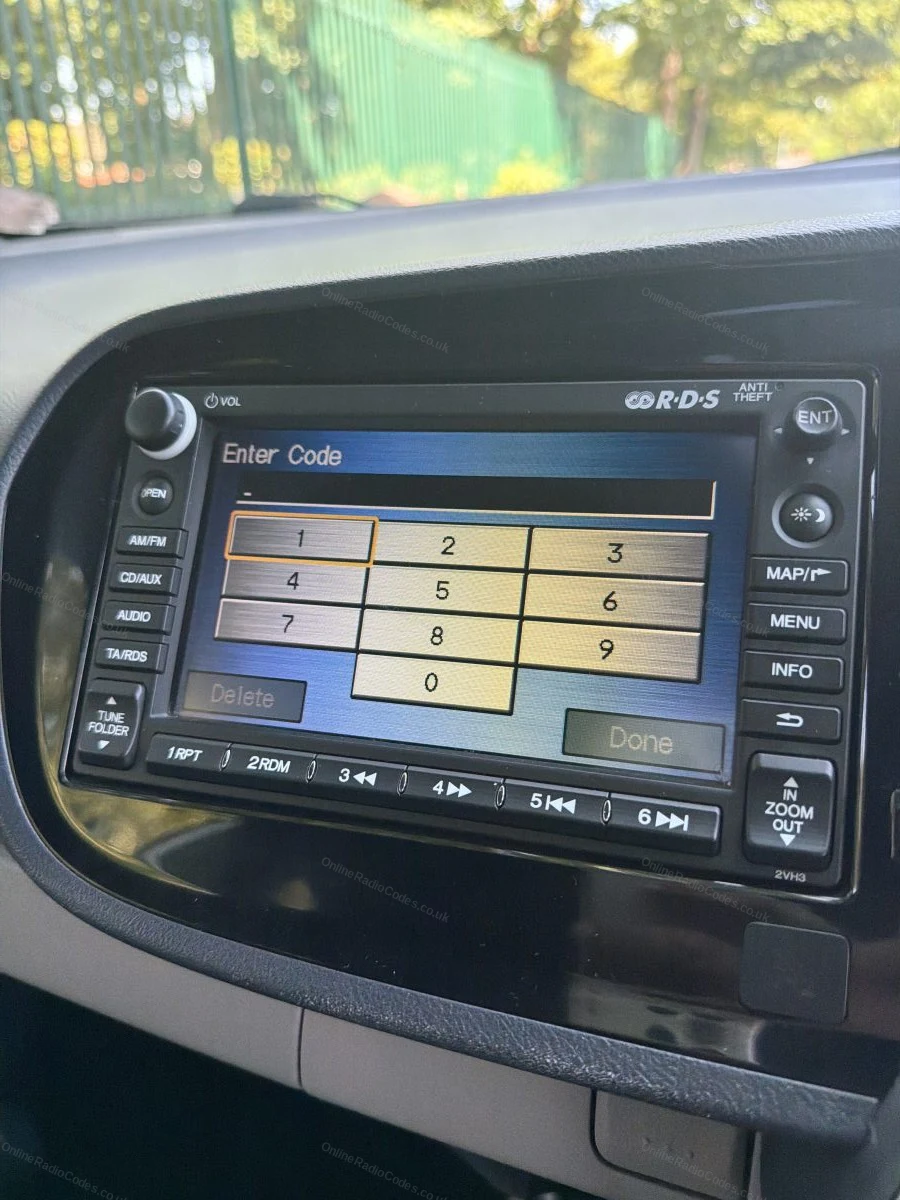
Code entry keypad on a Honda navigation screen
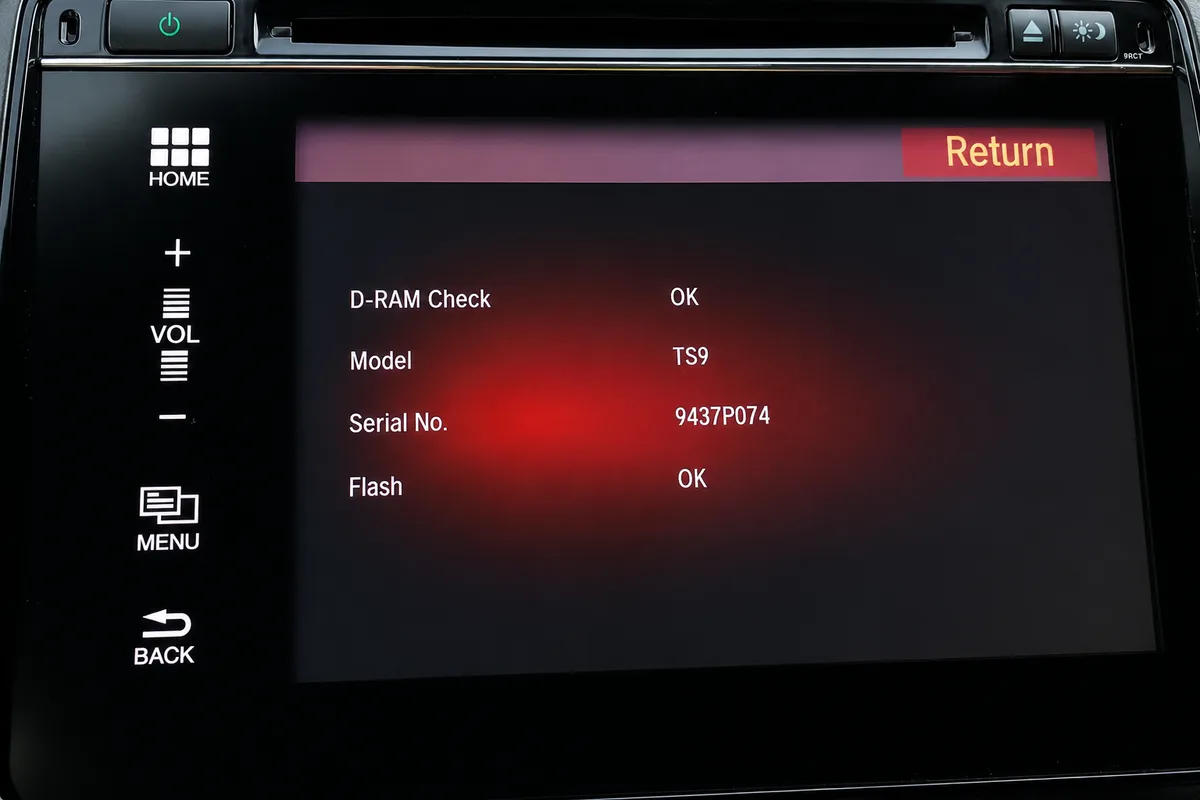
Diagnostic screen on a Honda display showing the model and serial number
Since 2015 · 1 million decodes
The World’s Leading Honda Radio Code Service
A Decade of Decoding
Retrieving car radio codes since 2015, with more than a million codes delivered. Registered UK company No. 09736186. Read our story
Your Code, Fast
Most codes appear on screen the moment payment clears. The rest are handled by our team, usually within the hour in business hours.
Works, or Your Money Back
If your code does not work, we refund you in full. One of the very few radio code services that backs every single order.
Your Code, Kept for Life
Lose your code in five years? We keep it on file and will resend it free of charge, as many times as you need.
Real people, worldwide, around the clock
Meet our radio experts
A small team who have decoded radios for a decade, with Nova, our AI assistant, covering around the clock. Wherever you are in the world, we're here to help.
Live chat and email 24/7. Phones Monday to Friday, UK hours.
ERR appears when the wrong code has been entered. Turn the radio off and then back on again to reset the attempt counter. Do not continue entering incorrect codes as this can cause a longer lockout. If the radio has stopped accepting input altogether after repeated attempts, leave it powered on for about an hour and the attempt counter resets.
How do I find my Honda radio serial number?
For most Honda radios, hold buttons 1 and 6 simultaneously for two seconds with the radio on. The serial will appear on screen in the format U followed by digits and L followed by digits. For 2003 and later navigation units, a different button combination is needed as described in the guide above.
What happens if I enter too many wrong codes?
After around ten wrong attempts the radio shows an error and stops accepting entries. It is a temporary lock, not permanent damage, and no dealer visit is needed. Leave the radio powered on with the ignition on for about an hour and the counter resets, then enter the correct code once, slowly.
How long does delivery take?
During our working hours, Monday to Saturday 8am to 4pm UK, most Honda radio codes arrive within the hour. Please allow up to 6 hours for delivery. You will receive the code at the email address you provide at checkout.
Which Honda models does this cover?
We cover all Honda models including Civic, CRV, Jazz, Accord, Crosstour, Fit, Insight, Odyssey, Pilot and S2000.
Do I need to remove my Honda radio?
For most Honda radios, no. The serial number is displayed on screen by holding two buttons simultaneously. Only a small number of older or specialist units require physical removal.
My code does not work. What should I do?
Check the serial number carefully. The U and L values must be entered exactly as displayed. If the serial is correct and the code fails, contact us and we will investigate. All codes are guaranteed.
Will the code still work if I change my battery again?
Yes. The code is permanently linked to your radio. Keep it stored safely and you can use it every time the radio locks after a power interruption.
Can I get my Honda radio code for free?
There is no Honda calculator; codes are held per serial. Outside North America the route is a dealer visit with the registration document, at the dealer's discretion, and serials starting 40 are dealer-only everywhere. Our guide covers what dealers ask for and how lockouts work: Can you get your radio code free?
We bought a stereo from Ebay and needed an anti-theft code to install it.We found you guys online and the code was given to us in no time and it worked perfe…
OnlineRadioCodes.co.uk is an independent radio code retrieval service and is not affiliated with Honda Motor Co., Ltd or any of its subsidiaries. All radio codes are sourced from official databases. Honda and all model names are trademarks of their respective owners.


















 Honda · Radio Codes
 22,634 reviews on