100% Money Back Guarantee The World's Leading Car Radio Code Service Trusted by 1,000,000+ customers
Honda Honda · Radio Codes
Instantly Displayed

Honda CR-V Radio Codes

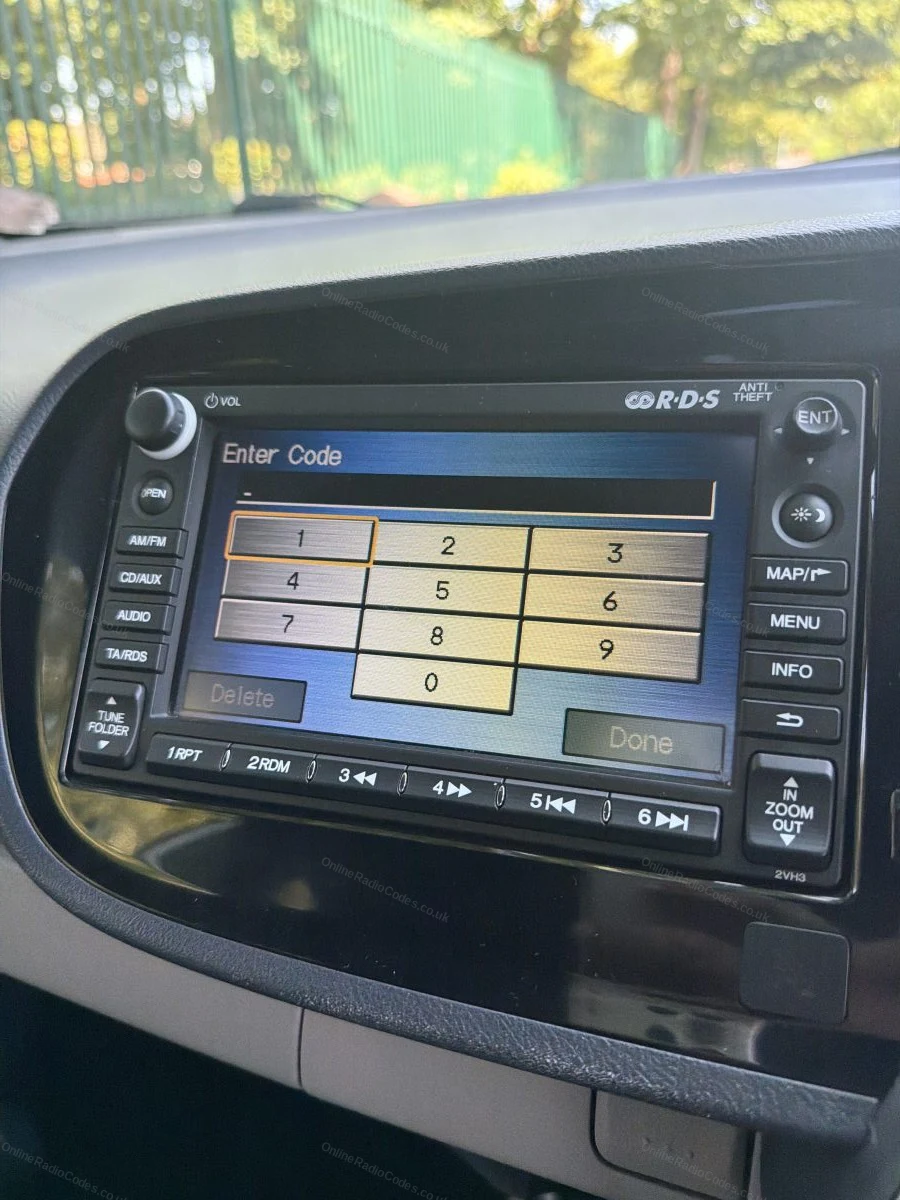
Honda CR-V radio code by serial number. Covers all standard radio, 2003 navigation, and DVD navigation units. Your serial appears on screen using the button combination shown in the guide below.

Enter your serial number
Over 1 million codes delivered worldwide.
Not sure which serial to enter? See examples
Instant Money back guarantee Secure checkout

Step 1 of 3

How to find your Honda serial number

The guide below will show you exactly where to find your Honda radio serial number.

1 + 6 On-Screen
Get your serial from the screen
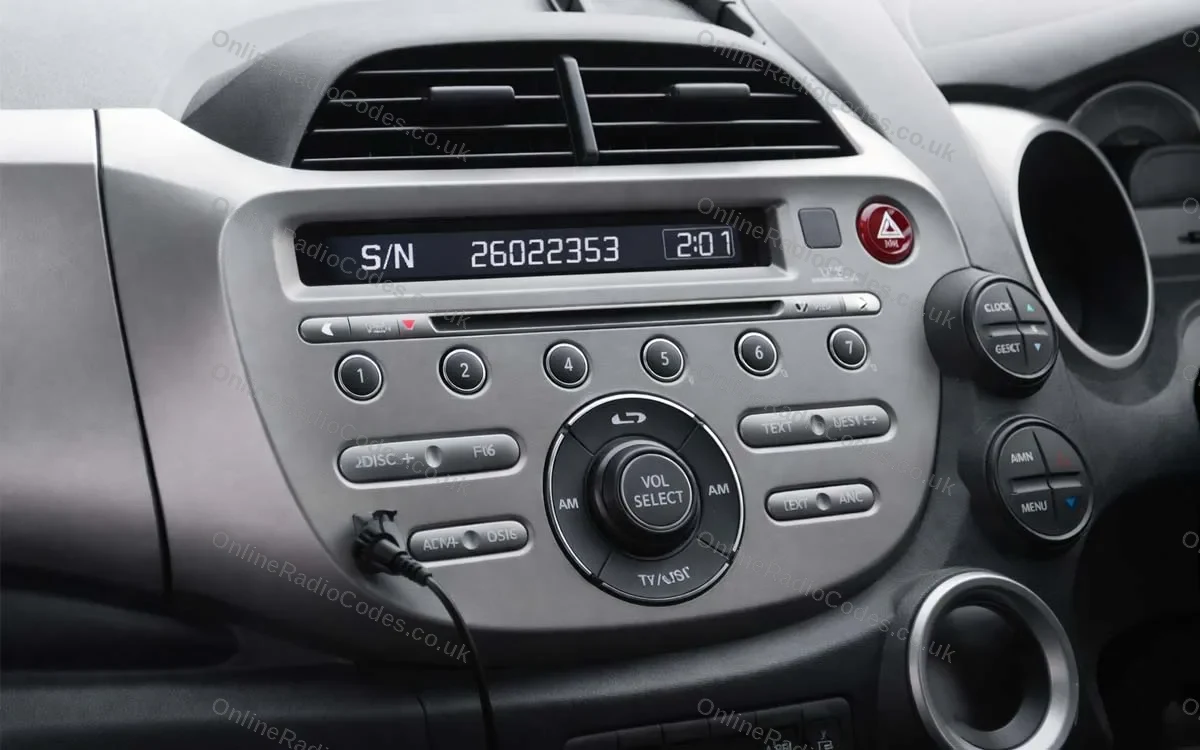
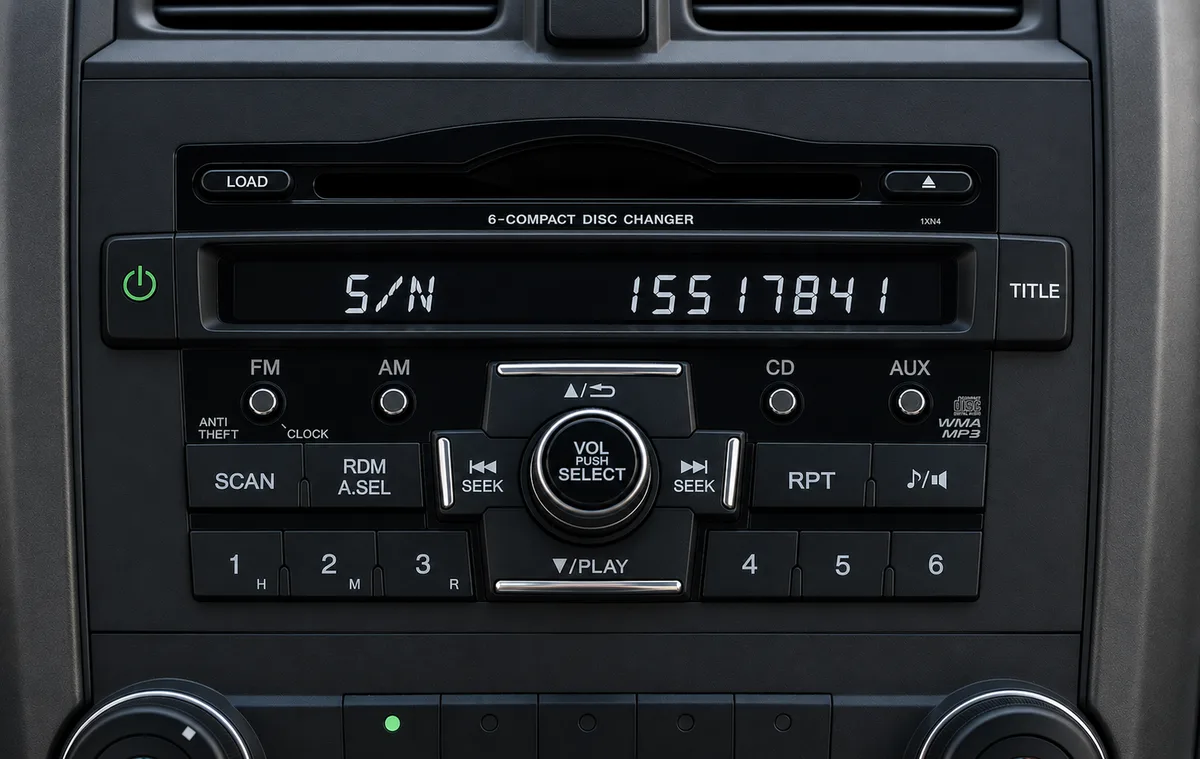
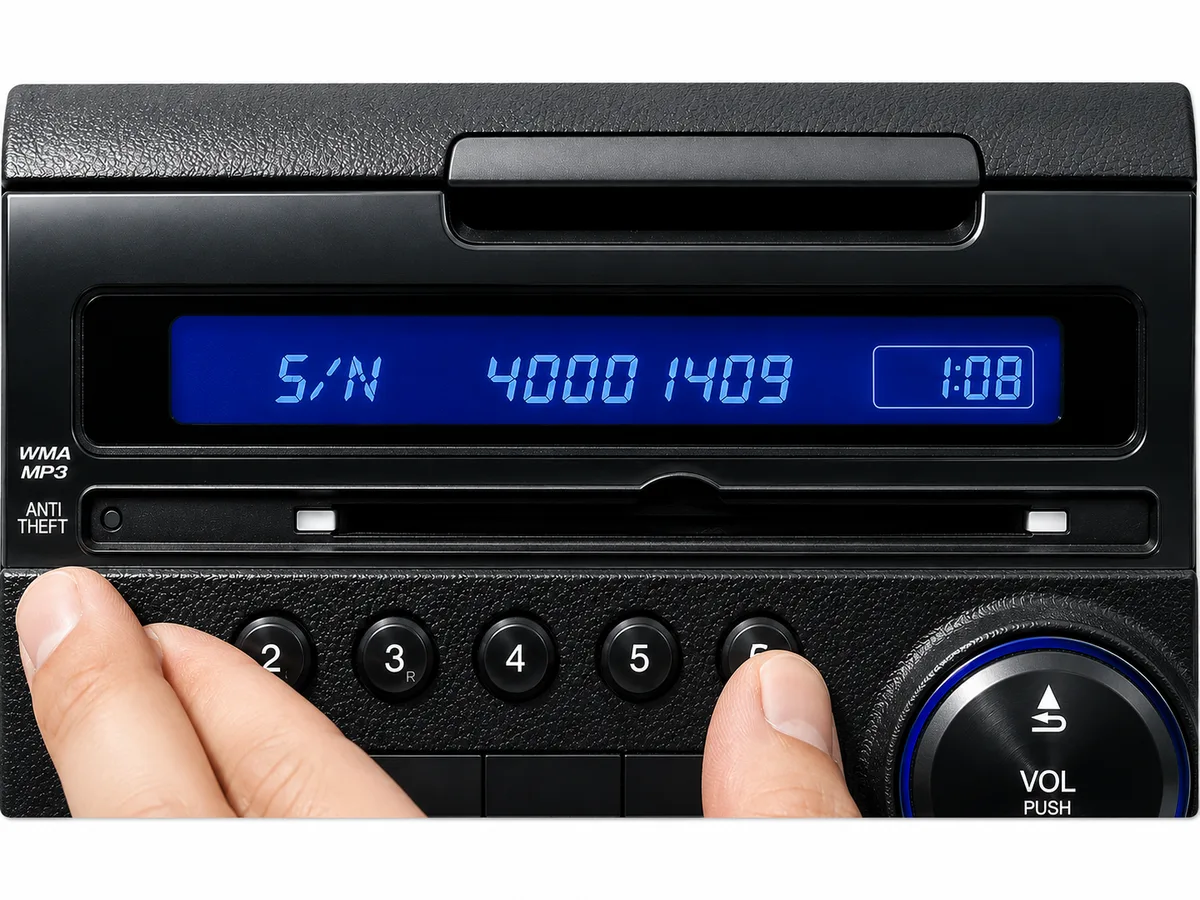
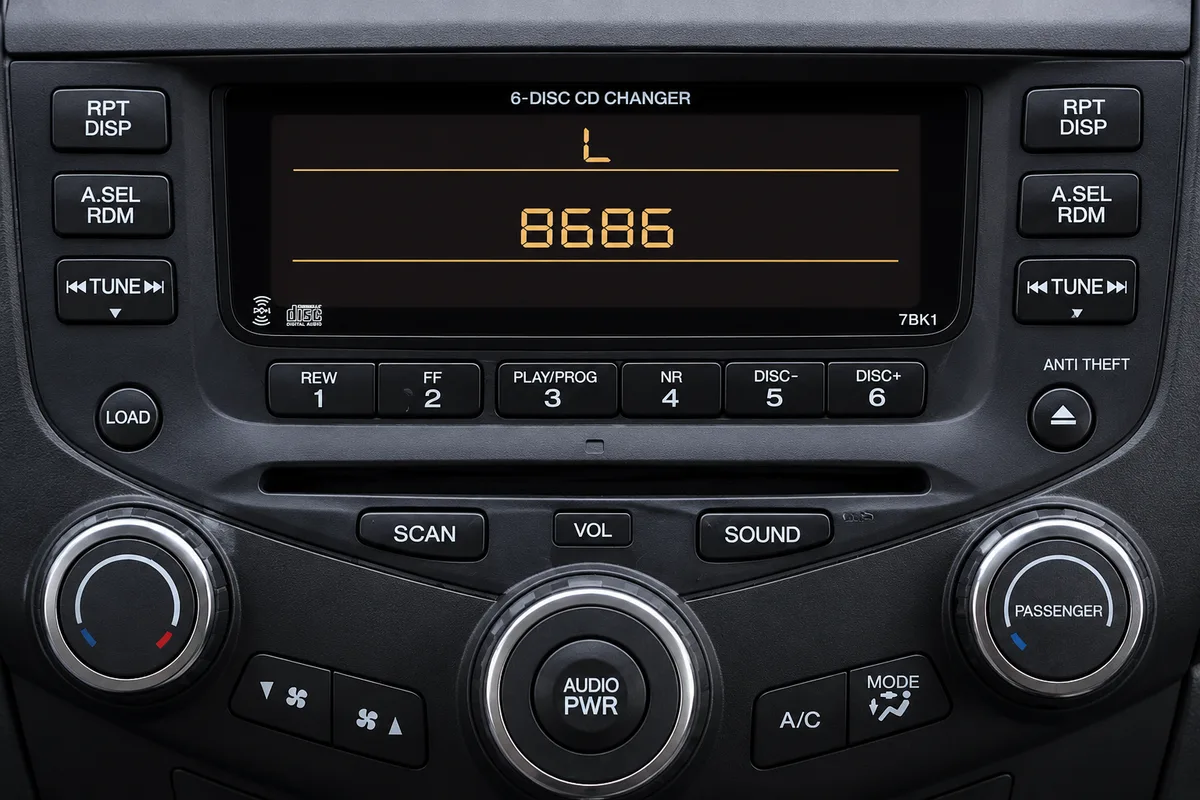
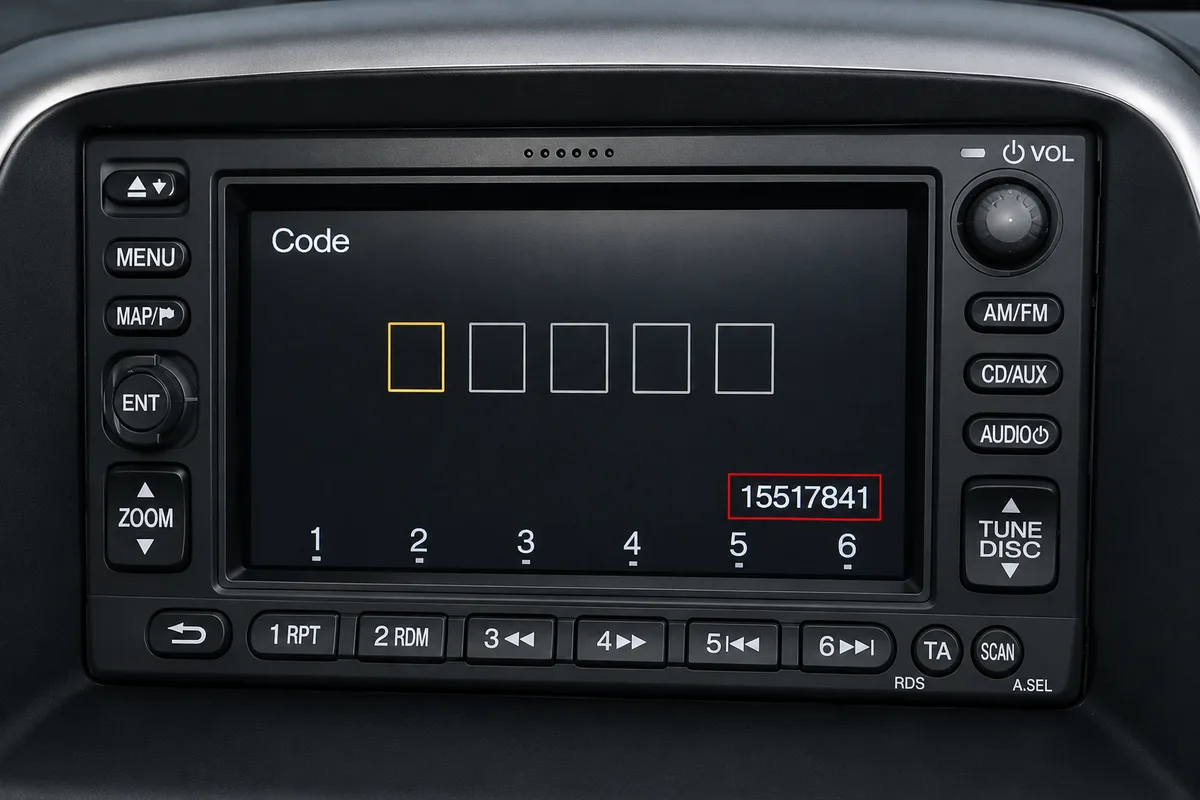
Fitted to Honda radios without a navigation screen. Turn on the ignition and radio, then press and hold preset buttons 1 and 6 simultaneously (on some radios, hold 1, 6 and Power together) for about two seconds until the display changes. The serial appears either as a U number and an L number (for example, U2154 L2135) or as a single S/N number (for example, S/N 2602353). Enter whichever format appears on your screen.
Touchscreen (2013+)
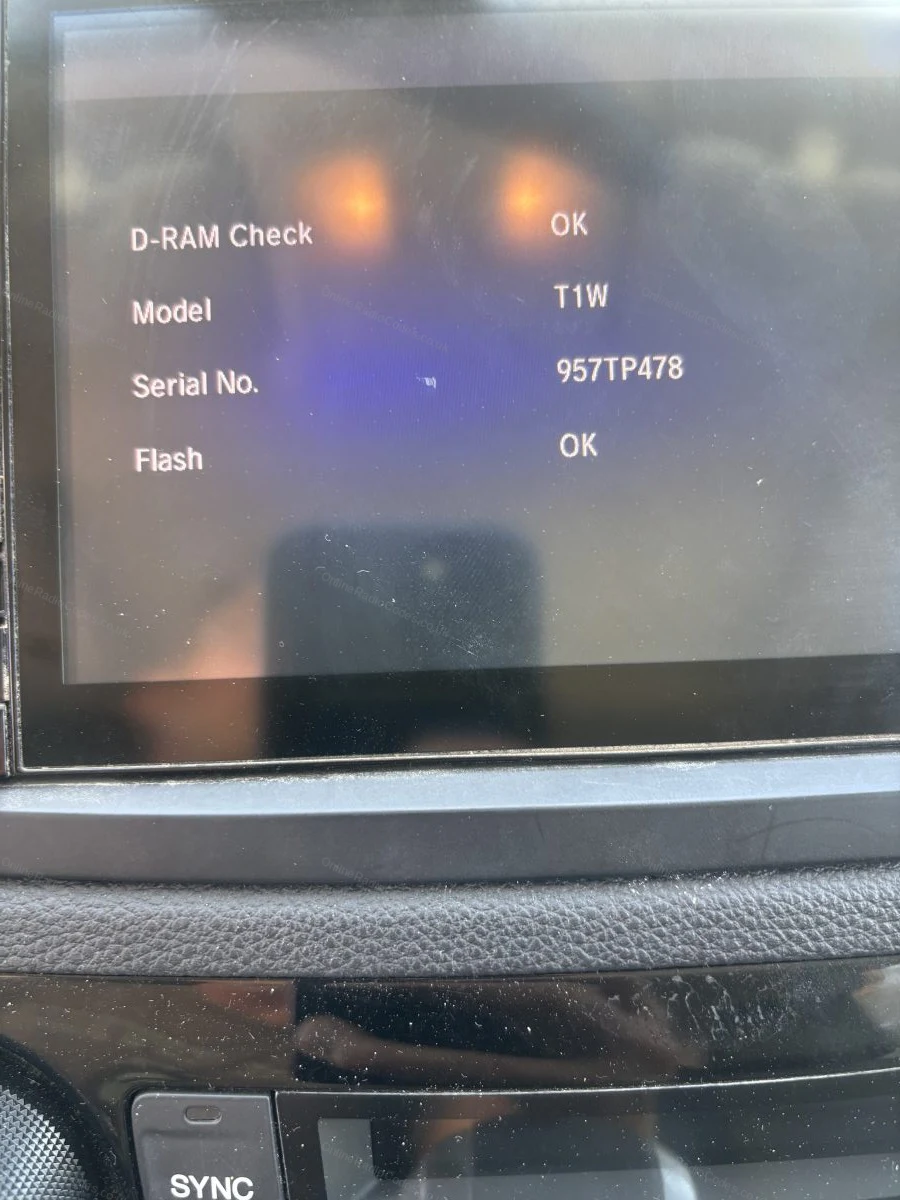
Find your serial in the diagnostics menu
To show your serial number on screen, open the hidden diagnostics screen. Hold one of these until it appears:
The button on the top of the radio + Power + Menu
Power + Eject + Home
Power + Menu + the Day/Night button (about three seconds)

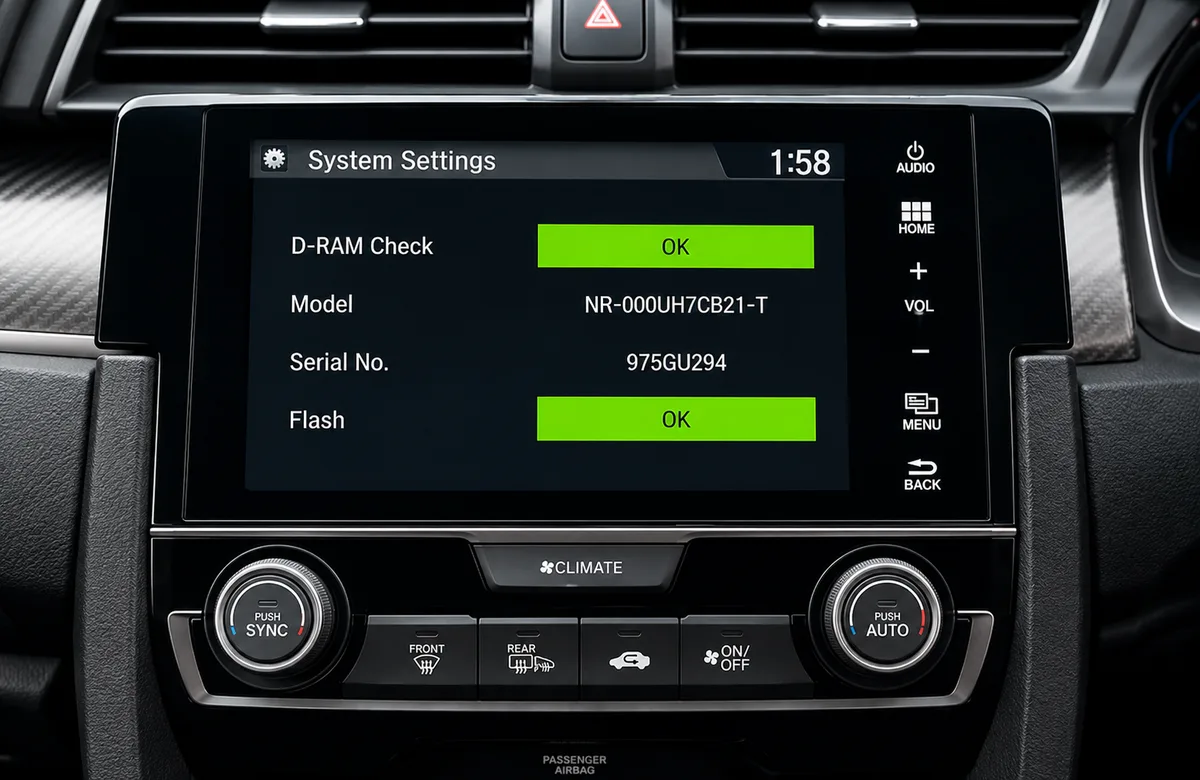
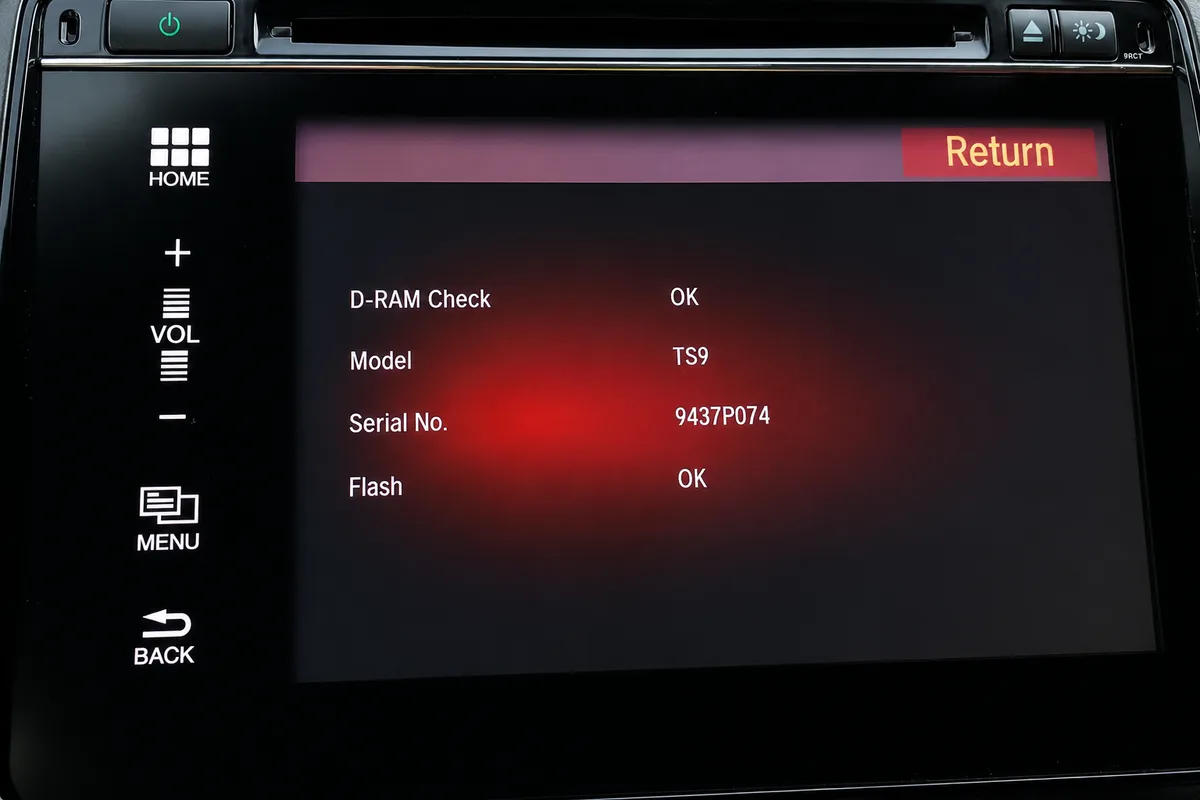
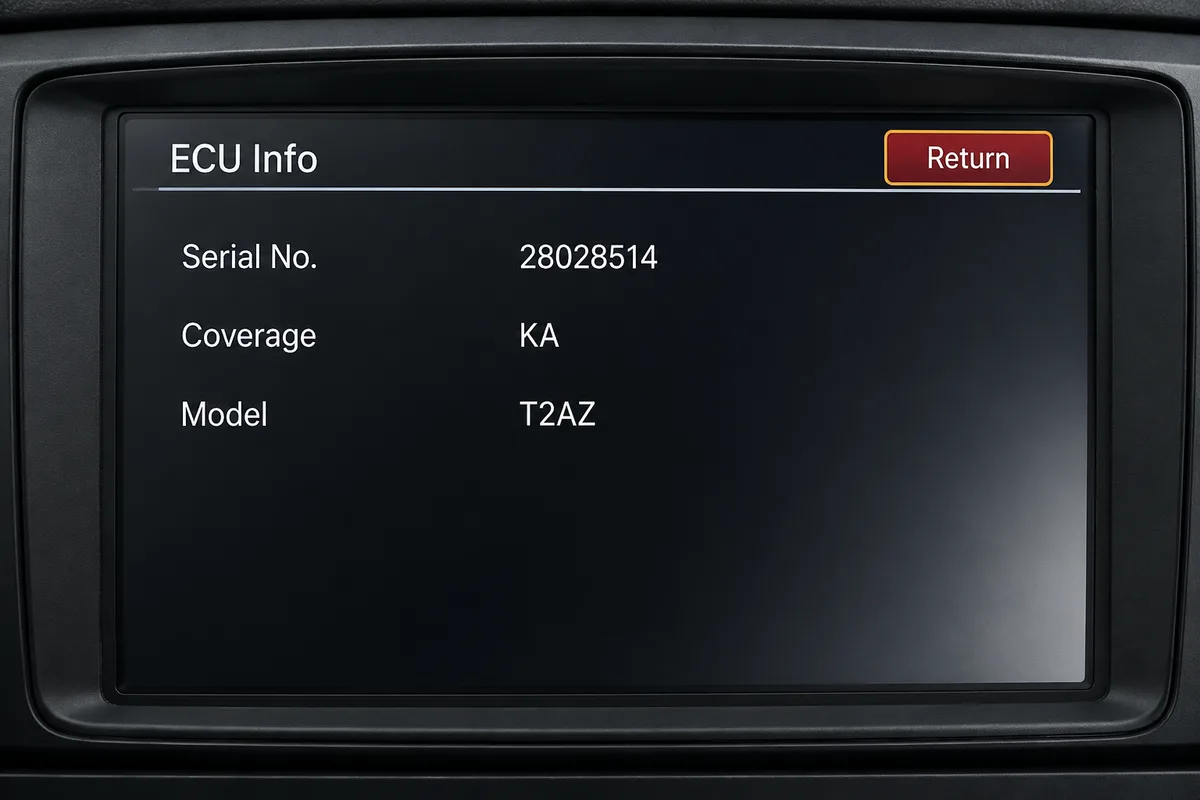
Then touch Detail Information & SettingUnit CheckHMI Unit or DA Unit to see your serial. Tap Return to exit.

No diagnostics buttons? Touch HomeInfo MenuSystem / Device InformationSystem Info and read the device number.
Find your serial via the diagnostics menu
Older Navigation (2003 to 2012)
Find your serial via the diagnostics menu
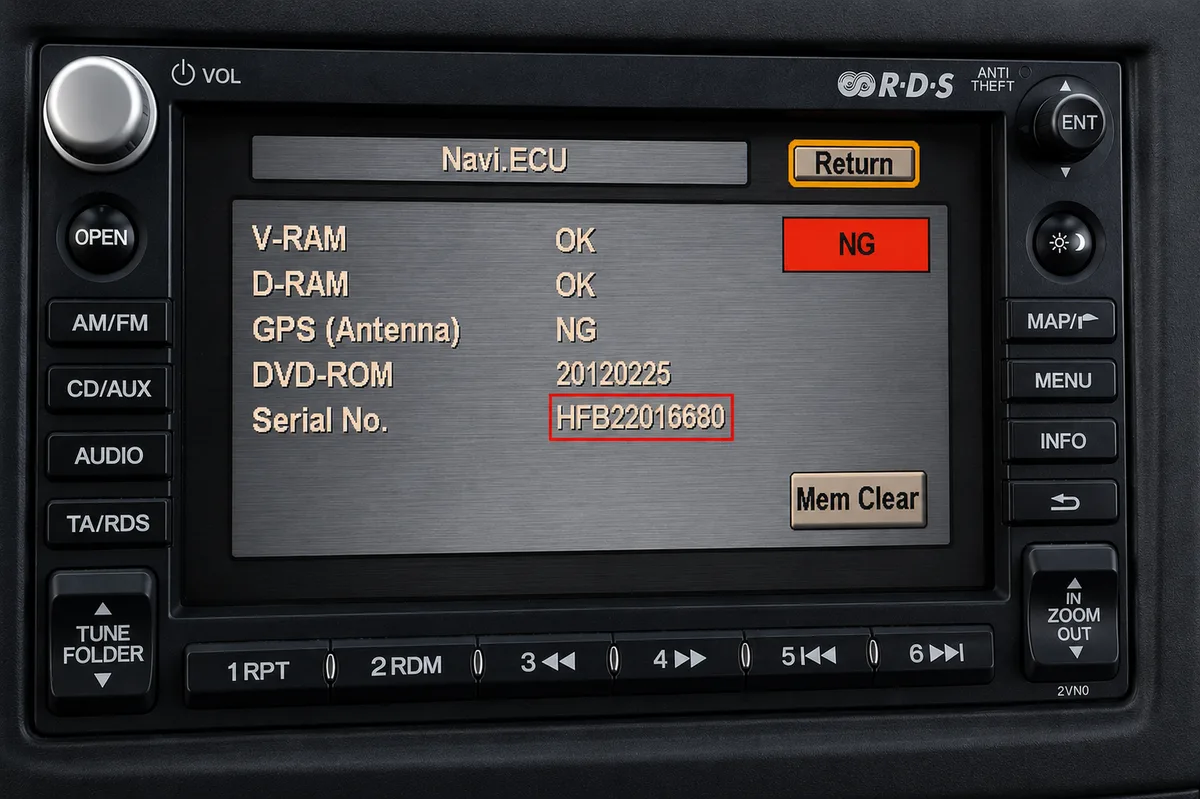
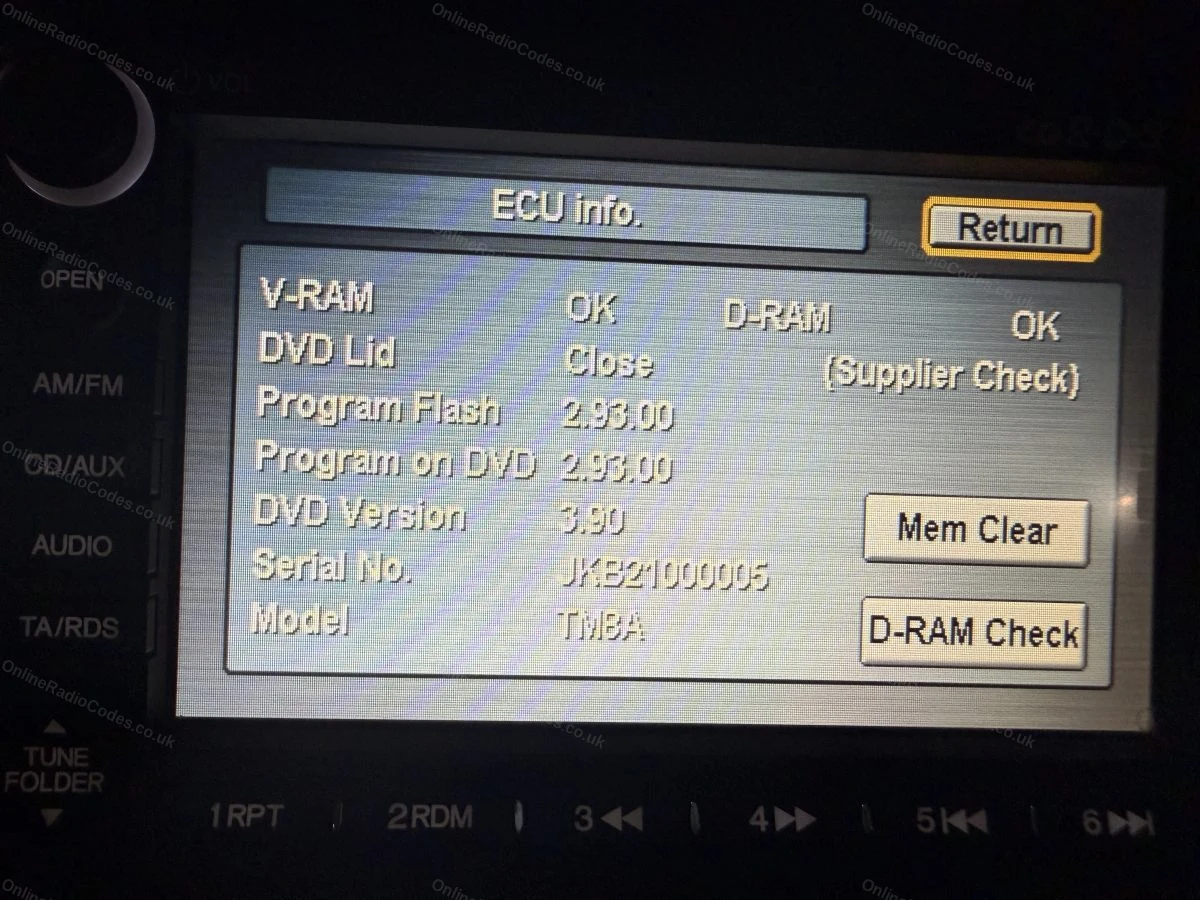
Fitted to navigation units on many 2003 to 2012 models. With the ignition on, press and hold Map (or Guide), Menu and Cancel together until the diagnostics screen appears, then select Unit Check and Navi ECU to see your serial.

On some units you instead press and hold SEEK or SKIP with CH or DISC, then PWR/VOL, and the serial appears on screen. Note it down exactly as shown.
Labels & Screen Examples
What your serial looks like
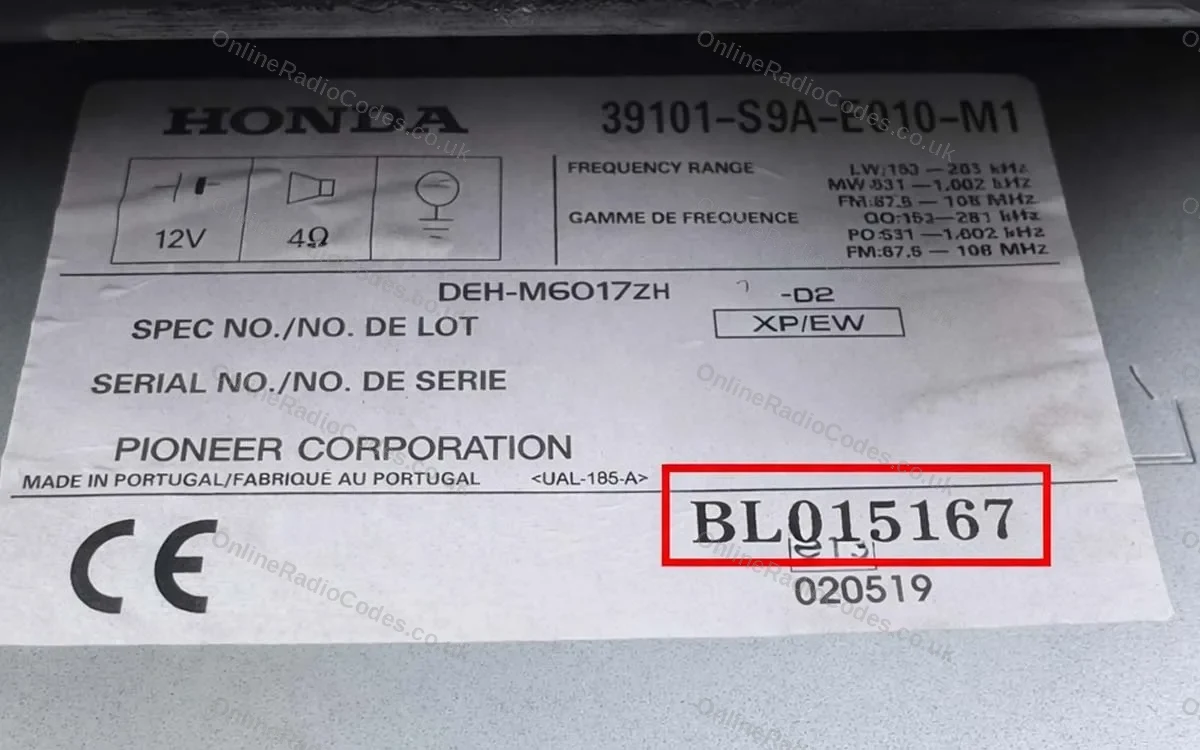
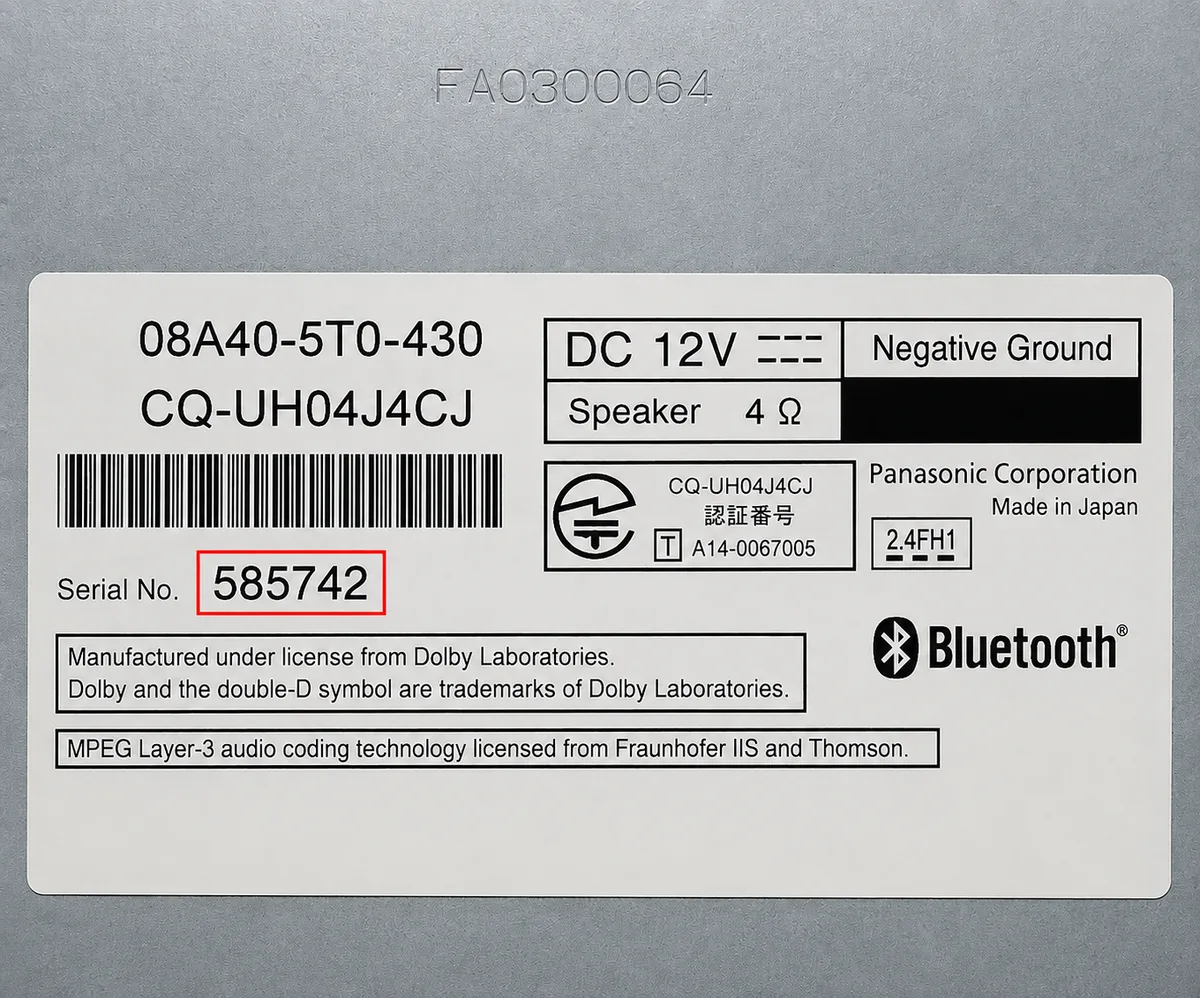
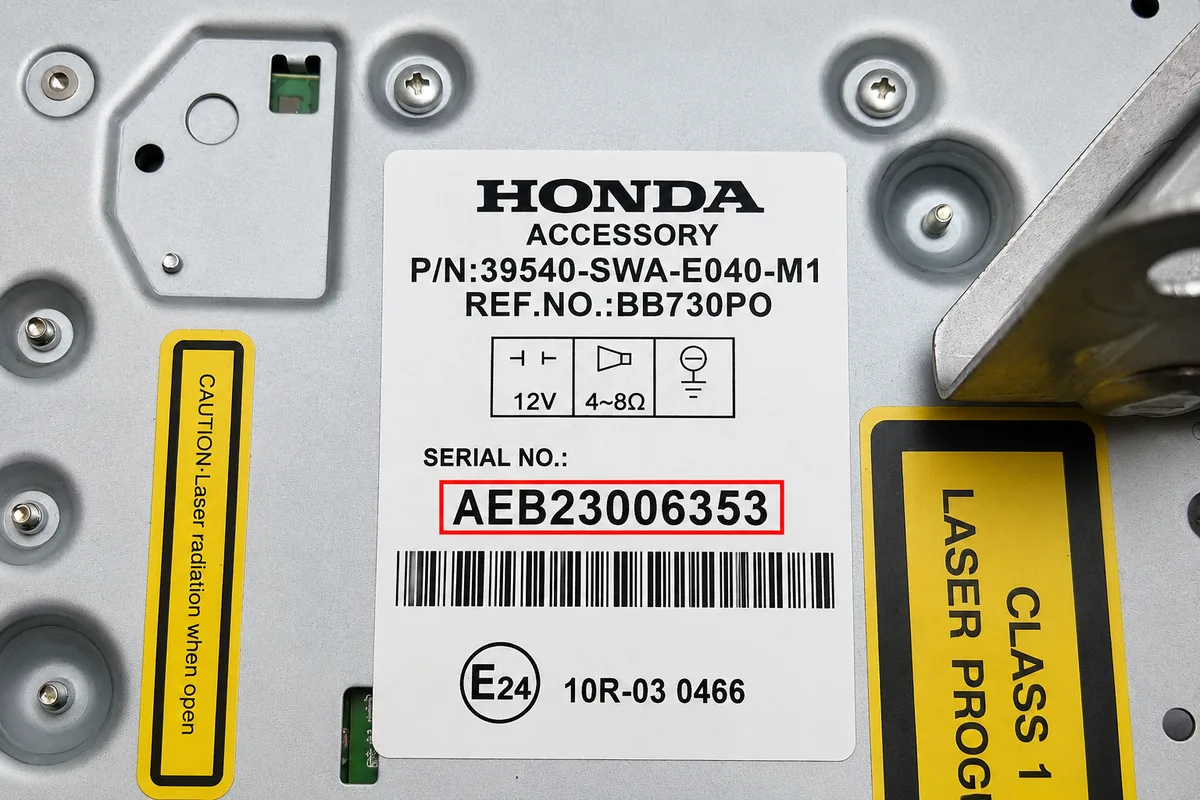
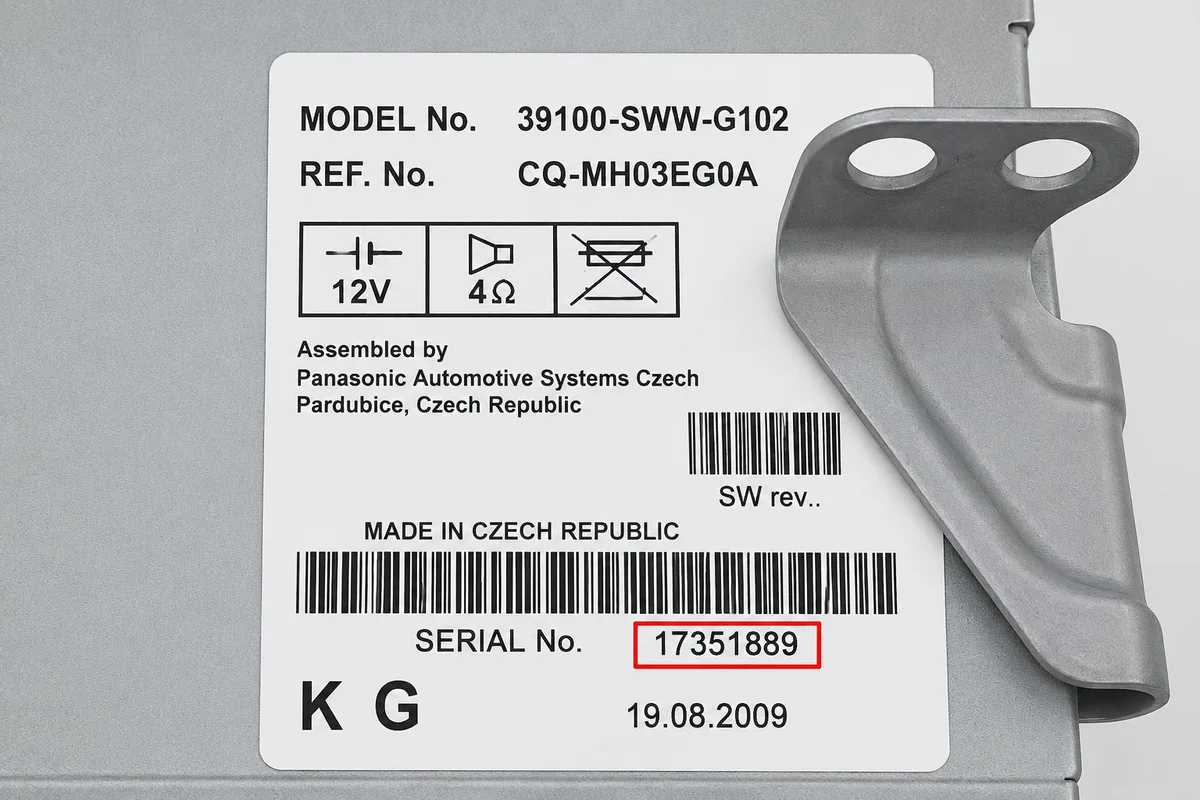
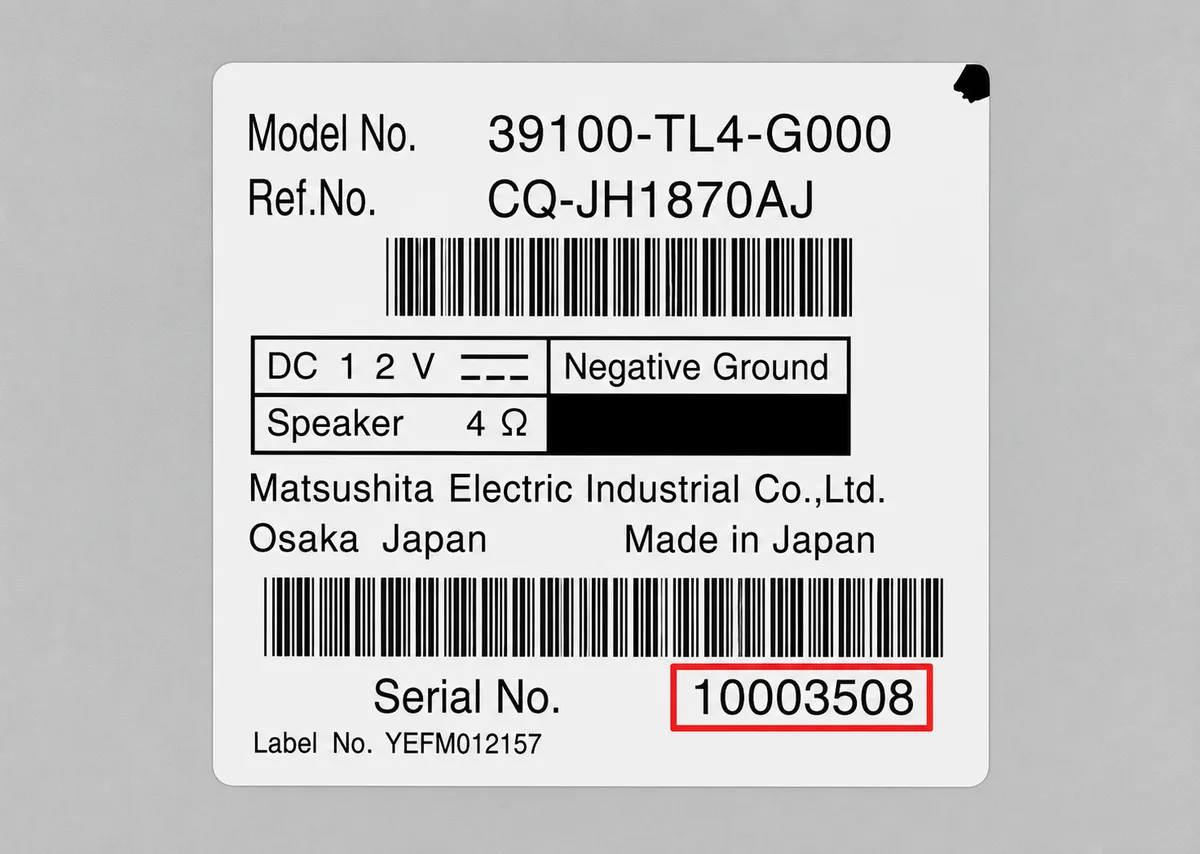
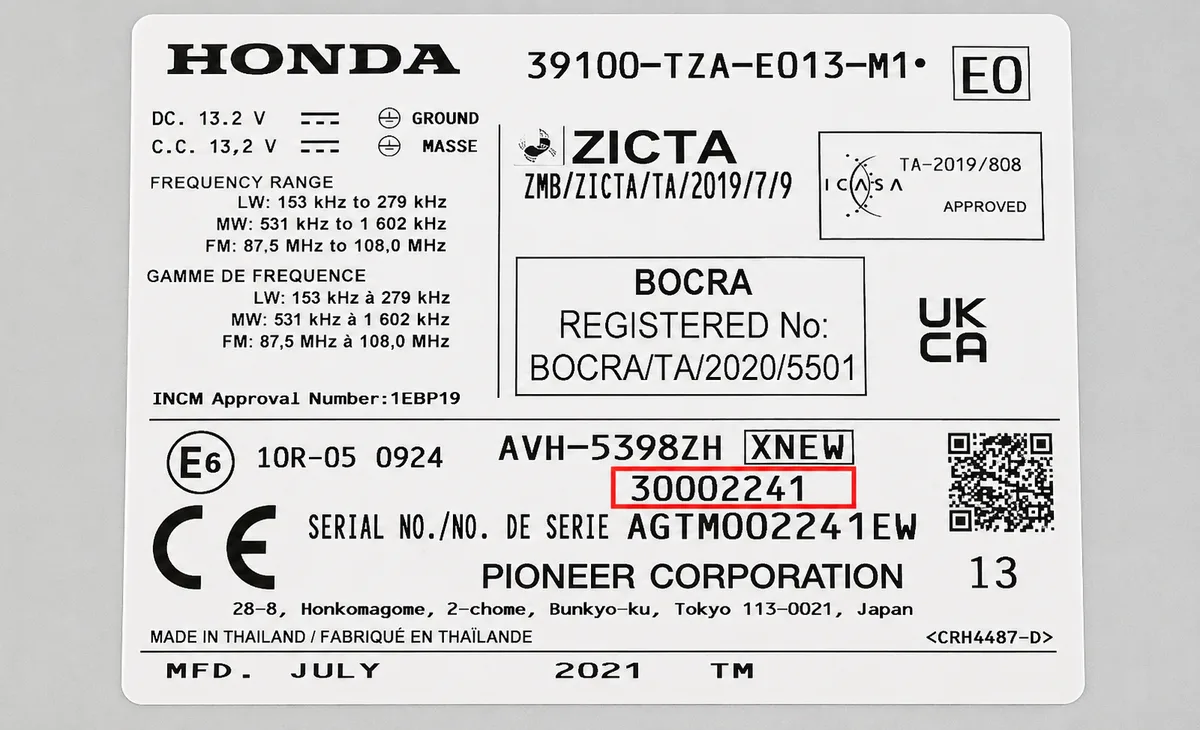
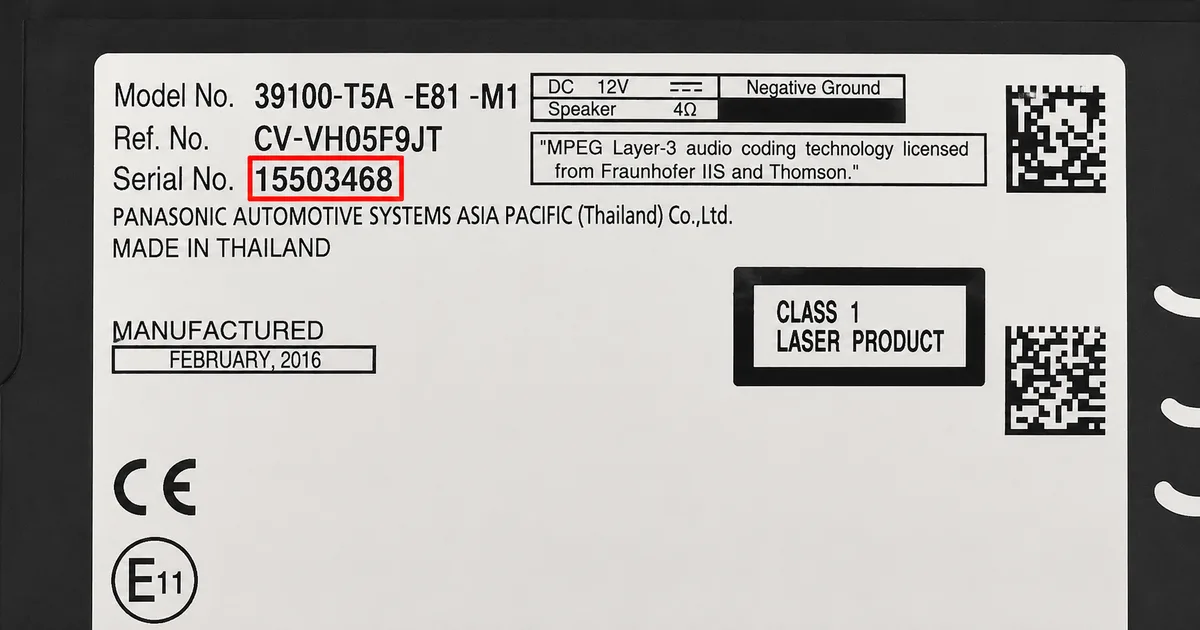
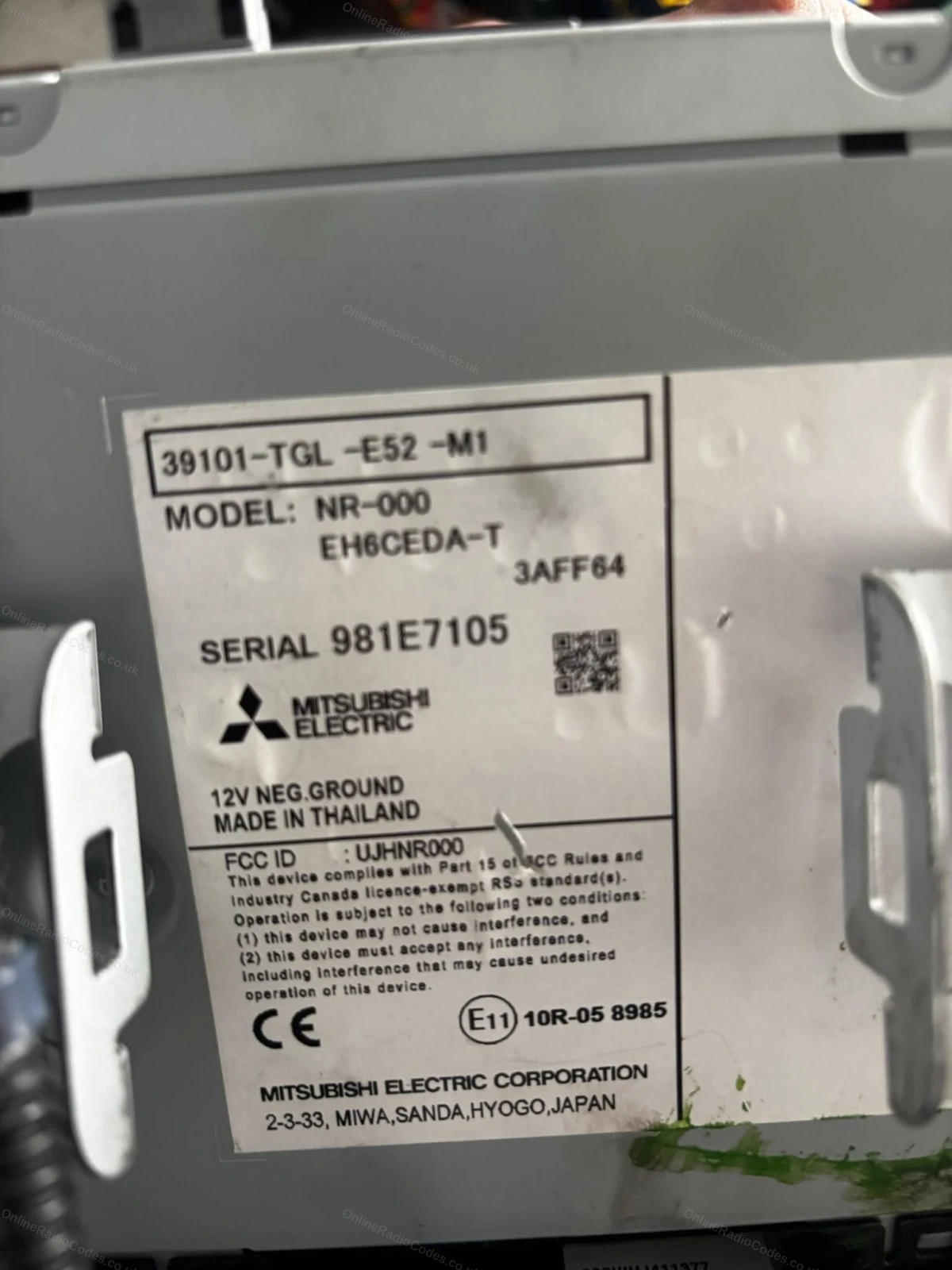
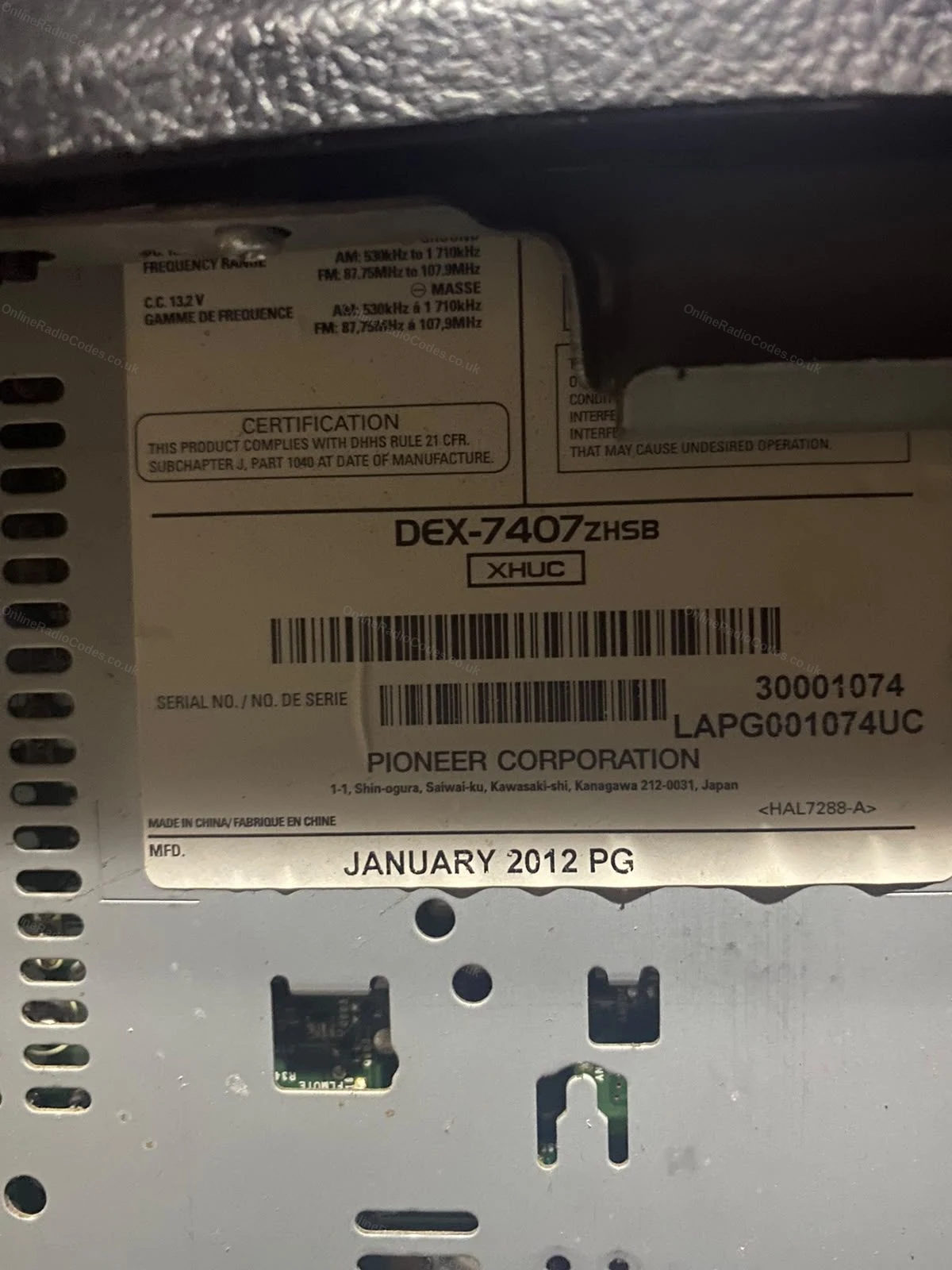
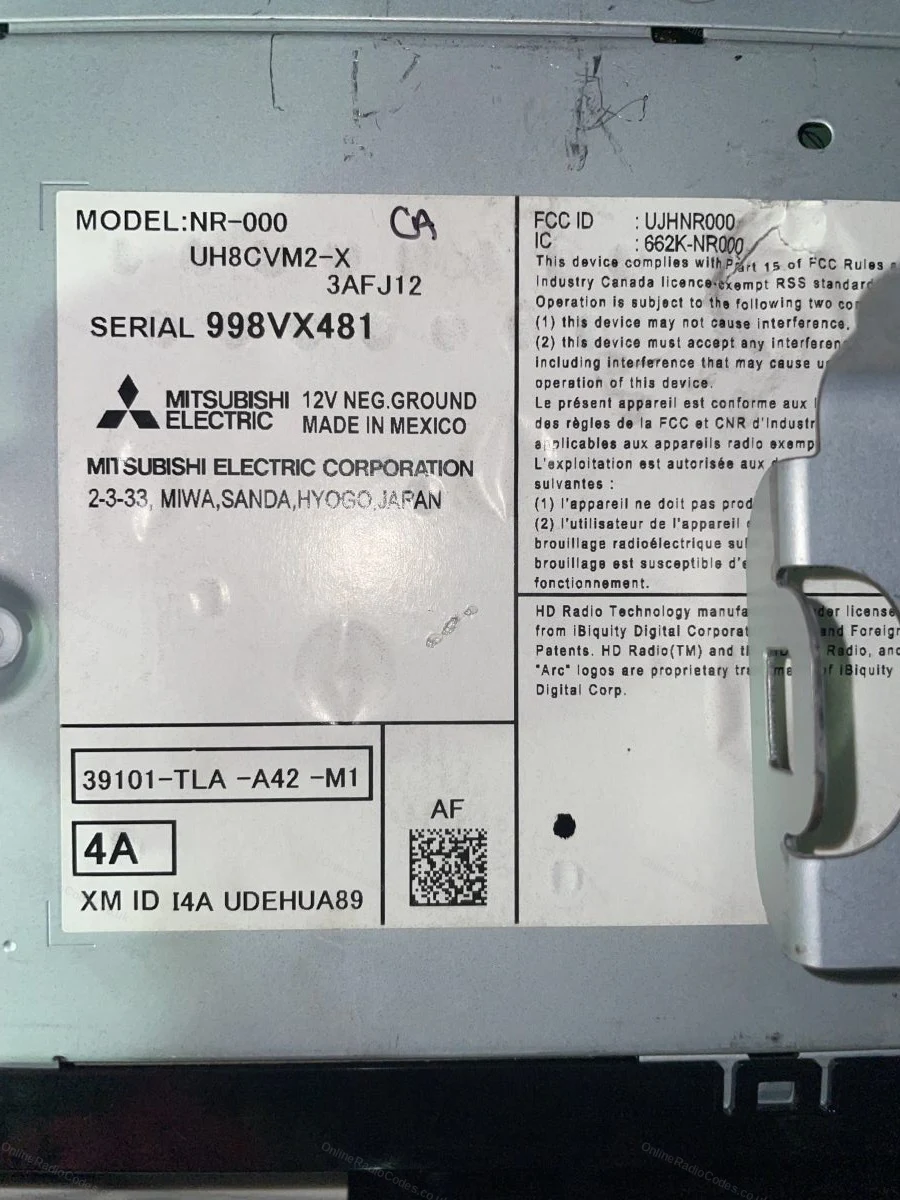
These are real examples of Honda serial numbers, both on the radio label and shown on screen, so you can see exactly what you are looking for.

If the serial is not showing on your screen, remove the unit with DIN release keys or a flat-head screwdriver and slide it forward. The serial is on a sticker on the top, side or rear of the casing, usually 6 to 14 characters (for example 954LR052 or SN500074). Enter it exactly as printed.

What your Honda serial looks like
Standard (U/L) U2154 L2135
S/N S/N 15517841
Touchscreen 975GU294
Navigation HFB22016680
Mitsubishi 954LR052
Accessory FGZ24253655JC
SN-Series SN500074
Numeric 22081908
Can't find it? Contact us. We'll help you locate your serial before you pay a penny.

Why choose us

The World's Leading Honda Radio Code Service

World's No.1
OnlineRadioCodes.co.uk is the world's leading supplier of car radio codes, with over 1 million codes delivered since 2015. Our radio experts are on hand to help you every day.
Instant delivery
Most codes appear on screen the moment payment clears. For brands that require manual lookup, our team typically delivers within the hour during business hours.
Money back guarantee
If your code does not work, we refund you in full. No questions, no hassle. We are one of very few radio code companies to back every order with a complete money back guarantee.
Lifetime retrieval
Misplace your code weeks or even years from now? Just get in touch and we will resend it free of charge, every time. One purchase gives you access for life.

FAQ

Frequently asked questions

Can I Bypass The Radio Code?
Unfortunately, the radio code cannot be bypassed without entering the correct code into the radio. We have made getting your code as easy as possible.
How Do I Remove A Honda Radio?
Most Honda radios never need to come out. With the radio on, hold preset buttons 1 and 6, on some units 1, 6 and Power, for a couple of seconds and the serial appears on screen. Only if nothing displays do you need to slide the unit out, and the guide above shows both routes step by step.
How Do You Reset A Honda Radio Code?
You cannot change or reset a Honda radio code. It is set at the factory when the radio is built and stays the same for the life of the unit. That works in your favour, once you have your code it will unlock the radio every time it asks.
Why Do I Need A Radio Code?
A radio code is anti-theft code, which has largely reduced the theft of radios from cars. We get the radio codes from a secure database which flags any reported stolen radios.
How To Get Radio Code For Honda?
At OnlineRadioCodes, we have made it as easy as possible to get your radio code online in minutes, simply fill in your cars serial number and we send the code.
How To Unlock Honda Radio Without Code?
Unfortunately, Honda radio codes can not be bypassed, the only way to unlock the unit is to input the correct original pre-set code.
My Radio Is Displaying "ERR"?
ERR means the last code entered was wrong. Switch the radio off and on and try again slowly, checking each digit. After around ten wrong attempts the radio locks temporarily. If that happens, leave it powered on for about an hour and it will accept the code again. No dealer visit needed.

Verified · Trustpilot

Don't just take our word for it

See all reviews on Trustpilot
5 stars
4 hours ago Trustpilot

Perfekt

Hat ca. 6 Stunden gedauert, aber das Warten hat sich gelohnt!!!Die Option per SMS kann ich wärmstens empfehlen!Sogar für mein Alter VW Gamma 5 radio wurde de…

Marcolo · DE · VW
5 stars
6 hours ago Trustpilot

WORKED PERFECT!

This worked! 20 bucks well worth it! I am Shen RC on youtube with the blue VW bug I took my battery out and my radio went into safe mode I could not find the…

SHEN RC YOUTUBE BLUE VW BUG · US · VW
5 stars
7 hours ago Trustpilot

excelente servicio ,me llego casi…

excelente servicio ,me llego casi inmediatamente el codigo, lo puse y la radio anduvo perfecto !! recomiendo

Carlos Bivachi · AR
5 stars
1 day ago Trustpilot

Instant results, worked v well

Needed a code for my Boxster after battery change- quick, efficient and accurate results

jean oosthuizen · CA
5 stars
1 day ago Trustpilot

The first code I was given didn’t work

The first code I was given didn’t work. I replied to the mail and they answered really quickly with a new code that worked. Couldn’t be happier!!

Johan Steenkamp · ZA
4 stars
1 day ago Trustpilot

Very quick service and professional…

Very quick service and professional after care service on the phone sadly a wasted £9:99 as the radio has an internal fault would only let me input zeros

Steve Davis · GB
5 stars
1 day ago Trustpilot

Excellent service quickly delivered

Excellent service quickly delivered, thanks.

Mick · GB
5 stars
1 day ago Trustpilot

Brilliant

Brilliant, so easy and completed within the time frame specified.Thank you Online Radio Codes team, you made my day

Sheila Crowsley · JE
5 stars
1 day ago Trustpilot

Radio Code given in a matter of hours

For mere convenience I decided to rather use online radio codes rather than going into Nissan directly and have to wait for an appointment. I recently had to…

Dusana Merven · GB · Nissan
5 stars
1 day ago Trustpilot

Excellent service

Excellent service, code worked amazingly . No more holding buttons to override the input code .

Kayleigh · GB
5 stars
1 day ago Trustpilot

snel en echt de goeie radio code ik…

snel en echt de goeie radio code ik denk binnen 3 min had ik hem helemaal top!

Jeroen · NL
5 stars
1 day ago Trustpilot

Absolut Super

Absolut Super, vielen Dank für die schnelle Code Ermittlung. Das Radio funktioniert jetzt, dafür ist der Preis mehr als gerechtfertigt Der Code der beim Radi…

Martin Hofmann · DE
See our 22,106 reviews on Trustpilot

Ready to unlock your Honda radio?

Enter your serial number above and get your unlock code in seconds.

Get my code now
Online Radio Codes is an independent radio code service and is not affiliated with, authorised by, or connected to Honda Motor Co., Ltd or any of its subsidiaries or affiliated companies. All manufacturer names, model names and trademarks are the property of their respective owners and are used solely for identification and reference purposes.
Get my radio code