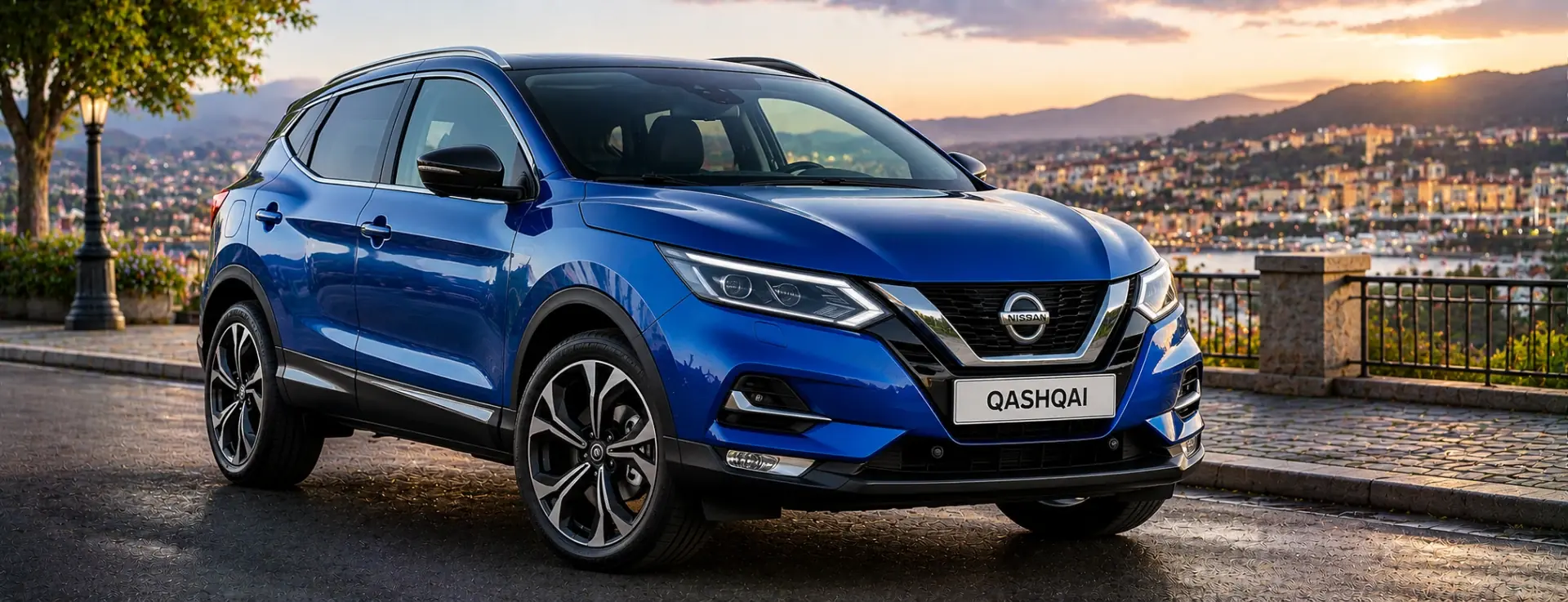
Nissan Qashqai radio code by serial number. Covers Blaupunkt, Clarion PP and PN-series, and Bosch LCN Connect units across all Qashqai J10 and J11 generations.
The guide below will show you exactly where to find your Nissan radio serial number.
Which radio do you have?
Radio not shown, or not sure which one you have?
Turn the radio on and enter any wrong four digit code three times.
If the screen then shows a serial number, tap the radio above that matches your screen.
If nothing appears, the serial is on the label on the back of the radio, so it needs to come out. Enter it exactly as printed, like the examples below. After checkout you can upload a photo of the label and we will check it.
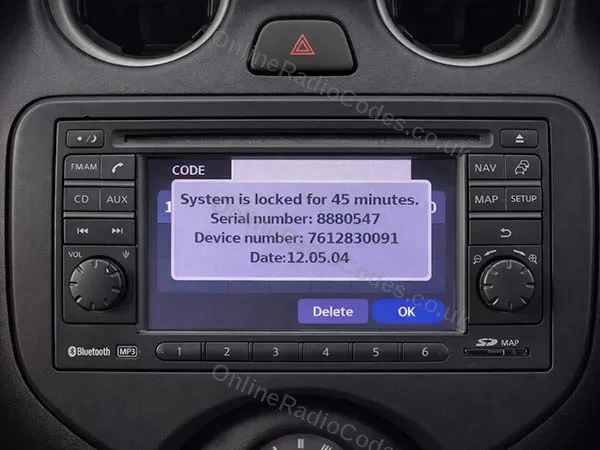
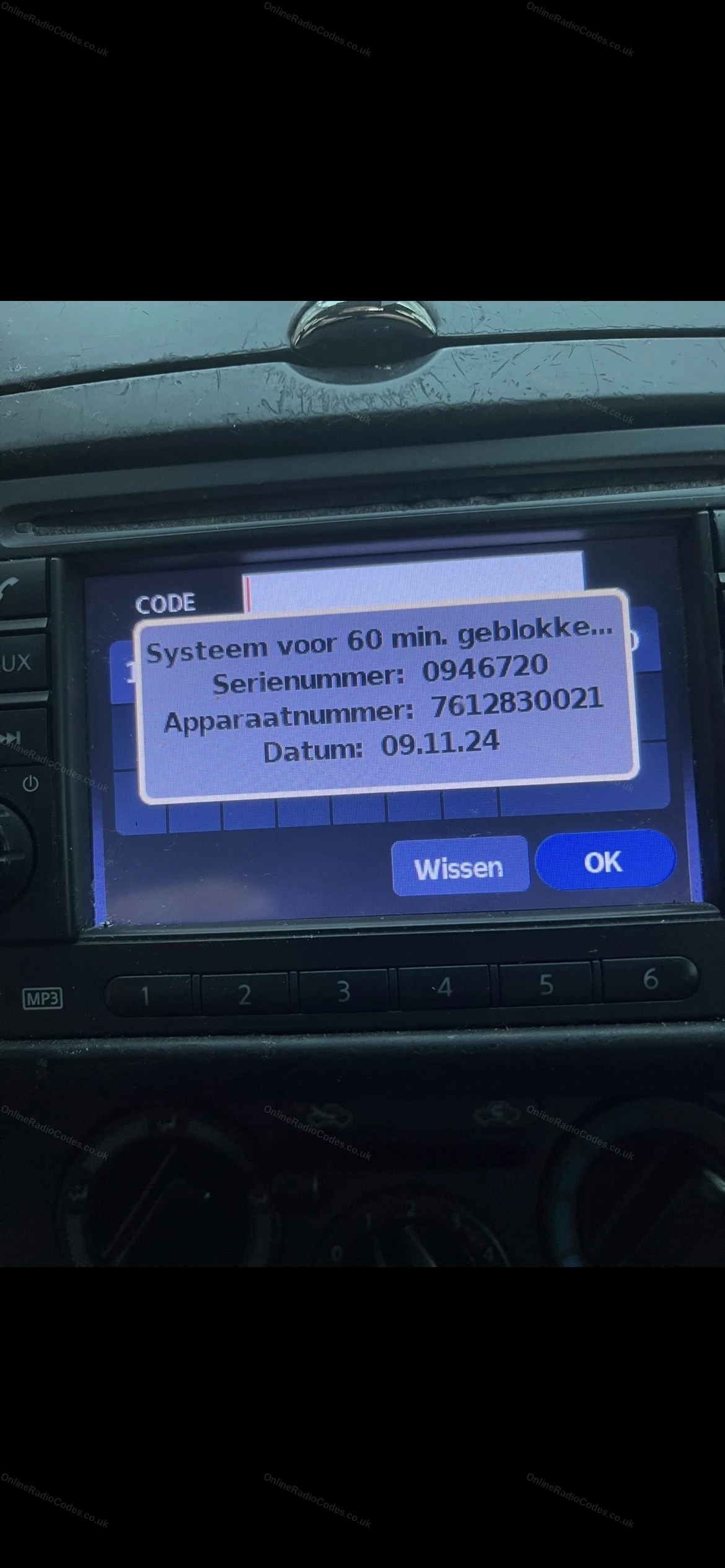
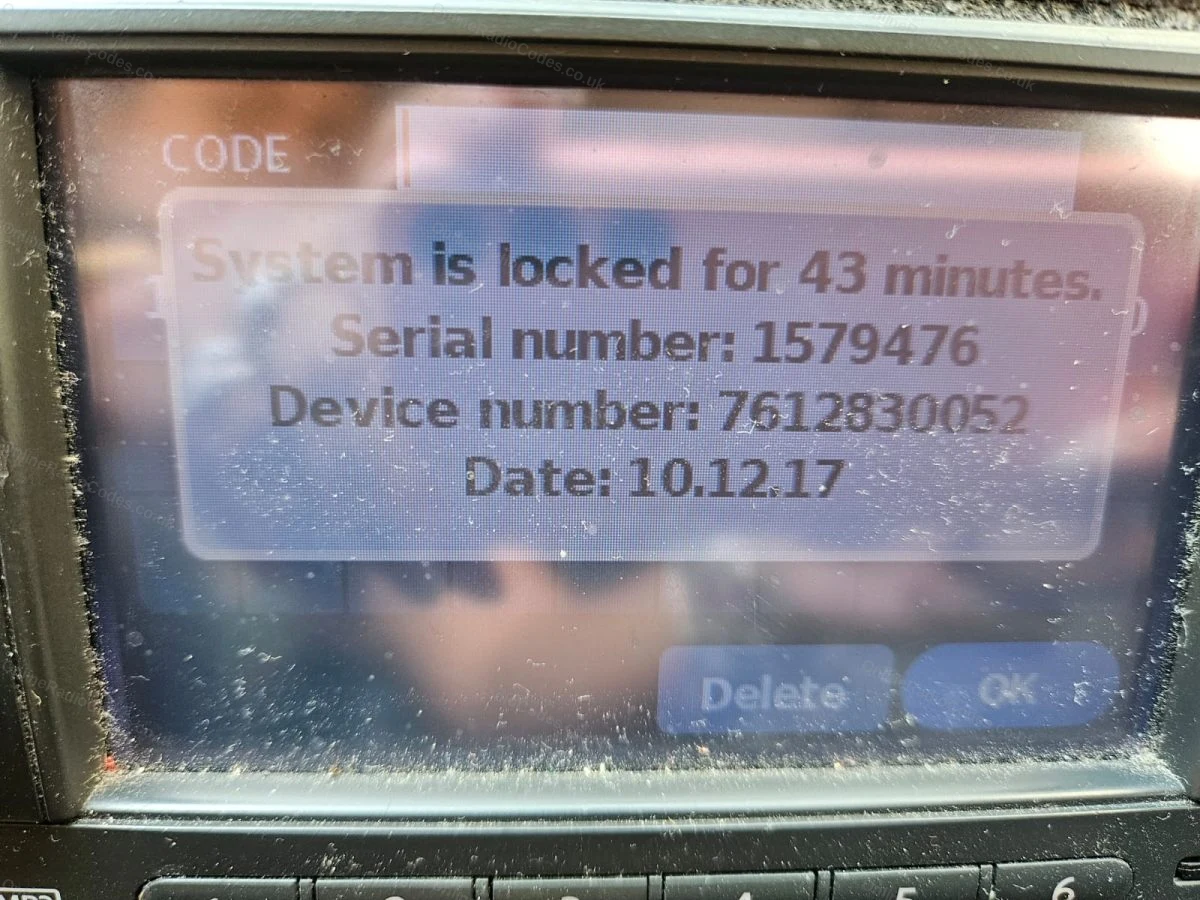
Turn ignition to ACC and switch on the radio. Enter any incorrect 4-digit code three times. The screen will lock and display your Serial Number, Device Number and Date.
Note all three exactly as shown. You need all three to get your code.
Do not use the serial from the label on the back of the unit. Only the serial shown on screen will work.
Nissan Daewoo
Get your serial from the screen
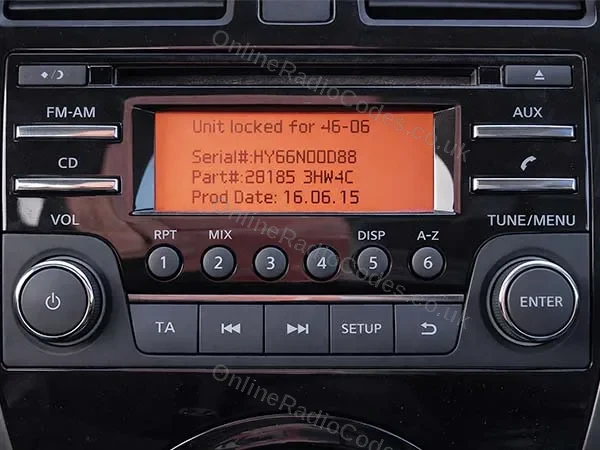
Turn on the ignition and switch on the radio. Enter any incorrect 4-digit code three times. The screen displays your Serial Number, Part Number and Date.
Note all three exactly as shown. The serial starts with DW, DS, HP, HY or HG (for example, DW32N13024).
Nissan Clarion (CL / PN / PP)
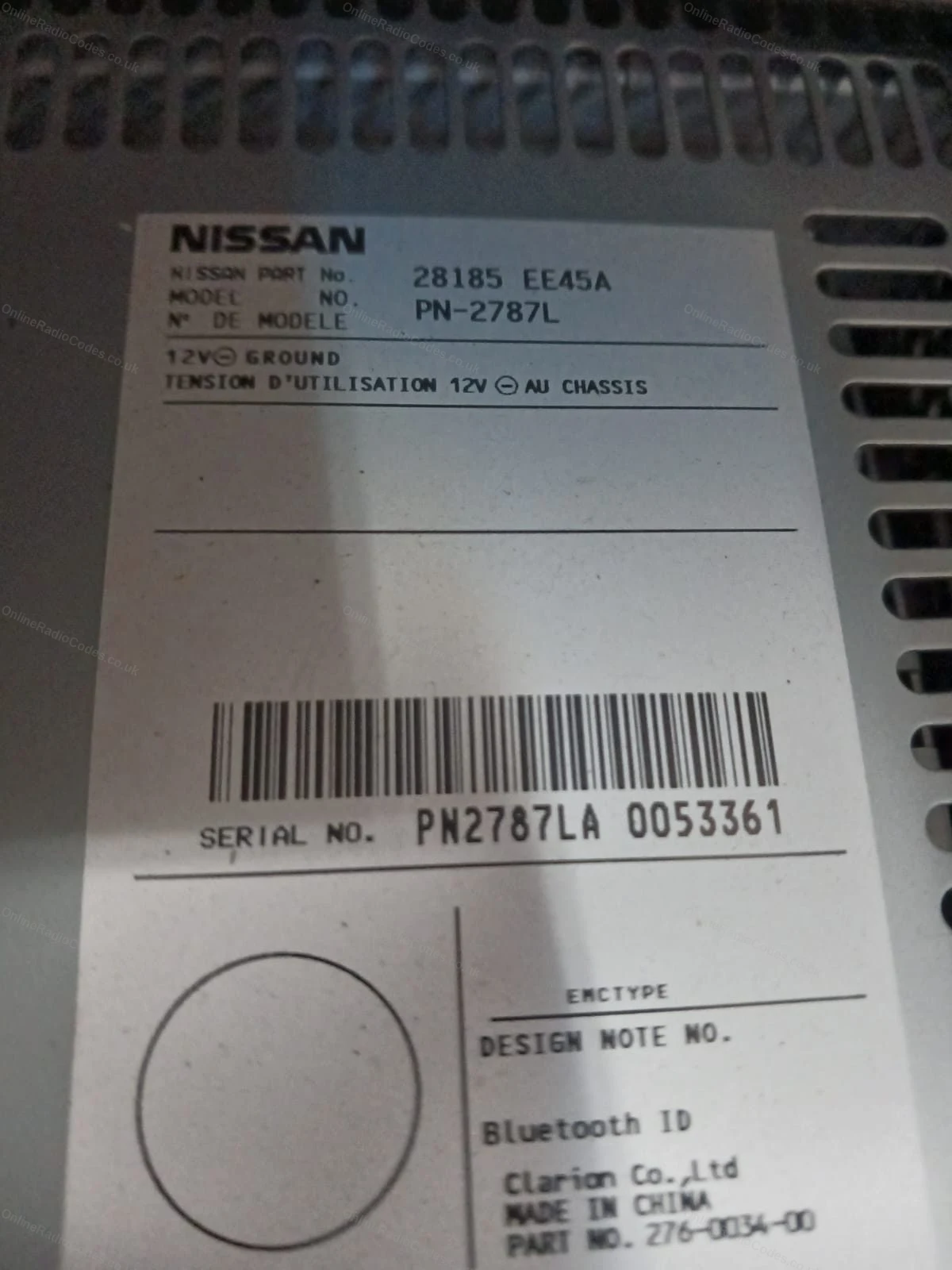
Remove the radio to find your serial
Insert radio release keys into the four corner holes and slide the unit forward.
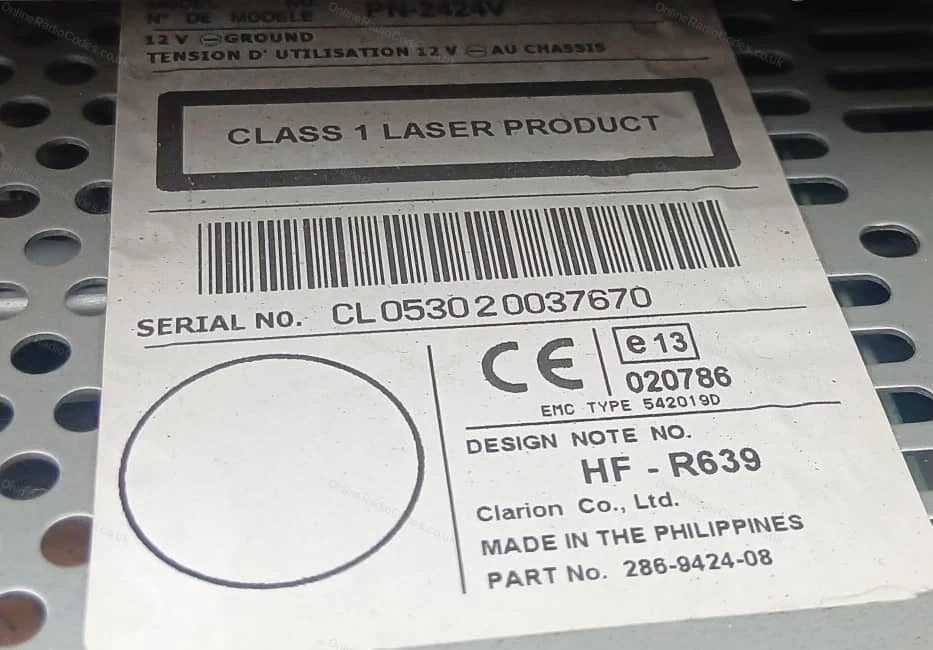
The serial is on the back label, 14 characters starting with CL, PN or PP (for example, CL094090001747). Note it exactly as shown.
You will also see a Model No. on the label (for example, PN-3001P or PP-3001M-B). For PN and PP serials this is filled in automatically. For CL serials please enter it in the Model No. field.
Nissan Blaupunkt (BP)
Remove the radio to find your serial
Insert radio release keys into the four corner holes and slide the unit forward.
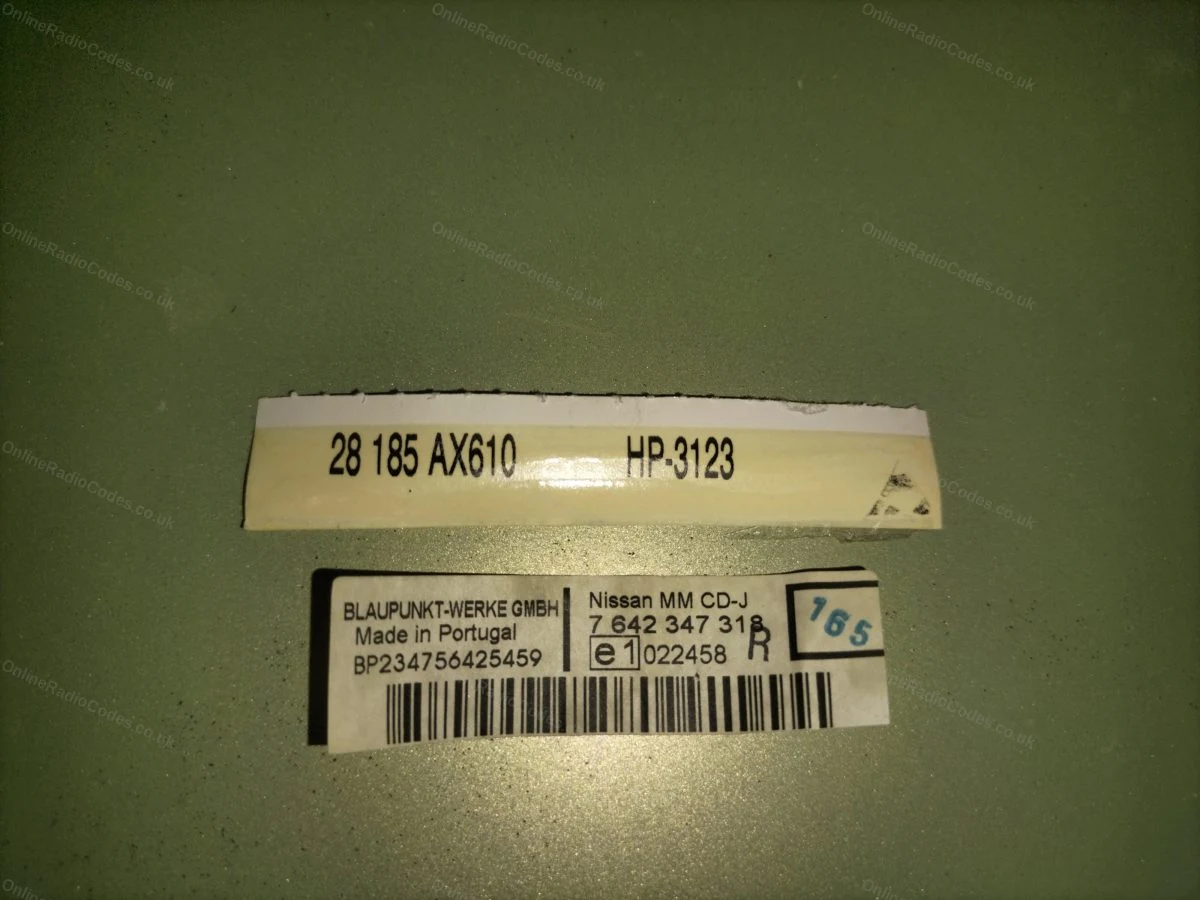
The serial is on the label on the back of the unit, starts with BP followed by 12 digits (for example, BP538471207649).
Nissan Visteon
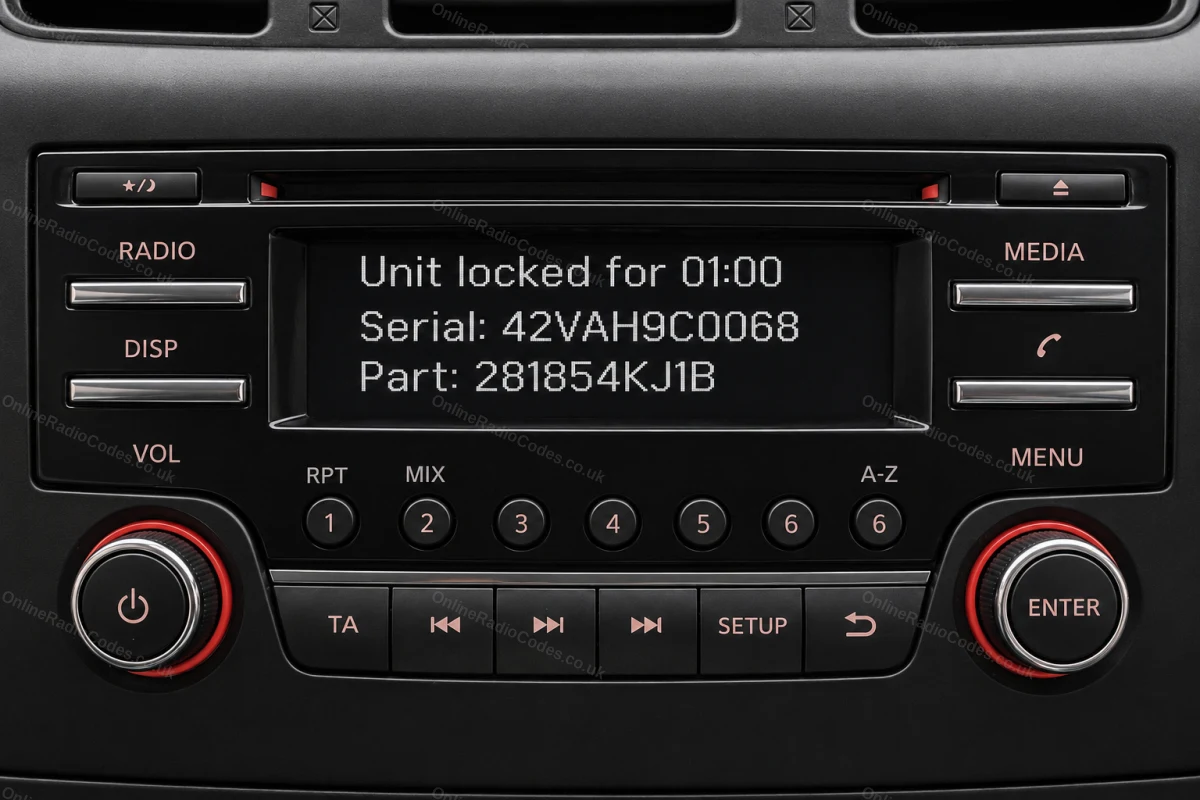
Get your serial and part number from the screen
Turn on the ignition and radio. Enter any incorrect 4-digit code three times deliberately. The screen locks and displays your Serial number and Part number. Note both exactly as shown. You need both to complete your order.
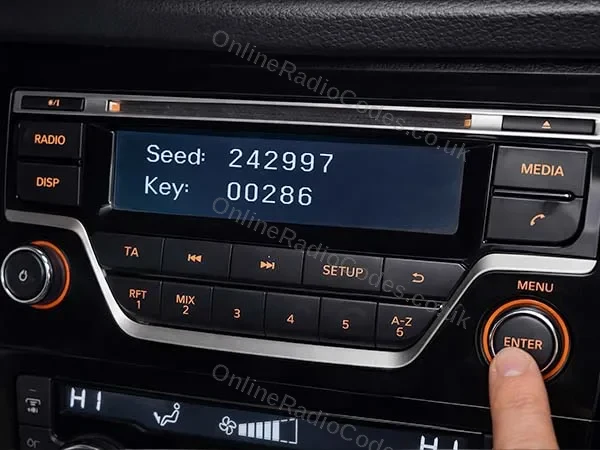
If your screen shows a Seed number instead, see the method below.
Nissan Visteon (Seed)
Your screen shows a Seed number. Remove the radio for the part number.
Some Visteon radios display a Seed number on the locked screen instead of Serial and Part. Note the Seed number down.
You still need the part number from the radio label. Use a trim tool to remove the surrounding dashboard panels, unscrew the unit and slide it forward. The part number is on the sticker on the back or side of the unit. It starts with 2818.
Enter the Seed number in the serial field and the part number in the device field.
What your Nissan serial looks like
Nissan Connect0158493
Device7 612 830 076Date13.07.26
Nissan DaewooDW32N13024
Device28185BH30DDate16.06.15
Nissan ClarionCL094090001747
ModelPN-3001P
Nissan BlaupunktBP538471207649
Nissan Visteon42VAH9C0068
Device281854KJ1B
Nissan Visteon (Seed)123456
Device281854KJ1B
Nissan Clarion (PP)PP3001MB0018964
ModelPN-3001P
Nissan Clarion (PN)PN3001PA0040363
ModelPN-3001P
Can't find it? Contact us. We'll help you locate your serial before you pay a penny.
Radio & label examples
Nissan Connect screen showing the serial and device numbers
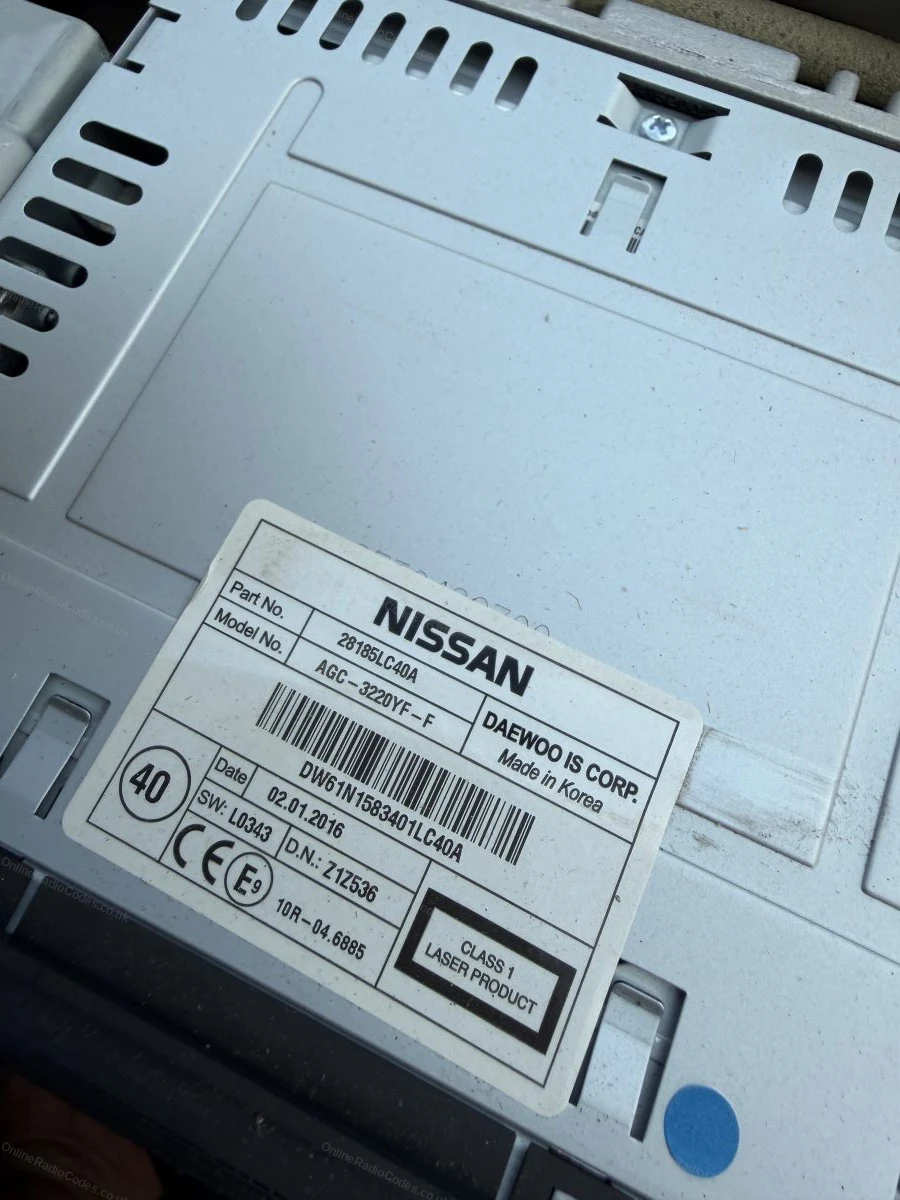
White barcode label with the serial number on a Nissan unit
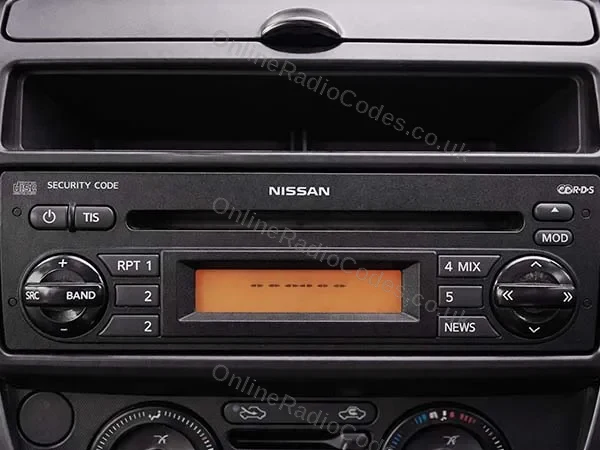
Serial number label on a Nissan CD player casing
Manufacturer label on the top of a Nissan unit
Nissan Connect lock screen with the serial and device numbers
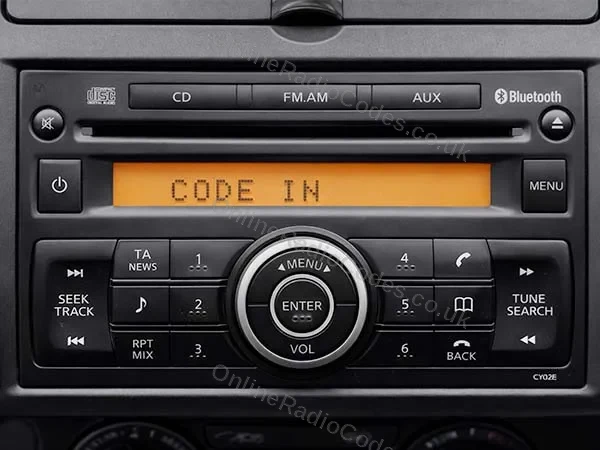
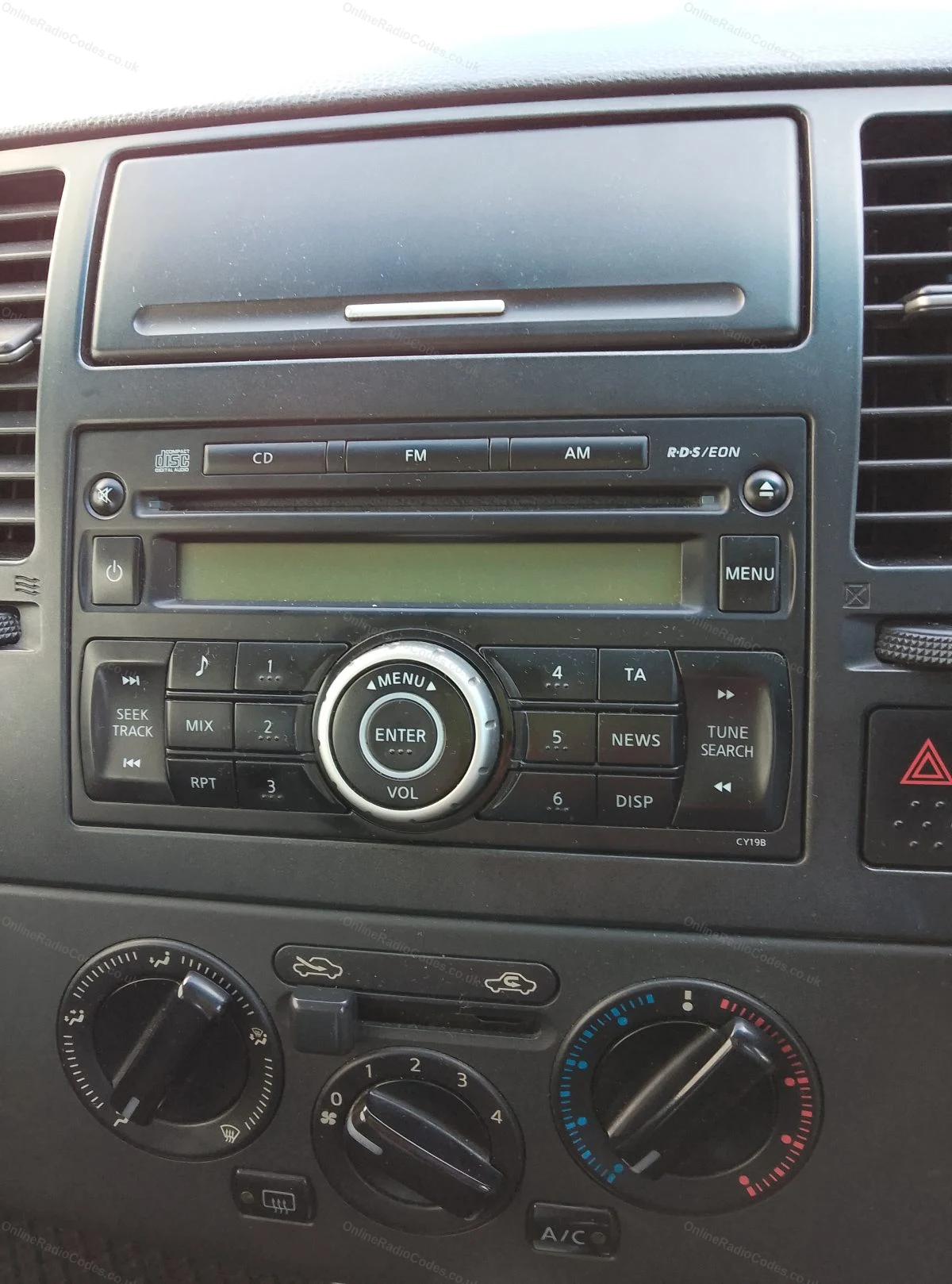
Nissan CD radio in the dashboard
Blaupunkt part and serial labels from a Nissan unit
Since 2015 · 1 million decodes
The World’s Leading Nissan Radio Code Service
A Decade of Decoding
Retrieving car radio codes since 2015, with more than a million codes delivered. Registered UK company No. 09736186. Read our story
Your Code, Fast
Most codes appear on screen the moment payment clears. The rest are handled by our team, usually within the hour in business hours.
Works, or Your Money Back
If your code does not work, we refund you in full. One of the very few radio code services that backs every single order.
Your Code, Kept for Life
Lose your code in five years? We keep it on file and will resend it free of charge, as many times as you need.
Real people, worldwide, around the clock
Meet our radio experts
A small team who have decoded radios for a decade, with Nova, our AI assistant, covering around the clock. Wherever you are in the world, we're here to help.
Live chat and email 24/7. Phones Monday to Friday, UK hours.
Gavin
Emma
Lucy
Liz
Nova24/7
FAQ
Frequently asked questions
How do I know which radio type my Qashqai has?
Check the serial prefix. BP means Blaupunkt. CL, PN or PP means Clarion. DW or DS means Daewoo. Connect radios display the serial on screen after three wrong attempts. The guide above covers each type in detail.
Do I need to remove the radio to get the serial?
It depends on the type. Daewoo and Connect radios display the serial on screen. Blaupunkt and Clarion units have the serial on a label and require removal.
Which Qashqai years and generations are covered?
We cover all Qashqai models including the J10 (2007-2013) and J11 (2013-2021). The radio type varies by year and trim but all standard factory radios are supported.
How long does a Qashqai code take?
During our working hours, Monday to Saturday 8am to 4pm UK, most Qashqai codes arrive within 1 to 2 hours of ordering. Please allow up to 6 hours for delivery. Clarion and Blaupunkt serials need a manual lookup and can take a little longer during busy periods.
I am very pleased with the help I received in finding the radio code for my Honda, as the previous owner had lost the card containing it. Searching online wa…
Once i found the VIN and entered it into the link it was really easy....min or so later I received the 4 digit code and the media centre is up and running ag…
I placed order on a Thursday around 1800 hours. I received my radio code within about two hours. Worked first try. Great job. Very happy with £20 that I spen…
Online Radio Codes is an independent radio code service and is not affiliated with, authorised by, or connected to Nissan Motor Co., Ltd or any of its subsidiaries or affiliated companies. All manufacturer names, model names and trademarks are the property of their respective owners and are used solely for identification and reference purposes.


















 Nissan · Radio Codes
 22,815 reviews on