The guide below will show you exactly where to find your Nissan radio serial number.
Which radio do you have?
Turn the radio on and enter any wrong 4-digit code three times. If the screen then shows a serial number, tap the radio above that matches your screen. If nothing appears, the serial is on the label on the back of the unit and the radio needs to come out.
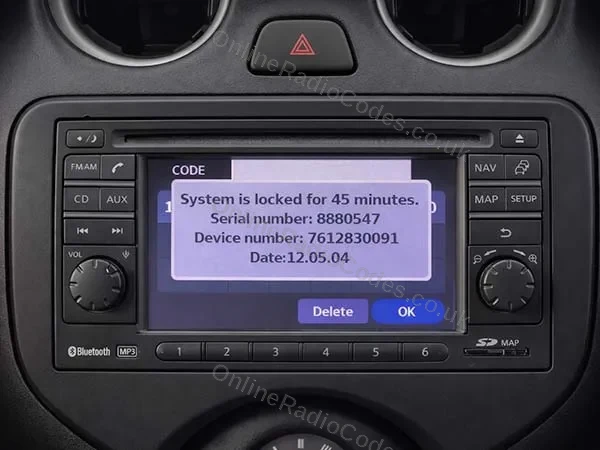
Nissan Connect
Get your serial from the screen
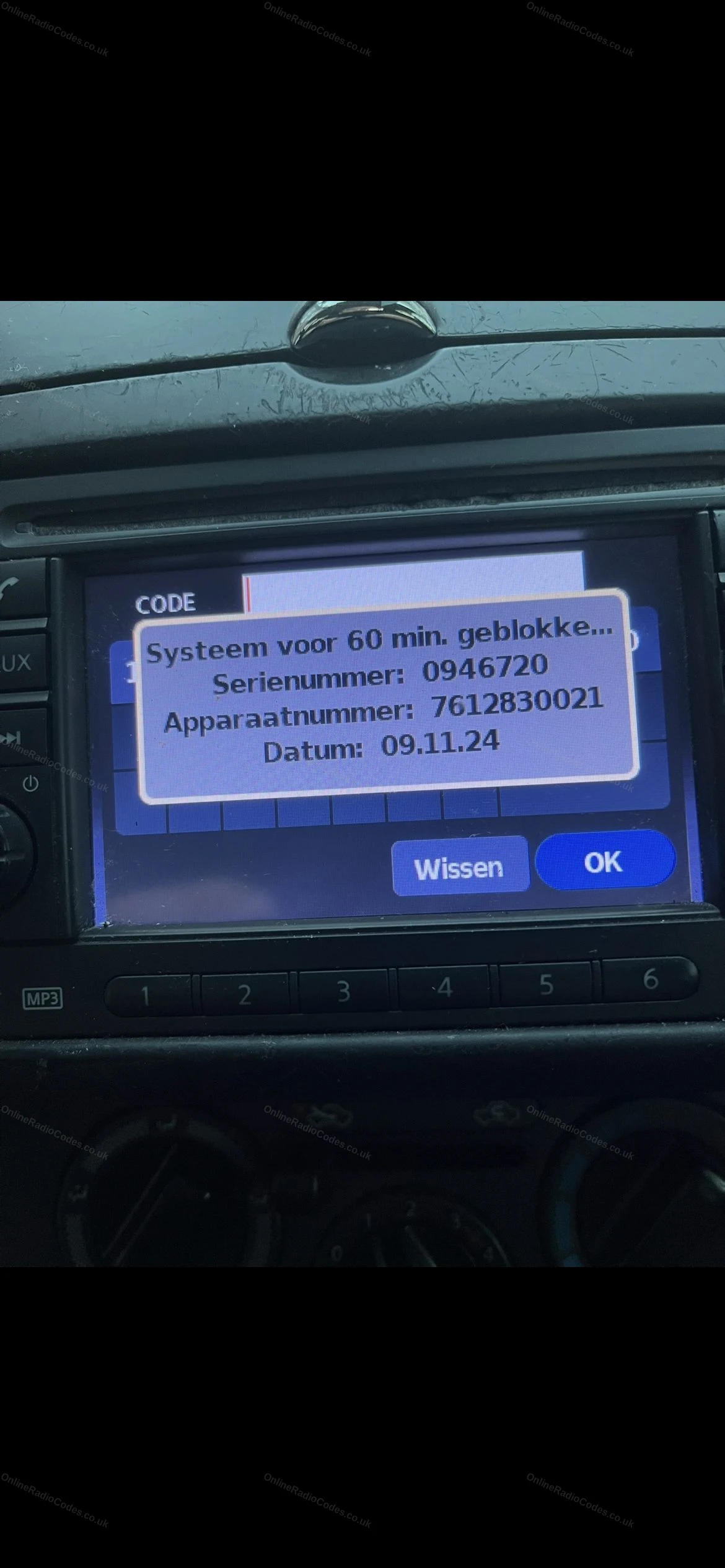
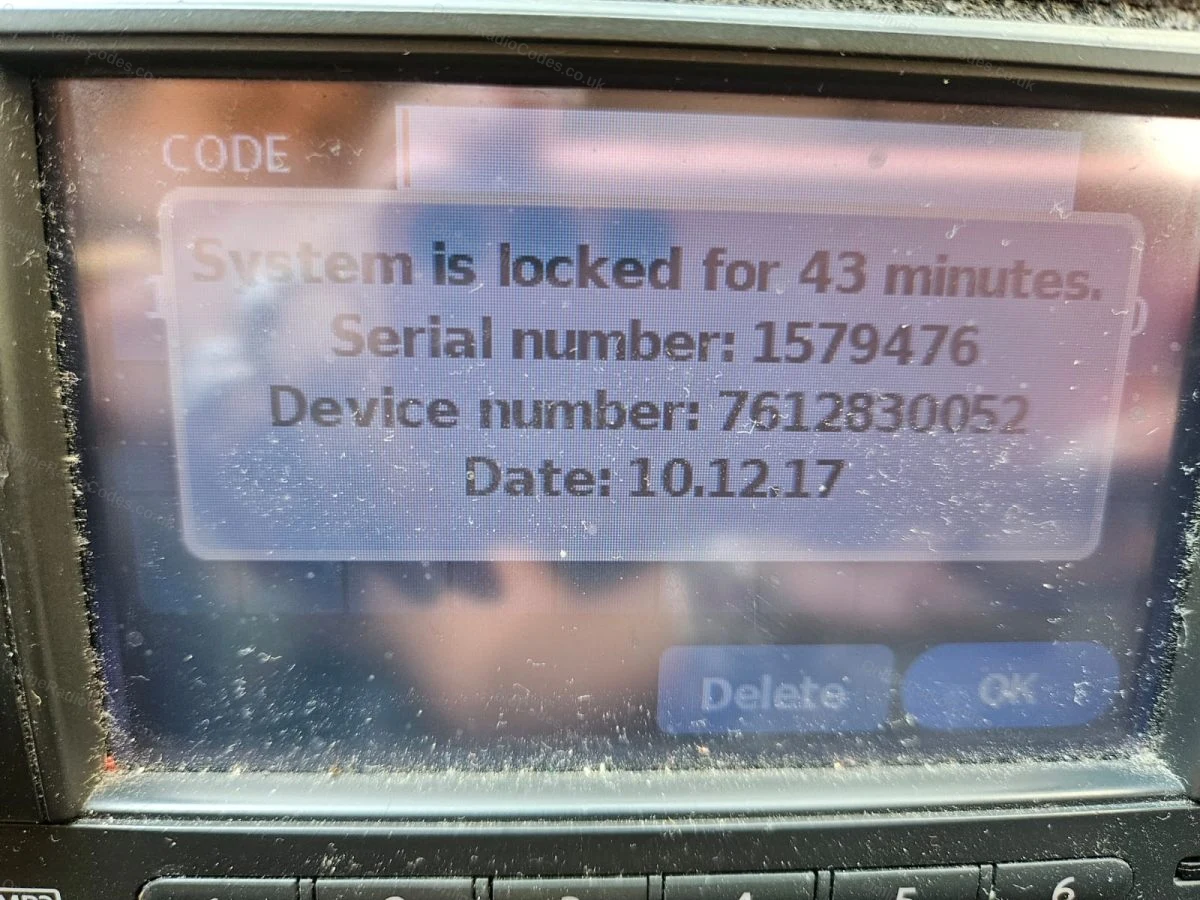
Turn ignition to ACC and switch on the radio. Enter any incorrect 4-digit code three times. The screen will lock and display your Serial Number, Device Number and Date.
Note all three exactly as shown. You need all three to get your code.
Do not use the serial from the label on the back of the unit. Only the serial shown on screen will work.
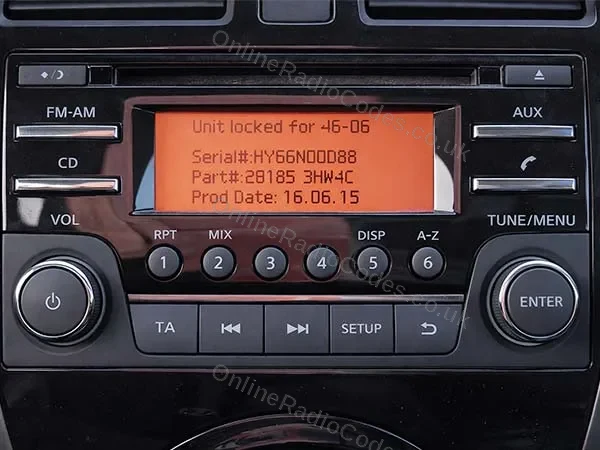
Nissan Daewoo
Get your serial from the screen
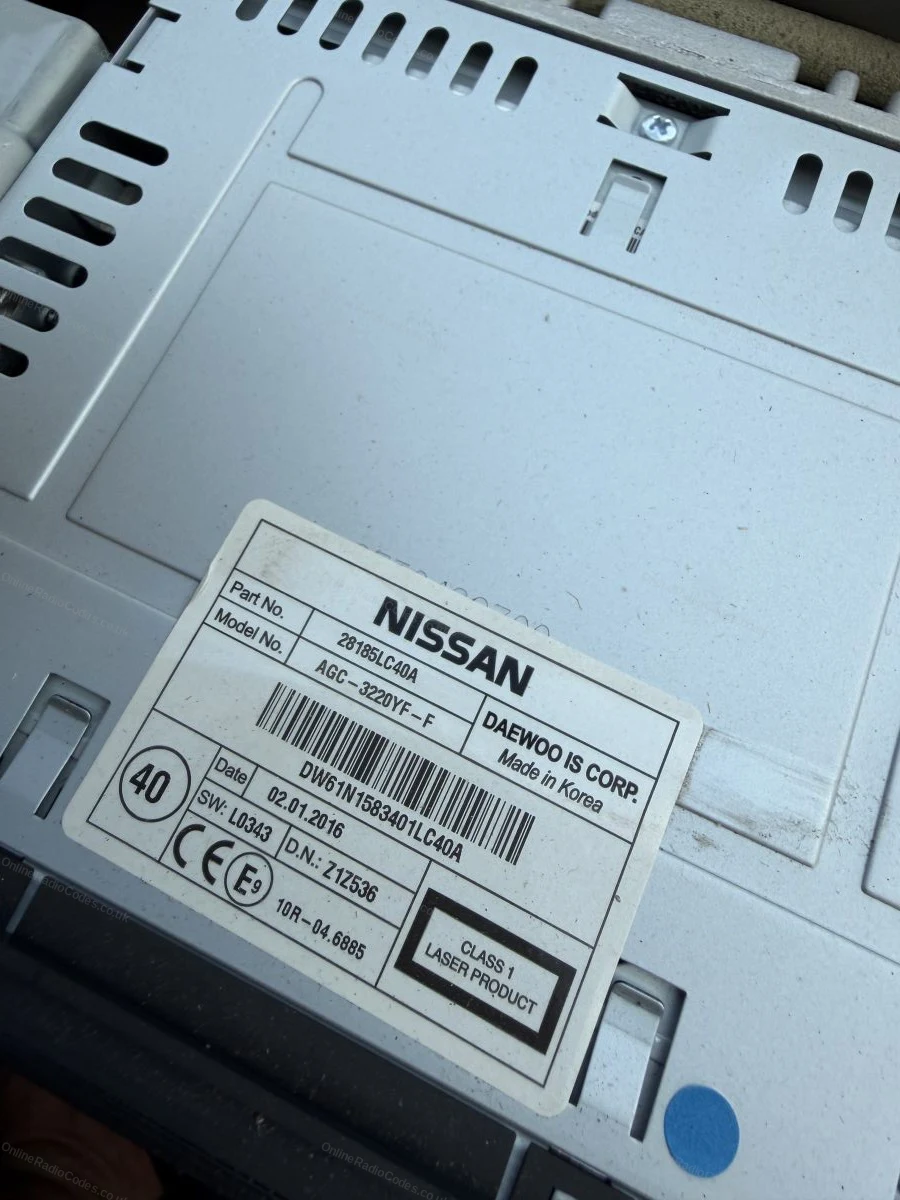
Turn on the ignition and switch on the radio. Enter any incorrect 4-digit code three times. The screen displays your Serial Number, Part Number and Date.
Note all three exactly as shown. The serial starts with DW, DS, HP, HY or HG (for example, DW32N13024).
Nissan Clarion (CL / PN / PP)
Remove the radio to find your serial
Insert radio release keys into the four corner holes and slide the unit forward.
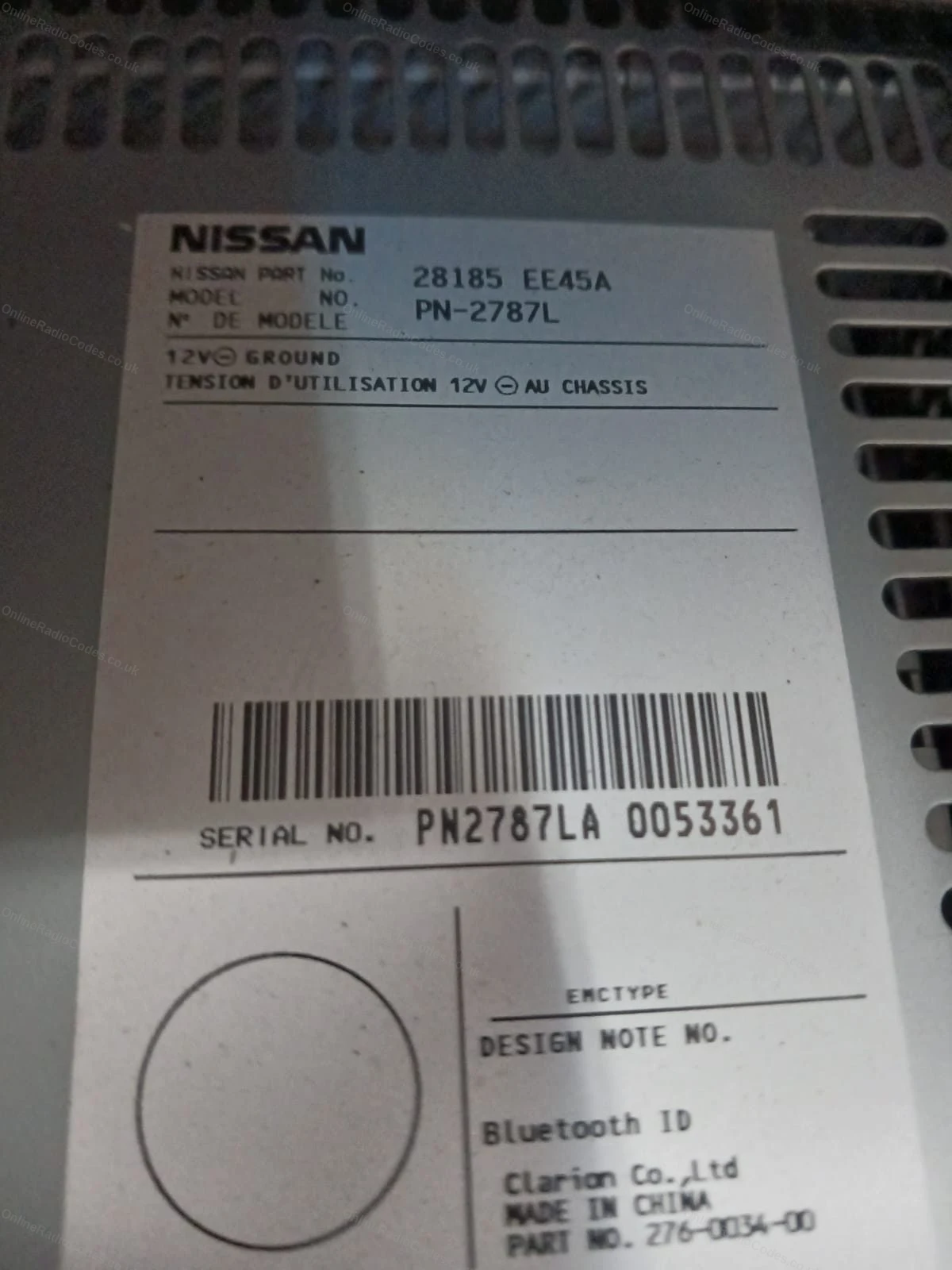
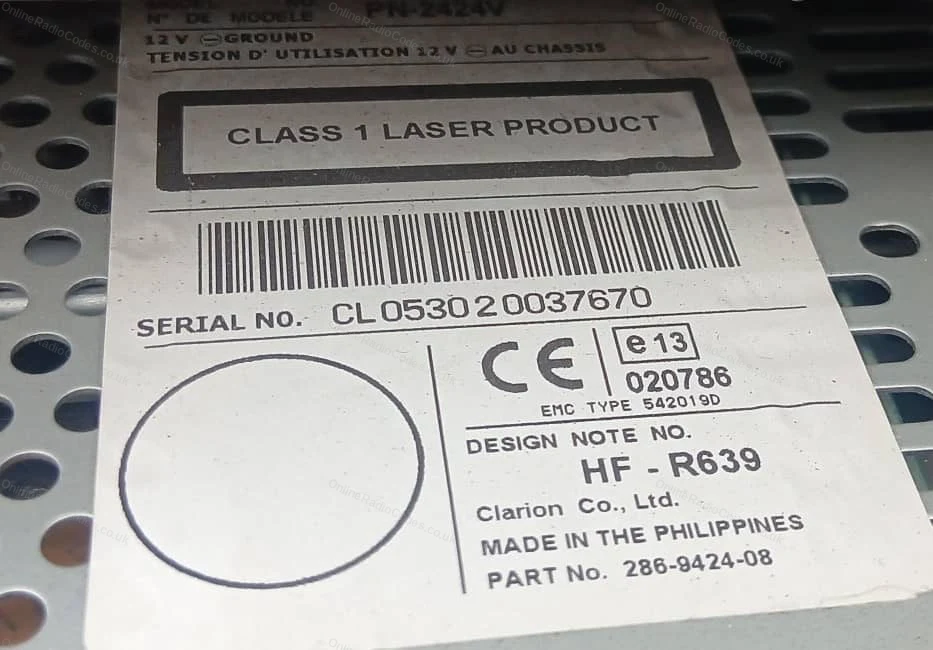
The serial is on the back label, 14 characters starting with CL, PN or PP (for example, CL094090001747). Note it exactly as shown.
You will also see a Model No. on the label (for example, PN-3001P or PP-3001M-B). For PN and PP serials this is filled in automatically. For CL serials please enter it in the Model No. field.
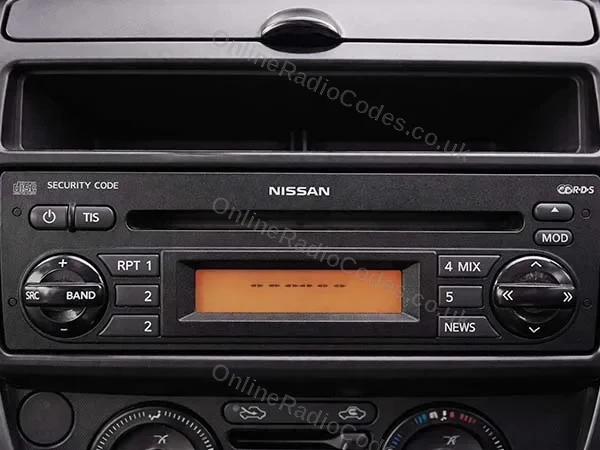
Nissan Blaupunkt (BP)
Remove the radio to find your serial
Insert radio release keys into the four corner holes and slide the unit forward.
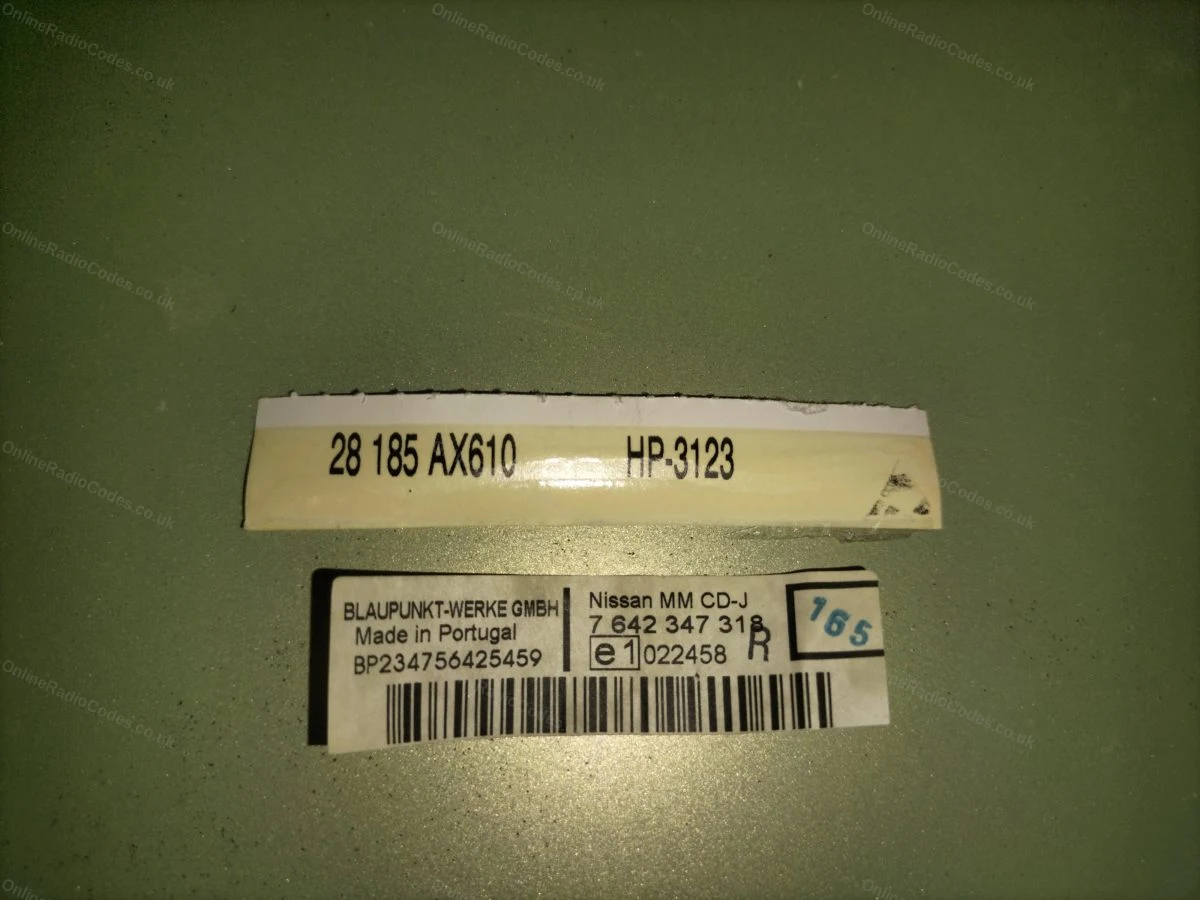
The serial is on the label on the back of the unit, starts with BP followed by 12 digits (for example, BP538471207649).
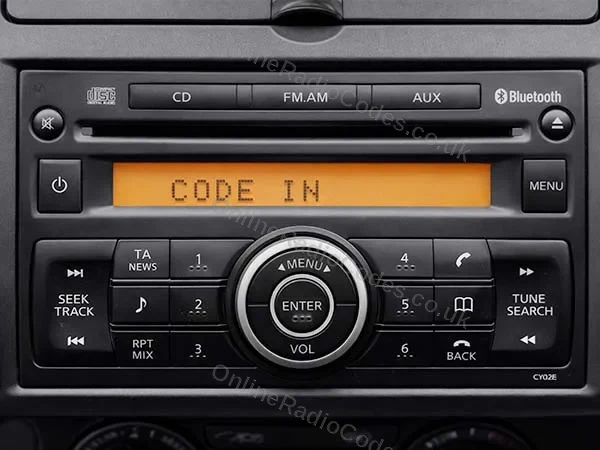
Nissan Visteon
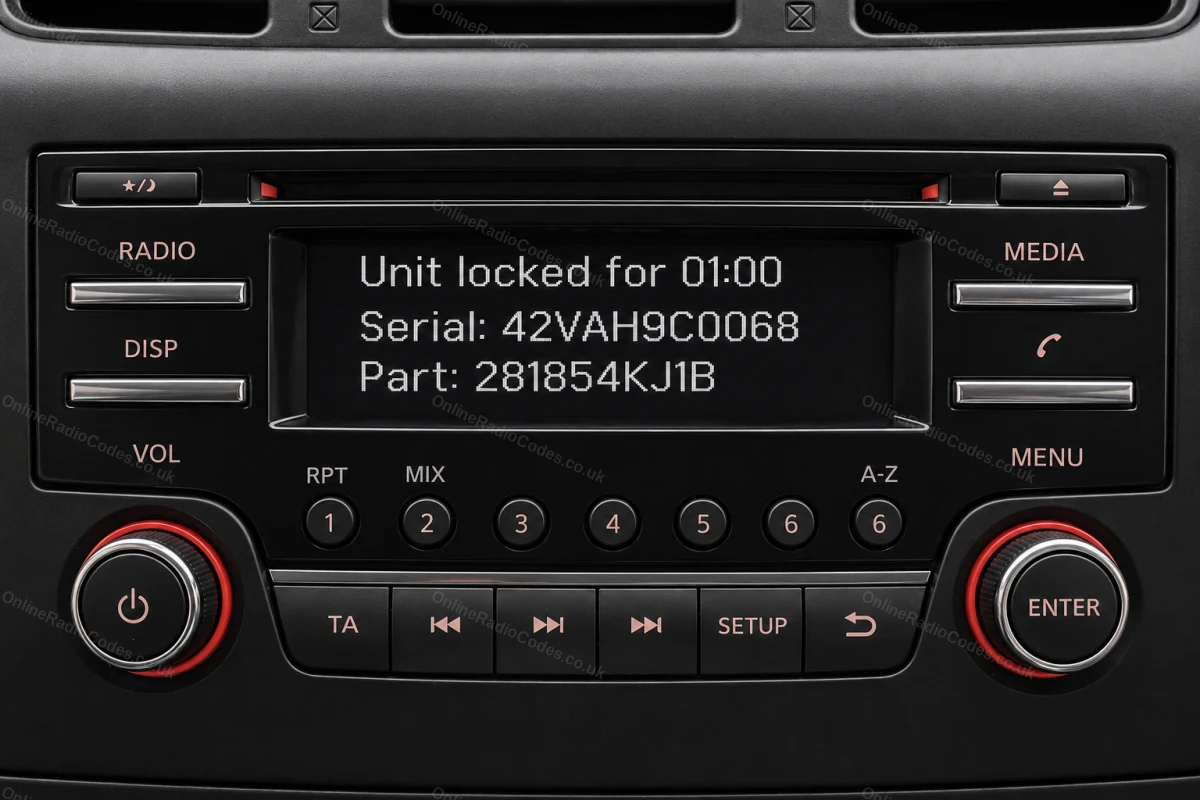
Get your serial and part number from the screen
Turn on the ignition and radio. Enter any incorrect 4-digit code three times deliberately. The screen locks and displays your Serial number and Part number. Note both exactly as shown. You need both to complete your order.
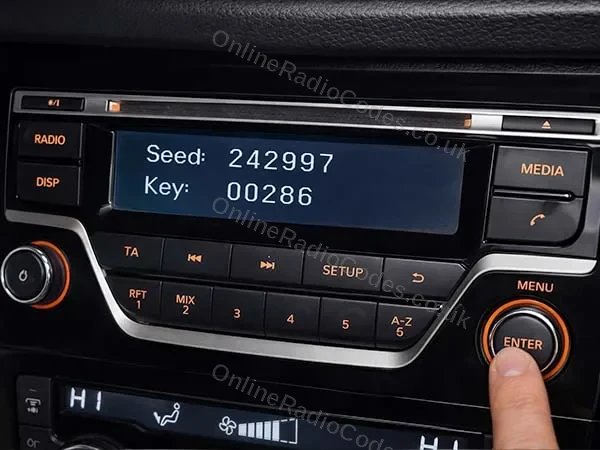
If your screen shows a Seed number instead, see the method below.
Nissan Visteon (Seed)
Your screen shows a Seed number. Remove the radio for the part number.
Some Visteon radios display a Seed number on the locked screen instead of Serial and Part. Note the Seed number down.
You still need the part number from the radio label. Use a trim tool to remove the surrounding dashboard panels, unscrew the unit and slide it forward. The part number is on the sticker on the back or side of the unit. It starts with 2818.
Enter the Seed number in the serial field and the part number in the device field.
What your Nissan serial looks like
Nissan Connect0158493
Device7 612 830 076Date13.07.26
Nissan DaewooDW32N13024
Device28185BH30DDate16.06.15
Nissan ClarionCL094090001747
ModelPN-3001P
Nissan BlaupunktBP538471207649
Nissan Visteon42VAH9C0068
Device281854KJ1B
Nissan Visteon (Seed)123456
Device281854KJ1B
Nissan Clarion (PP)PP3001MB0018964
ModelPN-3001P
Nissan Clarion (PN)PN3001PA0040363
ModelPN-3001P
Can't find it? Contact us. We'll help you locate your serial before you pay a penny.
Radio & label examples
Nissan Connect screen showing the serial and device numbers
White barcode label with the serial number on a Nissan unit
Serial number label on a Nissan CD player casing
Manufacturer label on the top of a Nissan unit
Nissan Connect lock screen with the serial and device numbers
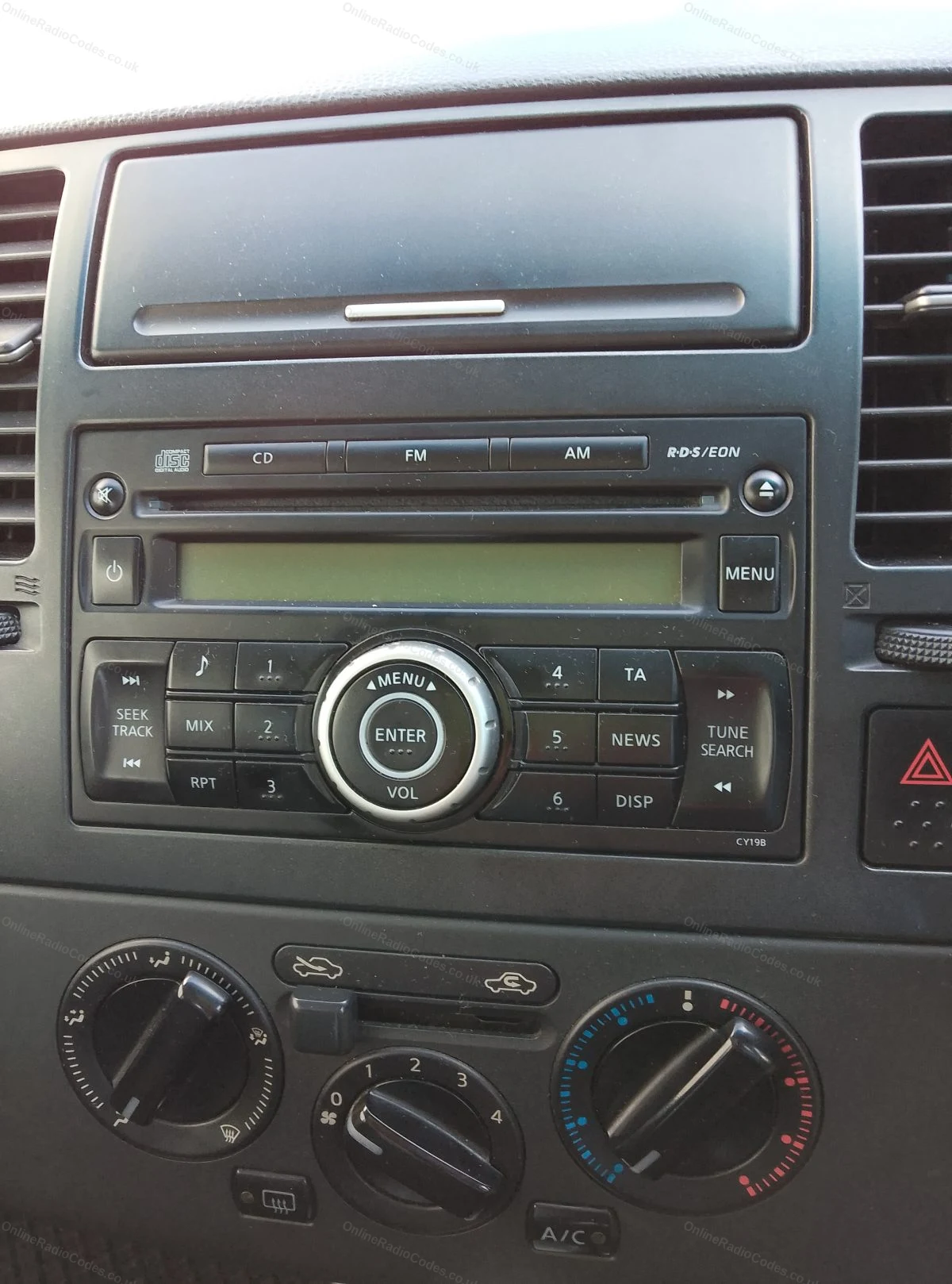
Nissan CD radio in the dashboard
Blaupunkt part and serial labels from a Nissan unit
Since 2015 · 1 million decodes
The World’s Leading Nissan Radio Code Service
A Decade of Decoding
Retrieving car radio codes since 2015, with more than a million codes delivered. Registered UK company No. 09736186. Read our story
Your Code, Fast
Most codes appear on screen the moment payment clears. The rest are handled by our team, usually within the hour in business hours.
Works, or Your Money Back
If your code does not work, we refund you in full. One of the very few radio code services that backs every single order.
Your Code, Kept for Life
Lose your code in five years? We keep it on file and will resend it free of charge, as many times as you need.
Real people, worldwide, around the clock
Meet our radio experts
A small team who have decoded radios for a decade, with Nova, our AI assistant, covering around the clock. Wherever you are in the world, we're here to help.
Live chat and email 24/7. Phones Monday to Friday, UK hours.
Gavin
Emma
Lucy
Mika
Liz
Nova24/7
FAQ
Frequently asked questions
Why is my X-Trail radio asking for a code?
Power to the unit was interrupted and the anti-theft lock activated. Battery changes and jump starts are the usual causes, and the code puts it right permanently.
Which serial does the X-Trail use?
Earlier cars carry Clarion units, serial starting PP or PN with a model number such as PN-3001P alongside, or Blaupunkt units with a BP serial. Later Connect-equipped cars show a 6 or 7 digit number on screen. The page identifies the type as you type.
Do I need to remove the radio?
For label serials, yes, release keys and two minutes. Connect units show their details on screen, no removal needed. The guide above covers both.
How do I enter the code?
The radio prompts with CODE or dashes. Button units use the presets, one per digit, pressed repeatedly then confirmed. Screen units take the 4 digits directly and unlock immediately.
I bought the car used and there is no code card anywhere. Normal?
Completely normal, most used cars have lost the card. The code is generated from the radio serial itself, so the card was only ever a convenience.
Très content du service , j’ai enfin obtenu un code valide pour mon rns-e après avoir payer sur d’autre site qui m’on fourni de mauvais code. Je suis très sa…
Hi radio now working again, thanks for the service you provide, will definitely use your services again if the case arises.I would definitely recommend Onlin…
Online Radio Codes is an independent radio code service and is not affiliated with, authorised by, or connected to Nissan Motor Co., Ltd or any of its subsidiaries or affiliated companies. All manufacturer names, model names and trademarks are the property of their respective owners and are used solely for identification and reference purposes.


 Nissan · Radio Codes
 22,774 reviews on