100% Money Back Guarantee The World's Leading Car Radio Code Service Trusted by 1,000,000+ customers
Nissan Nissan · Radio Codes
Est. 6 Hours

Nissan Connect Radio Codes

Nissan Connect Bosch LCN navigation code service. This screen-only unit uses a 7-digit unlock code. Enter the device number shown in your screen settings and receive your code instantly.

Enter your serial number
Over 1 million codes delivered worldwide.
Not sure which serial to enter? See examples
Est. 6 Hours Money back guarantee Secure checkout

Step 1 of 3

How to find your Nissan serial number

The guide below will show you exactly where to find your Nissan radio serial number.

Display the serial on screen
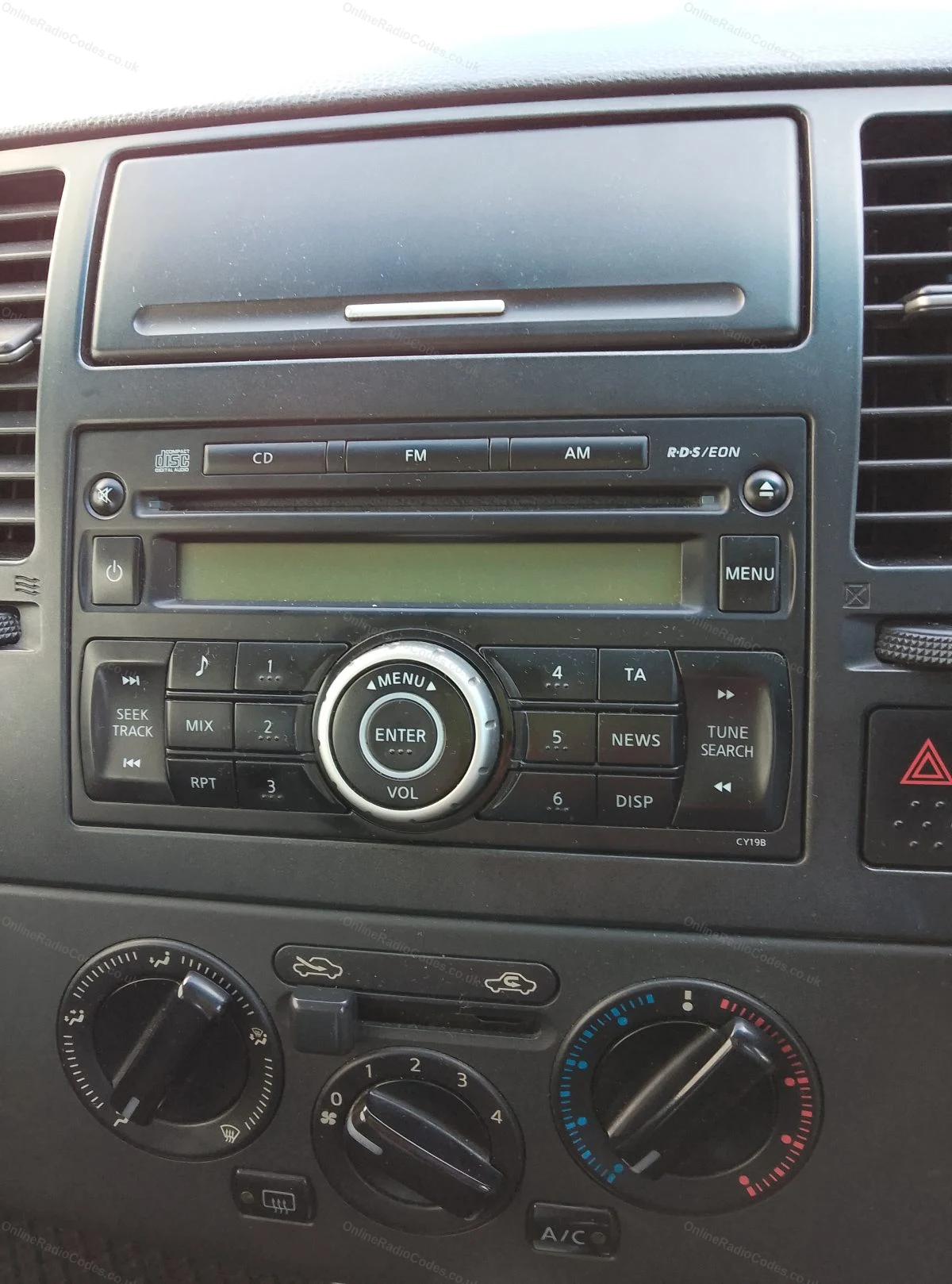
Nissan Connect (Bosch LCN EU)
Display the serial on screen
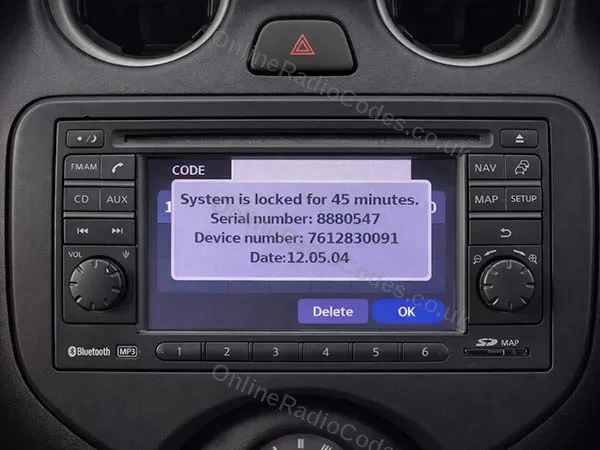
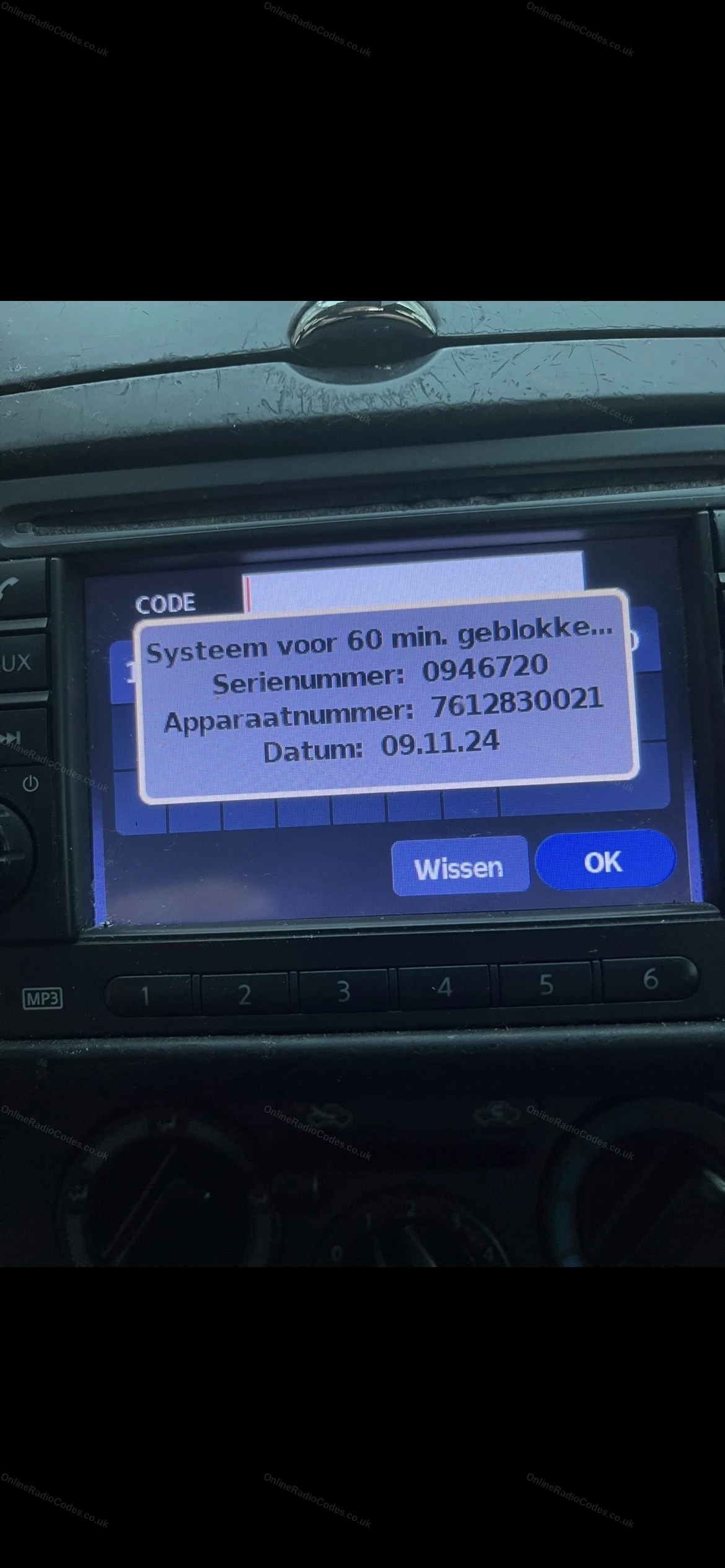
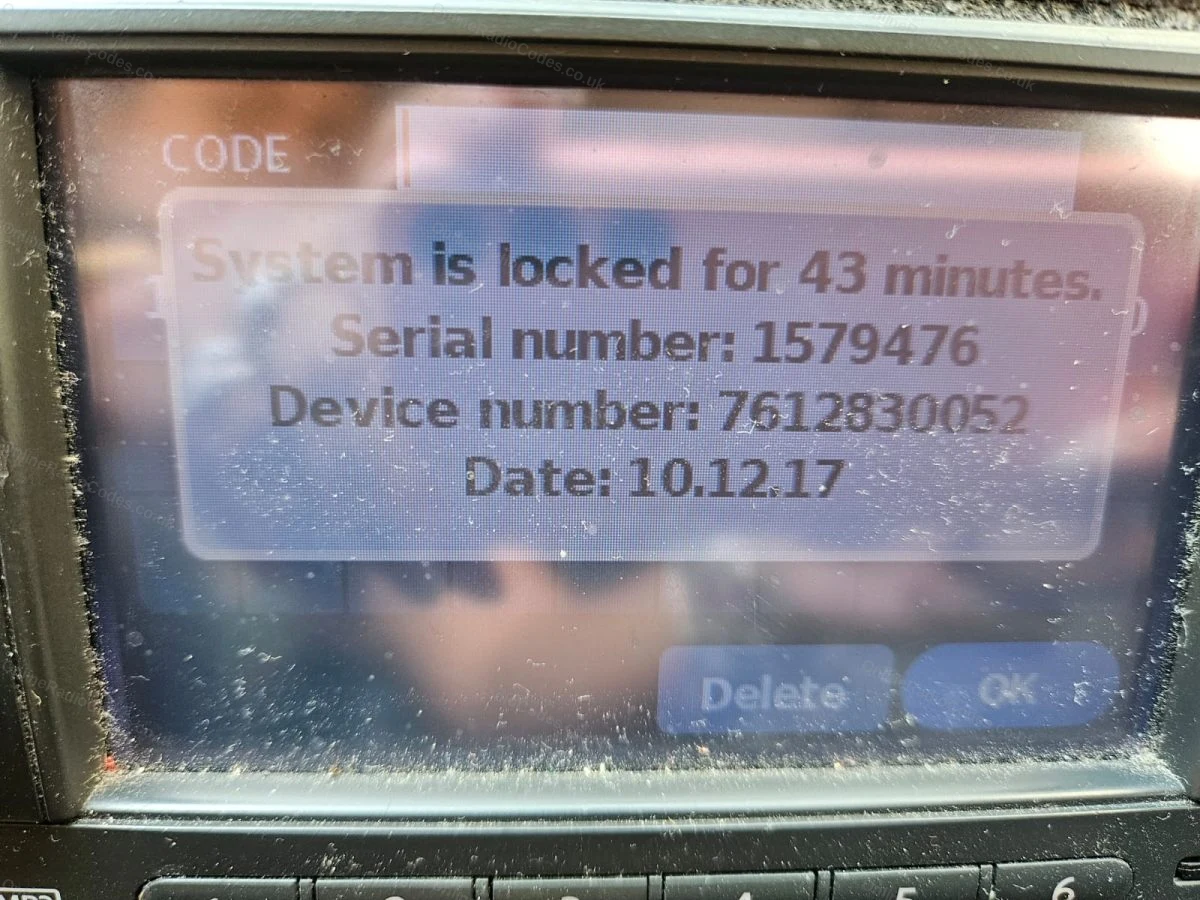
Turn ignition to ACC and switch on the radio. Enter any incorrect 4-digit code three times. The screen will lock and display your Serial Number, Device Number and Date.

Note all three exactly as shown. You need all three to get your code.

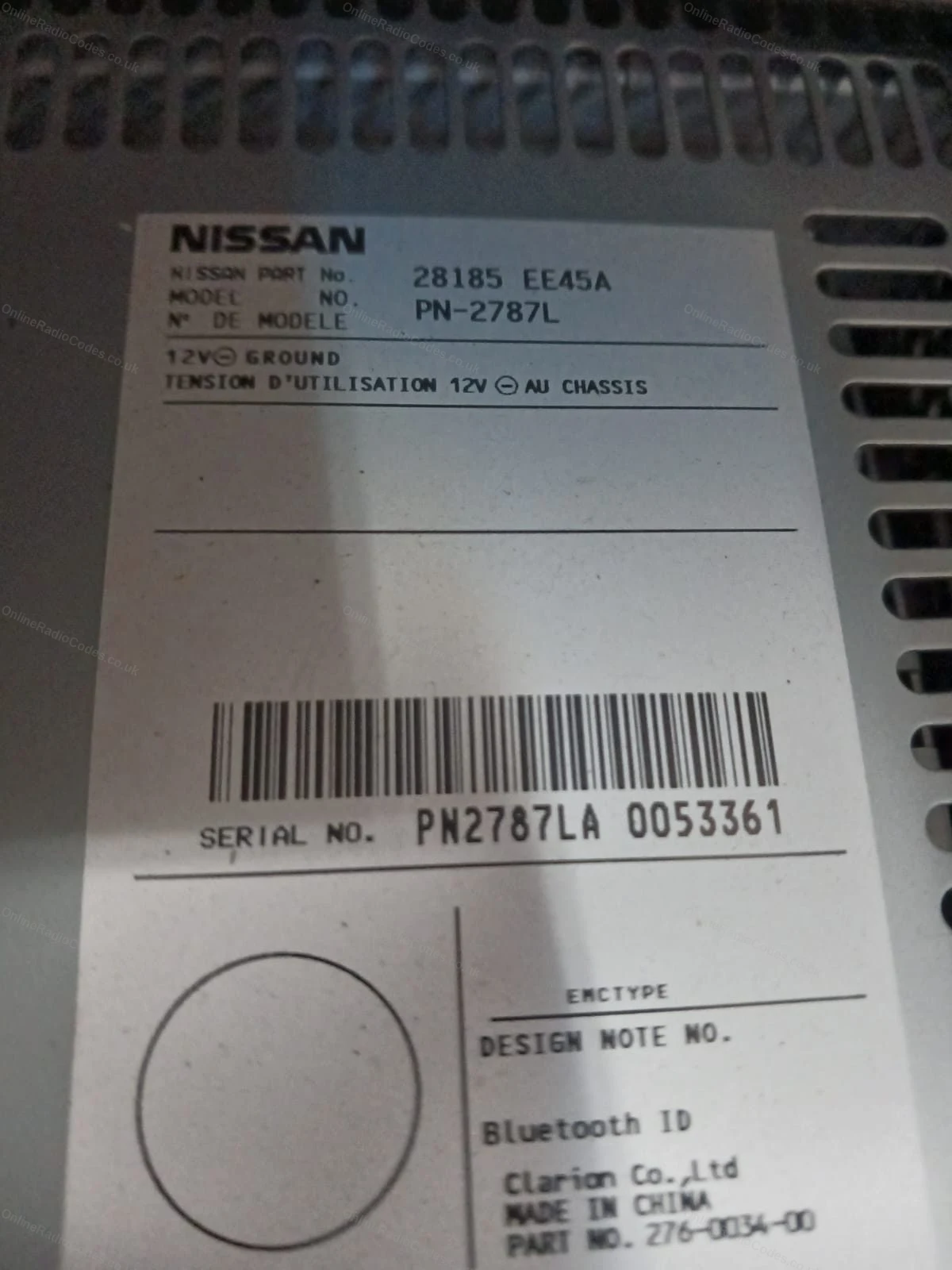
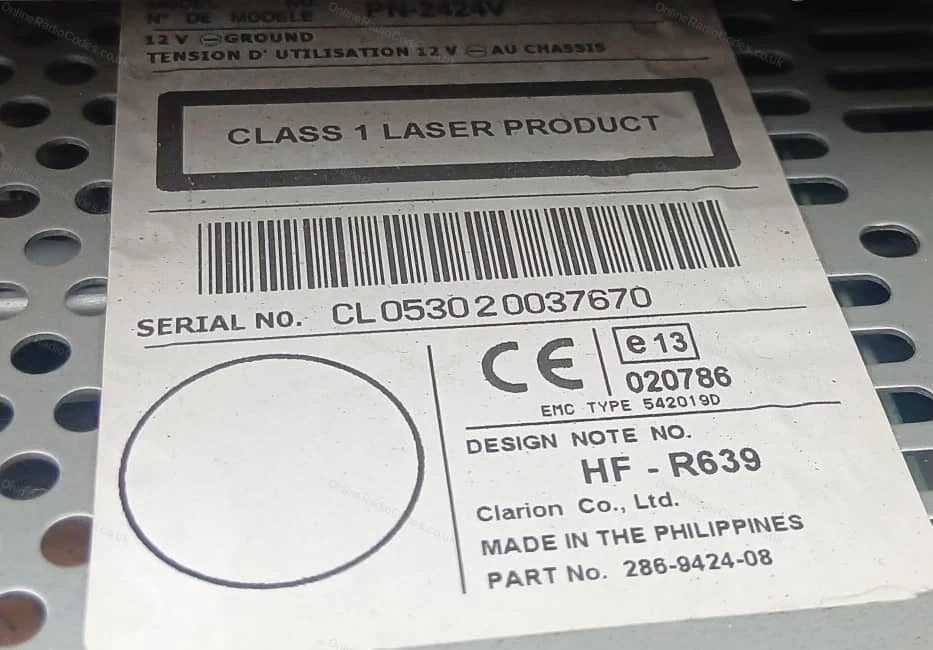
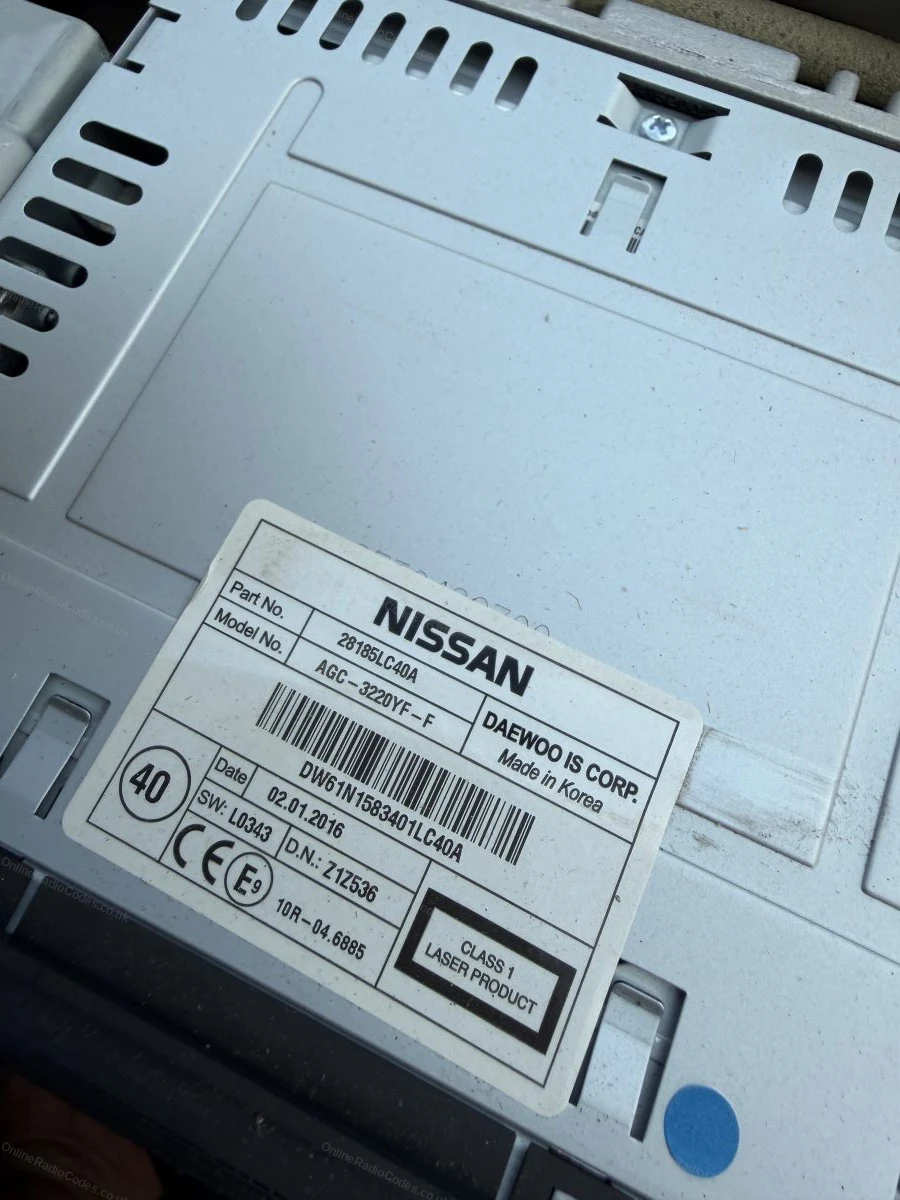
Do not use the serial from the label on the back of the unit. Only the serial shown on screen will work.
What your Nissan serial looks like
Nissan Connect 0158493
Device 7 612 830 076 Date 13.07.26
Nissan Daewoo DW32N13024
Device 28185BH30D Date 16.06.15
Nissan Clarion CL094090001747
Model PN-3001P
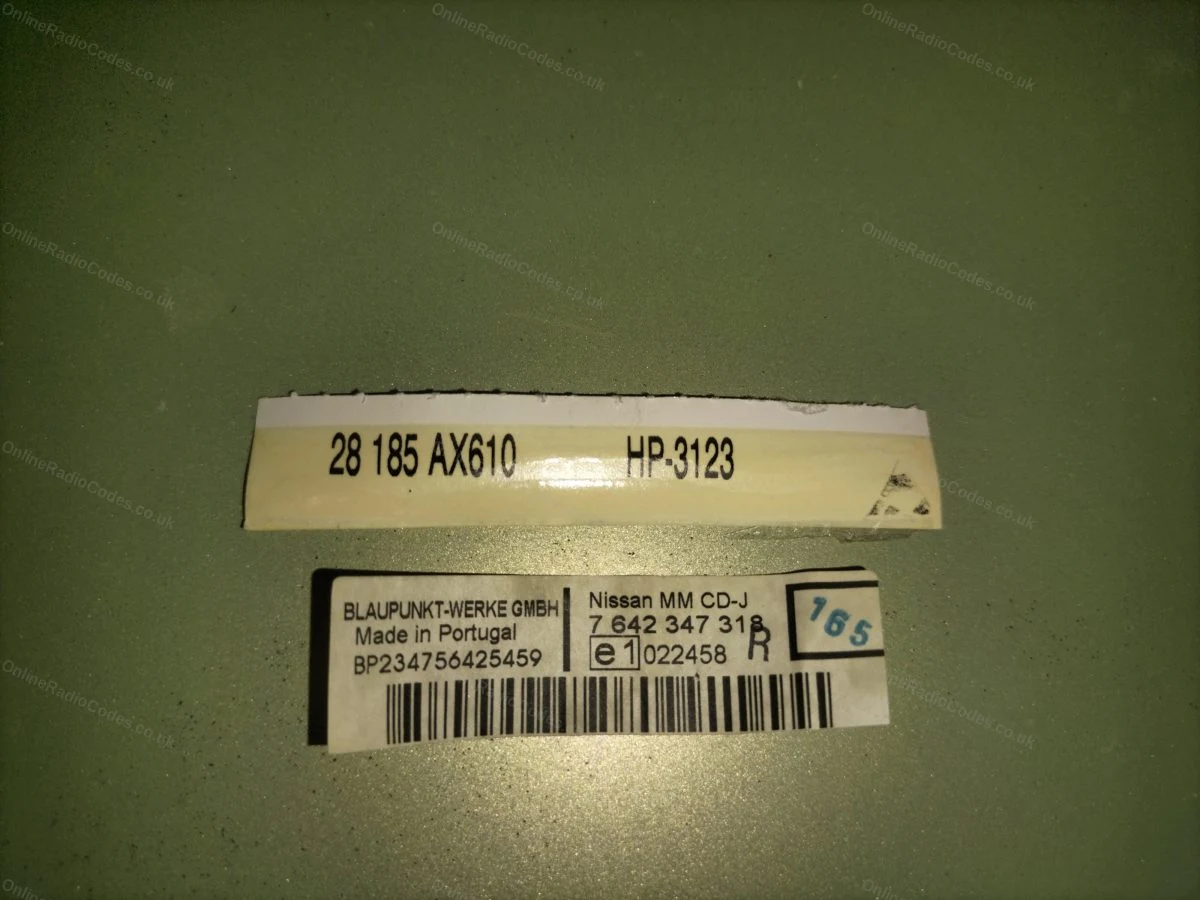
Nissan Blaupunkt BP538471207649
Nissan Visteon 42VAH9C0068
Device 281854KJ1B
Nissan Visteon (Seed) 123456
Device 281854KJ1B
Nissan Clarion (PP) PP3001MB0018964
Model PN-3001P
Nissan Clarion (PN) PN3001PA0040363
Model PN-3001P
Can't find it? Contact us. We'll help you locate your serial before you pay a penny.

Since 2015 · 1 million codes

The World’s Leading Nissan Radio Code Service

A Decade of Decoding
Retrieving car radio codes since 2015, with more than a million codes delivered. Registered UK company No. 09736186. Read our story
Your Code, Fast
Most codes appear on screen the moment payment clears. The rest are handled by our team, usually within the hour in business hours.
Works, or Your Money Back
If your code does not work, we refund you in full. One of the very few radio code services that backs every single order.
Your Code, Kept for Life
Lose your code in five years? We keep it on file and will resend it free of charge, as many times as you need.

Real people, worldwide, around the clock

Meet our radio experts

A small team who have decoded radios for a decade, backed by Casanova, our AI assistant, around the clock. Wherever you are in the world, someone real is on the other end of the chat.

Live chat and email 24/7. Phones Monday to Friday, UK hours.

  • Gavin Wilson Gavin
  • Emma Keevney Emma
  • Lucy Flynn Lucy
  • Mika Jones Mika
  • Liz Wilson Liz
  • Nova, our AI assistant Nova 24/7

FAQ

Frequently asked questions

Why is my Nissan Connect asking for a code?
The unit lost power, a flat battery or a battery change being the usual cause, and its anti-theft lock activated. Enter the correct code and it unlocks on the spot.
What serial does the Connect LCN unit use?
A short number of 6 or 7 digits, shown by the unit itself rather than on a hidden label. Some units also show a date alongside, note both down, the date is needed with the serial on these radios. The guide above shows exactly where to look.
Do I need to pull the radio out of the dash?
Usually not. The LCN Connect displays what we need on screen, which makes it one of the easier Nissan units to sort. Only if your screen route fails would the label on the casing come into play.
How do I enter the code on the Connect?
The unit prompts for the code when it starts. Enter the 4 digits on screen and confirm. With the correct code it unlocks immediately.
I have entered a few wrong codes. Is it ruined?
No. The unit pauses entries for a while, leave it powered on and it will ask again, typically within 30 minutes to 2 hours. Then enter the decoded code once.

Verified · Trustpilot

Don't just take our word for it

See all reviews on Trustpilot
5 stars
5 hours ago Trustpilot

I received correct code for radio in my Ford Focus 2005

I received correct code for radio in my Ford Focus 2005. purchase process was quick, straightfull. I am absolutely satisfied. younhave to know correct serial…

customer · SK · Ford
5 stars
7 hours ago Trustpilot

Highly recommend !!!

After purchasing the code to reset the radio in a van I'm gifting to a family member, to my dismay, it did not work. HOWEVER . . . after a few email corresp…

K Cutty · US
5 stars
10 hours ago Trustpilot

Quick service got code within a hour…

Quick service got code within a hour thanks

Janet · GB
5 stars
12 hours ago Trustpilot

Alles bestens hat super funktioniert…

Alles bestens hat super funktioniert schneller reibungsloser Ablauf bin sehr zufrieden

Harald · AT
5 stars
19 hours ago Trustpilot

Online Got Talent

Great service, easy instruction to follow and received the code and revived the old head unit within 10 minutes. It's a "yes" from me..

Tony Laffy · GB
5 stars
1 day ago Trustpilot

Très rapide

Très rapide, très simple, avec un résultat exact donc tout est positif

Matton Philippe · FR
5 stars
1 day ago Trustpilot

Ford radio codes.Today I used this online service to…

Today I used this online service to retrieve my radio code, these guys knew exactly how to guide me through the process of finding the relevant information o…

Mark Caldwell · GB · Ford
5 stars
1 day ago Trustpilot

Straight forward process

Straight forward process, with immediate response. Code received and worked. Thank you

Chris · GB
5 stars
2 days ago Trustpilot

Quick and easy to use

Quick and easy to use. Had my code in seconds of payment.

Lisa O'Regan · GB
5 stars
2 days ago Trustpilot

So helpful

The initial info regarding location of the VIN no. made it easy for me to locate, a mistake I made was identified and resolved very quickly by the team and t…

Maggie · GB
See our 22,325 reviews on Trustpilot

Ready to unlock your Nissan radio?

Enter your serial number above and get your unlock code in seconds.

Get my code now
Online Radio Codes is an independent radio code service and is not affiliated with, authorised by, or connected to Nissan Motor Co., Ltd or any of its subsidiaries or affiliated companies. All manufacturer names, model names and trademarks are the property of their respective owners and are used solely for identification and reference purposes.
Get my radio code