

Kort svar
SAFE on a Volkswagen, Audi, SEAT or Skoda radio is the anti theft lock. It is not a fault. It comes on whenever the radio loses power, and on most of these radios the screen changes to 1000 after a few seconds, which means the radio is ready for its four digit code. You get two tries. After two wrong codes the radio locks for about an hour, and that hour only counts while the ignition and the radio are both switched on.
På denne siden
What SAFE means on a VW, Audi, SEAT or Skoda radio
The three screens this guide covers. None of them means the radio is broken.
SAFE is the radio's anti theft lock. Volkswagen, Audi, SEAT and Skoda radios turn it on by themselves when the power goes, so a flat battery, a battery change or a radio taken out of the dashboard will all bring it up.
The lock stays until the radio's own four digit code goes in. That code belongs to the radio, not the car, and it never changes. Keep a note of it with the car's papers and the next battery change takes a minute.
What matters is which of the three screens you have, because each one wants something different from you.
SAFE, 1000 and 2 SAFE: what each screen is telling you
Turn the ignition on, then the radio, and watch the display for ten seconds or so before you press anything.
SAFE that changes: the normal lock after the power has been off. On most of these radios SAFE shows for a few seconds and then 1000 comes up by itself. You do not need to press anything to get there.
1000: the entry screen. It is not your code and not a fault, just the starting point. You change each digit from there until the display matches your code, then confirm.
SAFE that stays, or 2 SAFE: two wrong codes have gone in and the one hour block is running. Nothing you press will go in until it ends. Some radios add a small 2 at the left of the display.
Older Audi Concert, Chorus and Symphony radios are the exception. They show SAFE and wait for you to hold two buttons before 1000 appears, so a SAFE that sits there on one of those is not always the block. The table further down names the two buttons.
Touchscreen units such as the RCD 510 and RNS 510 do not show 1000. They put a keypad on the screen instead, with the words Please enter code.
The hour after two wrong codes
On most of these radios you get two tries. After the second wrong code the radio locks for about an hour, and when the hour is up you get two more.
The hour only counts while the ignition and the radio are both switched on. Turn either off and the clock stops, so leave the key turned and the radio on for the whole hour. If the battery is weak, charge it first, because an hour with the ignition on is a long time for a tired battery.
Do not disconnect the battery. It does not clear the block, and the radio asks for its code again when the power comes back.
A few units do it their own way:
- RNS 510: the screen counts the tries you have left, starting at 2. After two wrong codes it reads System locked and shows the minutes left. Some units show SAFE instead.
- Audi RNS-E: after two wrong codes it reads System is locked. Keep the key in the ignition for the whole wait. Without it the unit switches itself off after 30 minutes and the hour starts again.
- SEAT Alana: it makes you wait an hour after every wrong code, not every second one, and shows 2 SAFE while it waits.
- Some SEAT radios want the hour before they take a code at all, even the first one. If SAFE never changes to 1000, leave the ignition and the radio on for an hour, then try.
Your radio: what it shows and how the code goes in
Find your radio by the name on its front or by the look described here. Each row links to the full steps in our code entry finder, where you can type your code and see every button press in order.
| Radio | What the screen shows | How the code goes in |
|---|---|---|
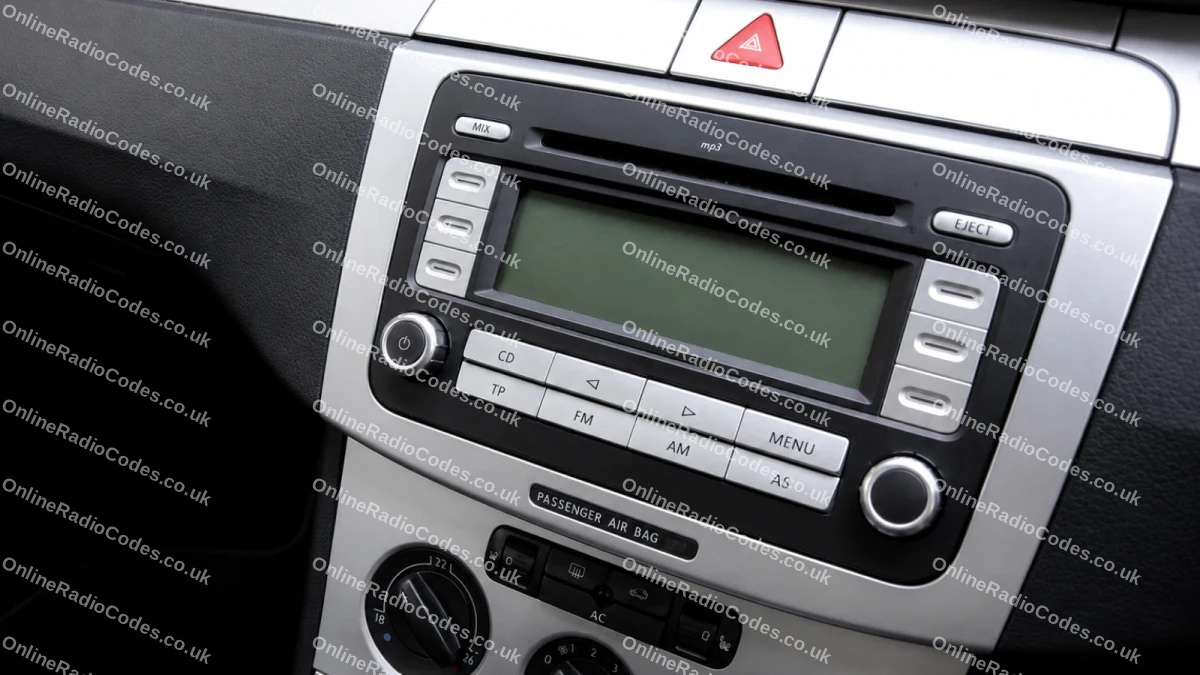
| VW RCD 300 and RCD 500 Buttons either side of the display | SAFE, then 1000 by itself | The display puts an X next to the four buttons that set the digits. Press each one until its digit matches your code, then press the button next to the word ENTER. Step by step |
| VW RCD 310 Six unmarked keys under the display | SAFE for about ten seconds, then 1000 | The display marks the four keys under it that set the digits. Press each one until its digit matches, then press the key under OK when it appears. Step by step |
| VW RCD 510, RNS 310 and 315, RNS 510 Touchscreen | A keypad with Please enter code. After two wrong codes, System locked and the minutes left, or SAFE | Type the four digits on the screen keypad, then confirm with OK on the screen. Not the knob and not the preset buttons. Step by step |
| VW Beta and Gamma Station buttons 1 to 6, from 1998 | SAFE, then 1000 by itself | Station buttons 1 to 4 set the four digits. Then press the seek rocker to the right and keep it pressed until you hear a brief sound. Radios from before May 1998 start differently. Step by step |
| Audi Concert, Chorus and Symphony Older units with six station buttons in a row under the display | SAFE, until you hold two buttons | Hold two buttons together until 1000 shows: SCAN and RDS on the Concert II and Chorus II, AS and RDS on the Symphony II, TP and RDS on the first Concert and Chorus. Set the digits with station buttons 1 to 4, then hold the same two buttons until SAFE shows. Step by step |
| Audi RNS-E Navigation plus, colour screen and a large knob | PIN entry, with the digits set round a dial. After two wrong codes, System is locked | Turn the large knob to each digit and press it, then turn to OK and press the knob. Step by step |
| SEAT Alana ALANA printed on the front | SAFE briefly, then 1000 | Station buttons 1 to 4 set the digits. Then press SCAN and keep it pressed until you hear the signal and SAFE shows briefly. Step by step |
Not in the table? Other SEAT and Skoda radios and older VW units are in the code entry finder. Search it by the radio's name or by your car. Still need the code itself? The SEAT and Skoda pages take your serial.
Getting the code for your radio
Each of these radios has its own code, worked out from its serial number. The serial is on a label on the radio's casing and starts with three letters that name the make: VWZ for Volkswagen, AUZ for Audi, SEZ for SEAT and SKZ for Skoda.
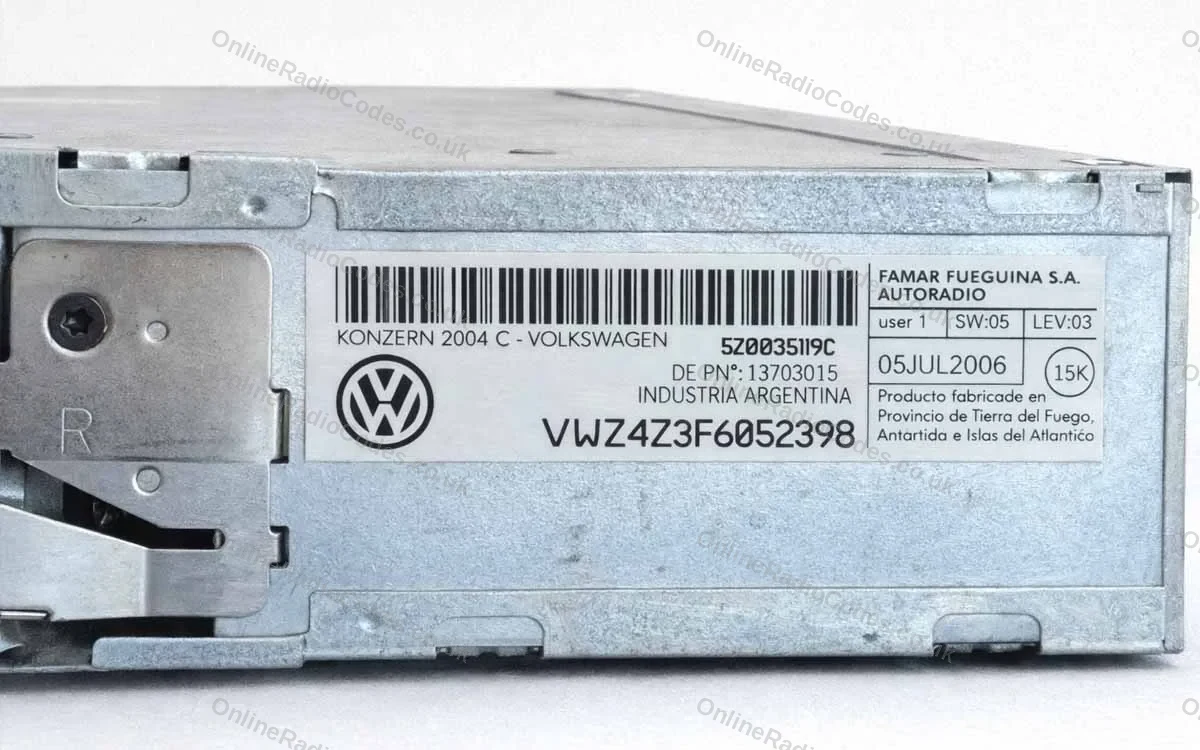
Most of these radios do not show the serial on the screen, so the radio has to come out of the dashboard for you to read the label. Our guide to where to find your radio serial number shows where it sits. Type it exactly as the label shows it.
We have delivered codes for more than 8,000 Volkswagen, Audi, SEAT and Skoda radios in the last six months. Volkswagen codes usually arrive within 3 til 6 timer, Audi within 3 til 6 timer, SEAT within 24 timer and Skoda within 48 timer. Our guide to how long a radio code takes has the detail.
If the radio goes back to 1000 after your code
If the radio shows 1000 or SAFE again after you confirm, stop after that one try. You still have the second, and it is worth keeping.
- Check how the digits went in. Go through the steps for your radio in the table above. The confirm button is different on almost every unit, and it is easy to go one digit past.
- Check the serial. Compare the serial on your order email with the label, character by character. A capital I and the number 1 look almost the same on these labels, and one wrong character gives a different code.
- Send us a photo. A photo of the screen and of the label on our chat lets us check it with you before you use your last try.
Our guide to why a radio code does not work lists the nine mistakes we see most. If the block has already started, the SAFE part of our lock screens guide covers the wait.
When the screen does not say SAFE
Newer Volkswagen, Audi, SEAT and Skoda systems can show a message that component protection is active. Component protection is a different lock from the radio code. It is tied to the car's own systems, so no radio code clears it.
A radio code is for a radio that shows SAFE, 1000 or a keypad asking for a four digit code. If that is what yours does, the code is what you need.
Spørsmål vi ofte får
I have a Skoda Fabia and I need the radio SAFE code. How can I get it?
It is the radio's own four digit code, worked out from the serial on the label on the radio's casing. On a Skoda the serial starts SKZ. Type it exactly as the label shows it on our Skoda page and the code comes to you by email.
The radio only shows SAFE and does not let me put a code in yet. What can I do?
Leave the ignition and the radio switched on for about an hour and press nothing. That is the block after two wrong codes, and some SEAT radios want the same hour before the first code. When 1000 comes up, enter the code once. On an older Audi Concert, Chorus or Symphony, SAFE stays until you hold the two buttons that bring up 1000.
The screen said SAFE and now it says 1000. Is 1000 the code?
No. 1000 is the entry screen, and it means the radio is ready for your code. Change each of the four digits from there to match your code, then confirm with the button your radio uses. Our code entry finder shows the buttons for your radio.
I have set the digits. Which button do I press to confirm?
It depends on the radio. The RCD 300 confirms with the button next to ENTER on the display, the RCD 310 with the key under OK, and the Beta and Gamma by holding the seek rocker to the right until you hear a brief sound. Touchscreen units take OK on the screen. The SEAT Alana holds SCAN, and the older Audi Concert holds the same two buttons that brought up 1000. If you are not sure which radio you have, search our code entry finder by its name or your car before you press anything.
The radio is showing 1000 again, but I would rather not enter the code again if it is not the right one.
You are right to stop. Check the serial on your order email against the label on the radio, character by character, and check the digits went in the way your radio wants them. If both are right, enter it once more. If anything does not match, send us a photo of the label on chat first and we will check it with you.
It says 2 SAFE. I waited the hour, put the code in again and it still did not work.
2 SAFE means the block is running again, so leave the ignition and the radio on and press nothing until 1000 comes back. Before the next try, check the serial against the label on the radio itself. A serial copied from the car's papers can belong to a radio that has since been changed, and a capital I read as a 1 gives a different code. Send us a photo of the label on chat and we will check it with you.