

How to enter an Audi Concert or Symphony radio code
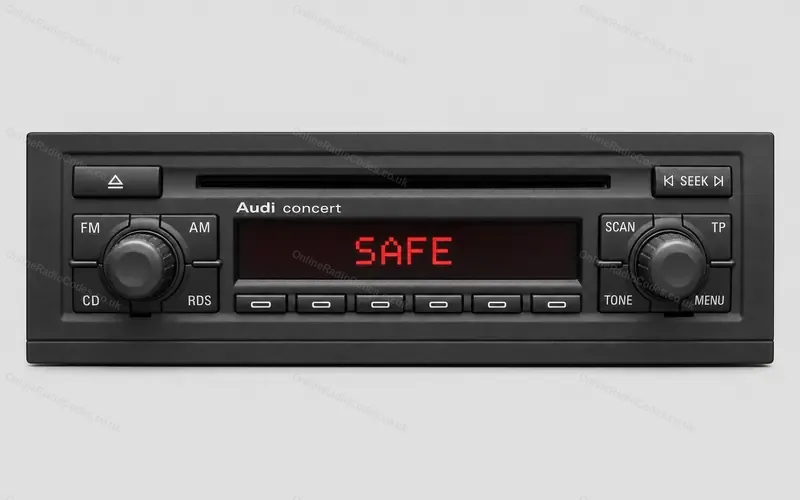
Concert, Chorus and Symphony radios with six station buttons in a row under the display, in the A2, A3, A4, A6 and TT. If yours has soft keys beside the display, these steps are not for it.The Concert II, drawn from a photo.
Type it and every step uses your own digits. It stays on this page.
Switch the radio on. It shows SAFE. Press and hold two buttons together until 1000 shows, then let go at once. Which two depends on the radio: SCAN and RDS on the Concert II and Chorus II, AS and RDS on the Symphony II, TP and RDS on the first Concert and Chorus.
Every step
From Blaupunkt's manual for the first Audi Concert and Chorus, Audi's papers for the Symphony, and the Concert II booklet as quoted by owners.
If it locks
You get two tries. After the second wrong code the radio locks for about an hour. Leave the radio switched on with the key in the ignition, then you get two more. Blaupunkt's manual gives this for the first Concert and Chorus, and Audi's papers for the Symphony. What each lockout screen means
Held the two buttons again too early?
If you hold them a second time before the digits are set, the radio takes 1000 as your code and counts a wrong try. Set all four digits first.
No numbers on the station buttons?
On the Concert II the six buttons are blank. They count 1 to 6 from the left, and in normal use the display shows the numbers above them.
Soft keys beside the display?
That is the later Concert, Chorus or Symphony. These steps are not for it. Go by the buttons on yours
American radio from the first generation?
On the first Symphony the pair is P.SCAN and RBDS. Owners give FM2 and RDS for the first Concert.