Audi radio code by serial number or VIN. Covers the Chorus, Concert and Symphony head units plus the RNS-E navigation system, fitted across the A3, A4, A6, TT and more. Enter your AUZ serial above and we'll email your code, backed by our money-back guarantee.
The guide below will show you exactly where to find your Audi radio serial number.
Audi Chorus / Concert
Remove the radio to find your serial
Insert the four radio release keys into the corner holes of the fascia and apply gentle outward pressure. The unit slides forward. You do not need to disconnect any wires.
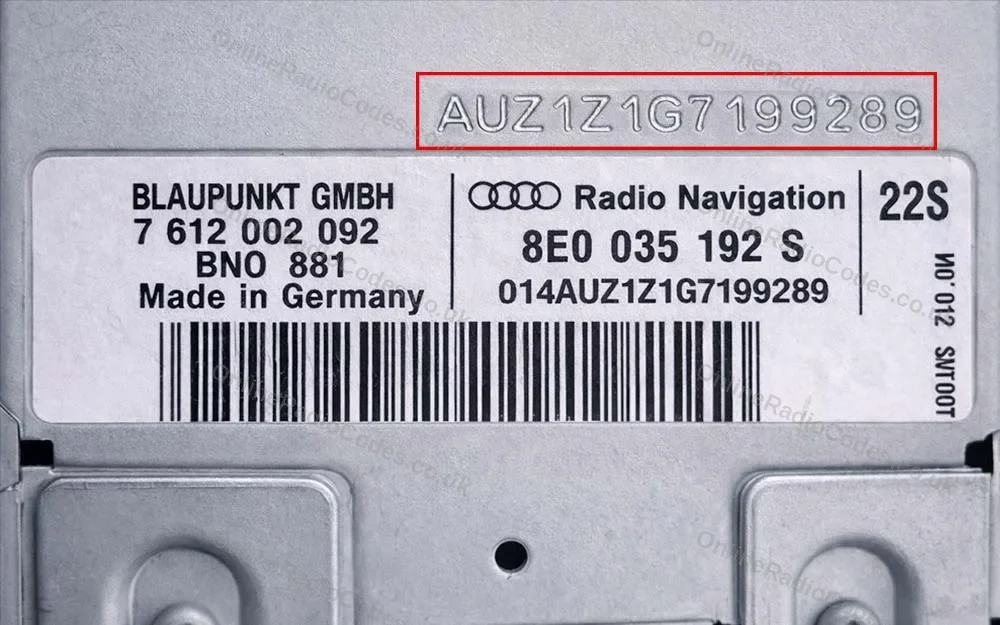
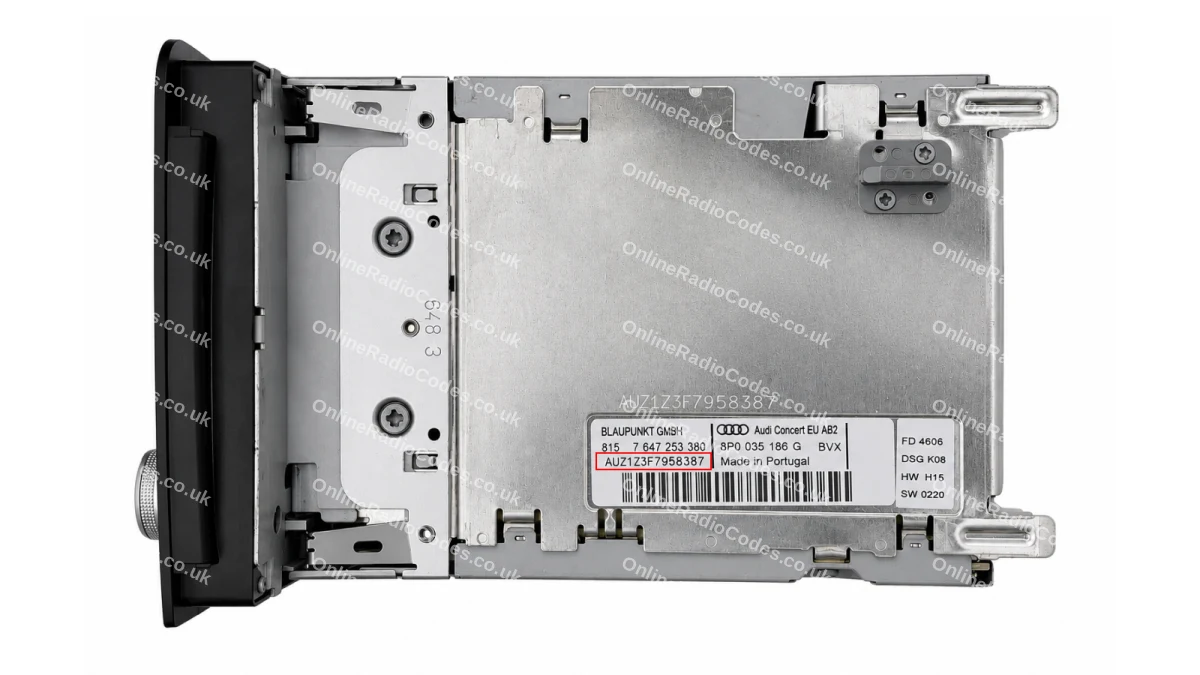
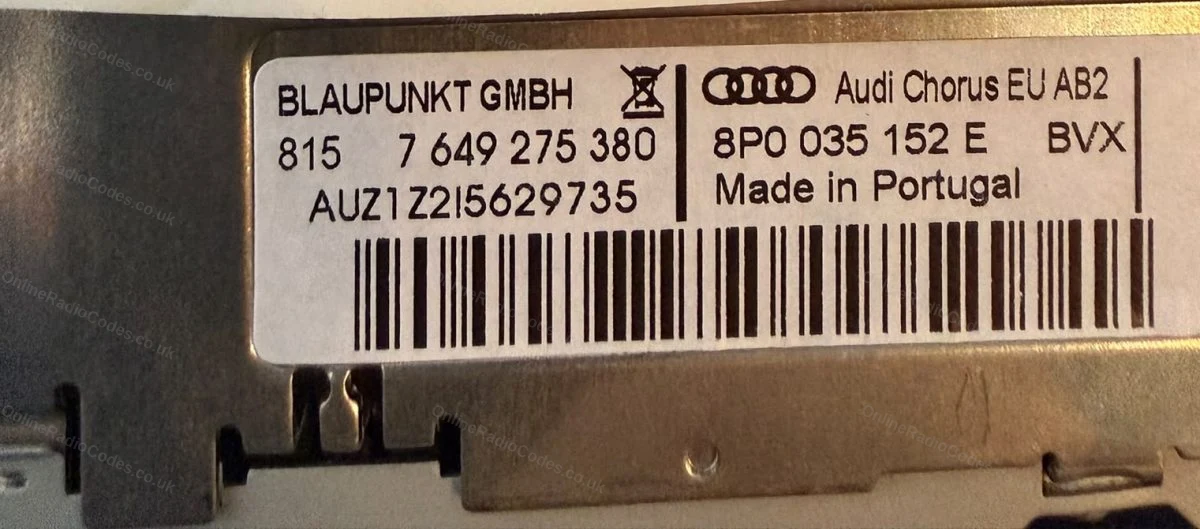
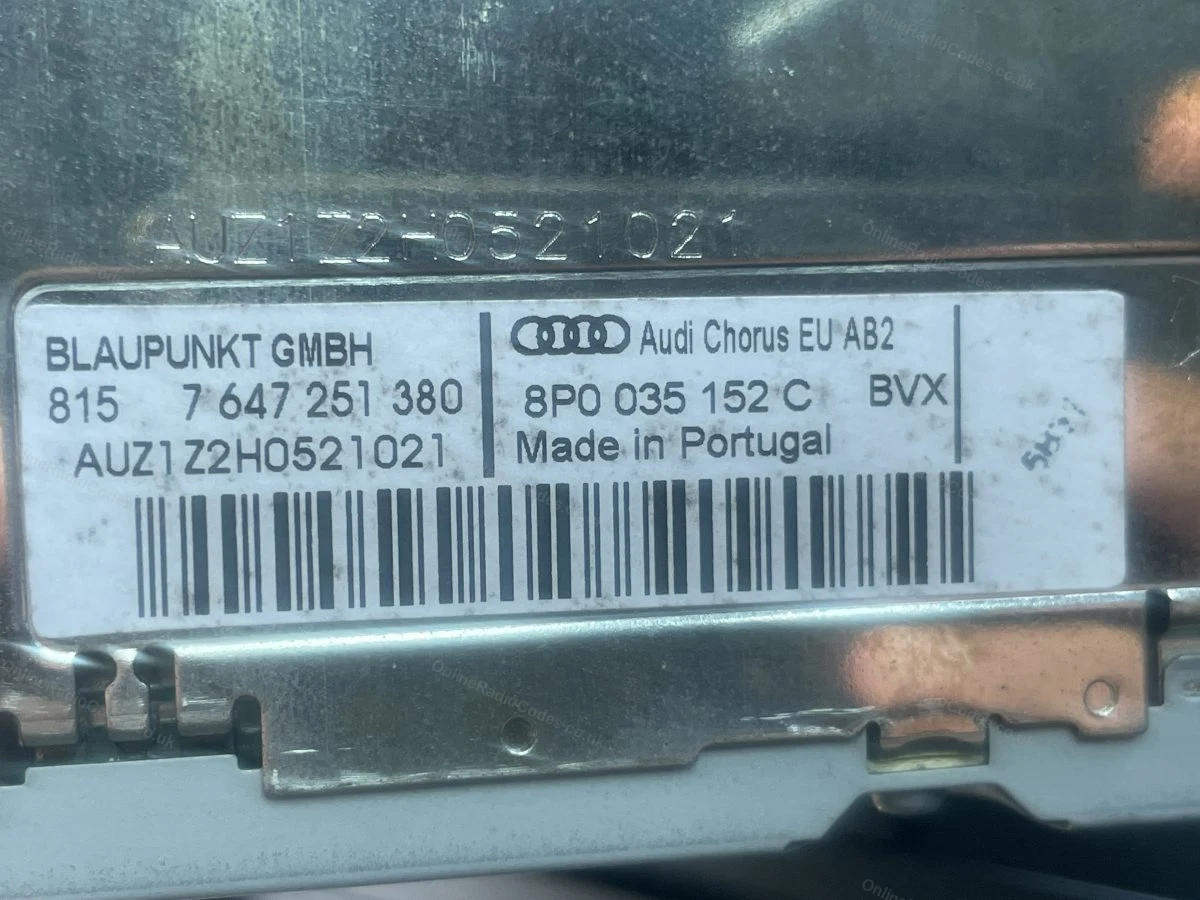
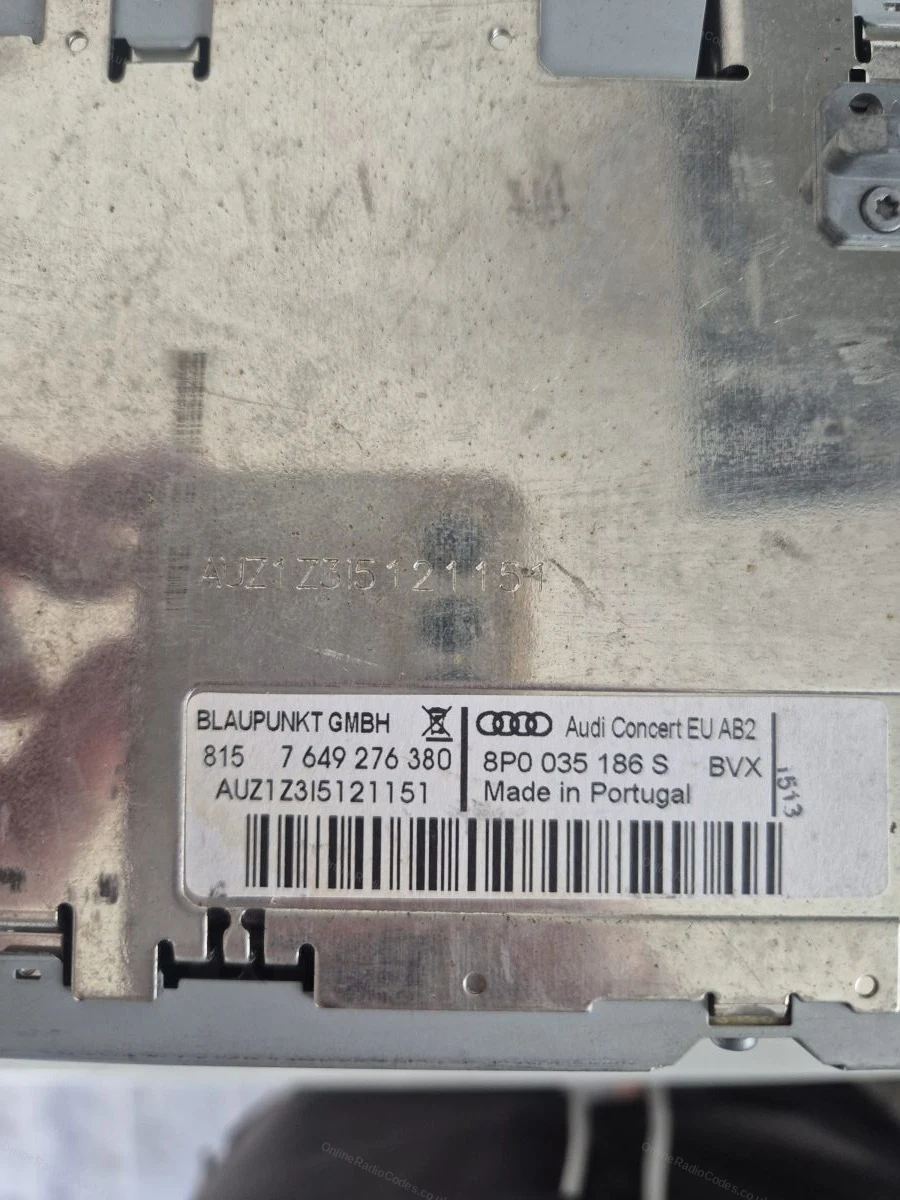
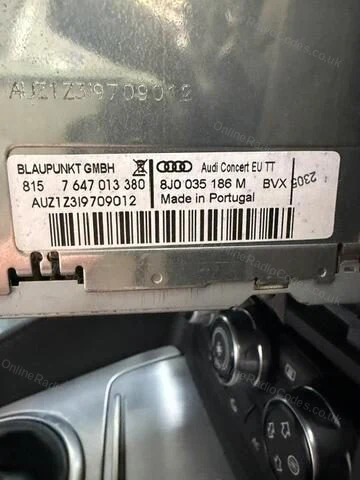
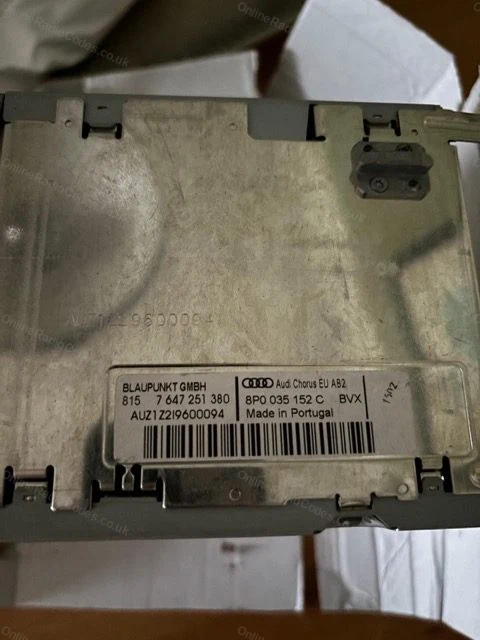
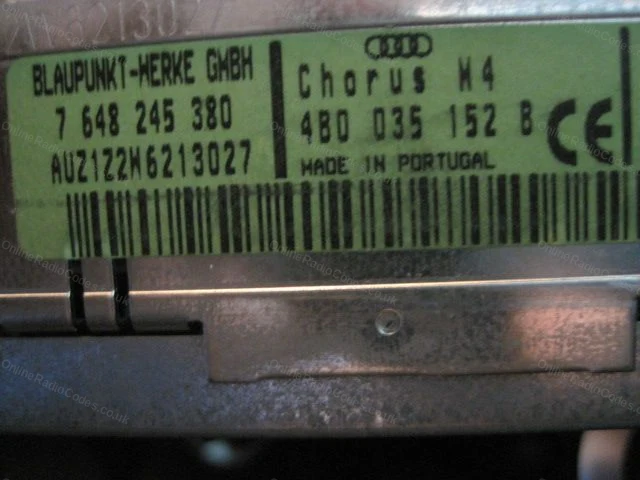
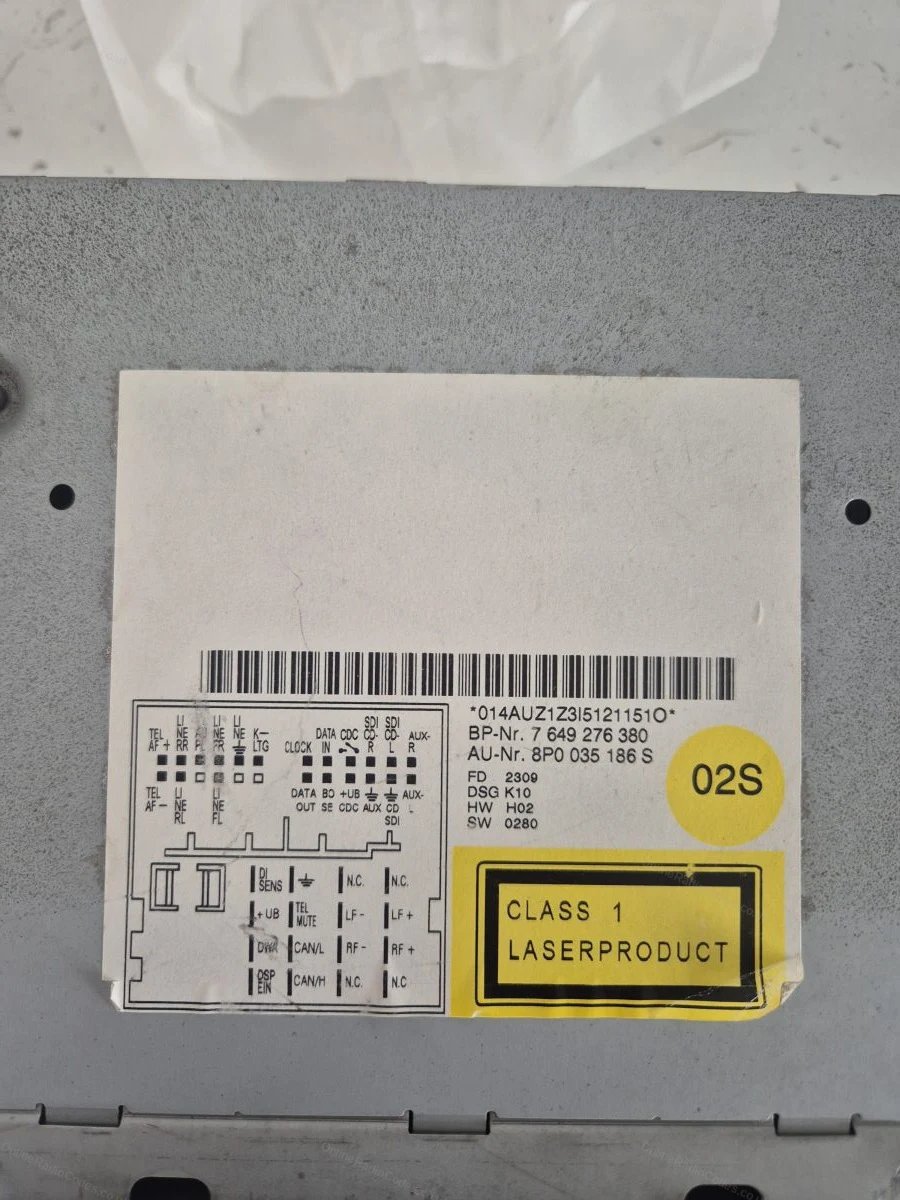
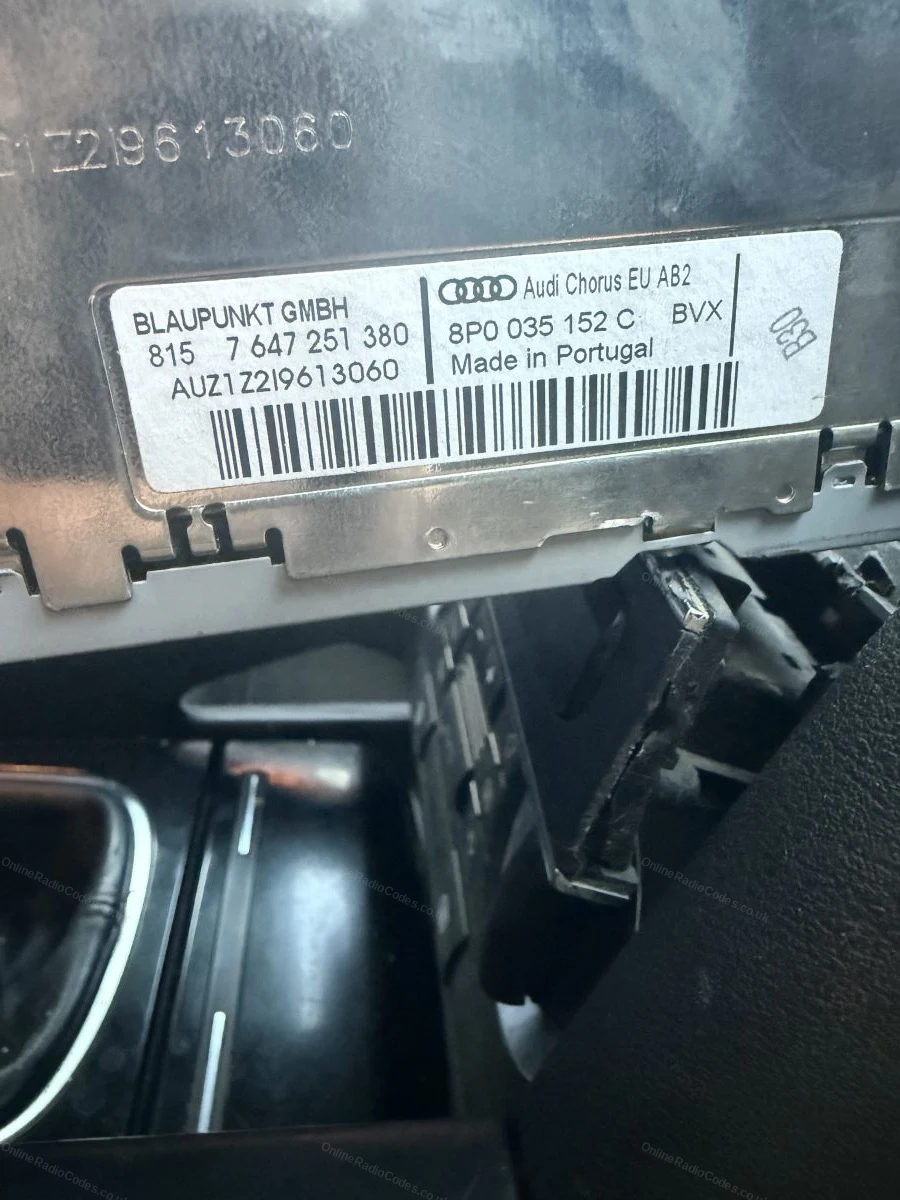
The serial is on the label on the back of the casing, starts with AUZ, 14 characters (for example, AUZ2Z3C1420538).
Audi Symphony
Remove the radio to find your serial
Insert the four release keys into the corner holes and slide the unit forward. The serial is on the label on the back of the casing, starts with AUZ, 14 characters (for example, AUZ1Z4H7755256).
Audi RNS-E Navigation
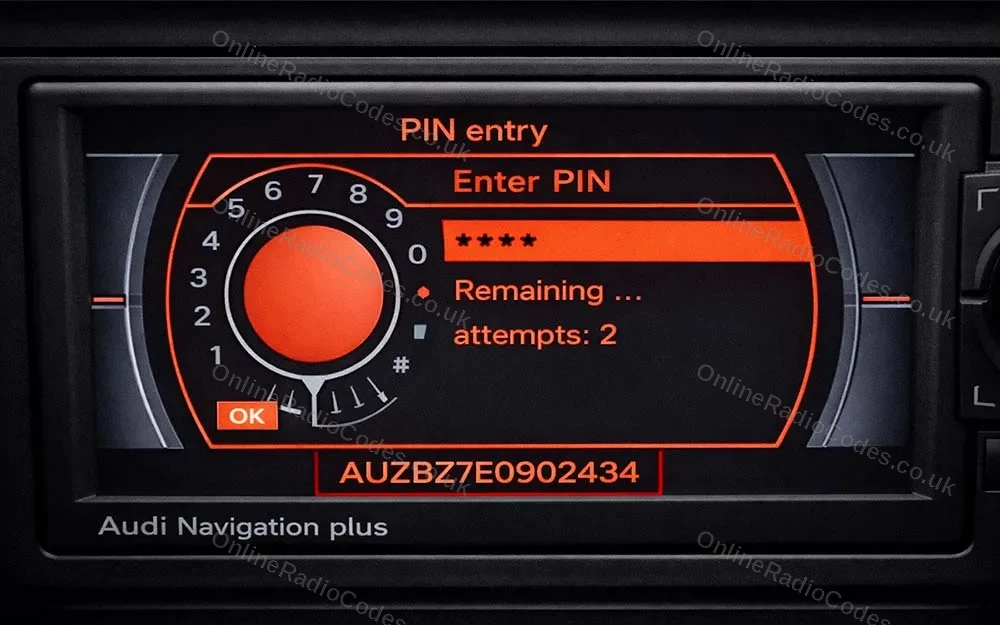
Find your serial on screen
You do not need to remove the unit. Power it on and look at the bottom of the display, the serial number appears along the bottom edge of the screen.
It starts with AUZ, is 14 characters long, and the sixth character is always 7 (for example, AUZBZ7H7145296).
What your Audi serial looks like
AUZ-SeriesAUZ1Z1F6412082
AUZ-SeriesAUZBZ7E0902434
Can't find it? Contact us. We'll help you locate your serial before you pay a penny.
Radio & label examples
Blaupunkt label on an Audi Chorus with the AUZ serial
AUZ serial on the label and etched into the casing above it
Audi Concert label with the AUZ serial
Serial label on an Audi Concert unit
Label on the top of an Audi Chorus unit
Audi Chorus label with the AUZ serial
Barcode serial label on the radio casing
Serial label visible as the unit is withdrawn from the dash
Since 2015 · 1 million decodes
The World’s Leading Audi Radio Code Service
A Decade of Decoding
Retrieving car radio codes since 2015, with more than a million codes delivered. Registered UK company No. 09736186. Read our story
Your Code, Fast
Most codes appear on screen the moment payment clears. The rest are handled by our team, usually within the hour in business hours.
Works, or Your Money Back
If your code does not work, we refund you in full. One of the very few radio code services that backs every single order.
Your Code, Kept for Life
Lose your code in five years? We keep it on file and will resend it free of charge, as many times as you need.
Real people, worldwide, around the clock
Meet our radio experts
A small team who have decoded radios for a decade, with Nova, our AI assistant, covering around the clock. Wherever you are in the world, we're here to help.
Live chat and email 24/7. Phones Monday to Friday, UK hours.
Audi radios are fitted with a factory security lock that activates when power is cut. A flat battery, a battery replacement or removing the radio will all trigger it. The code is unique to your radio unit and must be entered before the radio will work again.
What does an Audi serial number look like?
All Audi radio serials begin with AUZ and are 14 characters long. A typical example is AUZ2Z3C1420538. For navigation units such as the RNS-E, the sixth character in the serial is always the number 7.
Do I need to remove my Audi radio to get the serial number?
For Chorus, Concert and Symphony units, yes. You need to slide the radio out using release keys to read the label. For the RNS-E navigation unit, the serial is displayed on screen when powered on, so no removal is needed.
How long does delivery take?
Audi codes are delivered by email, usually within 24 hours of ordering and often sooner. You will receive the code at the email address you provide at checkout.
Which Audi models does this cover?
We cover all Audi models including A1, A2, A3, A4, A5, A6, A7, A8, Q3, Q5, Q7 and TT.
Can I get my Audi radio code from the VIN?
No. Audi radio codes are linked to the serial number on the radio unit, not the vehicle VIN. You will need to either read the serial from the label after removing the radio, or from the screen on RNS-E units.
My code does not work. What should I do?
Check the serial number carefully. AUZ serials have 14 characters and must be read exactly. If the serial is correct and the code still fails, contact us and we will investigate at no extra charge. All codes are guaranteed.
Do I need to disconnect any wires when removing the radio?
No. You only need to slide the radio forward far enough to read the serial label. There is no need to disconnect wiring. Once you have the serial, slide the unit back in.
Once i found the VIN and entered it into the link it was really easy....min or so later I received the 4 digit code and the media centre is up and running ag…
I placed order on a Thursday around 1800 hours. I received my radio code within about two hours. Worked first try. Great job. Very happy with £20 that I spen…
This is the second time I have used this company to get a radio Code both times it is come within a very short time and worked perfectly thank you very much …
My radio hadn’t worked for a long time after I replaced my car battery. Within just a few minutes, I was able to use it again—all I had to do was enter my VI…
OnlineRadioCodes.co.uk is an independent radio code retrieval service and is not affiliated with Audi AG or any of its parent companies. All radio codes are sourced from official databases. Audi and all model names are trademarks of their respective owners.



















 Audi · Radio Codes
 22,812 reviews on