
100% Money Back Guarantee The World's Leading Car Radio Code Service Trusted by 1,000,000+ customers
Audi Audi · Radio Codes
Est. 24 Hours

Audi A3 Radio Codes

Audi A3 radio code by serial number. Covers all Concert, Chorus, Symphony, and RNS-E navigation units fitted across A3 8L, 8P, and 8V. Enter your AUZ serial for an instant code.

Currently unavailable
Please contact your local Audi dealership for assistance.
Est. 24 Hours Money back guarantee Secure checkout

Step 1 of 3

How to find your Audi serial number

The guide below will show you exactly where to find your Audi radio serial number.

Remove the radio to find your serial
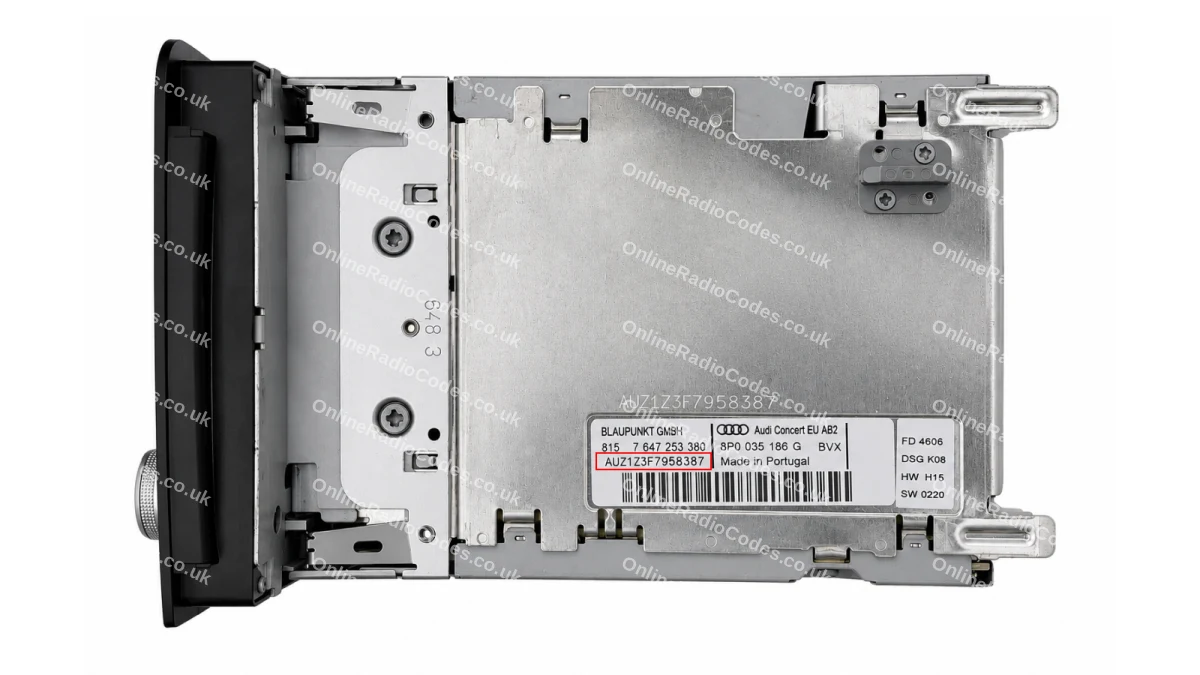
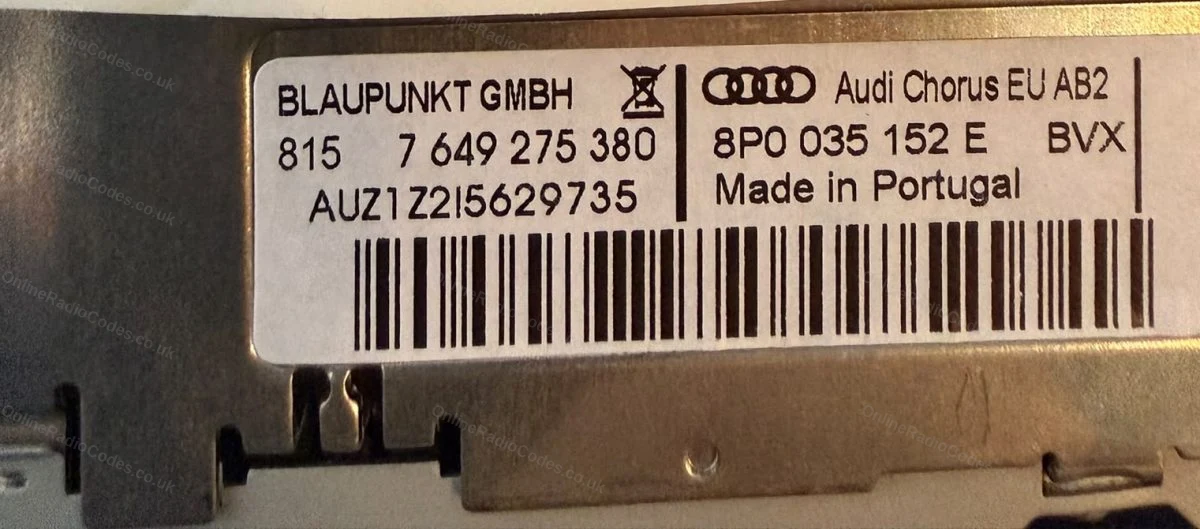
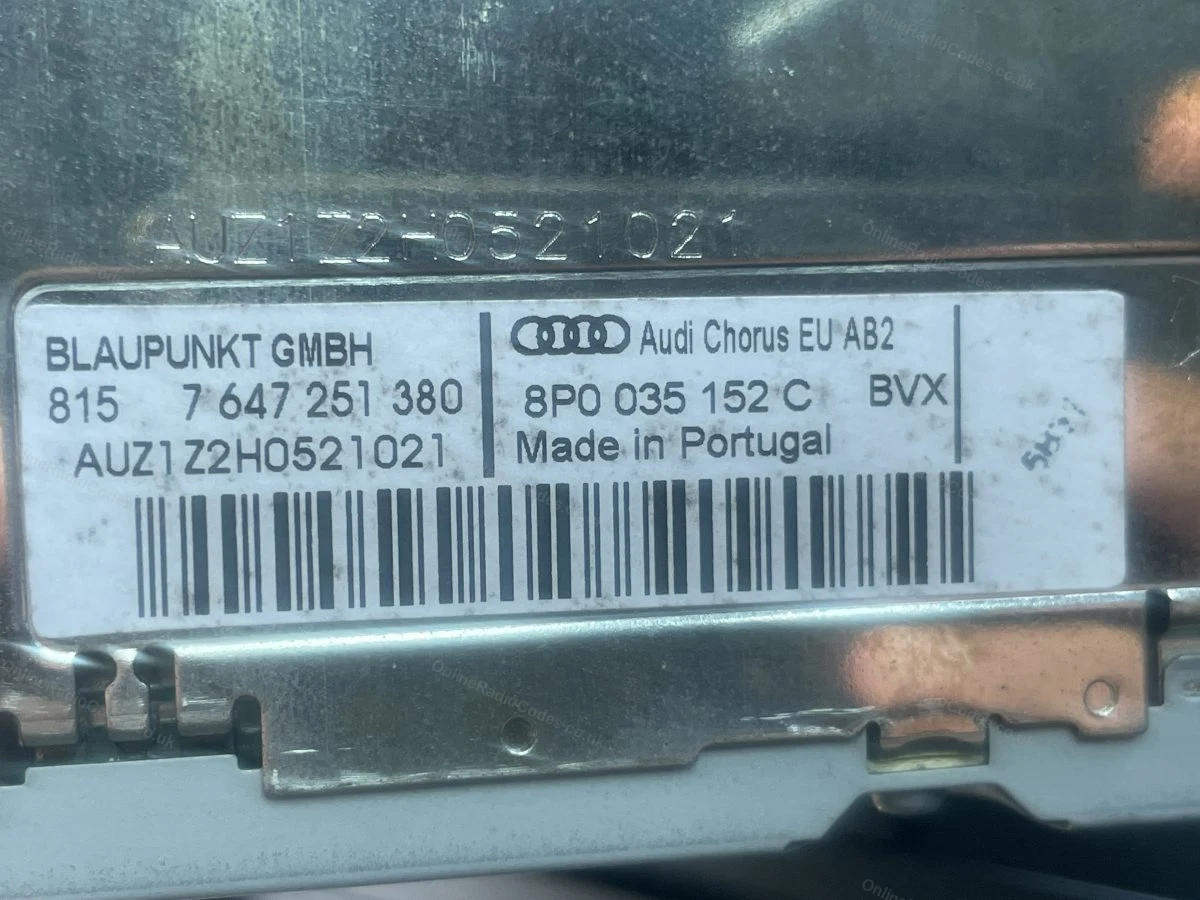
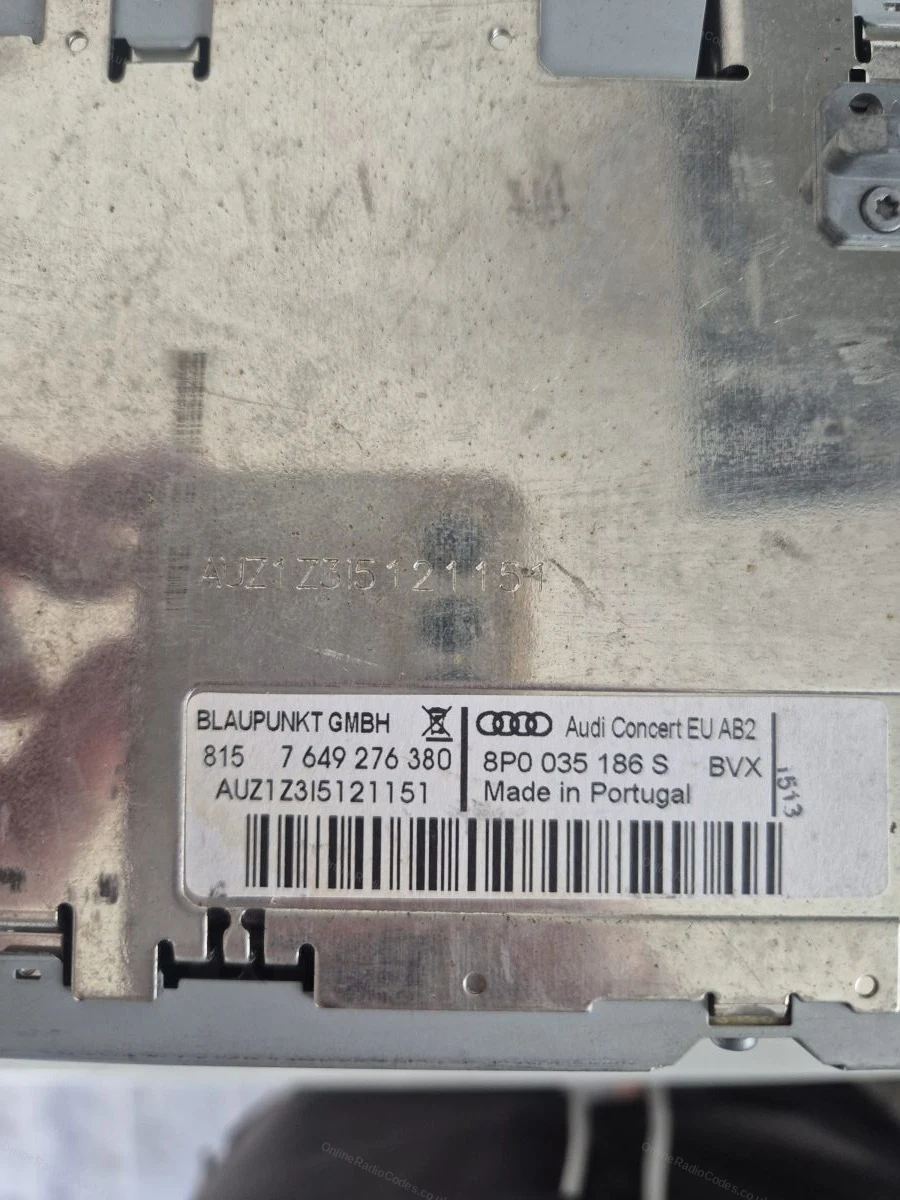
Audi Chorus / Concert
Remove the radio to find your serial
Insert the four radio release keys into the corner holes of the fascia and apply gentle outward pressure. The unit slides forward. You do not need to disconnect any wires.

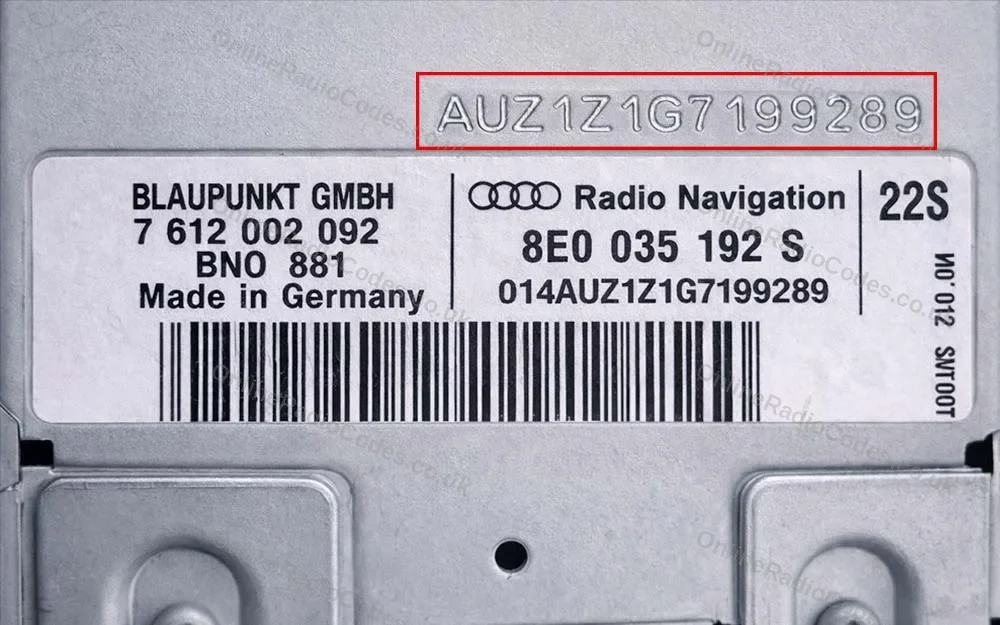
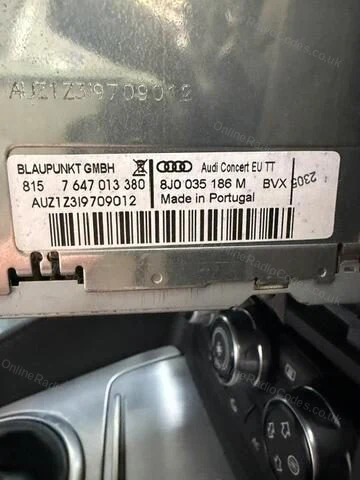
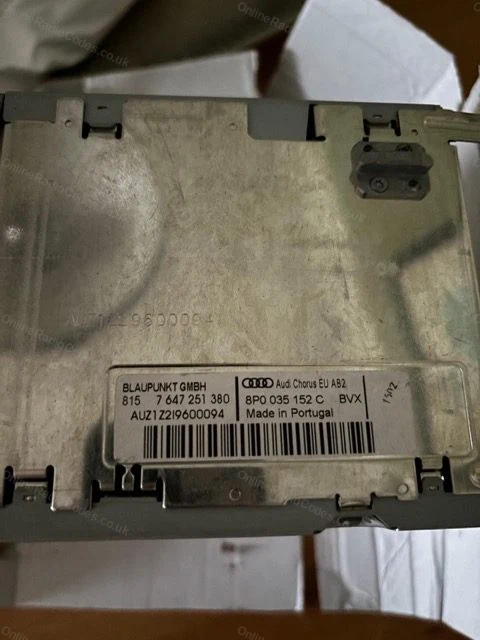
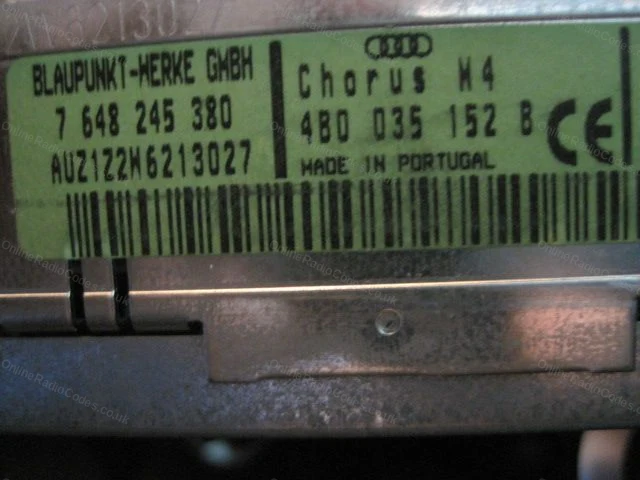
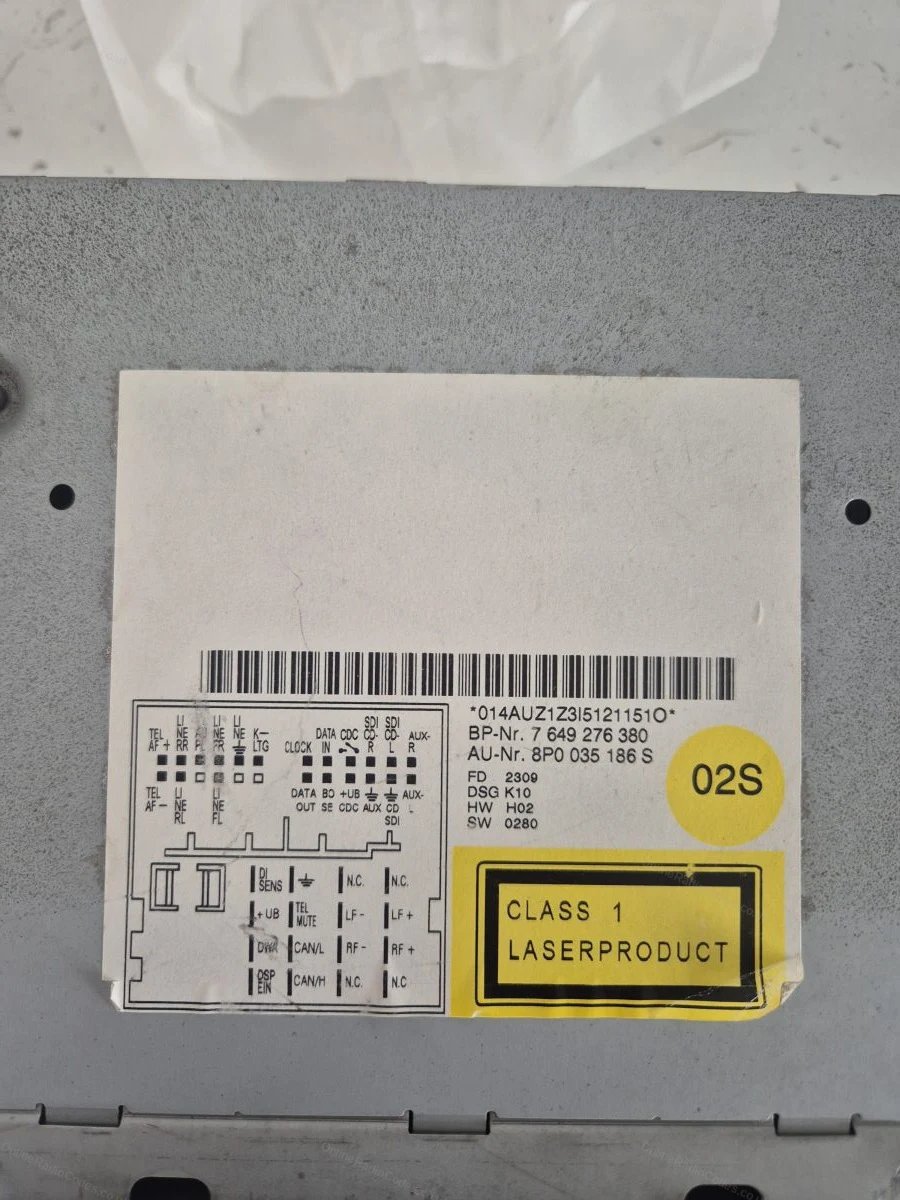
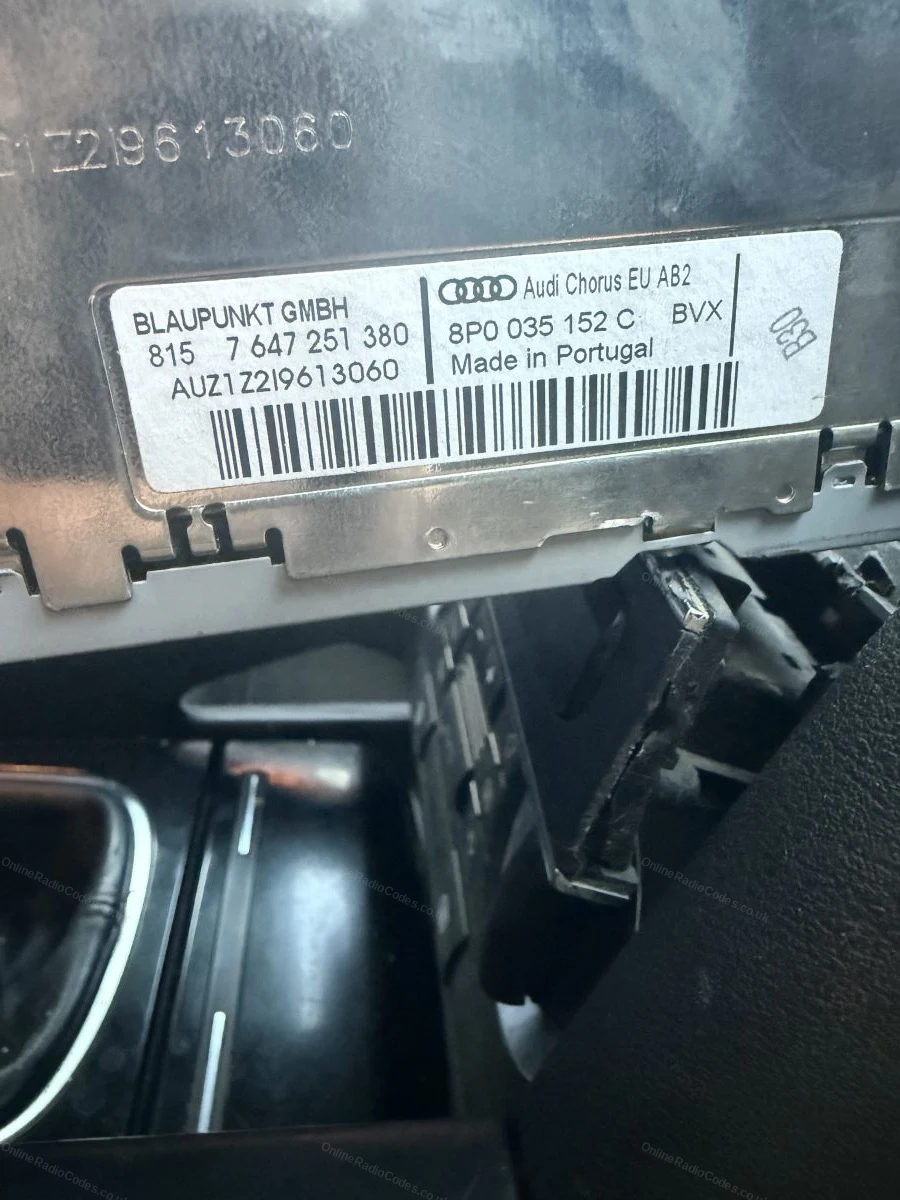
The serial is on the label on the back of the casing, starts with AUZ, 14 characters (for example, AUZ2Z3C1420538).
Remove the radio to find your serial
Audi Symphony
Remove the radio to find your serial
Insert the four release keys into the corner holes and slide the unit forward. The serial is on the label on the back of the casing, starts with AUZ, 14 characters (for example, AUZ1Z4H7755256).
Find your serial on screen
Audi RNS-E Navigation
Find your serial on screen
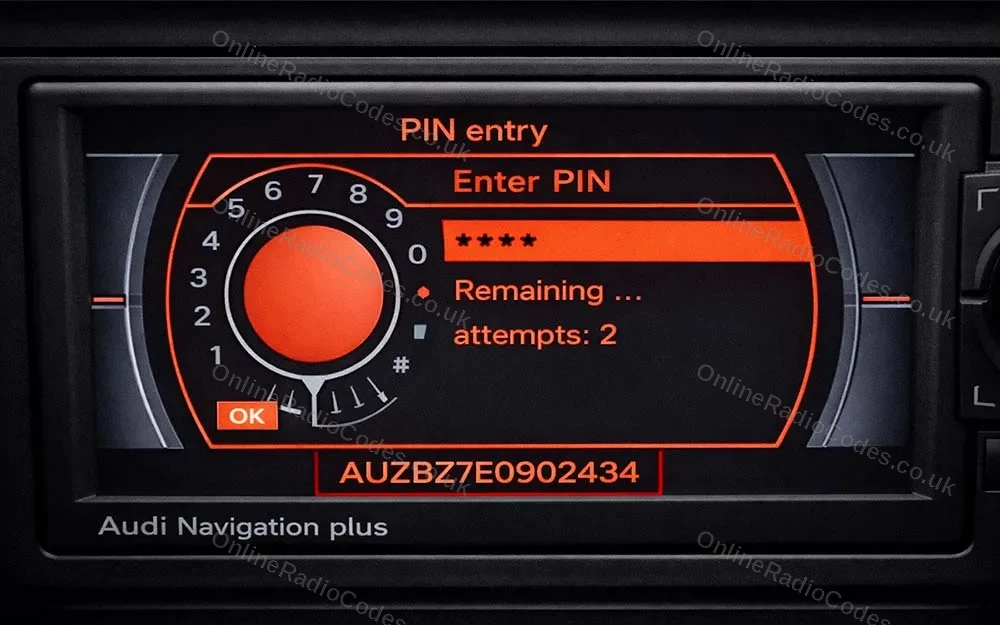
You do not need to remove the unit. Power it on and look at the bottom of the display, the serial number appears along the bottom edge of the screen.

It starts with AUZ, is 14 characters long, and the sixth character is always 7 (for example, AUZBZ7H7145296).
What your Audi serial looks like
AUZ-Series AUZ1Z1F6412082
AUZ-Series AUZBZ7E0902434
Can't find it? Contact us. We'll help you locate your serial before you pay a penny.

Since 2015 · 1 million codes

The World’s Leading Audi Radio Code Service

A Decade of Decoding
Retrieving car radio codes since 2015, with more than a million codes delivered. Registered UK company No. 09736186. Read our story
Your Code, Fast
Most codes appear on screen the moment payment clears. The rest are handled by our team, usually within the hour in business hours.
Works, or Your Money Back
If your code does not work, we refund you in full. One of the very few radio code services that backs every single order.
Your Code, Kept for Life
Lose your code in five years? We keep it on file and will resend it free of charge, as many times as you need.

Real people, worldwide, around the clock

Meet our radio experts

A small team who have decoded radios for a decade, with Nova, our AI assistant, covering around the clock. Wherever you are in the world, we're here to help.

Live chat and email 24/7. Phones Monday to Friday, UK hours.

  • Gavin Wilson Gavin
  • Emma Keevney Emma
  • Lucy Flynn Lucy
  • Mika Jones Mika
  • Liz Wilson Liz
  • Nova, our AI assistant Nova 24/7

FAQ

Frequently asked questions

Why is my Audi A3 radio asking for a code?
The radio locked itself when it lost power, usually after a battery change or a repair. It is standard Audi anti-theft behaviour, the unit is fine and the code brings it straight back.
What does an Audi A3 radio serial look like?
A 14-character serial starting AUZ, for example AUZ1Z1F6412082, printed on the label on the radio casing. Enter the whole serial including the AUZ prefix.
Do I need to remove the radio in an A3?
For the Concert, Symphony and Chorus units, yes. The serial is on the casing label, and the unit slides out with standard release keys in a couple of minutes. If your A3 has the RNS-E navigation unit, that one can show its serial on screen, see the RNS-E page for the exact route.
How do I enter the code on an A3?
Ignition on, the display shows SAFE then 1000. Use the preset buttons to set each digit, button 1 for the first, button 2 for the second and so on, then confirm and the radio unlocks. Take it slowly, repeated wrong entries add a waiting period.
The dealer wanted proof of ownership and a booking. Do you need any of that?
No. The code is generated from the radio serial itself, so there is no booking, no logbook check and no waiting room. Read the serial from the unit, order, and enter the code. For other Audi models, our main Audi radio code page covers the full range by serial or VIN.

Verified · Trustpilot

Don't just take our word for it

See all reviews on Trustpilot
5 stars
5 hours ago Trustpilot

Super

Super, trois minutes et hop la radio fonctionne à nouveau. Merci

Marie-Hélène Michon · FR
5 stars
7 hours ago Trustpilot

Nagyon ajánlom

Az adatok beközlésekor egyből visszacsatolás hogy megfelelő e az adat.Egyszerű fizetés.Azonnal megjelent a cód ami kipróbálás után müködött is.Elképesztő gyo…

Zoltán Illés · HU
5 stars
9 hours ago Trustpilot

consigliato

ho chiesto il codice alle ore 22.00 circa ,al mattina già trovato sulla mail.Tutto bene ottimo

lillo · IT
5 stars
13 hours ago Trustpilot

Good service to come to the right code.

Good service, I've received quick support by email untill we found the code for this specific type of radio.

Paul · NL
5 stars
1 day ago Trustpilot

Autoradio code Super snel geregeld.

Autoradio code Super snel geregeld.Na betaling meteen de code en autoradio doet het weer.Bedankt

Mieke · NL
5 stars
1 day ago Trustpilot

Ging super schnell alles funktioniert…

Ging super schnell alles funktioniert bestens viel Dank nochmals

Christian · DE
5 stars
1 day ago Trustpilot

Meget professionelt bestillings system

Meget professionelt bestillings system, og opfølgning på ordre så alt kørte perfekt

Søren Sørensen · DK
5 stars
1 day ago Trustpilot

Excellent site j’ai envoyé un mauvais…

Excellent site j’ai envoyé un mauvais code qui n’a pas fonctionné je les contacte pour leur demander pourquoi le code ne fonctionner pas après demande de leu…

ktr zer · FR
See our 22,300 reviews on Trustpilot

Ready to unlock your Audi radio?

Enter your serial number above and get your unlock code in seconds.

Get my code now
Online Radio Codes is an independent radio code service and is not affiliated with, authorised by, or connected to Audi AG or any of its subsidiaries or affiliated companies. All manufacturer names, model names and trademarks are the property of their respective owners and are used solely for identification and reference purposes.
Get my radio code