
100% Money Back Guarantee The World's Leading Car Radio Code Service Trusted by 1,000,000+ customers
Volkswagen Volkswagen · Radio Codes
Est. 6 Hours

VW RNS 510 Radio Codes

VW RNS 510 navigation radio code by serial number, delivered instantly. Works with the VWZ6Z or VWZGZ serial from the unit label, covering Golf, Passat, Tiguan and Touareg.

Enter your serial number
Over 1 million codes delivered worldwide.
Not sure which serial to enter? See examples
Est. 6 Hours Money back guarantee Secure checkout

Step 1 of 3

How to find your Volkswagen serial number

The guide below will show you exactly where to find your Volkswagen radio serial number.

Remove your radio
Step 1
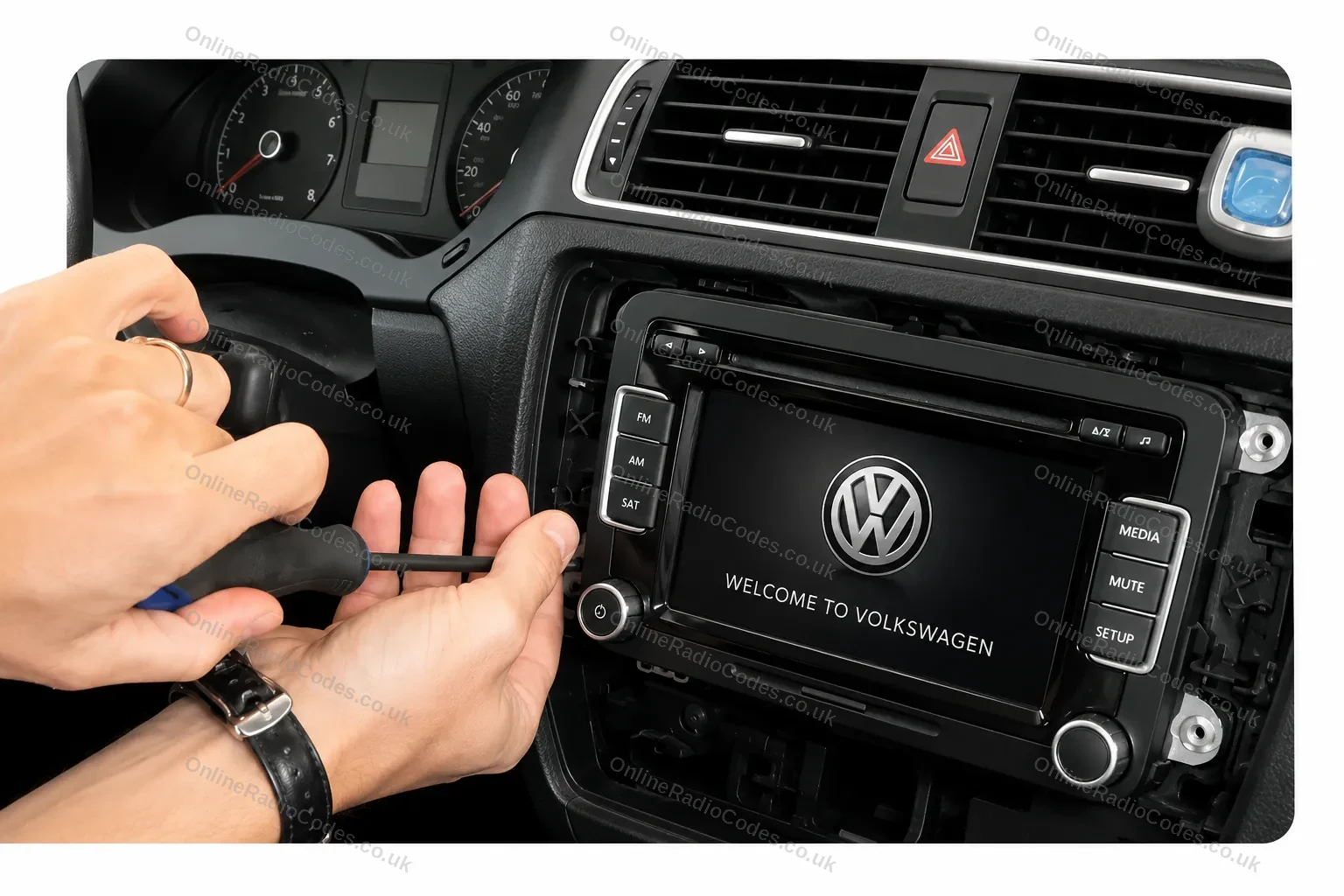
Remove your radio
Remove the surrounding trim panels and slide the unit out of the dashboard. The RNS-510 is a 2-DIN unit held by screws behind the trim. You do not need to disconnect any wires. The unit will slide far enough forward to read the label.
Find your serial number on the label
Step 2
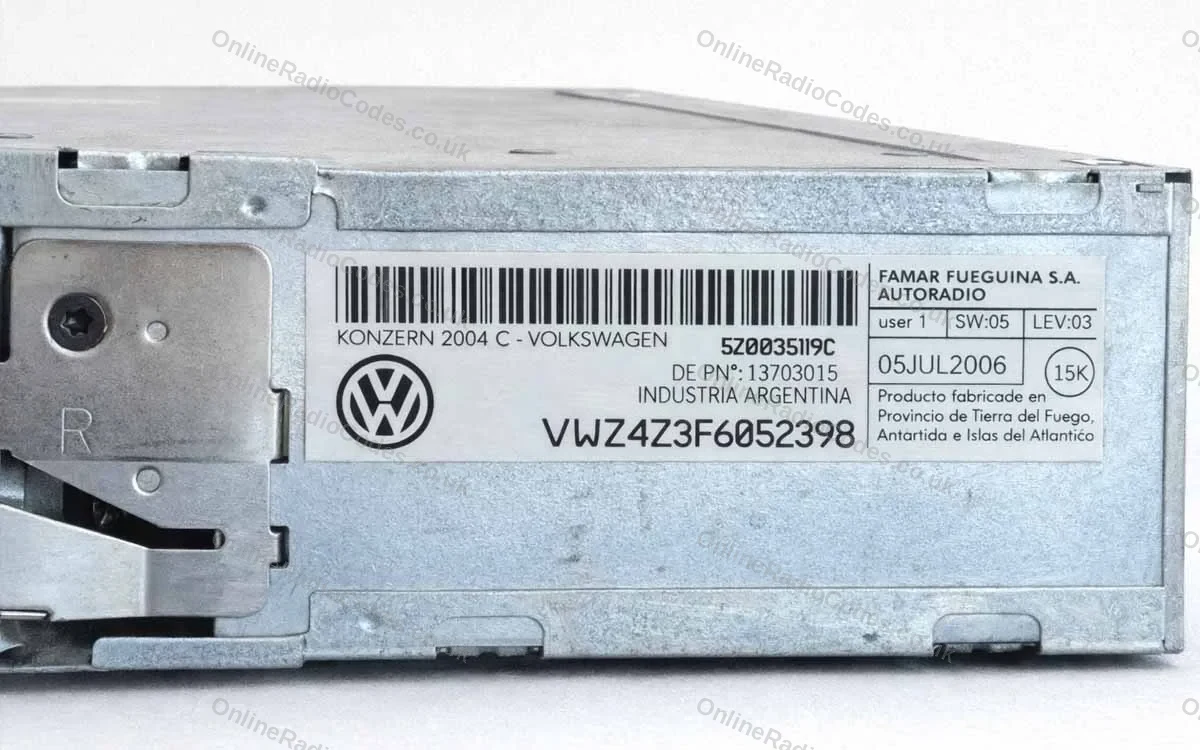
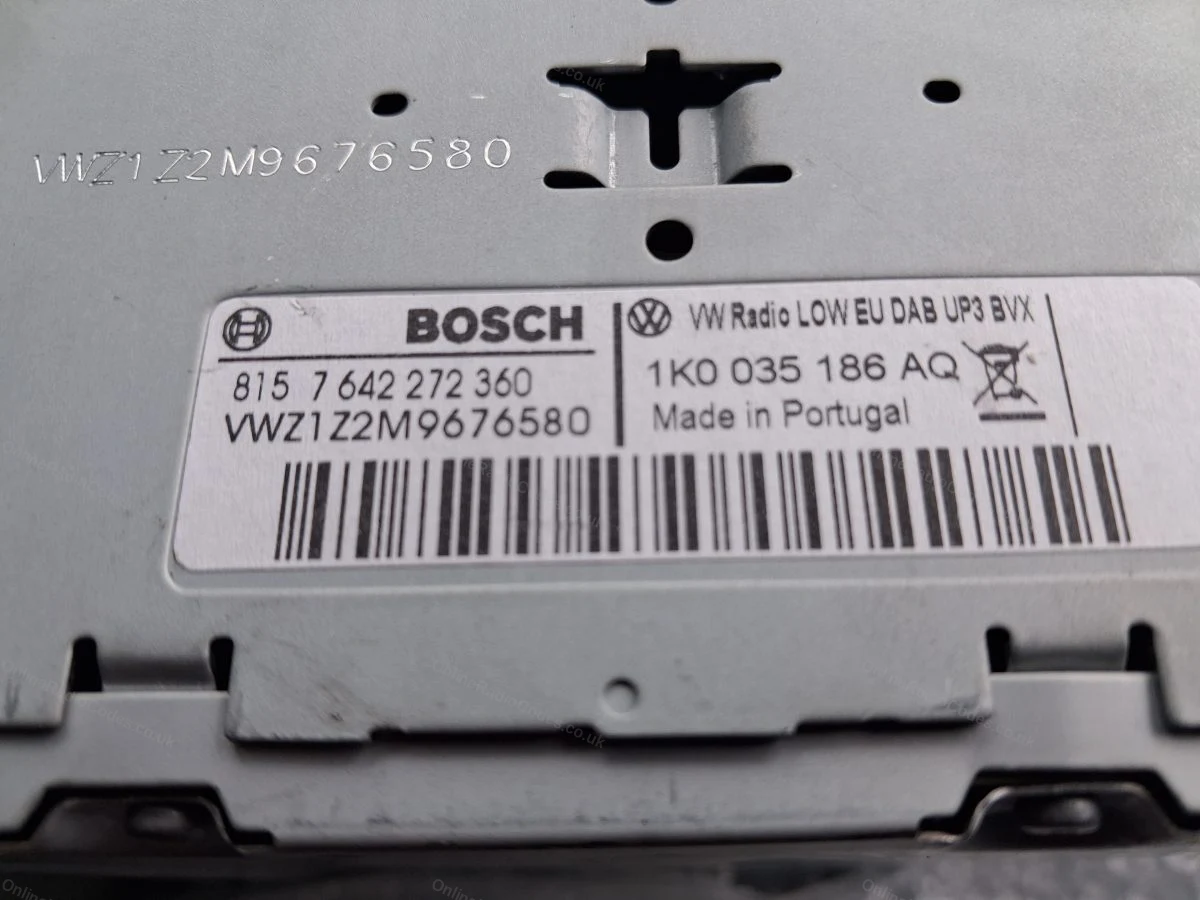
Find your serial number on the label
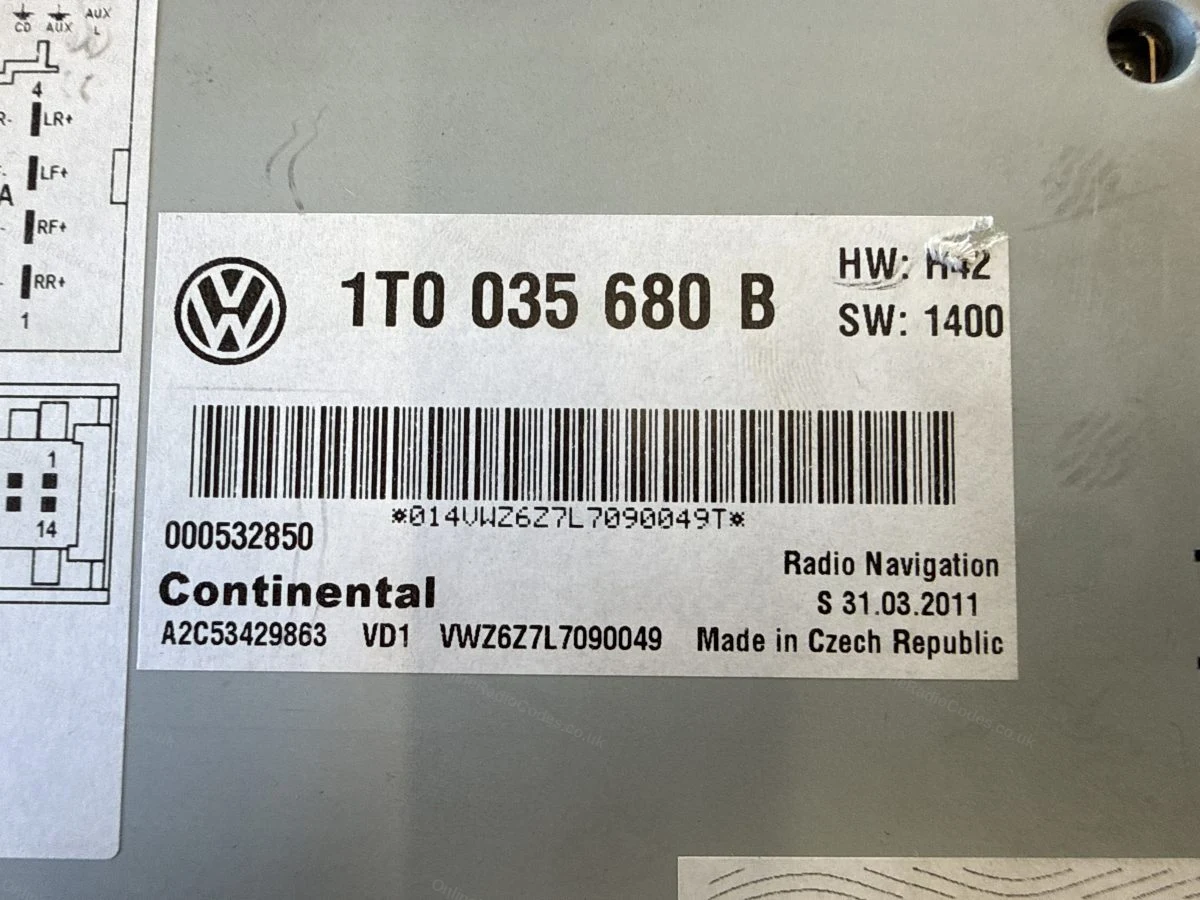
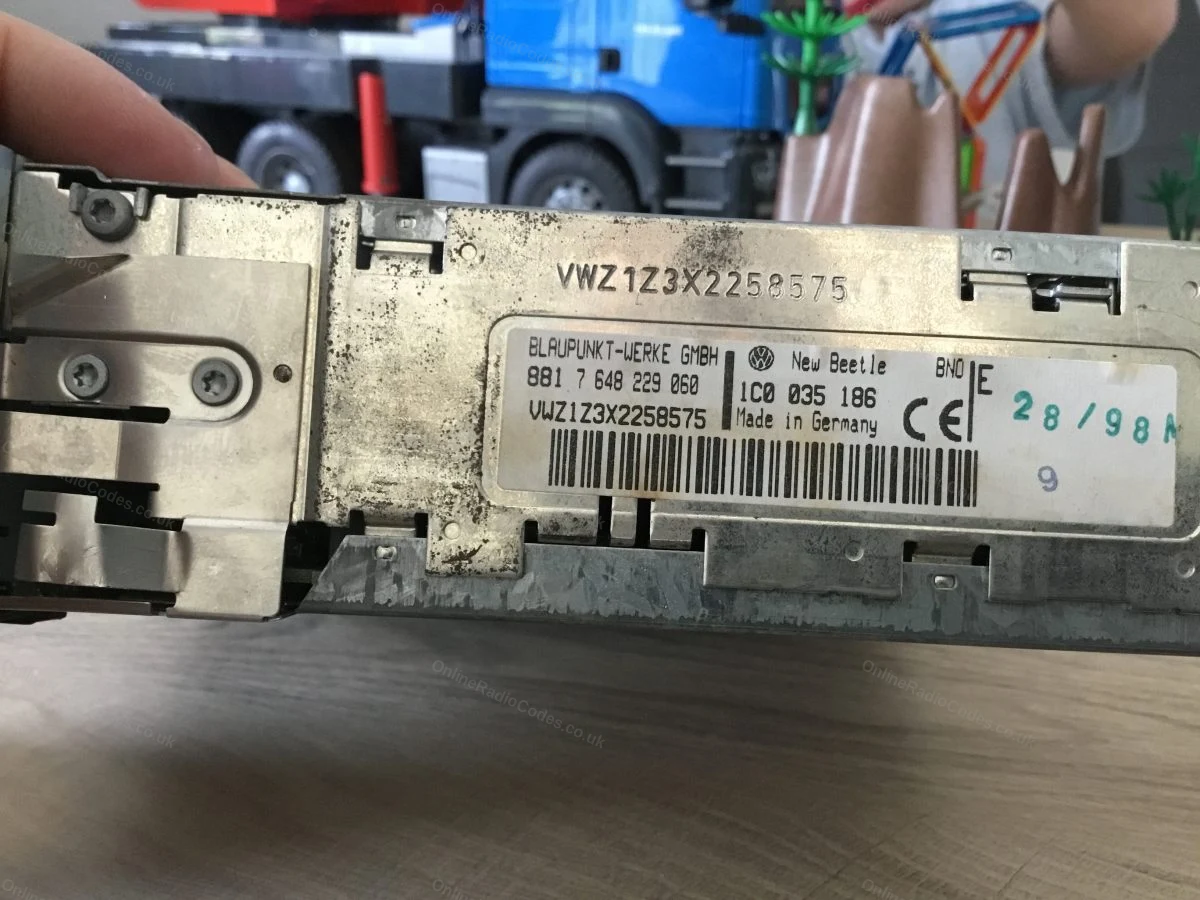
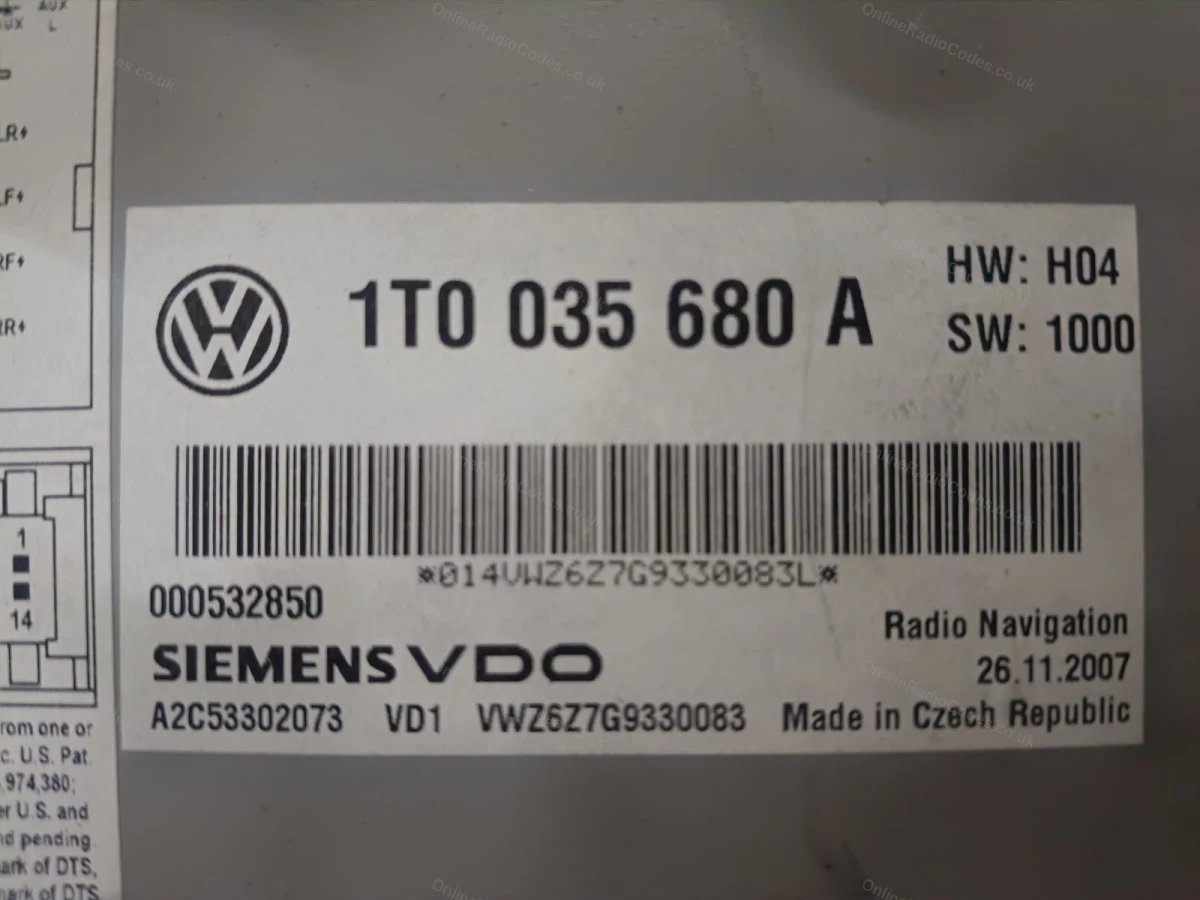
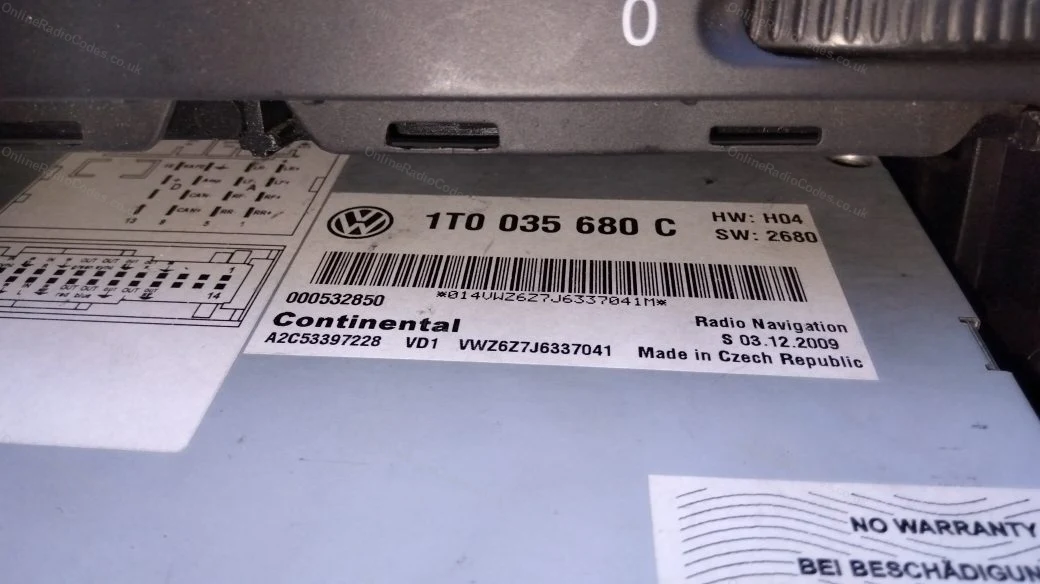
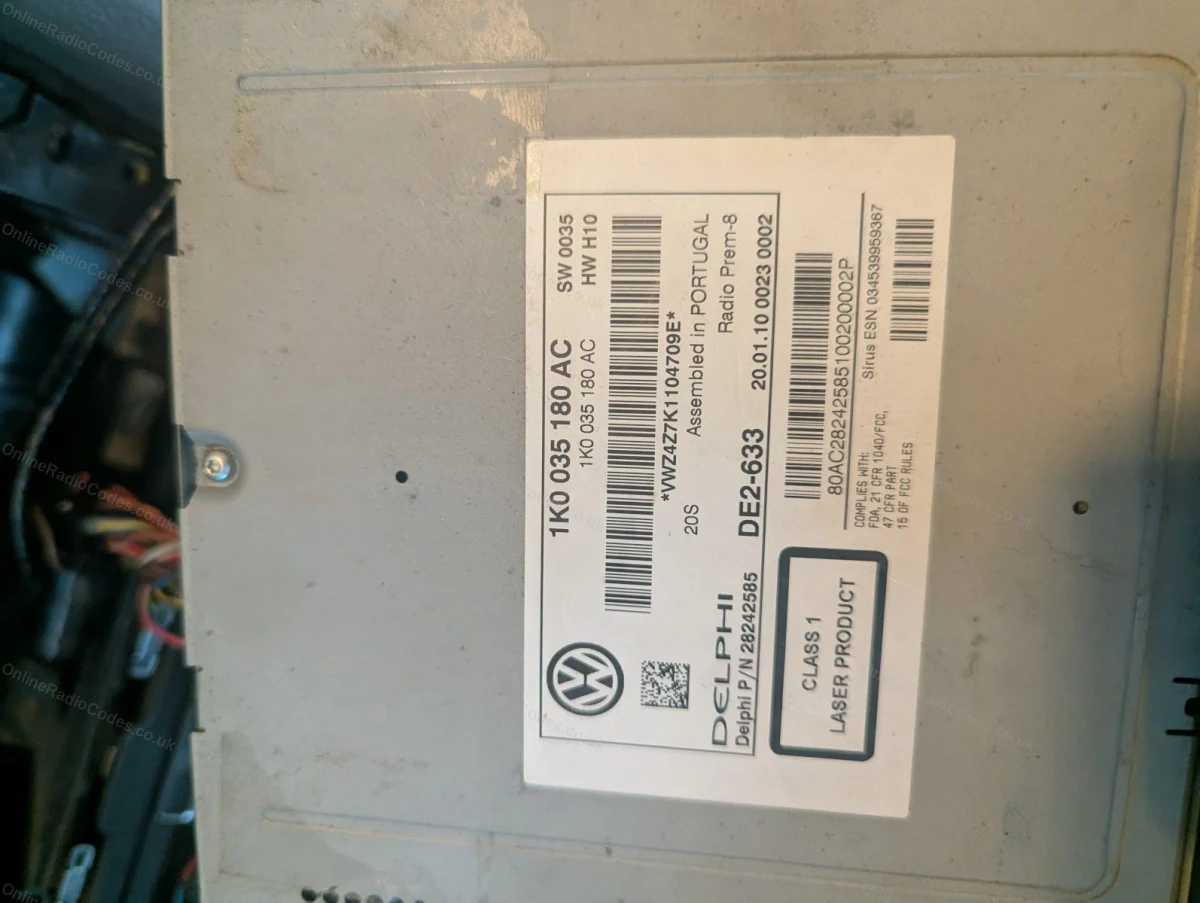
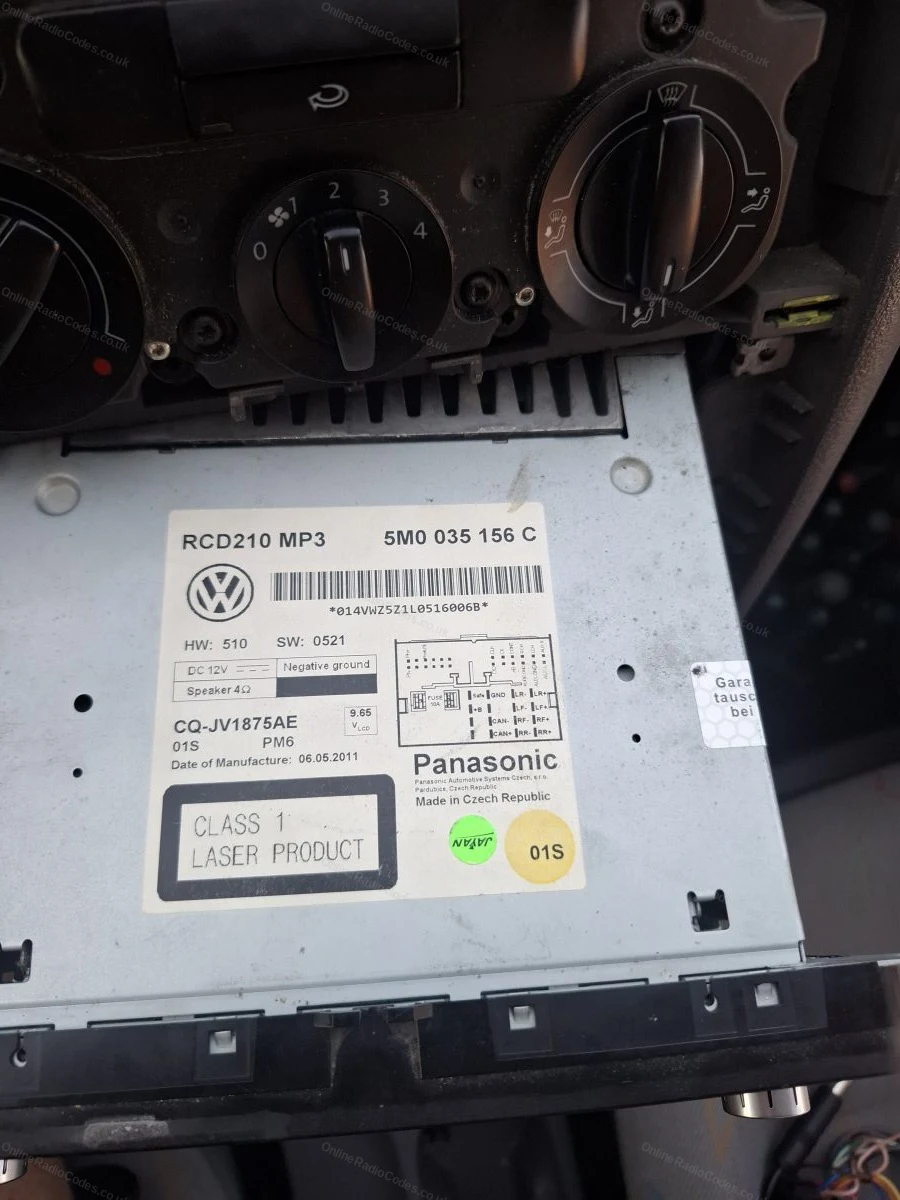
Your serial number is on a sticker on the side or rear of the casing. RNS-510 serials start with VWZ and are 14 characters long. The 6th character is always a number (for example, VWZ1Z7G1234567).

Enter it into the box above and we will do the rest.

Note: the capital letter I and the number 1 look very similar on these labels. Check carefully before entering.
Common VW radios
Common models
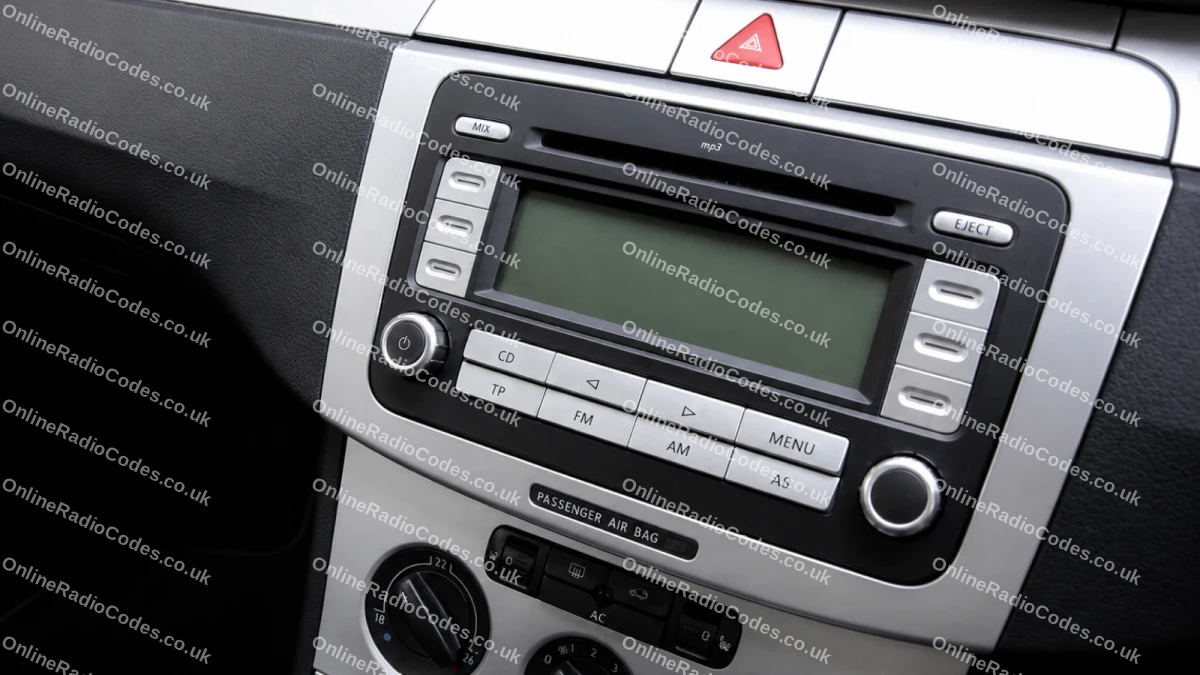
Common VW radios
Pictured: VW RCD 300 (VWZ1Z prefix). Other common models include the RCD 500/510 (VWZ4Z prefix) and RNS navigation units (VWZ6Z/VWZGZ prefix). The serial label is on the back of the unit on all models.
What your Volkswagen serial looks like
VWZ-Series VWZ1Z1L123456
VWZ-Series VWZ2Z2F1394291
Can't find it? Contact us. We'll help you locate your serial before you pay a penny.

Why choose us

The World's Leading Volkswagen Radio Code Service

World's No.1
OnlineRadioCodes.co.uk is the world's leading supplier of car radio codes, with over 1 million codes delivered since 2015. Our radio experts are on hand to help you every day.
Instant delivery
Most codes appear on screen the moment payment clears. For brands that require manual lookup, our team typically delivers within the hour during business hours.
Money back guarantee
If your code does not work, we refund you in full. No questions, no hassle. We are one of very few radio code companies to back every order with a complete money back guarantee.
Lifetime retrieval
Misplace your code weeks or even years from now? Just get in touch and we will resend it free of charge, every time. One purchase gives you access for life.

FAQ

Frequently asked questions

Volkswagen RNS 510
Turn the RNS 510 on and four dashes appear on the display. Turn the right rotary knob to highlight the first digit of your code and press the knob to confirm it. Repeat for each digit. When all four digits are on screen the OK button highlights automatically, press the knob once more and the unit unlocks.
What does an RNS 510 serial look like?
It is 14 characters beginning VWZ6Z, for example VWZ6Z7H1234567. Some units begin VWZAZ. The serial is on a sticker on the top or side of the casing, so the unit needs to come out of the dash for you to read it.
Which cars have the RNS 510?
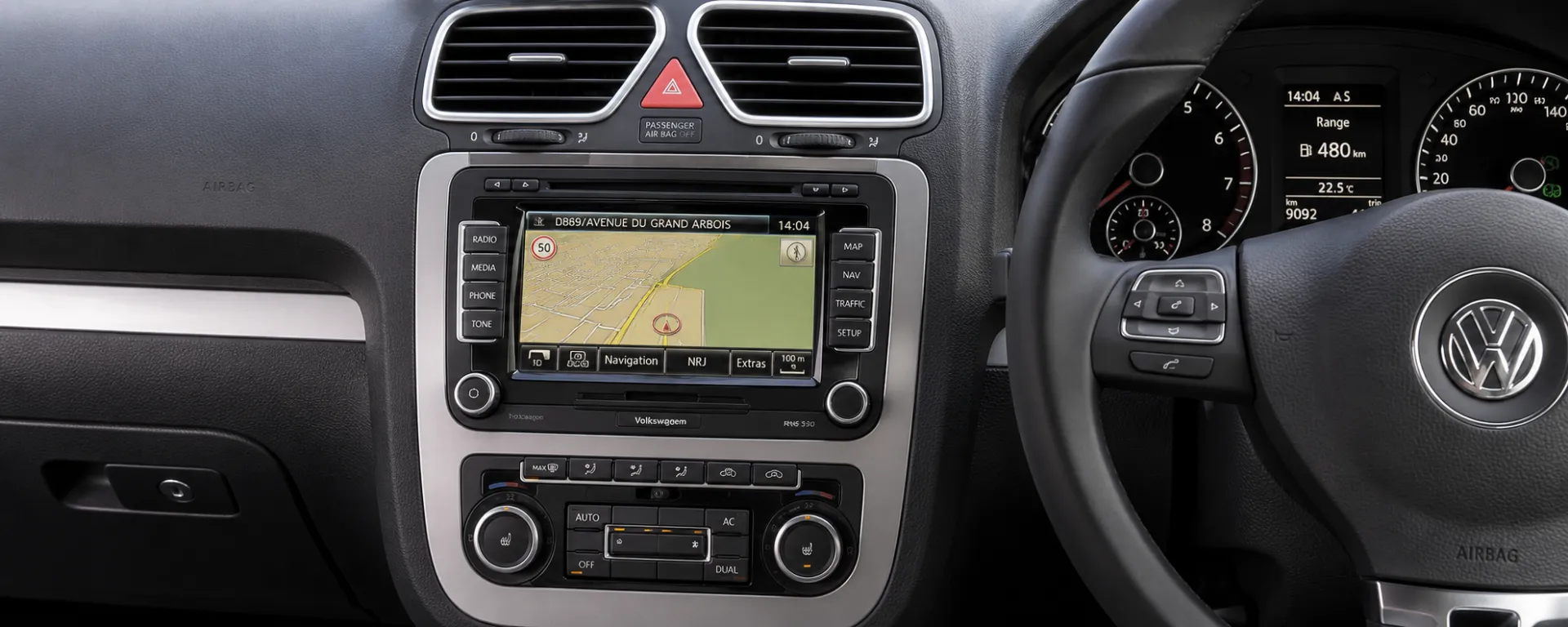
The RNS 510 was VW's flagship touchscreen navigation unit, fitted to the Golf MK5 and MK6, Passat B6 and B7, Tiguan, Touran, Scirocco and Transporter T5.
Why does my RNS 510 say SAFE?
SAFE appears whenever the unit loses power and the anti-theft lock engages. Once you have your code, switch the unit on and enter it on the touchscreen when prompted. If the unit refuses input after several wrong attempts, leave it powered on for around an hour and try again.
Will the code change after a battery change?
No. The code is permanently tied to your RNS 510's serial number. Every time the battery is disconnected the unit asks for the same code, so it is worth keeping it safe with your service history.

Verified · Trustpilot

Don't just take our word for it

See all reviews on Trustpilot
5 stars
2 hours ago Trustpilot

All good thank you very much

All good thank you very much

Zakaria Khaldi · GB
5 stars
2 hours ago Trustpilot

Muy seguro

Se puede dudar en el pago, pero existen métodos seguros y no hay problema en eso, la verdad es que me ayudó de forma rápida y segura, y pude nuevamente activ…

Axel Santiago Herrera · MX
5 stars
4 hours ago Trustpilot

Danke hat funktioniert

Danke hat funktioniertLGJungmann

Julia Jungmann · DE
5 stars
9 hours ago Trustpilot

Quick simple easy service

Quick simple easy service, thanks

Helen Crockett · GB
5 stars
22 hours ago Trustpilot

Excellent service and a complete…

Excellent service and a complete success thanks.

Ian Trotter · ES
5 stars
1 day ago Trustpilot

was perfectly working for my Ford Smax…

was perfectly working for my Ford Smax 2014, so thank you very much, perfect job

Luky Staněk · CZ · Ford
5 stars
1 day ago Trustpilot

ottimo ,grazie a voi o recuperato la…

ottimo ,grazie a voi o recuperato la mia radio

Mario Fois · IT
5 stars
1 day ago Trustpilot

Really helpful had code in time frame…

Really helpful had code in time frame quoted very pleased

Consumer · GB
5 stars
1 day ago Trustpilot

Perfekt

Hat ca. 6 Stunden gedauert, aber das Warten hat sich gelohnt!!!Die Option per SMS kann ich wärmstens empfehlen!Sogar für mein Alter VW Gamma 5 radio wurde de…

Marcolo · DE · VW
5 stars
2 days ago Trustpilot

WORKED PERFECT!

This worked! 20 bucks well worth it! I am Shen RC on youtube with the blue VW bug I took my battery out and my radio went into safe mode I could not find the…

SHEN RC YOUTUBE BLUE VW BUG · US · VW
See our 22,116 reviews on Trustpilot

Ready to unlock your Volkswagen radio?

Enter your serial number above and get your unlock code in seconds.

Get my code now
Online Radio Codes is an independent radio code service and is not affiliated with, authorised by, or connected to Volkswagen AG or any of its subsidiaries or affiliated companies. All manufacturer names, model names and trademarks are the property of their respective owners and are used solely for identification and reference purposes.
Get my radio code