


Guide
Your radio is asking for a code after a battery change: what to do in the next ten minutes
The radio asks for a code because its power was cut. The code belongs to the radio itself, so it is the same code it has always had. Do not guess: most radios allow only a few wrong tries before they lock you out. Read the serial number from the screen or the label, then get the code for that serial.
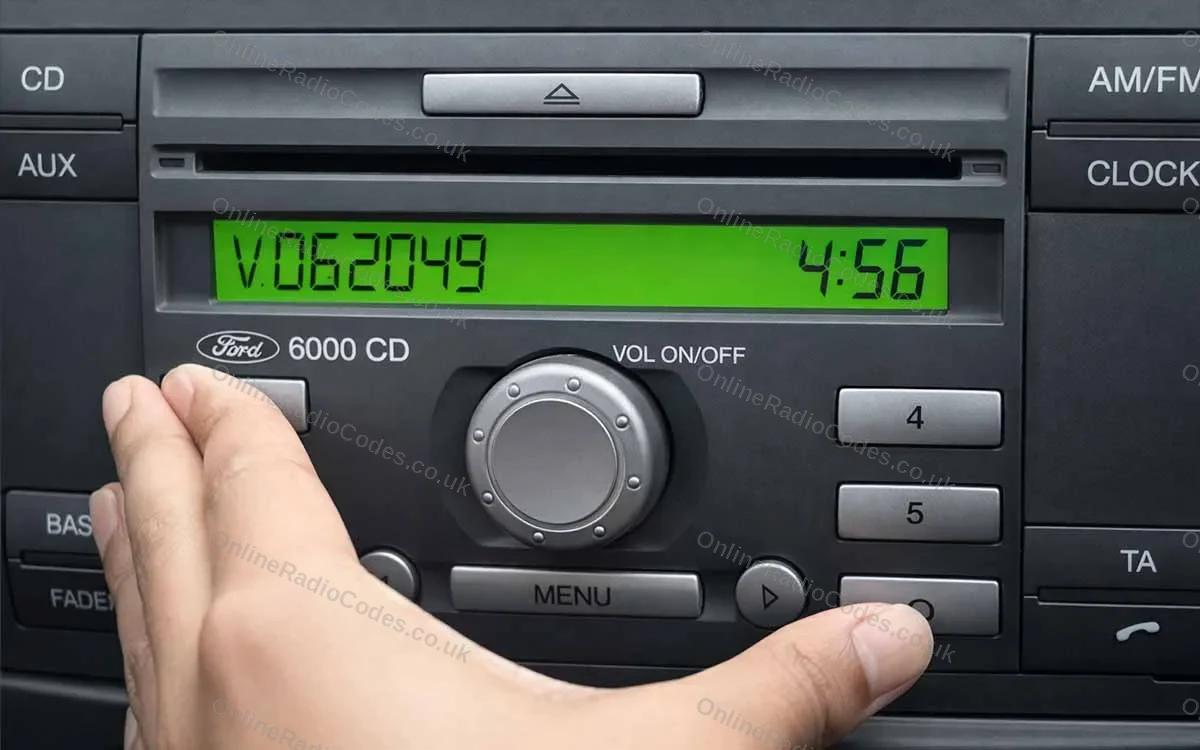
Stop before you try another number
A lot of the people who message us after a battery change have already tried 1234, 0000 or the last four digits of the number plate. It never works, and every wrong try counts against you.
Most radios give you a few attempts. After that they show a lock message and make you wait, and on many the wait gets longer each time. A few models stop taking codes at all once the limit is reached, which turns a quick job into a trip to a workshop.
So leave the buttons alone for now. Nothing in the next few minutes needs a guess.
The one exception is Nissan Connect and Daewoo radios, covered below.
Write down exactly what the screen says
Turn the ignition on, switch the radio on and look at the display. Write down what it shows, word for word, numbers included.
- CODE, ENTER CODE or CODE IN: the radio is waiting for its code. You are fine.
- SAFE: common on VW, Audi, SEAT and Skoda. It is asking for the code too, and on some units it means a lock period is running.
- LOCKED, WAIT or a number counting down: wrong codes have gone in already. Leave the radio switched on until the message clears before you try anything else.
- A long mix of letters and digits: some Nissan screens show the serial number for you when they lock. That is good news.
Take a photo of the screen while you are there. If anything goes wrong later, that photo saves a lot of back and forth.
Find the number the code is made from
The code comes from the radio, not the car, so what we need is the radio's own serial number. Where it lives depends on the make.
- Ford
- On many Ford radios you can bring the serial up on screen with the preset buttons, and your brand page shows how. Otherwise it is on the label on the radio case. It is usually a letter followed by six digits.
- Renault and Dacia
- Newer cars work from the 17 character VIN, which is on your registration document and at the bottom of the windscreen. Older radios have a code on the label that starts with a letter and three digits.
- Nissan
- On Nissan Connect and Daewoo units, three wrong entries (type 0000 three times) bring the serial, device or part number and date up on screen. That is the one case where a wrong code is the right move. Older units have the serial on the label.
- VW, Audi, SEAT and Skoda
- On the label on the radio case, starting with letters such as VWZ, AUZ, SEZ or SKZ.
- Honda
- On the label on the radio case, and on some models on the screen.
- Everything else
- Usually the label on the radio case, which means sliding the radio out. Each brand page shows where to look, with photos.
One trap catches people every week. The label also carries a part number, and it looks a lot like a serial. If the page will not take what you typed, check you have not copied the part number.
Get the code and put it in once
Pick your make below and type the serial (or the VIN, for newer Renault and Dacia cars) into the box. The brand page tells you how long codes for your radio usually take, and the code comes to you by email.
That email also has the button steps for your radio. Read them once before you start: some radios take each digit from a preset button, others use a knob, and some want a button held down to confirm.
Then enter it slowly, once. If the radio still shows a lock message, let that clear first, or even the right code will be refused.


Questions we get asked
No. The code is tied to the radio's serial number, so it is the same code the radio has needed since it was fitted. Only a different radio has a different code.
For most makes, the serial number from the radio. Newer Renault, Dacia and Suzuki cars are the exception, where we work from the VIN. If you type a VIN on a page that needs a serial, the box will tell you.
Yes. The code belongs to the radio that is in the car now, so use the serial from that radio's label rather than old paperwork.
Yes, once the lock has cleared. Leave the ignition and the radio on until the message goes, then enter the code once.
It depends on the make. Each brand page shows the usual time before you order, and the code arrives by email with the steps for entering it.
Ready to unlock your radio?
Choose your make, type the serial number and we take it from there.