100% Money Back Guarantee The World's Leading Car Radio Code Service Trusted by 1,000,000+ customers
Ford Ford · Radio Codes
Instantly Displayed

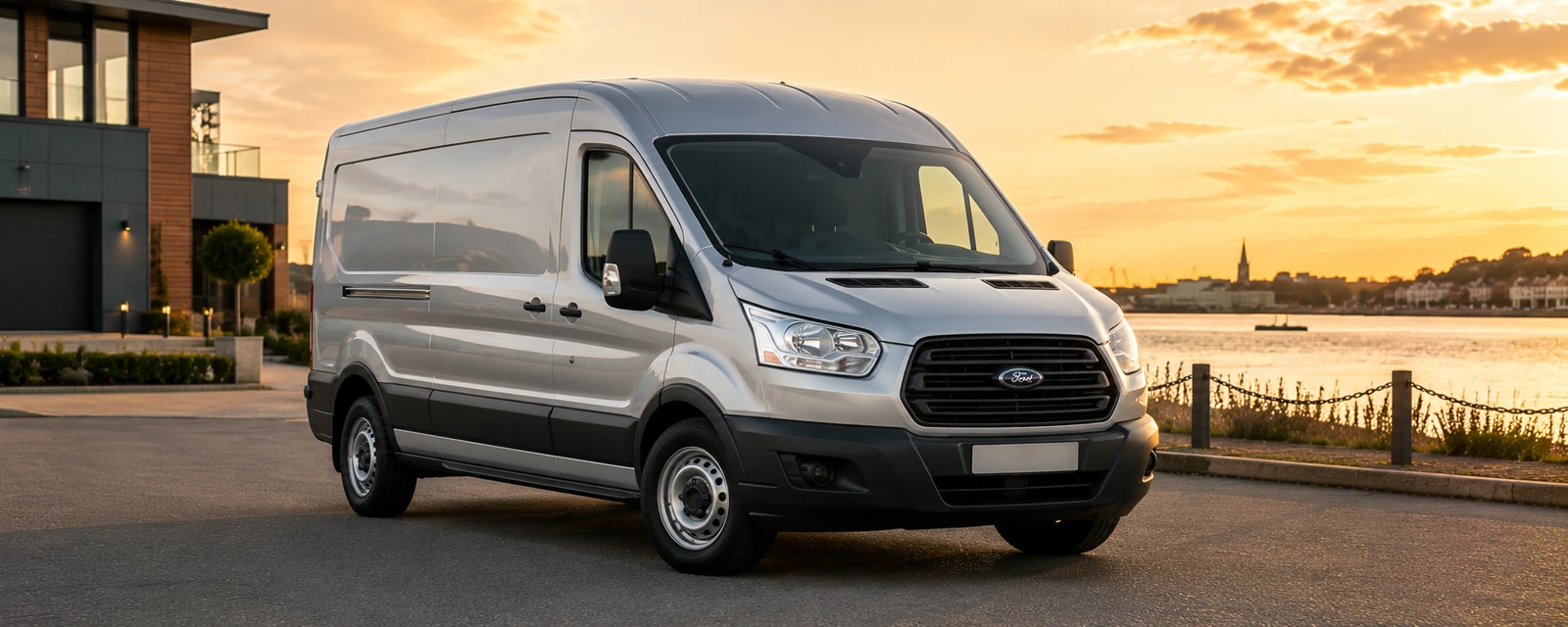
Ford Transit Connect Radio Codes

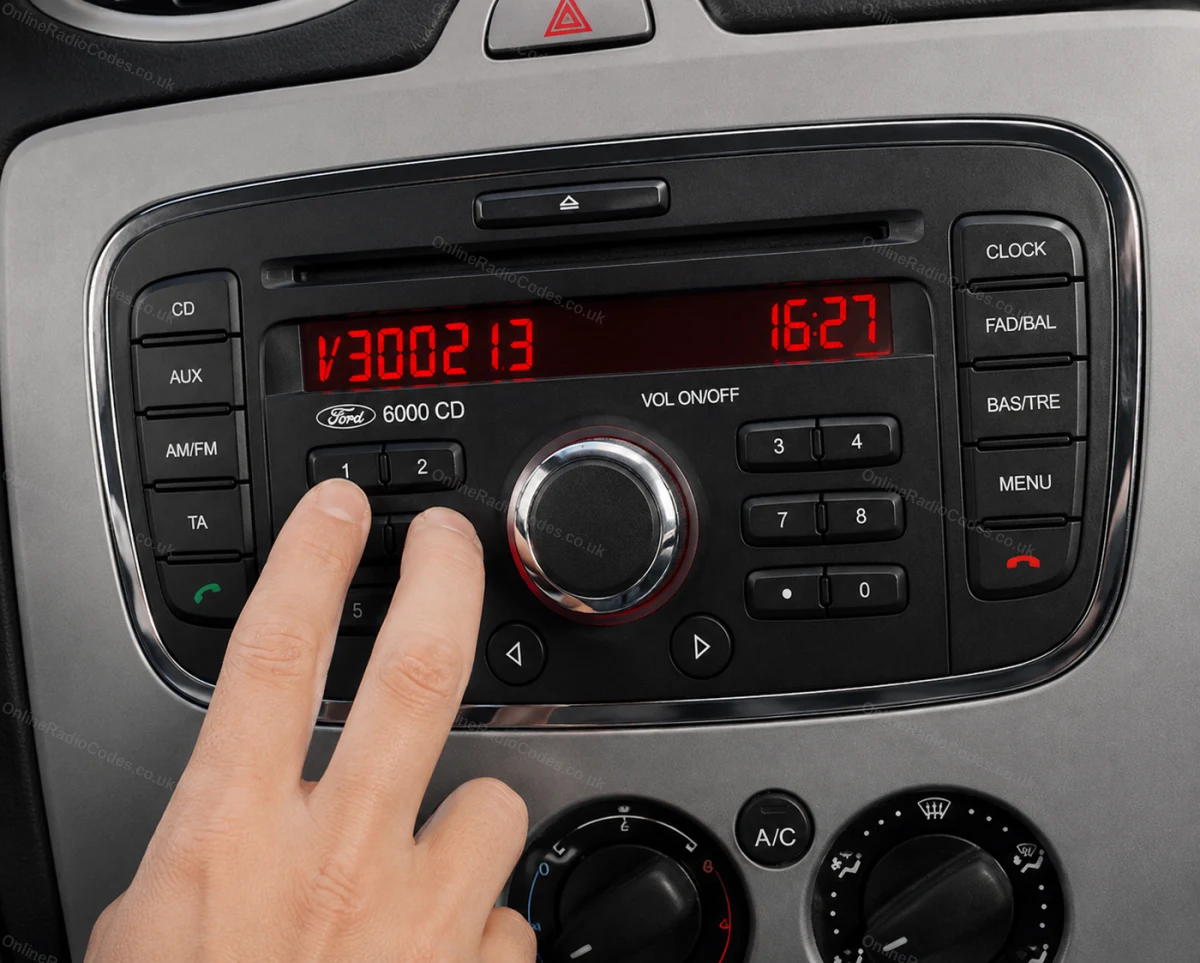
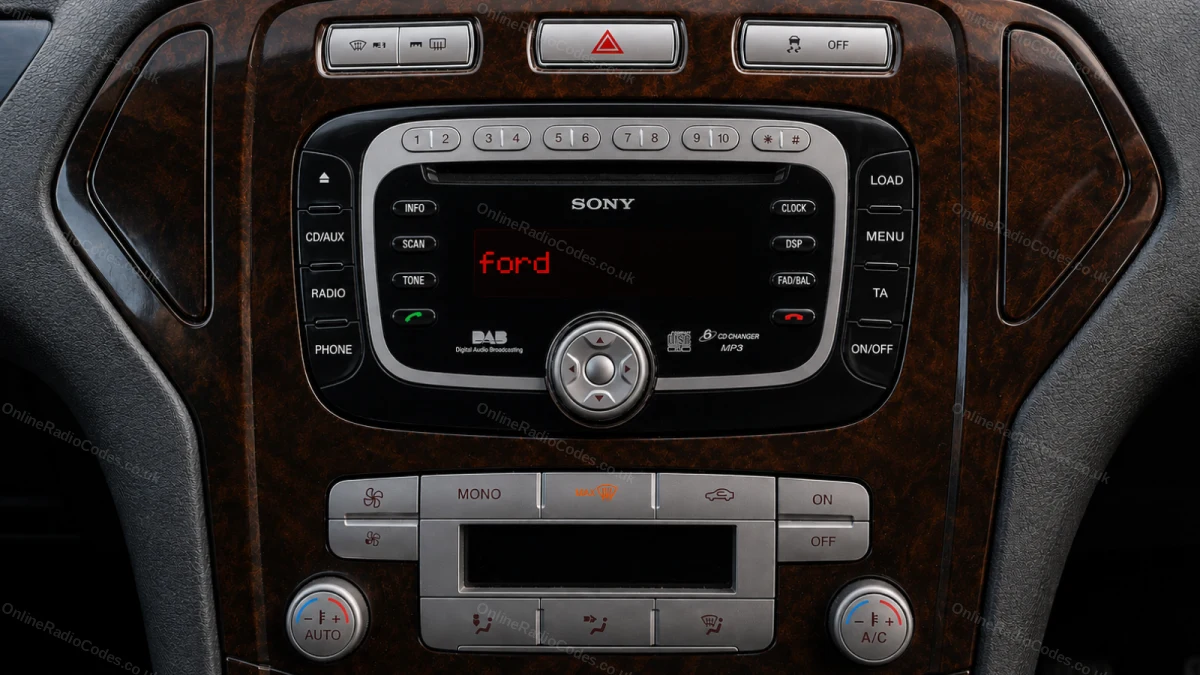
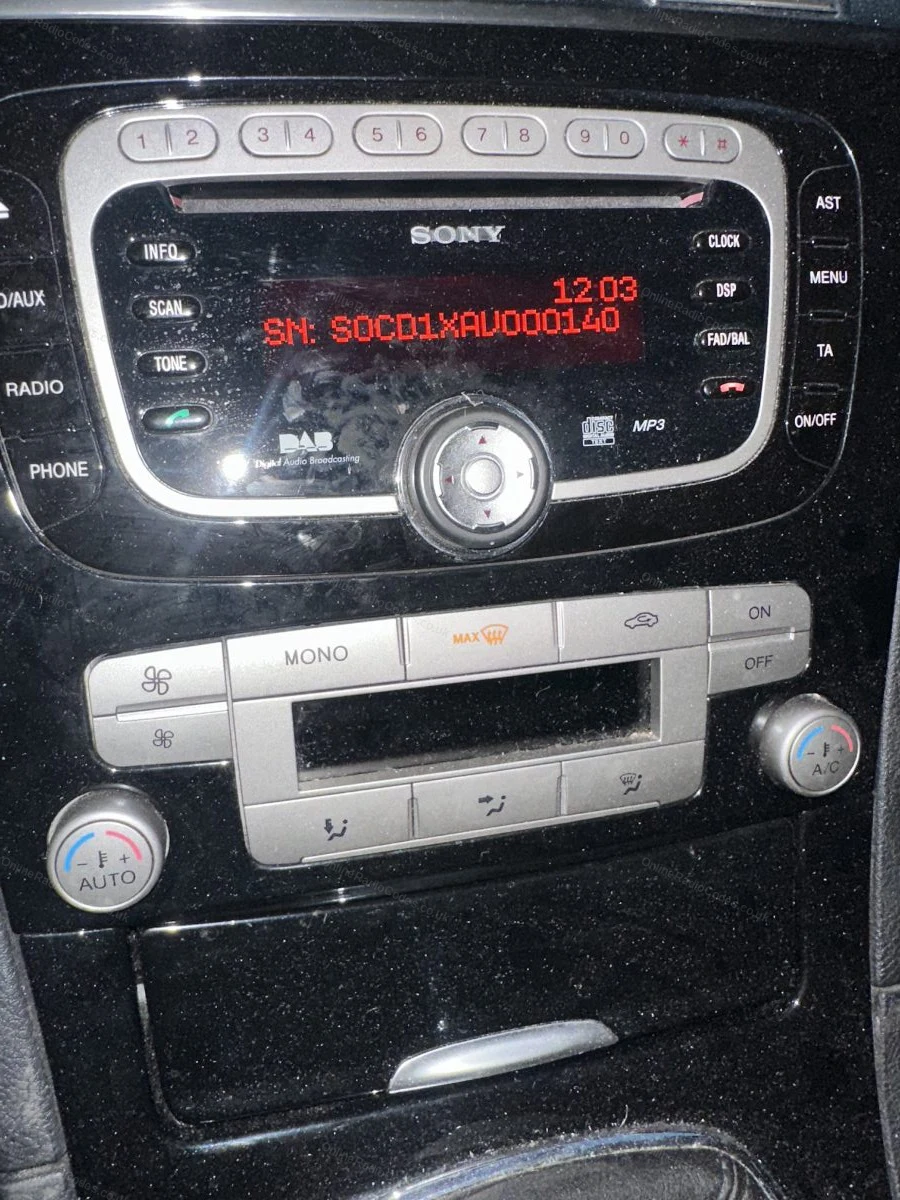
Ford Transit Connect radio code by serial number, delivered instantly. On most Connect vans the radio shows its serial on screen when you hold presets 1 and 6, a letter such as V, M or Z followed by six digits.

Enter your serial number
Over 1 million codes delivered worldwide.
Not sure which serial to enter? See examples
Instant Money back guarantee Secure checkout

Step 1 of 3

How to find your Ford serial number

The guide below will show you exactly where to find your Ford radio serial number.

Which radio do you have?
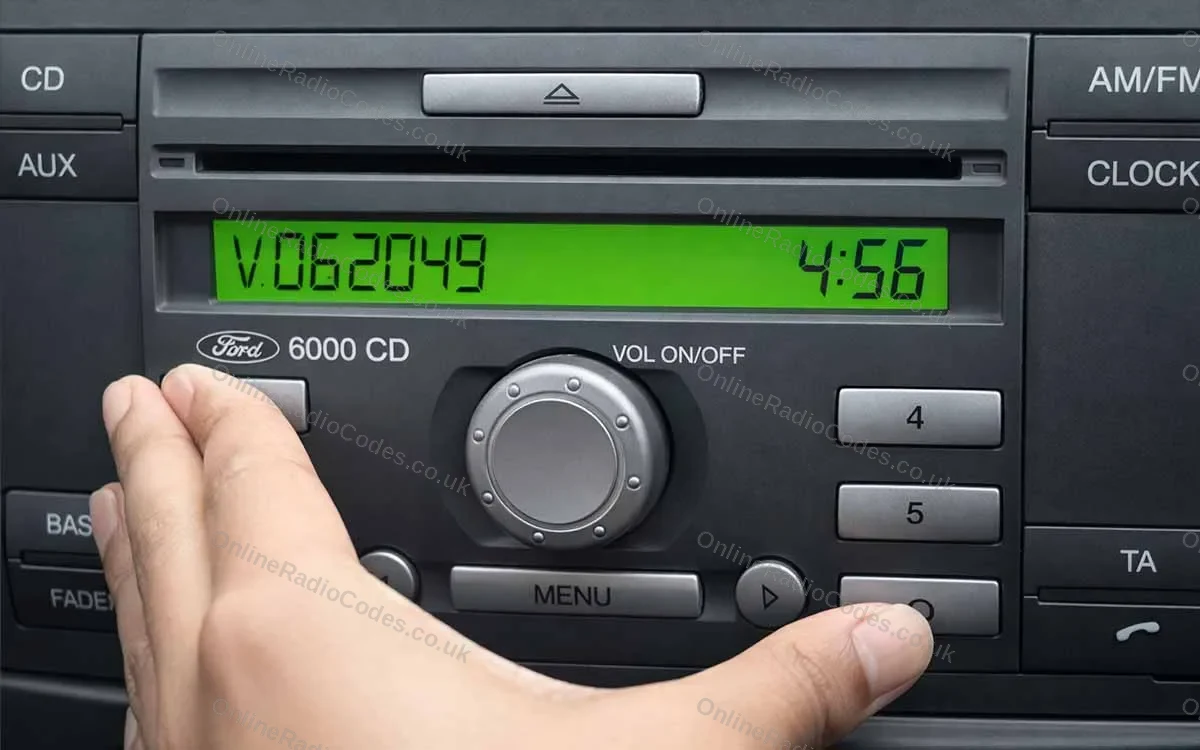
V-Series · Press 1 + 6
Get your serial from the screen
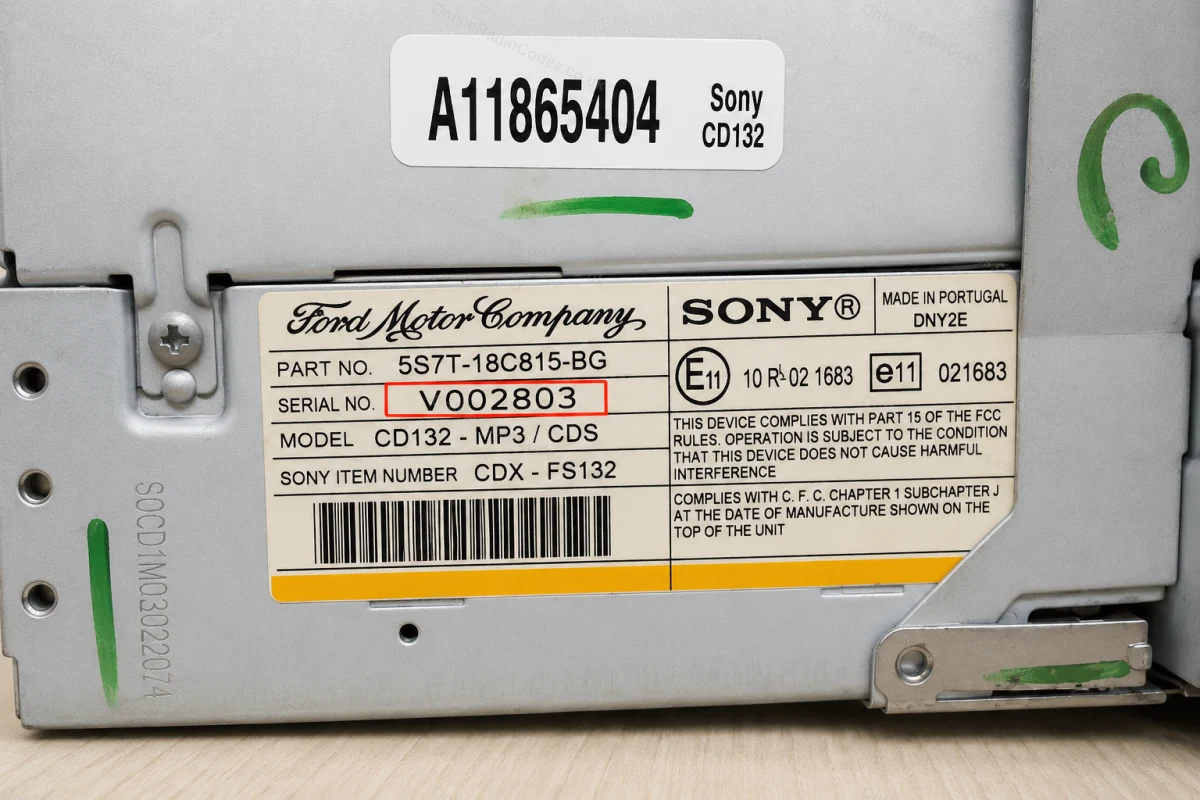
Turn on the ignition and radio. Hold buttons 1 and 6 simultaneously for about two seconds until a serial appears on screen. It starts with V followed by 6 digits (e.g. V062049). Write it down exactly. If nothing appears after two attempts, try buttons 2 and 6 instead.

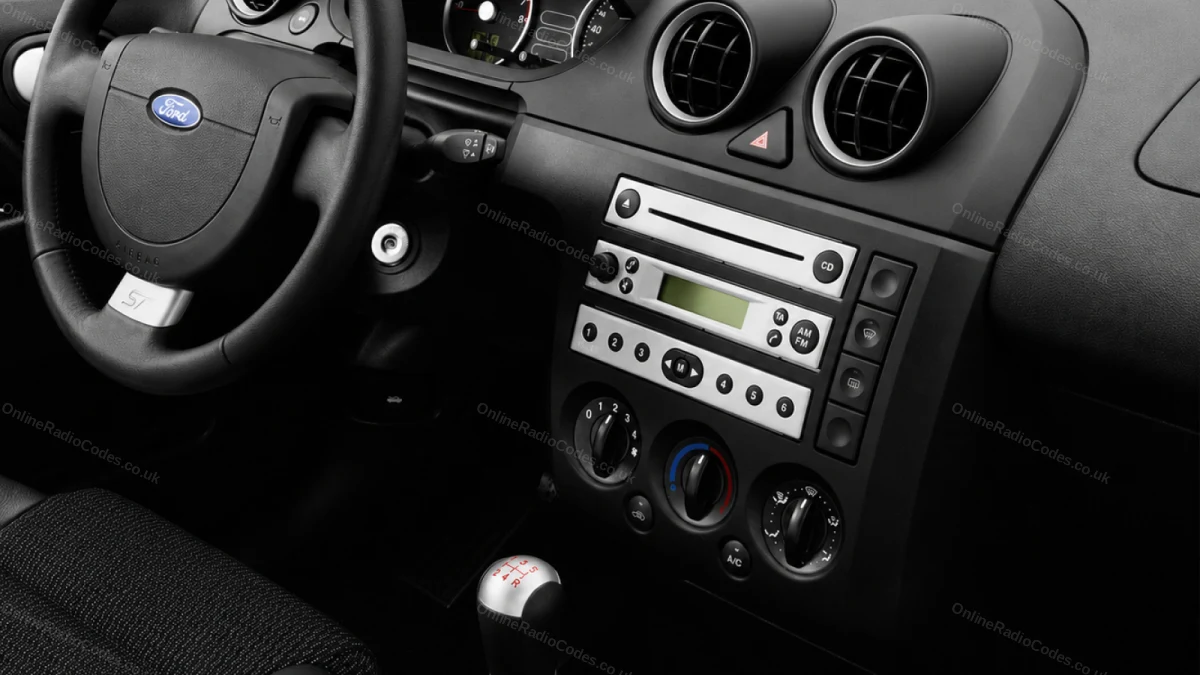
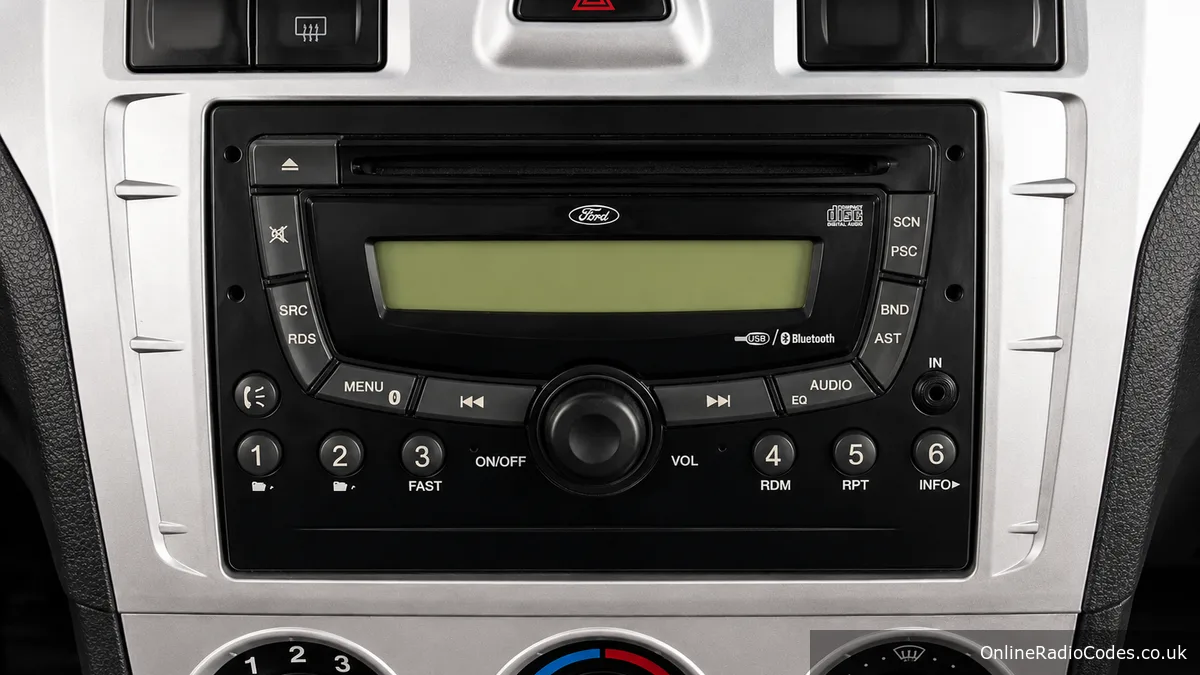
Fitted to Fiesta, Focus, Mondeo, Transit, Galaxy and most Ford models up to 2008.
M-Series · Press 2 + 6
Get your serial from the screen
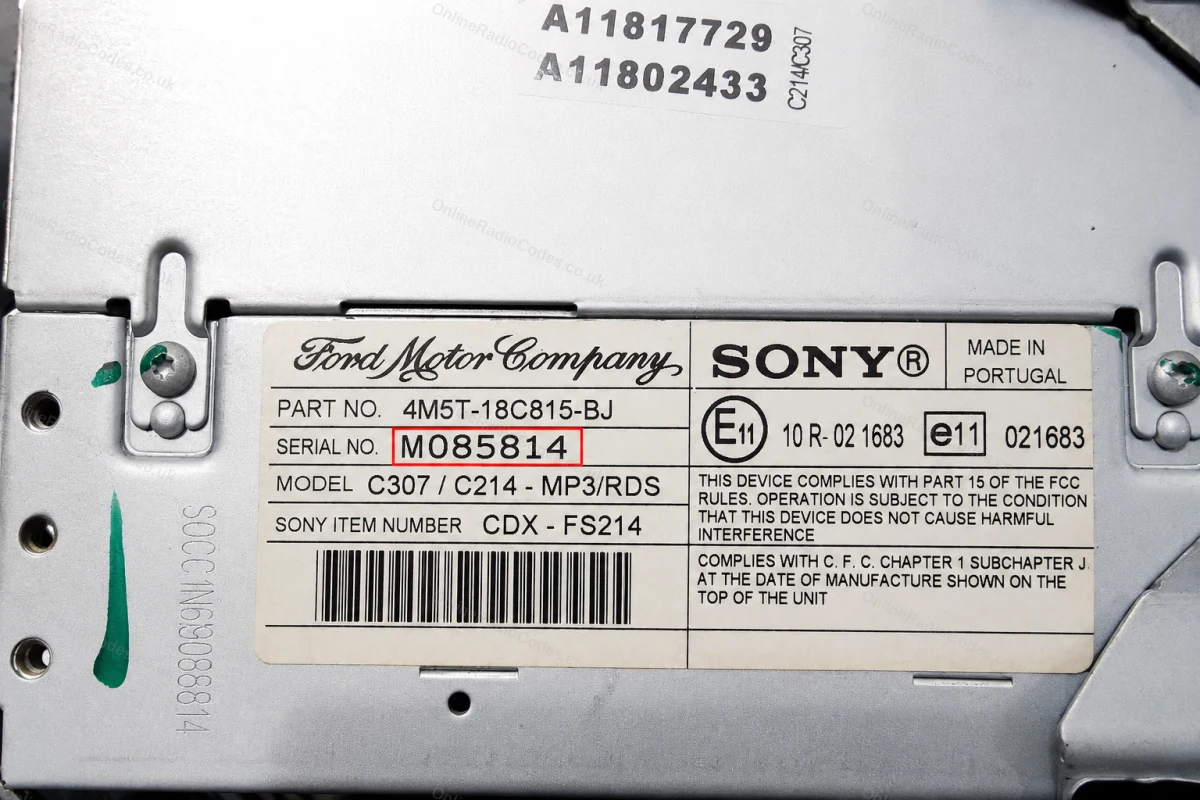
On some Sony MP3 and RDS models hold buttons 2 and 6 simultaneously for about two seconds. The serial starts with M followed by 6 digits (e.g. M085814). If the serial appears in two halves on screen combine them into one string without a space.

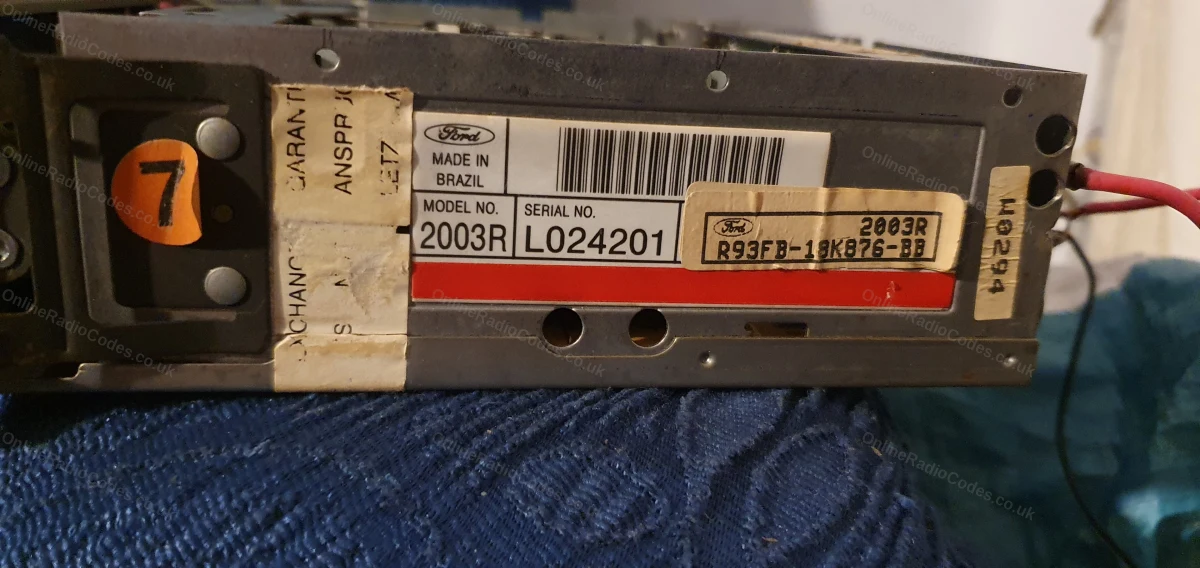
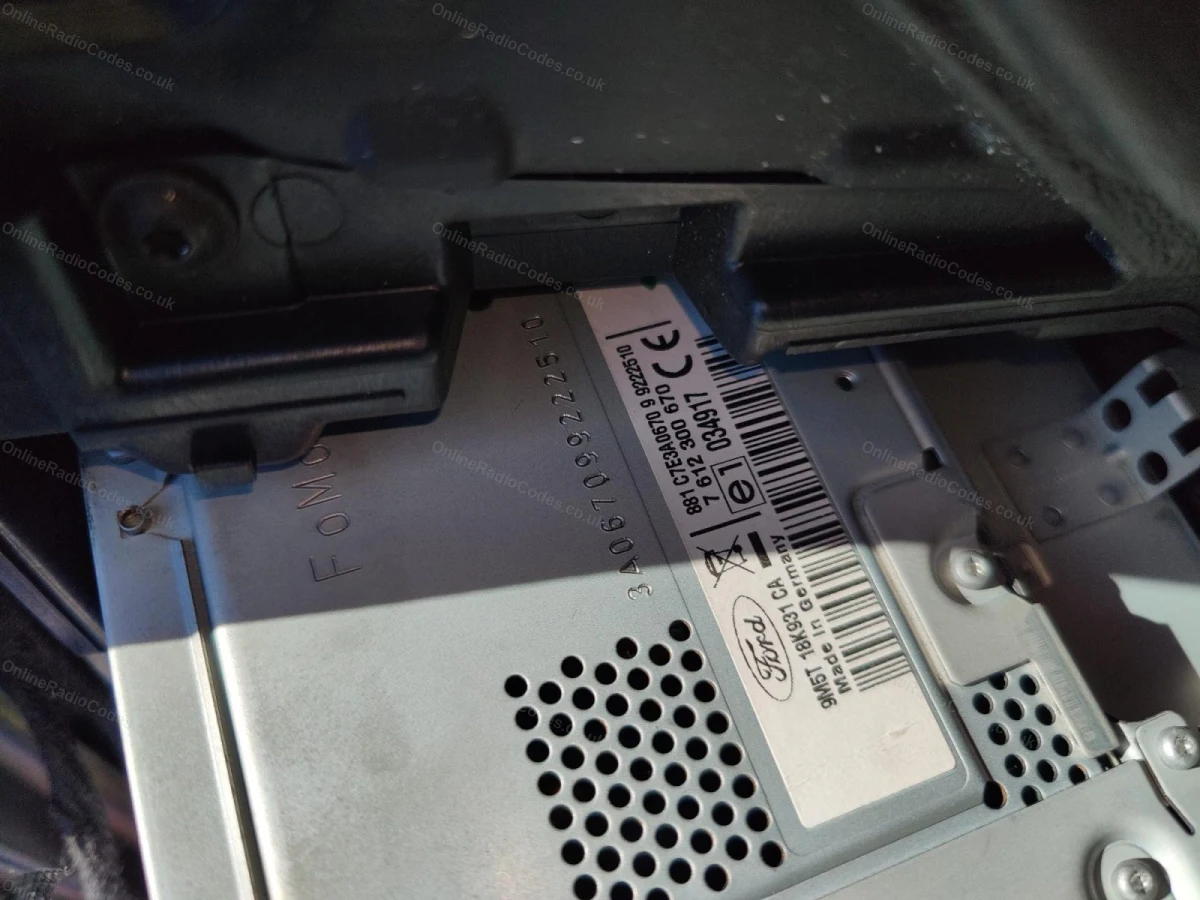
The M serial is also printed on the label on the back of the unit if you need to remove it.
Remove the Radio
Remove the radio to find your serial
Insert DIN release keys into the four corner holes of the fascia and apply gentle outward pressure. The unit slides forward, no wires need disconnecting.

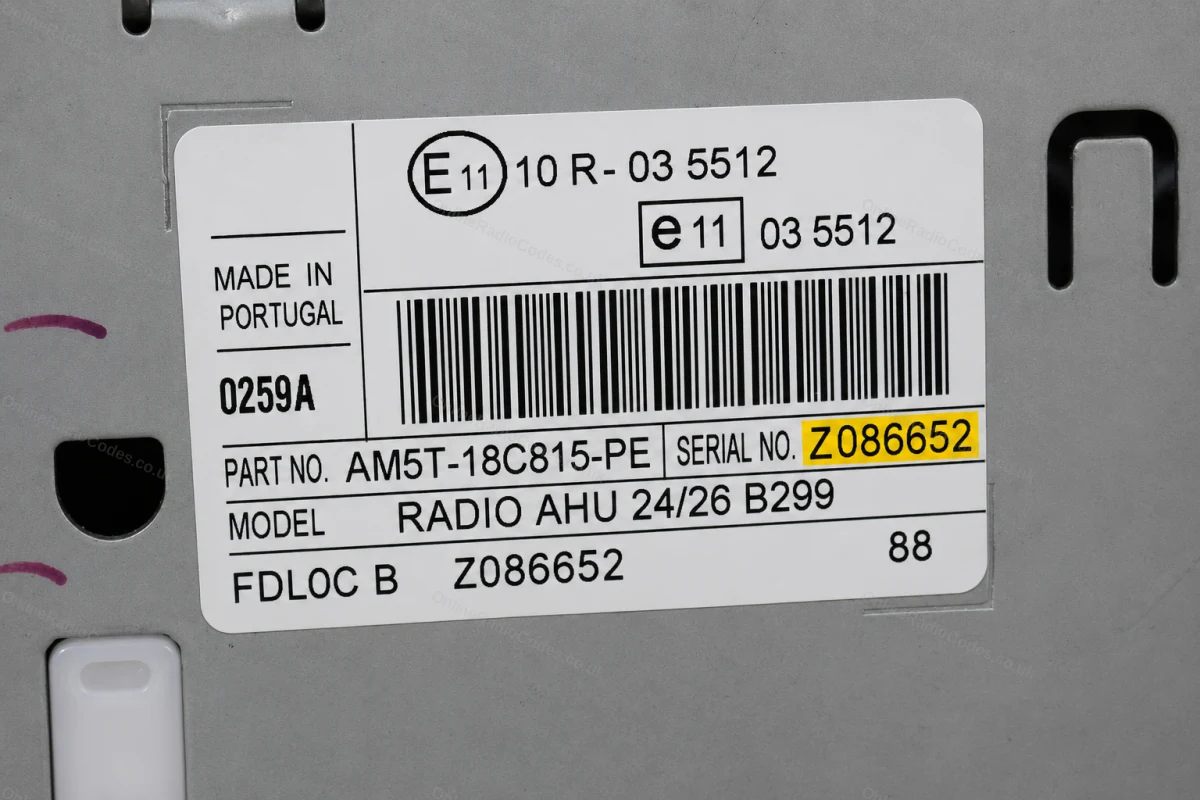
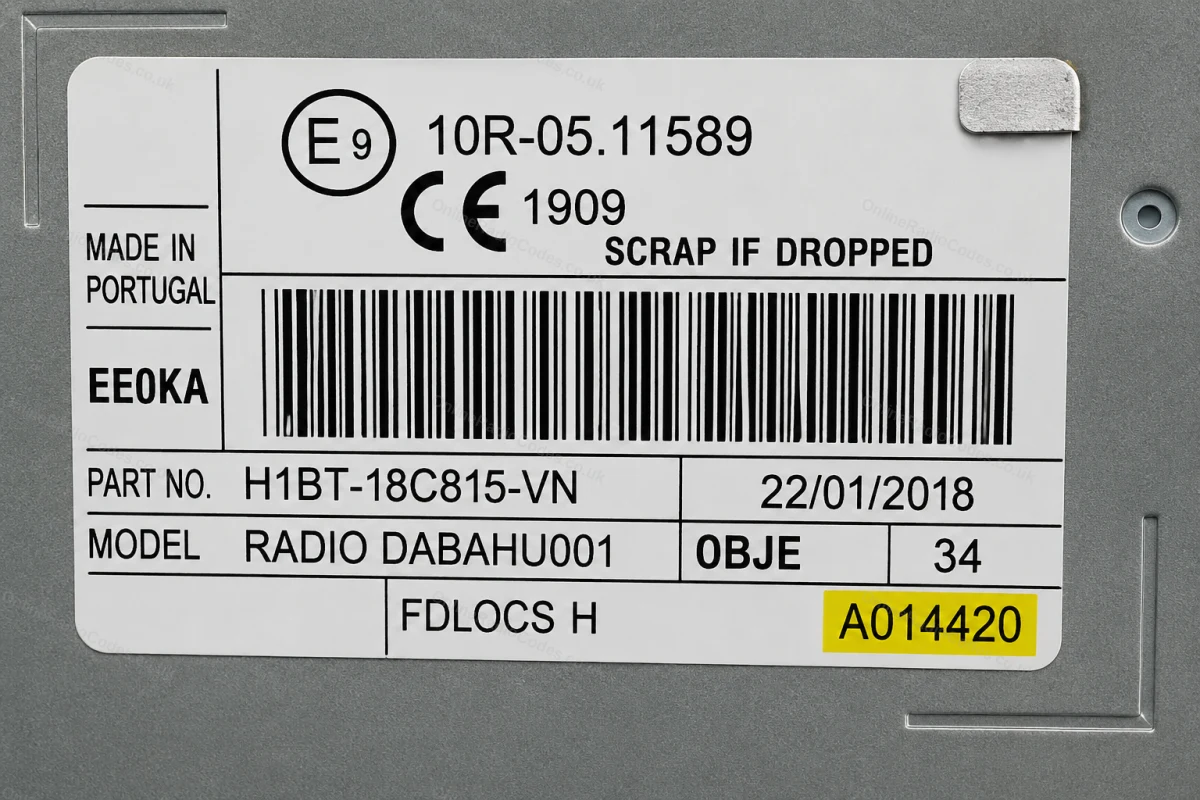
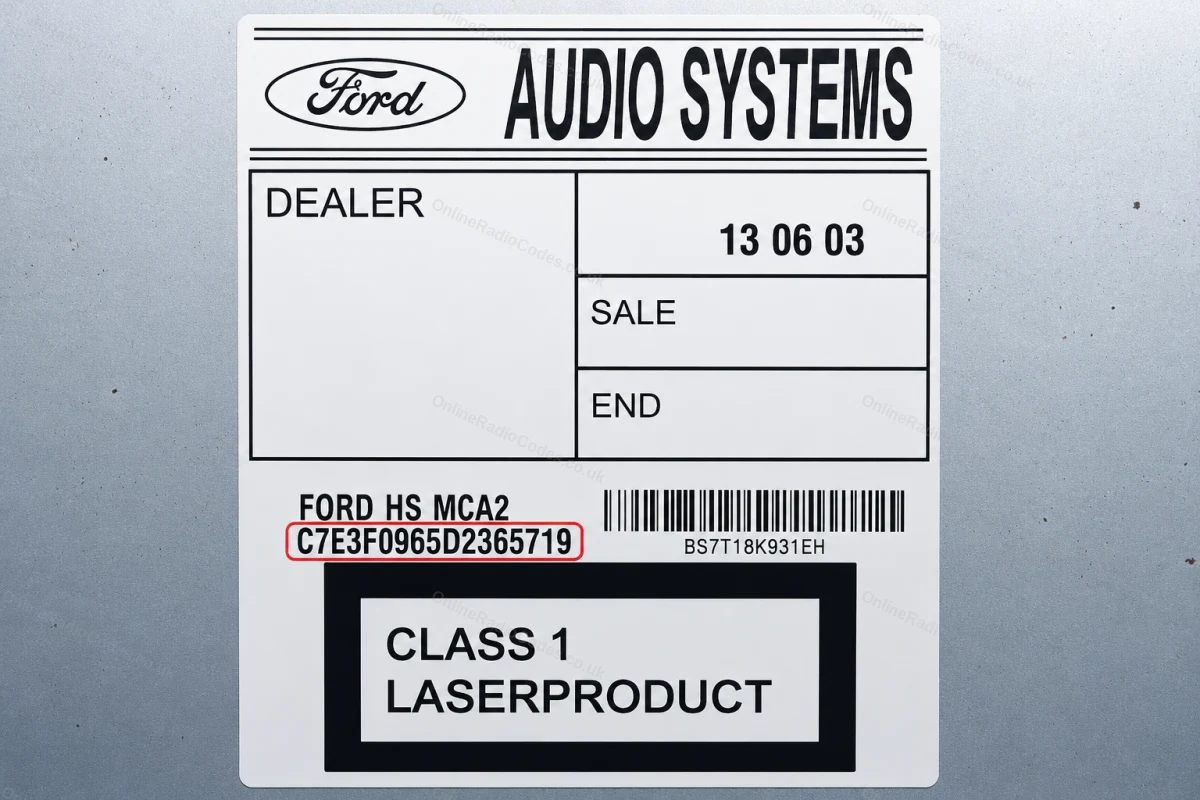
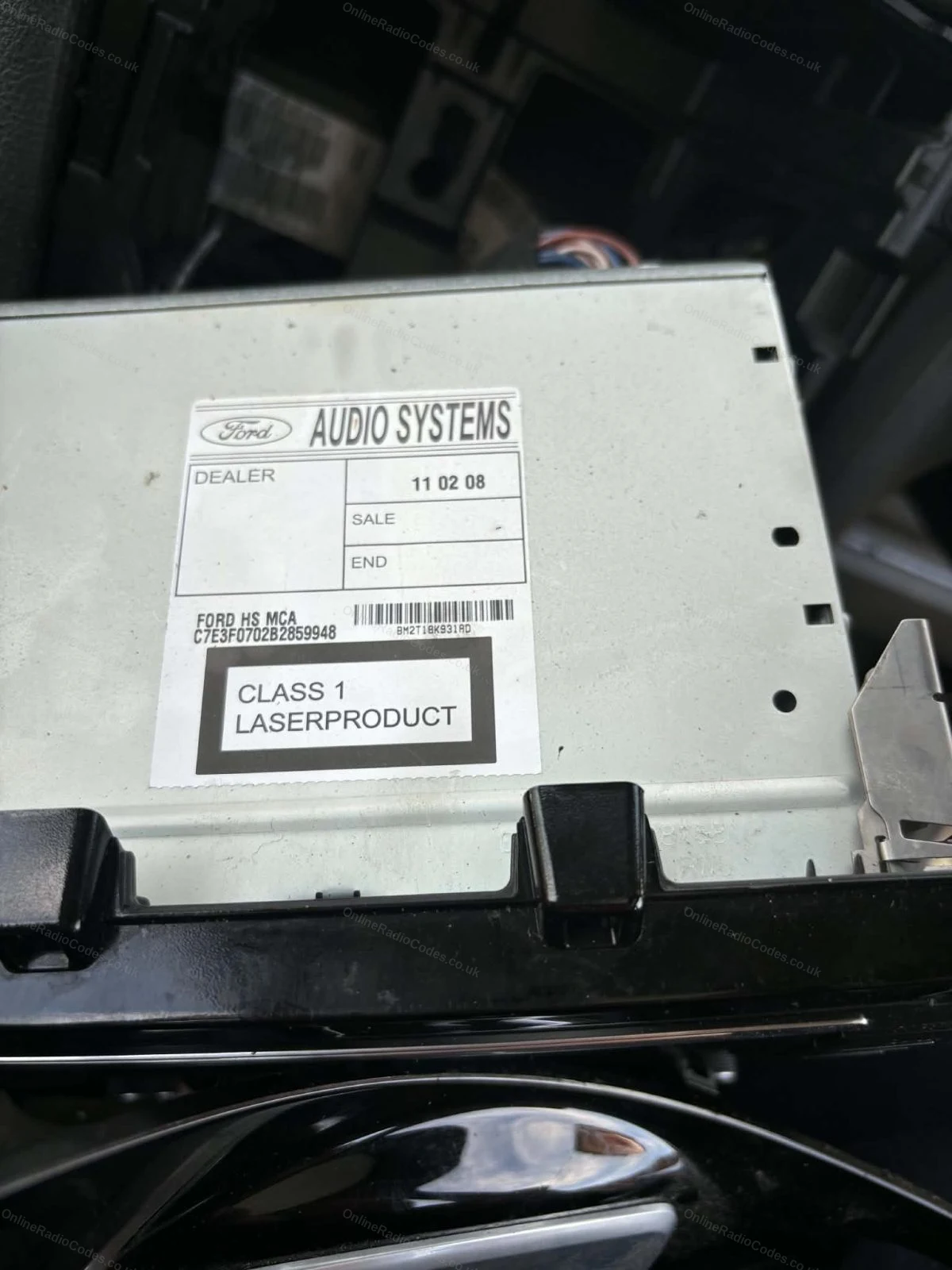
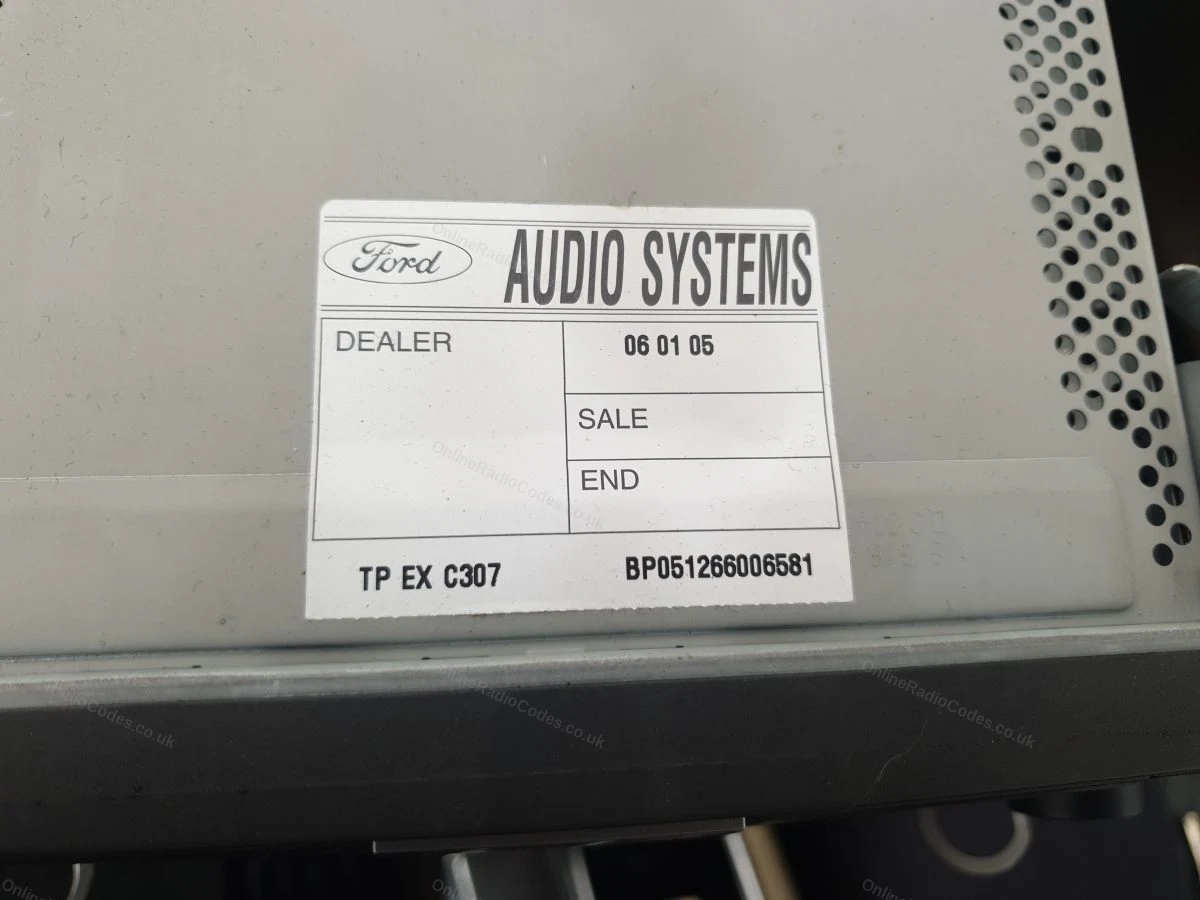
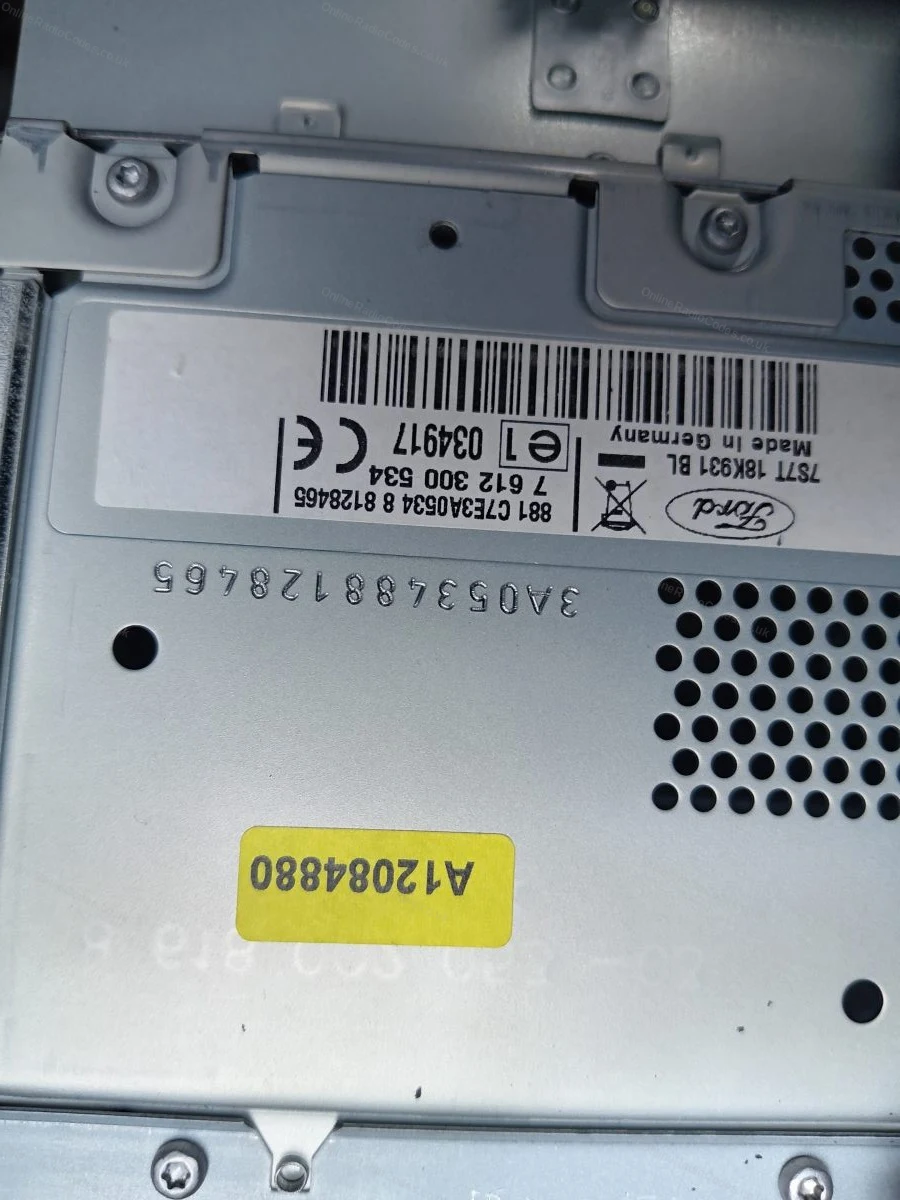
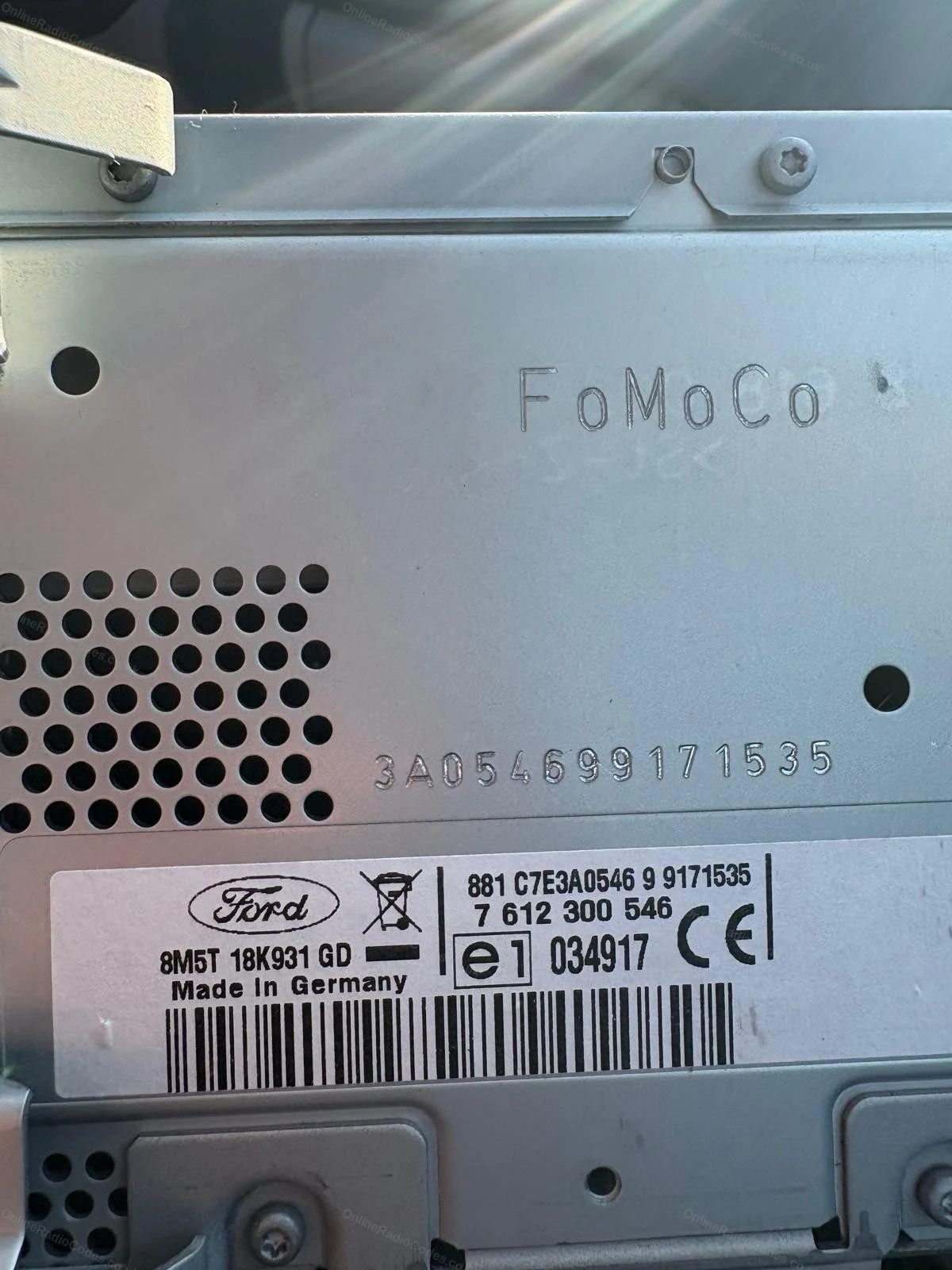
The serial is on a sticker on the back or side of the unit. It may start with V, M, L, C7 or BP depending on the manufacturer, enter it exactly as shown on the label including the prefix letter.
MK7 / MK8 · Z / A Prefix
Get your serial from the screen
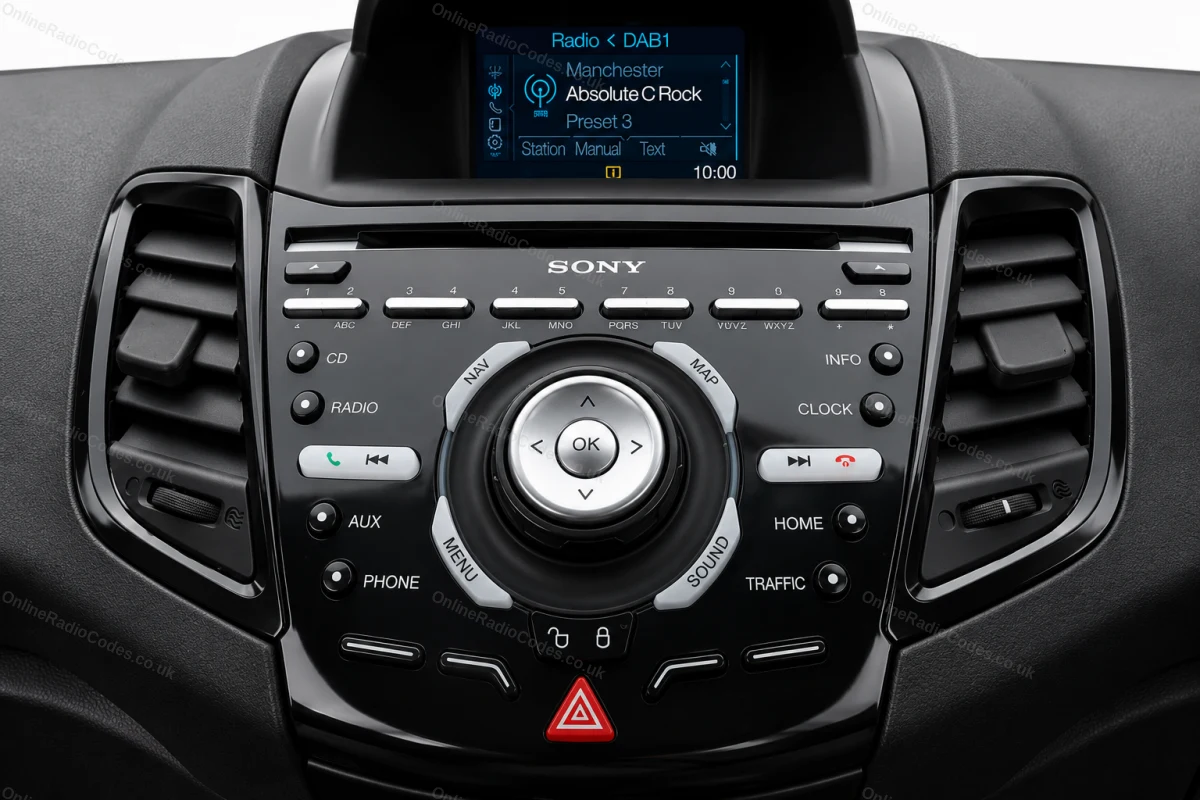
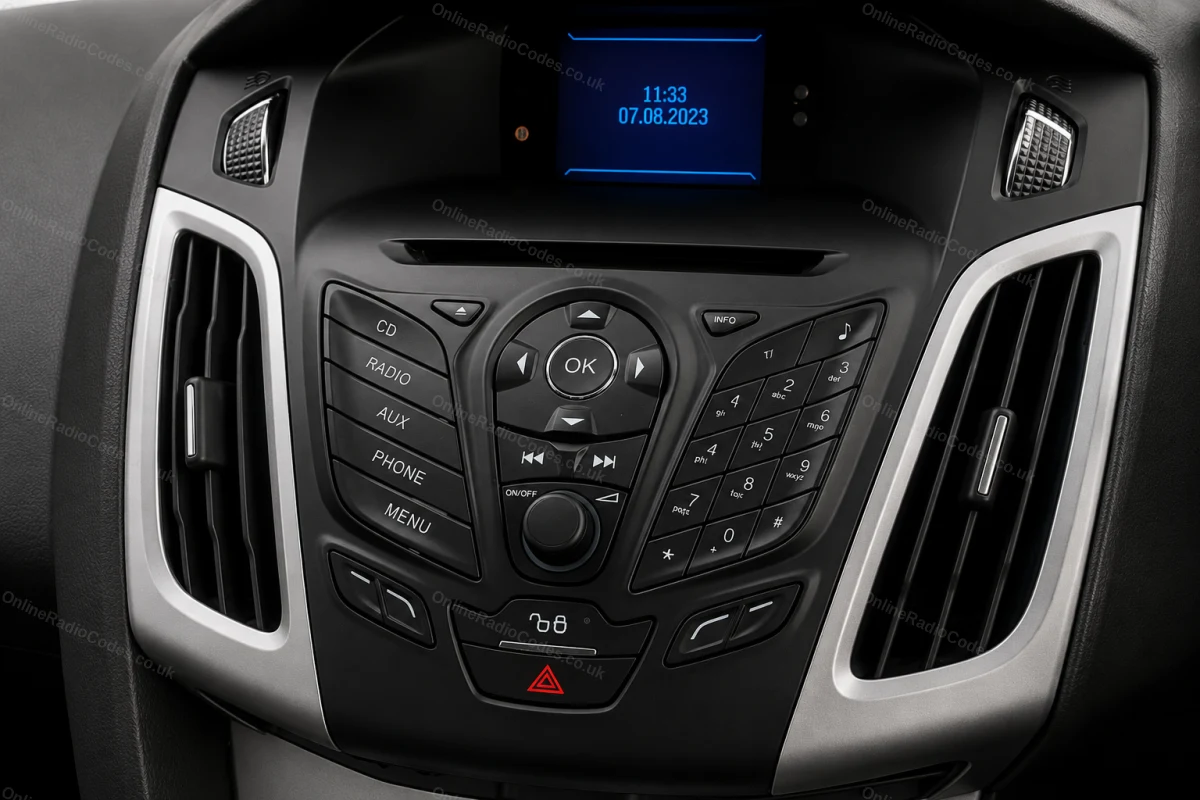
Press buttons 1 and 6 as above. From 2008 the serial starts with Z (2008–2017) or A (2018 to present) followed by 6 digits. Enter all 7 characters including the letter prefix. Z and A serials are decoded using the same method.

Fitted to Fiesta MK7+, Focus MK3+, Mondeo MK4+ and most Ford models from 2008 onwards.
Ford / Visteon
Enter the serial from the label
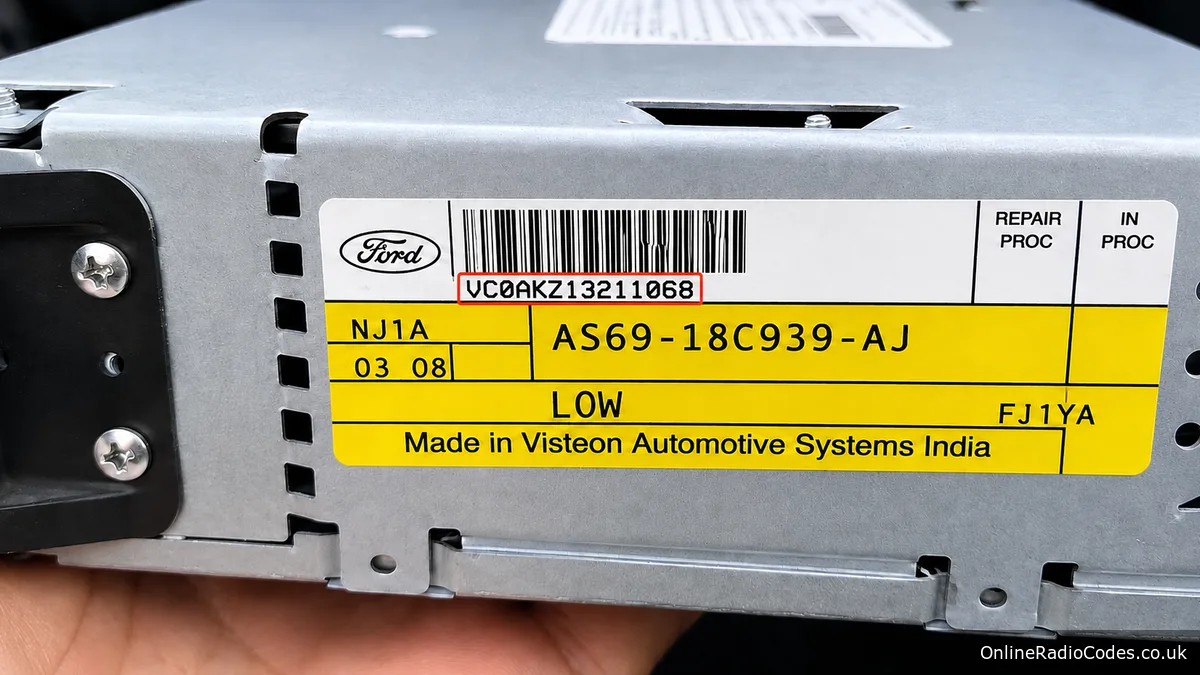
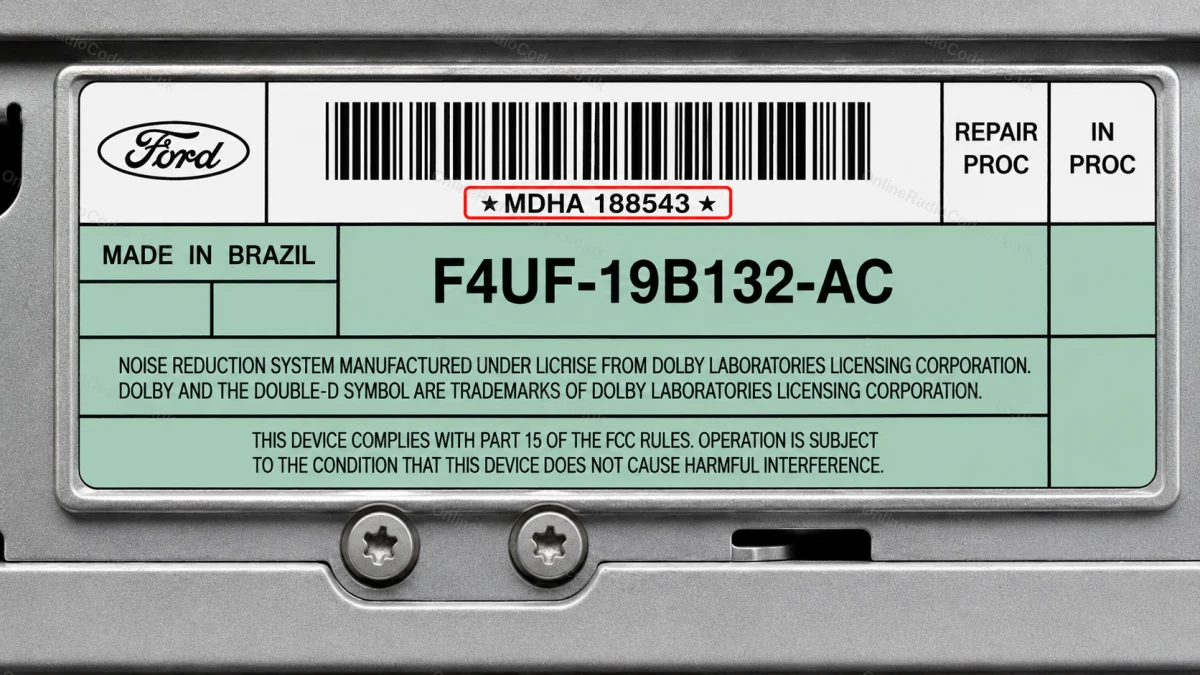
Fitted to the Ford Figo and to Brazilian and other non-European market Fords. Remove the radio with a flat prying tool, the serial label is on the side or rear of the unit.

European Figo (Visteon) units show a barcode starting with VC followed by letters and digits, for example VC0AKZ13211068. Enter the complete barcode exactly as printed, do not shorten it.

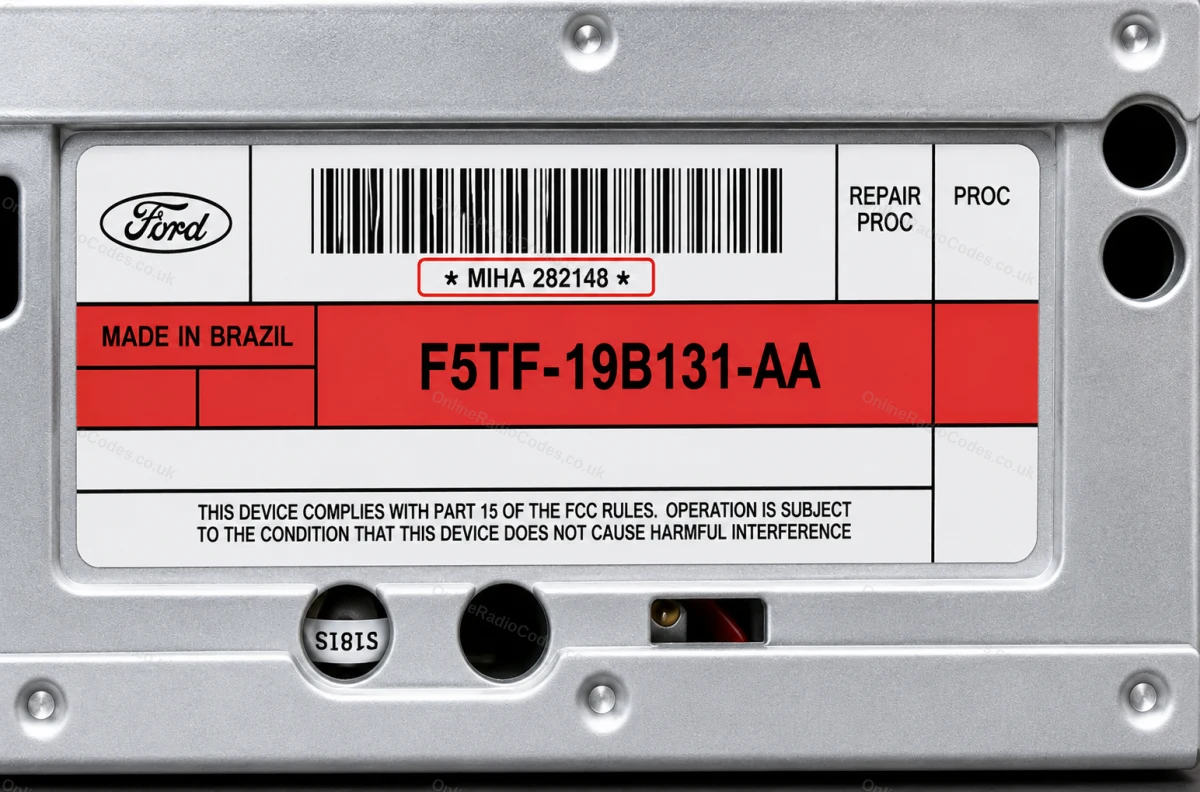
Brazilian Ford (FIC / Visteon) units show a shorter serial above the part number: three or four letters then six digits, sometimes with a space. For example MDHA 188543 or MIHA 282148. Enter it exactly as shown on the label.
Ford TravelPilot
Remove the unit to find your serial
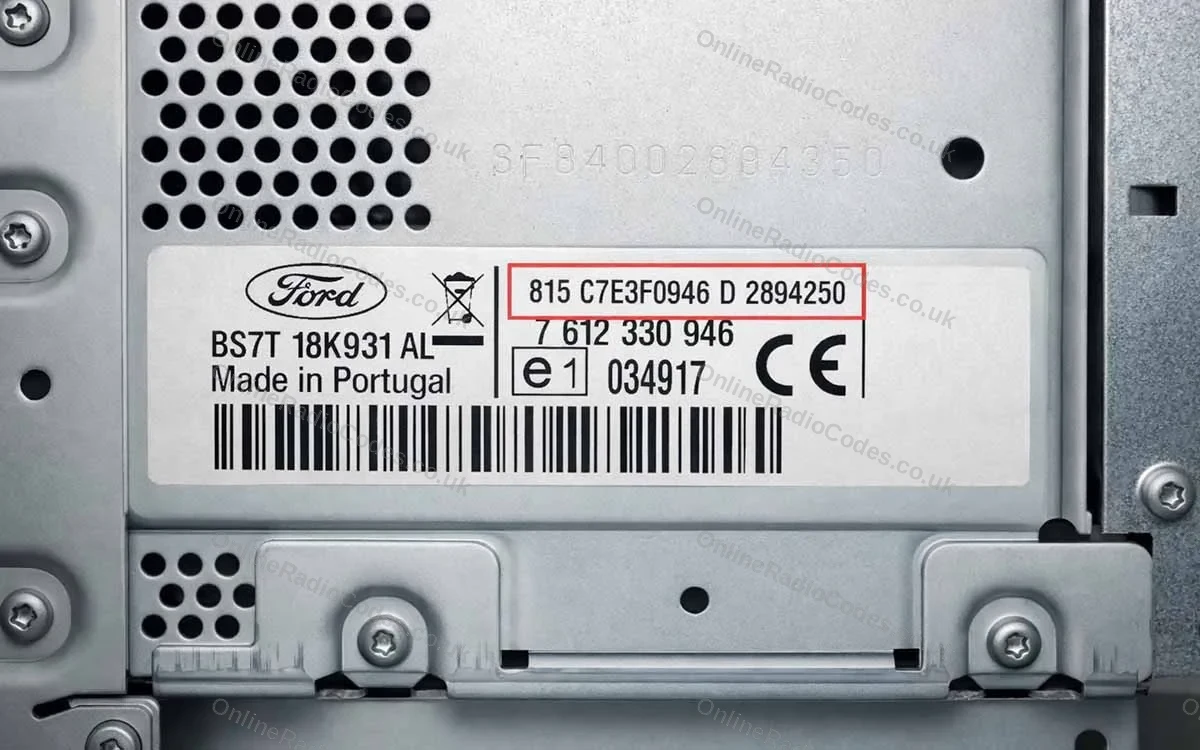
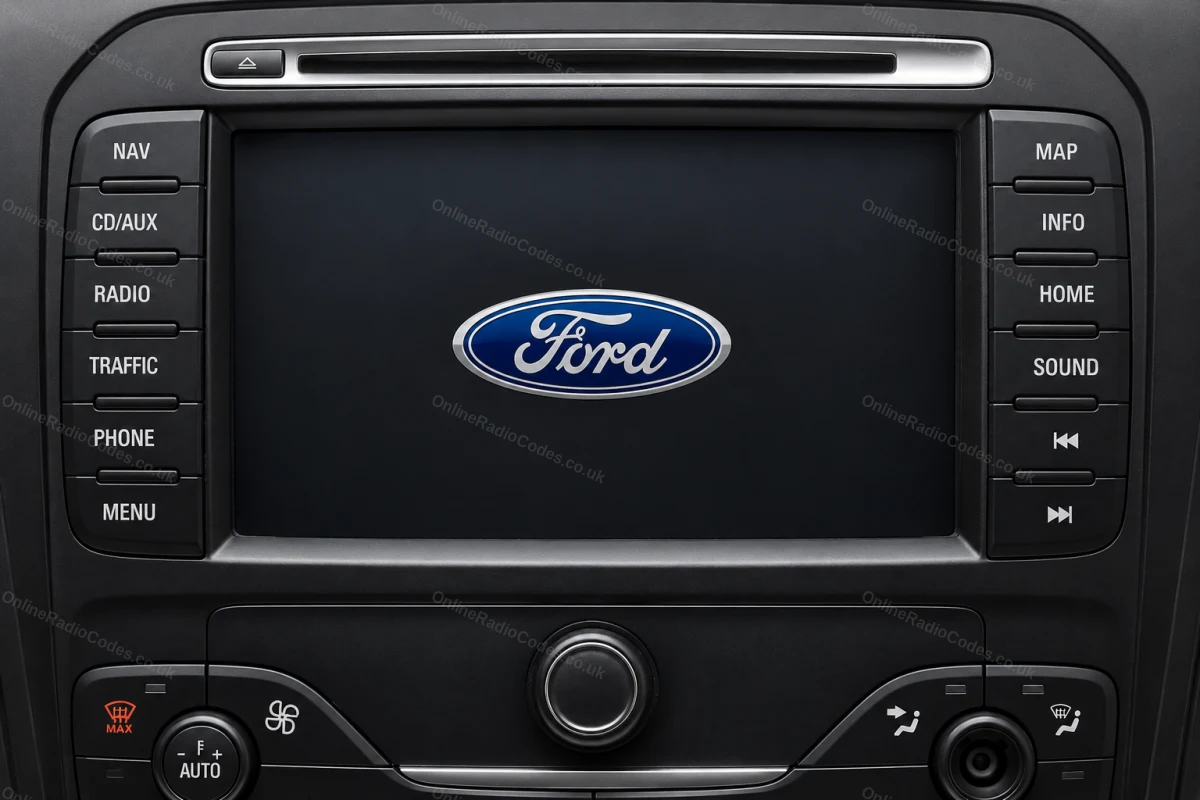
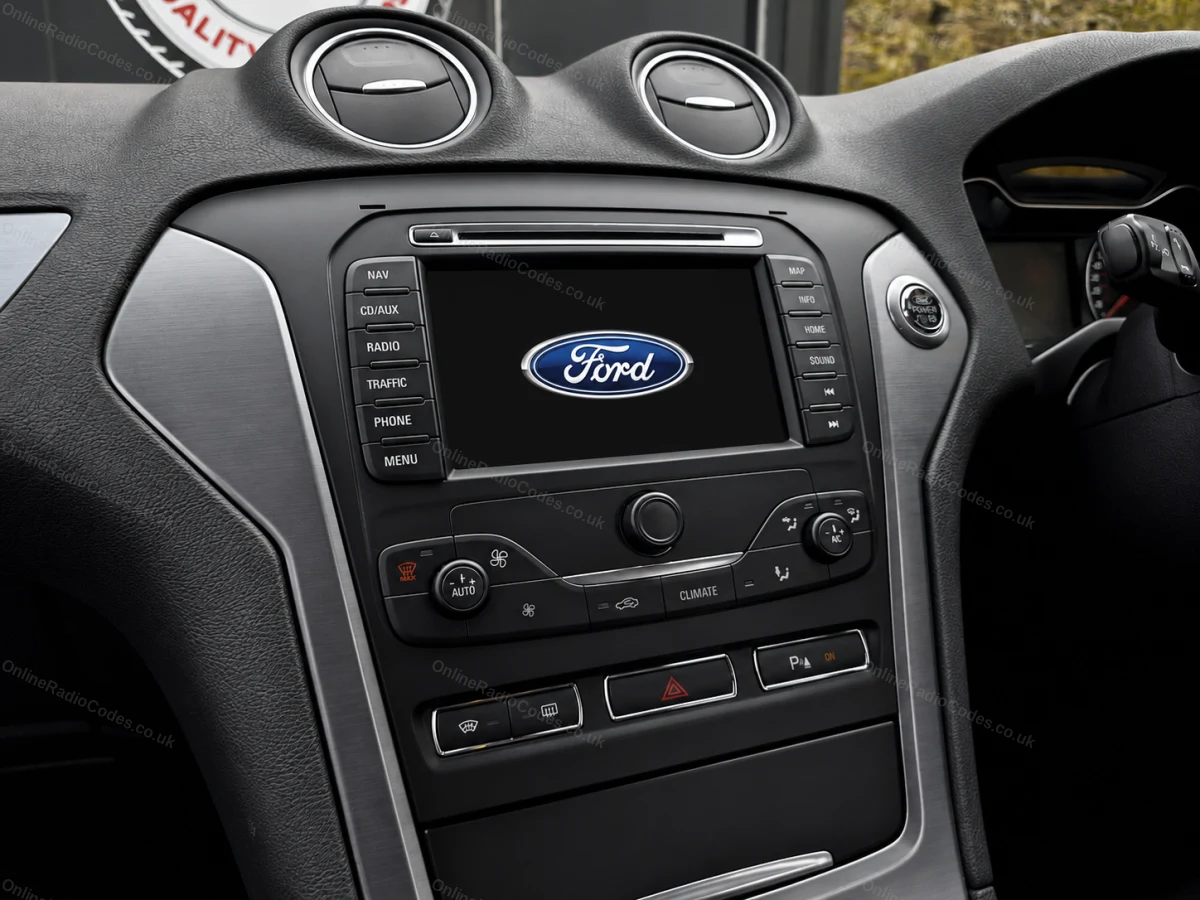
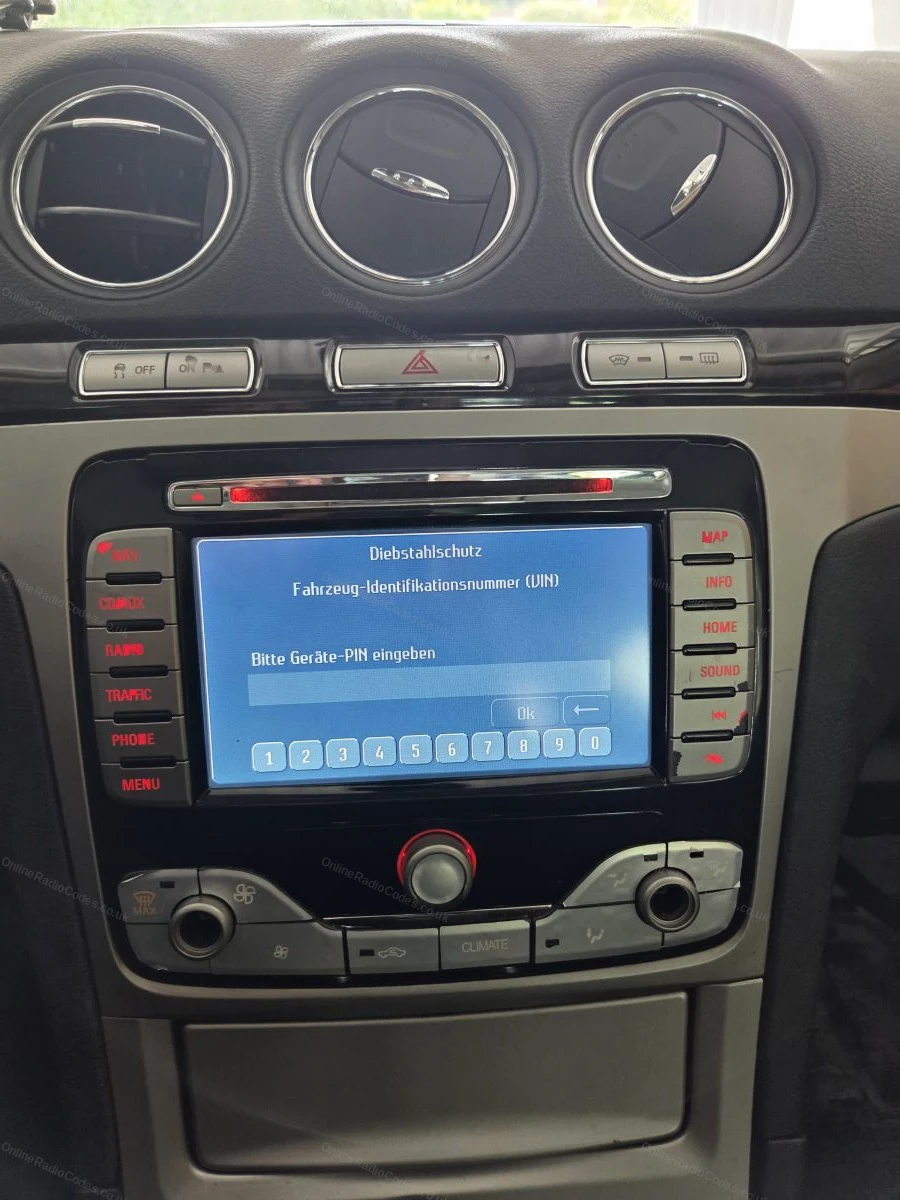
The Ford TravelPilot is a built-in touchscreen navigation unit. You will need to remove the unit to find the serial, insert release keys into the four corner holes and slide it forward.

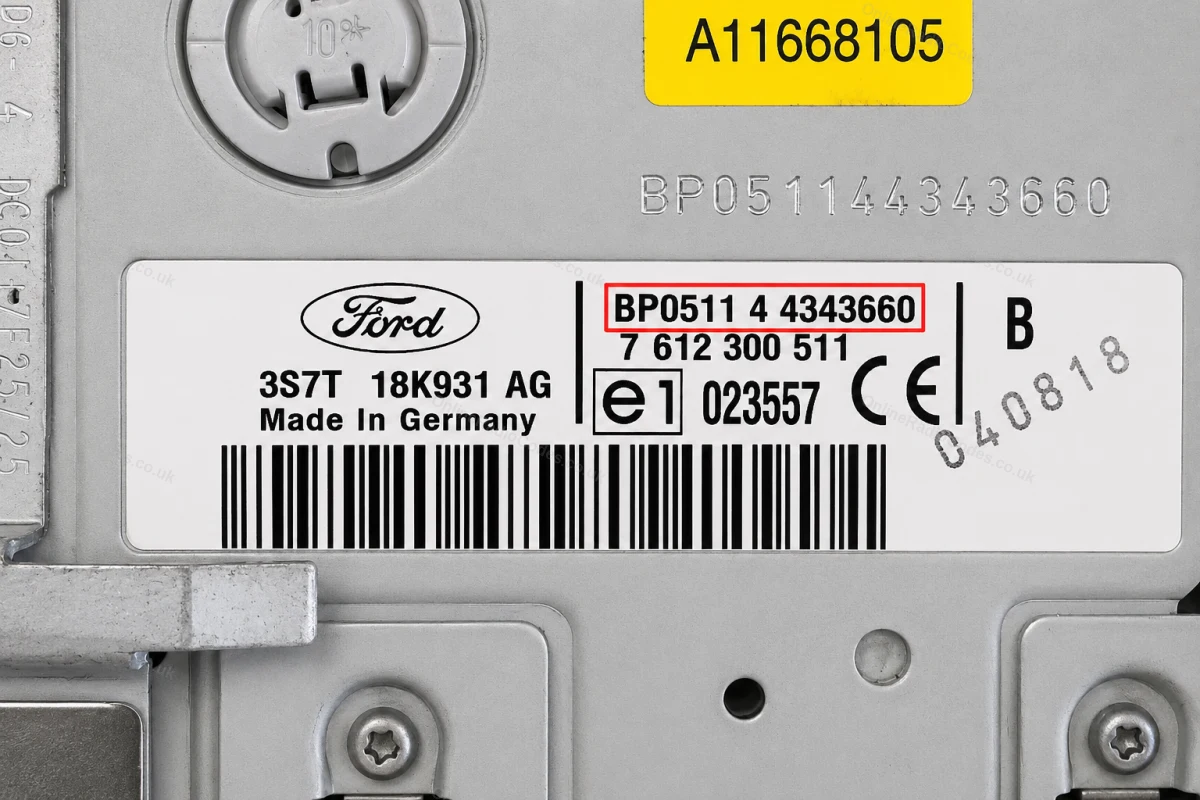
The serial is on a sticker on the back of the unit. It starts with BP (2001–2007, e.g. BP0511 4 4343660) or C7 (later models, e.g. C7E3F0965D2365719). Enter the full string exactly as shown including the prefix.
What your Ford serial looks like
V-Series V123456
M-Series M987456
Z-Series Z435692
C7-Series C73F0961C0536857
BP-Series BP62034596031
Sony (SN/SOCD) SN SOCD6X7V011473
L-Series L033843
C-Series C123456
Figo / Visteon VC0AKZ13211068
Figo / Visteon (FIB) FIB123456

Can't find it? Contact us. We'll help you locate your serial before you pay a penny.

Since 2015 · 1 million decodes

The World’s Leading Ford Radio Code Service

A Decade of Decoding
Retrieving car radio codes since 2015, with more than a million codes delivered. Registered UK company No. 09736186. Read our story
Your Code, Fast
Most codes appear on screen the moment payment clears. The rest are handled by our team, usually within the hour in business hours.
Works, or Your Money Back
If your code does not work, we refund you in full. One of the very few radio code services that backs every single order.
Your Code, Kept for Life
Lose your code in five years? We keep it on file and will resend it free of charge, as many times as you need.

Real people, worldwide, around the clock

Meet our radio experts

A small team who have decoded radios for a decade, with Nova, our AI assistant, covering around the clock. Wherever you are in the world, we're here to help.

Live chat and email 24/7. Phones Monday to Friday, UK hours.

  • Gavin Wilson Gavin
  • Emma Keevney Emma
  • Lucy Flynn Lucy
  • Mika Jones Mika
  • Liz Wilson Liz
  • Nova, our AI assistant Nova 24/7

Popular models

Ford radio codes by model

Go straight to the guide for your model.

FAQ

Frequently asked questions

Which radios are fitted to the Transit Connect?
First generation vans, built from 2002 to 2013, usually have a 6000 CD or a 4500 RDS style radio with a serial starting V or M. Second generation vans, from 2013, have Ford CD and Sony units, and the serial on these can start V, Z or, on newer vans, A. The Tourneo Connect is the passenger version and uses the same radios.
How do I get the serial on a Transit Connect radio?
Turn the ignition on and switch the radio on. Hold presets 1 and 6 together for a few seconds and the serial appears on the display. Some older M series units do not respond to this: switch the radio off and hold 2 and 6 instead. If neither works, the serial is printed on the label on the radio casing and the radio has to come out with release keys.
What does a Transit Connect radio serial look like?
One letter followed by six digits, for example V123456, M987456 or Z062049. Enter the letter as well as the digits. If the display seems to show the letter O, it is always the digit zero, so type 0.
The radio in my Connect is not the original. Can you still decode it?
Yes. The code belongs to the radio, not the van, so read the serial from the unit that is fitted now and order against that. Radios are often swapped between fleet vans, and a code for the previous radio will not work in the new one.
How quickly will I get the code for my Transit Connect?
Instantly. The code is shown on screen as soon as your payment goes through, and a copy is sent to your email. A van that lost its radio after a battery change is usually working again within a few minutes.
The display shows LOCKED 10 or LOCKED 13. What now?
LOCKED 10 means ten wrong codes have been entered. Leave the ignition and the radio switched on for about an hour until the display returns to CODE, then enter the code once, carefully. Disconnecting the battery does not reset the counter. LOCKED 13 is permanent: the radio will not accept any code and needs a radio specialist to reset it. After the reset, the code from your serial is still the correct one.
How do I enter the code on a Transit Connect radio?
With CODE on the display, press preset 1 until the first digit is correct, then use presets 2, 3 and 4 for the other three digits. Hold 5 to confirm and the radio unlocks. The same method works on most Ford radios of this period, and Ford radio codes covers the rest of the Ford range.

Verified · Trustpilot

Don't just take our word for it

See all reviews on Trustpilot
5 stars
2 hours ago Trustpilot

Alles perfekt geklappt

Alles perfekt geklappt. In einer unglaublichen Geschwindigkeit. Schnelle Antwort auf offene Frage, perfekt, das ist Kundenservice.

Ehrl · DE
5 stars
9 hours ago Trustpilot

Code sent within 1 hour of order.worked…

Code sent within 1 hour of order.worked immediately no issues would recocmend

Gordon Roberts · GB
5 stars
11 hours ago Trustpilot

Confianza absoluta , todo resuelto en 30 segundos 10/10

Honestly, I was impressed by how quickly they sent me the code—30 seconds—and, most importantly, it was the correct code. It's true that they charge a fee th…

Ramiro Devesa Parajo · ES
4 stars
14 hours ago Trustpilot

Quick pitty with price

Quick delivery of number so could put code in for radio downside £14.99 is a bit outrageous for something which should be either free or no more than £5

lee warhurst · GB
5 stars
21 hours ago Trustpilot

Serviciu excelent

Serviciu excelent! Codul radio a funcționat perfect și a fost livrat foarte repede. Recomand cu încredere OnlineRadioCodes!

Ghiuner Memet · NL
5 stars
23 hours ago Trustpilot

Amazing service,faultless communication…

Amazing service,faultless communication and had my radio back up and running straight away!highly recommend

dameion · GB
5 stars
1 day ago Trustpilot

Klar der ganze Spaß kostet zwar 16€…

Klar der ganze Spaß kostet zwar 16€ aber es funktioniert. Ich habe die Batterie meines Autos leer laufen lassen, sodass ich mein Radio nicht mehr nutzen konn…

Thomas · DE
5 stars
1 day ago Trustpilot

Best experience ever

Easy access online.. type in radio id number, payment, and wahla. had my radio code in seconds .. Has to be the easiest I've ever tried to get information on…

Dean Powell · US
5 stars
1 day ago Trustpilot

El código fue perfecto

El código fue perfecto, la radio volvió a funcionar, y el servicio fue muy rápido. Lo recomiendo al 100%

Miguel Navascues Bonnin José · ES
5 stars
1 day ago Trustpilot

Professional people

Professional people; several days had passed since my purchase, and I didn't have the serial number needed for the code—but once I finally had the serial num…

ULISSE · IT
5 stars
1 day ago Trustpilot

Needed the radio code after changing the car battery Renault Captur 2017

I was skeptical using this website to get the radio code for my Renault Captur after I had to change my car battery. But I wanted to get the issue quick and …

Daniel Ursell · GB · Renault
See our 22,686 reviews on Trustpilot
Ready to unlock your Ford radio?

Enter your serial number above and get your unlock code in seconds.

Get my code now
Online Radio Codes is an independent radio code service and is not affiliated with, authorised by, or connected to Ford Motor Company Limited or any of its subsidiaries or affiliated companies. All manufacturer names, model names and trademarks are the property of their respective owners and are used solely for identification and reference purposes.
Get my radio code