100% Money Back Guarantee The World's Leading Car Radio Code Service Trusted by 1,000,000+ customers
Ford Ford · Radio Codes
Instantly Displayed

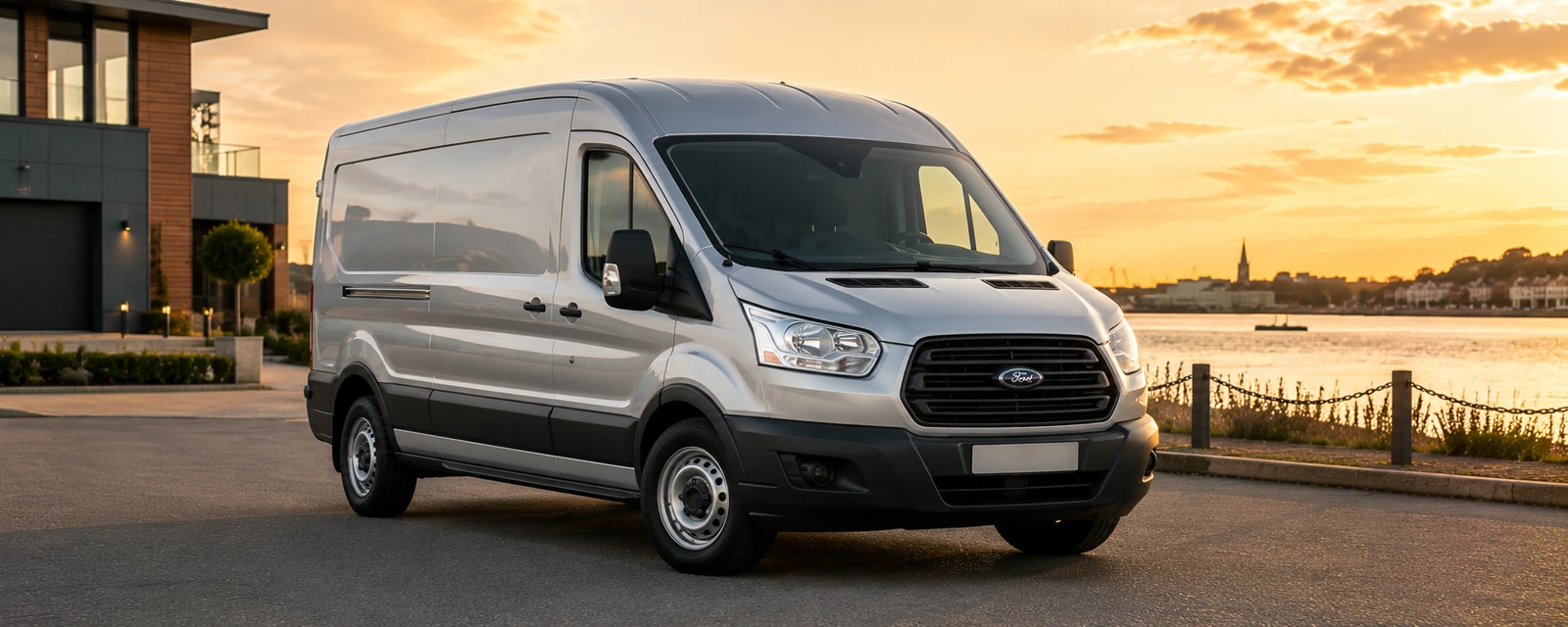
Ford Transit Radio Codes

Ford Transit radio code by serial number, delivered instantly. Works with V, M, Z and C7 serials from the radio screen or label, covering all van models from 1994 onwards.

Enter your serial number
Over 1 million codes delivered worldwide.
Not sure which serial to enter? See examples
Instant Money back guarantee Secure checkout

Step 1 of 3

How to find your Ford serial number

The guide below will show you exactly where to find your Ford radio serial number.

V-Series · Press 1 + 6
Get your serial from the screen
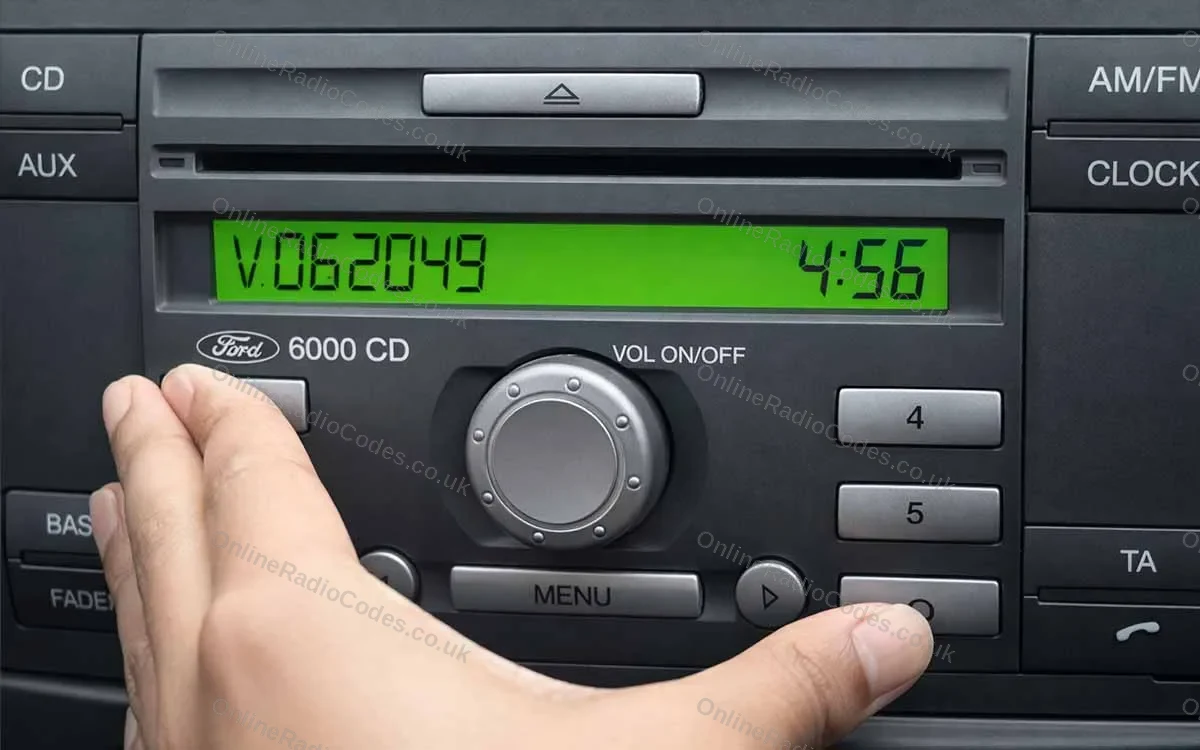
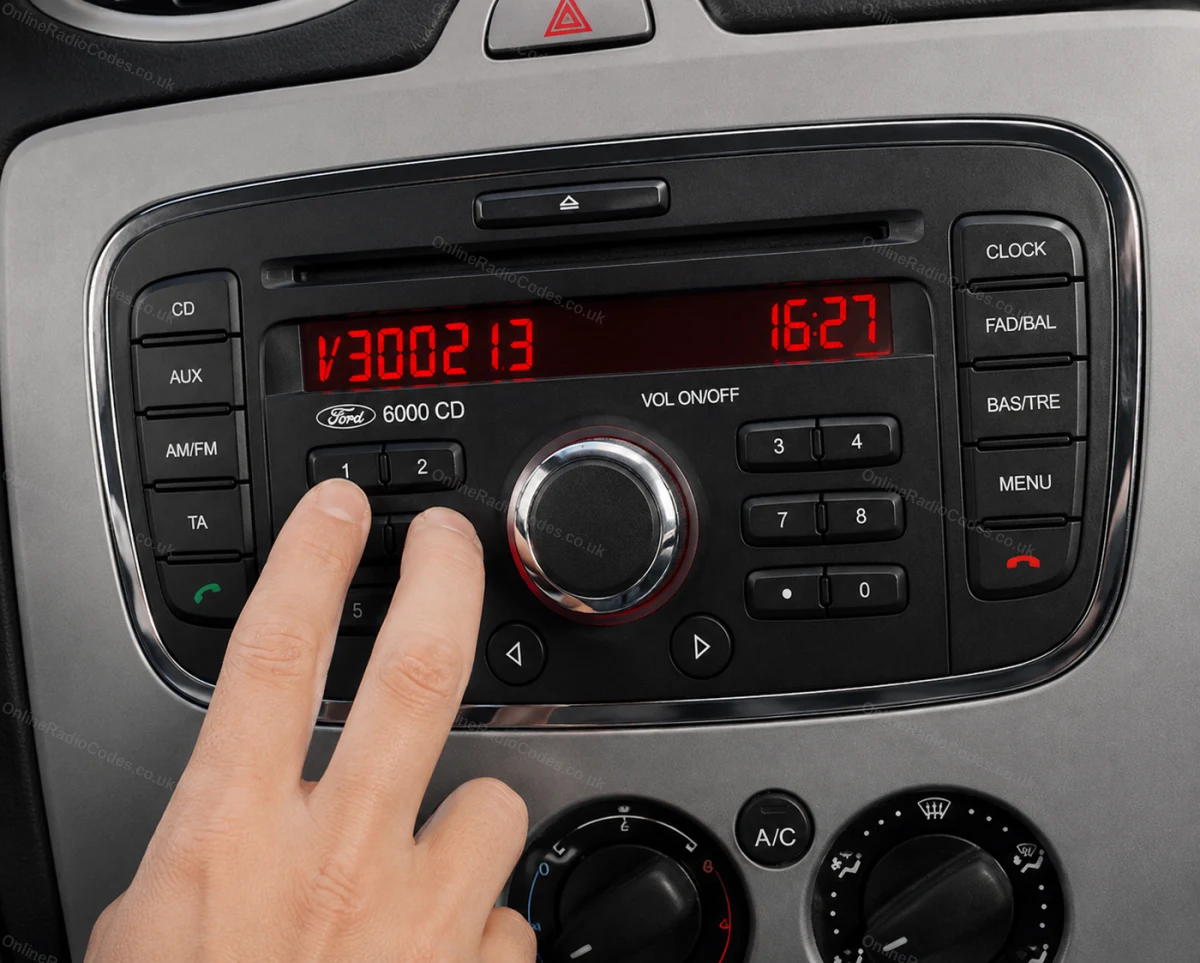
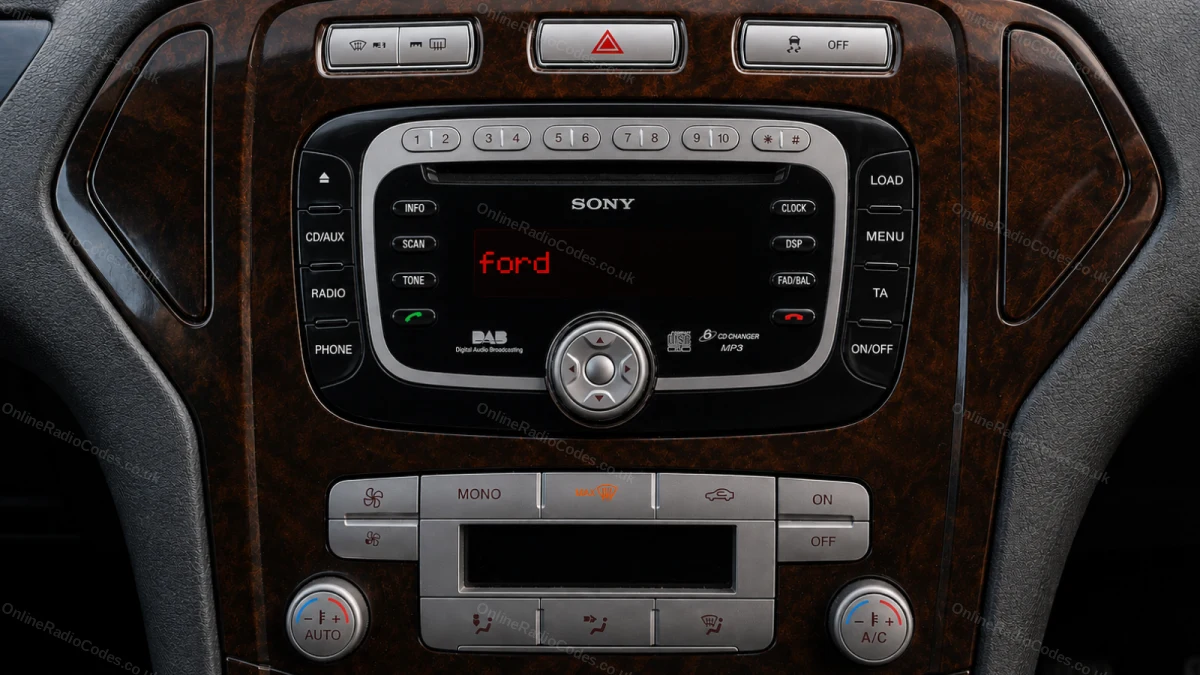
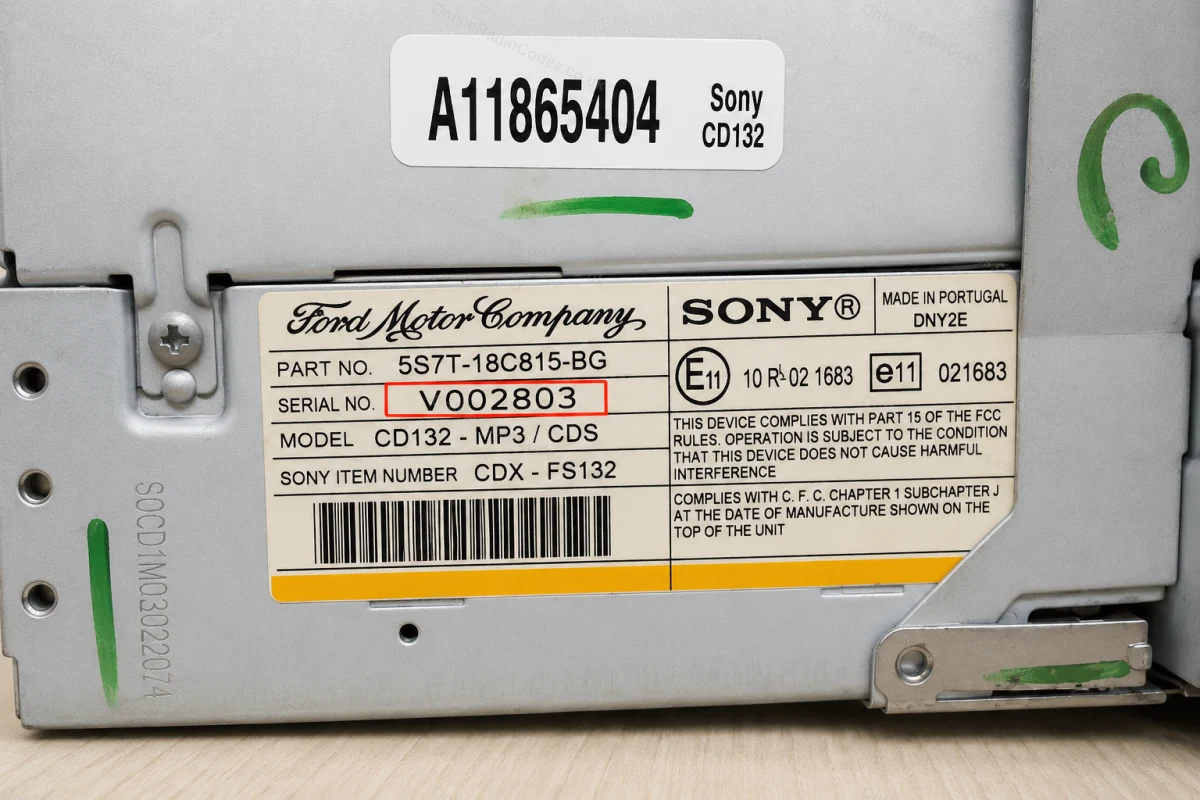
Turn on the ignition and radio. Hold buttons 1 and 6 simultaneously for about two seconds until a serial appears on screen. It starts with V followed by 6 digits (e.g. V062049). Write it down exactly. If nothing appears after two attempts, try buttons 2 and 6 instead.

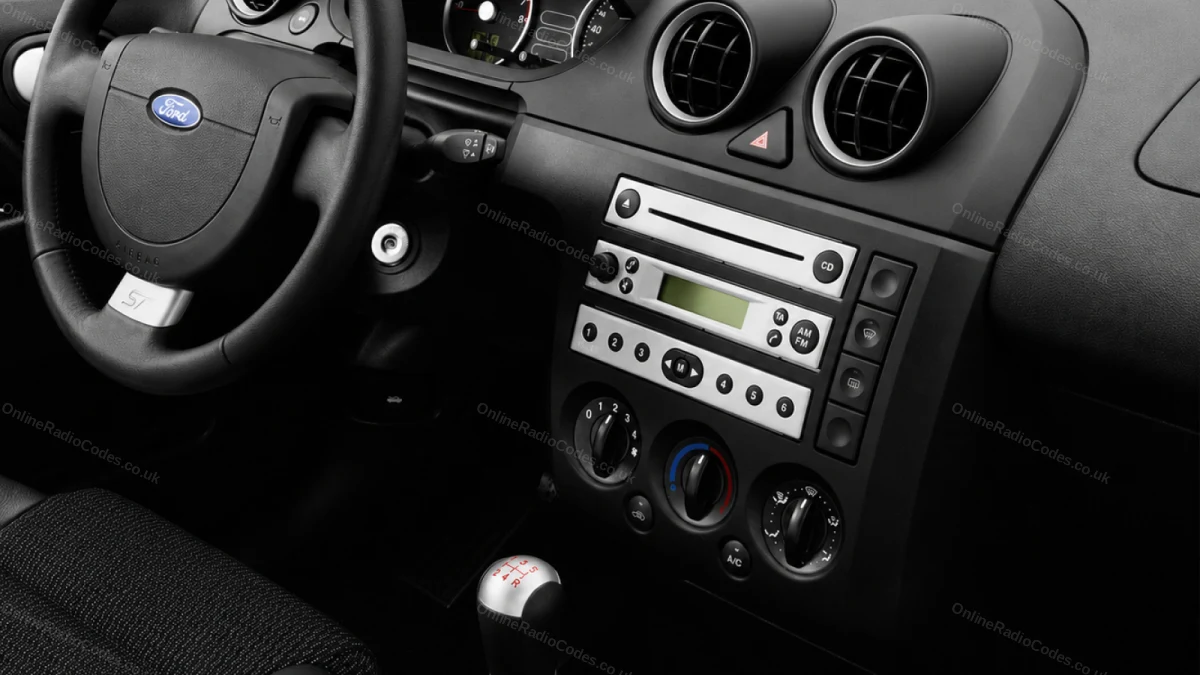
Fitted to Fiesta, Focus, Mondeo, Transit, Galaxy and most Ford models up to 2008.
M-Series · Press 2 + 6
Get your serial from the screen
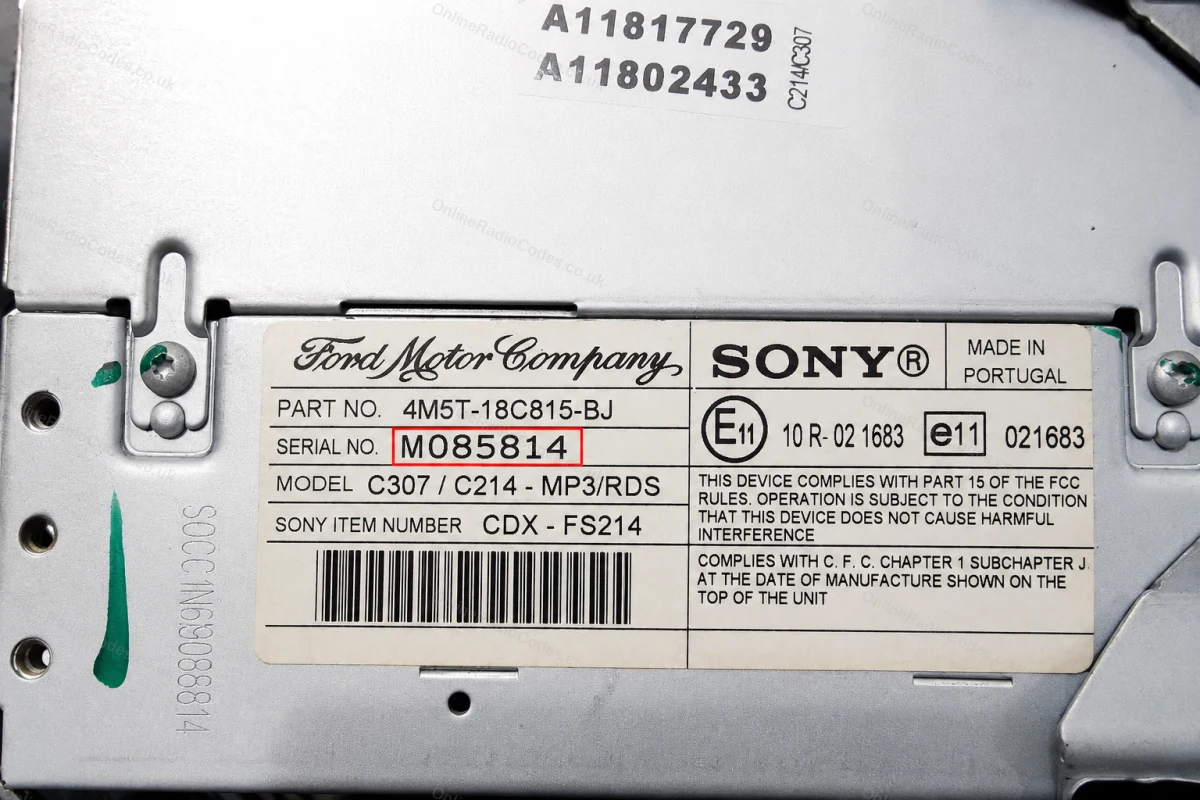
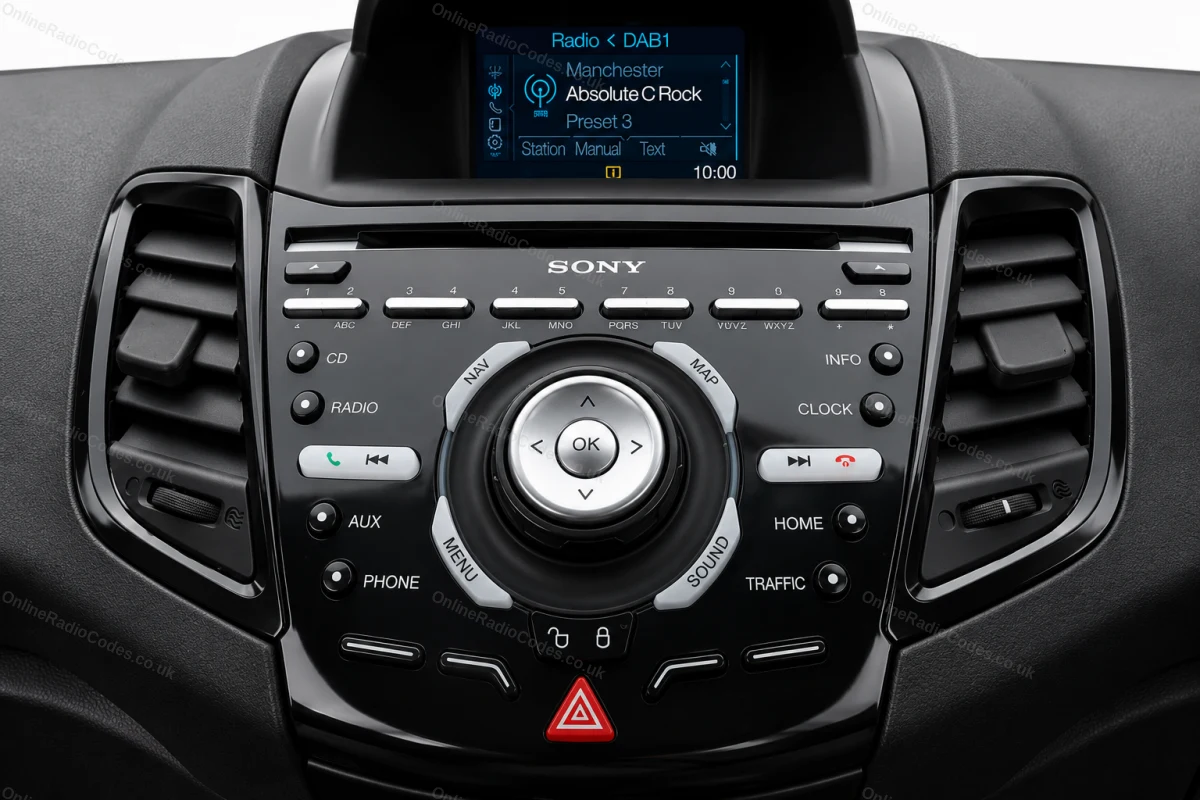
On some Sony MP3 and RDS models hold buttons 2 and 6 simultaneously for about two seconds. The serial starts with M followed by 6 digits (e.g. M085814). If the serial appears in two halves on screen combine them into one string without a space.

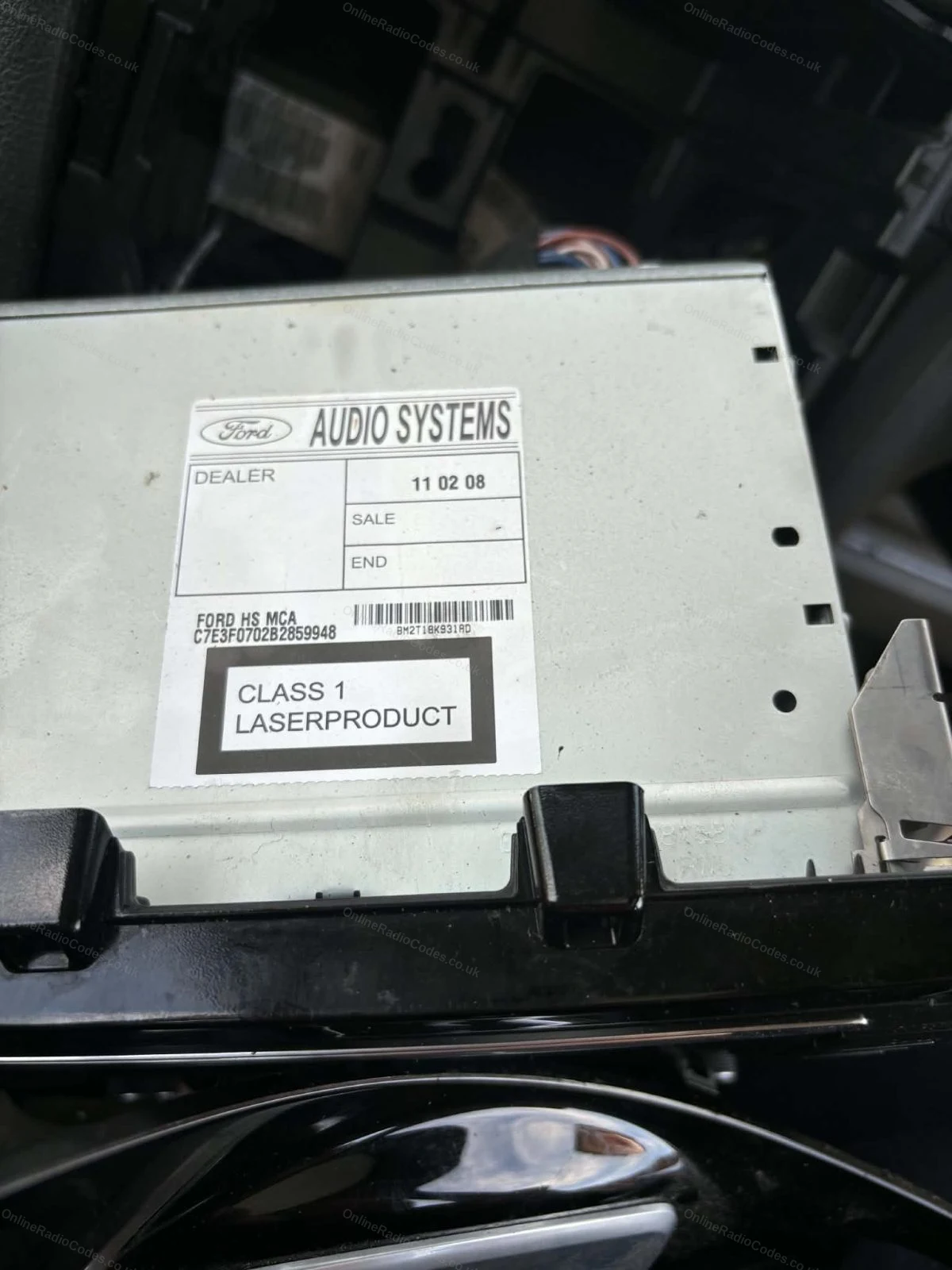
The M serial is also printed on the label on the back of the unit if you need to remove it.
Remove the Radio
Remove the radio to find your serial
Insert DIN release keys into the four corner holes of the fascia and apply gentle outward pressure. The unit slides forward, no wires need disconnecting.

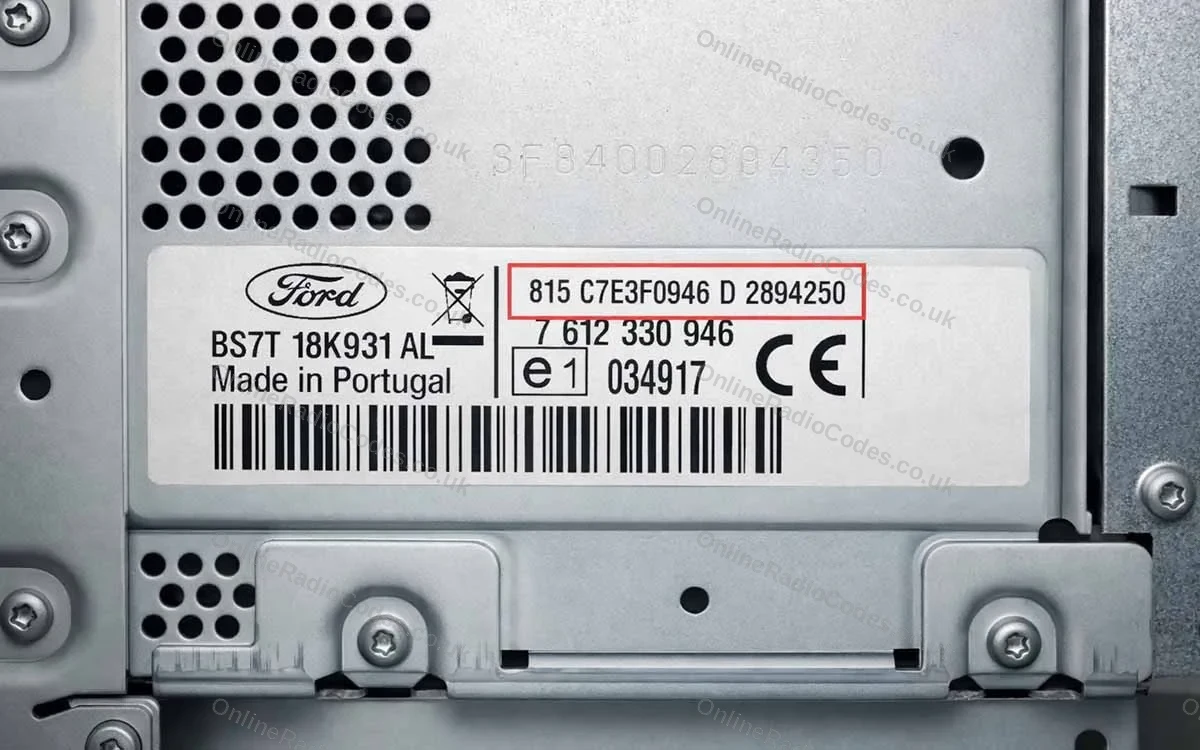
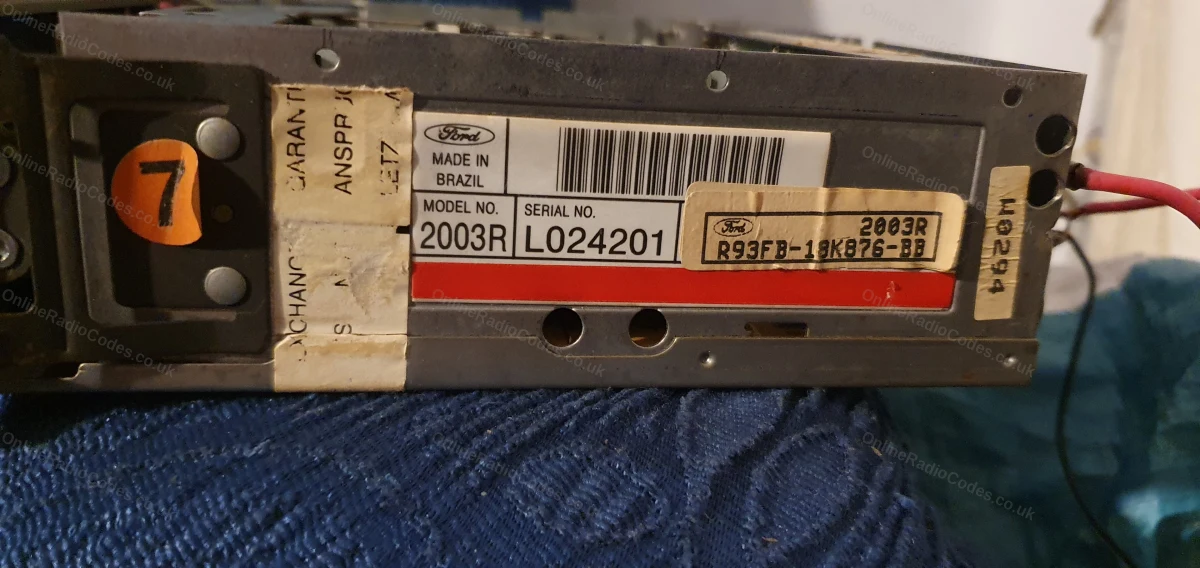
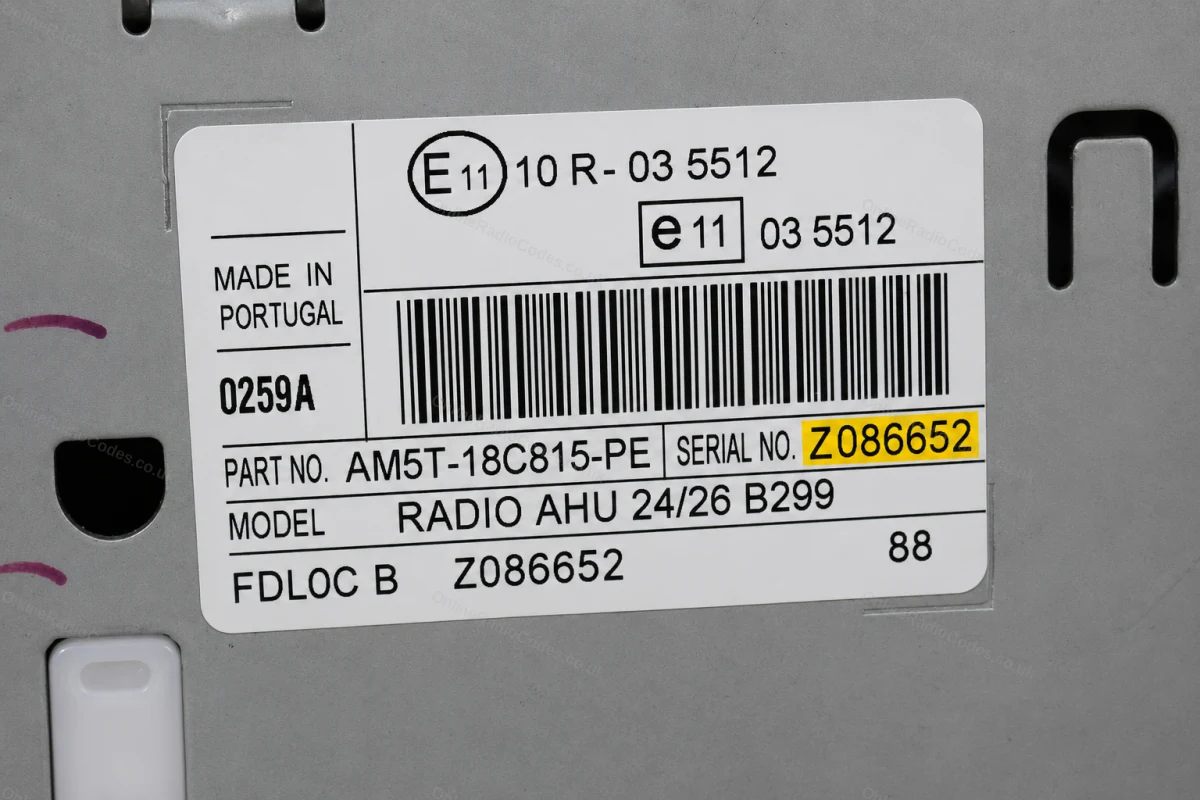
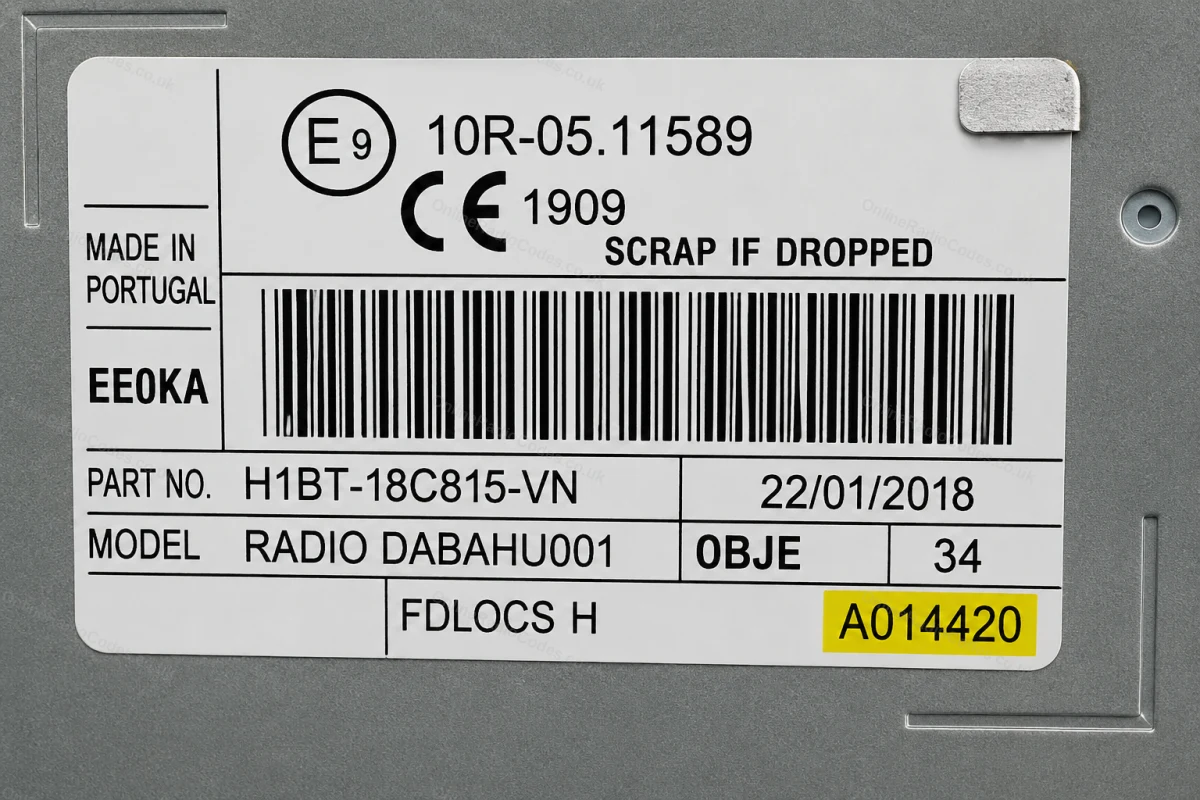
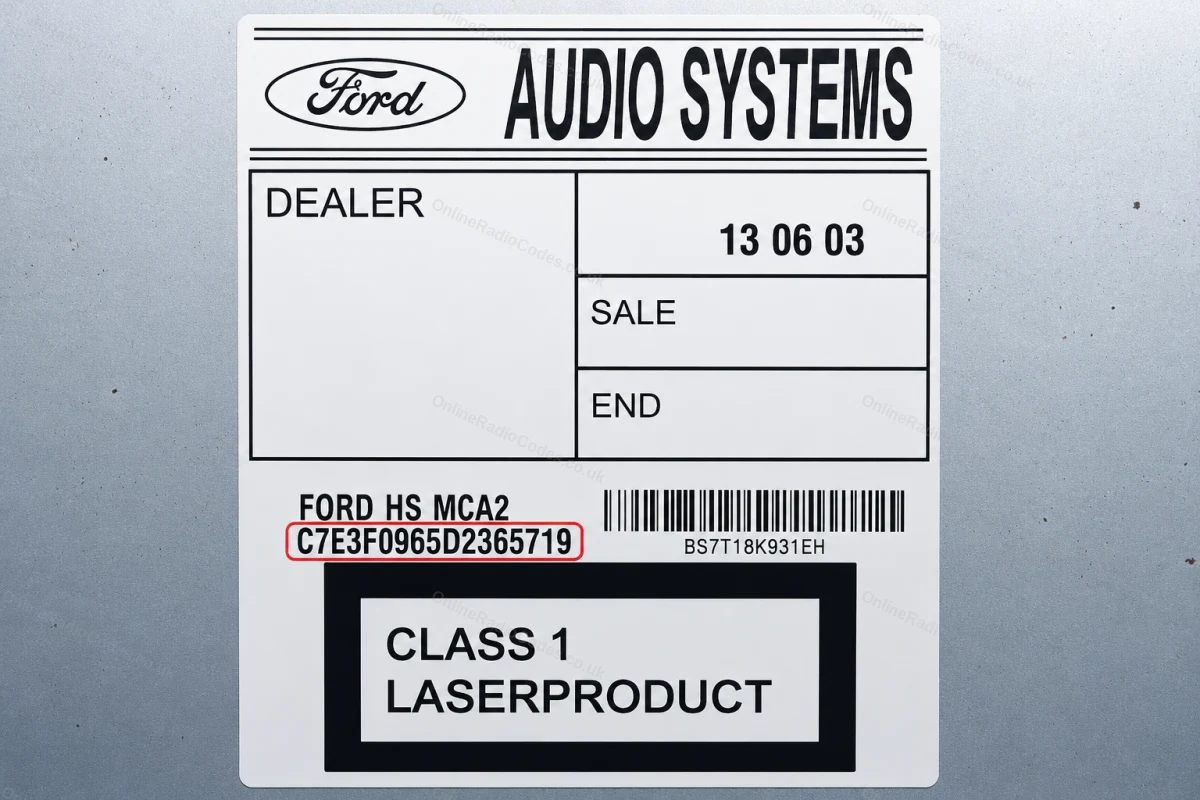
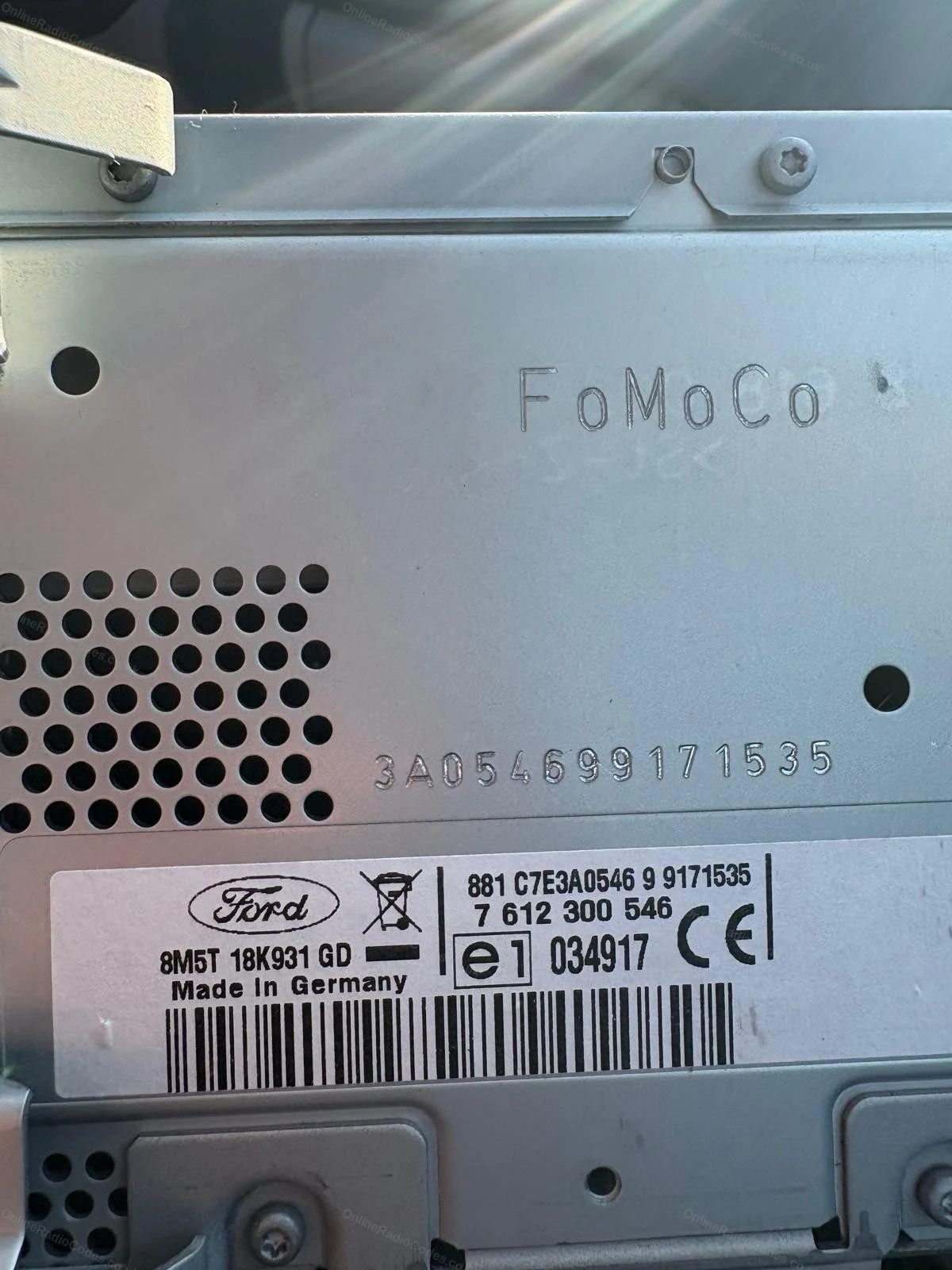
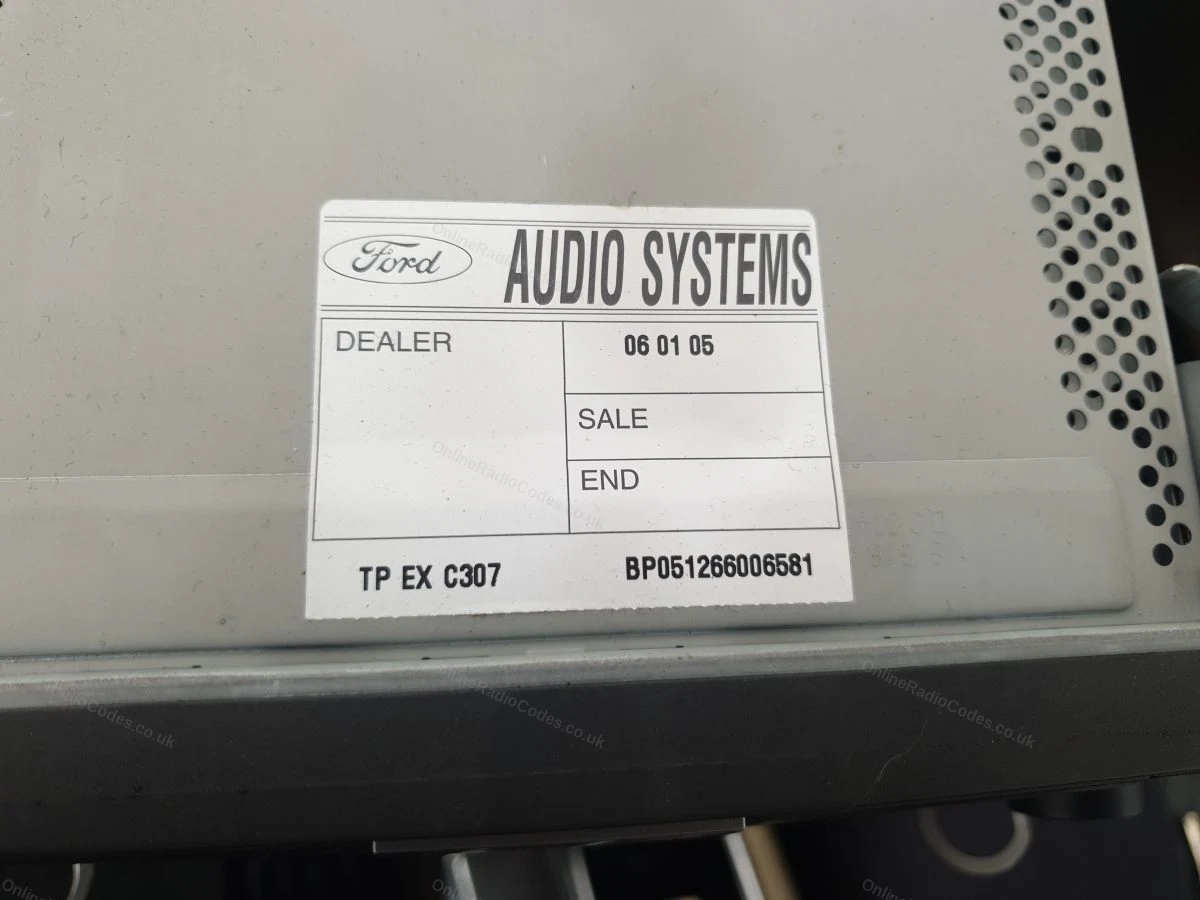
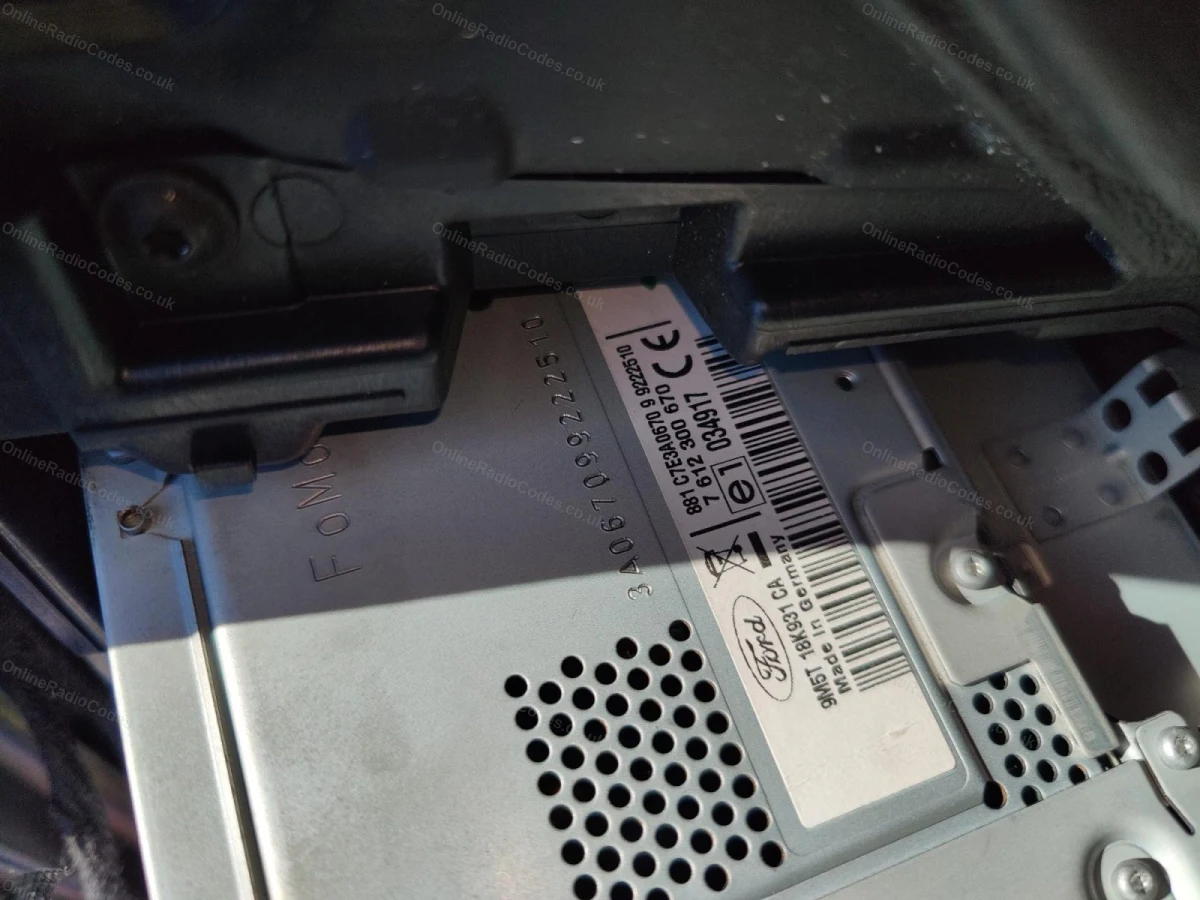
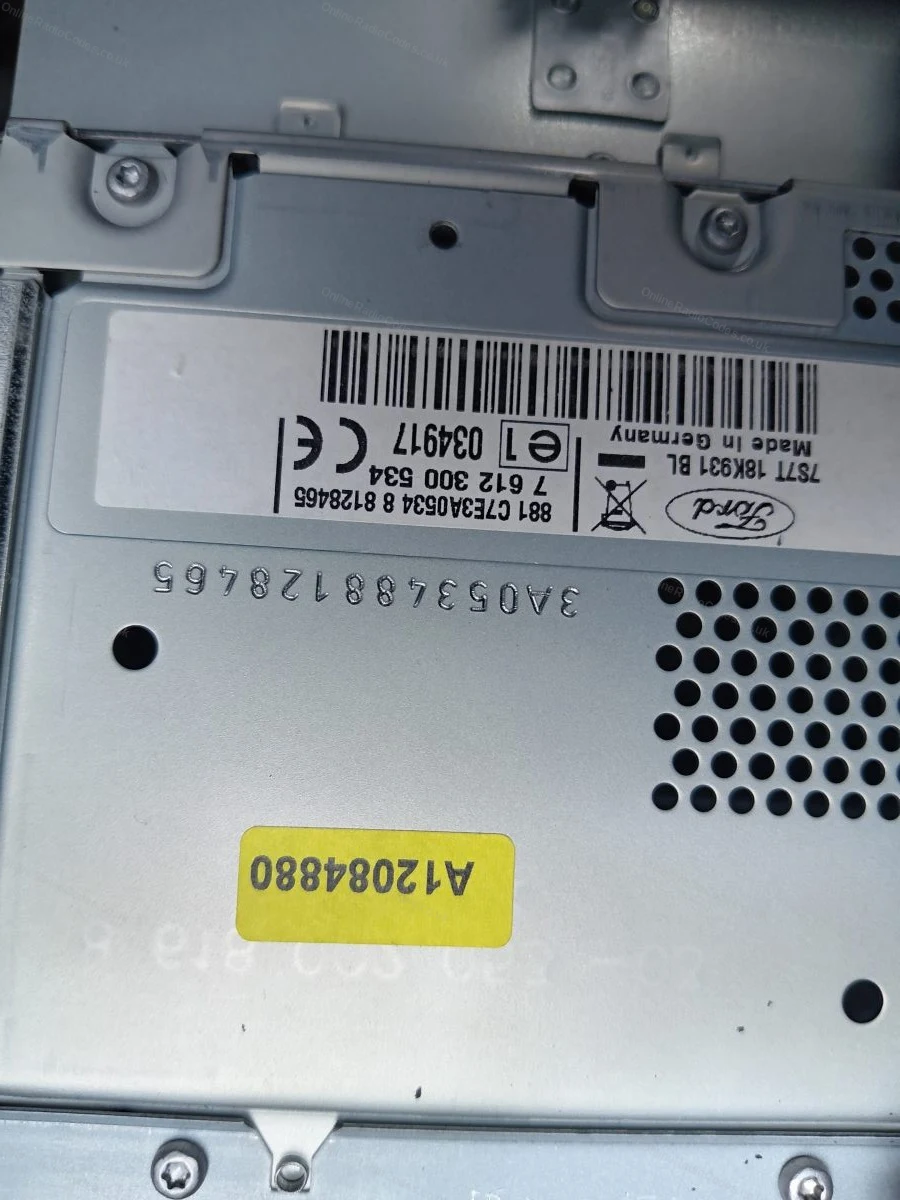
The serial is on a sticker on the back or side of the unit. It may start with V, M, L, C7 or BP depending on the manufacturer, enter it exactly as shown on the label including the prefix letter.
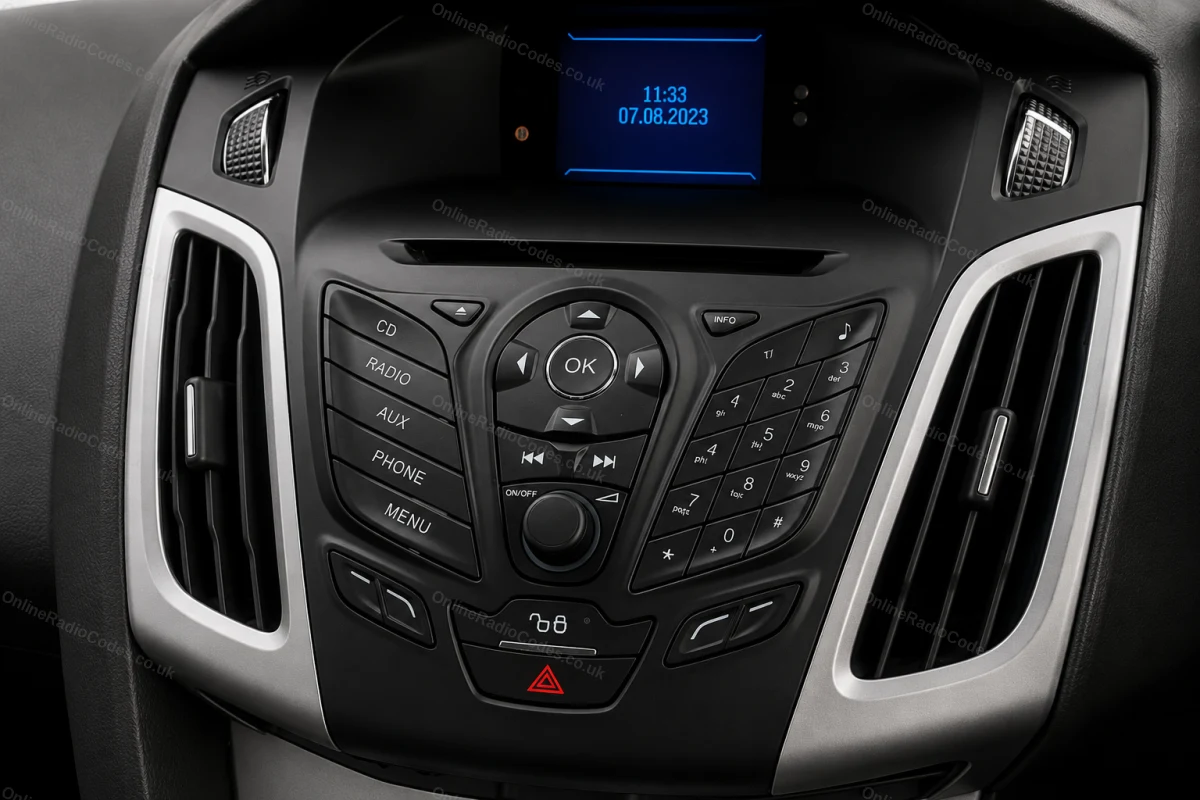
MK7 / MK8 · Z / A Prefix
Get your serial from the screen
Press buttons 1 and 6 as above. From 2008 the serial starts with Z (2008–2017) or A (2018 to present) followed by 6 digits. Enter all 7 characters including the letter prefix. Z and A serials are decoded using the same method.

Fitted to Fiesta MK7+, Focus MK3+, Mondeo MK4+ and most Ford models from 2008 onwards.
Ford TravelPilot
Remove the unit to find your serial
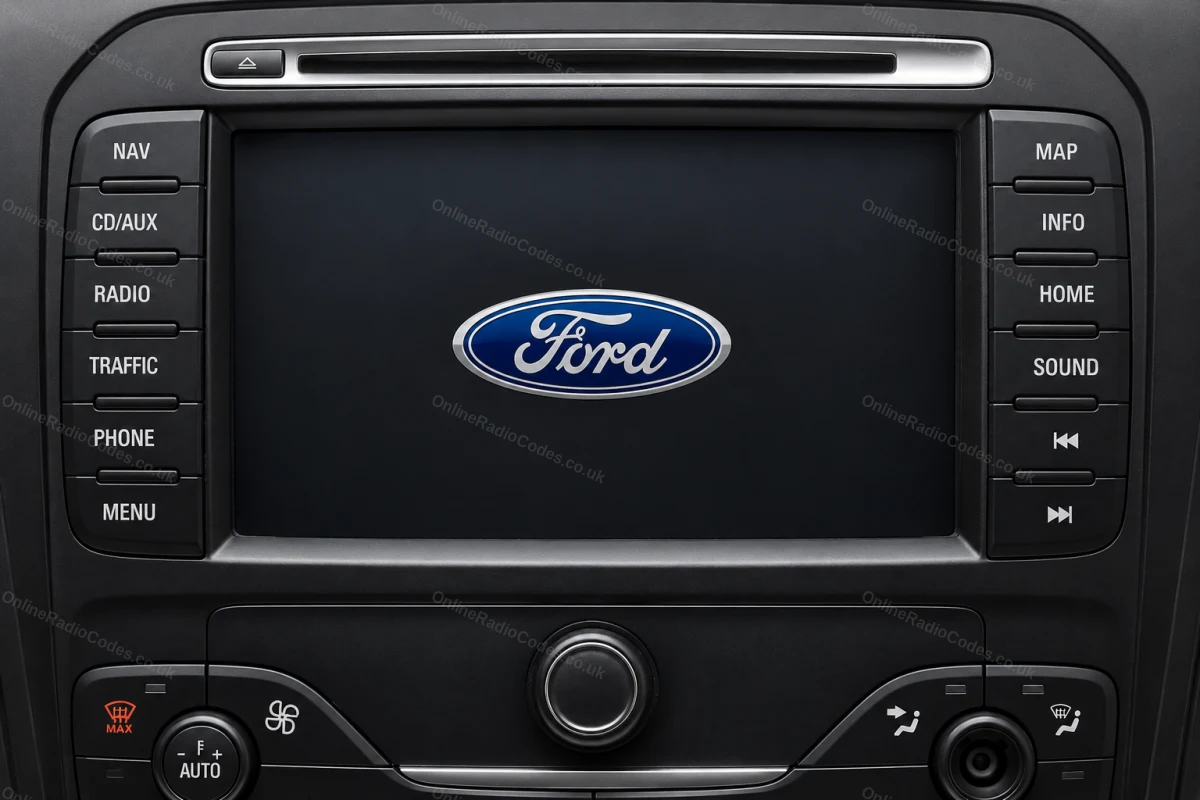
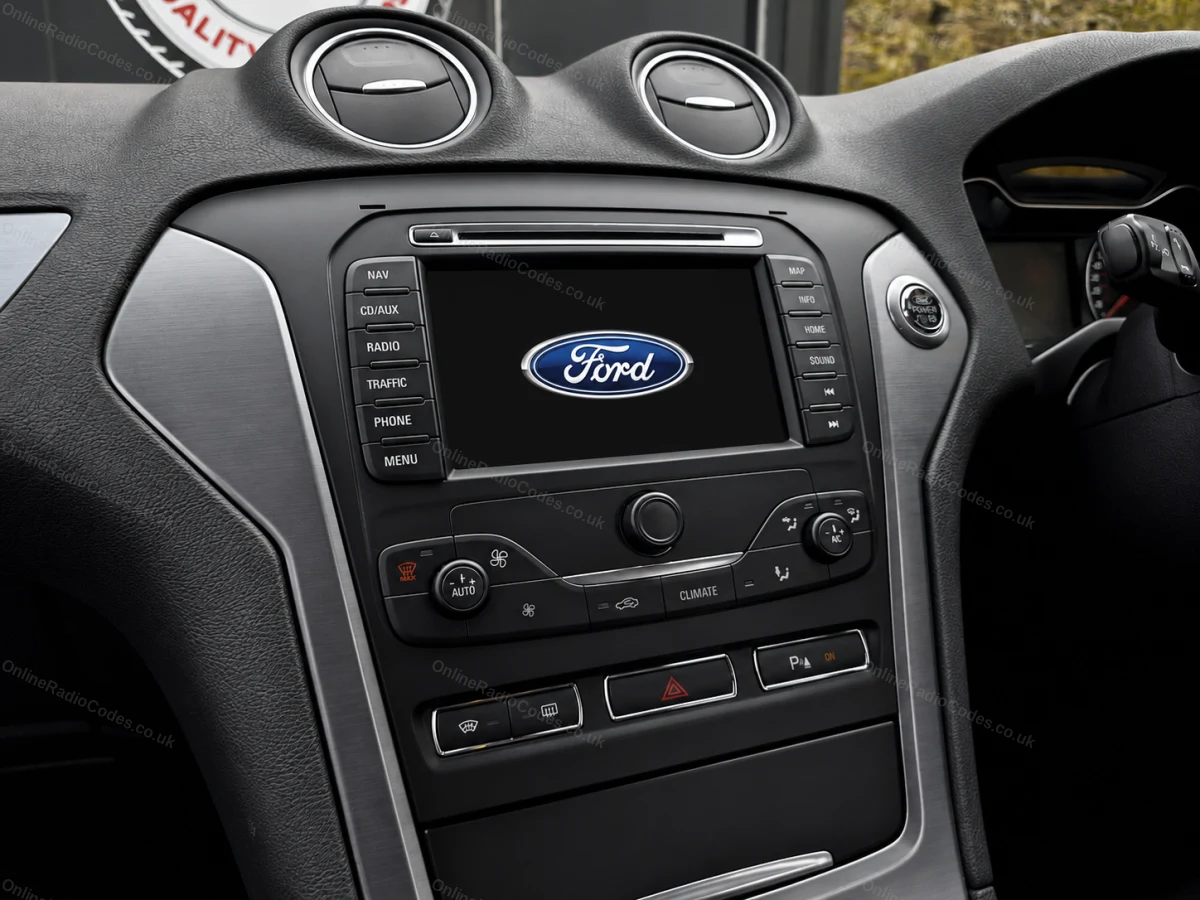
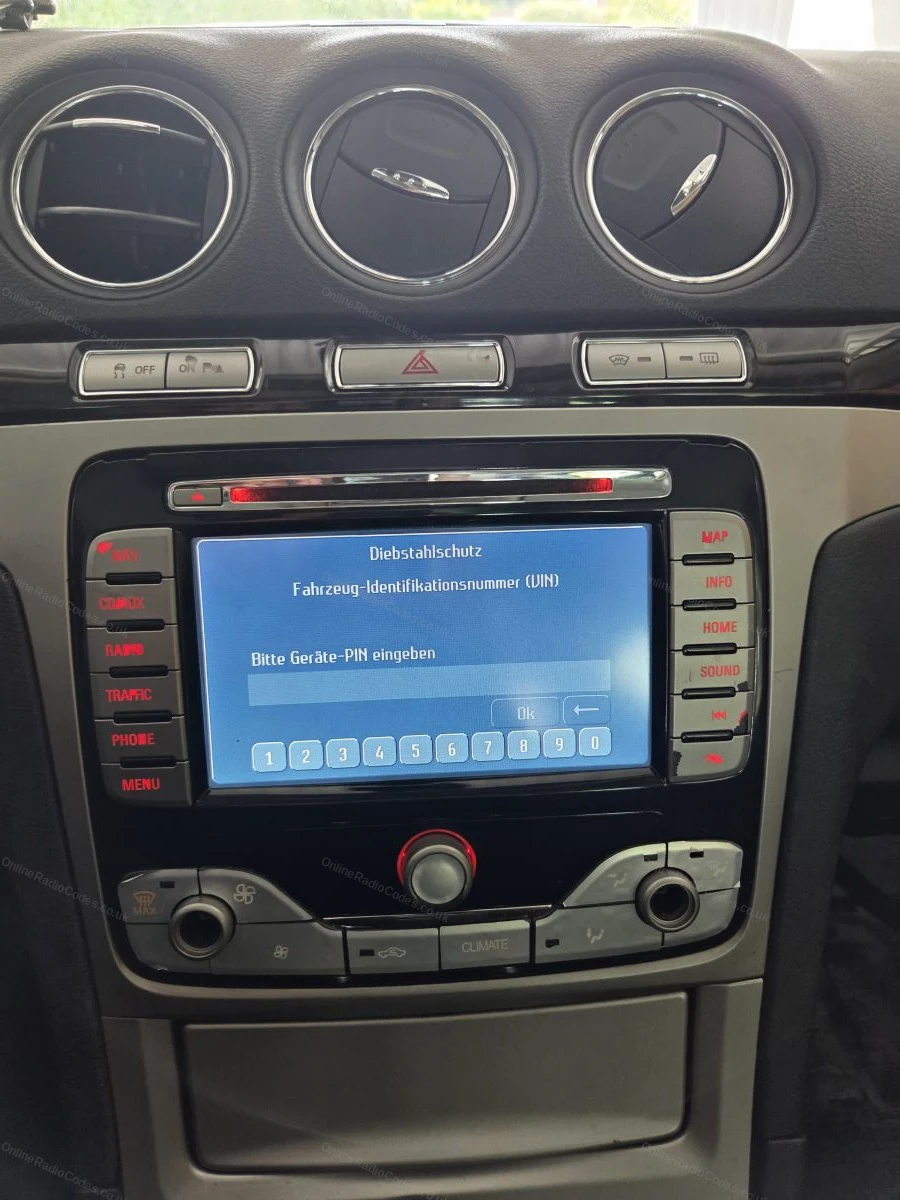
The Ford TravelPilot is a built-in touchscreen navigation unit. You will need to remove the unit to find the serial, insert release keys into the four corner holes and slide it forward.

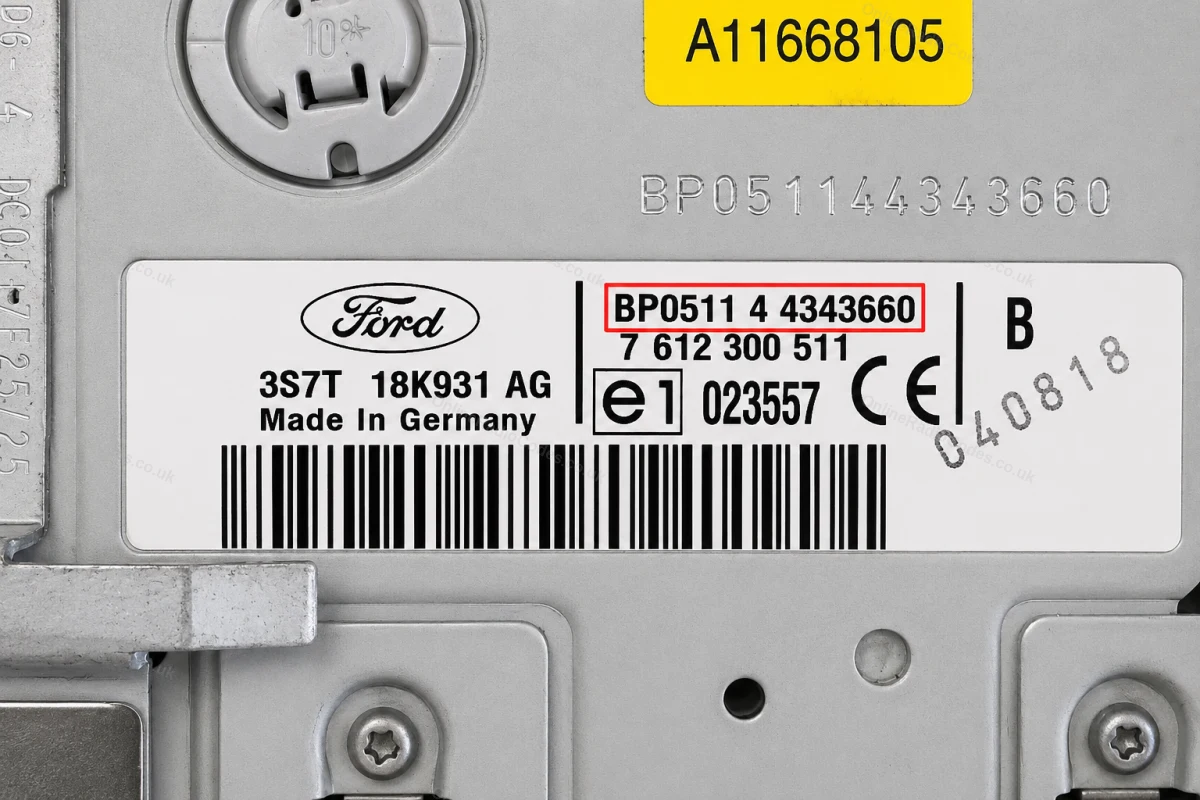
The serial is on a sticker on the back of the unit. It starts with BP (2001–2007, e.g. BP0511 4 4343660) or C7 (later models, e.g. C7E3F0965D2365719). Enter the full string exactly as shown including the prefix.
What your Ford serial looks like
V-Series V123456
M-Series M987456
Z-Series Z435692
C7-Series C73F0961C0536857
BP-Series BP62034596031
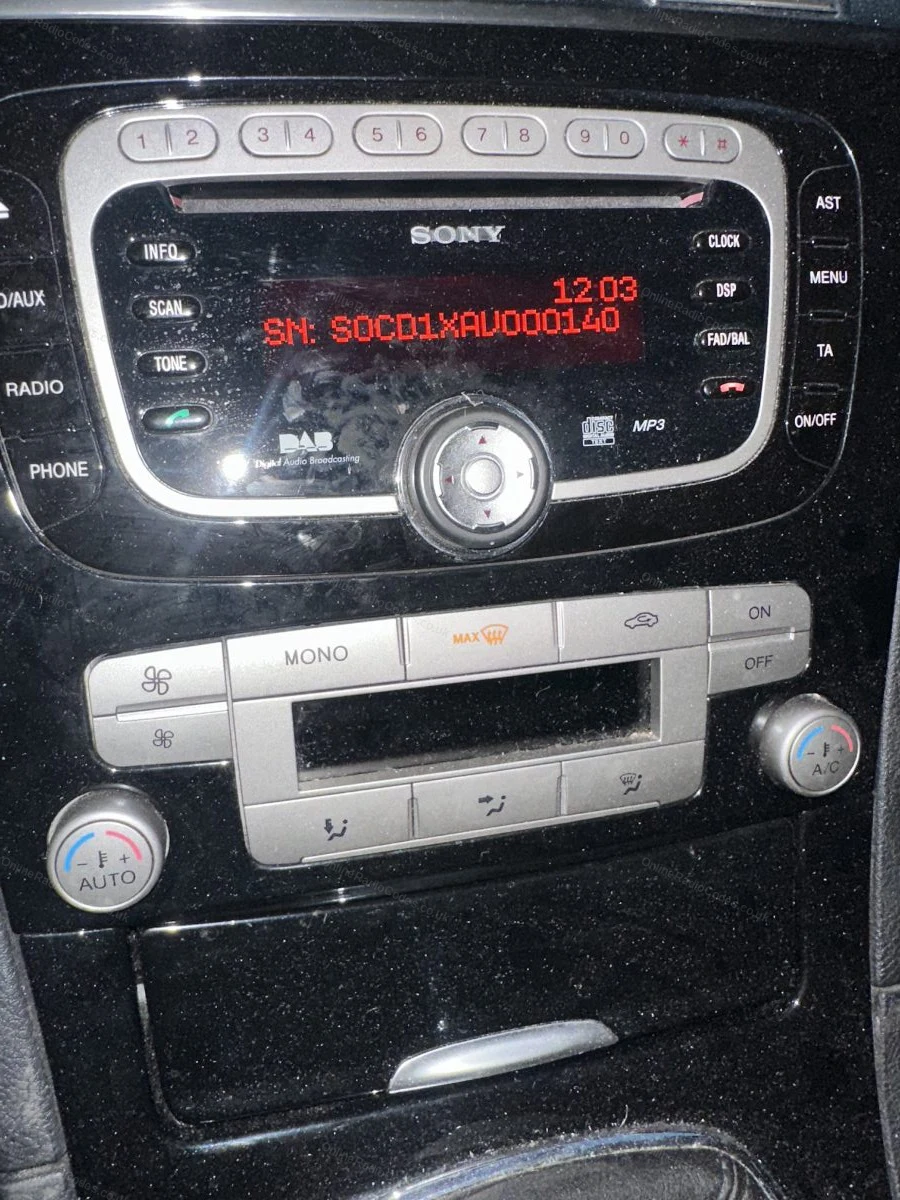
Sony (SN/SOCD) SN SOCD6X7V011473
L-Series L033843
C-Series C123456
Figo / Visteon VC0AKZ13211068
Figo / Visteon (FIB) FIB123456

Can't find it? Contact us. We'll help you locate your serial before you pay a penny.

Since 2015 · 1 million codes

The World’s Leading Ford Radio Code Service

A Decade of Decoding
Retrieving car radio codes since 2015, with more than a million codes delivered. Registered UK company No. 09736186. Read our story
Your Code, Fast
Most codes appear on screen the moment payment clears. The rest are handled by our team, usually within the hour in business hours.
Works, or Your Money Back
If your code does not work, we refund you in full. One of the very few radio code services that backs every single order.
Your Code, Kept for Life
Lose your code in five years? We keep it on file and will resend it free of charge, as many times as you need.

Real people, worldwide, around the clock

Meet our radio experts

A small team who have decoded radios for a decade, backed by Casanova, our AI assistant, around the clock. Wherever you are in the world, someone real is on the other end of the chat.

Live chat and email 24/7. Phones Monday to Friday, UK hours.

  • Gavin Wilson Gavin
  • Emma Keevney Emma
  • Lucy Flynn Lucy
  • Mika Jones Mika
  • Liz Wilson Liz
  • Nova, our AI assistant Nova 24/7

FAQ

Frequently asked questions

Which radios are fitted to the Ford Transit?
Most Transit models from 2006 onwards use the 6000 CD or Sony unit. Transit Connect and some earlier vans may have different units. Check the face of the radio for branding or use the serial guide above to identify yours.
How do I get the serial on a Transit 6000 CD?
Hold buttons 1 and 6 at the same time. The serial appears on the display and begins with M, V or C.
Can I get a code for a Transit Connect radio?
Yes. Transit Connect radios use the same Ford serial format. The button combination above will display the serial and you can order as normal.
What does a Ford Transit radio serial look like?
Most Transit serials are the letter V followed by six digits, for example V012345, shown on the display of the 6000 CD when you hold presets 1 and 6. Older units use M followed by six digits, and TravelPilot navigation units use a serial beginning C7. Note it is always a zero after the V, never the letter O.
Do I need to remove the radio from my Transit?
Usually not. The 6000 CD and most Transit units show the serial on screen with the button method. Removal is only needed if the screen method fails or the unit is an older M series, where the serial is printed on the casing label.
How quickly will I get my Transit code?
Instantly. Ford codes are displayed on screen the moment your order goes through and emailed to you at the same time, so a Transit that is off the road for a battery swap is back with sound in a couple of minutes.
I fitted a second hand radio to my Transit. Can you still decode it?
Yes, and this catches a lot of van owners out: the code belongs to the radio, not the vehicle. Get the serial from the replacement unit itself and order against that. The code from your old radio will not work in the new one.

Verified · Trustpilot

Don't just take our word for it

See all reviews on Trustpilot
5 stars
3 hours ago Trustpilot

Truly amazing service.

Great customer service! Fast response and code was next day. Truly appreciate the honesty and professionalism.Matt Levin is probably a service adviser at dub…

Fahad Shaji · US · Volkswagen
5 stars
3 hours ago Trustpilot

I love this company

I love this company. They have helped me several times, and even when there was some difficulty with one code, they continued searching and came through. I…

Chris Osborn · US
5 stars
7 hours ago Trustpilot

Super quick response and had the code I…

Super quick response and had the code I needed within the hour as quoted. Would definitely use them again and thank you for your help :-)

Guy Horner · GB
5 stars
8 hours ago Trustpilot

Website is easy to navigate

Website is easy to navigate, simple and speedy. Code worked perfectly thanks.

customer · GB
5 stars
11 hours ago Trustpilot

I was sceptacle at first and wasn’t…

I was sceptacle at first and wasn’t sure if I were going to get a valid code or not. There’s so many scams out there anymore. I did receive my code and was p…

James Haney · US
5 stars
11 hours ago Trustpilot

Brilliant.

Brilliant.After having to get a jump start on car.Needed authenticity code for media system.This company got me back up and running in no time.Fantastic

Stephen · GB
4 stars
17 hours ago Trustpilot

Codice radio inviato immediatamente

Codice radio inviato immediatamente, ma sono davvero molto costosi! Sanno che abbiamo l'urgenza di avere le nostre cose e un pochino se ne approfittano. 15,9…

Aida Mazzeo · IT
5 stars
1 day ago Trustpilot

I received correct code for radio in my Ford Focus 2005

I received correct code for radio in my Ford Focus 2005. purchase process was quick, straightfull. I am absolutely satisfied. younhave to know correct serial…

customer · SK · Ford
5 stars
1 day ago Trustpilot

Highly recommend !!!

After purchasing the code to reset the radio in a van I'm gifting to a family member, to my dismay, it did not work. HOWEVER . . . after a few email corresp…

K Cutty · US
See our 22,335 reviews on Trustpilot

Ready to unlock your Ford radio?

Enter your serial number above and get your unlock code in seconds.

Get my code now
Online Radio Codes is an independent radio code service and is not affiliated with, authorised by, or connected to Ford Motor Company Limited or any of its subsidiaries or affiliated companies. All manufacturer names, model names and trademarks are the property of their respective owners and are used solely for identification and reference purposes.
Get my radio code