100% Money Back Guarantee The World's Leading Car Radio Code Service Trusted by 1,000,000+ customers
Renault Renault · Radio Codes
Instantly Displayed

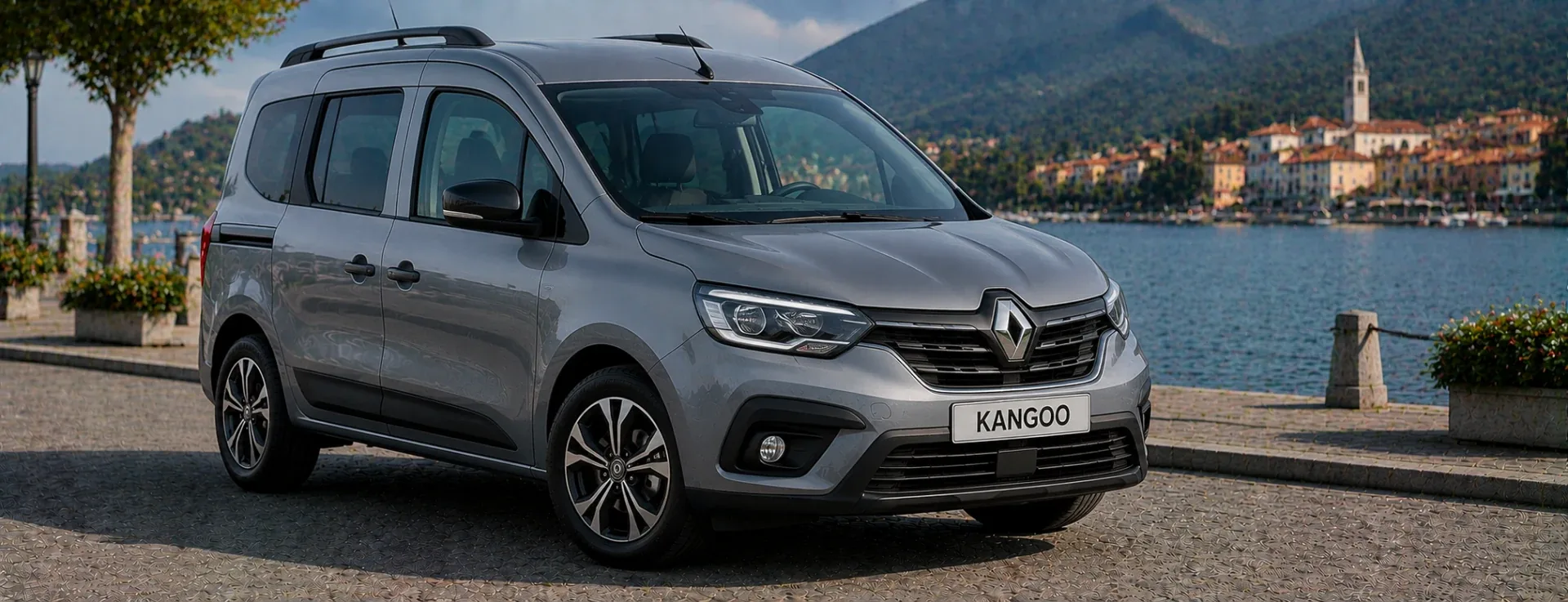
Renault Kangoo Radio Codes

Renault Kangoo radio code by VIN, delivered instantly. The Kangoo uses a factory-fitted unit decoded from the 17-digit VIN.

Enter your serial number
Over 1 million codes delivered worldwide.
Not sure which serial to enter? See examples
Instant Money back guarantee Secure checkout

Step 1 of 3

How to find your Renault serial number

The guide below will show you exactly where to find your Renault radio serial number.

Enter your 17-character VIN (quickest method)
VIN Code
Enter your 17-character VIN (quickest method)
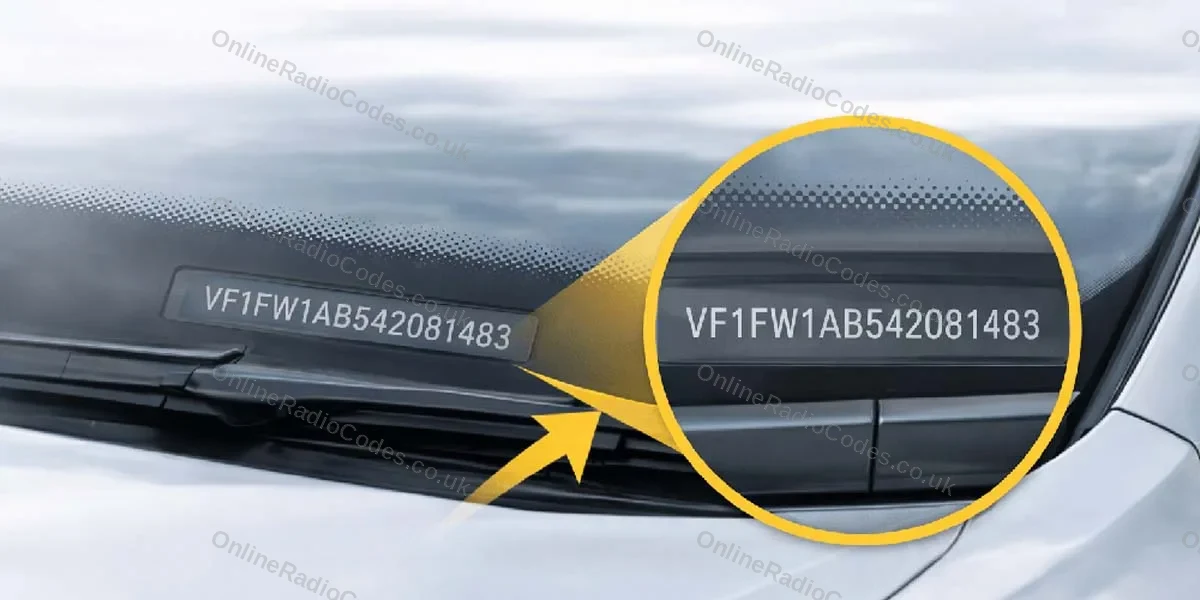
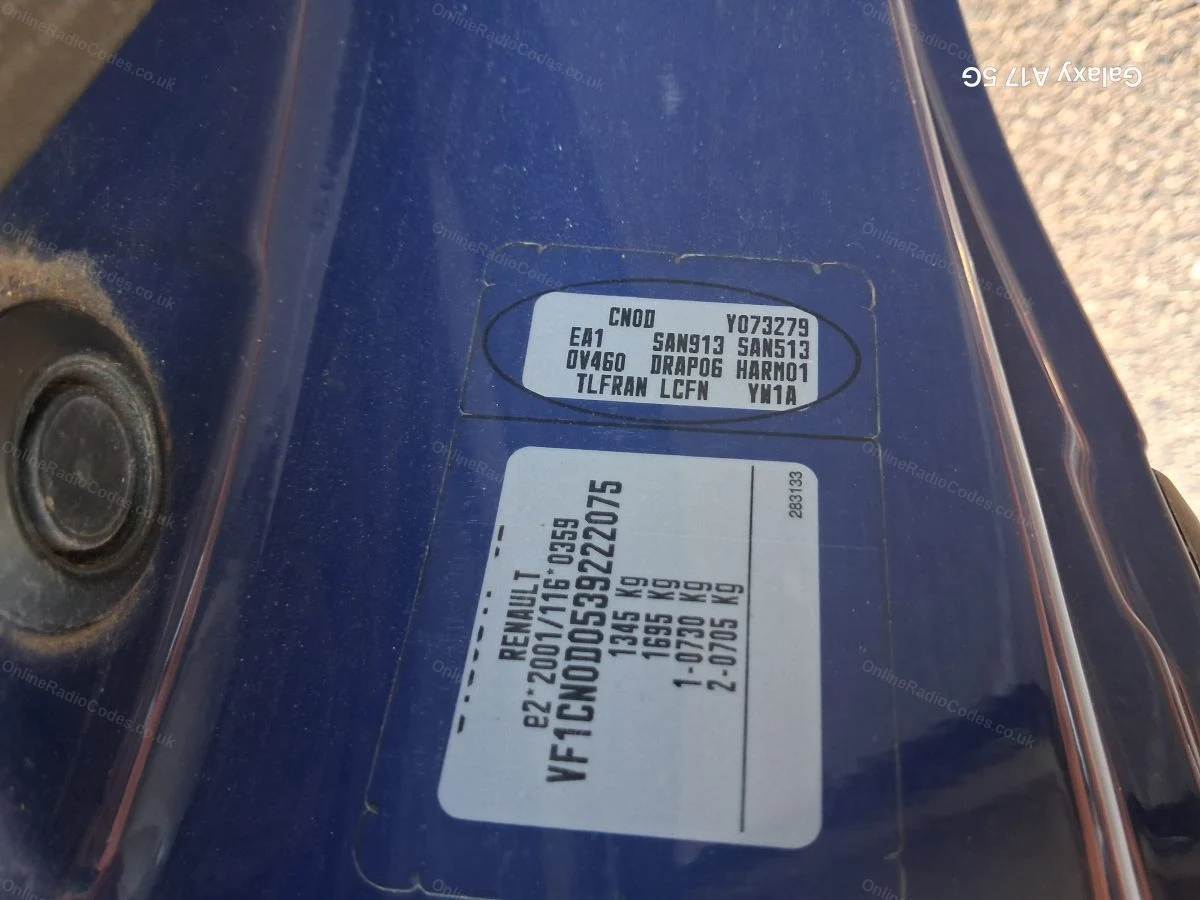
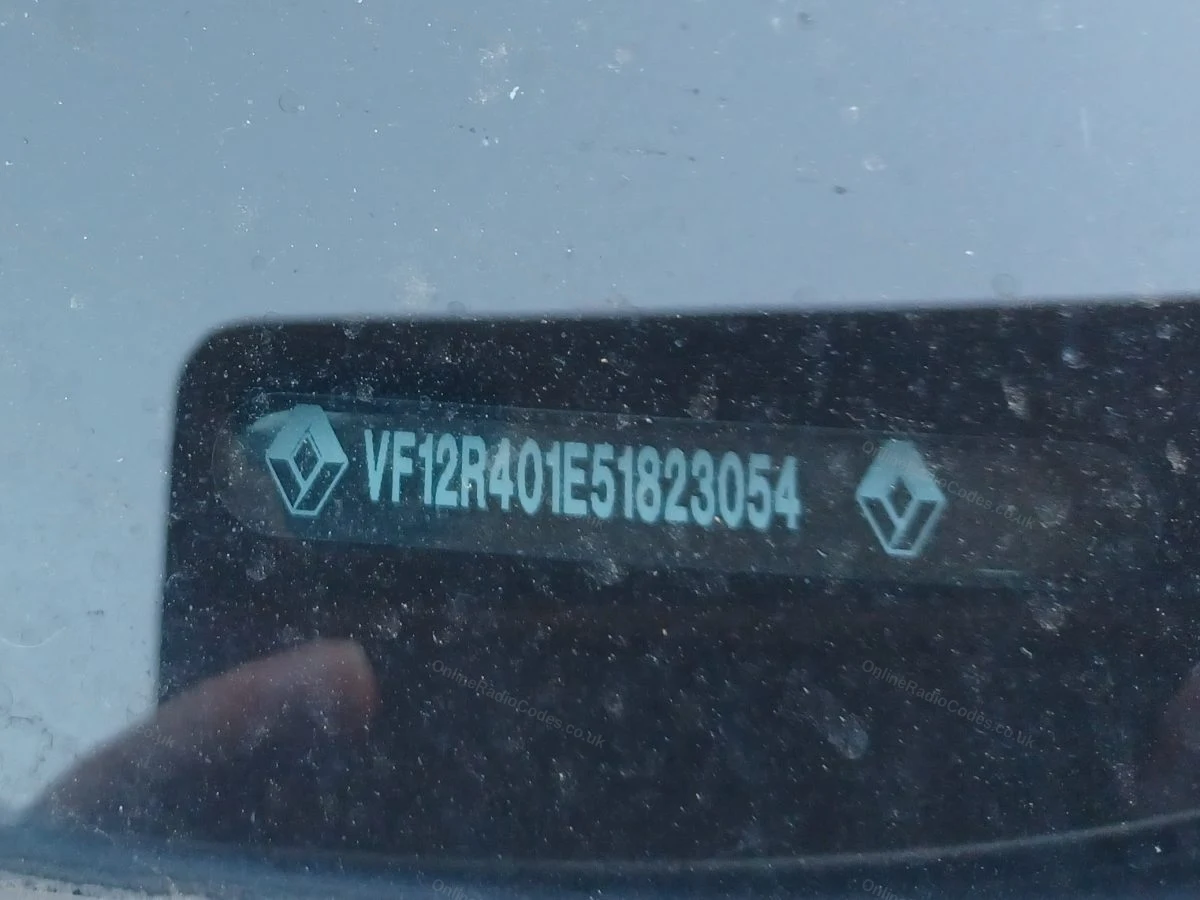
The fastest way to get your code without touching the radio. Your VIN is printed on the windscreen base plate (visible from outside the car), the driver’s door jam sticker, or in your V5C logbook.

Renault VINs typically start with VF1, 8A1, 93Y or 9FB. Enter all 17 characters in the serial field above.

Your code is delivered instantly provided the VIN entered is correct.
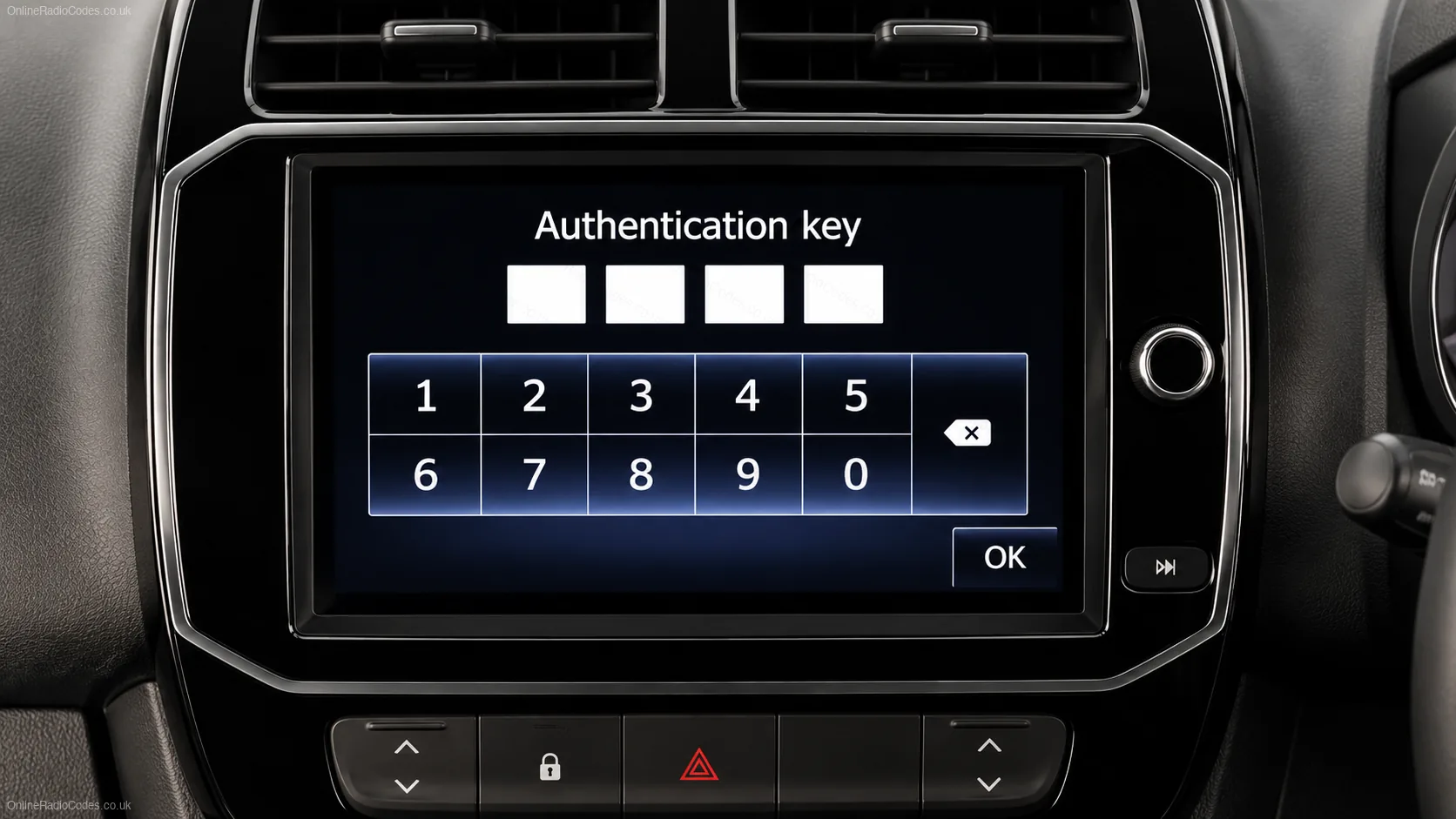
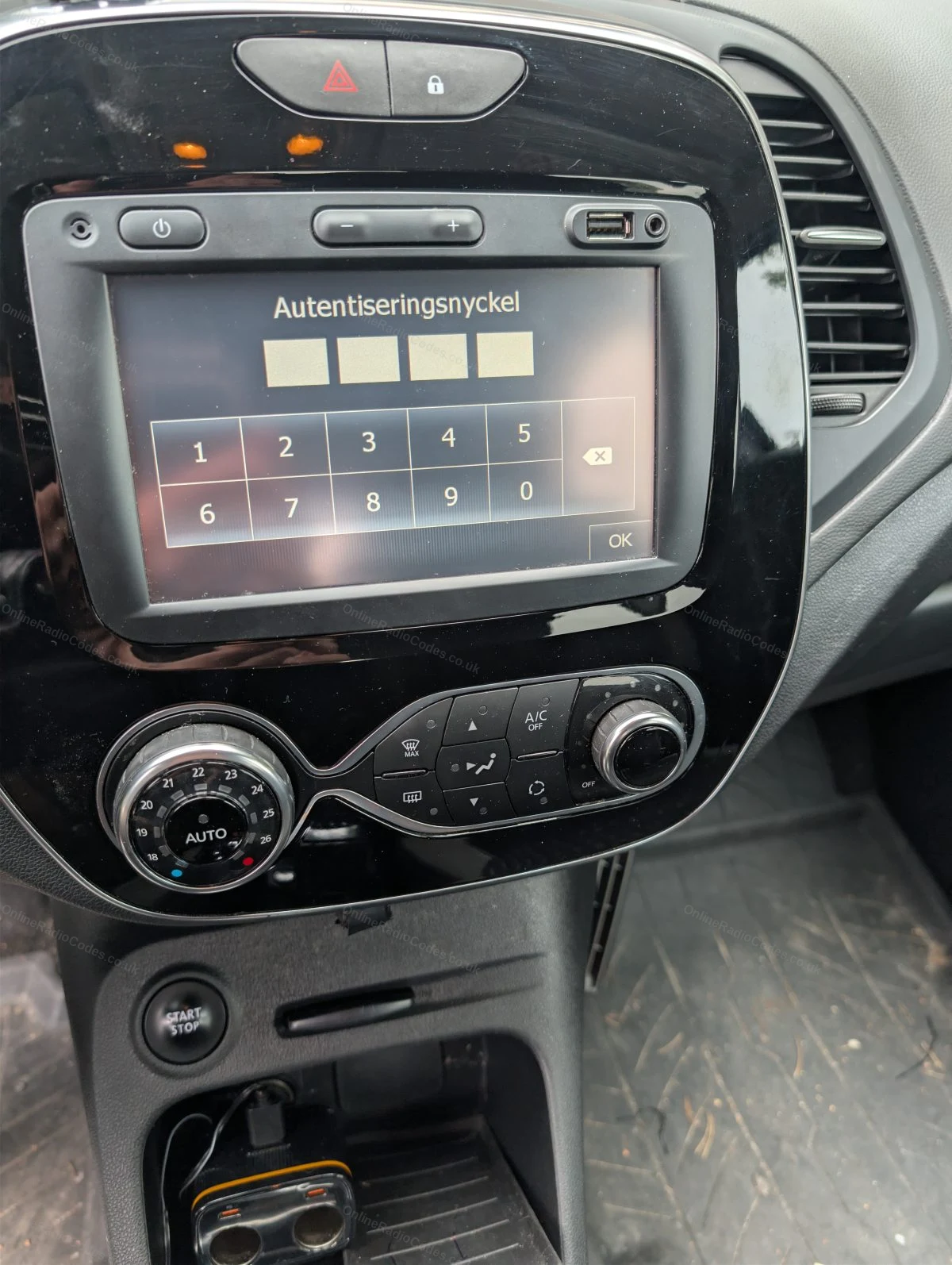
Looking for your Renault authentication key?
Authentication Key
Looking for your Renault authentication key?
Simply enter your vehicle's VIN number into the serial number box at the top of this page and we will do the rest. No radio removal required.

Your VIN number can be found on the windscreen, in the door jamb of your car, or on your vehicle registration document.

See our full Renault authentication key guide →
Remove the radio from the dashboard
Radio Removal
Remove the radio from the dashboard
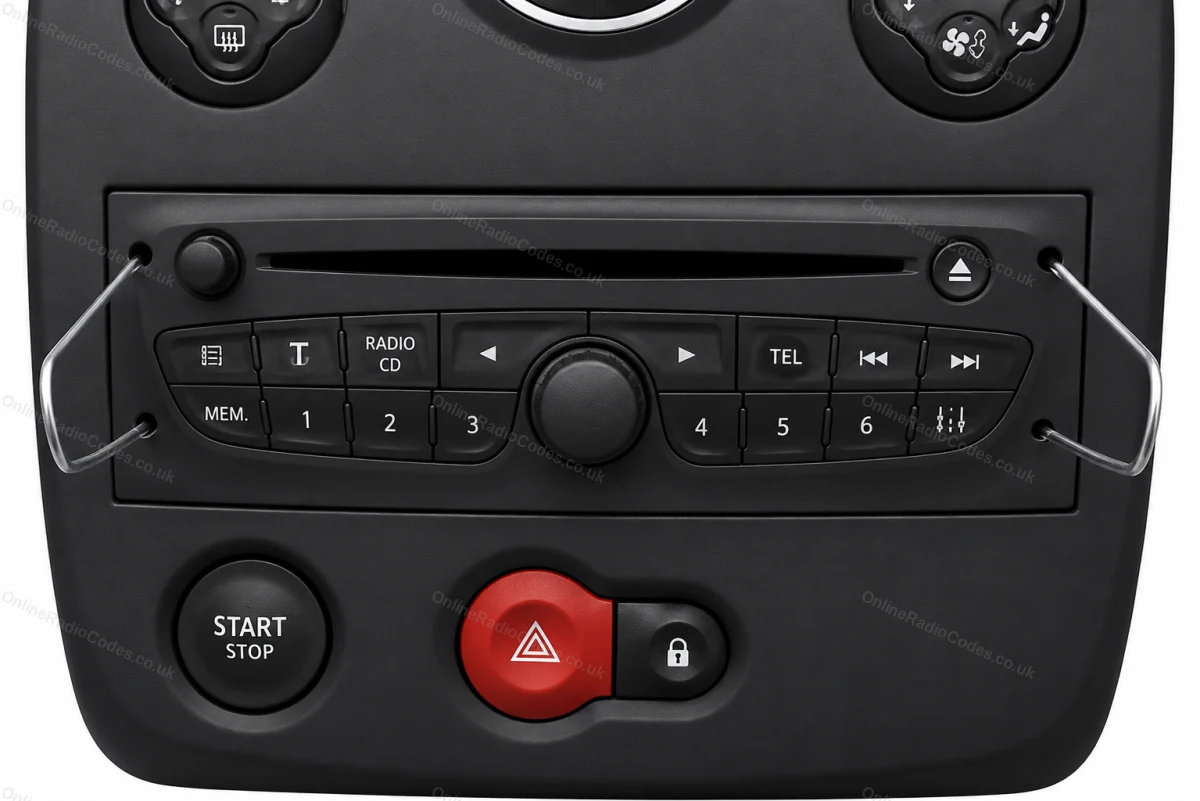
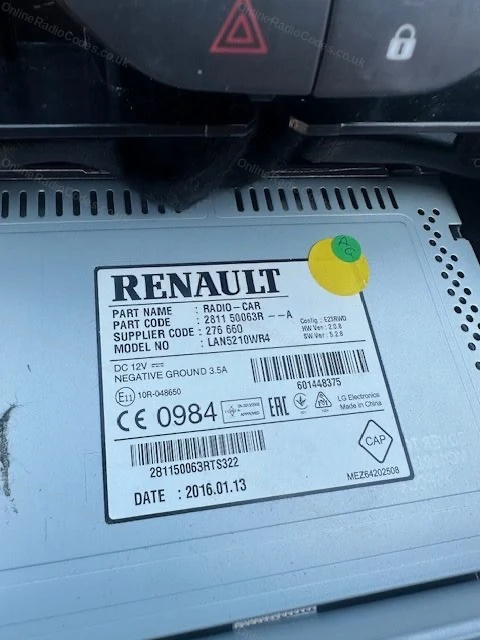
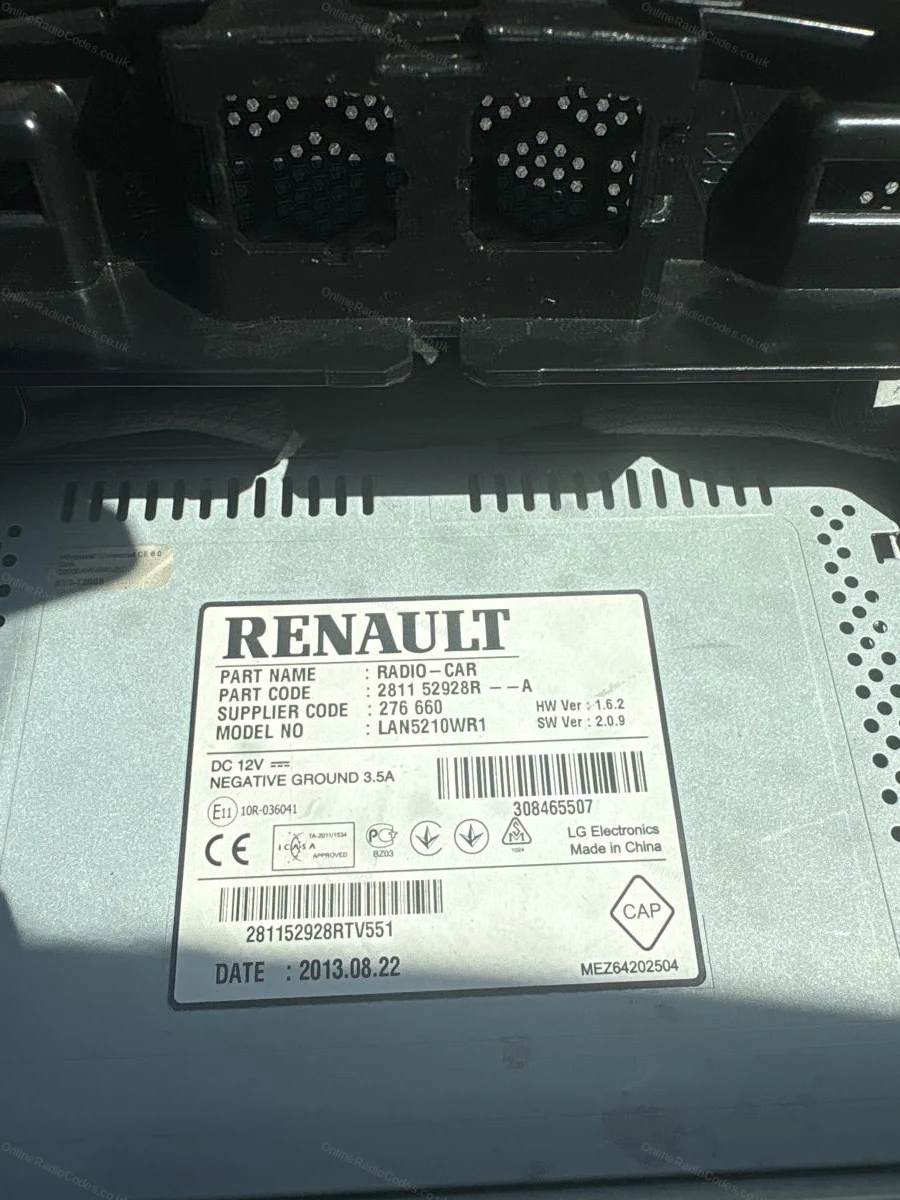
If you cannot use your VIN, the serial number is on a label on the radio unit itself. You will need to remove it from the dashboard.

Older models (Clio I to III, Megane I to II, Scenic I to II, Laguna, Trafic): Insert radio release keys into the four small pinholes at each corner of the fascia. Push inward and apply gentle outward pressure. The unit slides forward. No wires need to be disconnected.

Newer models (Clio IV+, Captur, Scenic III+, Kadjar, ZOE, touchscreen units): Use a trim prying tool to carefully remove the surrounding trim panel, then unscrew the mounting screws and slide the unit forward.
Serial Number
Find the serial number on the label
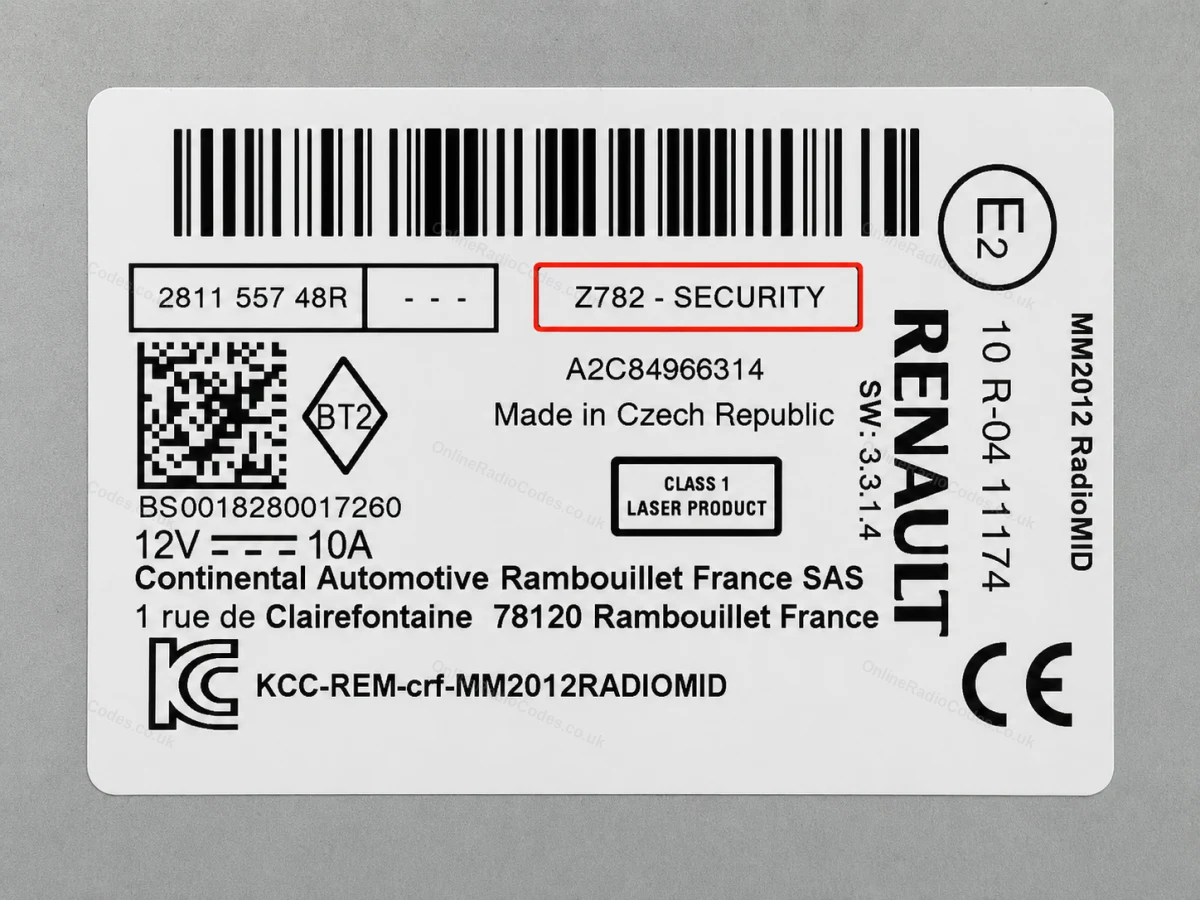
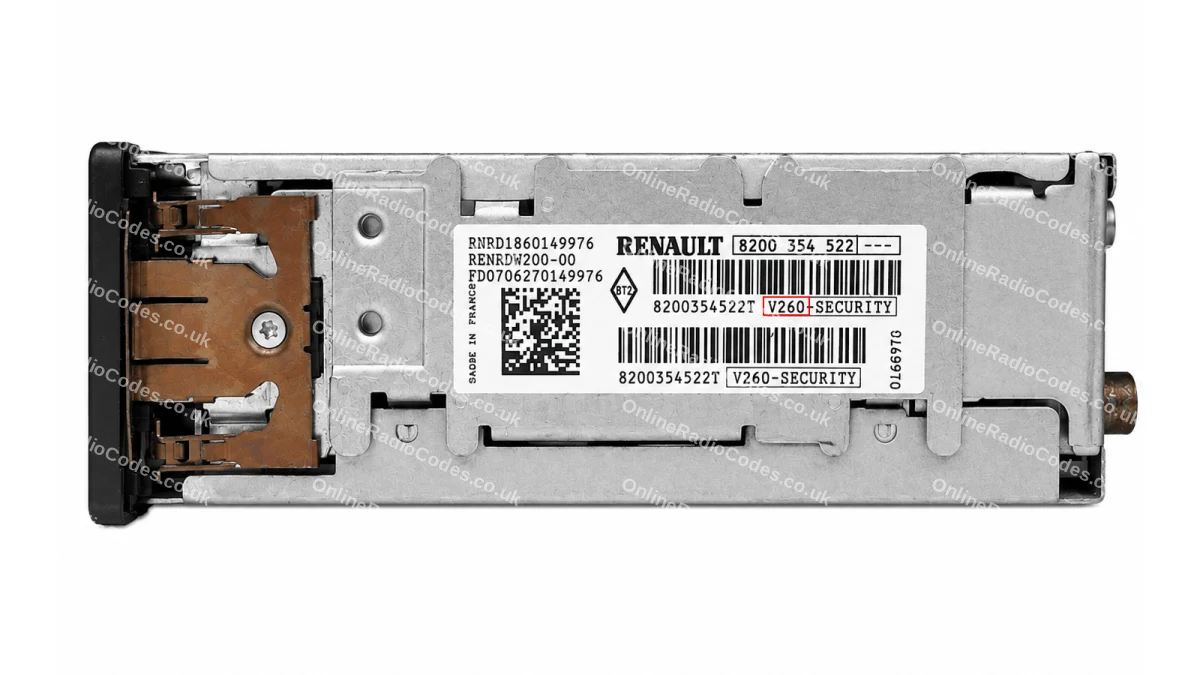
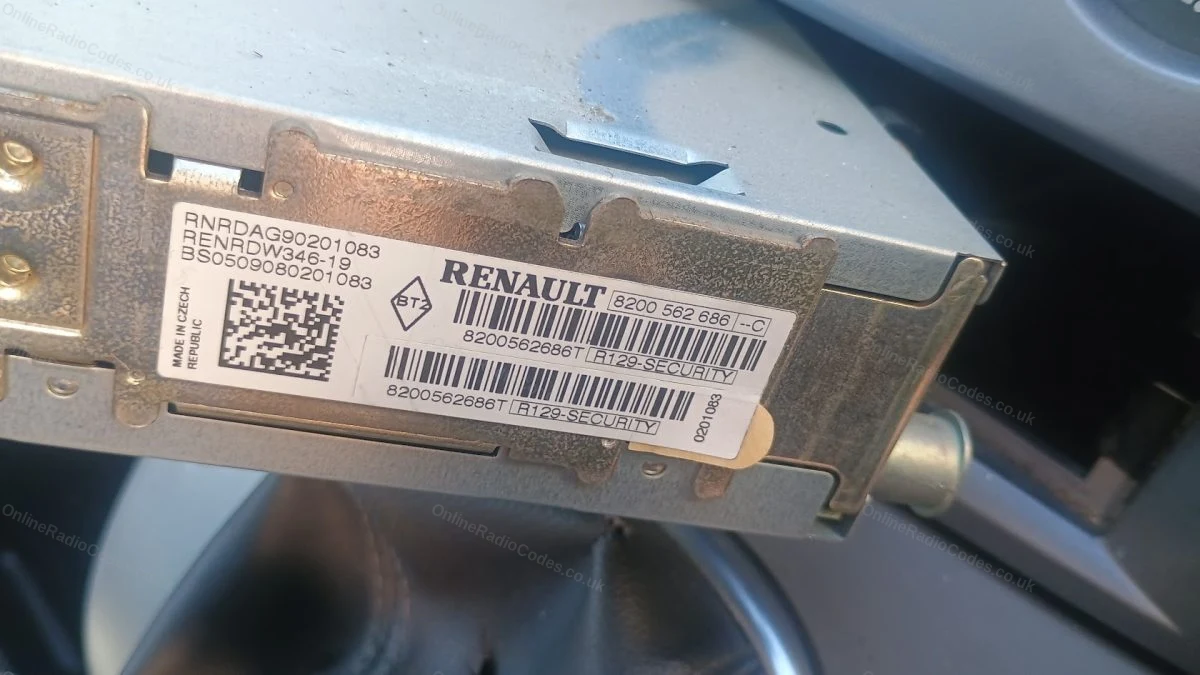
Your serial number will be in one of these formats:

Letter + 3 digits (e.g. H758, A123). Philips or Blaupunkt unit. Often printed at the end of a longer barcode, in a box labelled "Security", "Pre Code" or "Code".

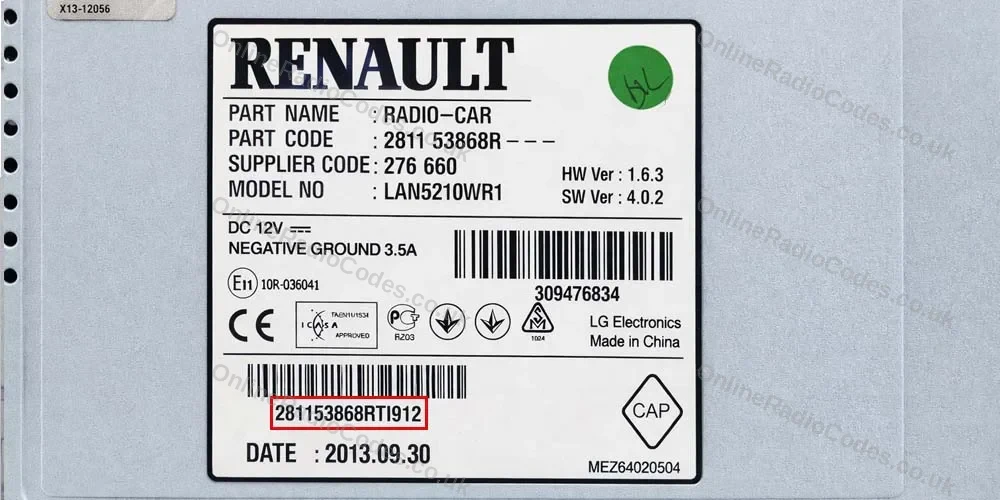
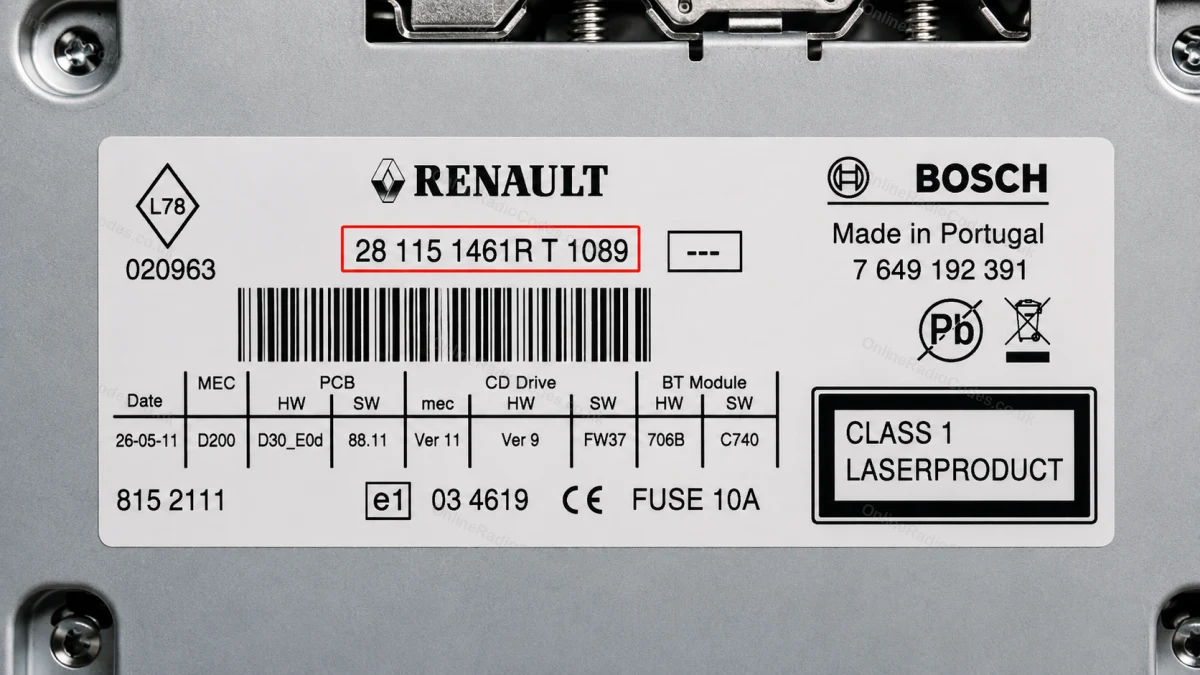
2811 prefix (e.g. 281150198RTC703). Enter the full number as your serial. Use the boxed number near the bottom of the label, not the part code at the top.

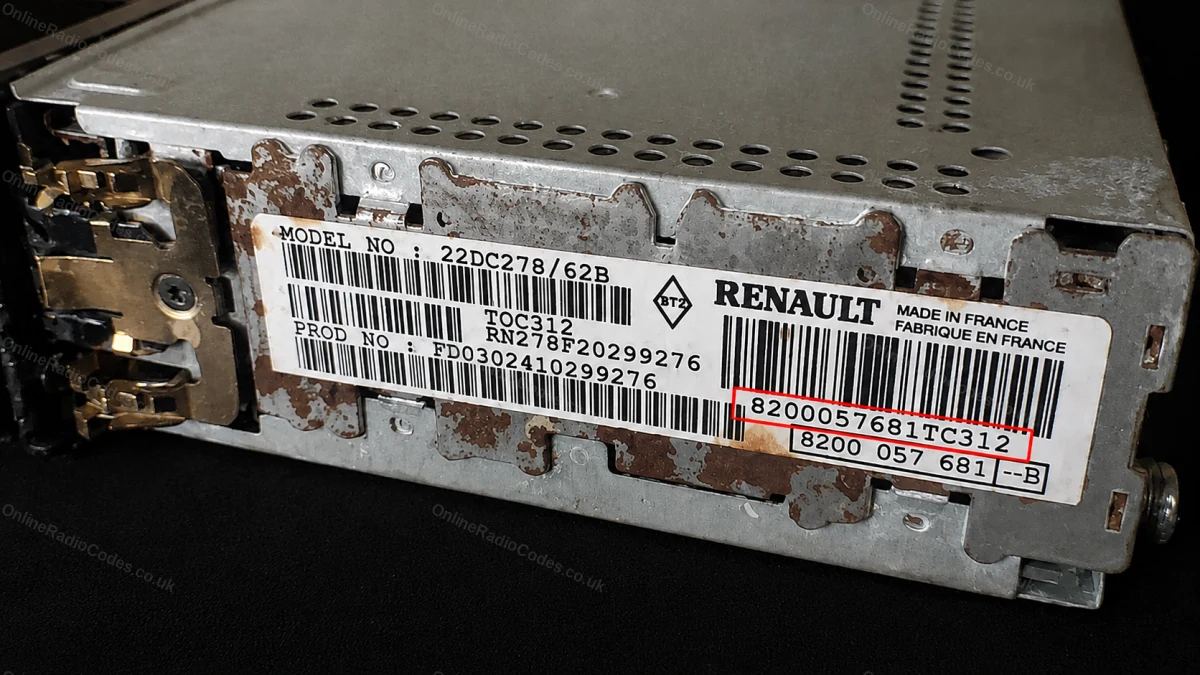
8200 barcode (e.g. 8200607918TJ110). Enter the full barcode number.

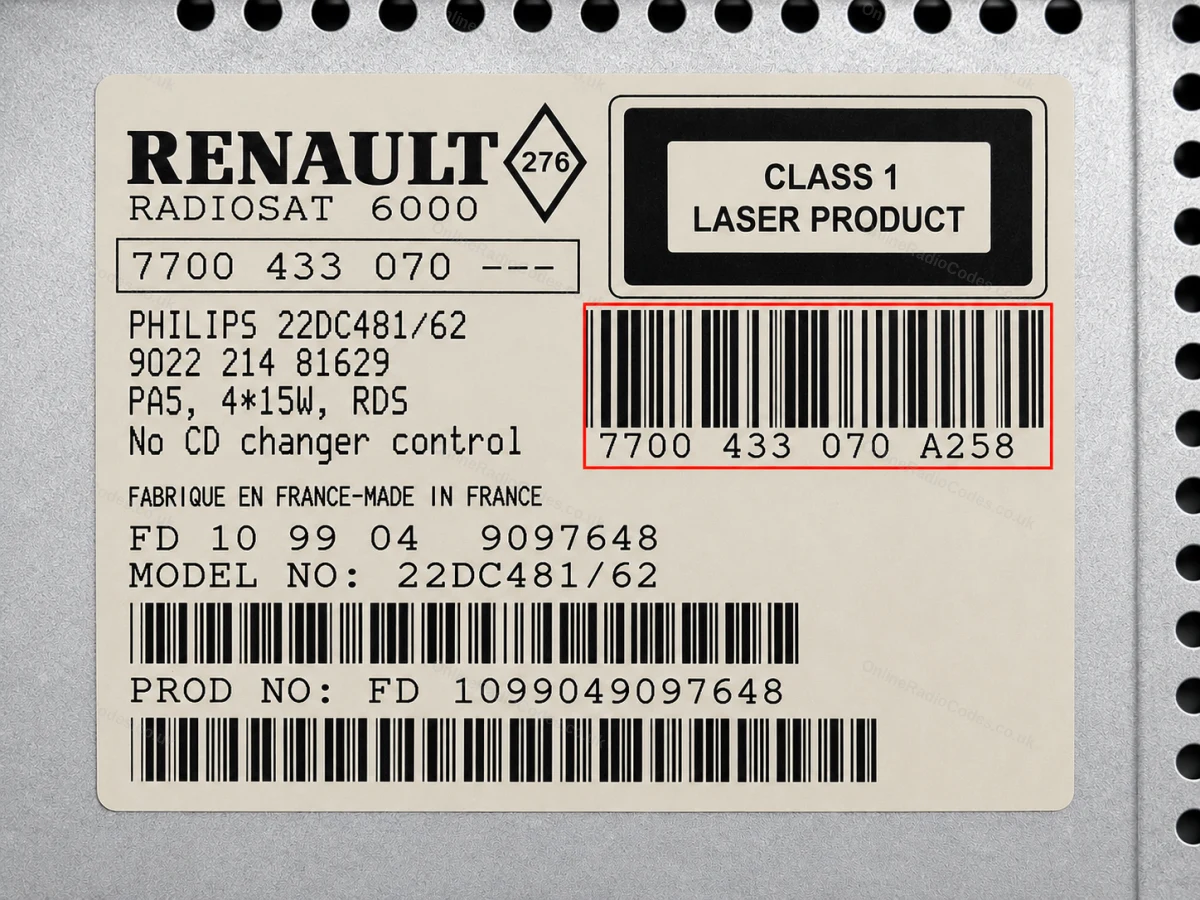
7700 barcode (e.g. 7700433948T0540). Enter the full barcode number.

What your Renault serial looks like
VIN VF1FW1AB542081483
VIN 93Y1R5F58PJ548276
VIN 9FB4SR1E5LM262800
Philips A123
8200 Barcode 8200607918TJ110
7700 Barcode 7700433948T0540
Bosch 281150198RTC703
Can't find it? Contact us. We'll help you locate your serial before you pay a penny.

Why choose us

The World's Leading Renault Radio Code Service

World's No.1
OnlineRadioCodes.co.uk is the world's leading supplier of car radio codes, with over 1 million codes delivered since 2015. Our radio experts are on hand to help you every day.
Instant delivery
Most codes appear on screen the moment payment clears. For brands that require manual lookup, our team typically delivers within the hour during business hours.
Money back guarantee
If your code does not work, we refund you in full. No questions, no hassle. We are one of very few radio code companies to back every order with a complete money back guarantee.
Lifetime retrieval
Misplace your code weeks or even years from now? Just get in touch and we will resend it free of charge, every time. One purchase gives you access for life.

Popular models

Renault radio codes by model

Looking for a specific model? Select yours below.

FAQ

Frequently asked questions

Renault Philips Radio Entry
Switch on the CD or cassette player. The display should show 0 0 0 0. Press button 1 then 2, 3 and 4 repeatedly until each digit of your code appears on the display.
Renault Blaupunkt Code Input
Press and hold 6 to activate the code entry mode. Switch on the unit, the display shows 0 0 0 0. Press buttons 1, 2, 3 and 4 repeatedly to set each digit, then press and hold 6 to confirm.
Continental / Touchscreen Entry
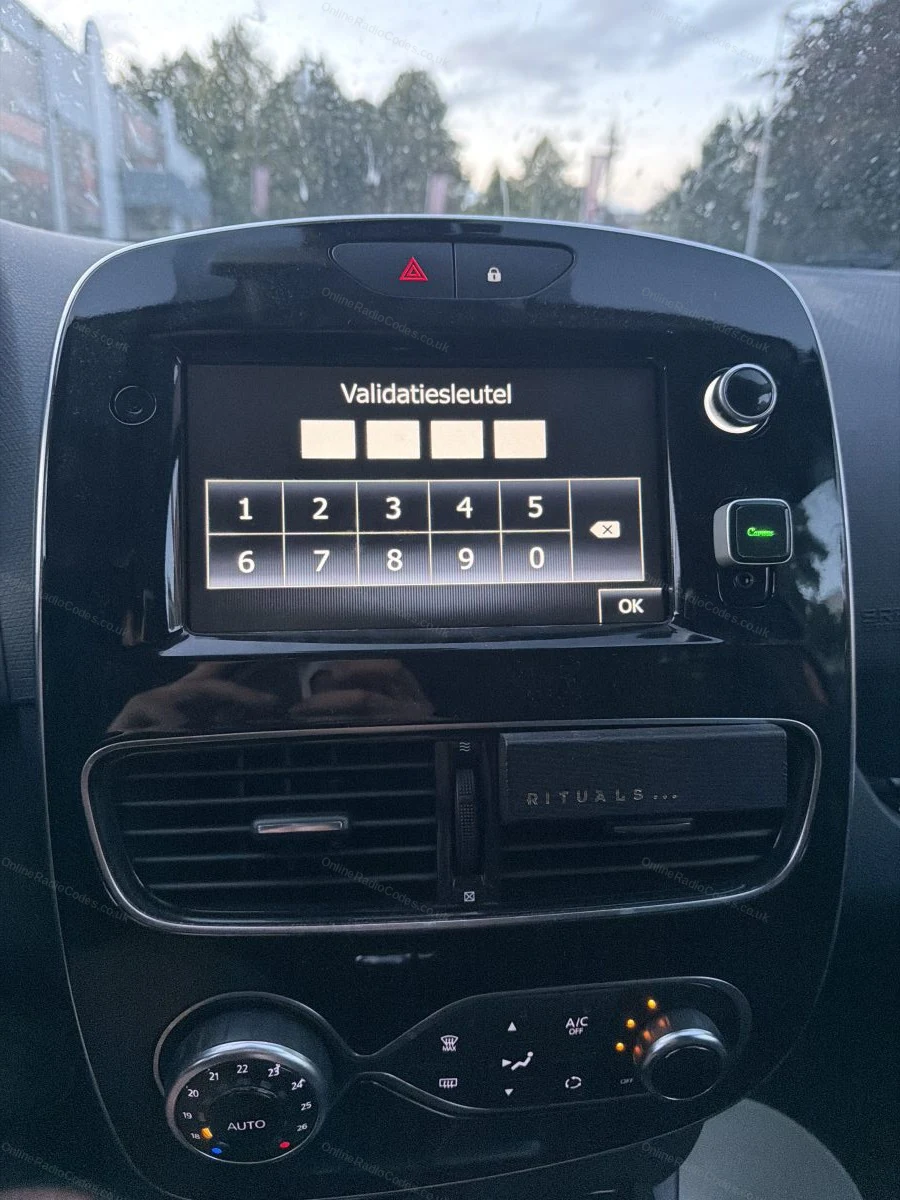
The touchscreen system is the simplest to input. Type the radio code until correctly displayed on screen. Press the Enter button on the display to confirm.
What serial formats does the Kangoo use?
The Kangoo uses standard Renault serial formats: a 2811 prefix number (e.g. 281150198RTC703), an 8200 barcode, a 7700 barcode, or a short letter + 3-digit code (e.g. H758) for older Philips or Blaupunkt units. The VIN method (17 characters starting VF1) is the fastest and requires no radio removal.
Does the VIN method work on all Kangoo vans?
The VIN method works on the majority of Kangoo I (1997-2008) and Kangoo II (2008-2021) models fitted with factory Renault radios. If your Kangoo has a replaced or non-original radio, you will need the serial number from the unit itself.

Verified · Trustpilot

Don't just take our word for it

See all reviews on Trustpilot
5 stars
2 hours ago Trustpilot

Great service from OnlineRadioCodes

Great service from OnlineRadioCodes, I didn’t get the code through straight away, guessing it was late afternoon when I’d asked, so had to email them next mo…

Nick Evans · GB
5 stars
8 hours ago Trustpilot

Wow ! This really works

Wow! A fast response to my request for a lost code. RAC disconnected my battery. MMI codes lost. Main dealer AND Audi UK and Audi in Germany said codes no l…

Mr Roland Sheen · GB · Audi
3 stars
1 day ago Trustpilot

Prompt service but the card payment on…

Prompt service but the card payment on my android phone was a bit cranky. Also the cost of 19.99 is excessive.

Tom Walmsley · GB
5 stars
1 day ago Trustpilot

All good thank you very much

All good thank you very much

Zakaria Khaldi · GB
5 stars
1 day ago Trustpilot

Muy seguro

Se puede dudar en el pago, pero existen métodos seguros y no hay problema en eso, la verdad es que me ayudó de forma rápida y segura, y pude nuevamente activ…

Axel Santiago Herrera · MX
5 stars
1 day ago Trustpilot

Danke hat funktioniert

Danke hat funktioniertLGJungmann

Julia Jungmann · DE
5 stars
1 day ago Trustpilot

Quick simple easy service

Quick simple easy service, thanks

Helen Crockett · GB
5 stars
2 days ago Trustpilot

Excellent service and a complete…

Excellent service and a complete success thanks.

Ian Trotter · ES
5 stars
2 days ago Trustpilot

was perfectly working for my Ford Smax…

was perfectly working for my Ford Smax 2014, so thank you very much, perfect job

Luky Staněk · CZ · Ford
5 stars
2 days ago Trustpilot

ottimo ,grazie a voi o recuperato la…

ottimo ,grazie a voi o recuperato la mia radio

Mario Fois · IT
See our 22,124 reviews on Trustpilot

Ready to unlock your Renault radio?

Enter your serial number above and get your unlock code in seconds.

Get my code now
Online Radio Codes is an independent radio code service and is not affiliated with, authorised by, or connected to Renault S.A.S. or any of its subsidiaries or affiliated companies. All manufacturer names, model names and trademarks are the property of their respective owners and are used solely for identification and reference purposes.
Get my radio code