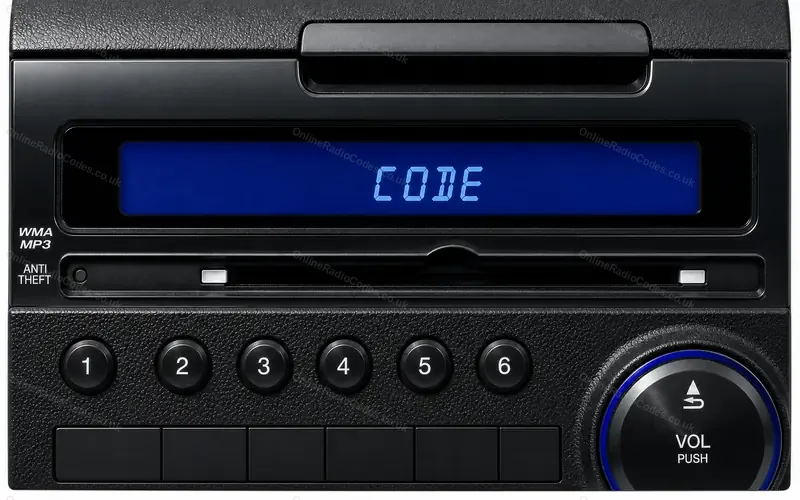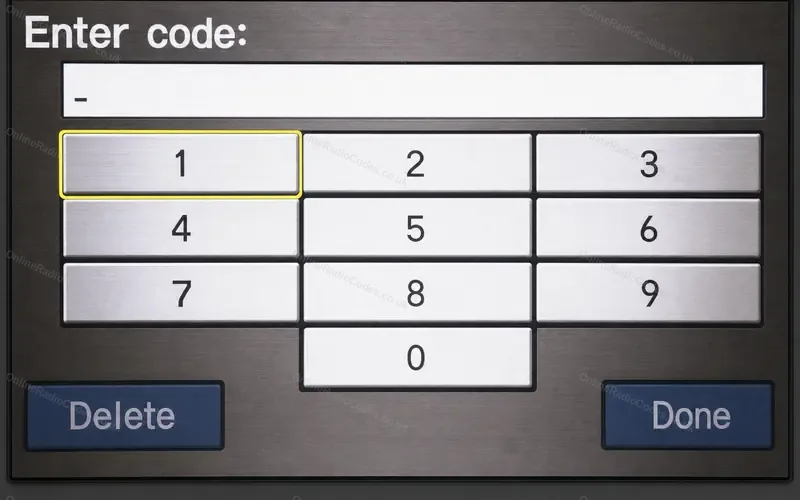


How to enter a Honda radio code on the navigation screen
Hondas where the audio is part of the navigation unit and the screen itself asks for the radio code: the CR-V from 2007 to 2011, the Fit from 2009 to 2013 and the CR-Z.
Type it and every step uses your own digits. It stays on this page.
Turn the ignition on and switch the audio system on. ENTER CODE appears on the screen.
Every step
Checked against Honda's owner's manuals for the CR-V, Fit, CR-Z and Insight.
If it locks
You get ten tries. On the CR-V, Fit and Insight, leave the system switched on for one hour before you try again. On the CR-Z, Honda's handbook says a dealer has to reset the system after ten wrong codes, so do not guess. What each lockout screen means
Touched a wrong number?
Finish the sequence, then enter the right code.
The navigation then asks for a code of its own?
Some cars hold two codes. After the radio code, the navigation screen asks for a four digit navigation code. Navigation code steps
Your code has four digits?
A four digit code is the navigation code, not the radio code. Do not type it here. Navigation code steps
An Insight?
Honda's handbook for the Insight says to enter the five digits with the preset icons on the screen and gives no Done step: with the right code the radio starts playing.
A Civic with navigation?
Honda's handbook has the Civic's radio code entered on the preset buttons, not on the screen. On the American Civic EX with navigation, 2006 to 2011, it is a four digit code. Honda preset button steps