

How to enter a Honda radio code
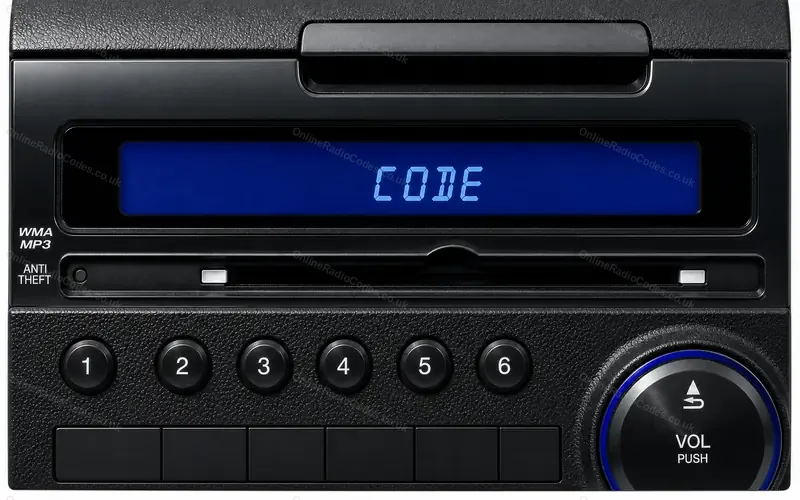
Radios with preset buttons 1 to 6 in the Civic, Jazz or Fit, CR-V, Accord, Odyssey, Pilot and Insight, and the Acura TL, TSX and RDX.Redrawn from our own photo.
Type it and every step uses your own digits. It stays on this page.
Turn the ignition on and switch the radio on. The display shows CODE or ENTER CODE. On some radios the D is a small d.
Every step
Checked against Honda owner's manuals for the Civic, CR-V and S2000.
If it locks
You get ten tries. After the tenth, leave the ignition and the radio switched on for one hour and it will ask for the code again. What each lockout screen means
Pressed a wrong button part way through?
Do not start again from the first digit. Finish all the digits, then enter the right code. Each finished entry counts as one of your ten tries.
Your code has four digits, not five?
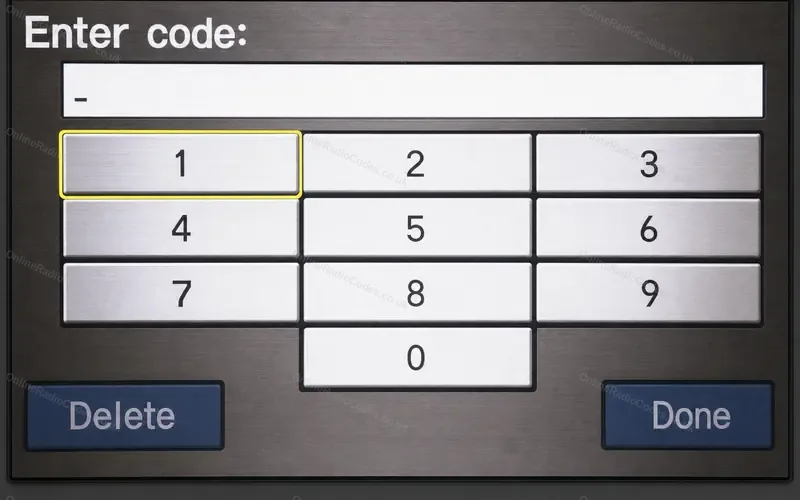
On most Hondas a four digit code is for the navigation screen. The American Civic EX with navigation, 2006 to 2011, is the exception: Honda's handbook gives it a four digit radio code that goes in on the preset buttons. Honda navigation code steps
Cannot see presets 5 and 6?
On many Honda radios presets 5 and 6 also carry the DISC labels, so the numbers are small. They sit at the end of the same row.
A navigation screen in the dash?
On the CR-V, Fit and CR-Z with navigation the radio code goes in on the screen. On the Accord, Pilot and Civic the radio still takes it on the preset buttons. Radio code on the navigation screen
Radio switched itself off after three wrong codes?
One radio in the European CR-V of 2002 to 2006 does that. You still have ten tries in all before the one hour wait.