Dacia Dokker radio code by VIN, returned instantly for the radio fitted at the factory, or by the serial on the label if the radio has been replaced. Dokker and Dokker Stepway models built from 2012 to 2021 have a Dacia Radio CD, a Plug & Radio with Bluetooth, or a Media Nav touchscreen.
The guide below will show you exactly where to find your Dacia radio serial number.
VIN Code
Enter your 17-character VIN (quickest method)
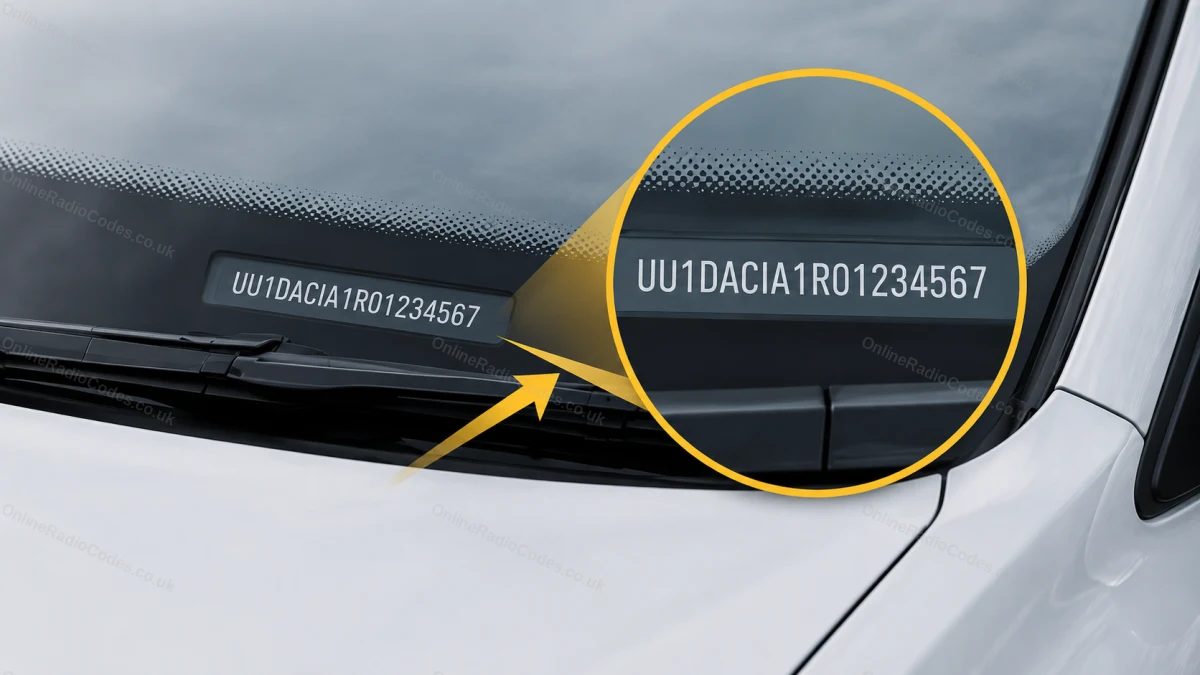
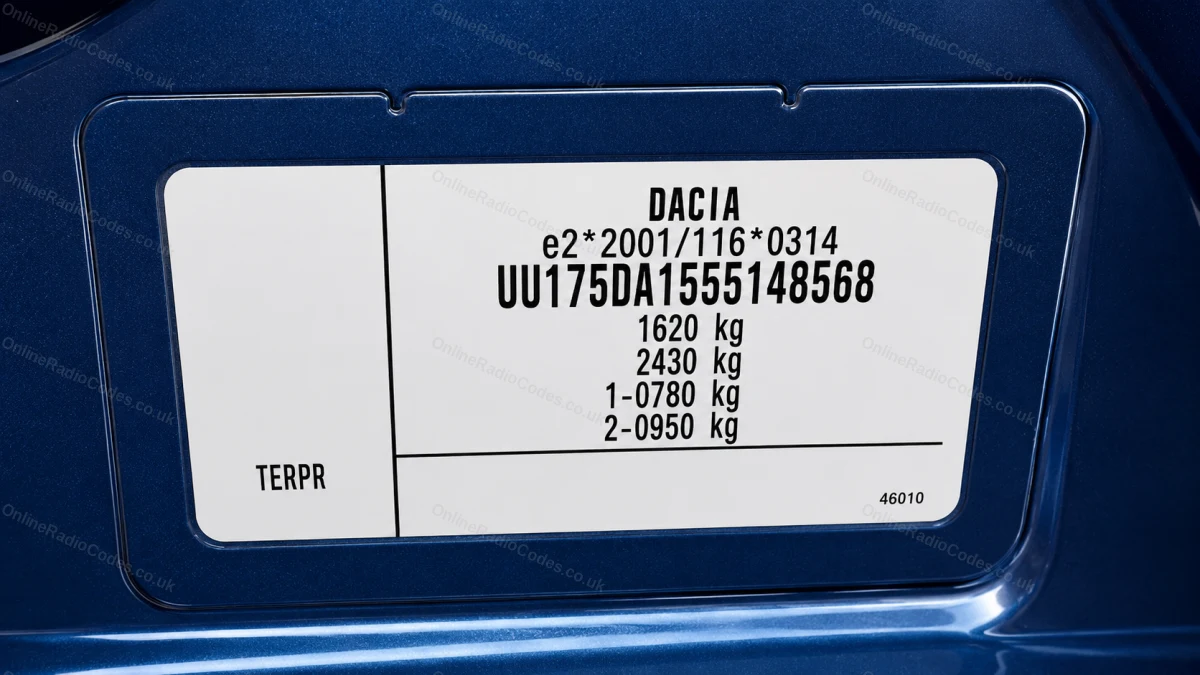
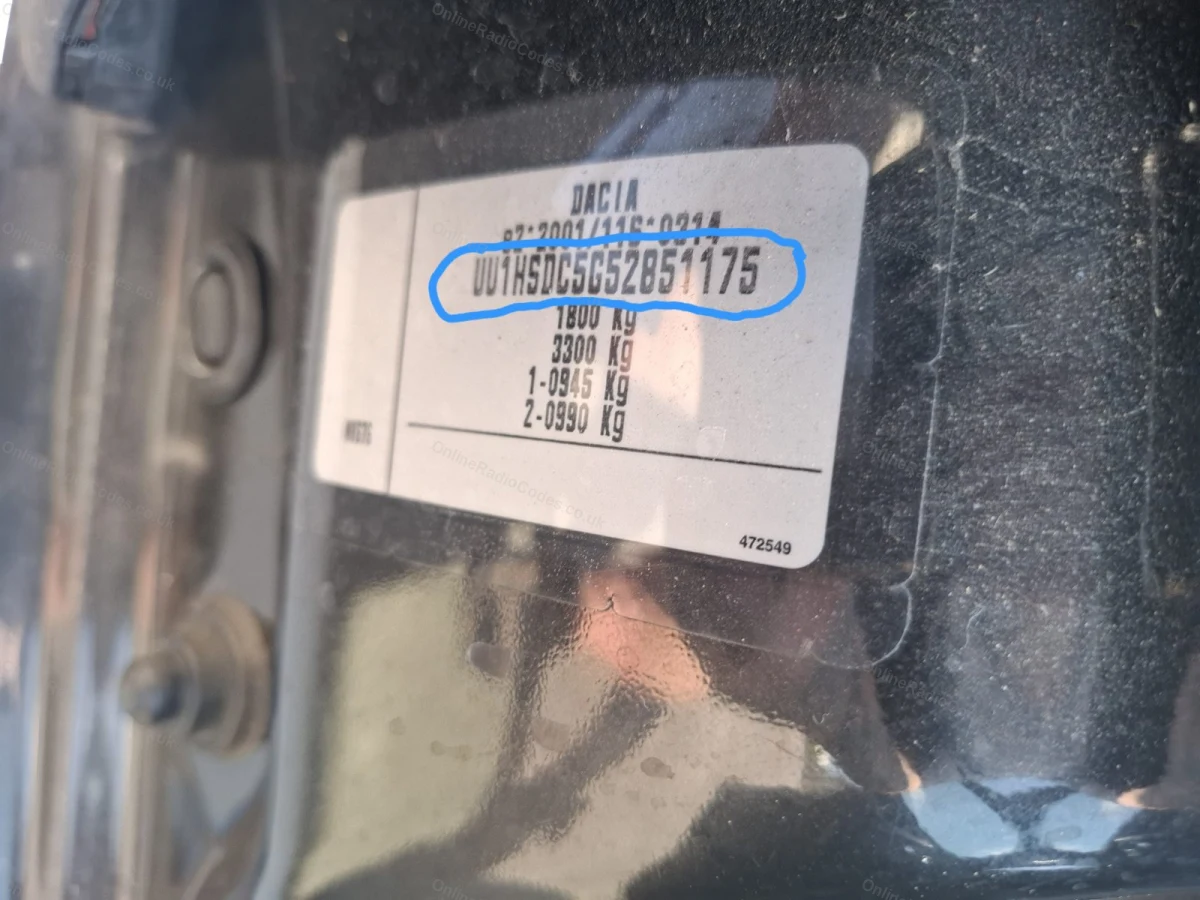
The fastest way to get your code without touching the radio. Your VIN is printed on the windscreen base plate (visible from outside the car), the driver's door jamb sticker, or in your V5C logbook.
Dacia VINs typically start with UU1, UU6 or VF1. Enter all 17 characters in the serial field above.
Your code is delivered instantly provided the VIN entered is correct.
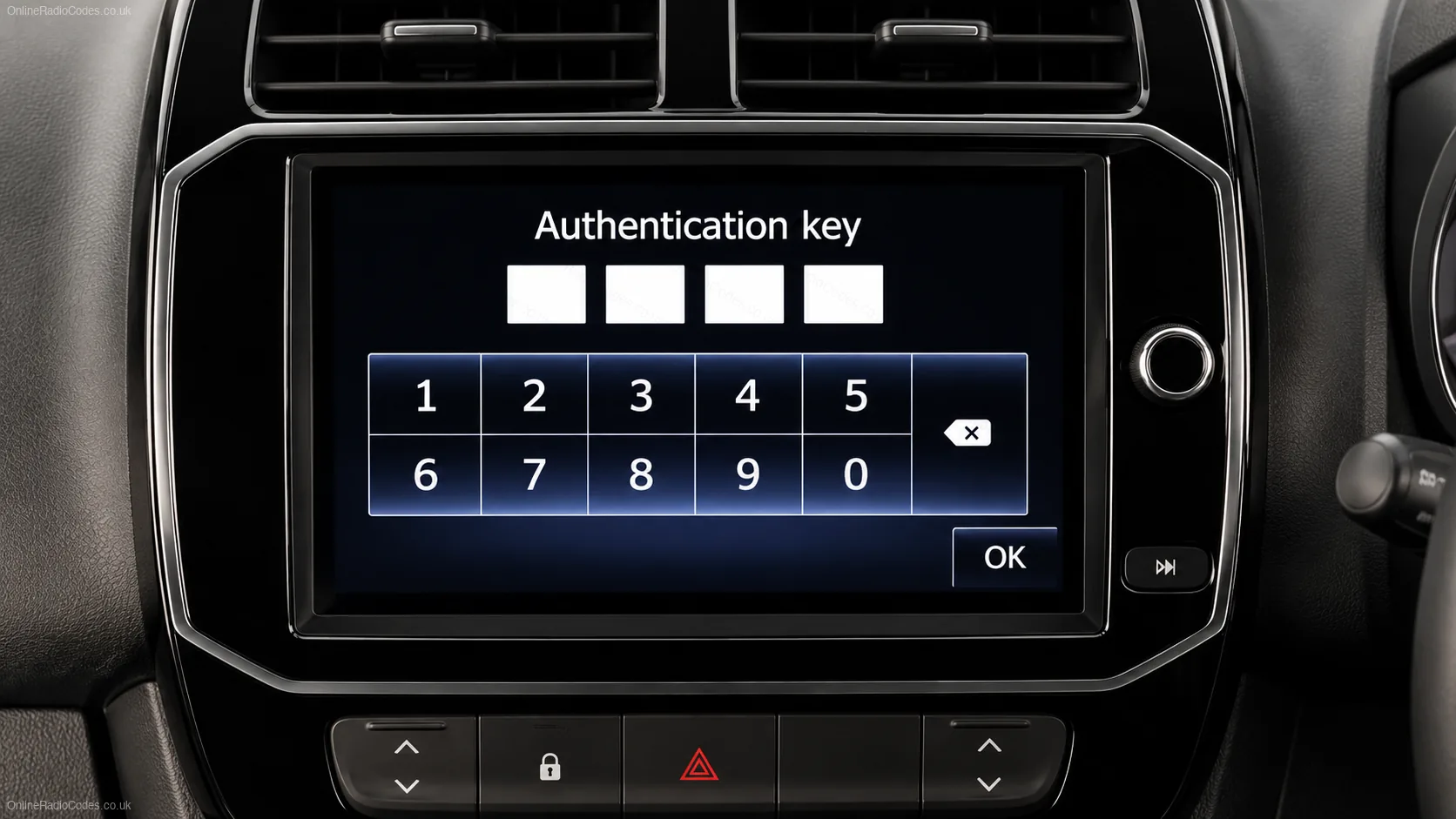
Authentication Key
Looking for your Dacia authentication key?
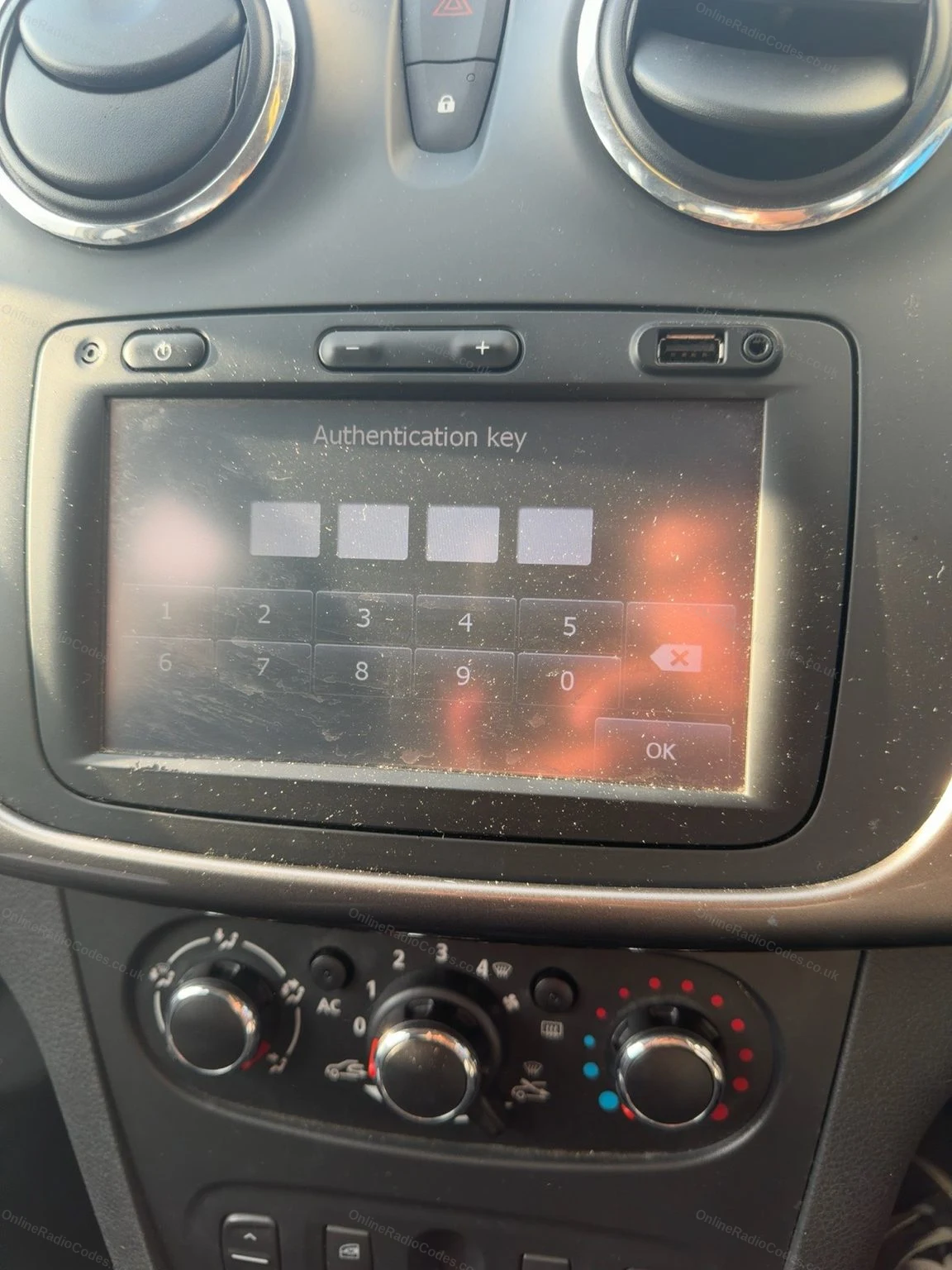
The Dacia authentication key is the security code your radio asks for after a battery change or service, sometimes shown as SAFE on the screen. Simply enter your vehicle's VIN into the serial box at the top of this page and we will do the rest. No radio removal required.
Your VIN is on the windscreen, the driver's door jamb, or your V5C logbook.
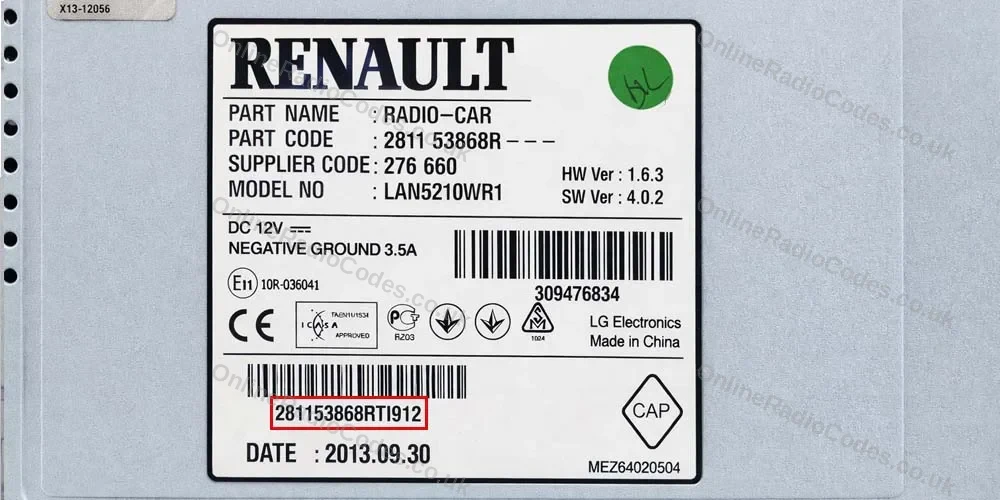
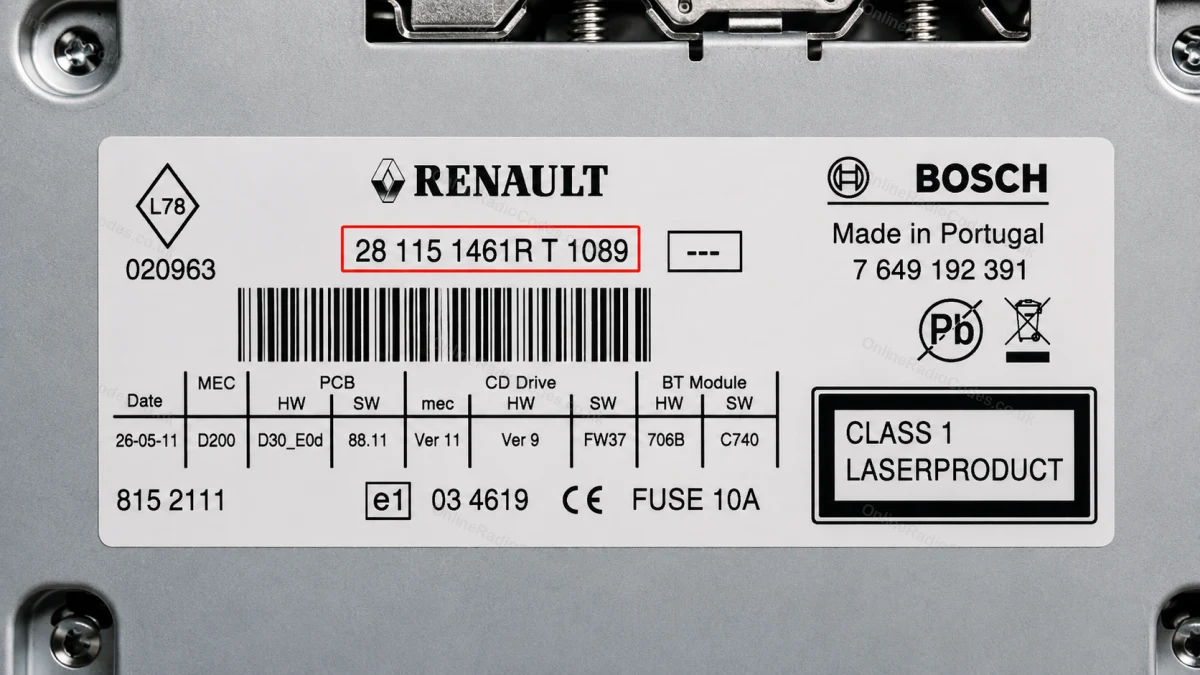
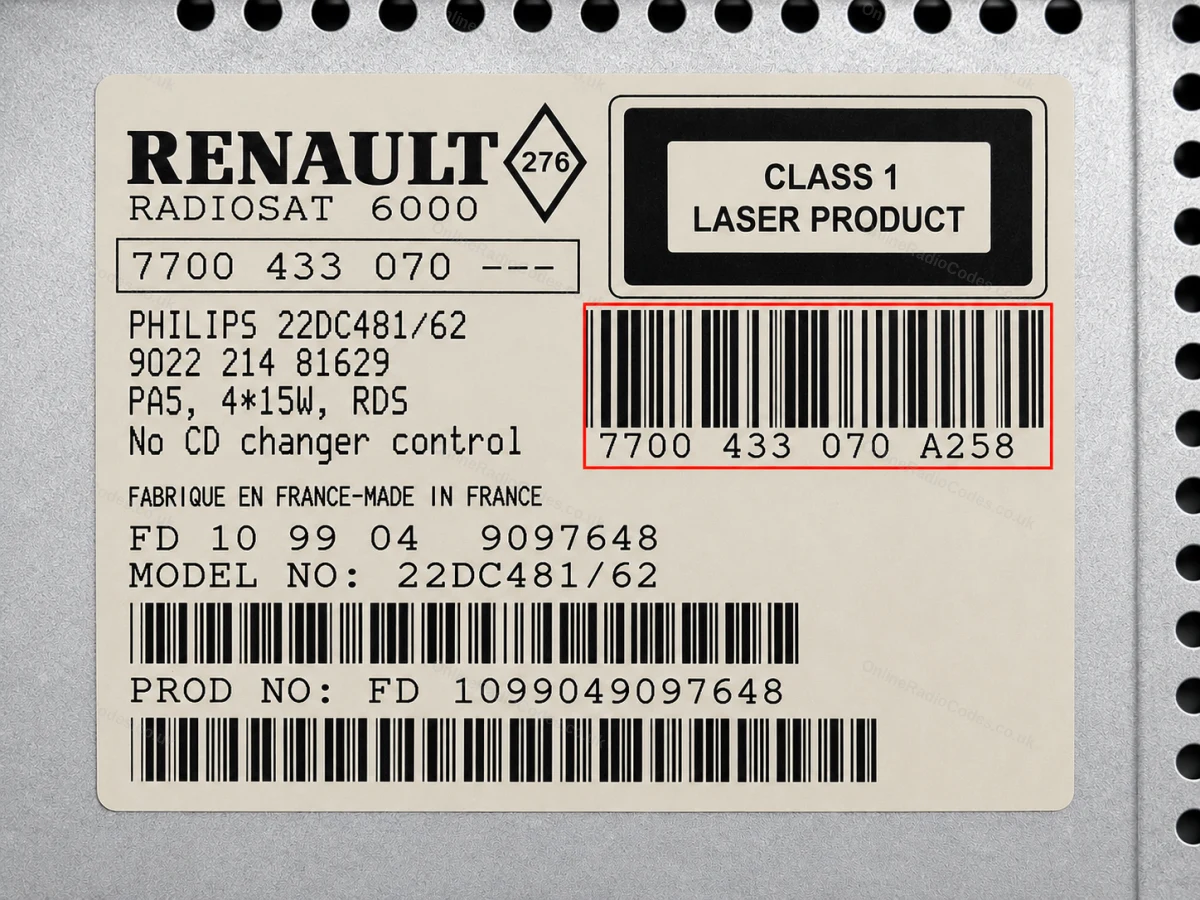
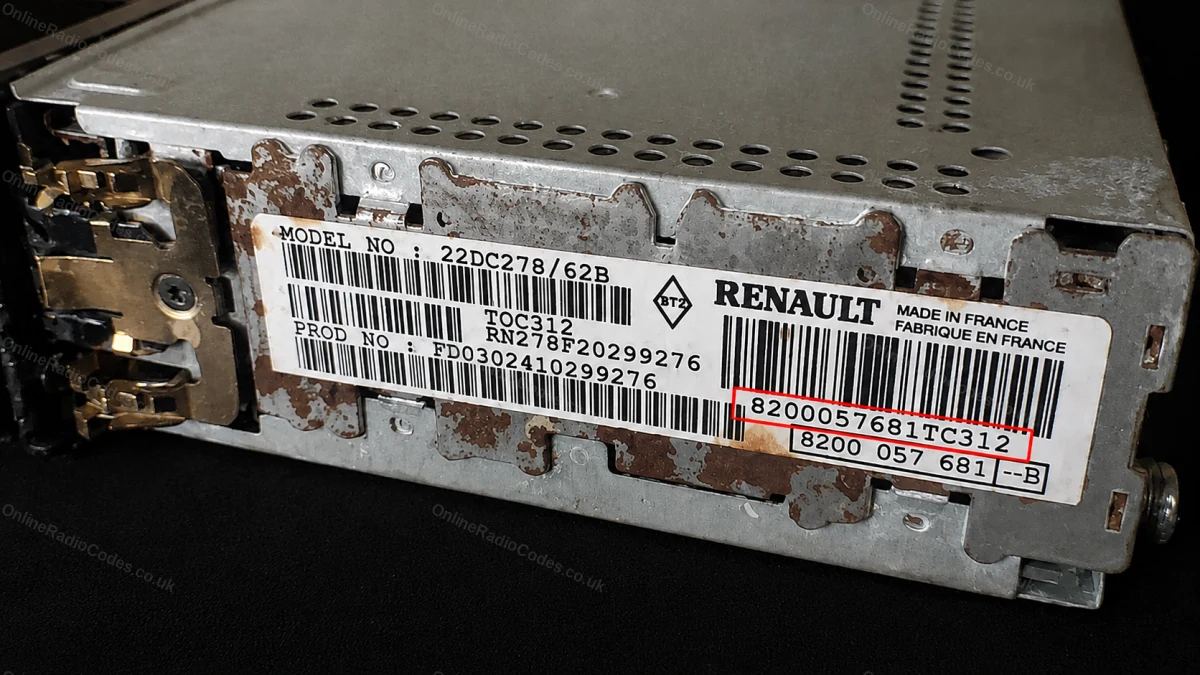
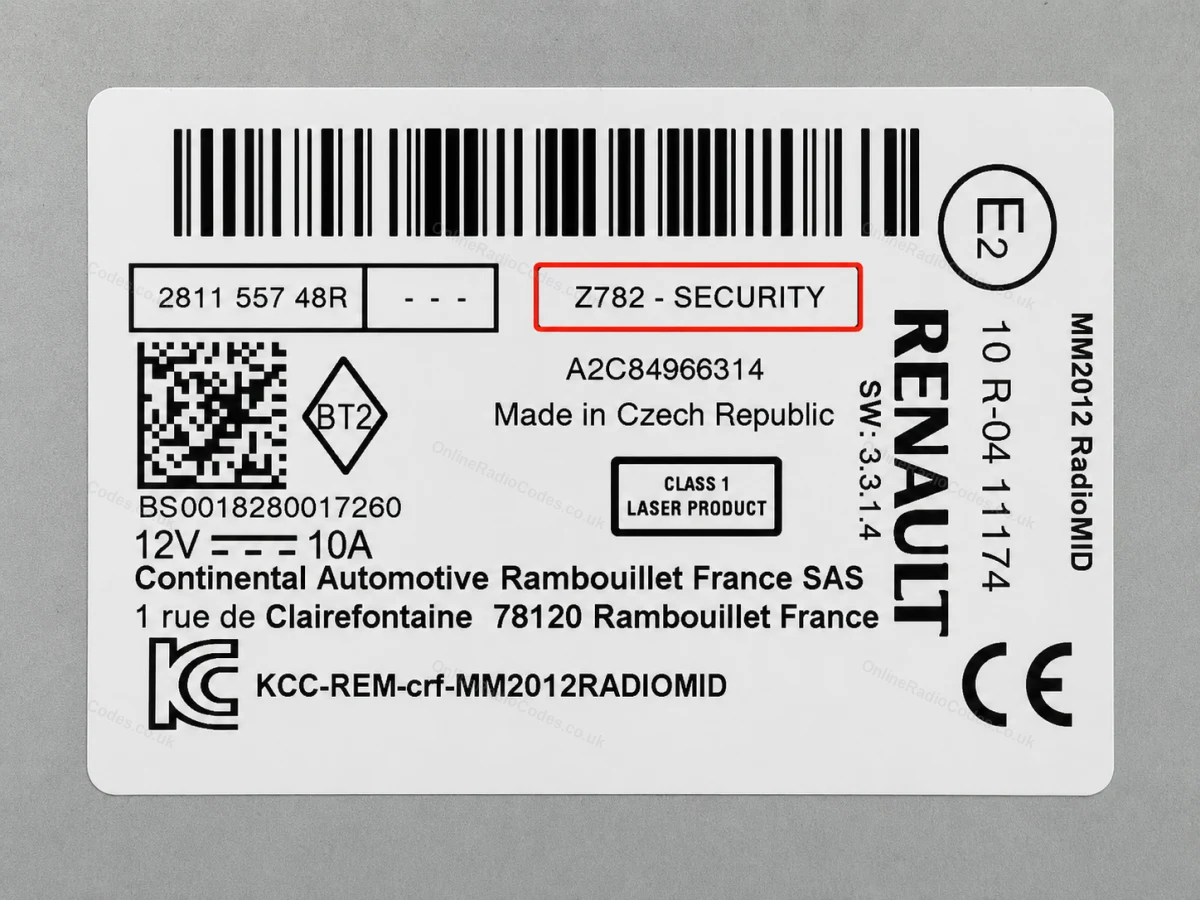
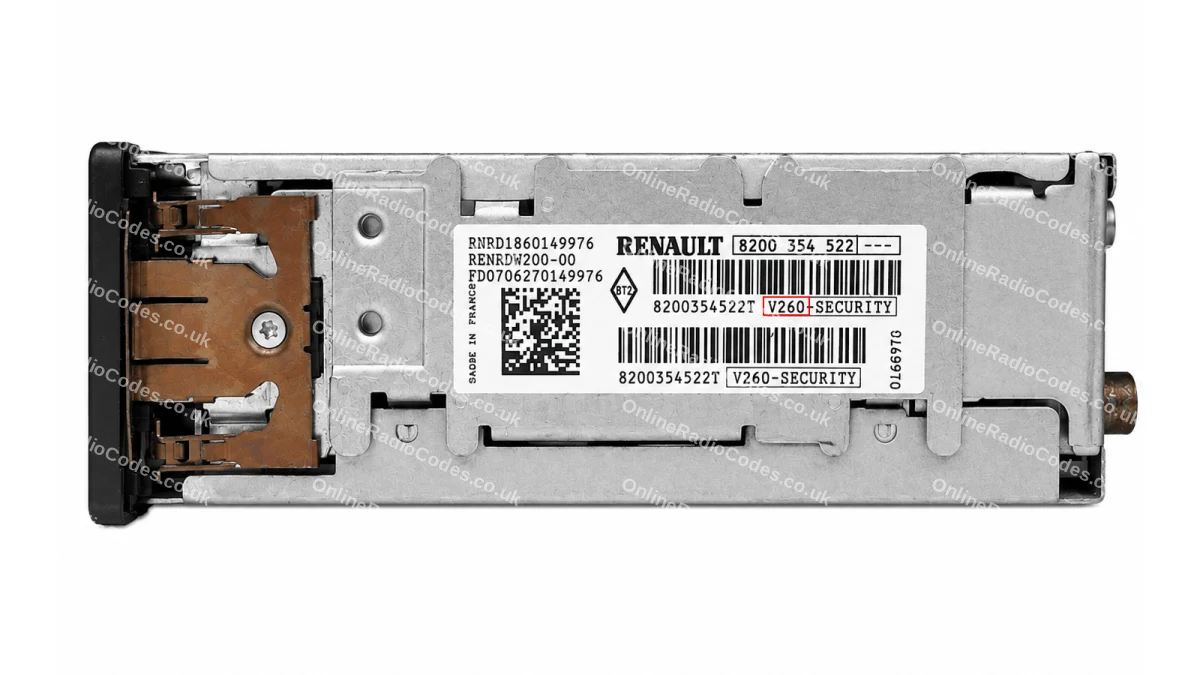
If you cannot use your VIN, the serial number is on a label on the radio unit itself. Remove the radio by inserting release keys into the four corner pinholes of the fascia, or by prying off the trim surround on newer touchscreen units. No wires need to be disconnected.
Your serial will be in one of these formats:
Letter + 3 digits (e.g. H758, A123). Philips or Blaupunkt unit. Often printed at the end of a longer barcode, in a box labelled "Security", "Pre Code" or "Code".
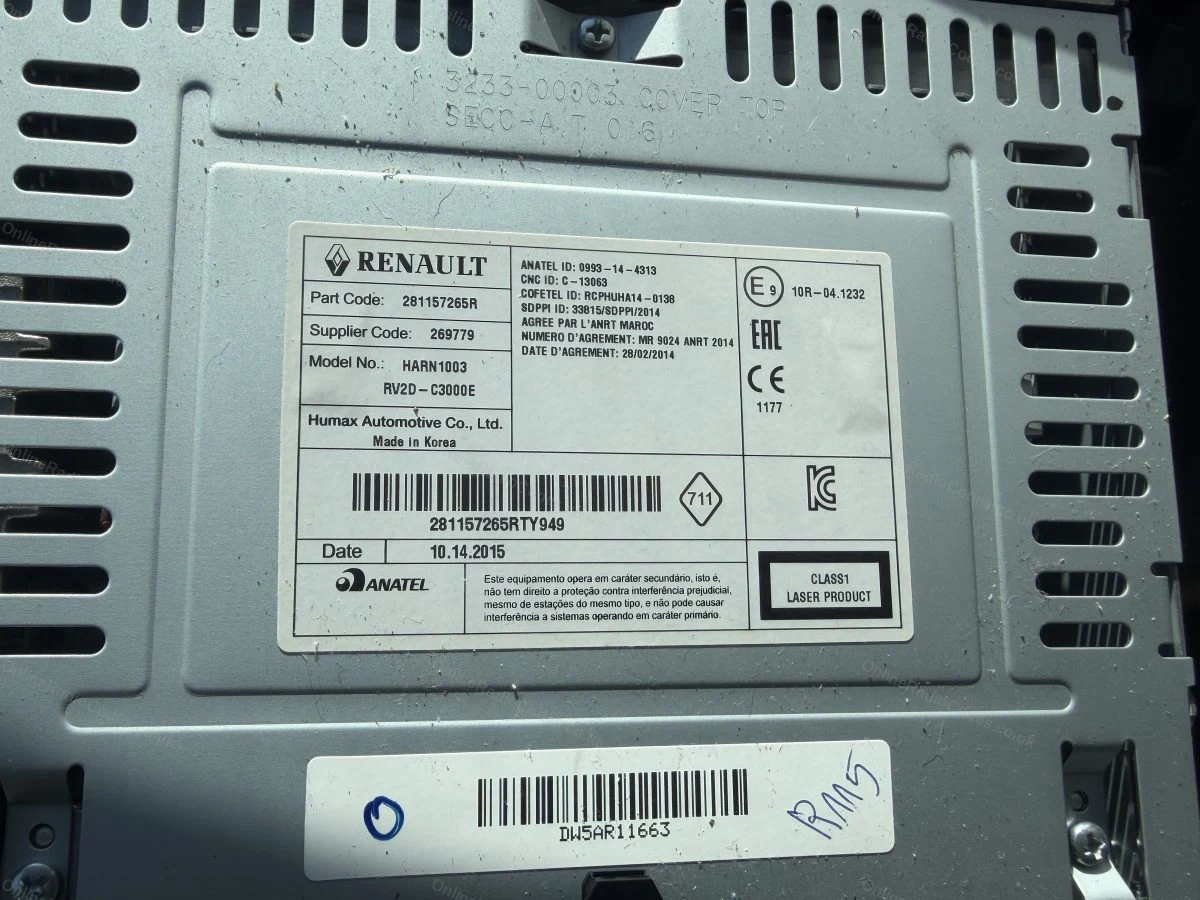
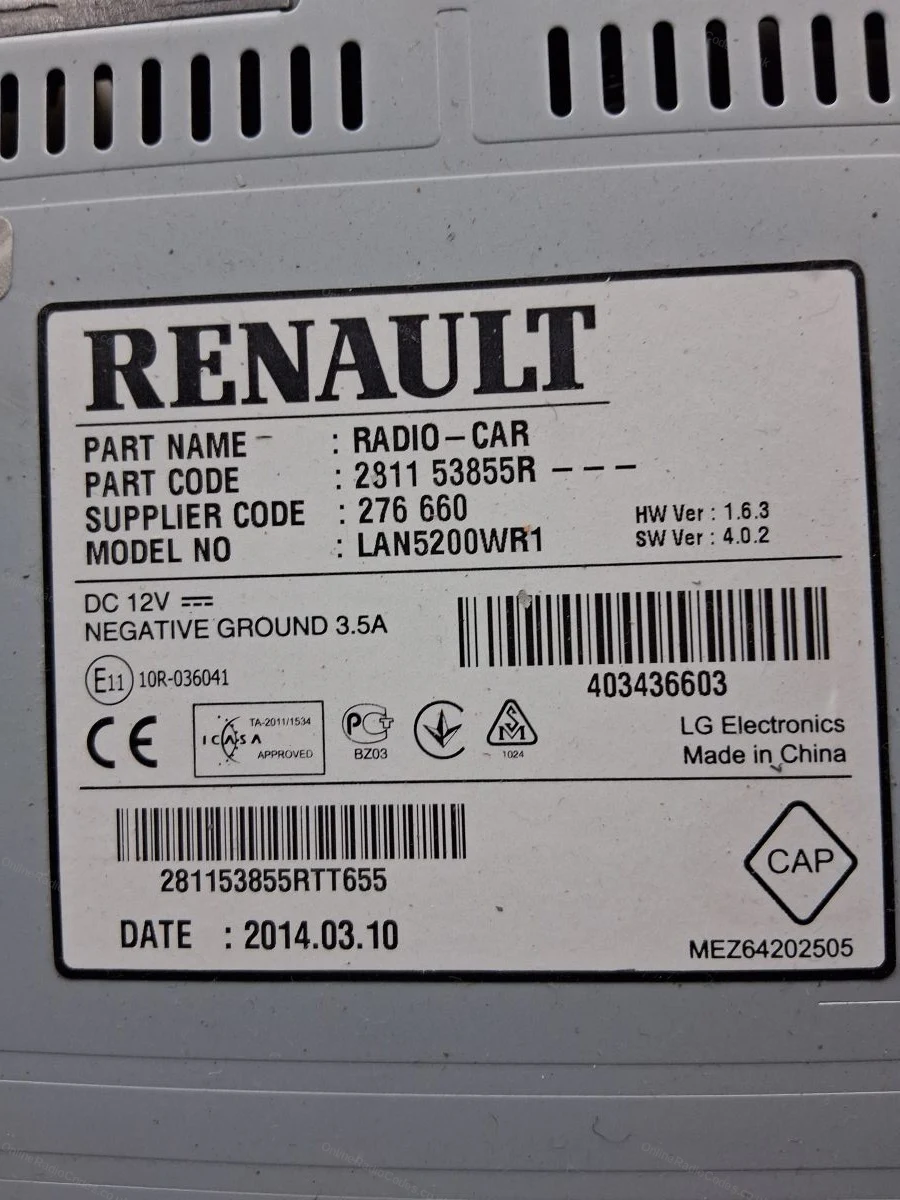
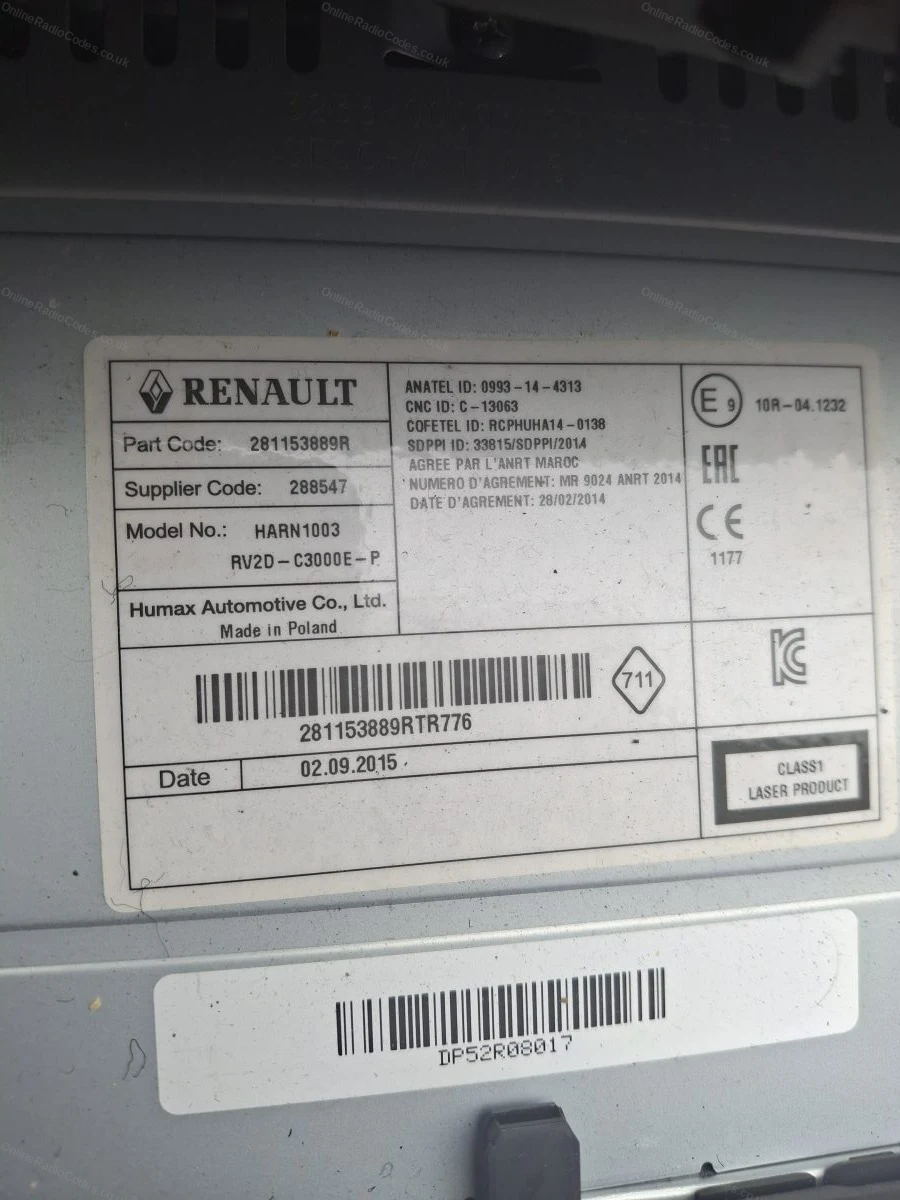
2811 prefix (e.g. 281150198RTC703). Enter the full number, using the boxed number near the bottom of the label, not the part code at the top.
8200 barcode (e.g. 8200607918TJ110). Enter the full barcode number.
7700 barcode (e.g. 7700433948T0540). Enter the full barcode number.
What your Dacia serial looks like
U-SeriesUU185SDB4548478435
VINVF1FW1AB542081483
SerialA123
SerialB234
SerialC456
Serial281155216RTV212
Can't find it? Contact us. We'll help you locate your serial before you pay a penny.
Radio & label examples
Authentication key entry screen on the touchscreen
Serial label on the radio casing
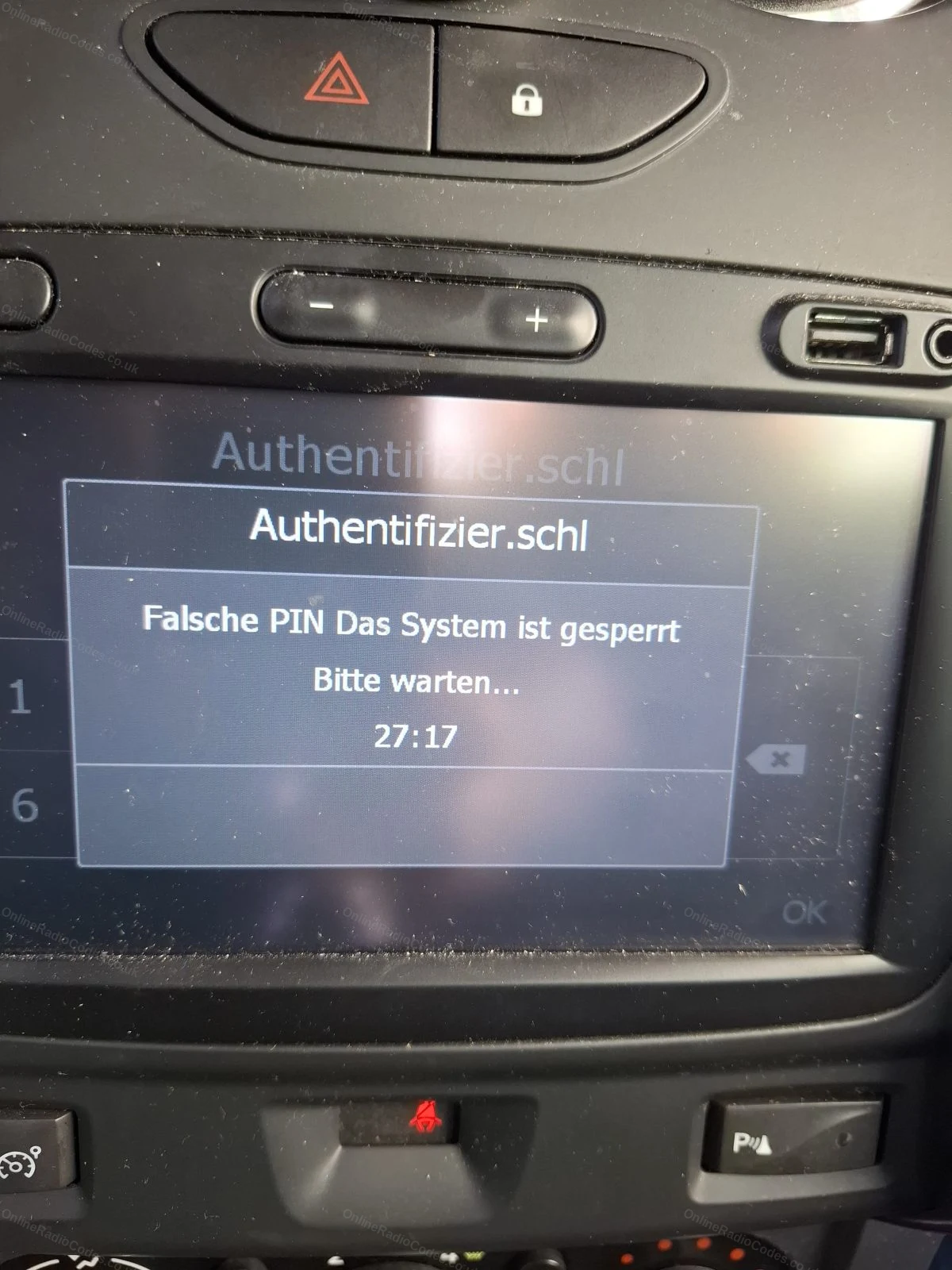
Lock screen shown after too many wrong code attempts
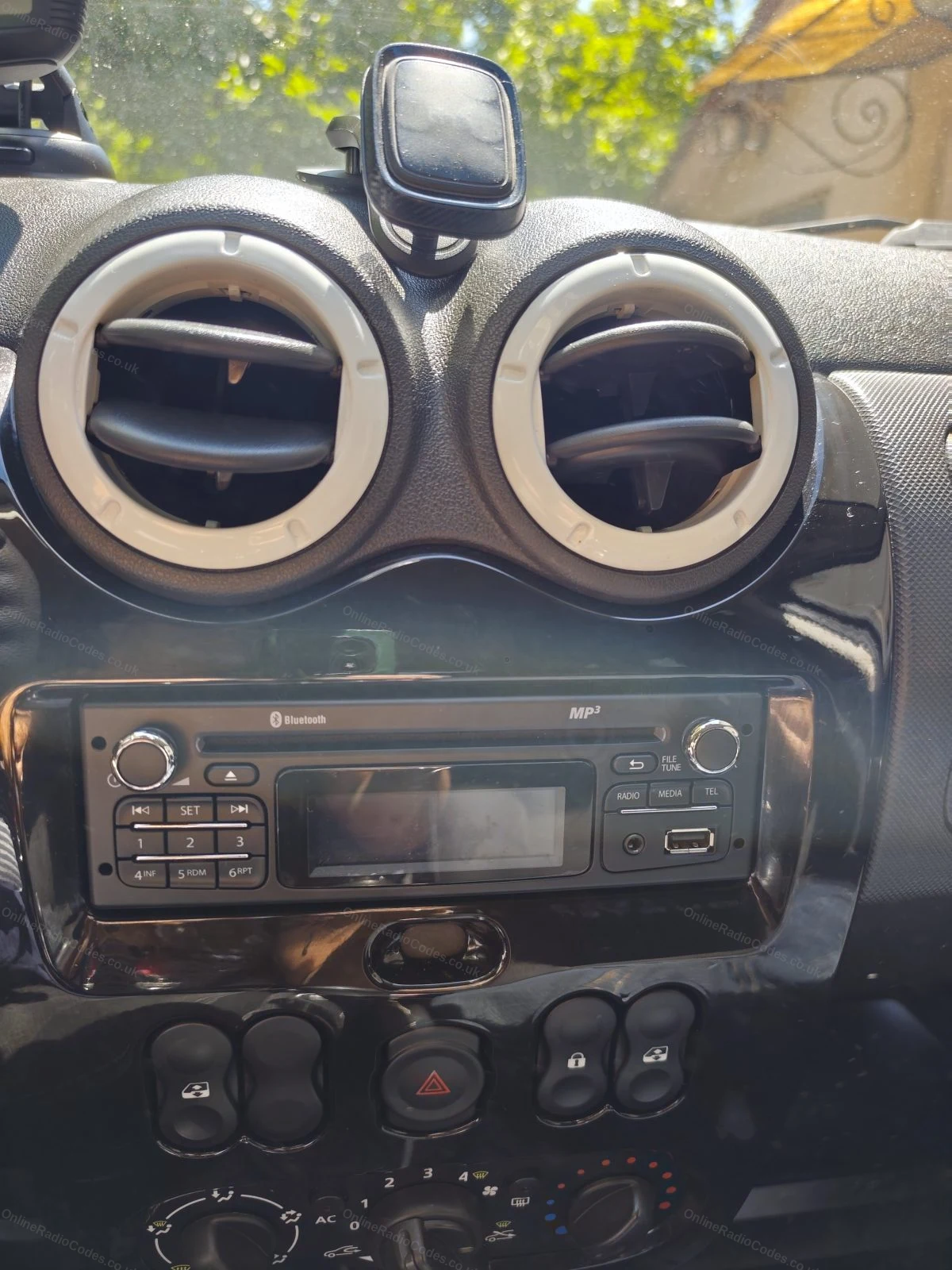
Standard radio fitted in the dashboard
VIN sticker on the door pillar
Part number label on the removed radio
Barcode label on the back of the radio
Since 2015 · 1 million decodes
The World’s Leading Dacia Radio Code Service
A Decade of Decoding
Retrieving car radio codes since 2015, with more than a million codes delivered. Registered UK company No. 09736186. Read our story
Your Code, Fast
Most codes appear on screen the moment payment clears. The rest are handled by our team, usually within the hour in business hours.
Works, or Your Money Back
If your code does not work, we refund you in full. One of the very few radio code services that backs every single order.
Your Code, Kept for Life
Lose your code in five years? We keep it on file and will resend it free of charge, as many times as you need.
Real people, worldwide, around the clock
Meet our radio experts
A small team who have decoded radios for a decade, with Nova, our AI assistant, covering around the clock. Wherever you are in the world, we're here to help.
Live chat and email 24/7. Phones Monday to Friday, UK hours.
Most Dokker vans and Dokker Stepway models built from 2012 to 2021 have one of three units: the basic Dacia Radio CD, the Plug & Radio with Bluetooth and USB, or the Media Nav touchscreen with navigation. Later vehicles may have the updated Media Nav Evolution. All of them lock when the battery is disconnected, and all of them are covered here.
How do I get the code for my Dokker radio?
Enter all 17 characters of your VIN in the box at the top of the page. If the radio is the one the Dokker left the factory with, the code comes back instantly and is also sent by email. The VIN is on the plate at the base of the windscreen, on the sticker on the door pillar and on your registration document. Dokker VINs usually start with UU1 or VF1.
The radio in my Dokker has been replaced. What do I need?
A VIN only works for the radio the vehicle was built with, because the code belongs to the radio, not the vehicle. For a replacement unit, take the radio out and read the label on the casing. The Radio CD and the Plug & Radio come out with release keys in the four corner holes. The Media Nav comes out once the trim around the screen is removed and the screws behind it are undone. You do not need to disconnect any wires to read the label.
What does the serial on a Dokker radio label look like?
On the Radio CD and the Plug & Radio it is usually a long barcode number starting 2811, for example 281150198RTC703. Enter the full boxed number, not the shorter part code at the top of the label. On Media Nav units the label carries a precode of one letter and three digits, for example N788.
My Dokker Media Nav asks for an authentication key. Is that the radio code?
Yes. Media Nav calls its security code an authentication key, and you type it on the keypad shown on the screen. For a Media Nav we work from the precode printed on the label on the unit itself, one letter and three digits, which is decoded instantly. The VIN route is the quick one for the push button Radio CD and Plug & Radio units; for a Media Nav showing the authentication key screen, the label is what we need.
How long does a Dokker radio code take?
VIN codes for the Dokker are returned instantly in most cases and are also sent by email. Precodes from a radio label are decoded instantly too. If a VIN is not found straight away, we look it up by hand and email the code as soon as it is found.
The Dokker radio shows a timer after a wrong code. What should I do?
The timer is a lockout after a wrong entry. Leave the ignition and the radio switched on until the timer has finished, because switching off may restart the wait. Then enter the code slowly and check each digit on the display before you confirm. If the code is still not accepted, contact us, as all codes are guaranteed. The Dacia radio codes page explains the same lockout for every Dacia model.
Confianza absoluta , todo resuelto en 30 segundos 10/10
Honestly, I was impressed by how quickly they sent me the code—30 seconds—and, most importantly, it was the correct code. It's true that they charge a fee th…
Quick delivery of number so could put code in for radio downside £14.99 is a bit outrageous for something which should be either free or no more than £5
Klar der ganze Spaß kostet zwar 16€ aber es funktioniert. Ich habe die Batterie meines Autos leer laufen lassen, sodass ich mein Radio nicht mehr nutzen konn…
Easy access online.. type in radio id number, payment, and wahla. had my radio code in seconds .. Has to be the easiest I've ever tried to get information on…
Professional people; several days had passed since my purchase, and I didn't have the serial number needed for the code—but once I finally had the serial num…
Needed the radio code after changing the car battery Renault Captur 2017
I was skeptical using this website to get the radio code for my Renault Captur after I had to change my car battery. But I wanted to get the issue quick and …
OnlineRadioCodes.co.uk is an independent radio code retrieval service and is not affiliated with Renault-Nissan-Mitsubishi Alliance, Dacia or any of their subsidiaries. All radio codes are sourced from official databases. Dacia and all model names are trademarks of their respective owners.


















 Dacia · Radio Codes
 22,686 reviews on