







100% Money Back Guarantee The World's Leading Car Radio Code Service Trusted by 1,000,000+ customers
Volkswagen Volkswagen · Radio Codes
Est. 6 Hours

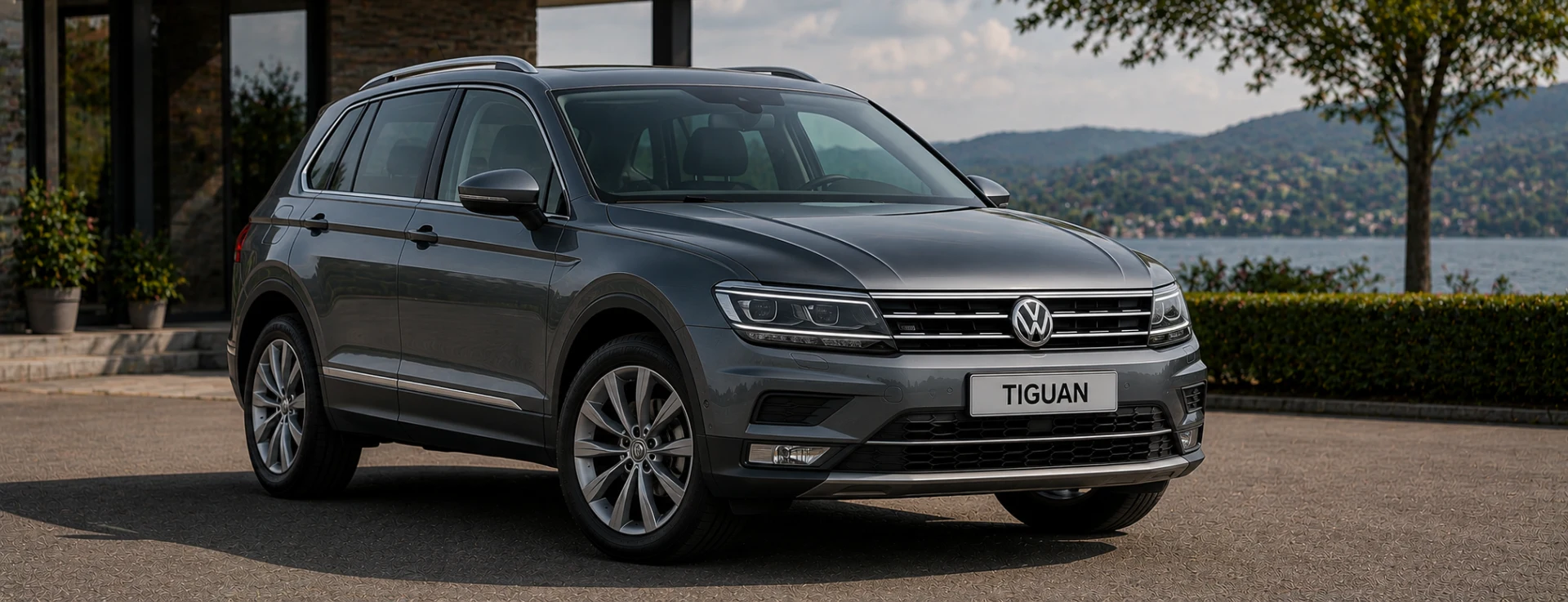
VW Tiguan Radio Codes

Get your VW Tiguan radio code fast. Enter your VWZ serial number and we retrieve your code directly from the manufacturer database. Works for all factory radios fitted to the Tiguan Mk1 and Mk2, including RCD 310, RCD 510, and RNS navigation units.

Money back guarantee Lifetime free retrieval
Enter your serial number
Over 1 million codes delivered worldwide.
Not sure which serial to enter? See examples
Est. 6 Hours Money back guarantee Secure checkout

Step 1 of 3

How to find your Volkswagen serial number

The guide below will show you exactly where to find your Volkswagen radio serial number.

Remove your radio
Step 1
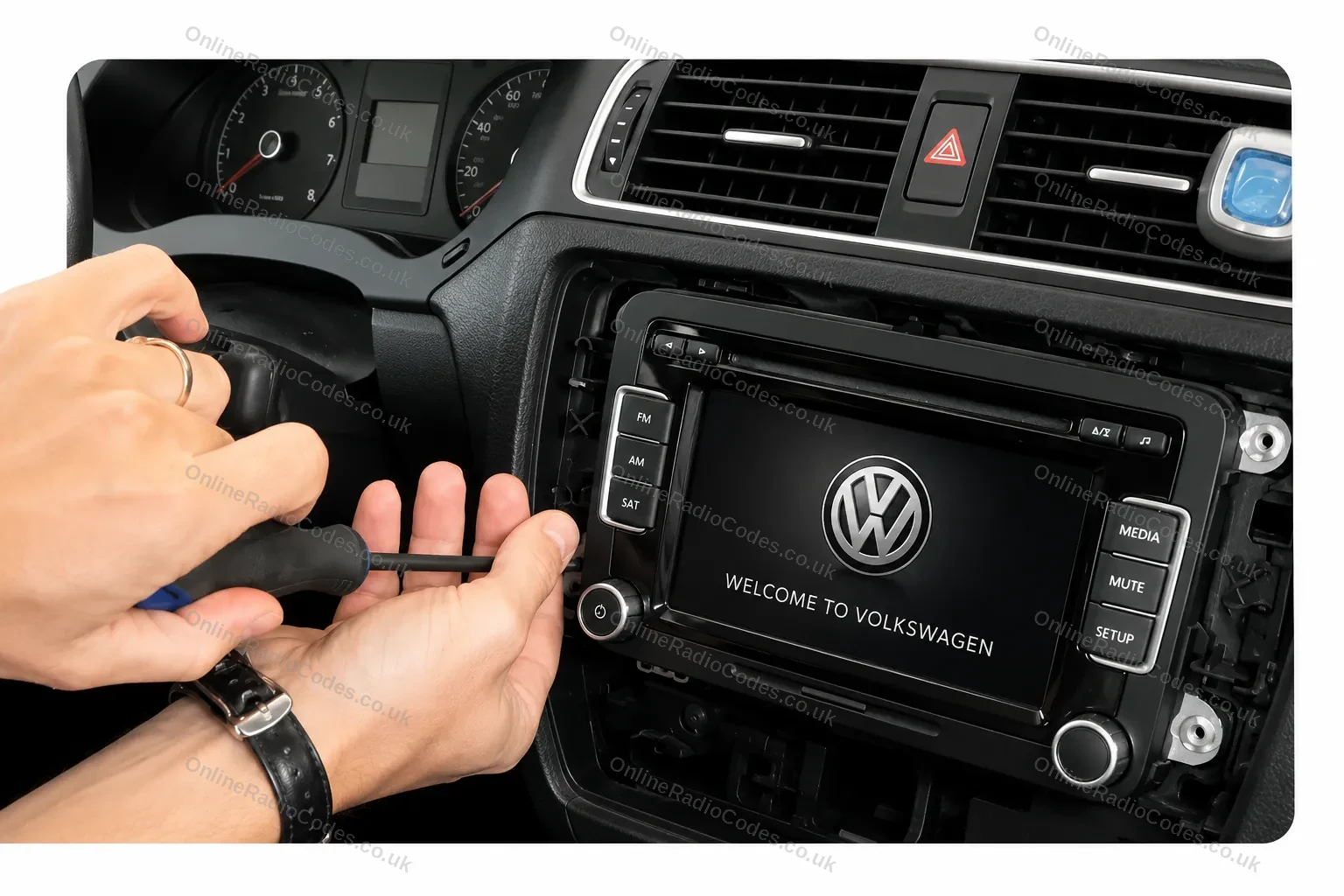
Remove your radio
Remove the surrounding trim panels and slide the unit out of the dashboard. Depending on your model you will use a flat-head screwdriver, a prying tool, or radio release keys inserted into the corner slots. VW release keys are the most common method and can be bought cheaply online.
Find your serial number on the label
Step 2
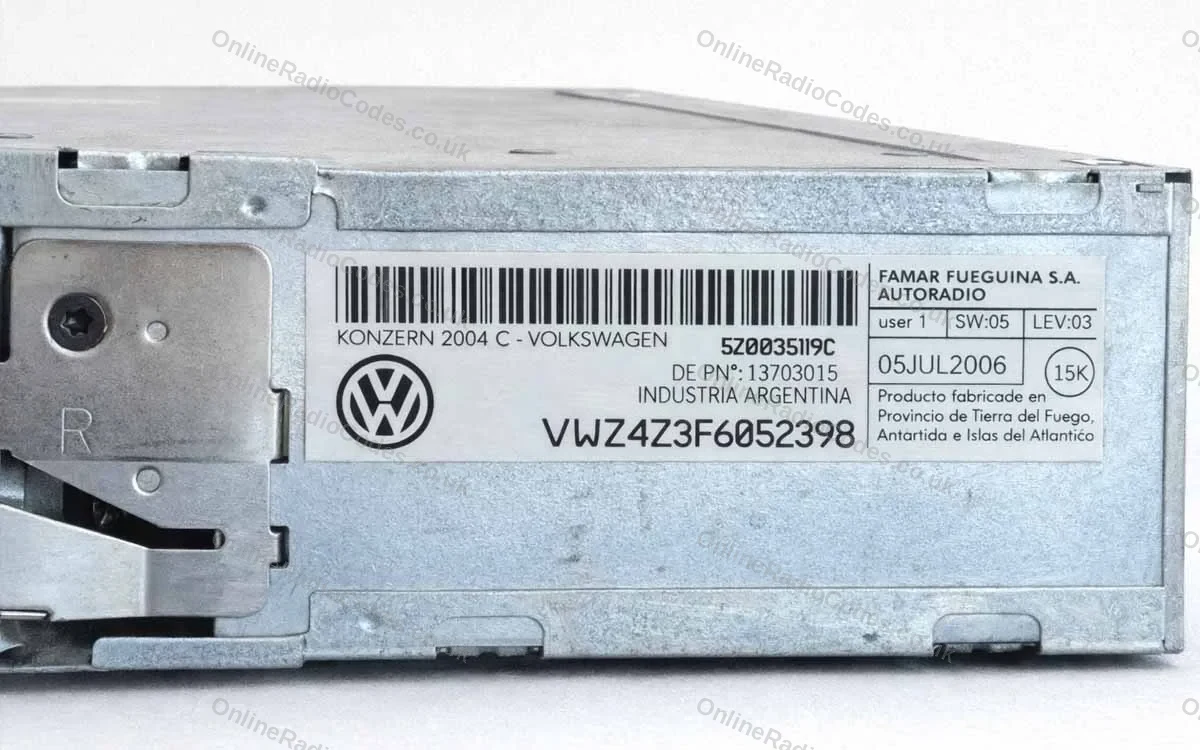
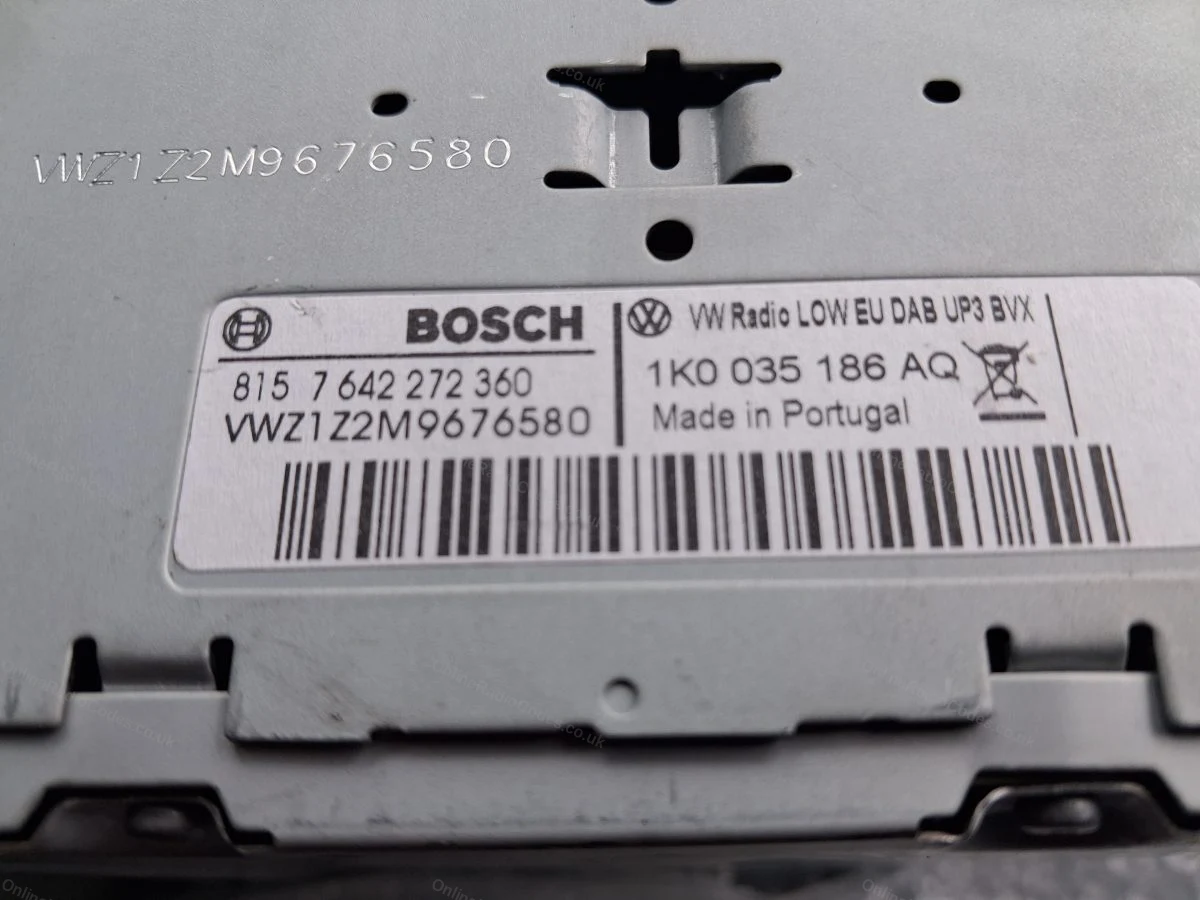
Find your serial number on the label
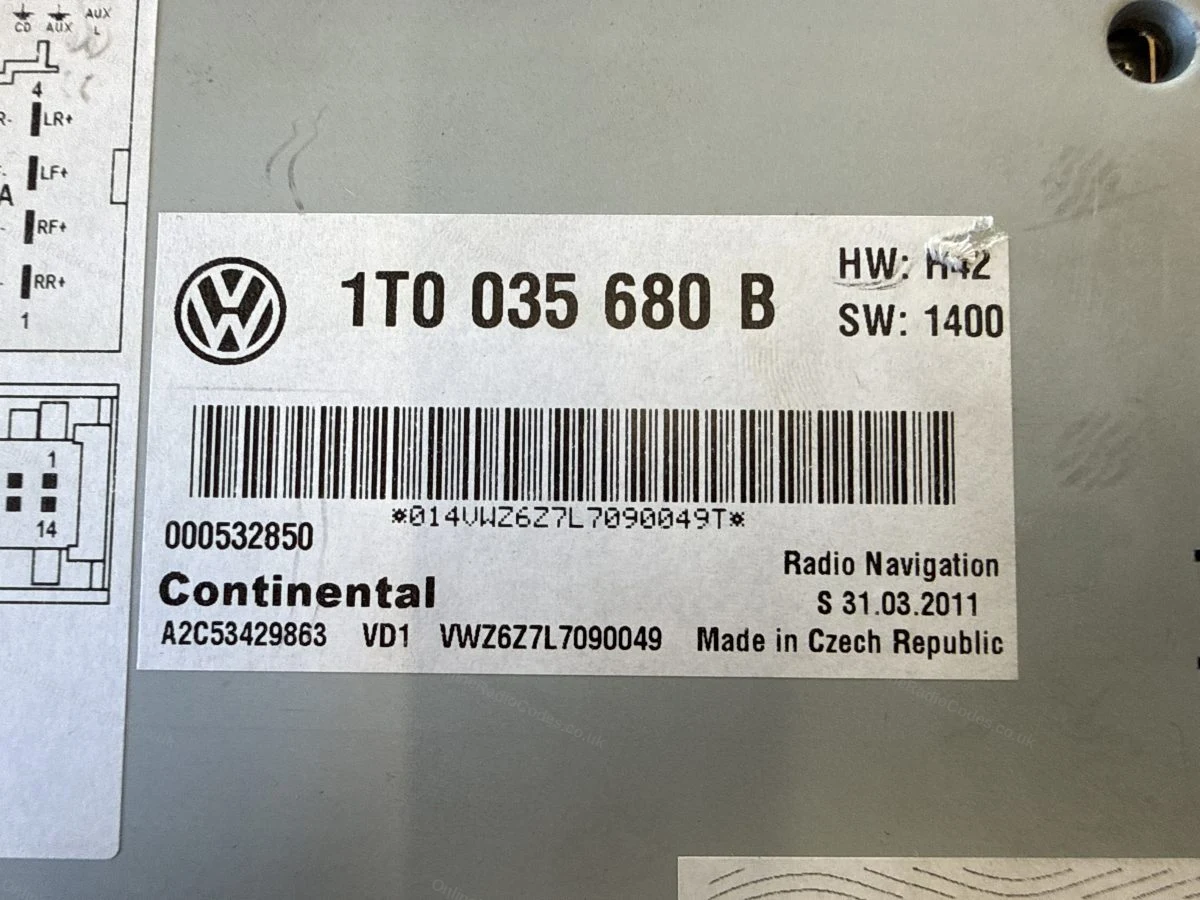
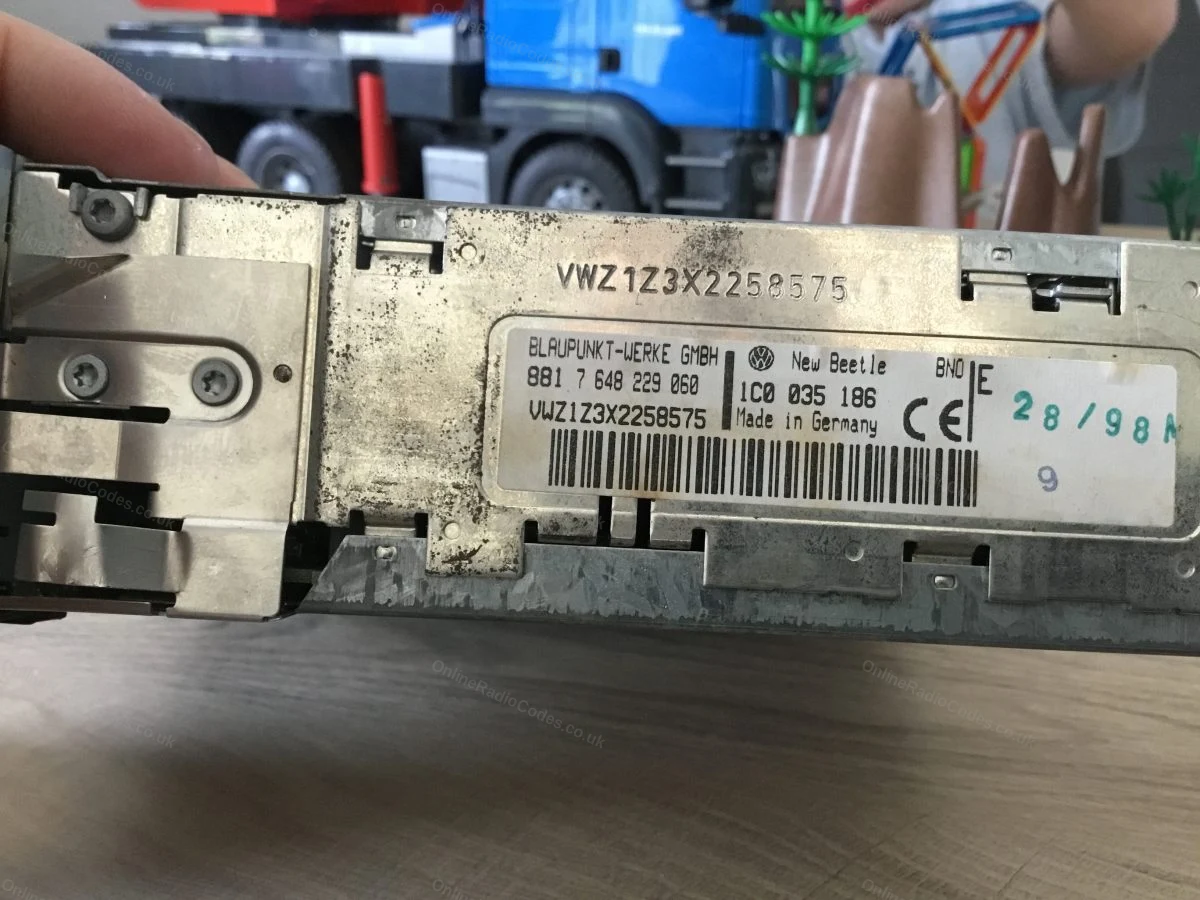
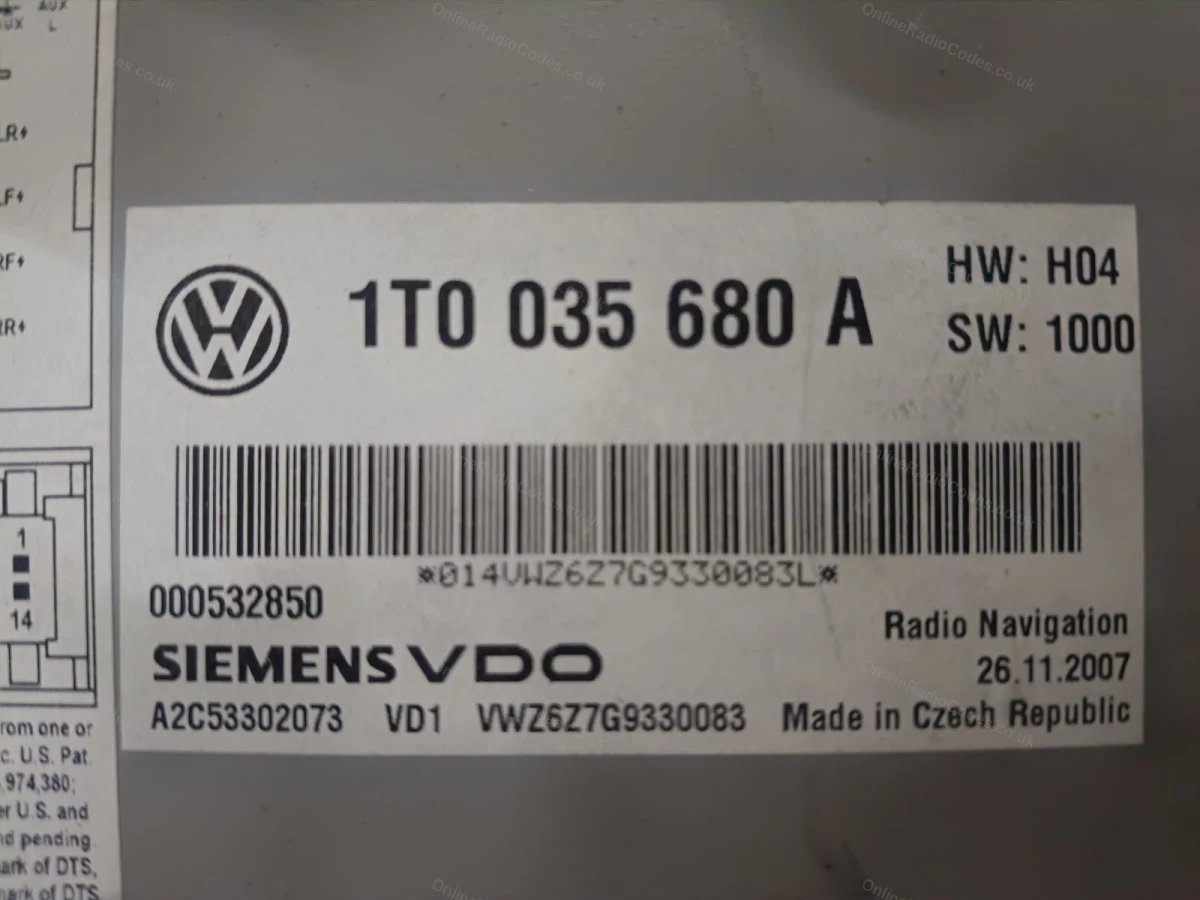
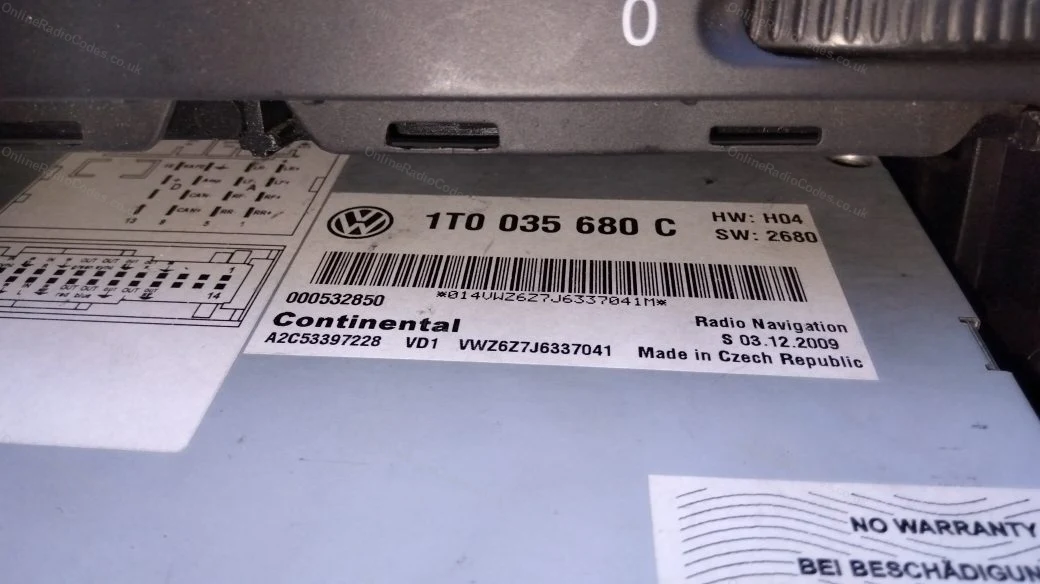
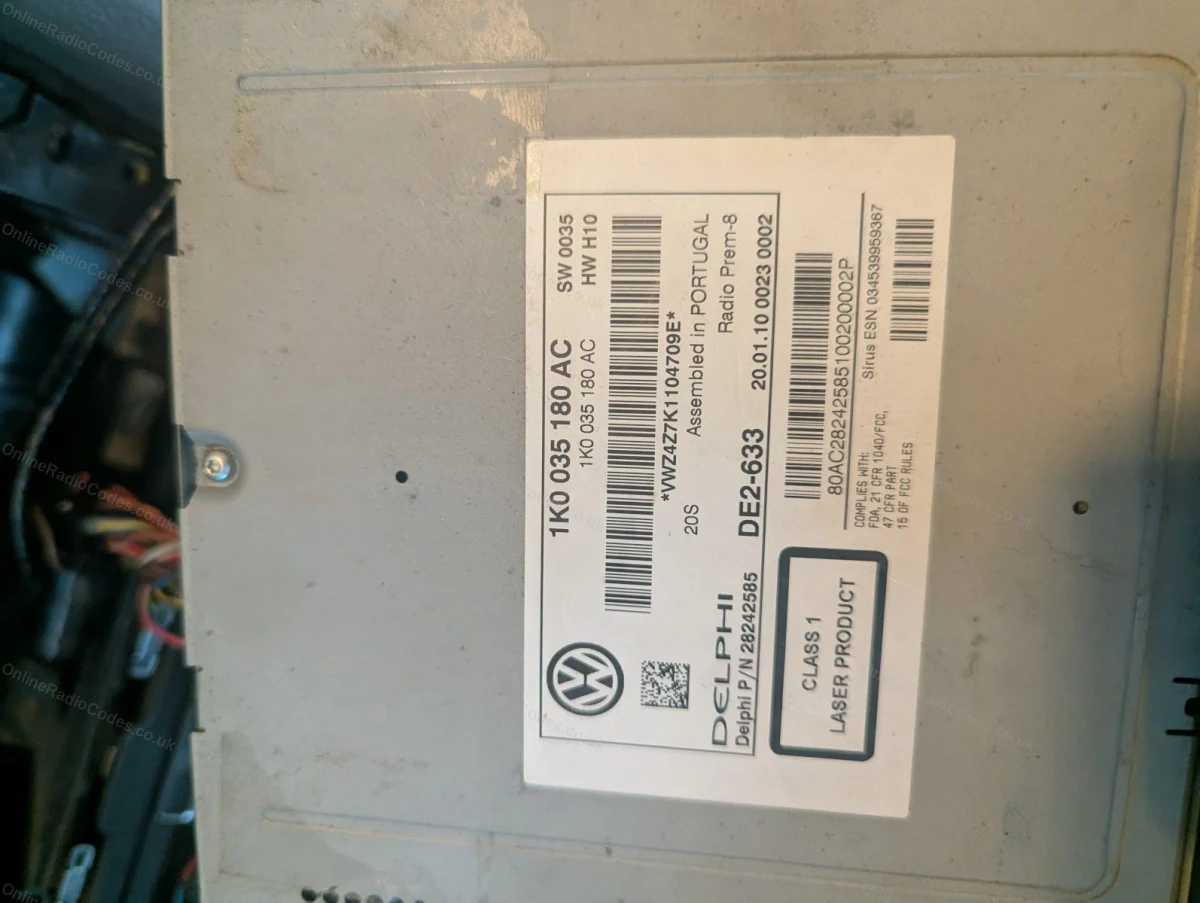
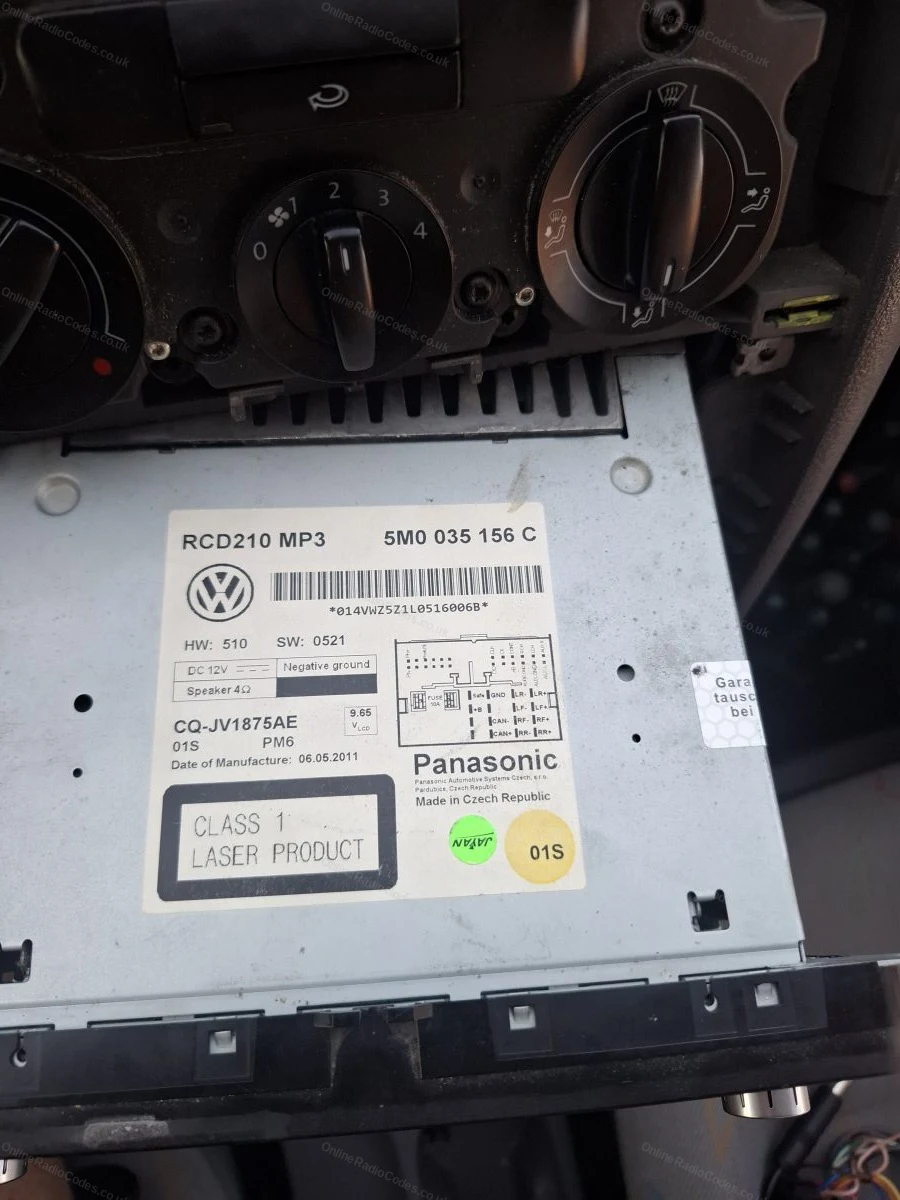
Your serial number is on a sticker on the side or rear of the casing. All VW serials start with VWZ and are 14 characters long, for example VWZ1Z2H1234567. Enter the full serial including the VWZ prefix.
Common VW radios
Common models
Common VW radios
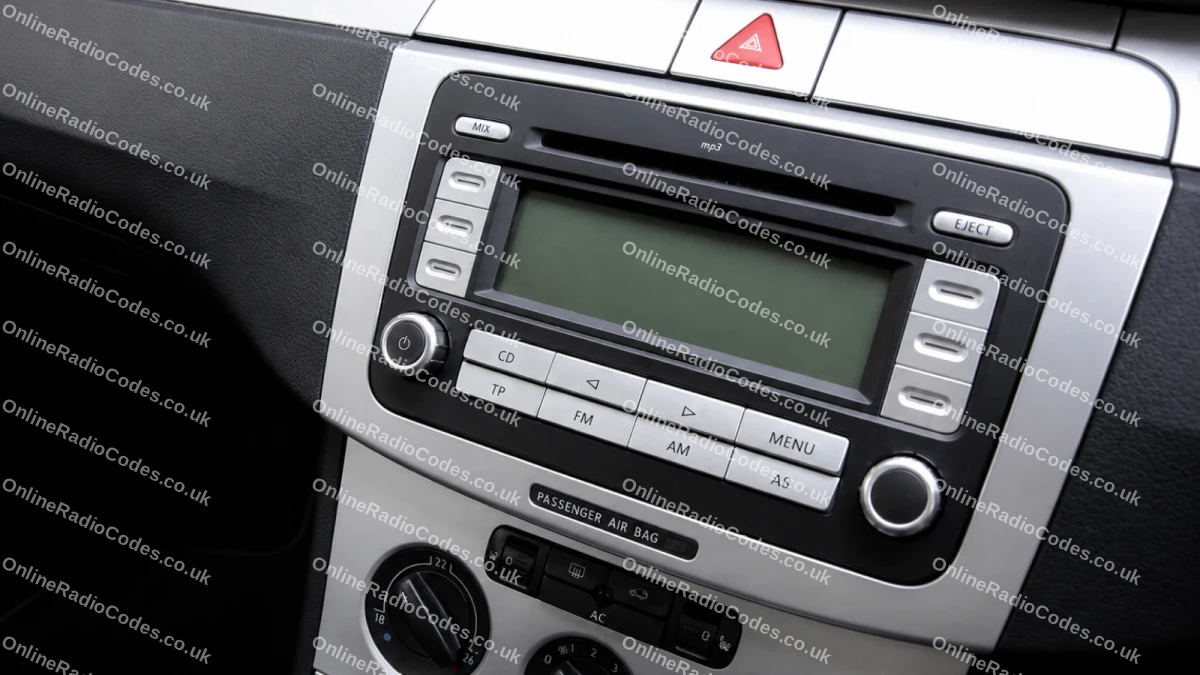
Pictured: VW RCD 300 (VWZ1Z prefix). Other common models include the RCD 500/510 (VWZ4Z prefix) and RNS navigation units (VWZ6Z/VWZGZ prefix). The serial label is on the back of the unit on all models.
What your Volkswagen serial looks like
VWZ-Series VWZ1Z1L123456
VWZ-Series VWZ2Z2F1394291
Can't find it? Contact us. We'll help you locate your serial before you pay a penny.

Why choose us

The World's Leading Volkswagen Radio Code Service

World's No.1
OnlineRadioCodes.co.uk is the world's leading supplier of car radio codes, with over 1 million codes delivered. Our radio experts are on hand to help you every day.
Instant delivery
Most codes appear on screen the moment payment clears. For brands that require manual lookup, our team typically delivers within the hour during business hours.
Money back guarantee
If your code does not work, we refund you in full. No questions, no hassle. We are one of very few radio code companies to back every order with a complete money back guarantee.
Lifetime retrieval
Misplace your code weeks or even years from now? Just get in touch and we will resend it free of charge, every time. One purchase gives you access for life.

FAQ

Frequently asked questions

Where Is the Serial Number on a VW Tiguan Radio?
The serial number is printed on a label on the side or rear of the radio unit. It starts with VWZ and is 14 characters long. You will need to remove the radio from the dashboard to see the label. Follow our step-by-step guide above.
Which Radios Are Fitted to the VW Tiguan?
Common factory radios include the RCD 310 (VWZ2Z prefix) and RCD 510 (VWZ4Z prefix) fitted to the Mk1, and the Discover Media/Pro navigation units (VWZ6Z or VWZGZ prefix) found in the Mk2. All use the same code retrieval process.
How Do I Enter the Code on My VW Tiguan?
Switch the ignition on with the radio displaying a code prompt or SAFE. Use preset buttons 1 to 4 to enter each digit, then press and hold the FM or SCAN button to confirm. The radio will unlock immediately.
My VW Tiguan Radio Says SAFE 10. What Should I Do?
SAFE 10 means the radio is in a lockout state after too many wrong attempts. Leave the ignition on for one hour. The lockout will clear and you can then enter the correct code.
Will the Code Work for a Second-Hand Radio I Fitted to My Tiguan?
Yes. The code is tied to the VWZ serial on the radio label, not to the vehicle VIN. Provide the serial from your specific unit and we will retrieve the correct code regardless of which vehicle it came from originally.
Can I Get a Code for a VW Tiguan Discover Media or Discover Pro?
Yes. Navigation units fitted to later Tiguans use VWZ6Z or VWZGZ serial prefixes. Enter the full 14-character serial including the prefix and we will retrieve your code from the database.

Verified · Trustpilot

Don't just take our word for it

See all reviews on Trustpilot
4 stars
8 hours ago Trustpilot

Process simple and inexpensive

Process simple and inexpensive. Code provided worked without any problem

Adrian Grimsditch · GB
5 stars
1 day ago Trustpilot

I have had my audio codes sorted twice…

I have had my audio codes sorted twice now both online and through the telephone service. I have never been disappointed with there service and would thoroug…

Andy Waugh · GB · Audi
5 stars
1 day ago Trustpilot

Fast service

Fast service , got my code within hours , good customer service

Hasaan Malik · GB
5 stars
1 day ago Trustpilot

Great service

Great service. So quick. Helped me find the unit serial no. Well worth the money

Derek · GB
5 stars
1 day ago Trustpilot

Worked as expected

Worked as expected, very quick retrieval time. Thank you

Colin · GB
5 stars
1 day ago Trustpilot

Old van 2006

Old van 2006, replacement radio had no code but they supplied one within 30 minutes.

paul sansum · GB
5 stars
2 days ago Trustpilot

Does what they say they’ll do

Filled in the form and sent a picture code sent within couple of hours job done

Simon Giffen · GB
5 stars
3 days ago Trustpilot

Top marks

It was great. I called up gave my car information five minutes later my radio was back up and running thank you

Keith Roberts · GB
4 stars
3 days ago Trustpilot

Simple But Slow

The online form was quick and simple and the correct code was supplied.. only annoyance was the time I had to wait but overall great service.

Richard Hepburn · GB
5 stars
3 days ago Trustpilot

I waited too long for the code

I waited too long for the code. Everything else is fine.

Vladimirs Pastors · IE
5 stars
3 days ago Trustpilot

After contacting a few local…

After contacting a few local dealerships and being given inaccurate information, I contacted these guys! I had my code by the end of the day and my radio is …

Peter · GB
See our 21,919 reviews on Trustpilot

Ready to unlock your Volkswagen radio?

Enter your serial number above and get your unlock code in seconds.

Get my code now
Online Radio Codes is an independent radio code service and is not affiliated with, authorised by, or connected to Volkswagen AG or any of its subsidiaries or affiliated companies. All manufacturer names, model names and trademarks are the property of their respective owners and are used solely for identification and reference purposes.
Get my radio code