Iveco fitted Blaupunkt, Bosch, Aptiv touchscreen and Continental radios across the Daily, S-Way, Stralis, Eurocargo and Trakker, and every one unlocks with a 4-digit code tied to the radio serial number. The serial is on the label on the radio casing, and once you have it your code takes minutes. Covers vans and trucks from 2006 to 2024.
The guide below will show you exactly where to find your Iveco radio serial number.
Removal
Remove your radio to find the serial
Iveco radios do not show the serial number on the screen, so the unit needs to come out of the dash. No wires need to be disconnected.
Daily 2006 to 2019: pry the trim frame around the radio free with a plastic trim tool. The radio slides out with the frame. Older DIN-style units release with standard removal keys pushed into the four small holes on the front.
Daily touchscreen, 2019 on: push two thin pins or small screwdrivers into the hole on each side until you feel the catch release, then pull the unit out from the bottom edge.
Trucks (S-Way, Stralis, Eurocargo, Trakker): standard DIN release keys, two in each side, then pull the radio towards you.
Label serial
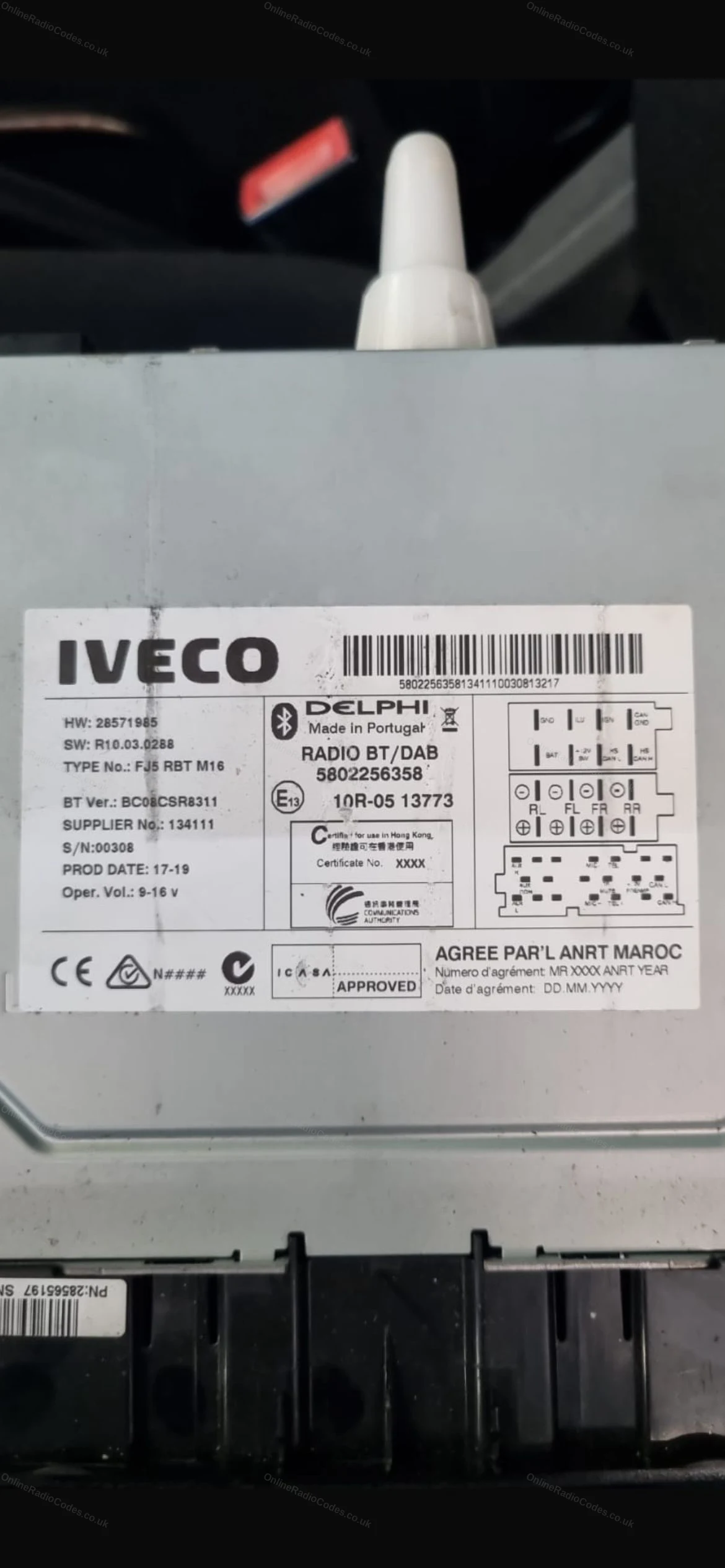
Read the serial number on the label
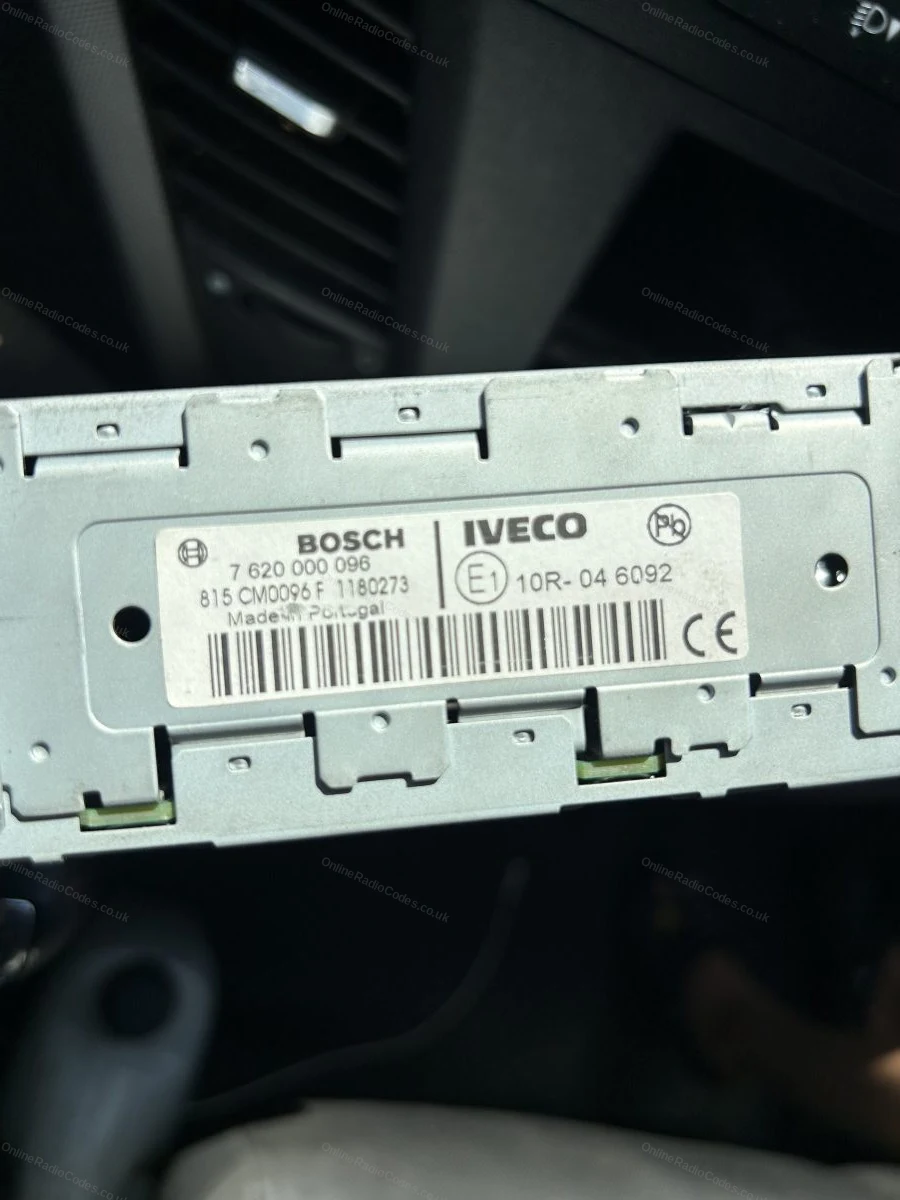
The serial is printed on the sticker on the top or side of the casing. The prefix tells you which unit you have:
BP (Blaupunkt) followed by 12 digits and letters, for example BP700562953492.
815CM or CM (Bosch), for example 815CM0096F1179171. Enter it exactly as printed on the label.
T0BYD (Aptiv touchscreen) followed by 9 digits, for example T0BYD294110168. Ignore the short S/N sticker, the serial we need is on the label starting T0BYD.
One letter and 3 digits (Continental), for example L096 or C985. These units carry a short security serial on the label instead of a long number.
Type the serial into the box above and your radio type will confirm automatically.
What your Iveco serial looks like
BlaupunktBP700562953492
Bosch 815CM815CM0096F1179171
Aptiv TouchscreenT0BYD294110168
ContinentalA2C53243165
Pre-codeL124
Daiichi50231
Can't find it? Contact us. We'll help you locate your serial before you pay a penny.
Radio & label examples
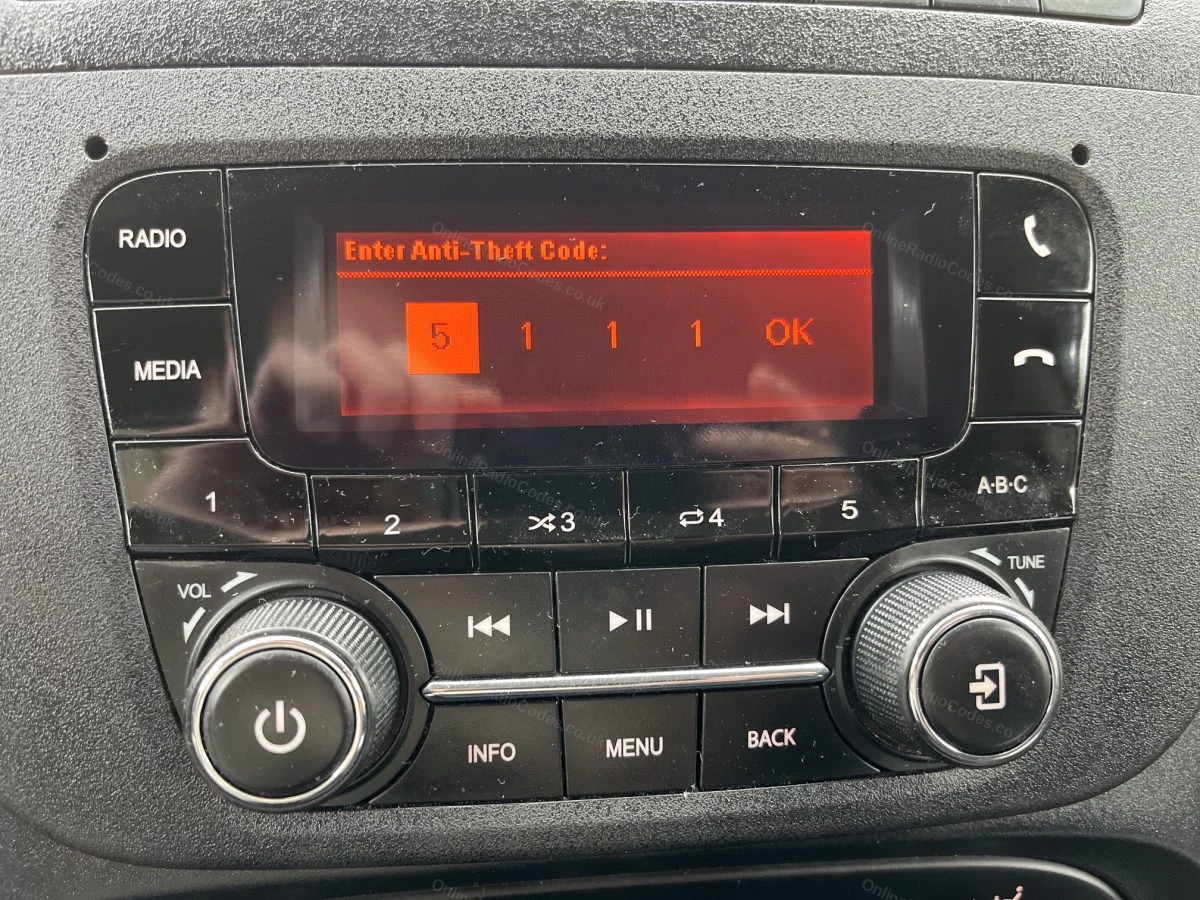
Iveco radio asking for its anti-theft code
Serial label on an Iveco Daily unit
Bosch label on the casing of an Iveco radio
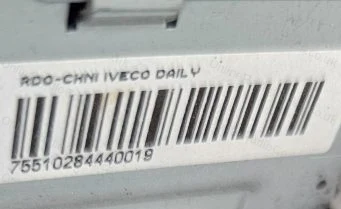
Serial barcode sticker on the unit
Since 2015 · 1 million decodes
The World’s Leading Iveco Radio Code Service
A Decade of Decoding
Retrieving car radio codes since 2015, with more than a million codes delivered. Registered UK company No. 09736186. Read our story
Your Code, Fast
Most codes appear on screen the moment payment clears. The rest are handled by our team, usually within the hour in business hours.
Works, or Your Money Back
If your code does not work, we refund you in full. One of the very few radio code services that backs every single order.
Your Code, Kept for Life
Lose your code in five years? We keep it on file and will resend it free of charge, as many times as you need.
Real people, worldwide, around the clock
Meet our radio experts
A small team who have decoded radios for a decade, with Nova, our AI assistant, covering around the clock. Wherever you are in the world, we're here to help.
Live chat and email 24/7. Phones Monday to Friday, UK hours.
Gavin
Emma
Lucy
Mika
Liz
Nova24/7
FAQ
Frequently asked questions
Why is my Iveco radio asking for a code?
The radio locked itself when it lost power. A flat battery, a battery change or work at a garage are the usual triggers. It is an anti-theft feature and the 4-digit code is the only way back in.
Which Iveco models are covered?
The Daily from 2006 to 2024, including the Blaupunkt units in the 2006 to 2011 vans, the Bosch CD and MP3 units from 2008 to 2019 and the Aptiv touchscreen and DAB units in the 2019-on facelift. On the truck side we cover the S-Way, Stralis and Stralis Hi-Way, Eurocargo and Trakker, which use the Blaupunkt 24 volt and Bosch truck ranges. All four radio types unlock with a 4-digit code.
Can I see the serial on the radio screen?
No. Unlike some other brands, Iveco units do not display the serial number on the screen, which is why our guide asks you to slide the radio out. Removal takes a couple of minutes with release keys or a trim tool and no wires need to be disconnected.
My radio is the touchscreen from a newer Daily. Can you decode it?
Yes. The touchscreen and DAB units fitted from around 2017 are made by Aptiv and carry a serial starting T0BYD on the casing label. Main dealers often quote a high price for these codes or have no record of the code at all for used vehicles. We decode them directly from the T0BYD serial.
My Bosch label says 815CM. Which part do I enter?
Enter the serial exactly as printed on the label. Bosch labels usually show a long number starting 815CM, and some show a shorter version starting CM. Both formats are accepted and both identify the same unit.
There is a short S/N number on my touchscreen unit. Is that the serial?
No. Aptiv units carry two labels, and the short one marked S/N with only a few digits is a production number that cannot be decoded. The serial we need is on the label starting T0BYD followed by 9 digits.
My label only shows a short serial like L096. Is that enough?
Yes. The Continental units fitted to some Ivecos use a short security serial, one letter followed by 3 digits, printed on the casing label. Enter those 4 characters and we will decode your radio code from them.
How do I enter the code once I have it?
Turn the ignition on and the display will show CODE or four dashes. On button radios, press preset 1 repeatedly for the first digit, preset 2 for the second, and so on. The code confirms itself on the last digit on most units. On the touchscreen models a keypad appears on screen, so simply type the 4 digits.
I entered the wrong code and the radio is stuck on dashes. What now?
The radio has locked itself after too many wrong attempts. Leave it switched on for up to 2 hours and it will start accepting entries again. This is exactly the situation where guessing makes things worse, so wait for the lockout to clear and enter the decoded serial code once.
Fantastic, so fast. After trying and believing that I would have to go to a main dealer with the obvious expenses. This service was amazing. Thank you.
Sehr rasch und preisgünstig den Code für einen Nissan NP300 Navara erhalten! Das ist deutlich besser, als eine mühevoller Abwicklung mit Händlern oder Werkst…
Very helpful. They resolve the issue very quickly even when I made an error with my serial number they were patient. My code worked and all is back to normal.
Please note: Iveco radios with a 5-digit serial number on the label (for example 00152) cannot be decoded by any online service. The code for those units is only available from an Iveco dealer. Radios with a TxxYD serial (for example T0BYD...) are fully supported.


















 Iveco · Radio Codes
 22,670 reviews on