







100% Money Back Guarantee The World's Leading Car Radio Code Service Trusted by 1,000,000+ customers
Volkswagen Volkswagen · Radio Codes
Est. 6 Hours

VW Jetta Radio Codes

Get your VW Jetta radio code fast. Enter your VWZ serial number and we retrieve your code directly from the manufacturer database. Instant results for RCD 300, RCD 500, RCD 510, and RNS navigation units fitted to all Jetta generations.

Money back guarantee Lifetime free retrieval
Enter your serial number
Over 1 million codes delivered worldwide.
Not sure which serial to enter? See examples
Est. 6 Hours Money back guarantee Secure checkout

Step 1 of 3

How to find your Volkswagen serial number

The guide below will show you exactly where to find your Volkswagen radio serial number.

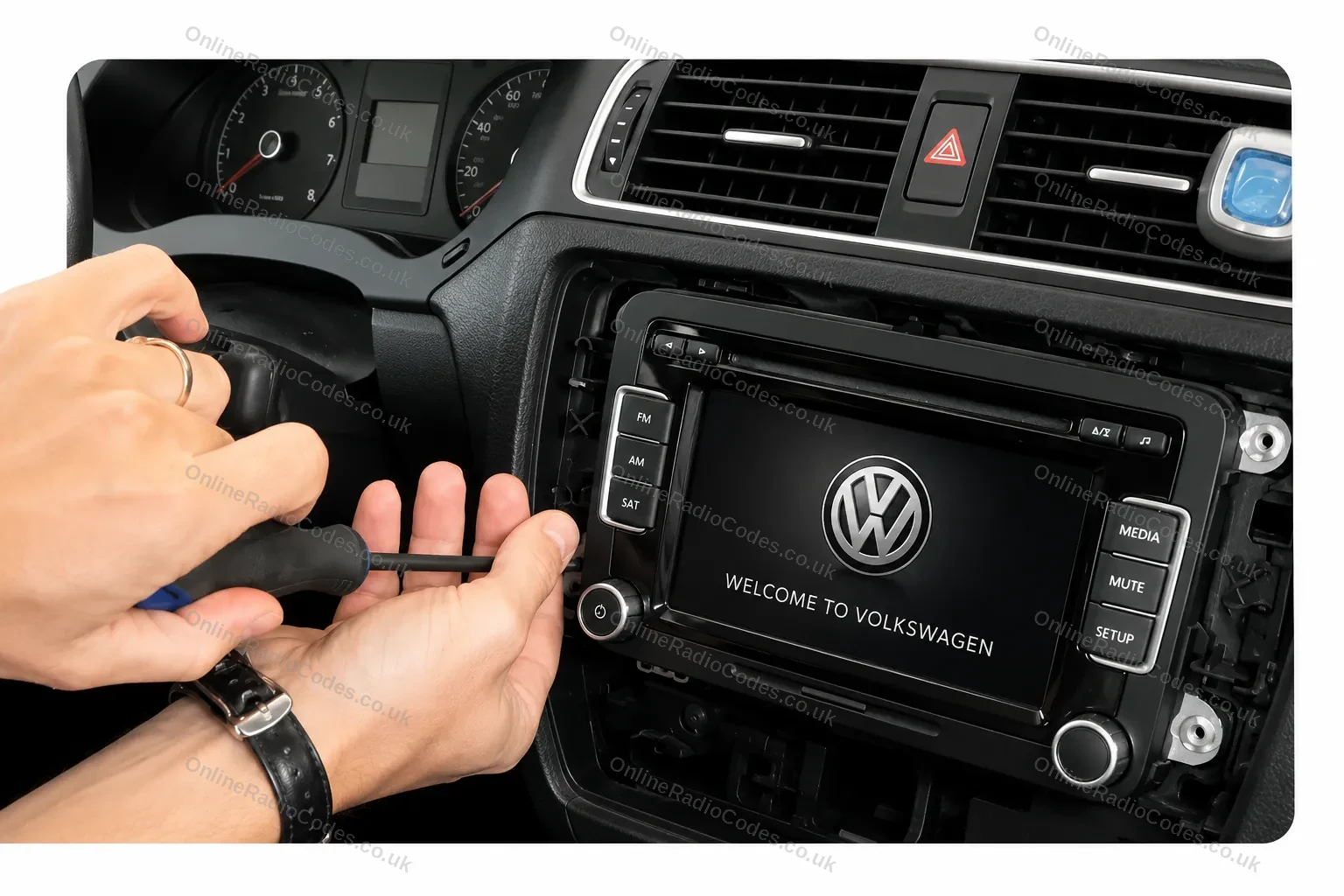
Remove your radio
Step 1
Remove your radio
Remove the surrounding trim panels and slide the unit out of the dashboard. Depending on your model you will use a flat-head screwdriver, a prying tool, or radio release keys inserted into the corner slots. VW release keys are the most common method and can be bought cheaply online.
Find your serial number on the label
Step 2
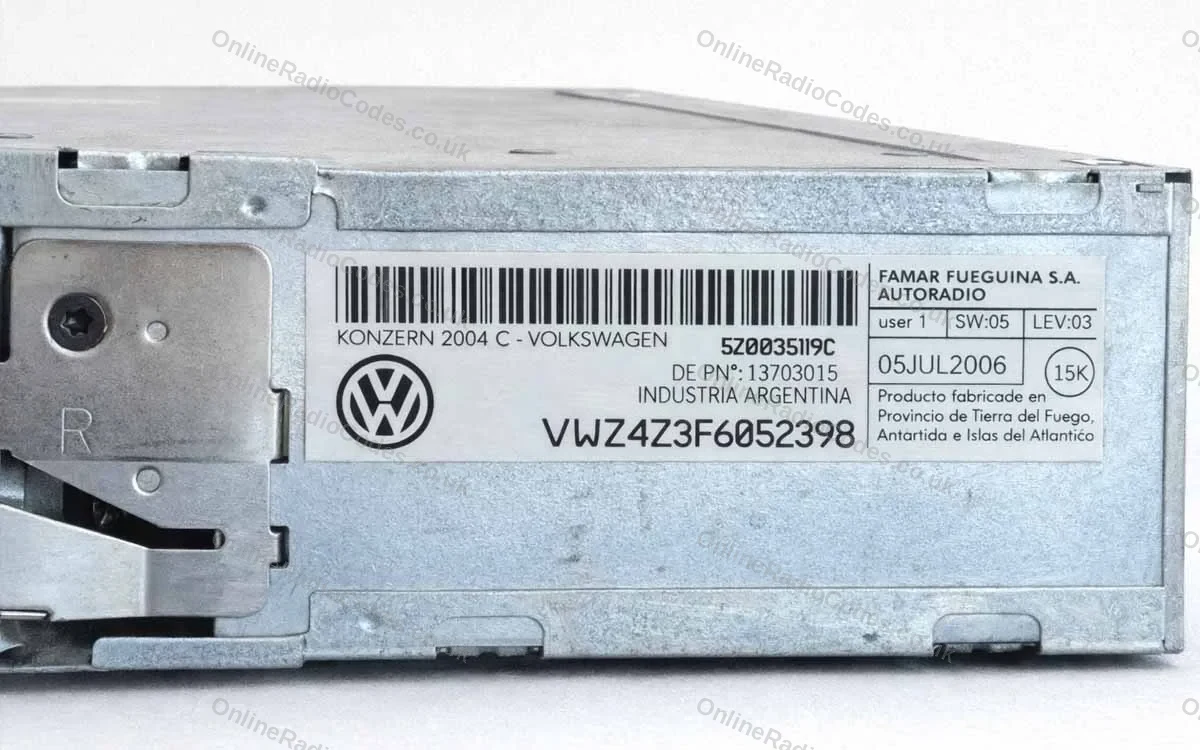
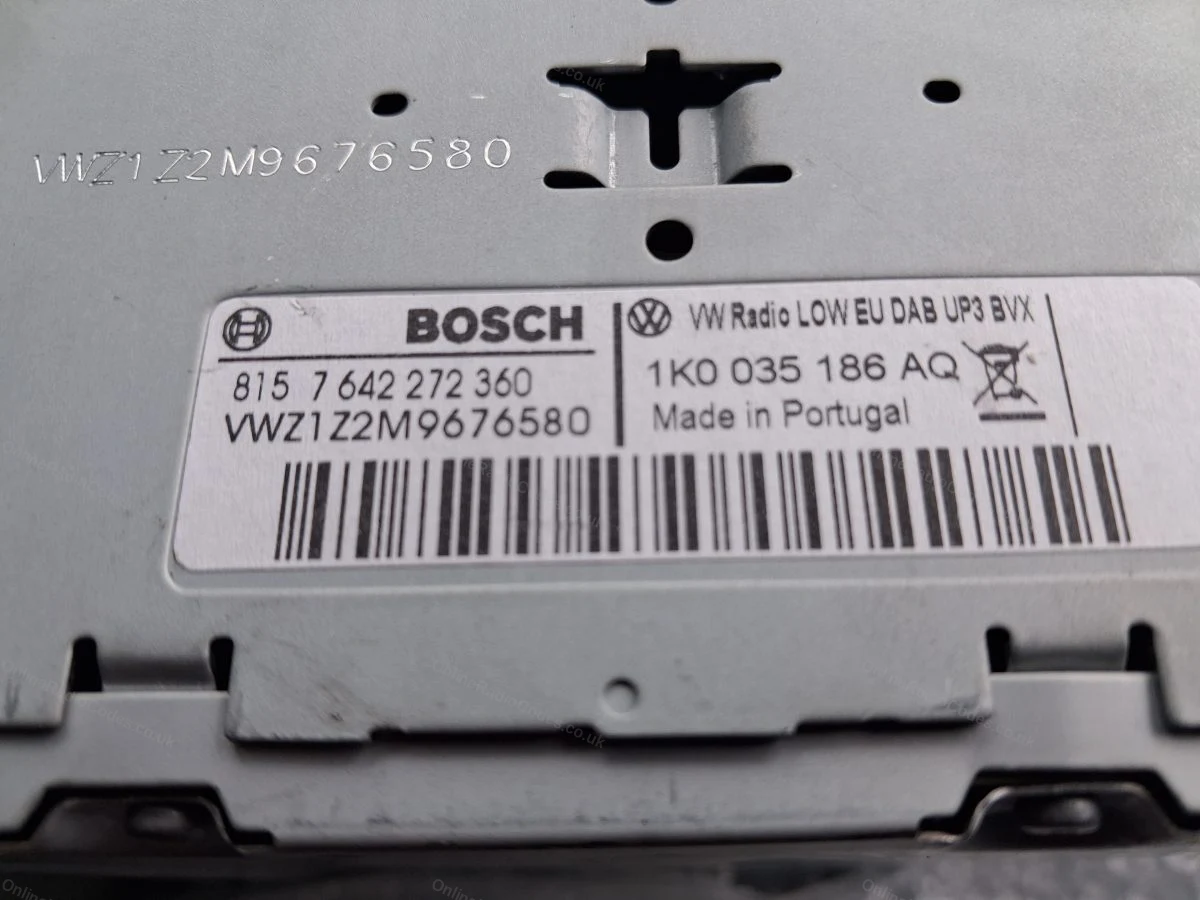
Find your serial number on the label
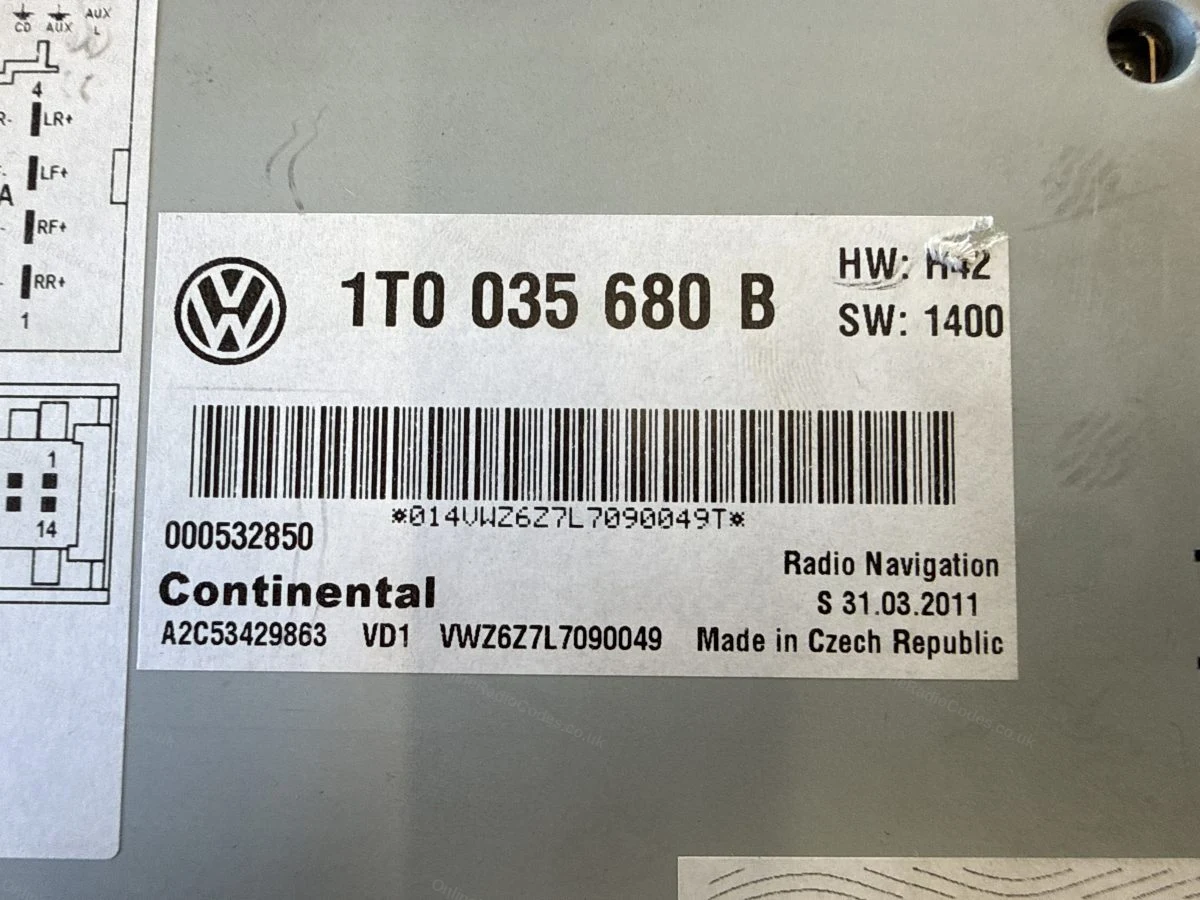
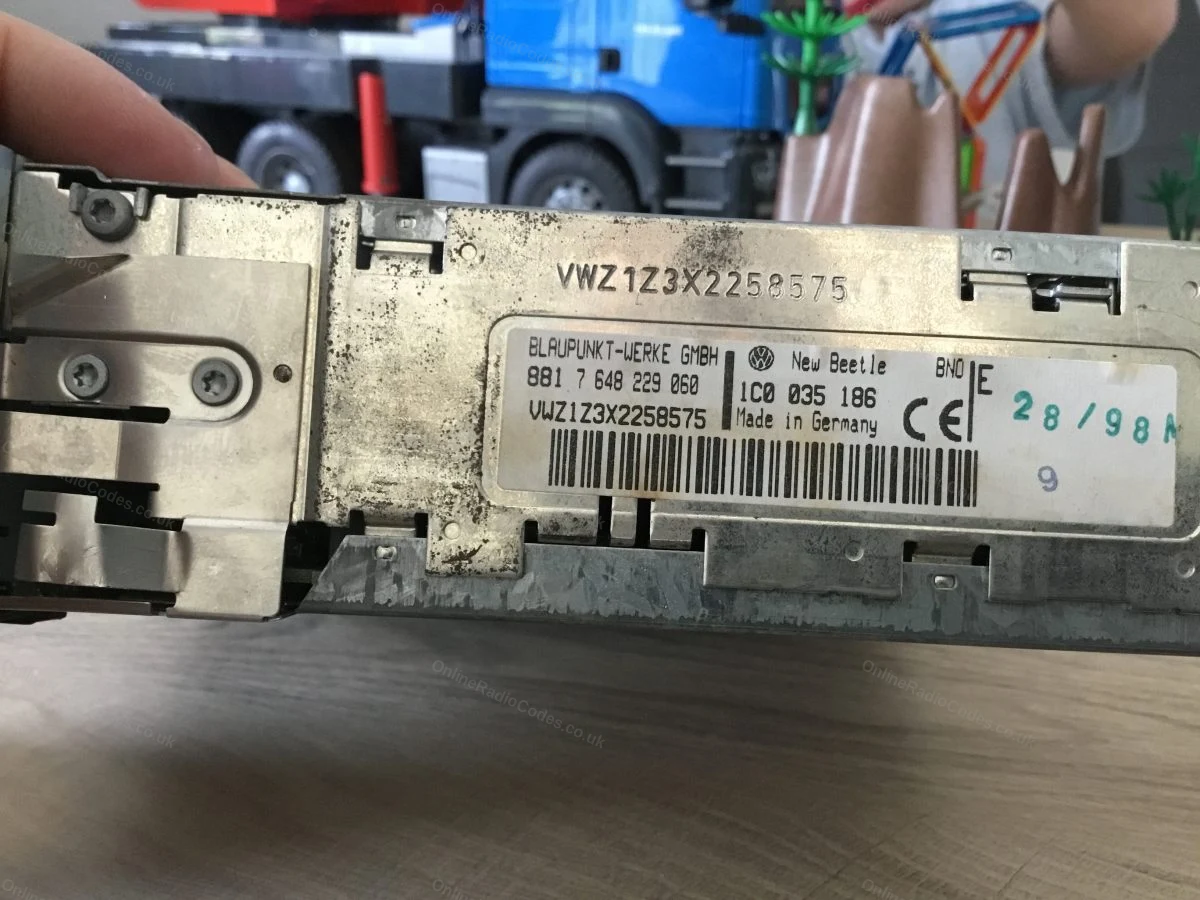
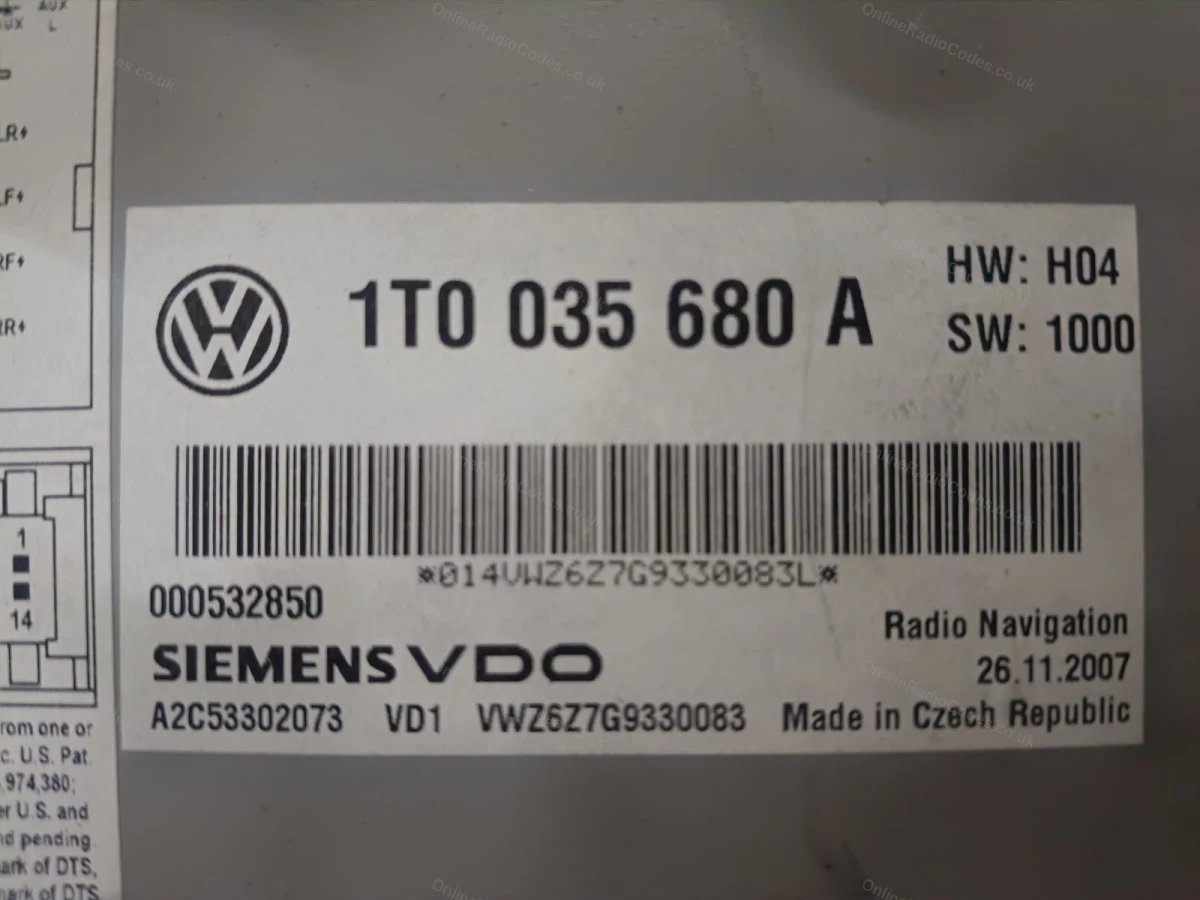
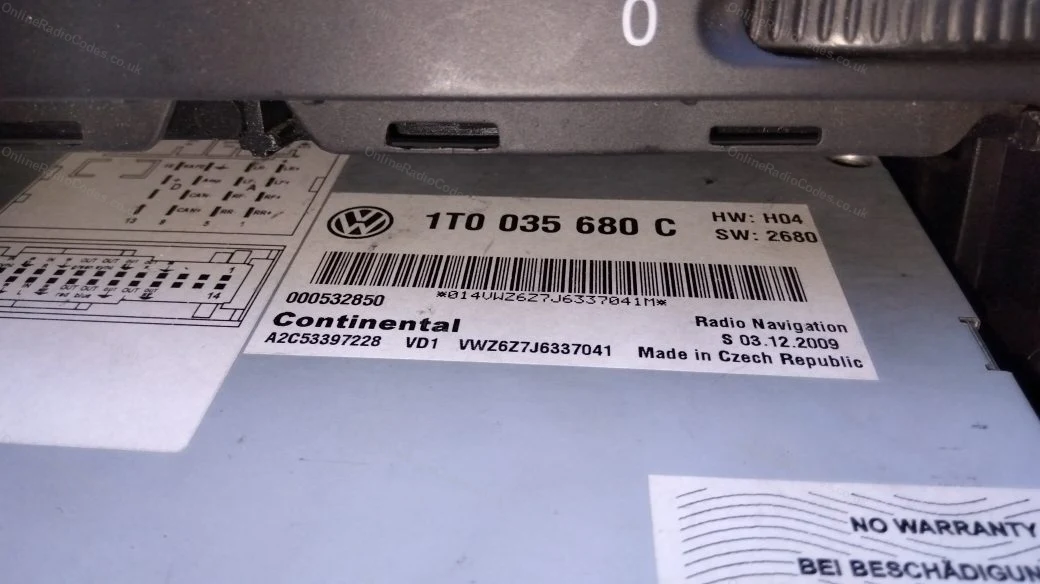
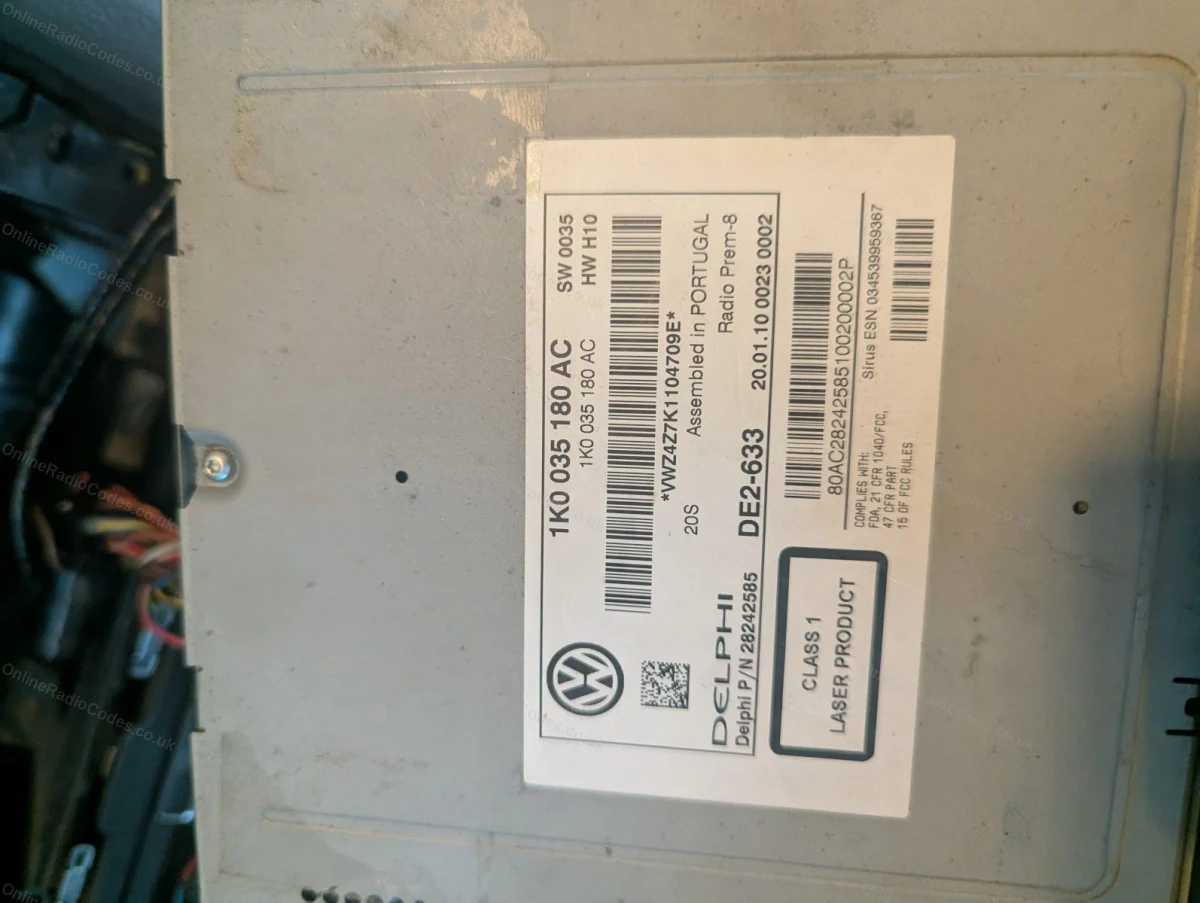
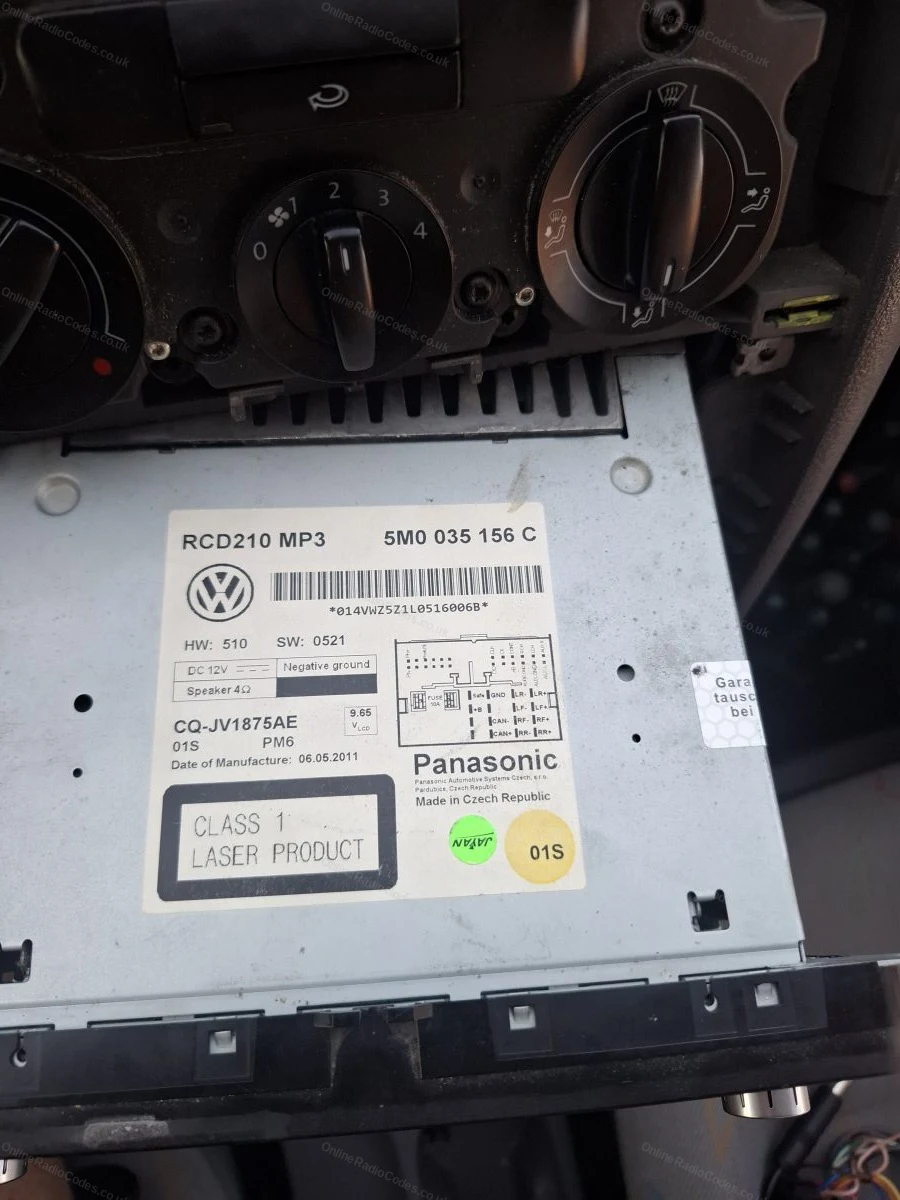
Your serial number is on a sticker on the side or rear of the casing. All VW serials start with VWZ and are 14 characters long, for example VWZ1Z2H1234567. Enter the full serial including the VWZ prefix.
Common VW radios
Common models
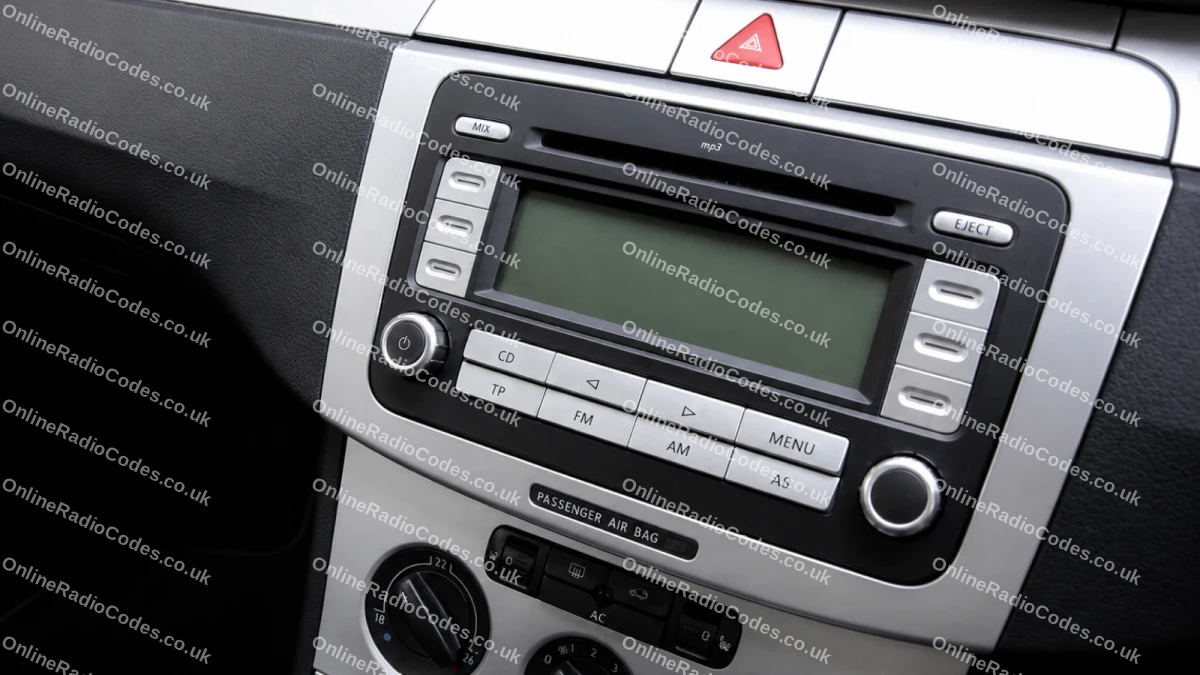
Common VW radios
Pictured: VW RCD 300 (VWZ1Z prefix). Other common models include the RCD 500/510 (VWZ4Z prefix) and RNS navigation units (VWZ6Z/VWZGZ prefix). The serial label is on the back of the unit on all models.
What your Volkswagen serial looks like
VWZ-Series VWZ1Z1L123456
VWZ-Series VWZ2Z2F1394291
Can't find it? Contact us. We'll help you locate your serial before you pay a penny.

Why choose us

The World's Leading Volkswagen Radio Code Service

World's No.1
OnlineRadioCodes.co.uk is the world's leading supplier of car radio codes, with over 1 million codes delivered. Our radio experts are on hand to help you every day.
Instant delivery
Most codes appear on screen the moment payment clears. For brands that require manual lookup, our team typically delivers within the hour during business hours.
Money back guarantee
If your code does not work, we refund you in full. No questions, no hassle. We are one of very few radio code companies to back every order with a complete money back guarantee.
Lifetime retrieval
Misplace your code weeks or even years from now? Just get in touch and we will resend it free of charge, every time. One purchase gives you access for life.

FAQ

Frequently asked questions

Where Is the Serial Number on a VW Jetta Radio?
The serial number is printed on a label on the side or rear of the radio unit. All VW Jetta serials start with VWZ and are 14 characters long. You need to remove the radio from the dashboard to read it. See our step-by-step guide above.
Which Radios Are Fitted to the VW Jetta?
Common factory radios include the RCD 300 (VWZ1Z prefix), RCD 500 and RCD 510 (VWZ4Z prefix), and RNS navigation units (VWZ6Z or VWZGZ prefix). The code retrieval process is the same for all models.
How Do I Enter the Code on My VW Jetta?
Switch the ignition on with the radio in the locked state (it will display SAFE or a code prompt). Use the radio preset buttons 1 to 4 to enter each digit of your code, then press and hold the AM/FM or SCAN button to confirm. The radio will unlock immediately.
Will the Code Work If My Radio Has Been in Another Car?
Yes. The code is tied to the radio serial number, not the vehicle. As long as you provide the correct VWZ serial from the label on your unit, we will retrieve the correct code regardless of which vehicle the radio came from.
What If My VW Jetta Displays SAFE 10 or CODE 10?
If the display shows SAFE 10 or CODE 10, the radio has been locked out due to too many incorrect code attempts. You will need to leave the ignition on for one hour to reset the lock counter before trying again. Do not attempt any more codes until the display clears.
My Jetta Radio Shows SAFE, Not a Code Prompt. What Should I Do?
Press and hold preset button 1 and the FM or SCAN button together for about two seconds. The display will switch from SAFE to a code entry prompt (four dashes). You can then enter your unlock code using the preset buttons.

Verified · Trustpilot

Don't just take our word for it

5 stars
13 hours ago Trustpilot

Every think is good

Every think is good. Counication on email is excelent. Thank you

Tomáš Janíček · CZ
5 stars
1 day ago Trustpilot

I just got the car on the of this…

I just got the car on the of this month and I need the radio

Kris · GB
5 stars
2 days ago Trustpilot

Fast and professional service

Fast and professional service. Good communication. Worked first time

Jason Dodd · GB
5 stars
2 days ago Trustpilot

Brilliant

Brilliant, paid £12.99 and had code within 2 minutes and worked first time,Highly recommend this company if you require a code for your radio.

Olly Carroll · GB
5 stars
3 days ago Trustpilot

Absolutely brilliant service

Absolutely brilliant service, I didn’t have a clue what I was doing so I just sent pictures and they sorted it, thankyou so much onlineradiocodes.co.uk will …

Adam Wray · GB
5 stars
4 days ago Trustpilot

Thanks for providing key code for my…

Thanks for providing key code for my car. Entered code and radio came to life again!

MRS BARBARA PHILLIPS · GB
5 stars
4 days ago Trustpilot

Very easy to use their interface

Very easy to use their interface, make sure you type the correct serial number for car, I received my pin within 5 minutes after purchasing their service. Wo…

Abdul · GB
5 stars
4 days ago Trustpilot

Very quick & efficient service

Very quick & efficient service

Mark Palethorpe · GB
5 stars
5 days ago Trustpilot

The code worked

The code arrived within exactly 6 hours, and worked straight away very happy.

Jodi Cripwell · GB
See our 21,883 reviews on Trustpilot

Ready to unlock your Volkswagen radio?

Enter your serial number above and get your unlock code in seconds.

Get my code now
Online Radio Codes is an independent radio code service and is not affiliated with, authorised by, or connected to Volkswagen AG or any of its subsidiaries or affiliated companies. All manufacturer names, model names and trademarks are the property of their respective owners and are used solely for identification and reference purposes.
Get my radio code