
100% Money Back Guarantee The World's Leading Car Radio Code Service Trusted by 1,000,000+ customers
Volkswagen Volkswagen · Radio Codes
Est. 24 Hours

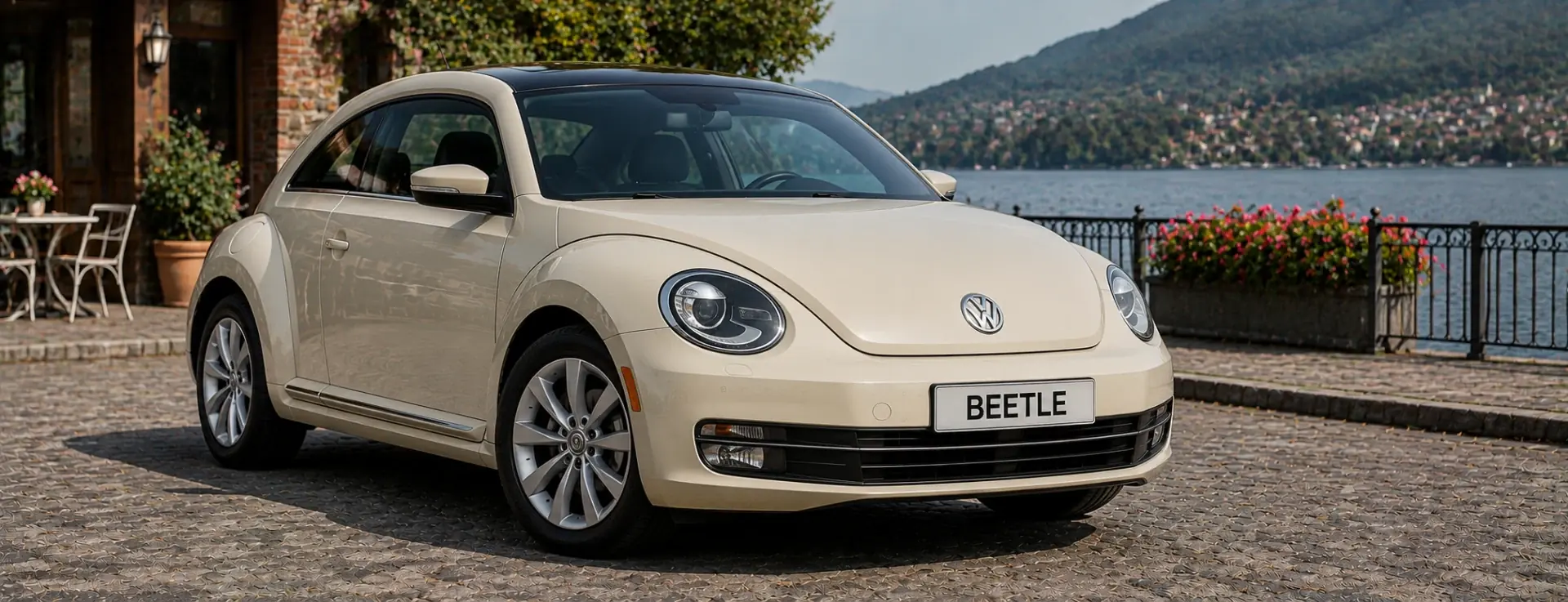
VW Beetle Radio Codes

VW Beetle radio code by serial number, retrieved directly from the manufacturer database. Works with the VWZ serial, covering all factory radios fitted to the New Beetle and A5 Beetle, including RCD 300, RCD 500 and RNS navigation units.

Enter your serial number
Over 1 million codes delivered worldwide.
Not sure which serial to enter? See examples
Est. 24 Hours Money back guarantee Secure checkout

Step 1 of 3

How to find your Volkswagen serial number

The guide below will show you exactly where to find your Volkswagen radio serial number.

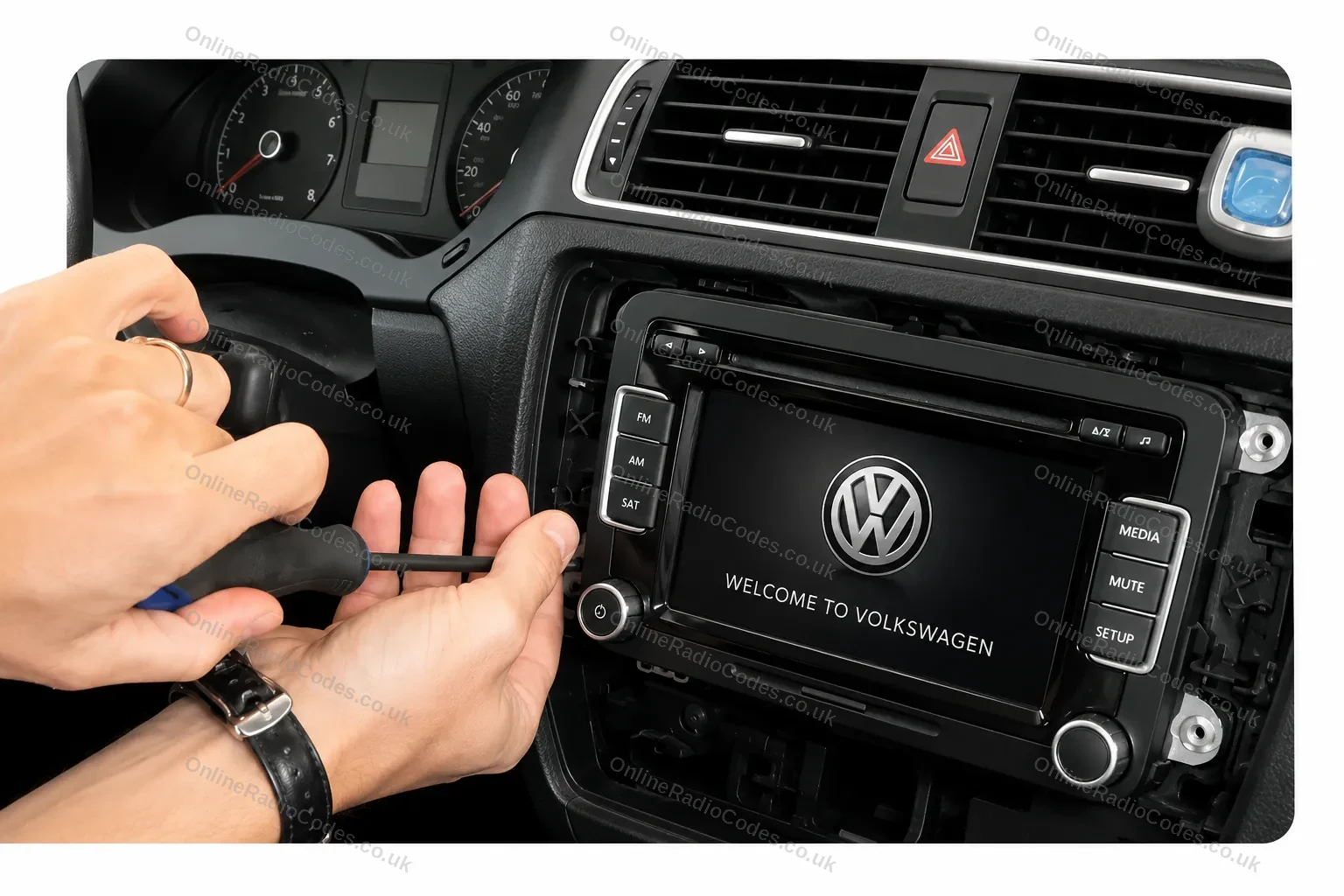
Remove your radio
Step 1
Remove your radio
Remove the surrounding trim panels and slide the unit out of the dashboard. Depending on your model you will use a flat-head screwdriver, a prying tool, or radio release keys inserted into the corner slots. VW release keys are the most common method and can be bought cheaply online.
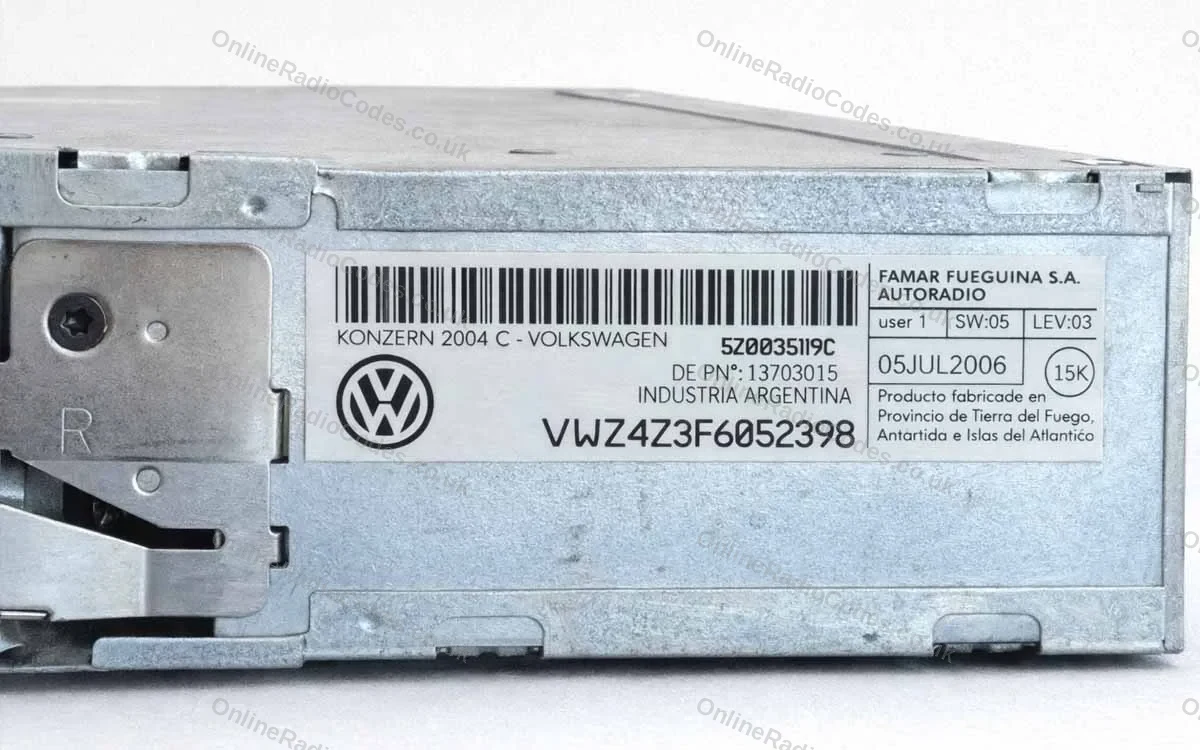
Find your serial number on the label
Step 2
Find your serial number on the label
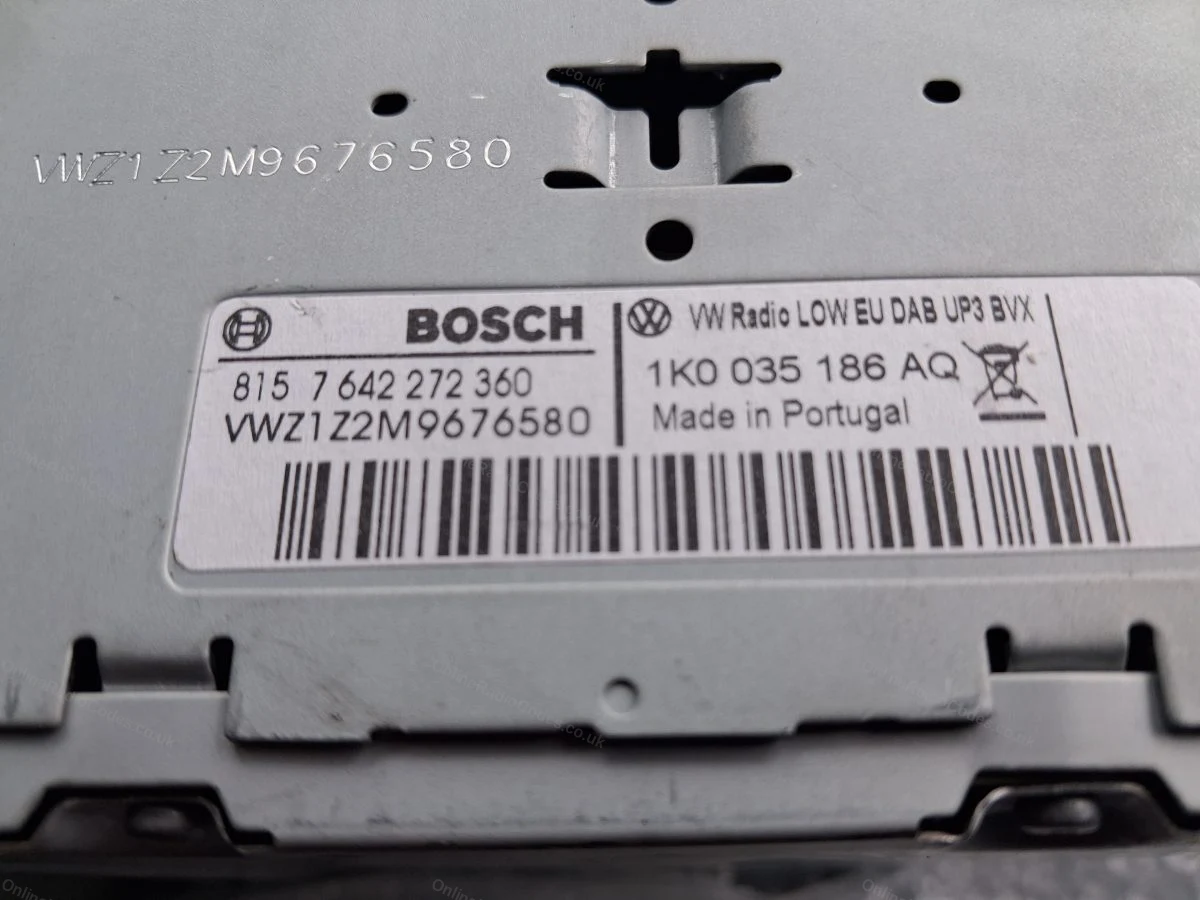
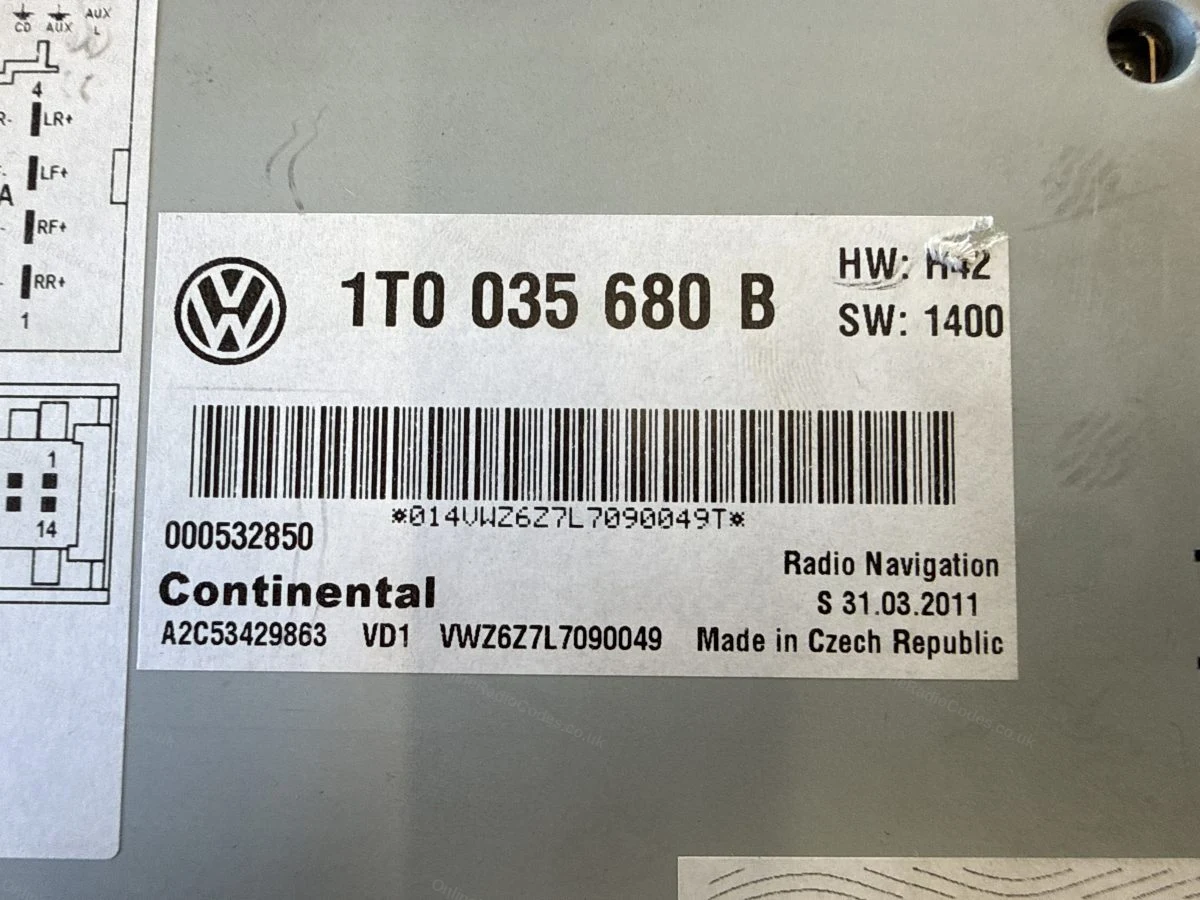
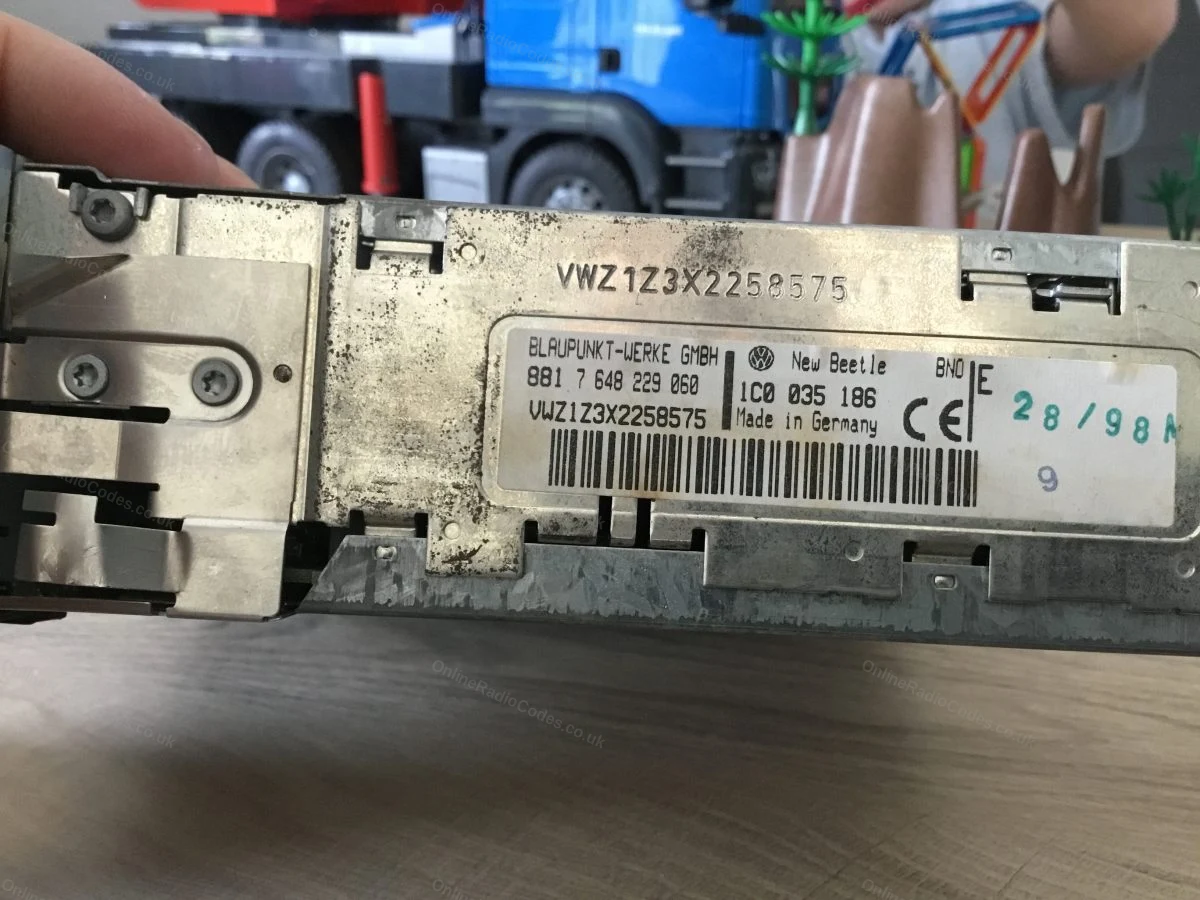
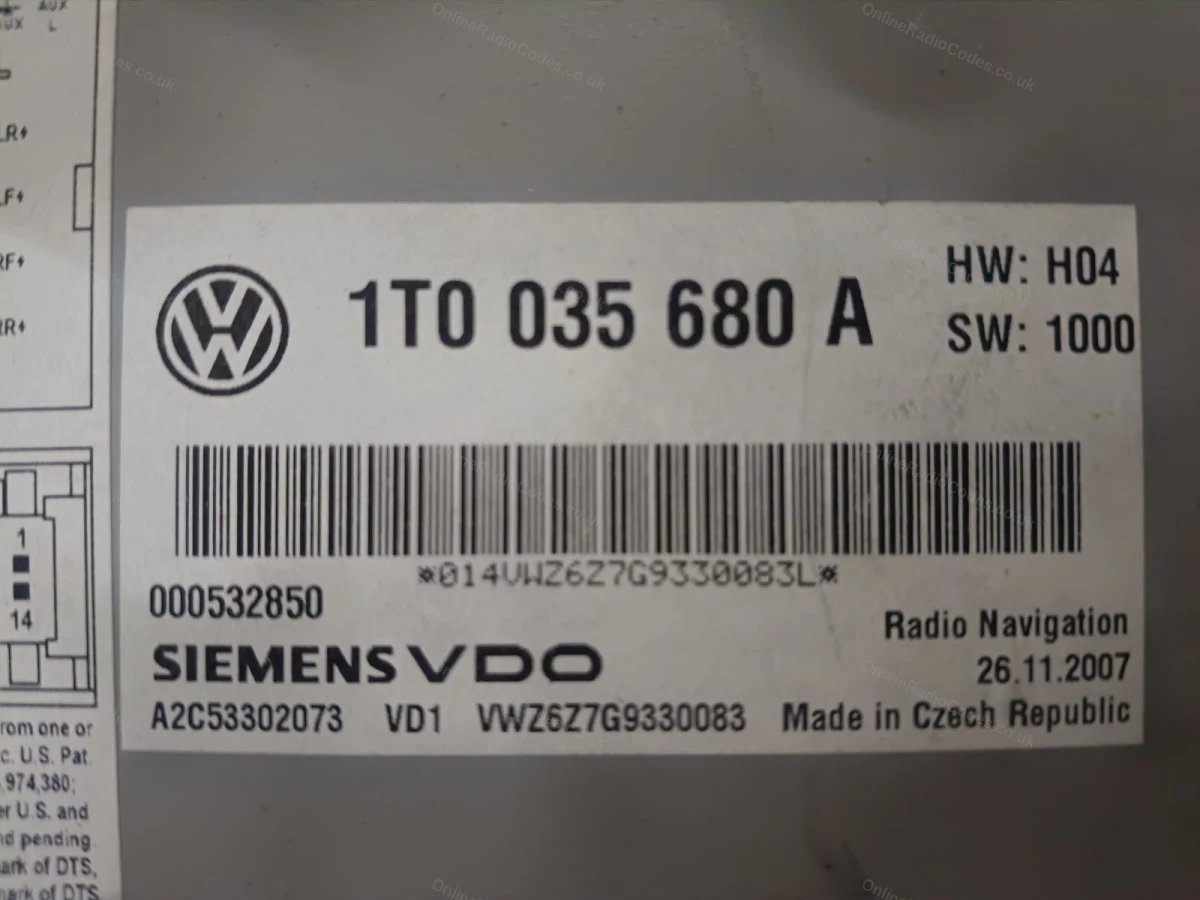
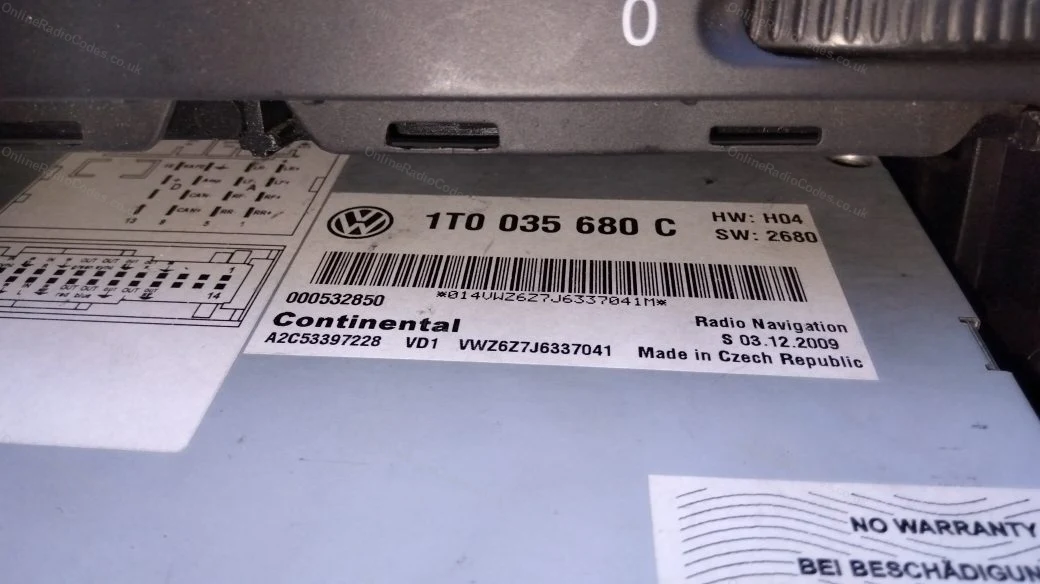
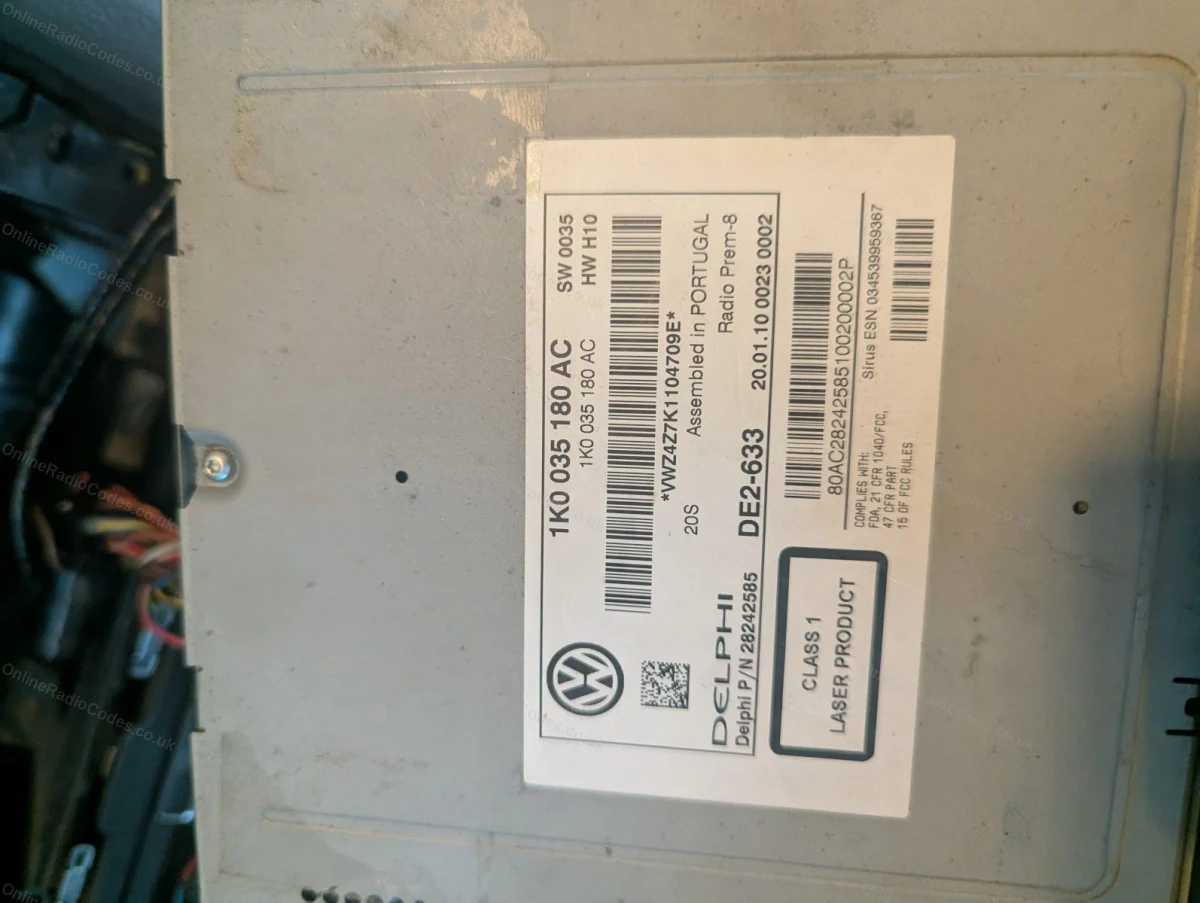
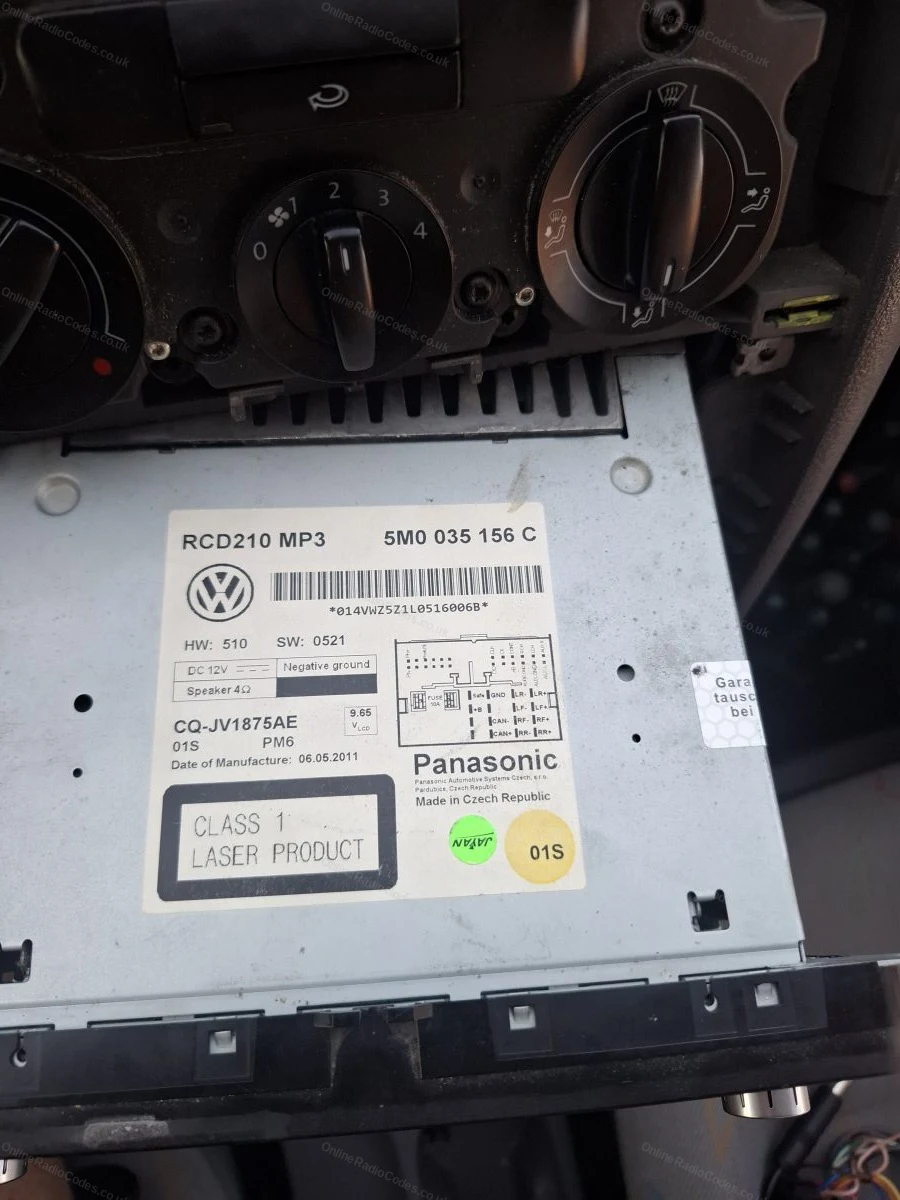
Your serial number is on a sticker on the side or rear of the casing. All VW serials start with VWZ and are 14 characters long, for example VWZ1Z2H1234567. Enter the full serial including the VWZ prefix.
Common VW radios
Common models
Common VW radios
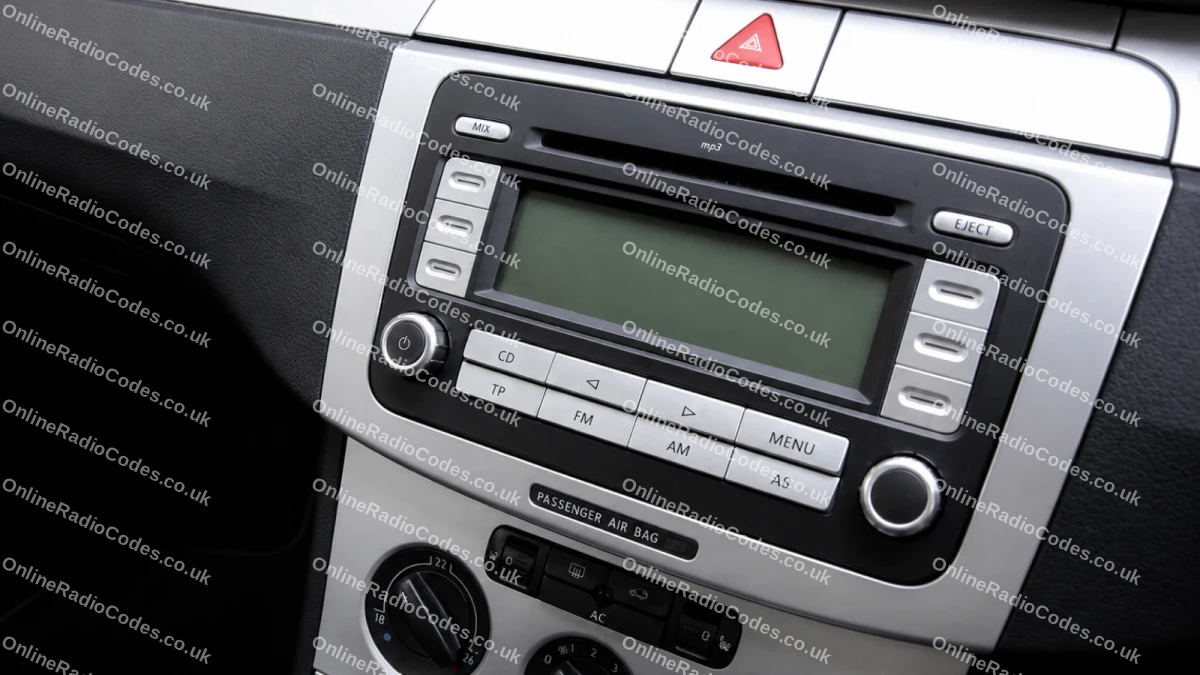
Pictured: VW RCD 300 (VWZ1Z prefix). Other common models include the RCD 500/510 (VWZ4Z prefix) and RNS navigation units (VWZ6Z/VWZGZ prefix). The serial label is on the back of the unit on all models.
What your Volkswagen serial looks like
VWZ-Series VWZ1Z1L123456
VWZ-Series VWZ2Z2F1394291
Can't find it? Contact us. We'll help you locate your serial before you pay a penny.

Since 2015 · 1 million decodes

The World’s Leading Volkswagen Radio Code Service

A Decade of Decoding
Retrieving car radio codes since 2015, with more than a million codes delivered. Registered UK company No. 09736186. Read our story
Your Code, Fast
Most codes appear on screen the moment payment clears. The rest are handled by our team, usually within the hour in business hours.
Works, or Your Money Back
If your code does not work, we refund you in full. One of the very few radio code services that backs every single order.
Your Code, Kept for Life
Lose your code in five years? We keep it on file and will resend it free of charge, as many times as you need.

Real people, worldwide, around the clock

Meet our radio experts

A small team who have decoded radios for a decade, with Nova, our AI assistant, covering around the clock. Wherever you are in the world, we're here to help.

Live chat and email 24/7. Phones Monday to Friday, UK hours.

  • Gavin Wilson Gavin
  • Emma Keevney Emma
  • Lucy Flynn Lucy
  • Mika Jones Mika
  • Liz Wilson Liz
  • Nova, our AI assistant Nova 24/7

FAQ

Frequently asked questions

Where Is the Serial Number on a VW Beetle Radio?
The serial number is on a label on the side or rear of the radio unit. All VW Beetle serials begin with VWZ and are 14 characters long. You will need to remove the radio from the dashboard to access the label. Follow the guide above for step-by-step instructions.
Which Radios Are Fitted to the VW Beetle?
The most common factory units are the RCD 300 (VWZ1Z prefix) fitted to older New Beetles, and the RCD 500/510 (VWZ4Z prefix) and RNS navigation units (VWZ6Z prefix) fitted to the A5 Beetle. All use the same code retrieval process. The same VWZ serial system applies across the range, see the Volkswagen radio code page for other models.
How Do I Enter the Radio Code on a VW Beetle?
Turn the ignition on with the radio in the locked state. Use the preset buttons 1 to 4 to set each digit of your code, then confirm by pressing and holding the AM/FM or SCAN button. The radio will unlock and begin playing immediately.
Does the Code Change If I Fit the Radio to a Different Beetle?
No. The code is fixed to the radio unit itself, identified by the VWZ serial number on the casing label. It does not change if the radio is moved to a different vehicle. Enter the serial from the label on your specific unit.
What Does SAFE 10 Mean on My VW Beetle Radio?
The radio shows 2 SAFE when too many wrong codes have been entered. Leave it switched on for about an hour and it returns to 1000, ready to accept the code again. Enter it slowly and check each digit.

Verified · Trustpilot

Don't just take our word for it

See all reviews on Trustpilot
5 stars
2 hours ago Trustpilot

Arrived & Worked!

Made payment at 1pm, the code was with me that evening. Worked a treat! Will definitely use again.

Marc · GB
5 stars
2 hours ago Trustpilot

Top in un secondo ho acceso di nuovo la…

Top in un secondo ho acceso di nuovo la radio grazie meraviglioso complimenti io veramente sono felicissimo

Karim Linkon · IT
5 stars
3 hours ago Trustpilot

Great service had my code within 30mins…

Great service had my code within 30mins even though it says can take up to 6 hrs and worked a charm. Thanks guys

Aron Burbidge · GB
5 stars
4 hours ago Trustpilot

Everything go easy

Everything go easy, code was right and come fast.

Rami · FI
5 stars
17 hours ago Trustpilot

Fast service with clear instructions

Fast service with clear instructions

Peck · GB
5 stars
23 hours ago Trustpilot

Just like to thank you as a team and…

Just like to thank you as a team and your quick response for my Radio code it is up and working and she’s happy and if she’s happy, I’m happy thank you

Gordon Cox · GB
5 stars
1 day ago Trustpilot

Funciona OK!!

Me mandaron el código, anduvo de 10!! Todo funcionando. Me sorprendió para bien el servicio. Al principio desconfié del mismo, pero llegó bien la informac…

Mariano Diaz Mayer · AR
5 stars
1 day ago Trustpilot

Llame a la Ford para solicitar el…

Llame a la Ford para solicitar el código me digerían que tenía que ir por allí y que un técnico tenía que hacer una comprobaciones con una máquina y me saldr…

ADRIAN SANCHEZ · ES · Ford
5 stars
2 days ago Trustpilot

Nagyon segítőkész

Nagyon segítőkész, gyors kommunikáció, tökéletes munka! Köszönöm a munkátokat!

Ferenc Keszthelyi · HU · Ka
See our 22,461 reviews on Trustpilot

Ready to unlock your Volkswagen radio?

Enter your serial number above and get your unlock code in seconds.

Get my code now
Online Radio Codes is an independent radio code service and is not affiliated with, authorised by, or connected to Volkswagen AG or any of its subsidiaries or affiliated companies. All manufacturer names, model names and trademarks are the property of their respective owners and are used solely for identification and reference purposes.
Get my radio code