The guide below will show you exactly where to find your Acura radio serial number.
1 + 6 On-Screen
Get your serial from the screen
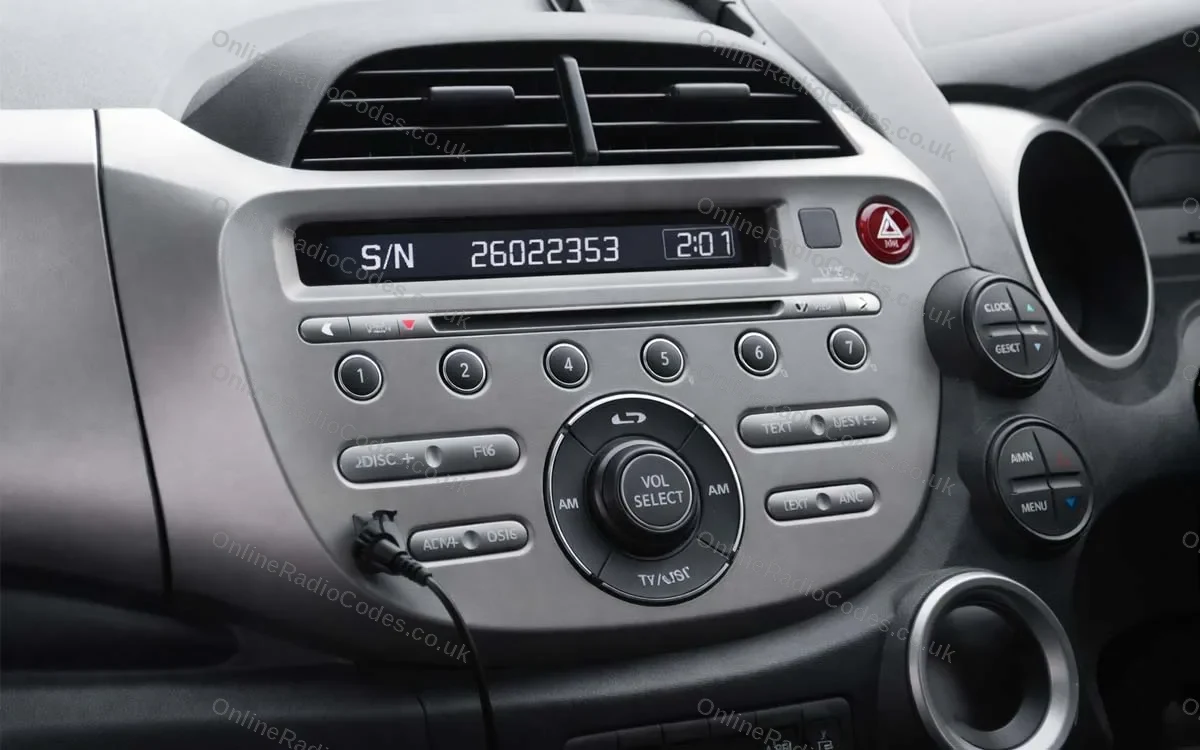
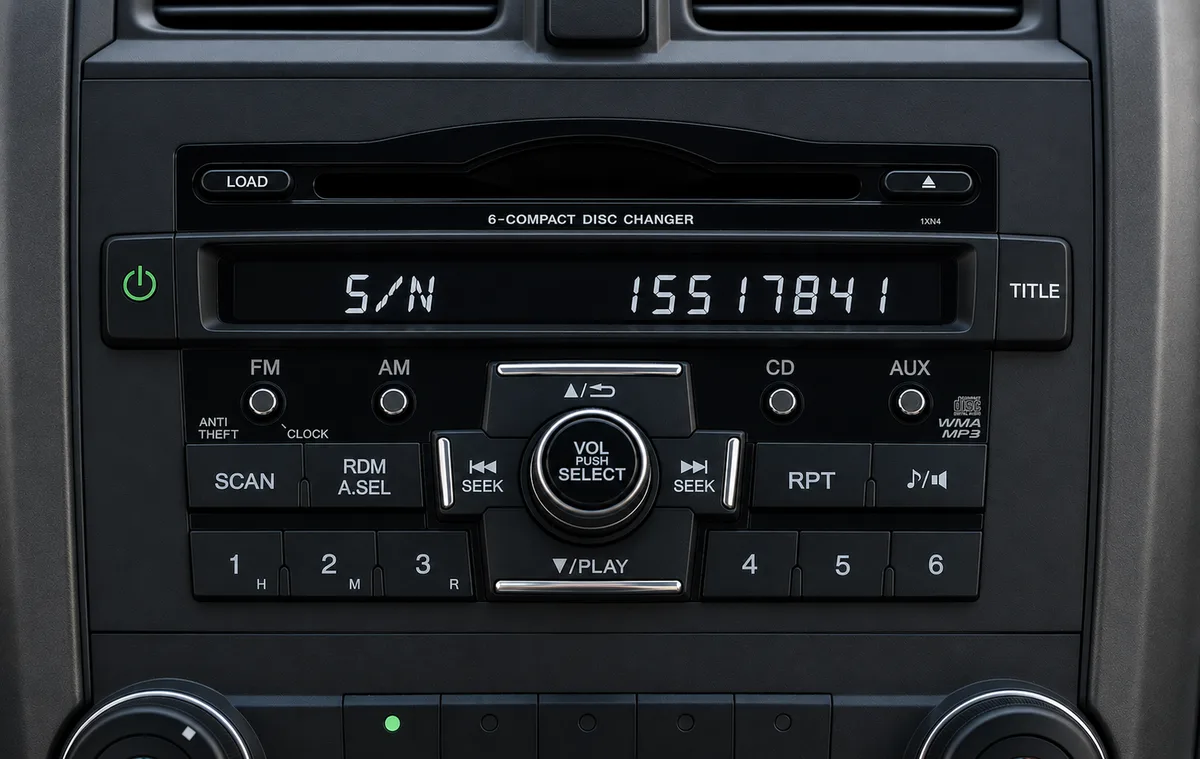
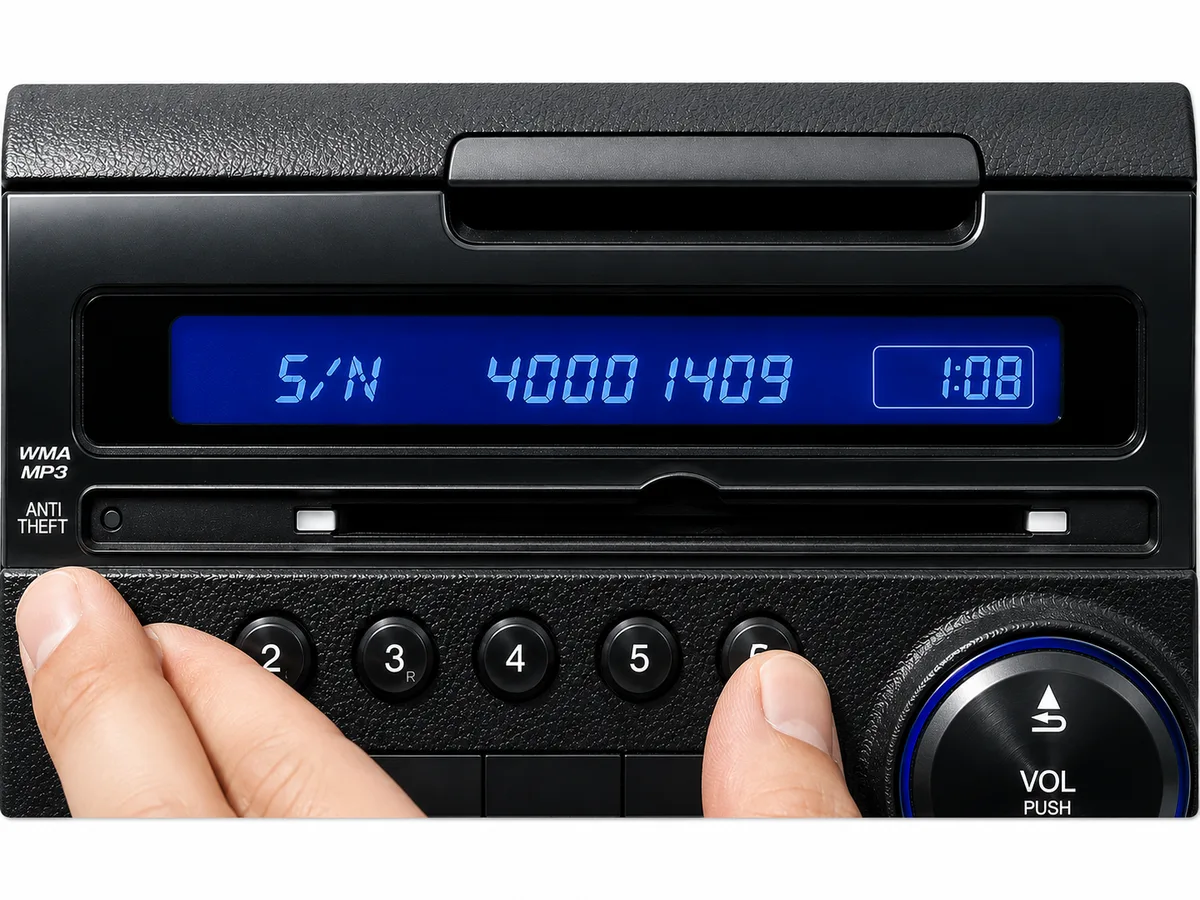
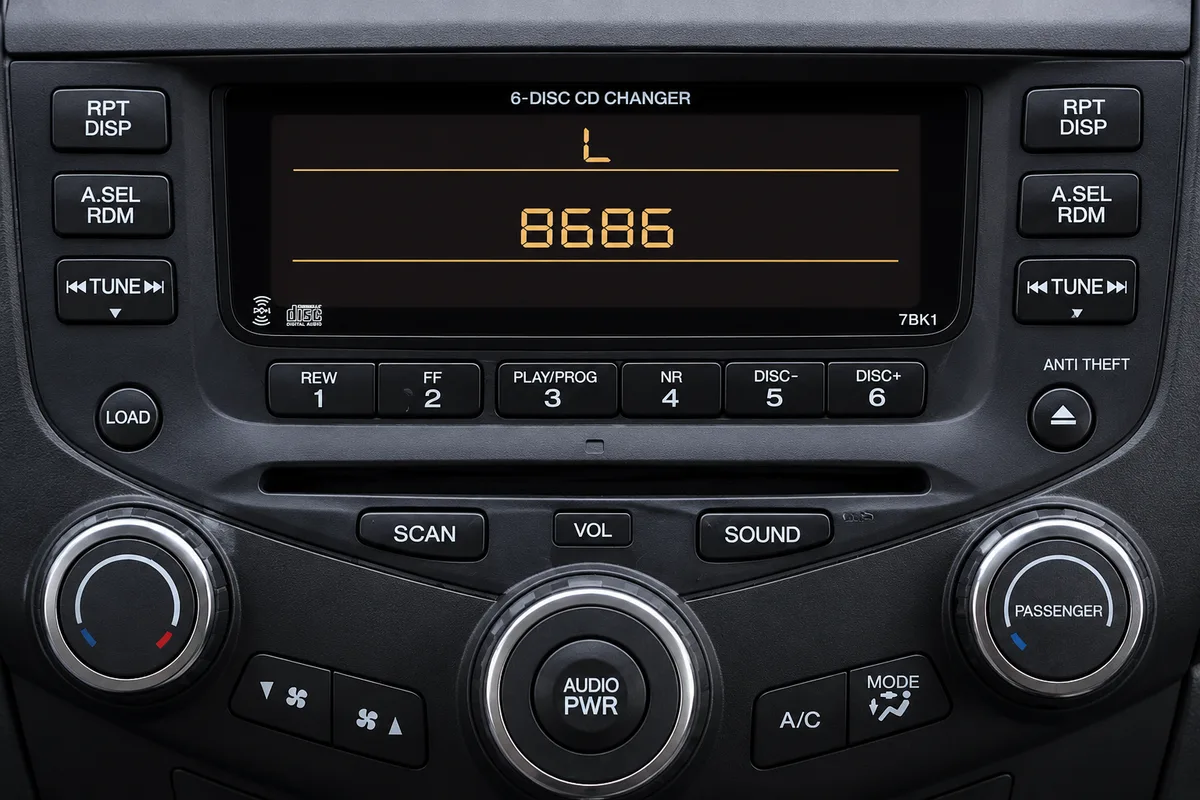
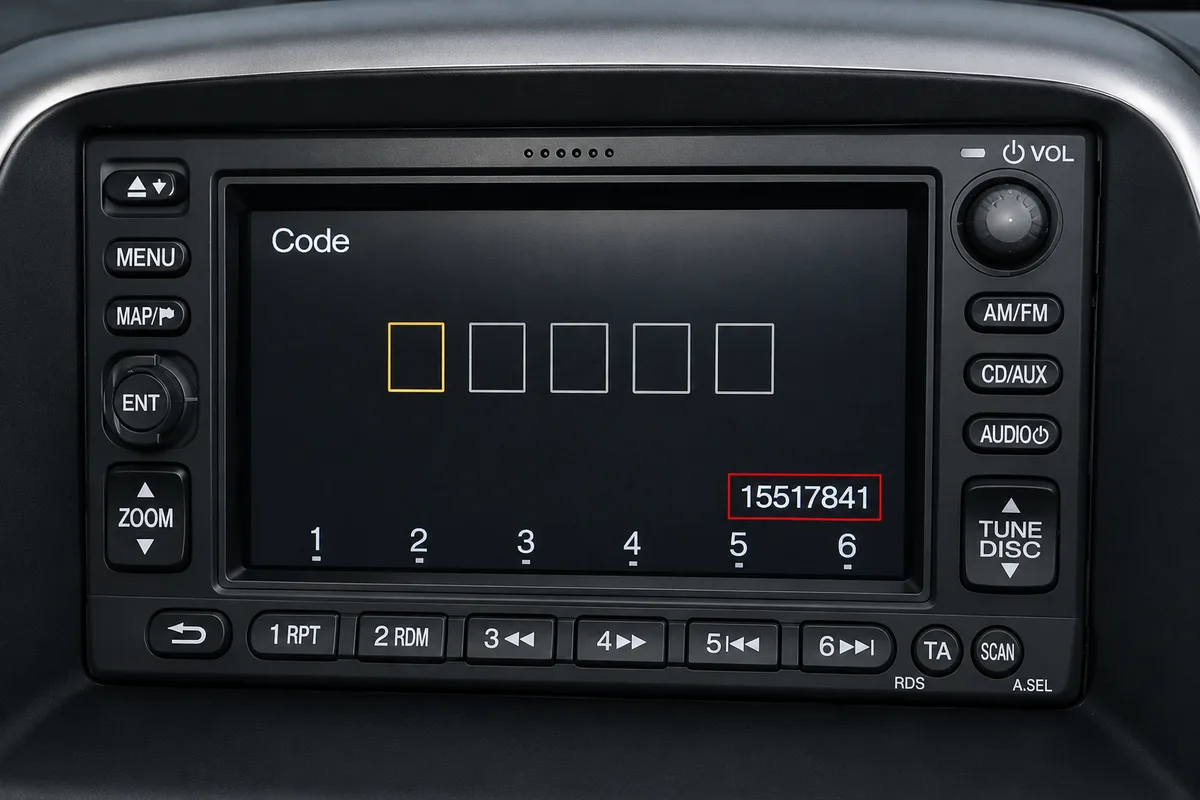
Fitted to Acura radios without a navigation screen. Turn on the ignition and radio, then press and hold preset buttons 1 and 6 simultaneously (on some radios, hold 1, 6 and Power together) for about two seconds until the display changes. The serial appears either as a U number and an L number (for example, U2154 L2135) or as a single S/N number (for example, S/N 2602353). Enter whichever format appears on your screen.
Touchscreen (2013+)
Find your serial in the diagnostics menu
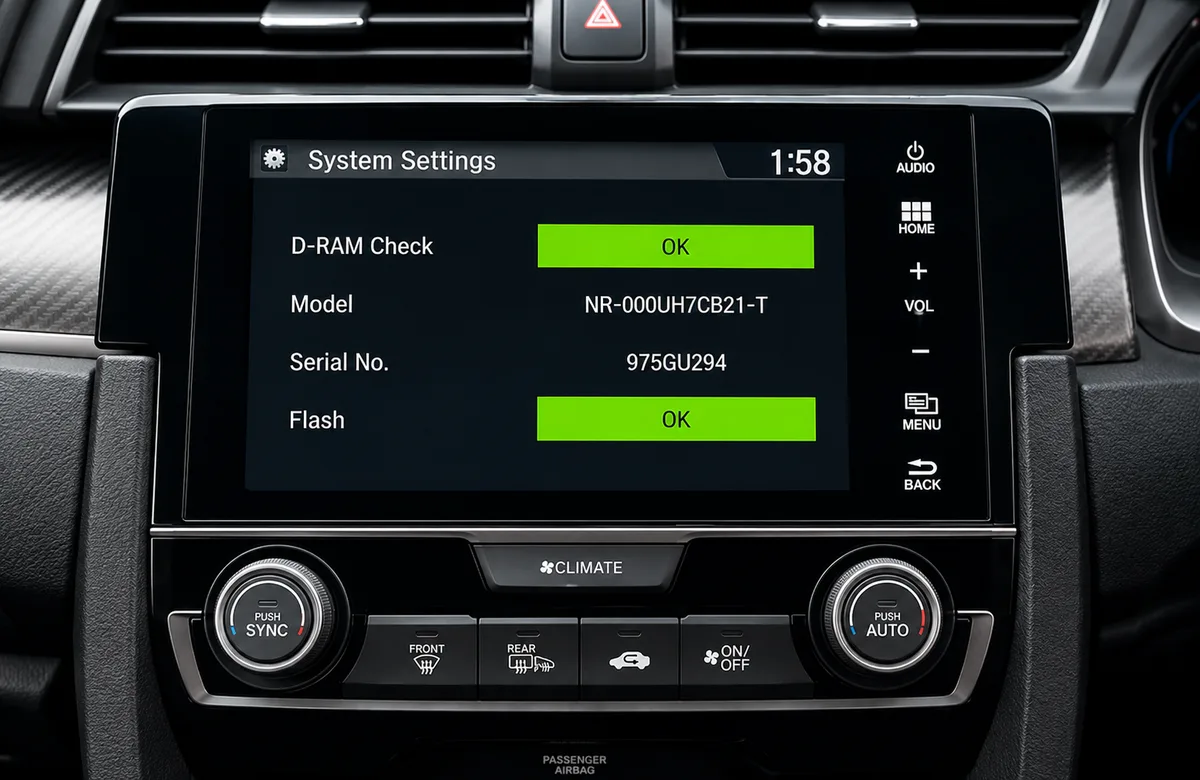
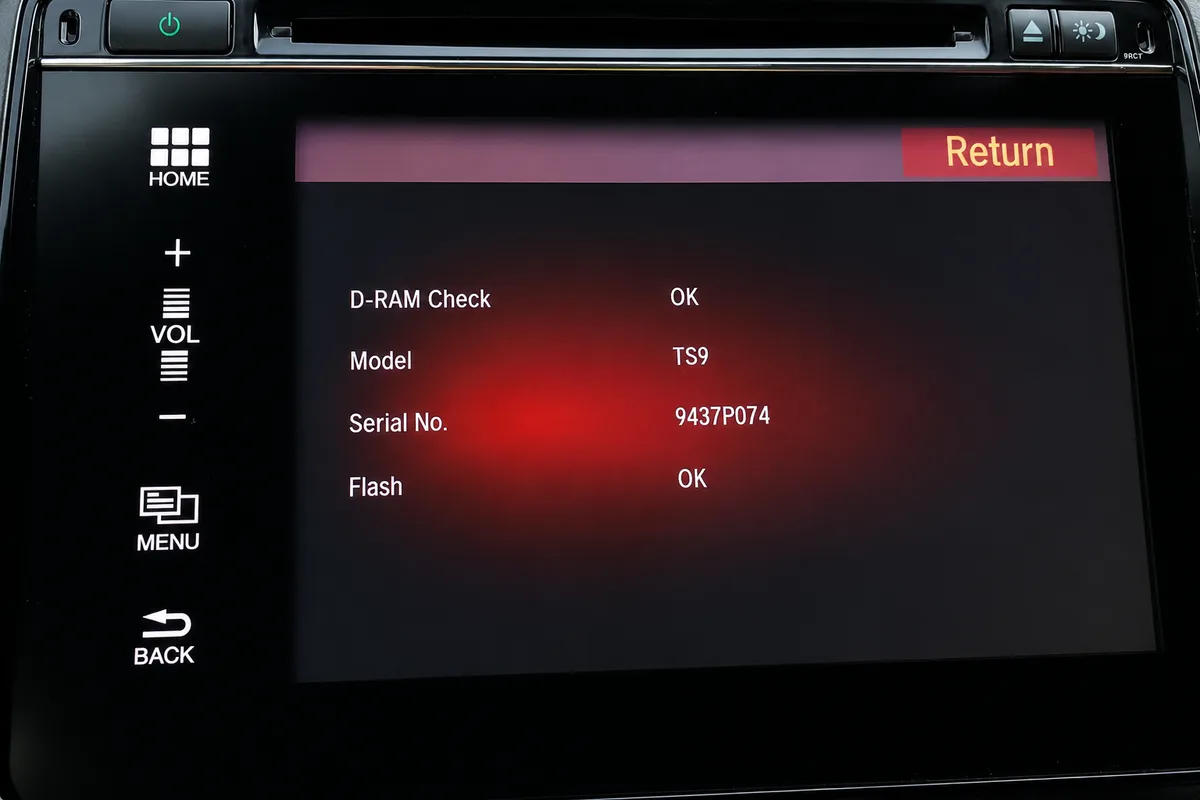
To show your serial number on screen, open the hidden diagnostics screen. Hold one of these until it appears: • The button on the top of the radio + Power + Menu • Power + Eject + Home • Power + Menu + the Day/Night button (about three seconds)
Then touch Detail Information & Setting → Unit Check → HMI Unit or DA Unit to see your serial. Tap Return to exit.
No diagnostics buttons? Touch Home → Info Menu → System / Device Information → System Info and read the device number.
Older Navigation (2003 to 2012)
Find your serial via the diagnostics menu
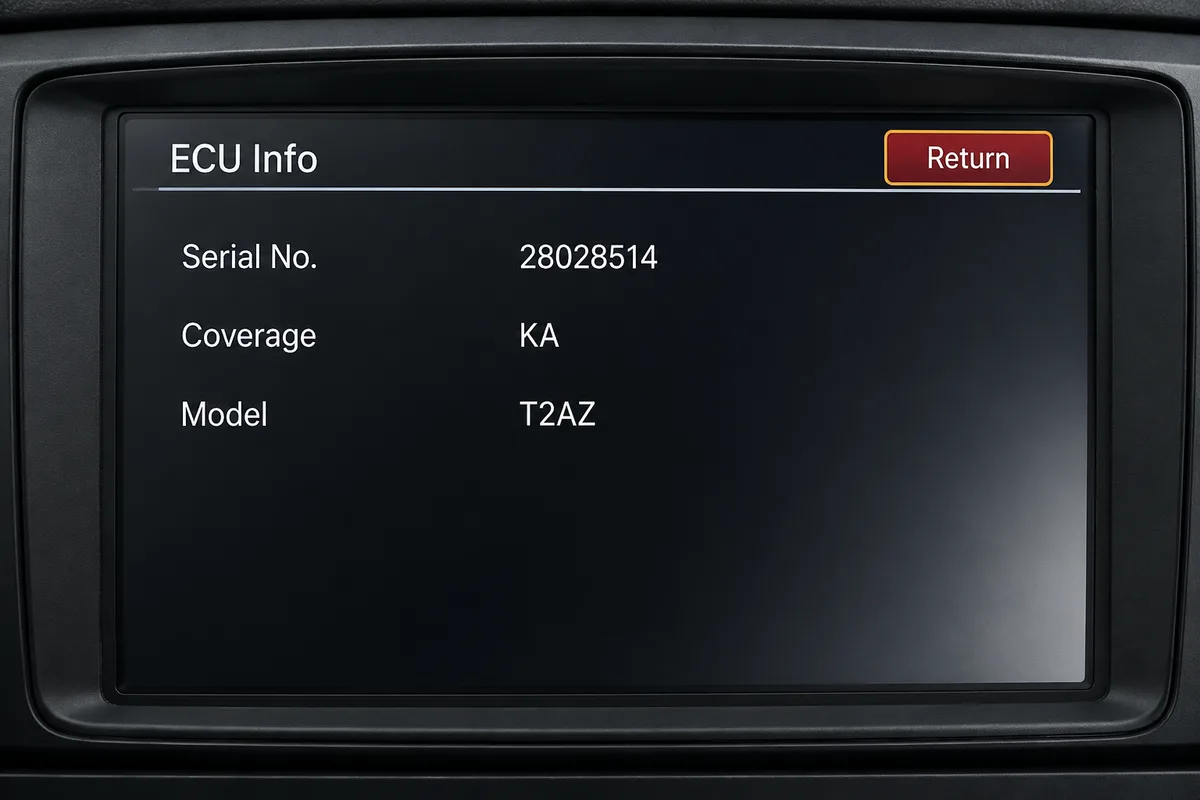
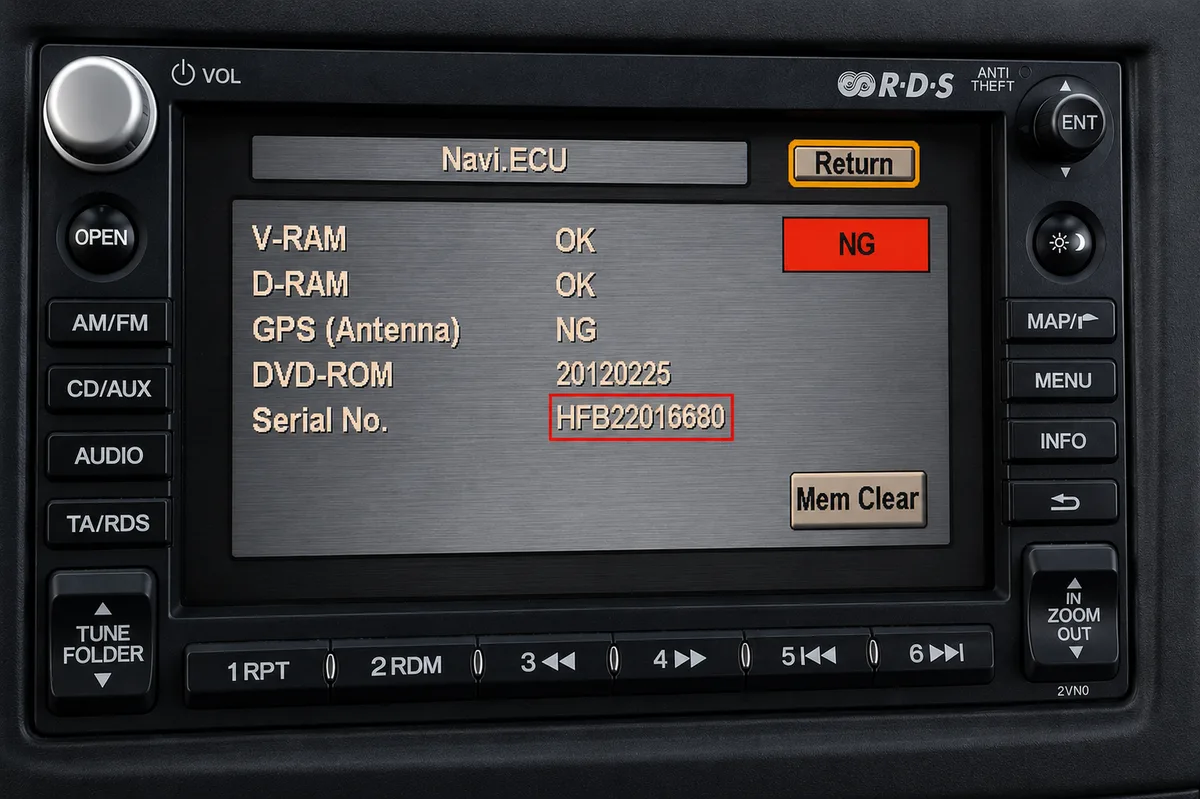
Fitted to navigation units on many 2003 to 2012 models. With the ignition on, press and hold Map (or Guide), Menu and Cancel together until the diagnostics screen appears, then select Unit Check and Navi ECU to see your serial.
On some units you instead press and hold SEEK or SKIP with CH or DISC, then PWR/VOL, and the serial appears on screen. Note it down exactly as shown.
Labels & Screen Examples
What your serial looks like
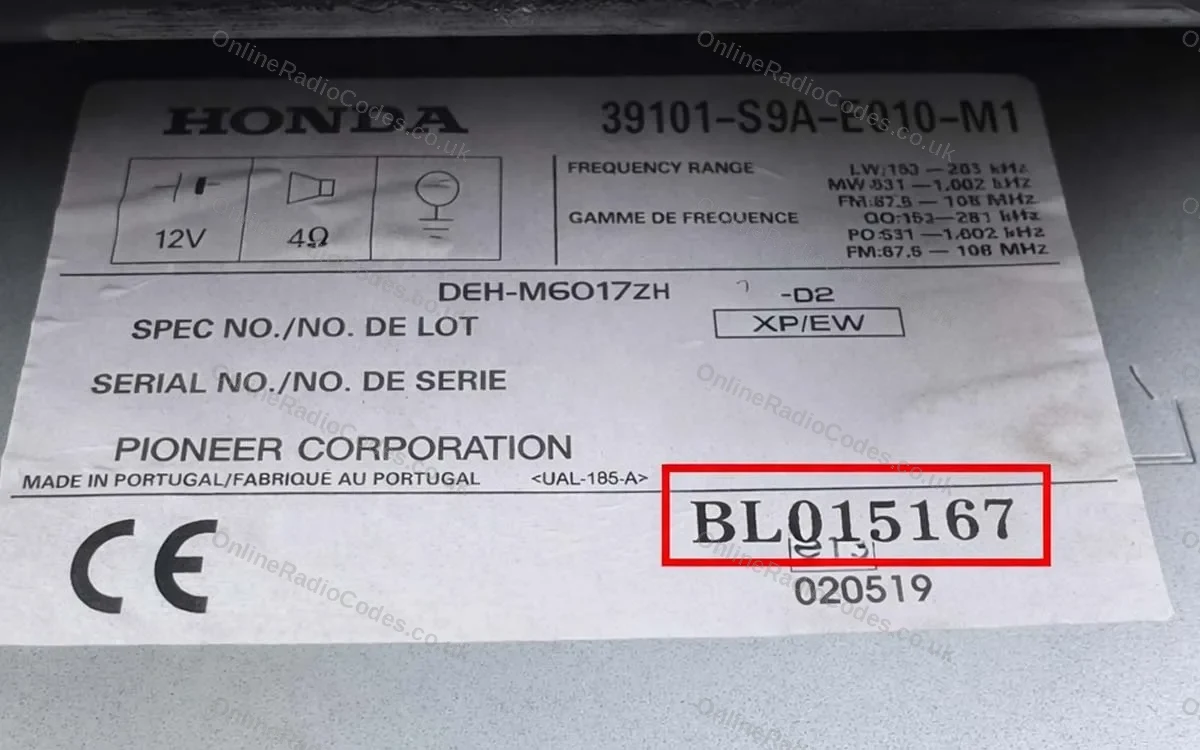
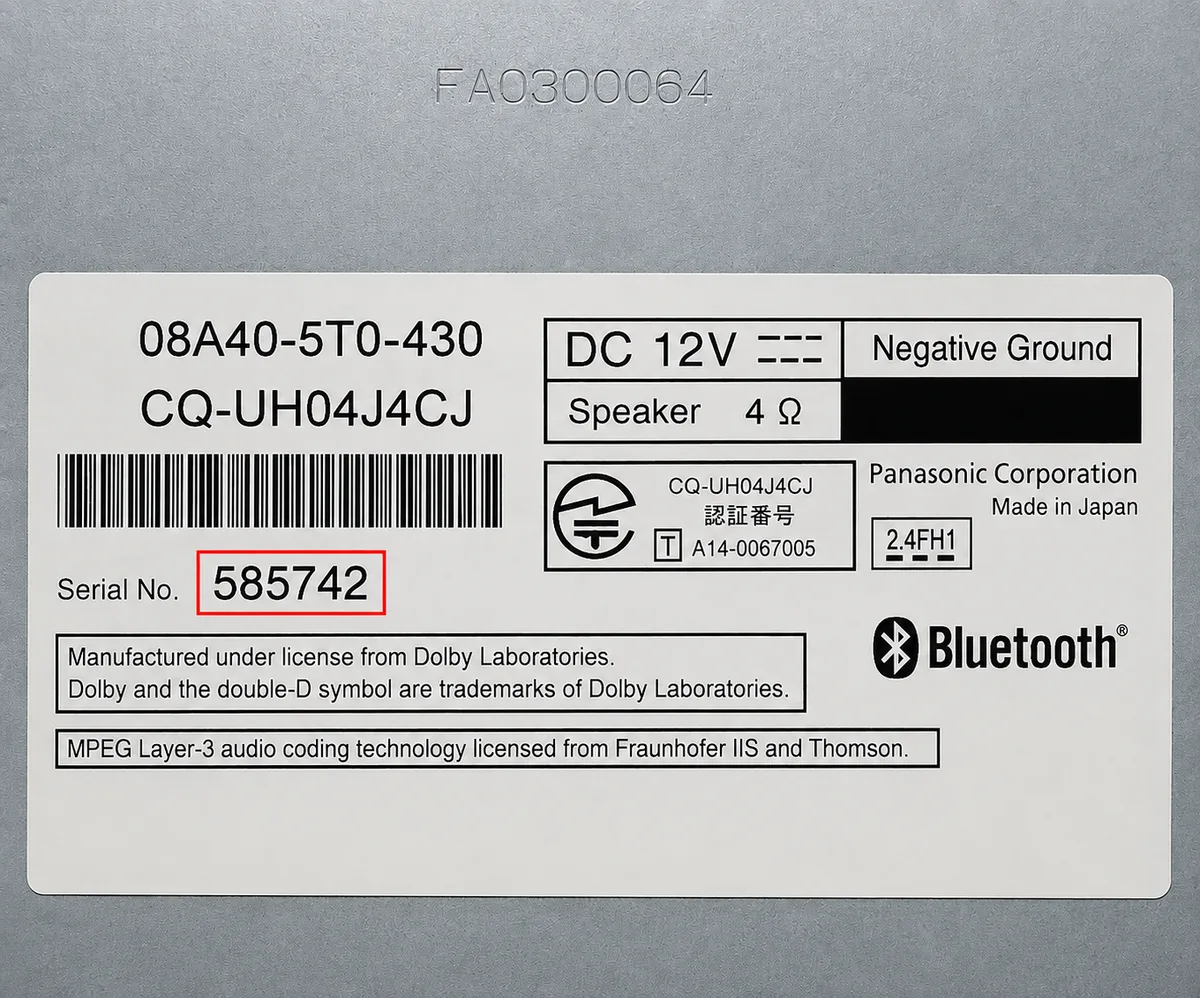
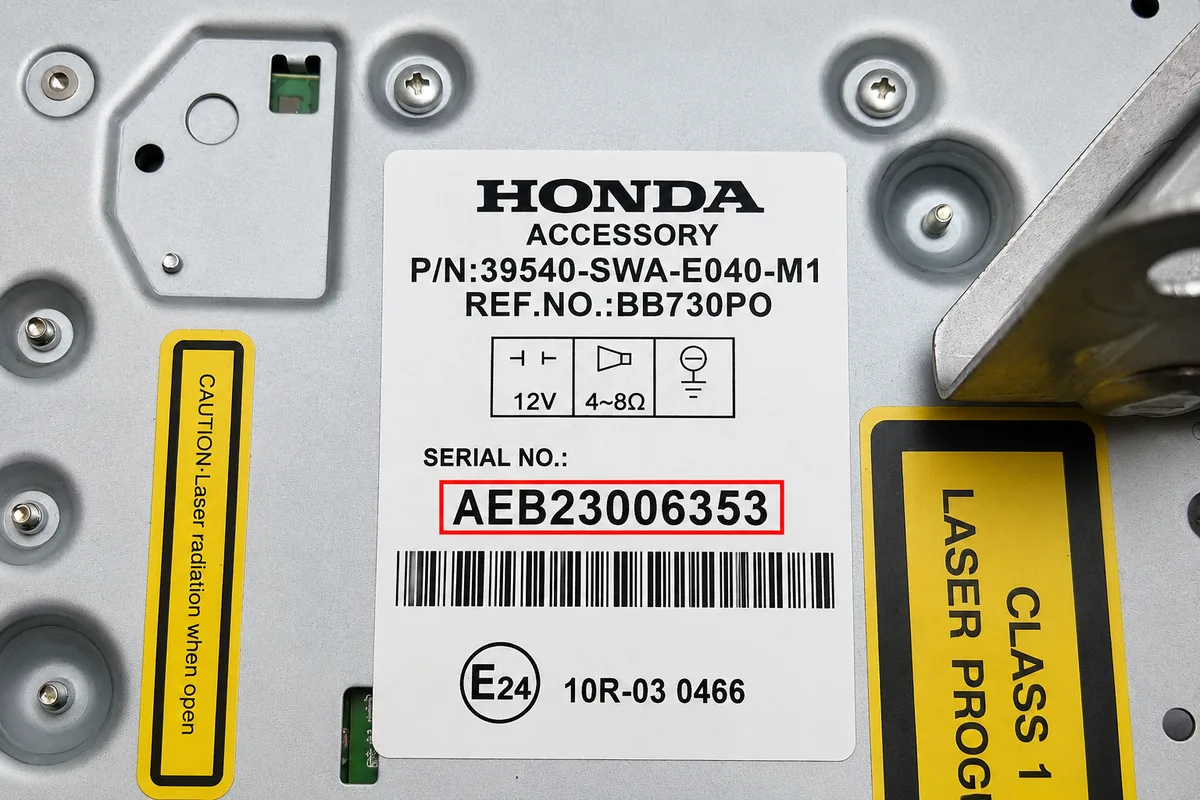
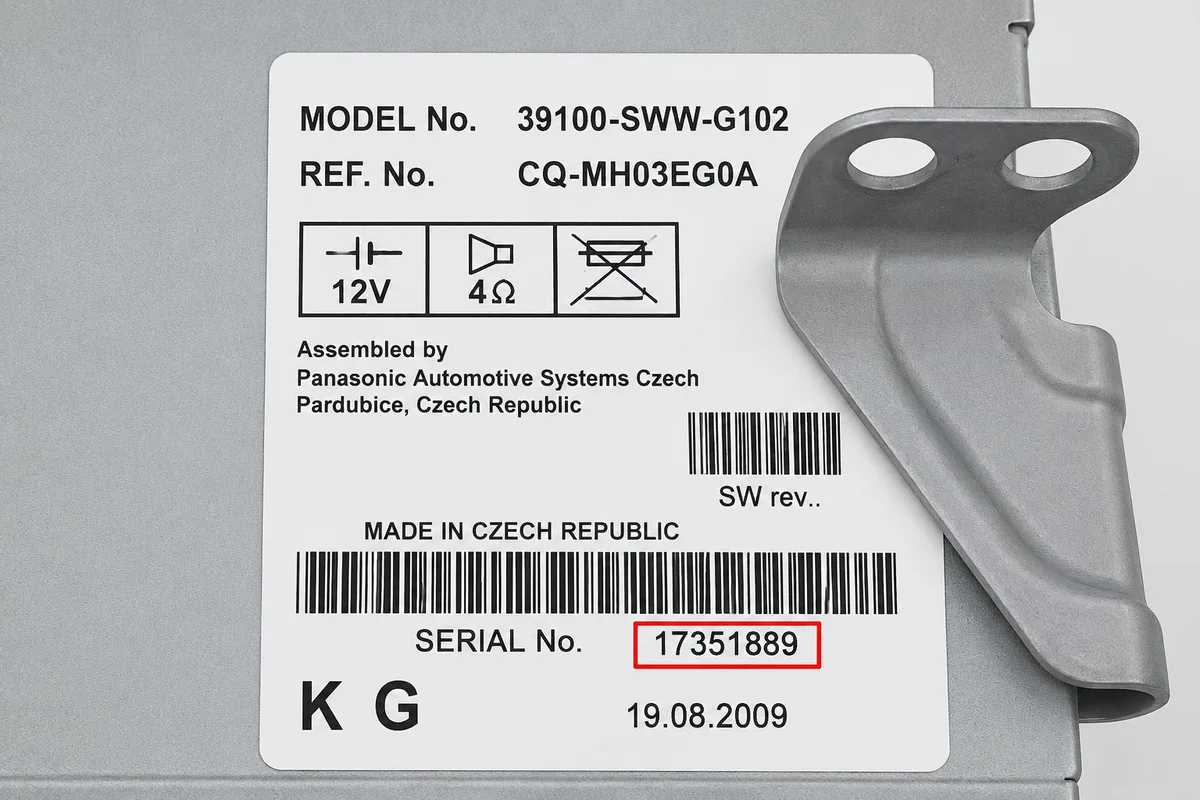
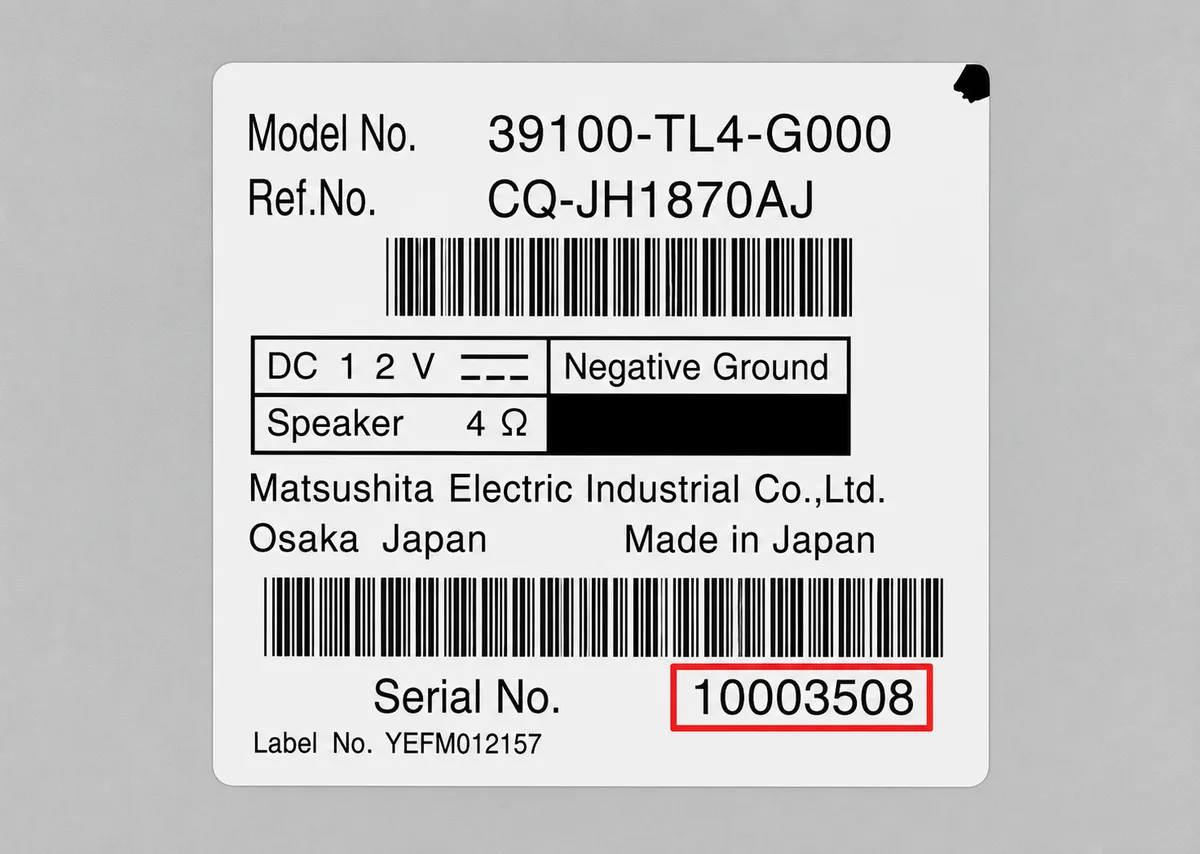
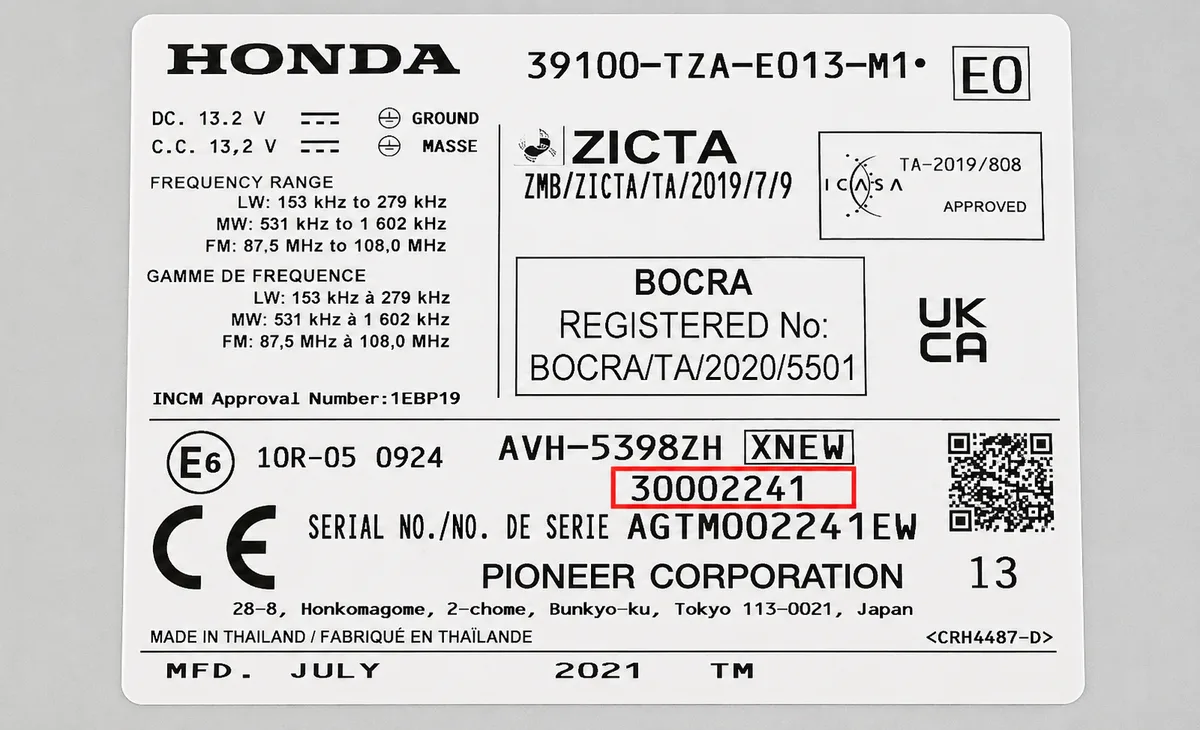
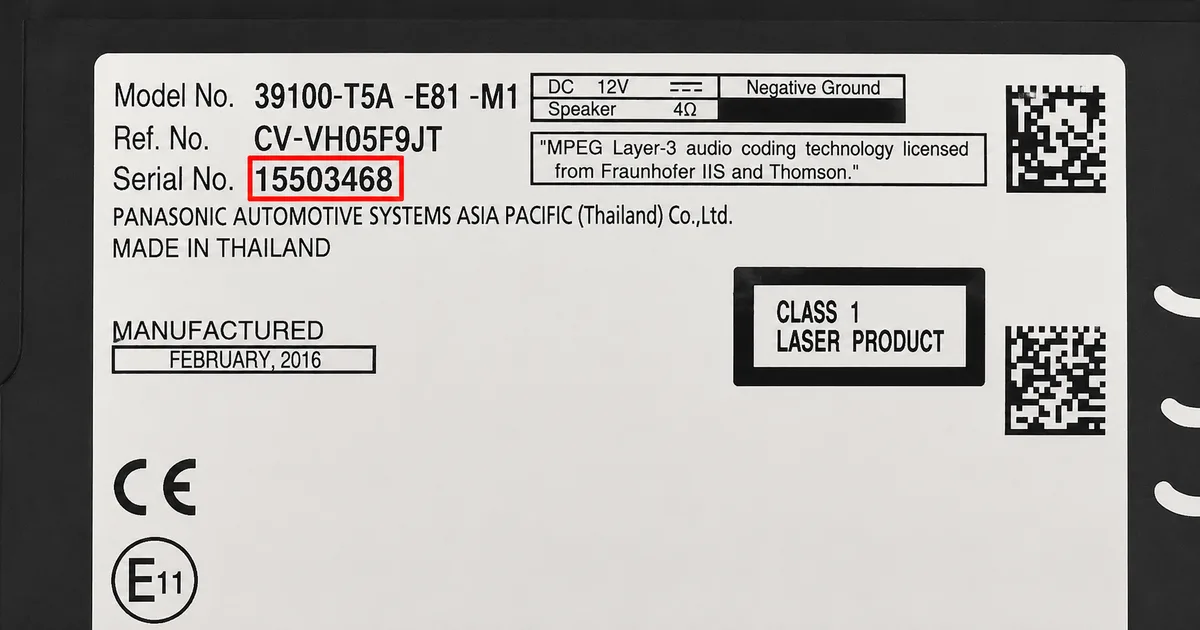
These are real examples of Acura serial numbers, both on the radio label and shown on screen, so you can see exactly what you are looking for.
If the serial is not showing on your screen, remove the unit with DIN release keys or a flat-head screwdriver and slide it forward. The serial is on a sticker on the top, side or rear of the casing, usually 6 to 14 characters (for example 954LR052 or SN500074). Enter it exactly as printed.
What your Acura serial looks like
U-SeriesU3000 L1234
8-Digit22081908
GNB-SeriesGNB 22003871
Can't find it? Contact us. We'll help you locate your serial before you pay a penny.
Since 2015 · 1 million decodes
The World’s Leading Acura Radio Code Service
A Decade of Decoding
Retrieving car radio codes since 2015, with more than a million codes delivered. Registered UK company No. 09736186. Read our story
Your Code, Fast
Most codes appear on screen the moment payment clears. The rest are handled by our team, usually within the hour in business hours.
Works, or Your Money Back
If your code does not work, we refund you in full. One of the very few radio code services that backs every single order.
Your Code, Kept for Life
Lose your code in five years? We keep it on file and will resend it free of charge, as many times as you need.
Real people, worldwide, around the clock
Meet our radio experts
A small team who have decoded radios for a decade, with Nova, our AI assistant, covering around the clock. Wherever you are in the world, we're here to help.
Live chat and email 24/7. Phones Monday to Friday, UK hours.
Gavin
Emma
Lucy
Mika
Liz
Nova24/7
FAQ
Frequently asked questions
Why does my Acura radio show ERR?
ERR appears when the wrong code has been entered. Turn the radio off and then back on again to reset the attempt counter. Do not continue entering incorrect codes as this can cause a longer lockout. If the radio has stopped accepting input altogether after repeated attempts, leave it powered on for about an hour and the attempt counter resets.
How do I find my Acura radio serial number?
For most Acura radios, hold buttons 1 and 6 simultaneously for two seconds with the radio on. The serial will appear on screen in the format U followed by digits and L followed by digits. For 2003 and later navigation units, a different button combination is needed as described in the guide above.
What happens if I enter too many wrong codes?
After around ten wrong attempts the radio shows an error and stops accepting entries. It is a temporary lock, not permanent damage, and no dealer visit is needed. Leave the radio powered on with the ignition on for about an hour and the counter resets, then enter the correct code once, slowly.
How long does delivery take?
Most Acura radio codes are delivered by email within a few minutes of ordering. You will receive the code at the email address you provide at checkout.
Which Acura models does this cover?
We cover all Acura models including Integra, TL, TSX, TLX, RL, RLX, ILX, MDX, RDX, ZDX and NSX.
Do I need to remove my Acura radio?
For most Acura radios, no. The serial number is displayed on screen by holding two buttons simultaneously. Only a small number of older or specialist units require physical removal.
My code does not work. What should I do?
Check the serial number carefully. The U and L values must be entered exactly as displayed. If the serial is correct and the code fails, contact us and we will investigate. All codes are guaranteed.
Will the code still work if I change my battery again?
Yes. The code is permanently linked to your radio. Keep it stored safely and you can use it every time the radio locks after a power interruption.
I couldn’t get my code from Nissan customer services - the ones they gave me did not work. I paid £20 to this company and within 6 hours (on a Sunday) I had …
Hallo und Guten Tag!Hat alles super geklappt, nach der Bezahlung war im nu der 4 stellige Entsperrcode da. War jedenfalls besser ,als das Radio auszubauen. B…
OnlineRadioCodes.co.uk is an independent radio code retrieval service and is not affiliated with Acura or Honda Motor Co., Ltd. All radio codes are sourced from official databases.


















 Acura · Radio Codes
 22,709 reviews on