






100% zajamčeno povrat novca Vodeća svjetska služba za kodiranje automobilskih radio uređaja Povjeravaju više od 1.000.000 kupaca
Toyota Toyota · Radio kodovi
Odmah prikazano

Toyota ERC Radio Code

Locked out of your Toyota or Lexus navigation after a battery disconnect? Enter your 16-digit ERC code above for your unlock code, generated instantly.

Jamstvo povrata novca Doživotno besplatno podizanje
Unesite svoj serijski broj
Više od milijun kodova isporučeno diljem svijeta.
Niste sigurni koji serijski broj unijeti? Pogledajte primjere
Enter the 16-character ERC code exactly as shown on your unit's ERC input screen.
Odmah prikazano Jamstvo povrata novca Sigurno plaćanje

Korak 1 od 3

Kako pronaći svoj serijski broj Toyota

Upute u nastavku pokazat će vam točno gdje pronaći serijski broj radijaToyota.

Method 1
Press the radio keys (works on most units)
This is the most reliable method and works on the modern range (NSZT, NSCN, NSCP, NSZN and the W68 / Y68 / Z68 series) as well as older units.

1. Turn the navigation unit on.
2. Press and hold the main "current location" button (the map button - on older units this is the physical Ginfo button).
3. While holding it, switch the car's parking / side lights on and off 3 to 4 times until a new screen appears.
4. Press the only button that is lit up on that screen.
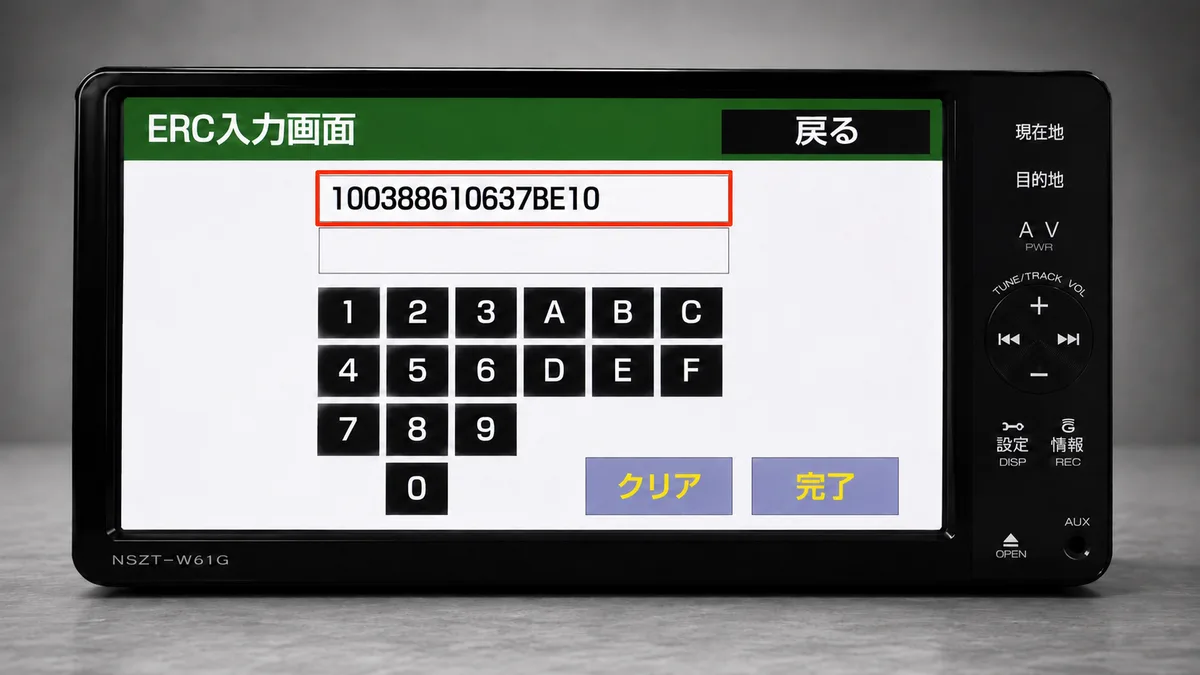
5. Your 16-digit ERC code is displayed (shown next to 解除コード). Enter it in the box above.
Method 2
Settings button and hidden screen taps
Use this if the parking-light method does not bring up the screen (common on some NSZT / NSCP touch units).

1. Press and hold the Settings (設定) or round MENU button on the right edge of the unit until the screen-brightness / picture-adjustment screen appears.
2. Tap the hidden corners in sequence: top-left, then bottom-left, repeated 3 times.
3. The service menu opens. Go to Service Information → Security Release Code Input.
4. The 16-digit ERC is shown at the top of the ERC input screen.
Method 3
Power-on button combination (last resort)
If neither method above works, some units expose the service menu with a button combination held while the unit powers on, for example MENU + Volume-Up + Power or Setup + Seek-Up + Power. The exact combination varies by model and software version, so try this only if Methods 1 and 2 fail.
Enter Code
Enter your unlock code on the unit
Once you receive your 8-character unlock code, type it on the unit's on-screen keypad (it uses 0-9 and A-F), then press 完了 / 入力終了 (Complete). Your navigation unlocks immediately.
Kako izgleda vaš serijal Toyota
ERC 2084006700000000
ERC 005459398ECD6928
ERC C1B11461B3B0F020
Ne možete ga pronaći? Kontaktirajte nas. Pomoći ćemo vam pronaći serijski broj prije nego što platite ijedan novčić.

Zašto nas odabrati

Vodeća svjetska usluga kodiranja radija za Toyota

Svjetski broj 1
OnlineRadioCodes.co.uk je vodeći svjetski dobavljač kodova za automobilsko radio, s više od milijun isporučenih kodova. Naši stručnjaci za radio stoje vam na raspolaganju svaki dan.
Instantna dostava
Većina kodova se pojavi na ekranu čim uplata prođe. Za brendove koji zahtijevaju ručno pretraživanje, naš tim obično dostavi unutar sat vremena tijekom radnog vremena.
Jamstvo povrata novca
Ako vaš kod ne radi, u potpunosti ćemo vam vratiti novac. Bez pitanja, bez muke. Mi smo jedna od rijetkih tvrtki za radio kodove koja svaku narudžbu podržava potpunom garancijom povrata novca.
Doživotno preuzimanje
Izgubili ste svoj kod za nekoliko tjedana ili čak godina? Samo nas kontaktirajte i mi ćemo vam ga besplatno ponovno poslati, svaki put. Jedna kupnja daje vam doživotan pristup.

Često postavljana pitanja

Često postavljana pitanja

Why does my Toyota or Lexus navigation need an ERC code?
Toyota genuine navigation and audio units have an anti-theft lock. When power is lost - a flat battery, a battery change, or the unit being removed - the system locks and shows the ERC input screen. It will not work again until the correct unlock code is entered. This is most common on Japanese import vehicles after shipping.
What is an ERC code?
ERC stands for Electronic Registration Code. It is the 16-character code your navigation unit displays on the ERC input screen. We convert that 16-character code into the 8-character unlock code that releases your unit.
How do I display the 16-digit ERC on my unit?
On most units: turn the unit on, press and hold the main current-location button, and switch the car's parking lights on and off 3 to 4 times until a new screen appears. Press the only active button and the 16-digit ERC is shown. See the step-by-step methods above for alternatives if this does not work.
Which units and cars does this cover?
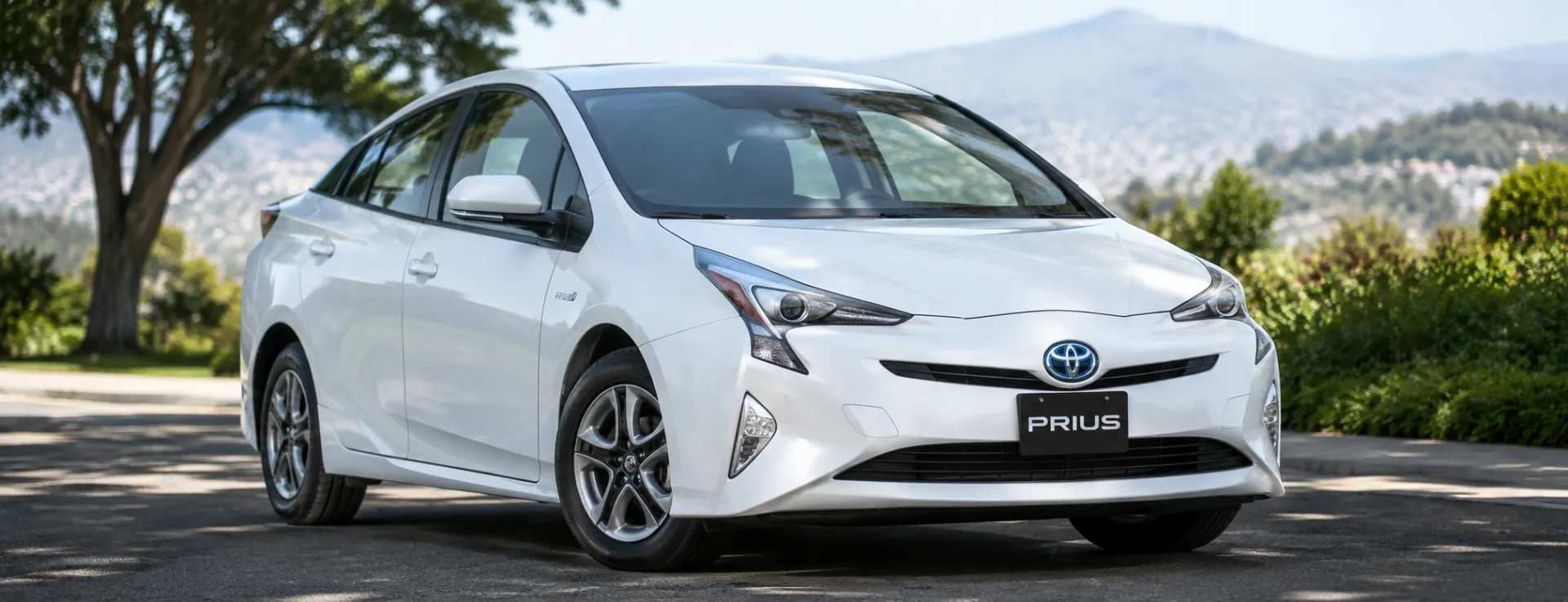
It covers Toyota and Lexus genuine dealer navigation units - including the NSZT, NSCN, NSCP, NSZN, NHZD and NHDT families (W68 / Y68 / Z68 and older). These are fitted across the Japanese range, so it applies to imported models such as the Prius, Aqua, Vitz, Corolla, Camry, RAV4, Harrier, Alphard, Vellfire, Noah, Voxy, Land Cruiser, Hilux and 86.
How long does it take?
It is instant. Enter your 16-digit ERC, complete the order, and your unlock code is generated and shown to you immediately, with a copy emailed to you.
Does one code work for every type of unit?
Yes. The unlock works the same way for every ERC unit, including the W68 / Y68 / Z68 variants and older pre-W68 units. You do not need to know your exact model - just enter the 16-digit ERC.
The screen is all in Japanese. How do I read it?
Point your phone at the screen using Google Translate live camera mode to read the buttons in your language. Use it to understand the labels only - read the actual 16-digit code yourself, character by character, because live translation can misread code characters (for example O instead of 0, or B instead of 8).
My code does not work. What should I do?
First re-check the 16-digit ERC for misread characters (O vs 0, B vs 8). If the ERC is correct and the code still does not work, contact us and we will investigate at no extra charge. Every code is guaranteed or your money back.

Provjereno · Trustpilot

Ne uzimajte samo naše riječi za istinu.

Pogledajte sve recenzije na Trustpilotu
5 stars
2 hours ago Trustpilot

Code success!

Successfully sourced radio code for a Holden Astra within 24 hours, very helpful, thanks

Dave · AU
5 stars
3 hours ago Trustpilot

Wish I’d found this sooner after.being…

Wish I’d found this sooner after.being without radio etc for months after a battery change ! Unbelievable how quick this service was. I literally had my code…

Anne Faulkner · GB
5 stars
3 hours ago Trustpilot

I am a car trader and have used this…

I am a car trader and have used this site many times cheap reliable and fast thanks again

David Douglas cars · GB
5 stars
3 hours ago Trustpilot

Was a bit worried at first,it worked…

Was a bit worried at first,it worked and very happy,thank you.

Paul Mcdougall · GB
5 stars
22 hours ago Trustpilot

Funcionó perfecto

Solicité y Pagué por el código de mi radio volkswagen y me lo enviaron pasadas las 24 horas, y funcionó perfecto. Los recomiendo al 100%

Giovanni Ramirez · CO · Volkswagen
5 stars
1 day ago Trustpilot

Vauxhall Antara Radio Code

The first code didn't work (my fault). The company then sent a second code that worked at no extra charge. Very prompt communications and would highly recomm…

GWC Music · GB · Vauxhall
5 stars
1 day ago Trustpilot

What a life saver

What a life saver! Thank you for quick access to my radio’s code!

Seth Carlson · US
5 stars
1 day ago Trustpilot

Initial request went wrong

Initial request went wrong, second worked & more than happy to help & partial refund for first. Good amount of contact, as had to wait a while for code to be…

Emma Allen · GB
5 stars
1 day ago Trustpilot

Чудесно

Чудесно, получих бързо кода и всичко работи перфектно. Благодаря!

Petko Iliev · BG
5 stars
2 days ago Trustpilot

It helped me out when I was in a stack…

It helped me out when I was in a stack not knowing what to do

William · GB
5 stars
2 days ago Trustpilot

Nice quick transaction

Nice quick transaction - Data in - Code supplied and email confirmation. Seemed expansive for the time taken but I did get a good working code.

Roy Eaton · GB
5 stars
2 days ago Trustpilot

Je remercie bougrement ce site

Je remercie bougrement ce site. J’ai trouvé mon code et ça fonctionne a nouveau. J’ai reçu mon code après le paiement 6min maximum ! Merci

Bodry Dianzinga · FR
See our 21,936 reviews on Trustpilot

Jeste li spremni otključati svoje radio uređaje Toyota?

Unesite svoj serijski broj iznad i u nekoliko sekundi dobit ćete kod za otključavanje.

Preuzmi moj kod sada
We are an independent radio code retrieval service and are not affiliated with Toyota Motor Corporation or Lexus. All trademarks are the property of their respective owners.
Dobijte moj radio kod