









100% Money Back Guarantee The World's Leading Car Radio Code Service Trusted by 1,000,000+ customers
Jeep Jeep · Radio Codes
Est. 30 Minutes

Jeep Grand Cherokee Radio Codes

Jeep Grand Cherokee radio code by serial number. Works with the T-series serial and decodes instantly, covering all Grand Cherokee models including WJ, WK, WK2 and WL.

Enter your serial number
Over 1 million codes delivered worldwide.
Not sure which serial to enter? See examples
Est. 30 Minutes Money back guarantee Secure checkout

Step 1 of 3

How to find your Jeep serial number

The guide below will show you exactly where to find your Jeep radio serial number.

Which radio do you have?
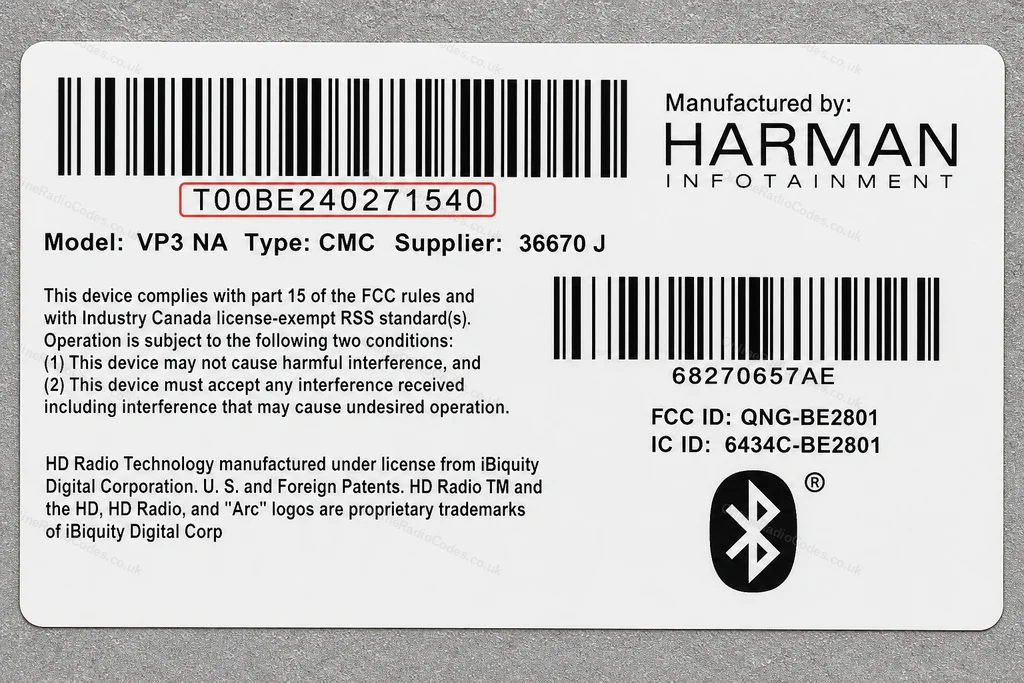
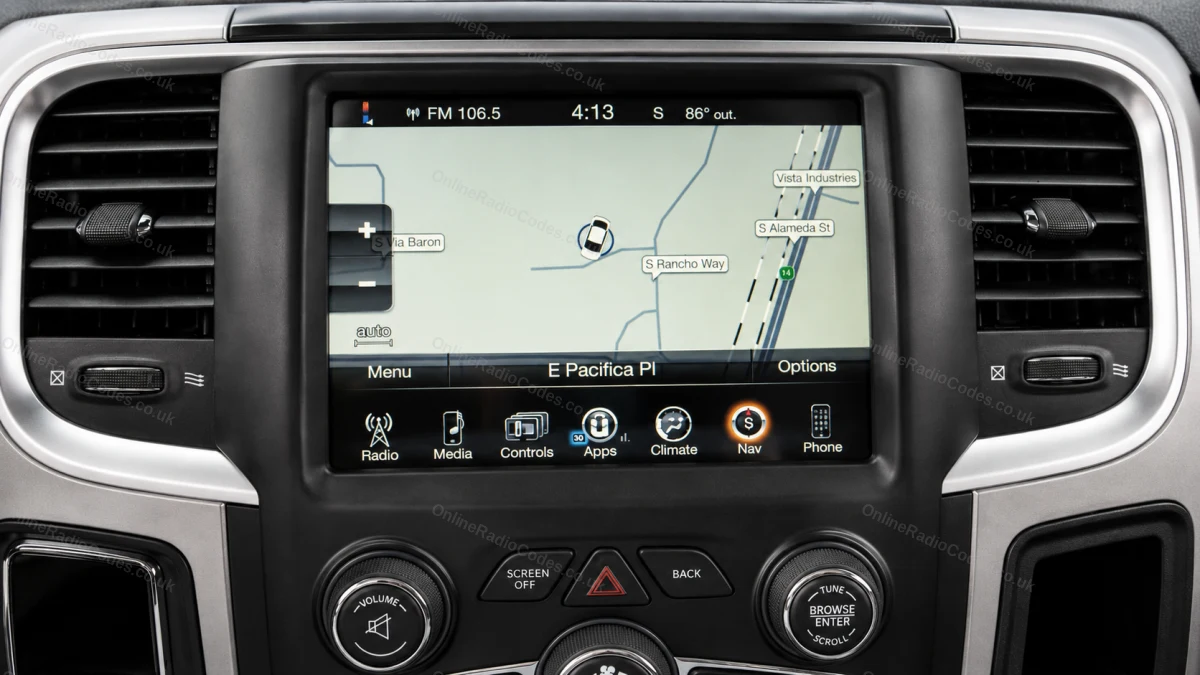
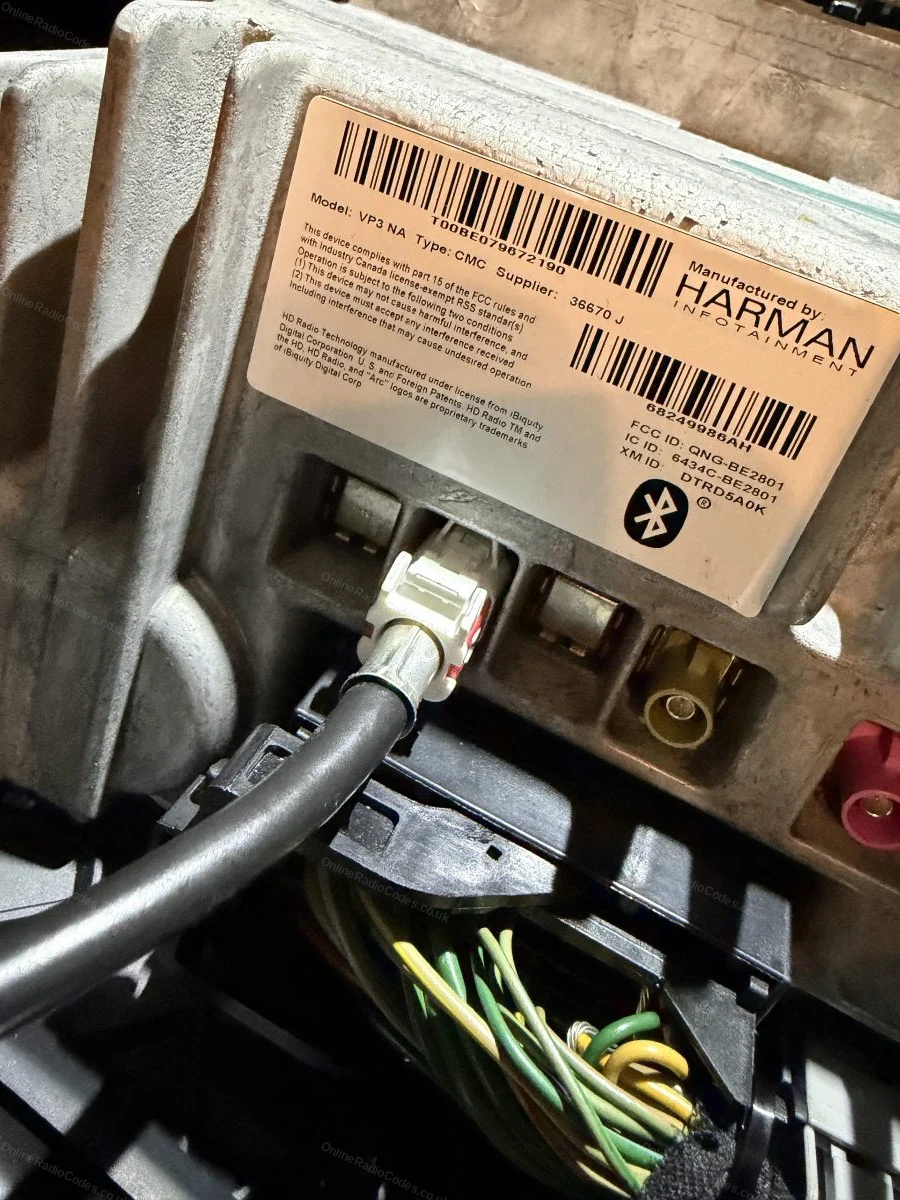
Uconnect touchscreen, no serial number on screen (T00BE, TM9, T0MY)
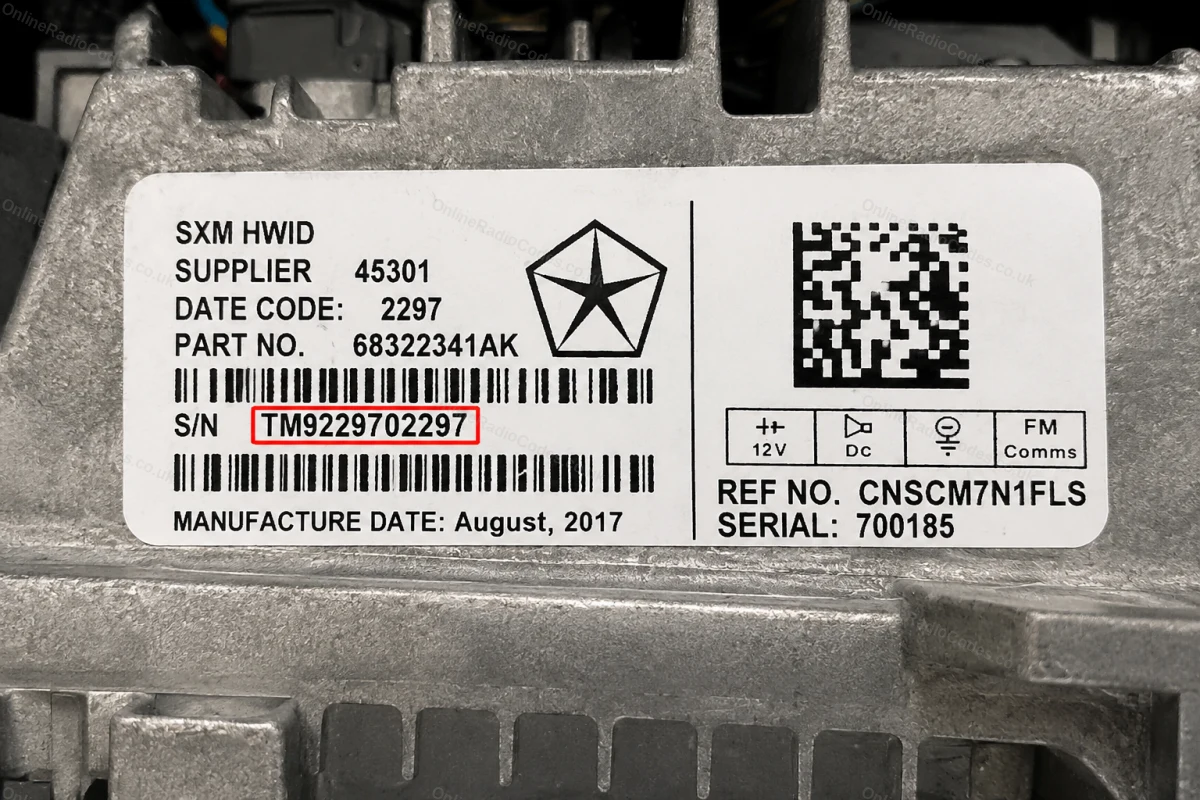
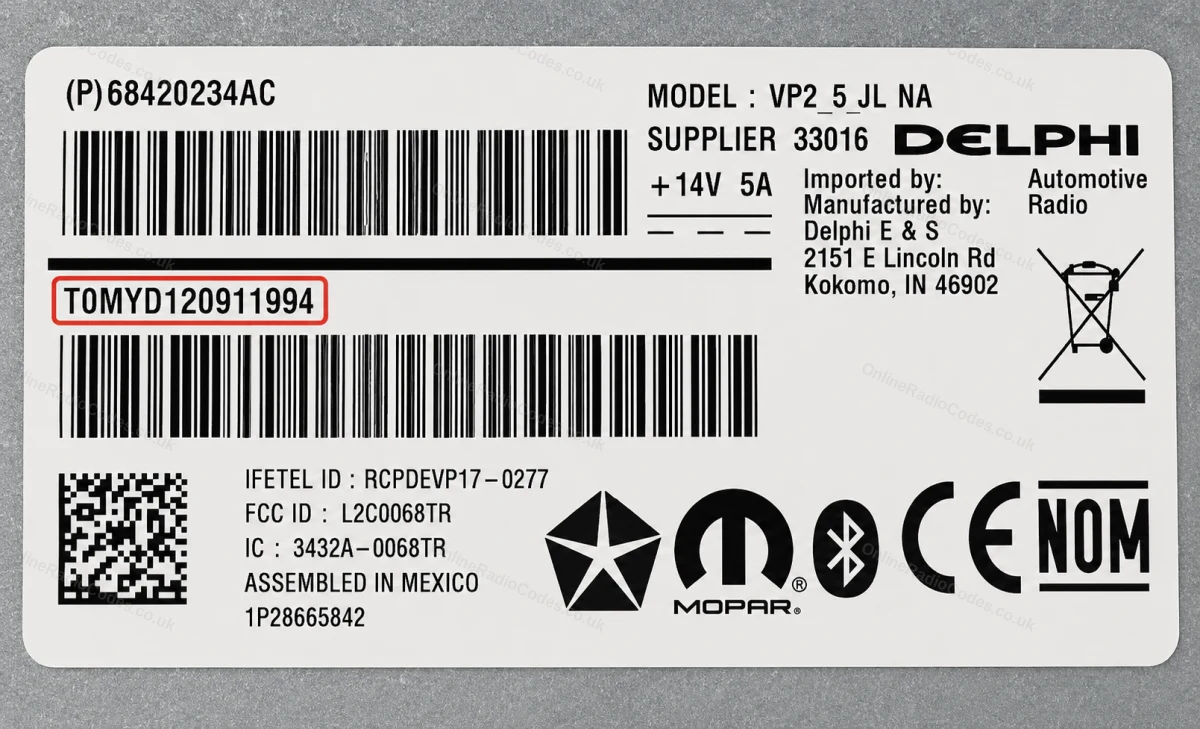
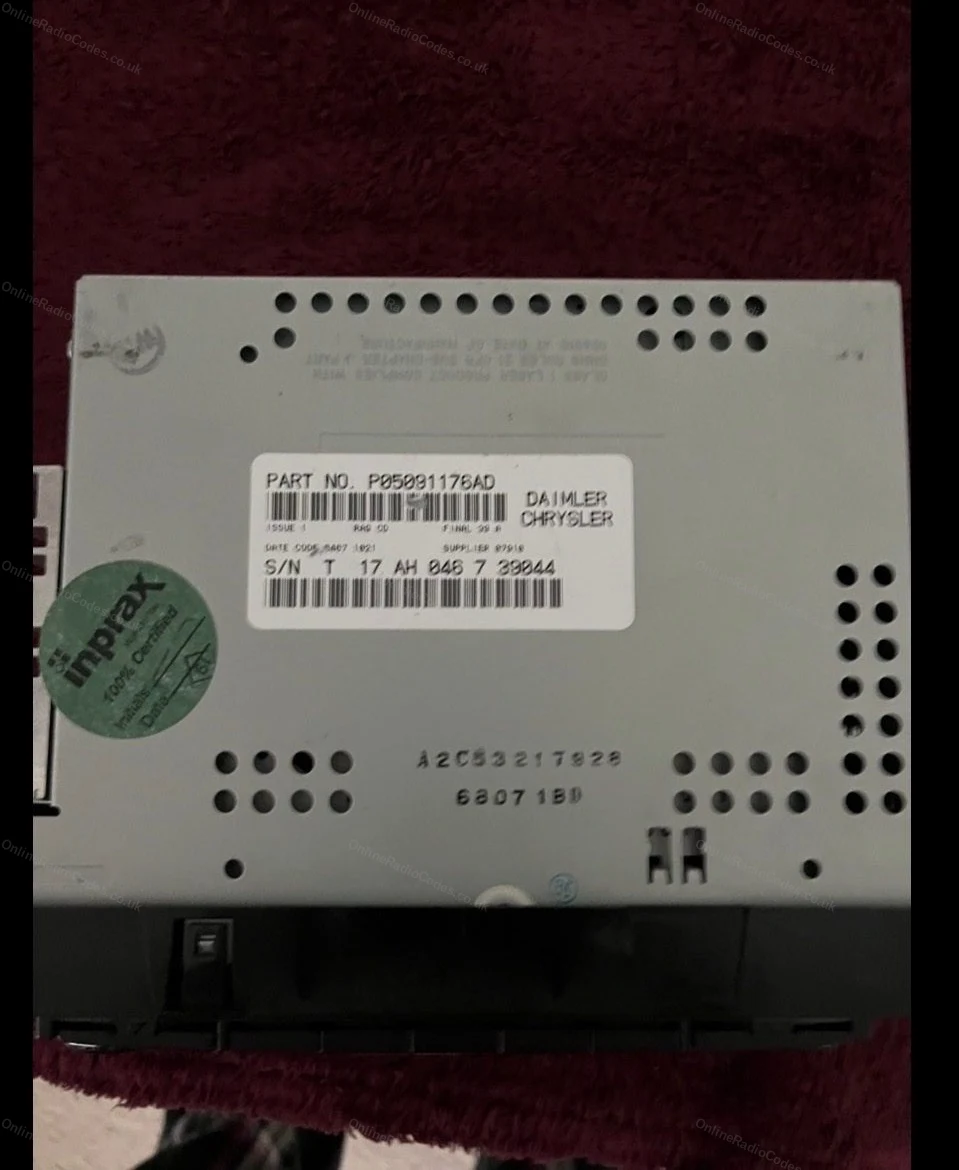
Read the serial number on the radio label
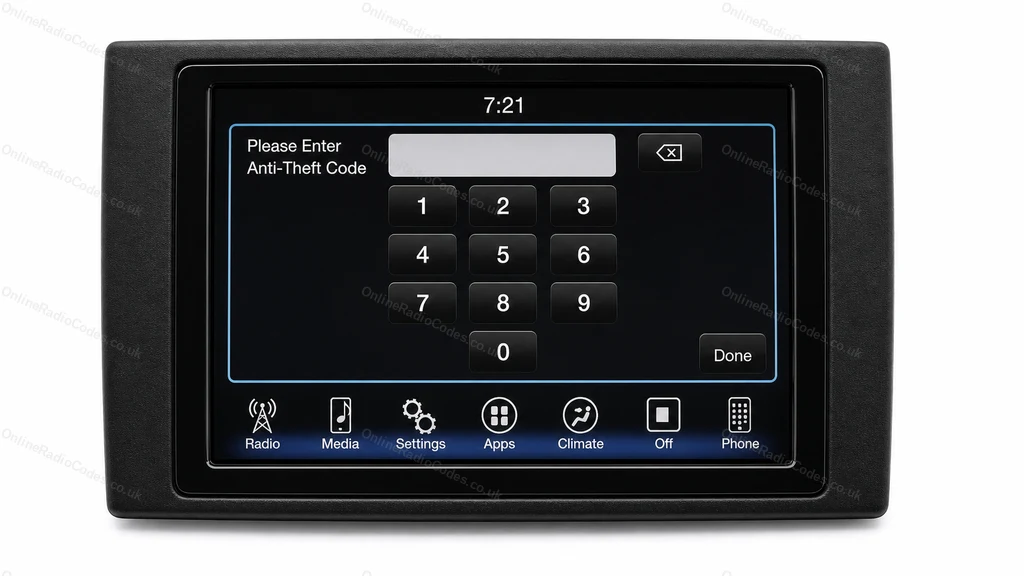
Uconnect 8.4 inch and 7 inch touchscreens ask for the code without showing a serial, so the serial has to be read from the radio itself.

Remove the radio and find the white label on the casing. The serial is printed next to S/N or under a barcode and starts with T00BE (made by Harman), TM9 (Panasonic) or T0MY (Delphi or Aptiv), for example T00BE240271540, TM9229702297 or T0MYD120911994. Type it as one line with no spaces. The characters after the T in T00BE and T0MY are zeros.

Do not use the part number (starting P05 or 68).
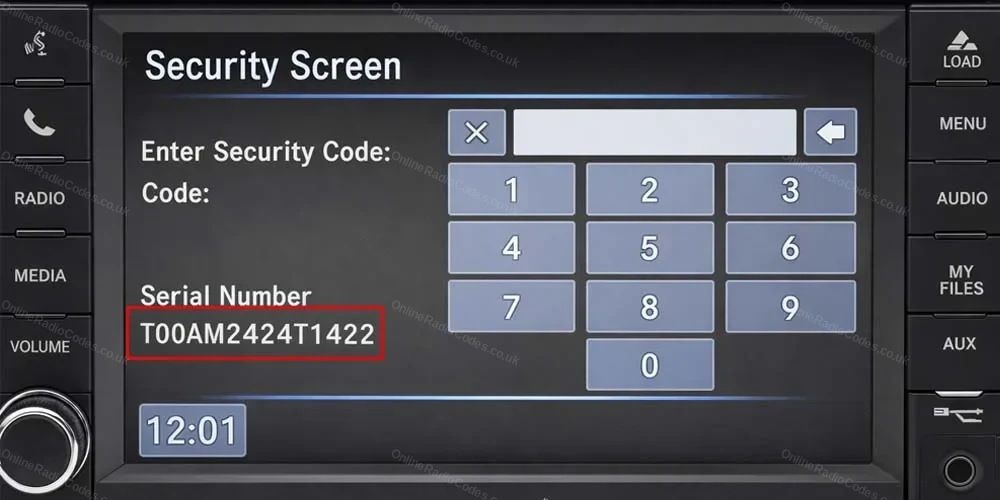
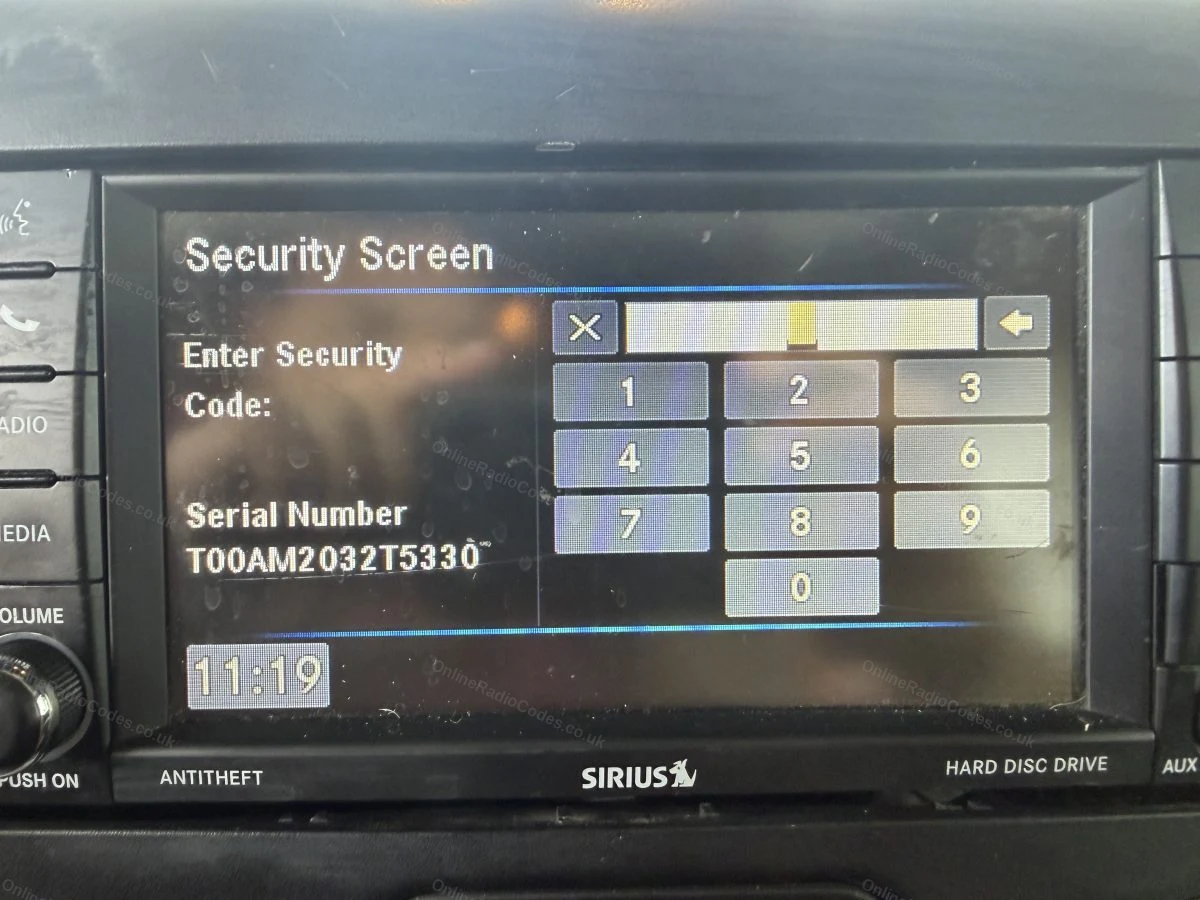
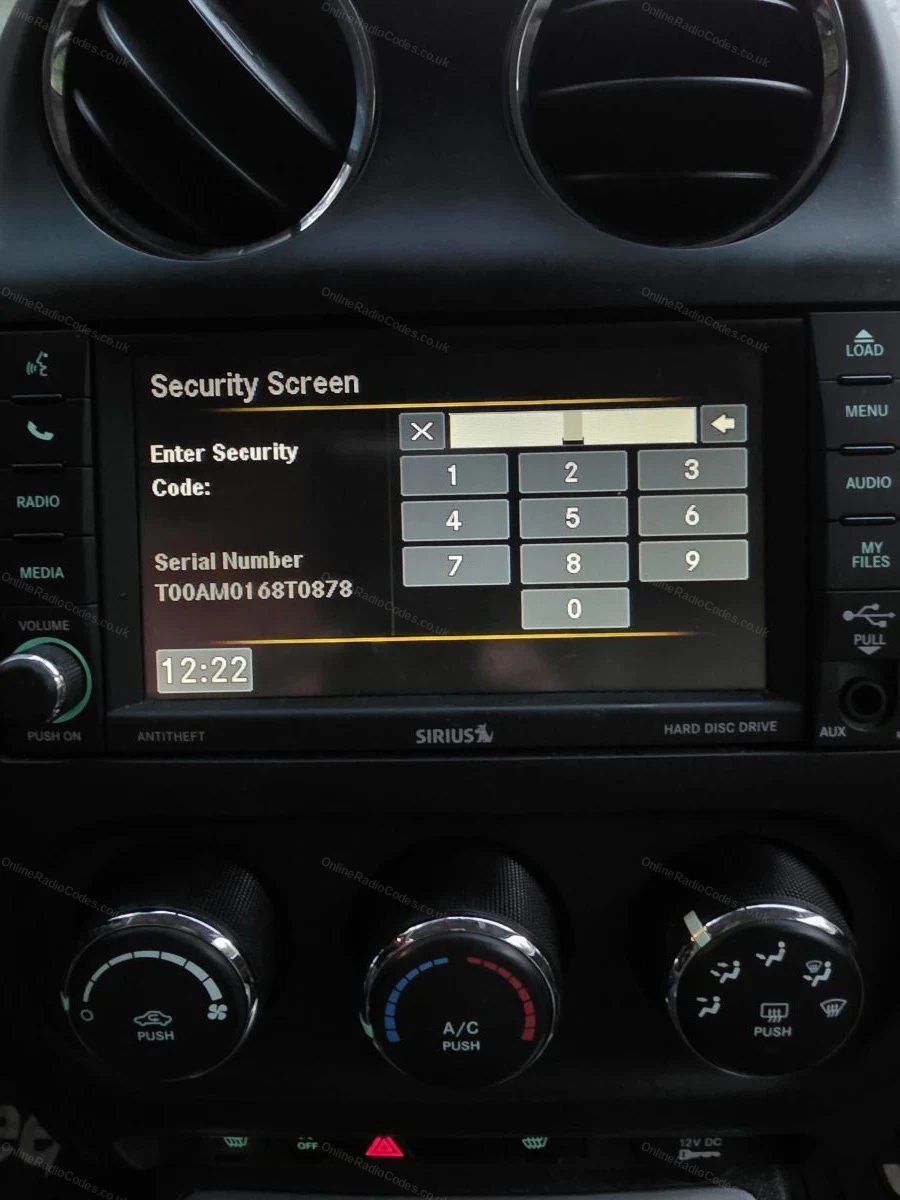
Touchscreen with the serial number on screen (T00AM / T00BE)
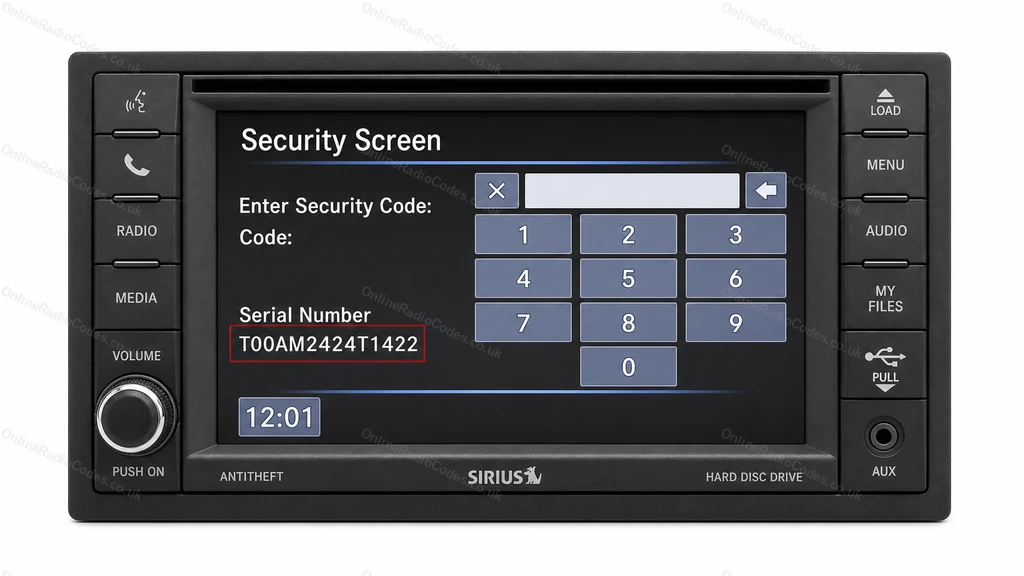
Copy the serial number from the code screen
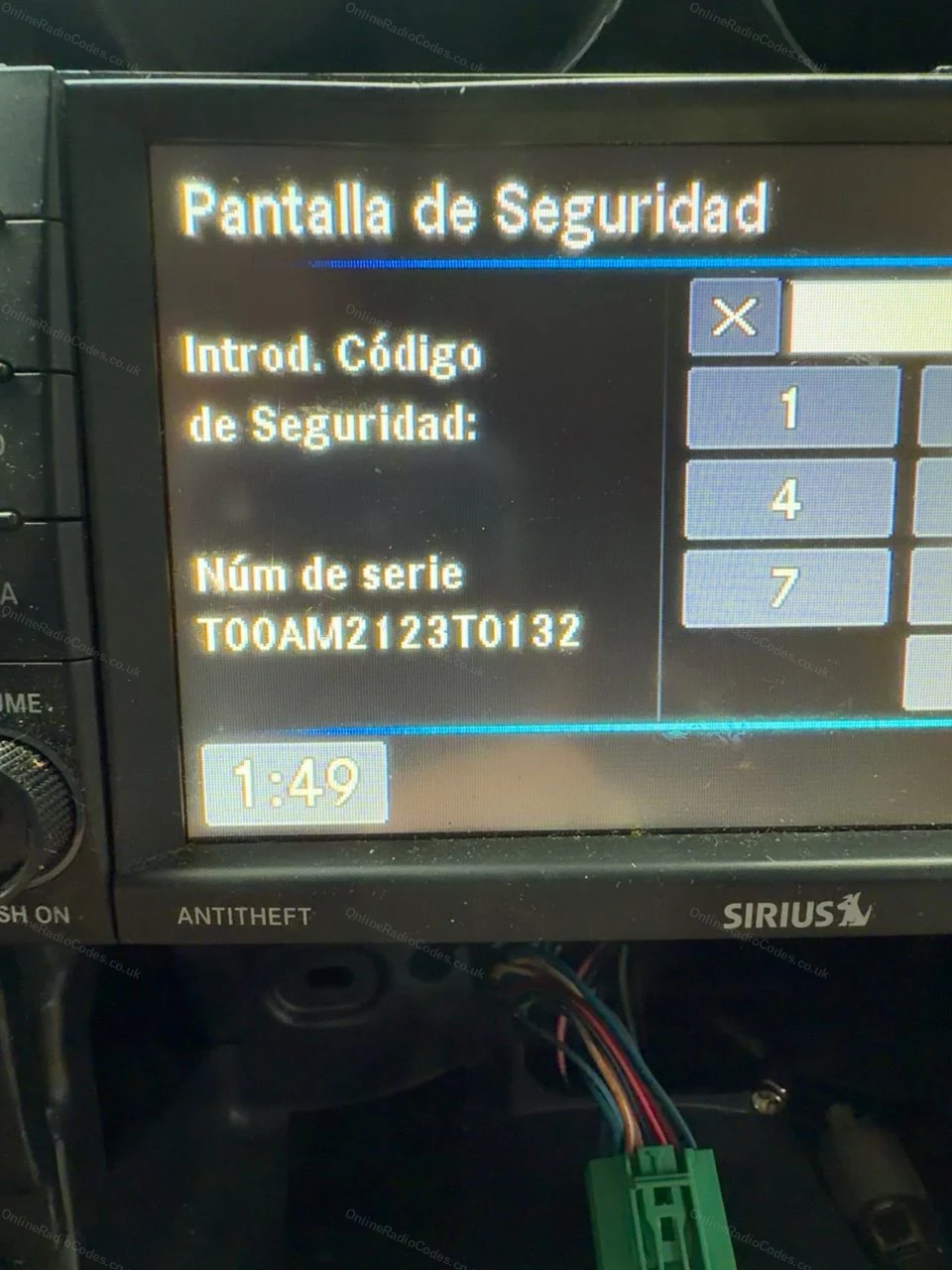
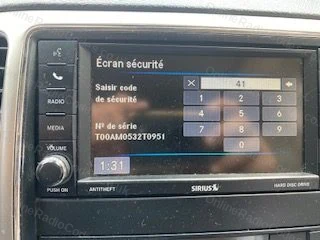
MyGIG and Uconnect 430 touchscreens (a screen with a column of buttons down each side) show the serial on the screen that asks for the code.

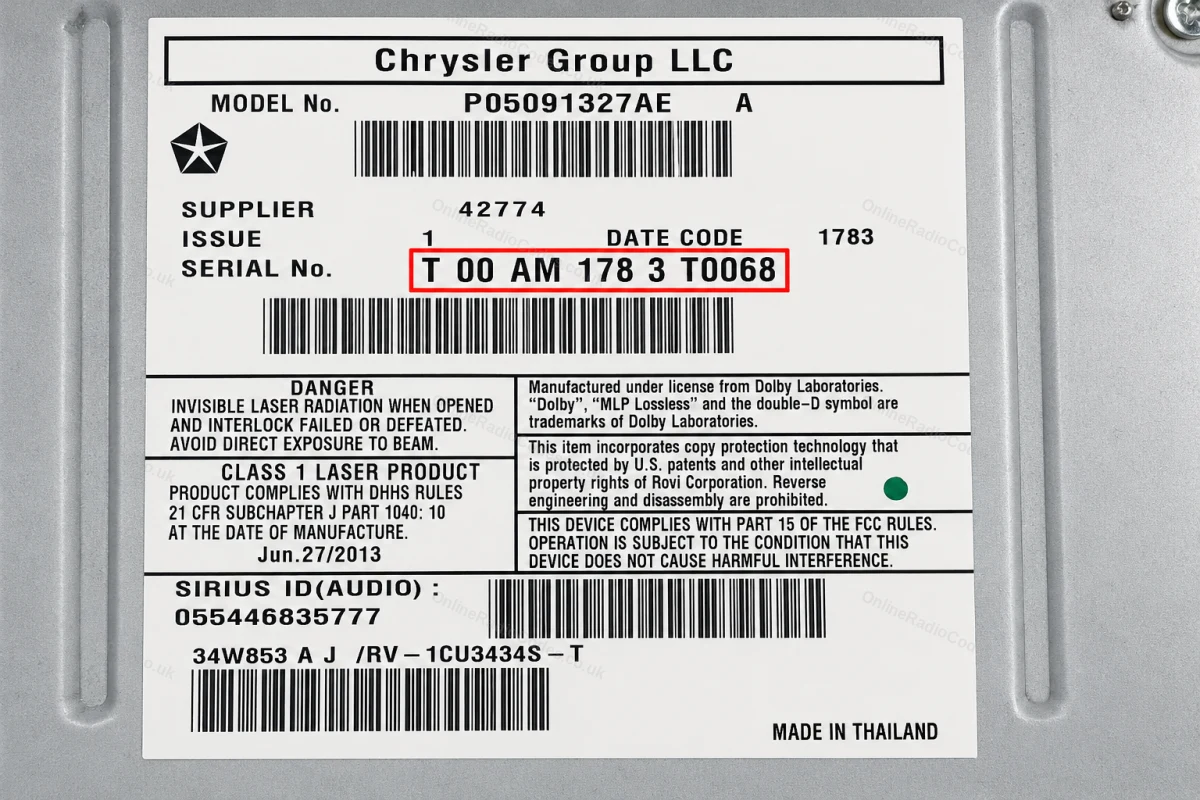
Turn on the ignition and radio. On the Security Screen, find Serial Number: it starts with T00AM, or sometimes T00BE, for example T00AM2424T1422. Type it exactly as shown. The two characters after the T are zeros, not the letter O.

If your screen asks for the code but shows no serial, the serial is on the label on the radio casing, so the radio needs to come out.
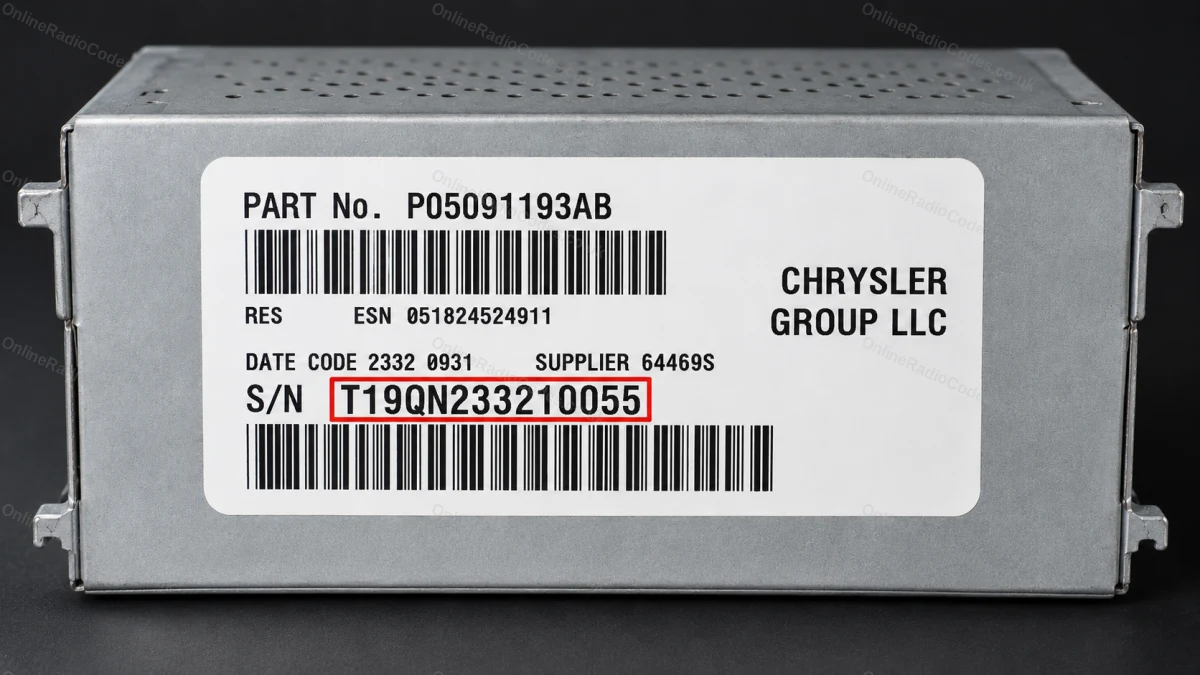
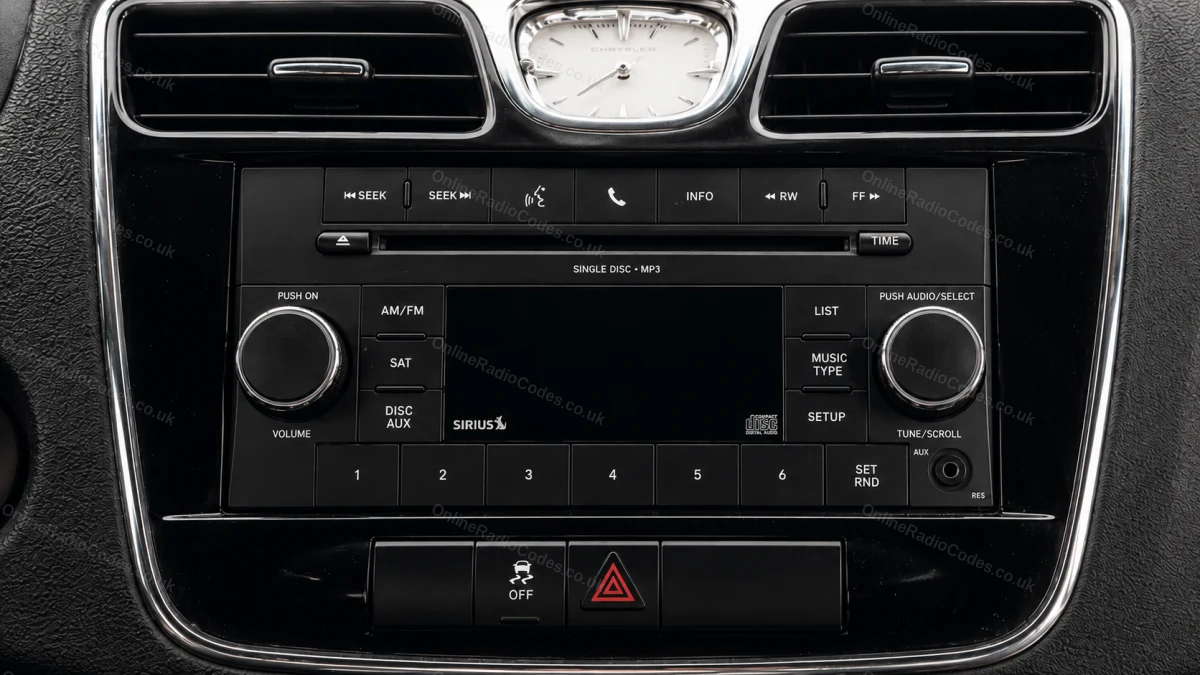
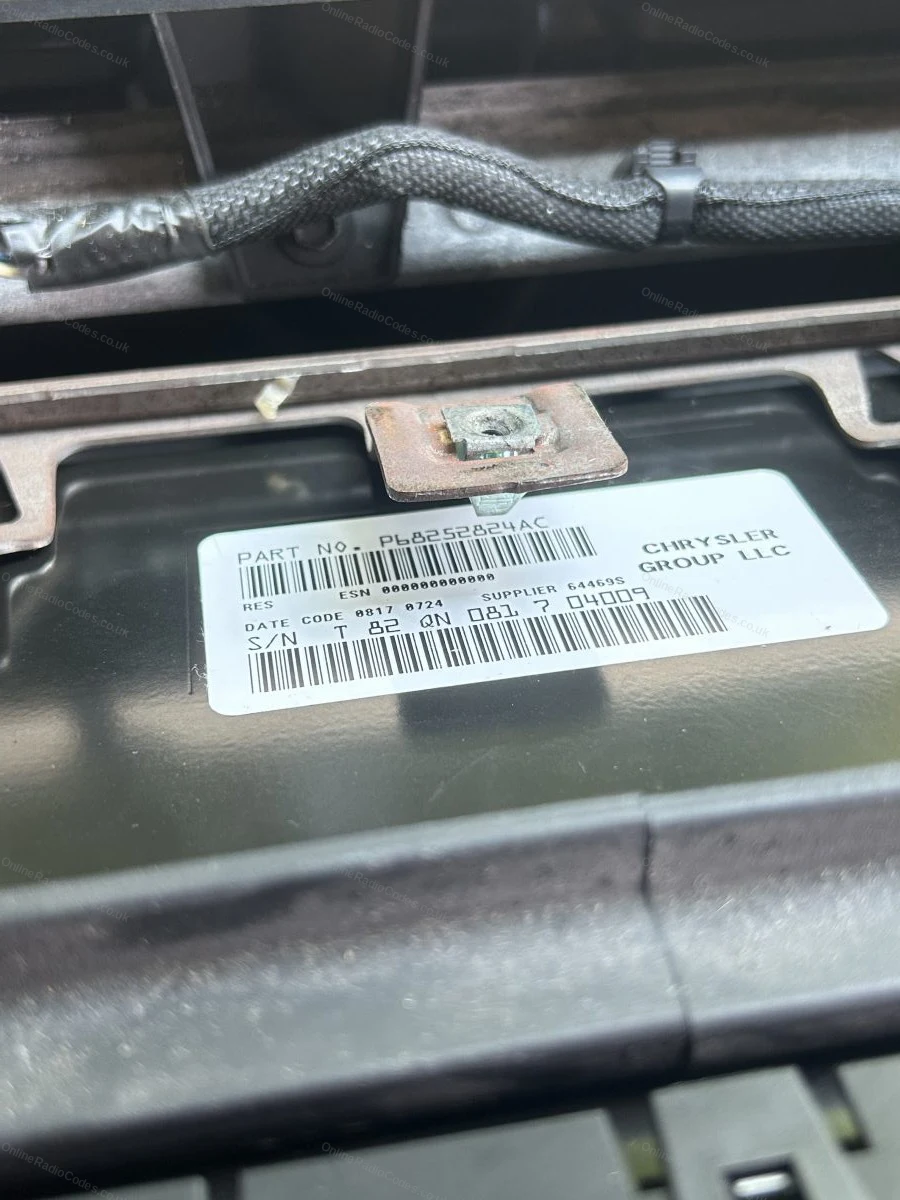
CD radio (T16QN, T19QN, T25QN, T30QN, T82QN)
Remove the radio and read the QN serial number
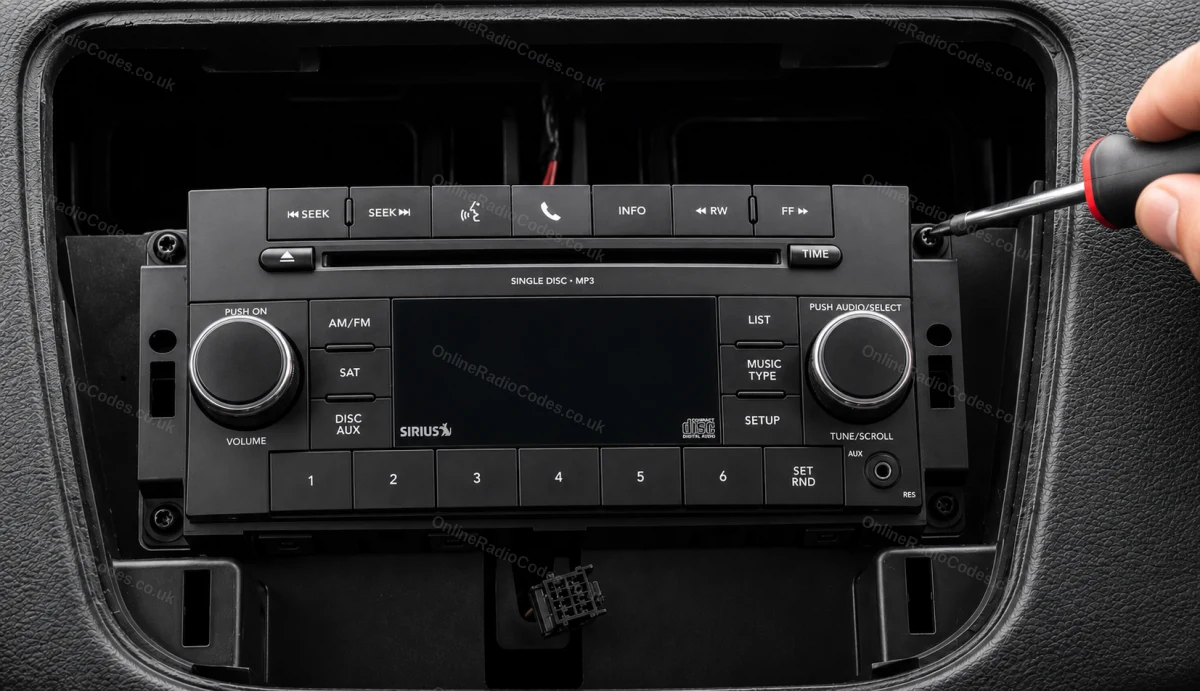
These radios do not show the serial on screen, so remove the radio: unclip the trim, undo the screws (usually four) and slide the unit forward. No need to unplug it.

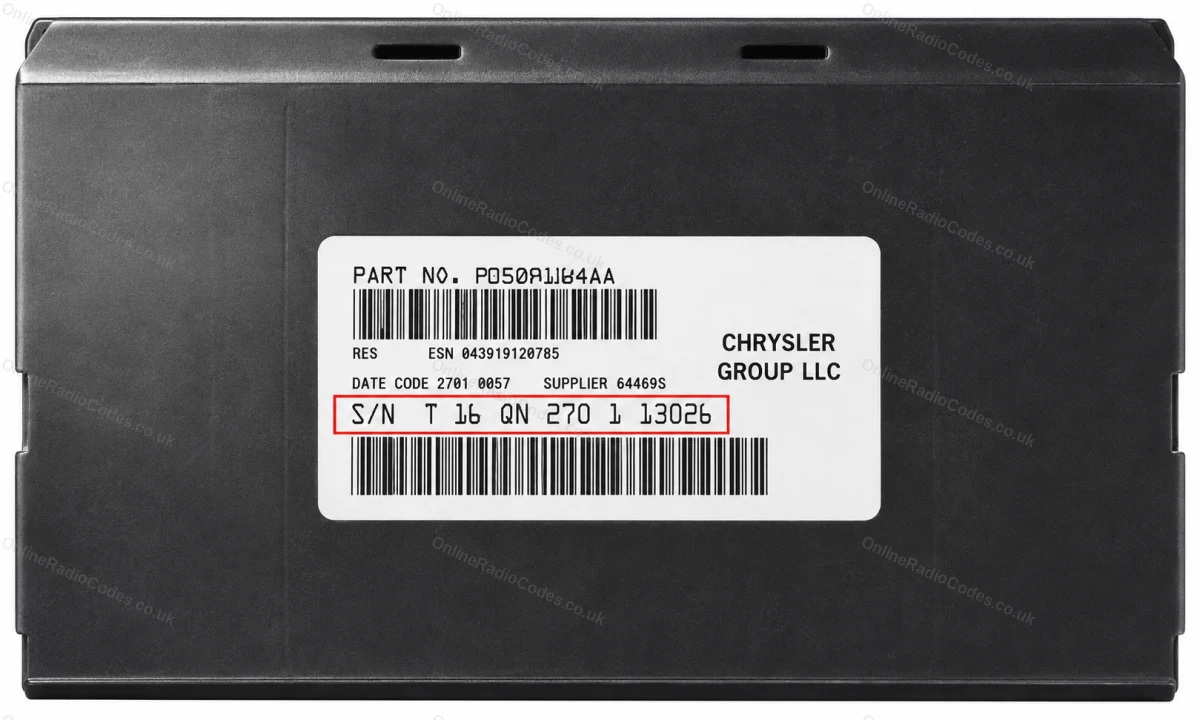
Look for S/N on the casing label. These serials start with T, two digits and QN, for example T19QN233210055 or T16QN270113026. Some labels print it with spaces (T 16 QN 270 1 13026): type it as one line. The model name on the label, such as RES or REQ, is not the serial.

A few of these radios carry a serial starting TQN, or T, two digits and AH: enter it the same way. Do not use the part number (starting P05 or 68) or the ESN.
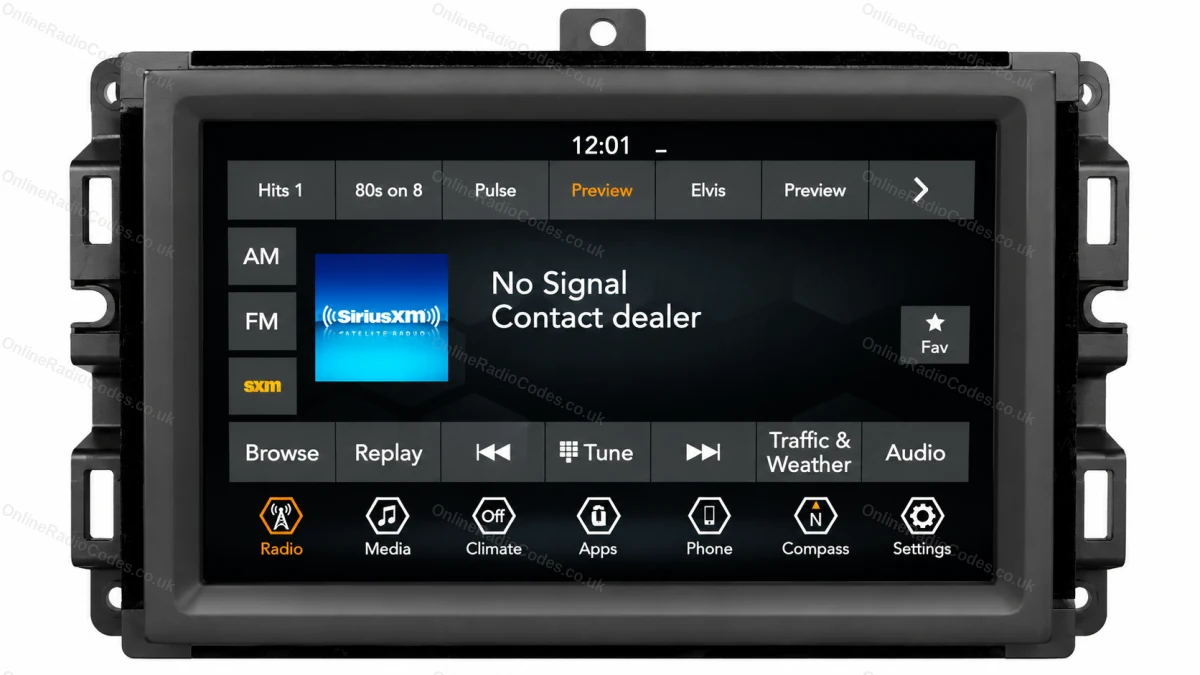
Uconnect 5 inch touchscreen (TVPQN)
Read the TVPQN serial number on the label
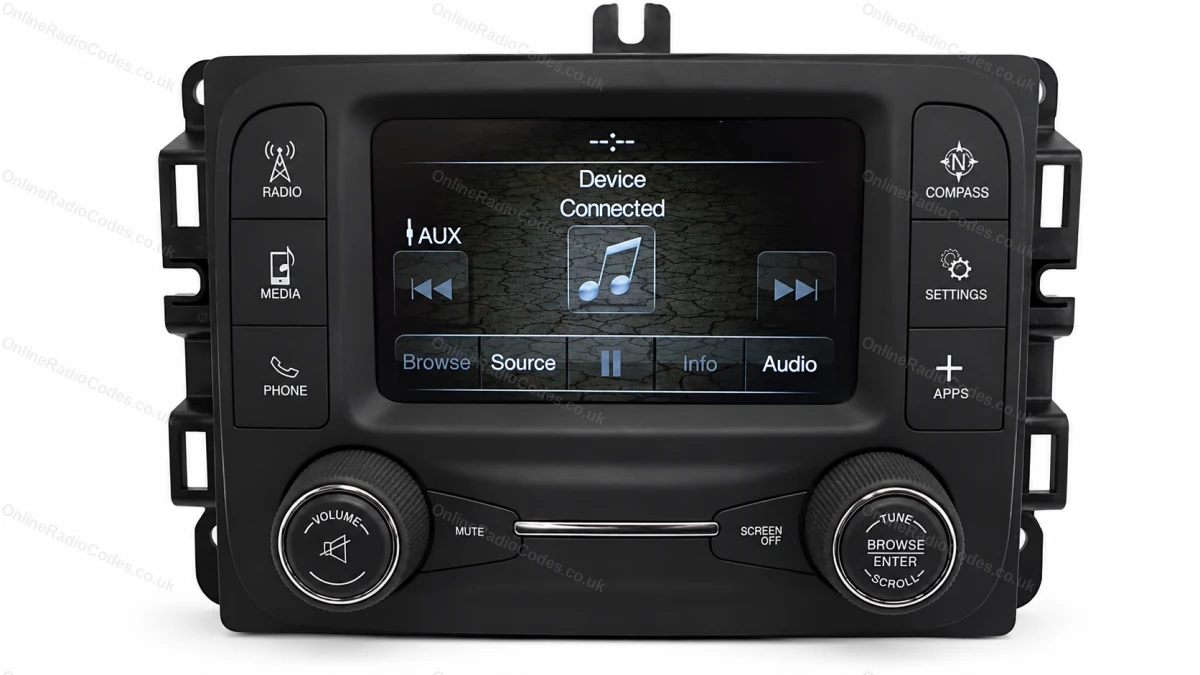
The 5 inch Uconnect touchscreen (a small screen with buttons each side and two knobs below) does not show the serial on screen. Remove the radio and find the label on the casing.

On most of these, made by Continental, the serial starts TVPQN, for example TVPQN23940JDP1, and is printed next to S/N. Enter the whole serial, including the letters at the end.

If the serial on your label starts T0MY or TM9 instead, enter that one.
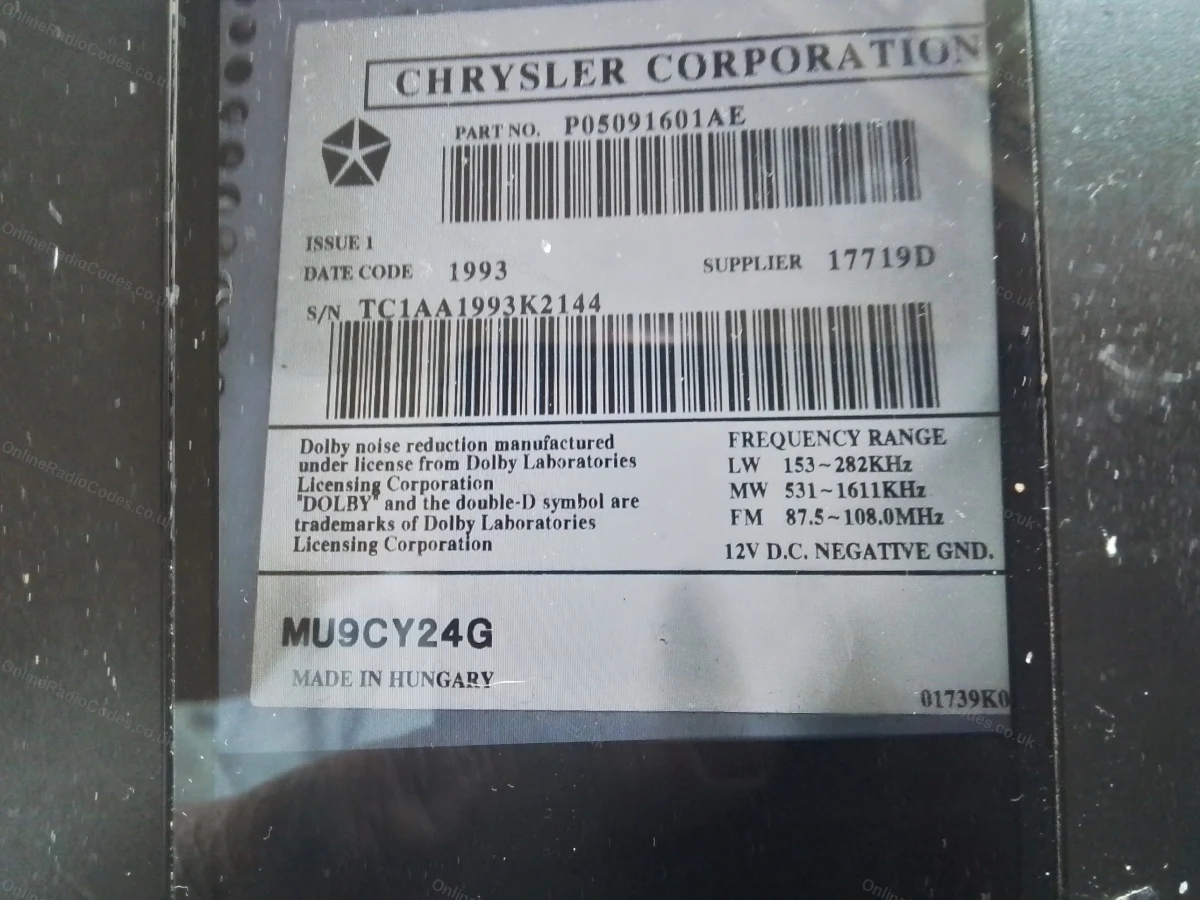
Older CD or cassette radio (TQ1AA, TCAAA, TH1AA, TT1AA)
Read the AA serial number on the radio label
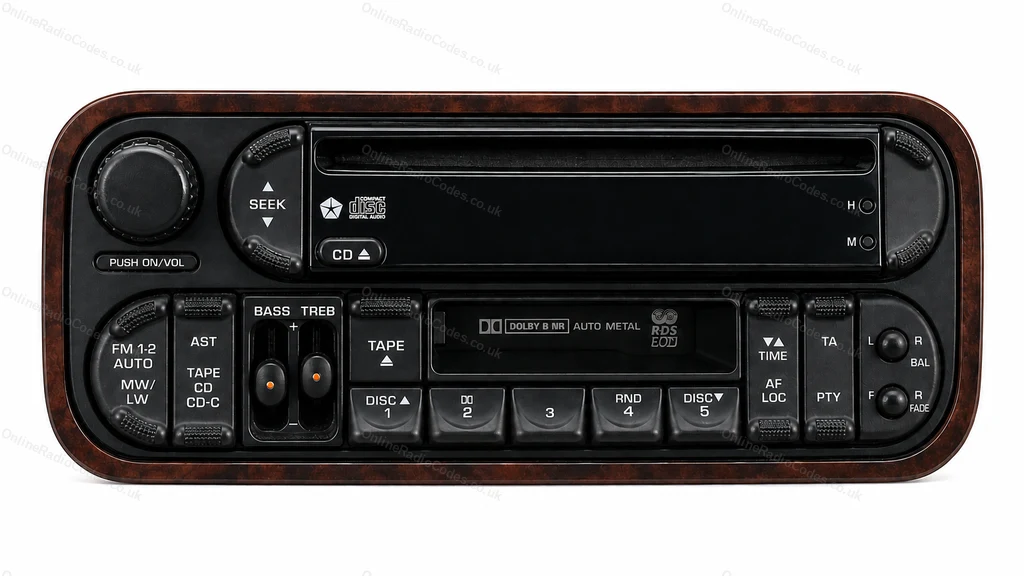
Older CD and cassette radios, for example in the Voyager, Caravan and Cherokee, have a serial with AA in it, such as TQ1AA0170A7894, TCAAA0494K7301 or TH1AA0247J4334. Remove the radio: the serial is on the casing label next to S/N.

These codes only use the digits 1 to 5, so you enter them with the preset buttons 1 to 5.
Can't find it? Contact us. We'll help you locate your serial before you pay a penny.

Since 2015 · 1 million decodes

The World’s Leading Jeep Radio Code Service

A Decade of Decoding
Retrieving car radio codes since 2015, with more than a million codes delivered. Registered UK company No. 09736186. Read our story
Your Code, Fast
Most codes appear on screen the moment payment clears. The rest are handled by our team, usually within the hour in business hours.
Works, or Your Money Back
If your code does not work, we refund you in full. One of the very few radio code services that backs every single order.
Your Code, Kept for Life
Lose your code in five years? We keep it on file and will resend it free of charge, as many times as you need.

Real people, worldwide, around the clock

Meet our radio experts

A small team who have decoded radios for a decade, with Nova, our AI assistant, covering around the clock. Wherever you are in the world, we're here to help.

Live chat and email 24/7. Nova answers straight away, day or night.

  • Gavin Wilson Gavin
  • Emma Keevney Emma
  • Lucy Flynn Lucy
  • Leah
  • Liz Wilson Liz
  • Nova, our AI assistant Nova 24/7

Popular models

Jeep radio codes by model

Go straight to the guide for your model.

FAQ

Frequently asked questions

Does this work on all Grand Cherokee generations (WJ, WK, WK2 and WL)?
Yes. We cover the WJ (1999 to 2004), WK (2005 to 2010), WK2 (2011 to 2021) and WL (2021 onwards). All factory radios are supported.
Where is the serial on a Grand Cherokee?
On the side or back of the radio unit, on a sticker. Remove the unit to read it. The serial starts with T, such as T00BE or TM9. If your touchscreen shows a serial starting T00AM when it asks for the code, you can enter that instead.
Why does my Grand Cherokee screen not show the serial?
The Uconnect 8.4 inch screen asks for the code without showing a serial. The serial, usually starting T00BE, is on the sticker on the radio casing, so remove the unit to read it. Only MyGIG and Uconnect 430 style touchscreens show it on the code screen, usually starting T00AM.
Does it cover the Trackhawk?
Yes. The Trackhawk and all other Grand Cherokee trims are covered, as the radio code is unique to the head unit.

Verified · Trustpilot

Don't just take our word for it

See all reviews on Trustpilot
5 stars
1 hour ago Trustpilot

After recieving the code

After recieving the code, it was a straightforward task of entering the code as instructions given on Google, and hey presto I have my radio back. Thank you …

Richard G · GB
5 stars
3 hours ago Trustpilot

Excellent all round!

Excellent! Light ing fast once payment went through, code didn’t work but the. I realised I’d entered the wrong serial number, last digit was wrong. Email…

Greg · GB · Nissan
5 stars
6 hours ago Trustpilot

On line radio code

Put my order in for the radio code got an email straight away to say they were processing it and then and email receipt to say I had paid then in about an h…

Elaine · GB
5 stars
20 hours ago Trustpilot

Really easy to use

Really easy to use, code given straightaway - and worked!

Julie Bloomfield · GB
5 stars
20 hours ago Trustpilot

Fantastico

Fantastico ! Ho ottenuto il PIN dopo l'inserimento del numero di telaio ! Velocissimo ! Grazie

Manuela Carabini · IT
5 stars
21 hours ago Trustpilot

Нужно было раскодировать магнитолу

Нужно было раскодировать магнитолу. Все прошло быстро, без всяких проблем. Теперь опять с музыкой. Спасибо огромное.

Vladimir Izobov · BY
5 stars
22 hours ago Trustpilot

Easy to use

Easy to use , very fast reply and the code worked first time

O H Gomersall · GB
5 stars
23 hours ago Trustpilot

Mi experiencia con OnlineRadioCodes ha …

Mi experiencia con OnlineRadioCodes ha sido perfecta, tengo un coche de 1993 sin el codigo y la radio original de casa. En la casa no me lo pudieron dar, ha…

Jesus Vargas Vazquez · ES
5 stars
1 day ago Trustpilot

Really quick and easy and saved me…

Really quick and easy and saved me loads this morning as I've lost my voice and couldnt speak to the dealership if i wanted to 5* instant radio code and real…

Katie Watson · GB
5 stars
1 day ago Trustpilot

Easy online ordering and perfect result!

The online ordering was easy and quick. Due to time world differences my email with my code took some time, but as soon as I got it I simply followed the sim…

Errol Ross · AU · VW
5 stars
1 day ago Trustpilot

Had tried radio codes before which…

Had tried radio codes before which failed, pleased to say my radio is now working again, input your radio details, send the money and a code was soon sent, g…

Jill Sadler · GB
5 stars
1 day ago Trustpilot

Radiocode for Renault Clio 2019

I received the radio code within seconds of entering the VIN (vehicle identification number) and making the payment.The code worked, and the car was back to …

Joachim Andre · SE · Renault
See our 22,953 reviews on Trustpilot
Ready to unlock your Jeep radio?

Enter your serial number above and get your unlock code in seconds.

Get my code now
OnlineRadioCodes.co.uk is an independent radio code retrieval service and is not affiliated with Stellantis N.V., Jeep or any of their subsidiaries. All radio codes are sourced from official databases. Jeep and all model names are trademarks of their respective owners.
Get my radio code