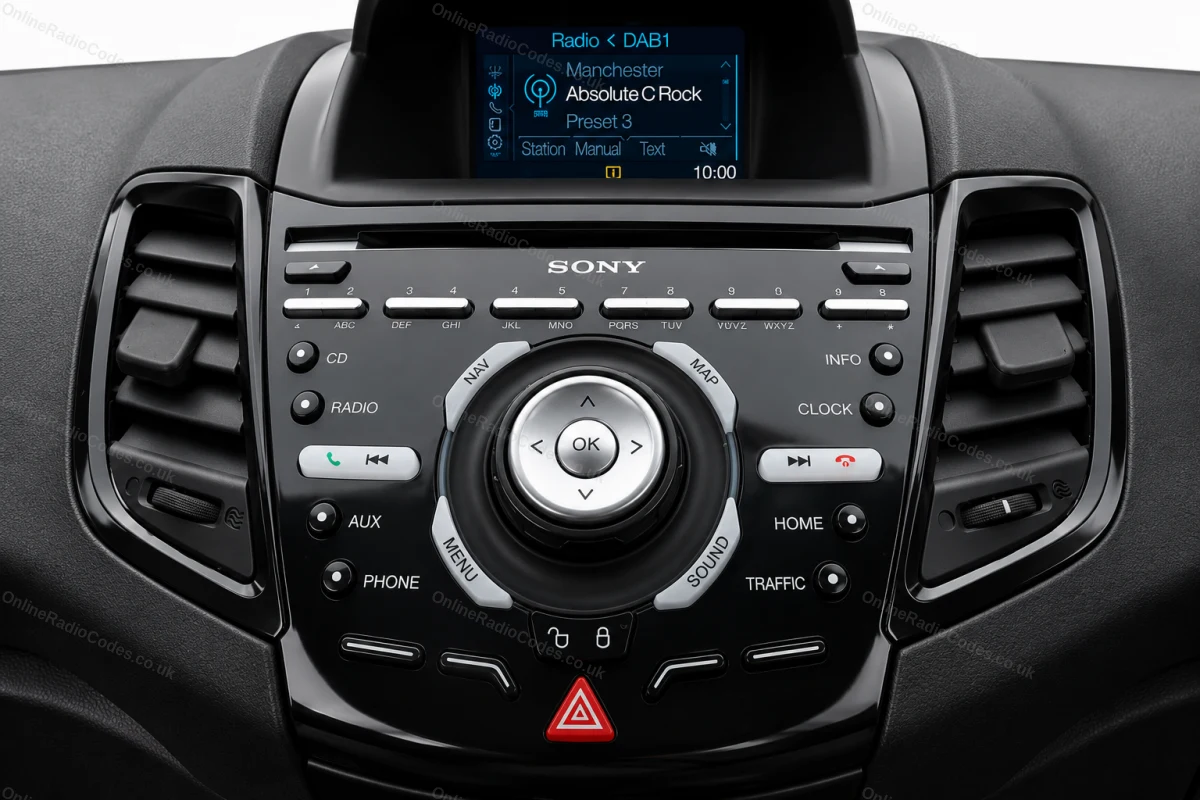
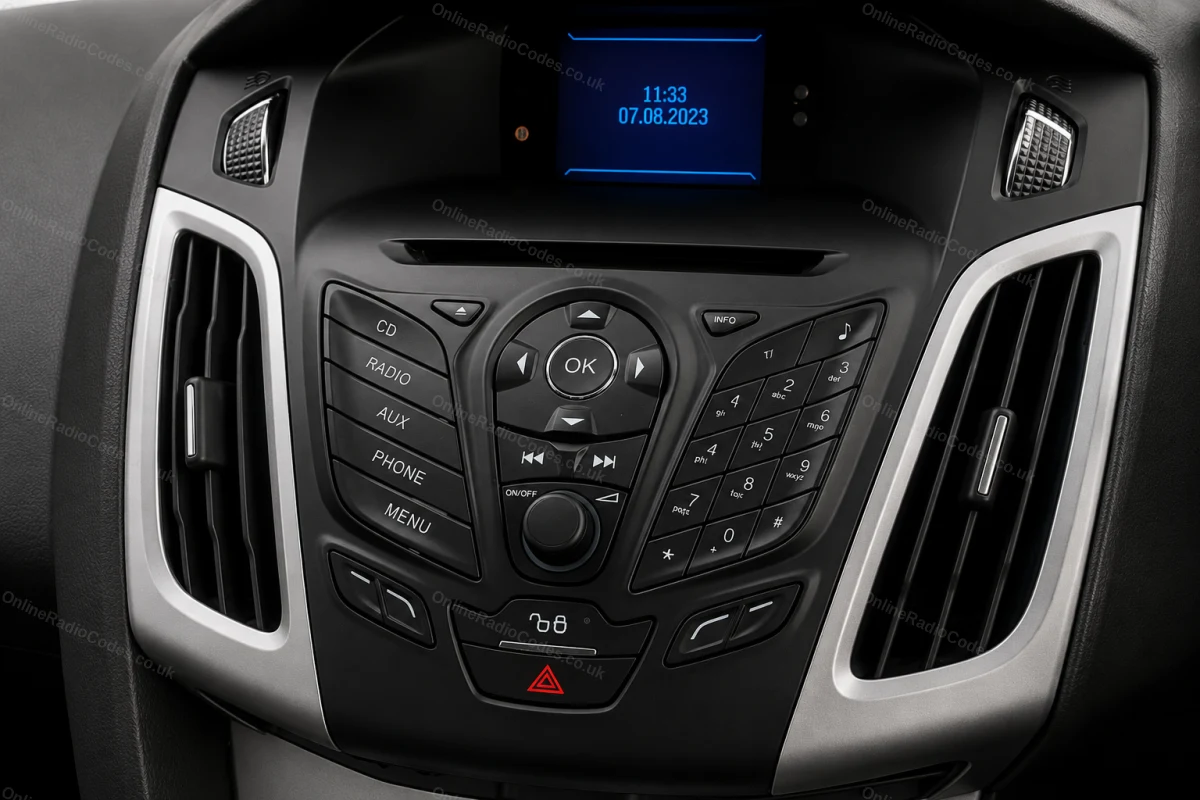
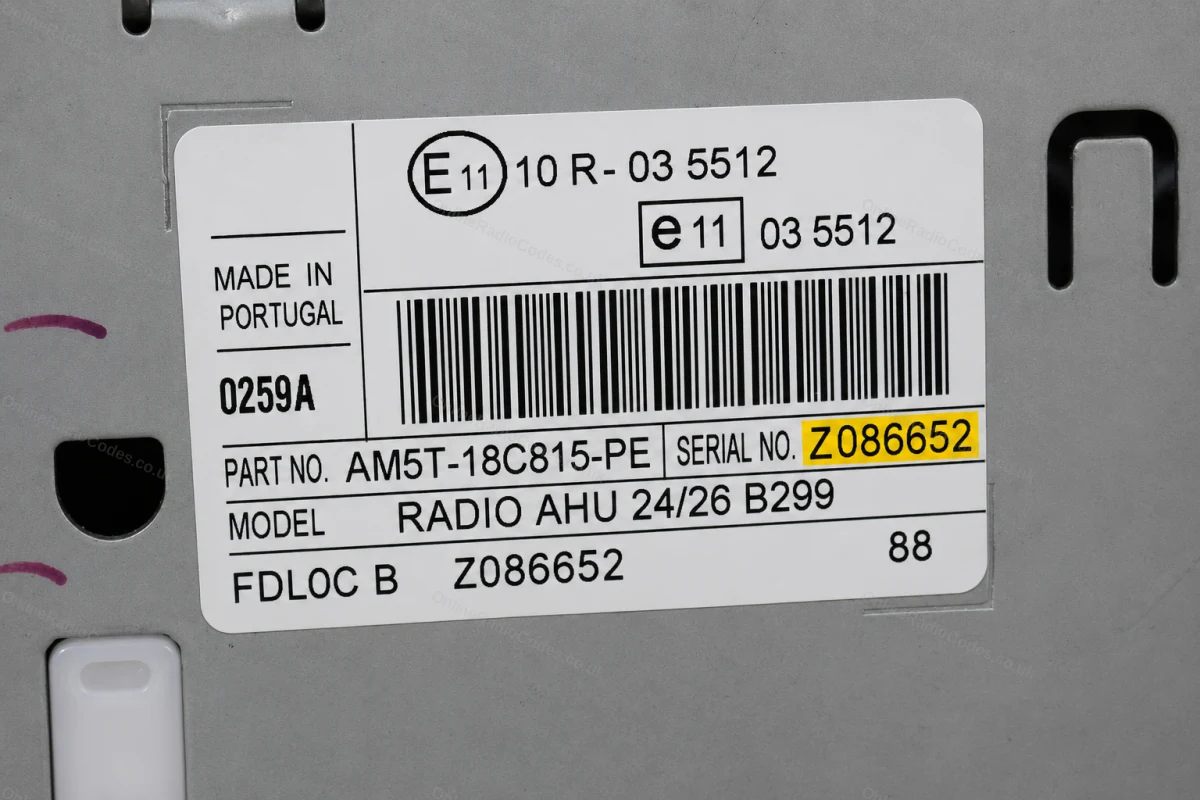
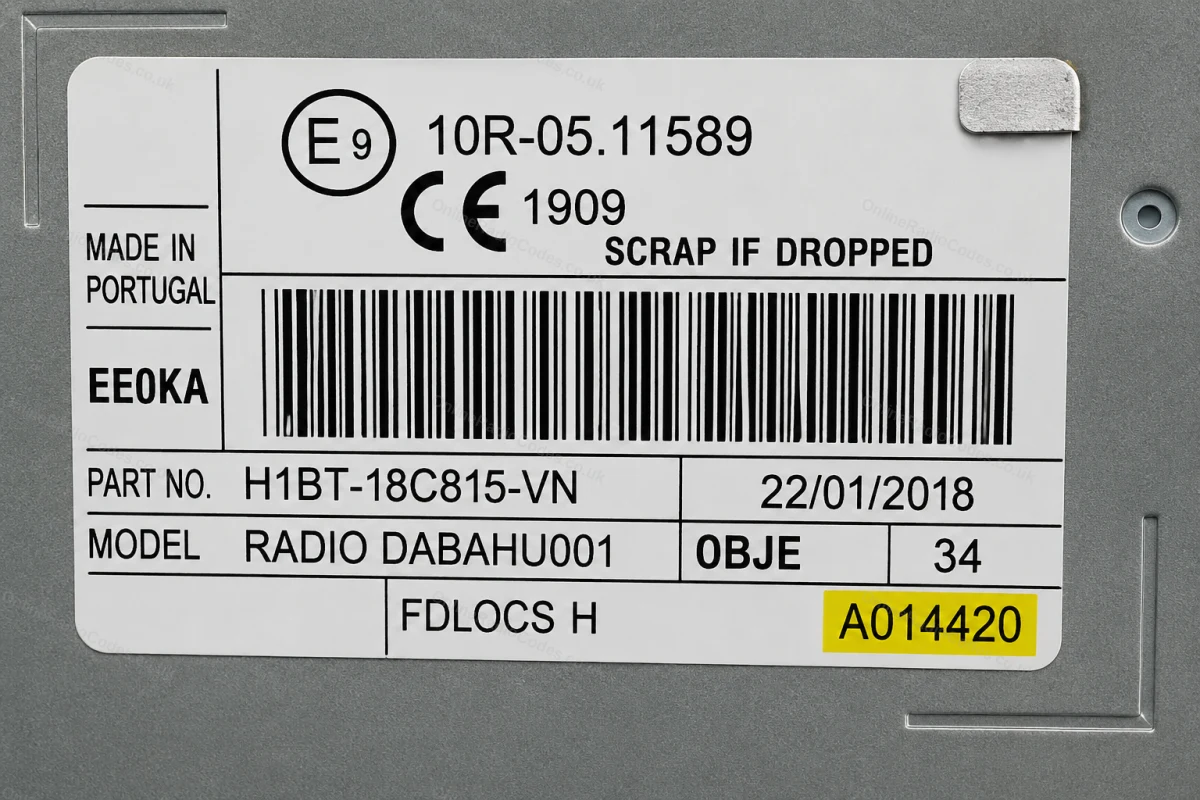
The guide below will show you exactly where to find your Ford radio serial number.
V-Series · Press 1 + 6
Get your serial from the screen
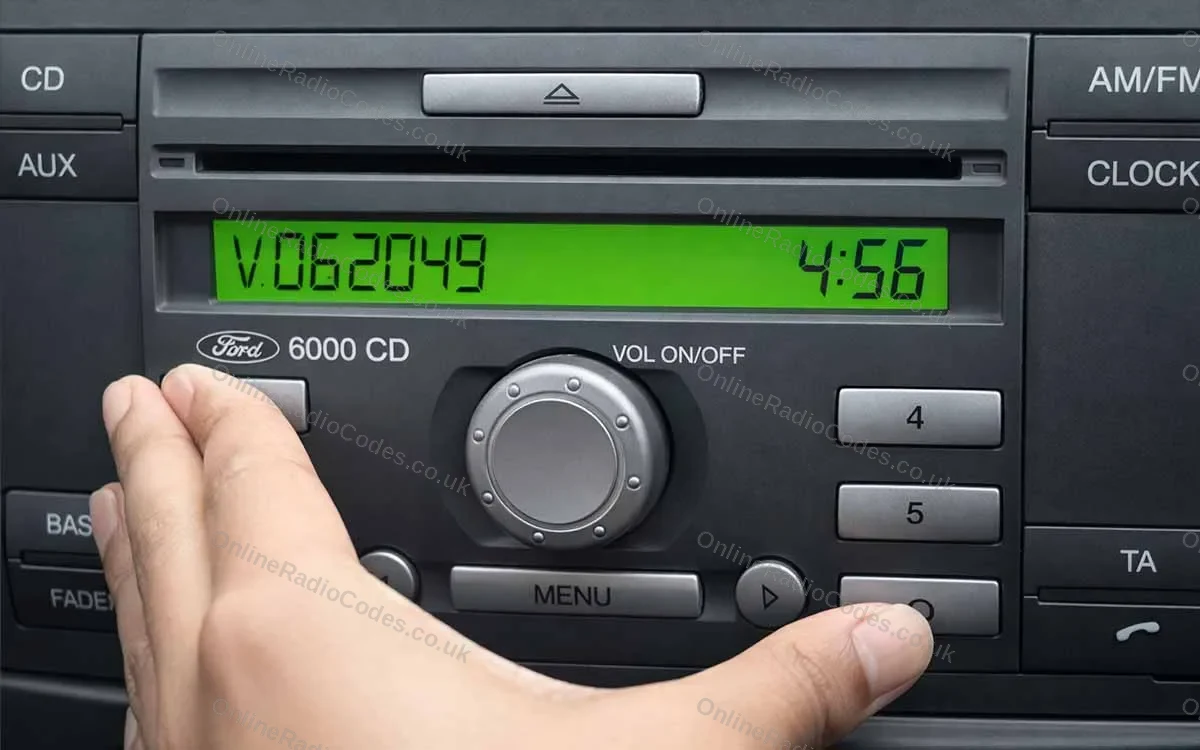
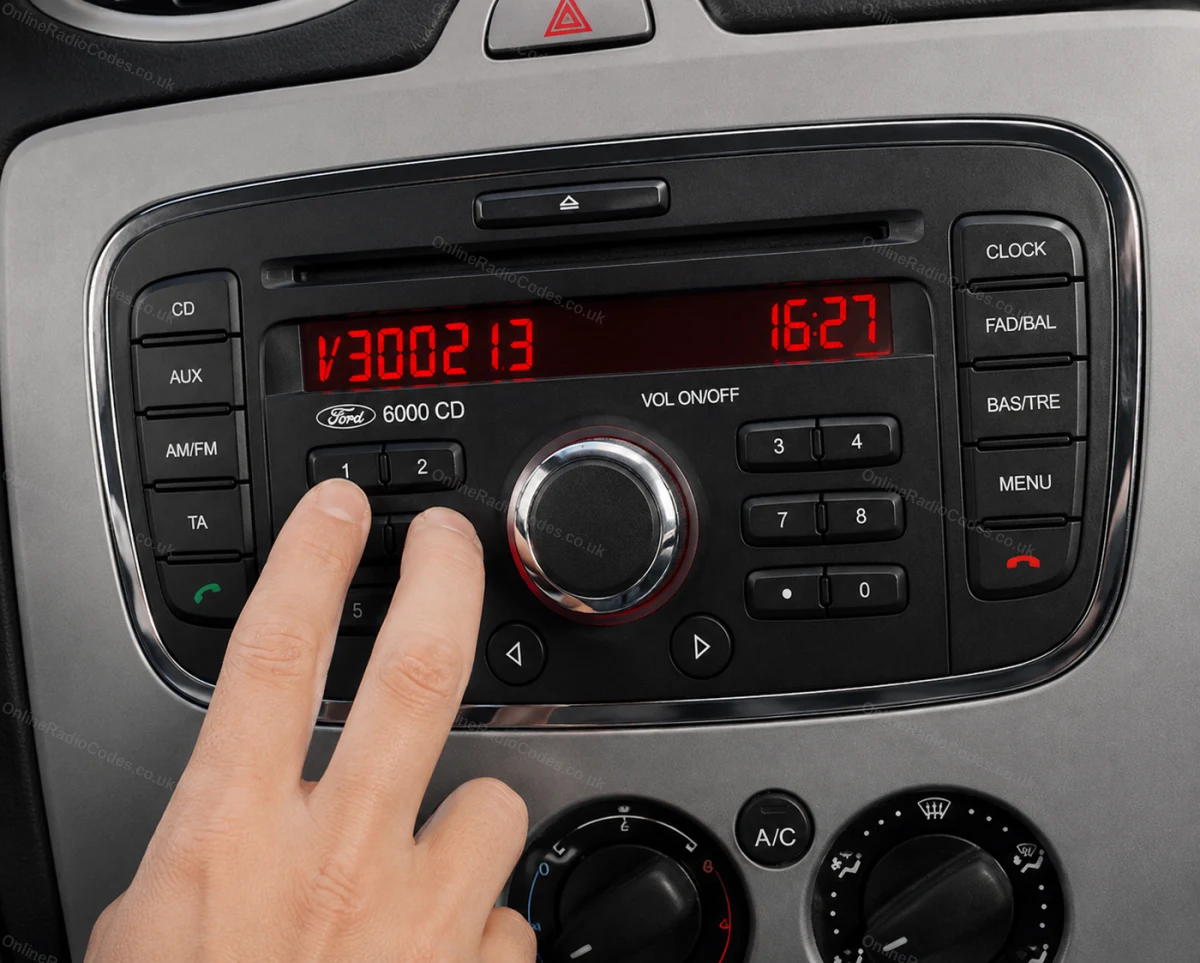
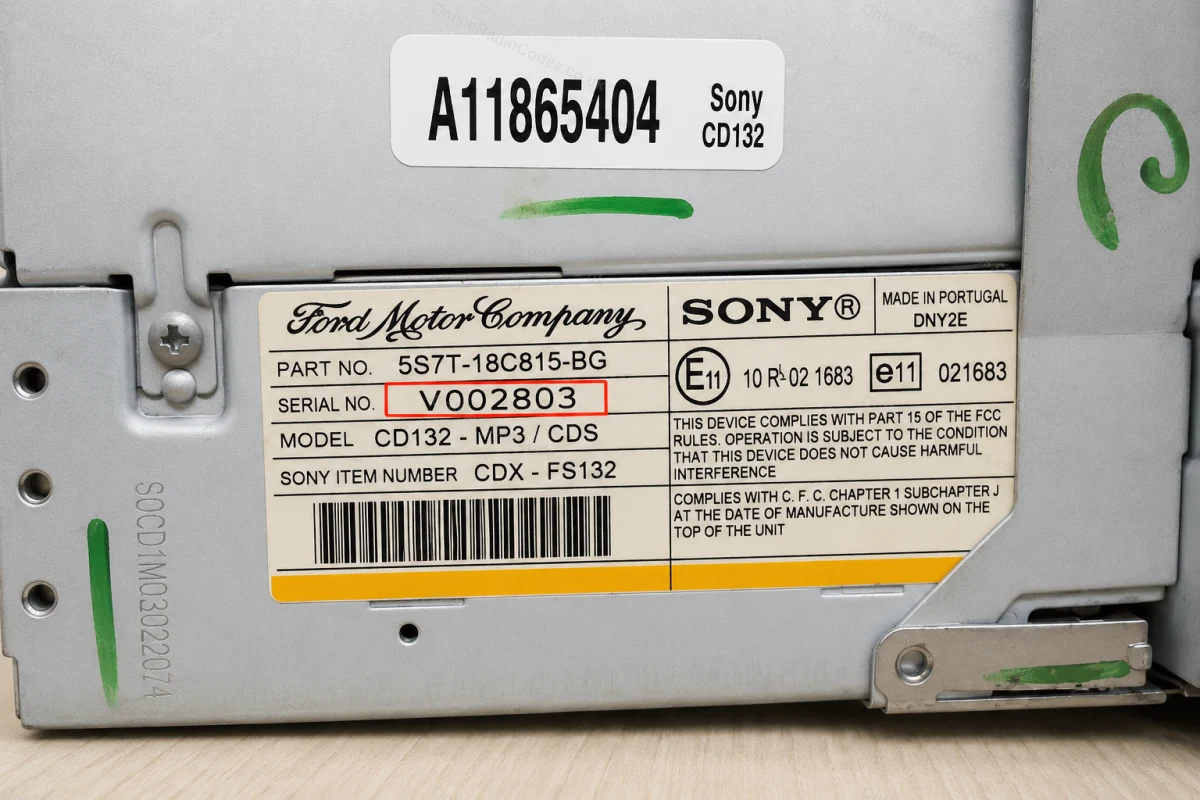
Turn on the ignition and radio. Hold buttons 1 and 6 simultaneously for about two seconds until a serial appears on screen. It starts with V followed by 6 digits (e.g. V062049). Write it down exactly. If nothing appears after two attempts, try buttons 2 and 6 instead.
Fitted to Fiesta, Focus, Mondeo, Transit, Galaxy and most Ford models up to 2008.
M-Series · Press 2 + 6
Get your serial from the screen
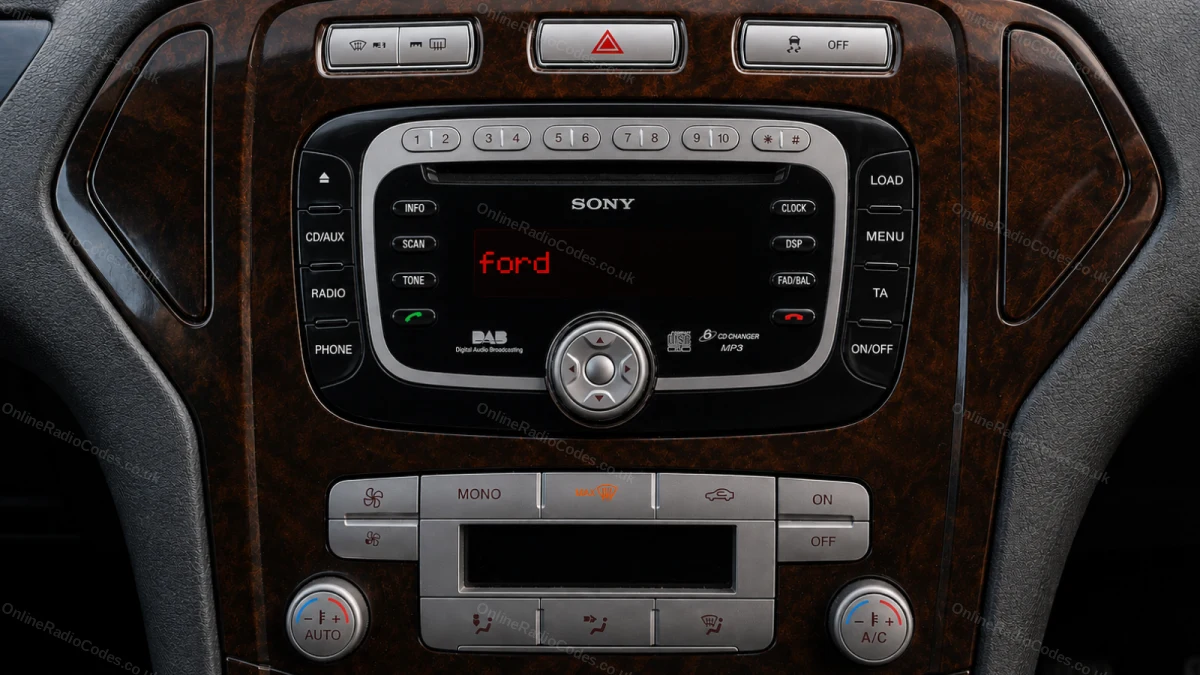
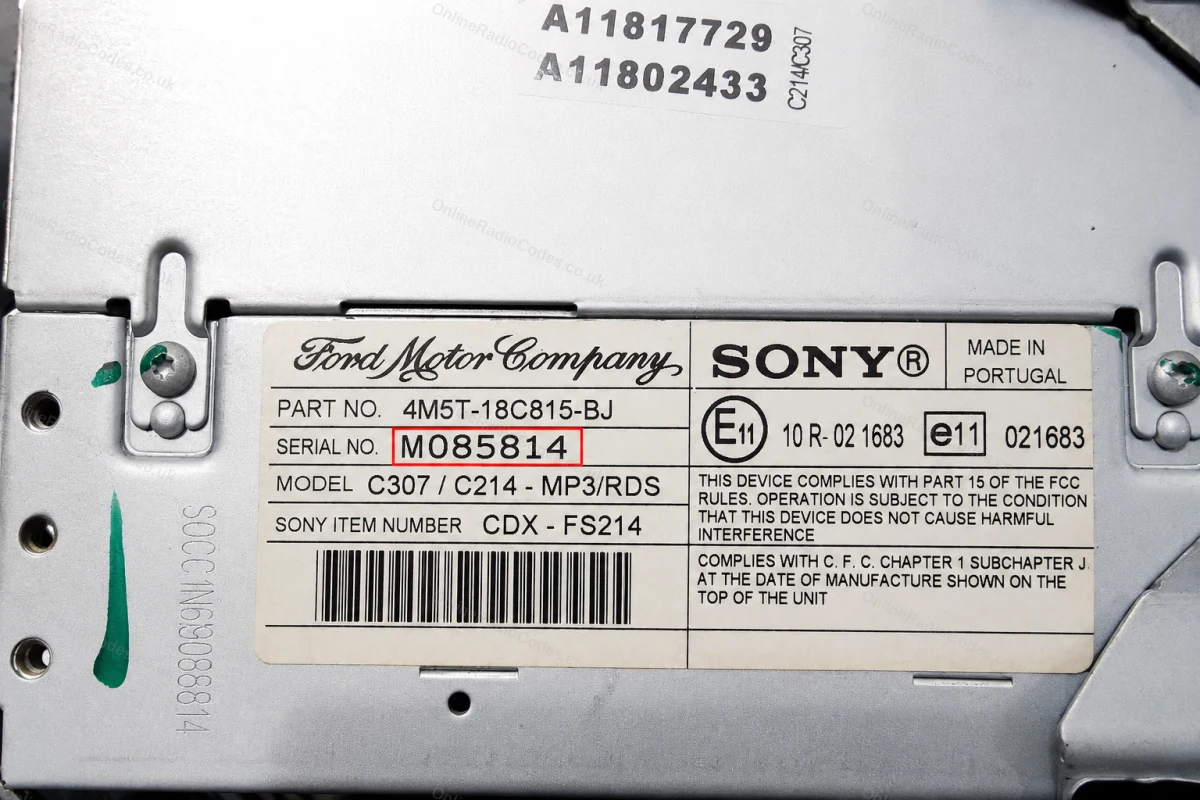
On some Sony MP3 and RDS models hold buttons 2 and 6 simultaneously for about two seconds. The serial starts with M followed by 6 digits (e.g. M085814). If the serial appears in two halves on screen combine them into one string without a space.
The M serial is also printed on the label on the back of the unit if you need to remove it.
Remove the Radio
Remove the radio to find your serial
Insert DIN release keys into the four corner holes of the fascia and apply gentle outward pressure. The unit slides forward, no wires need disconnecting.
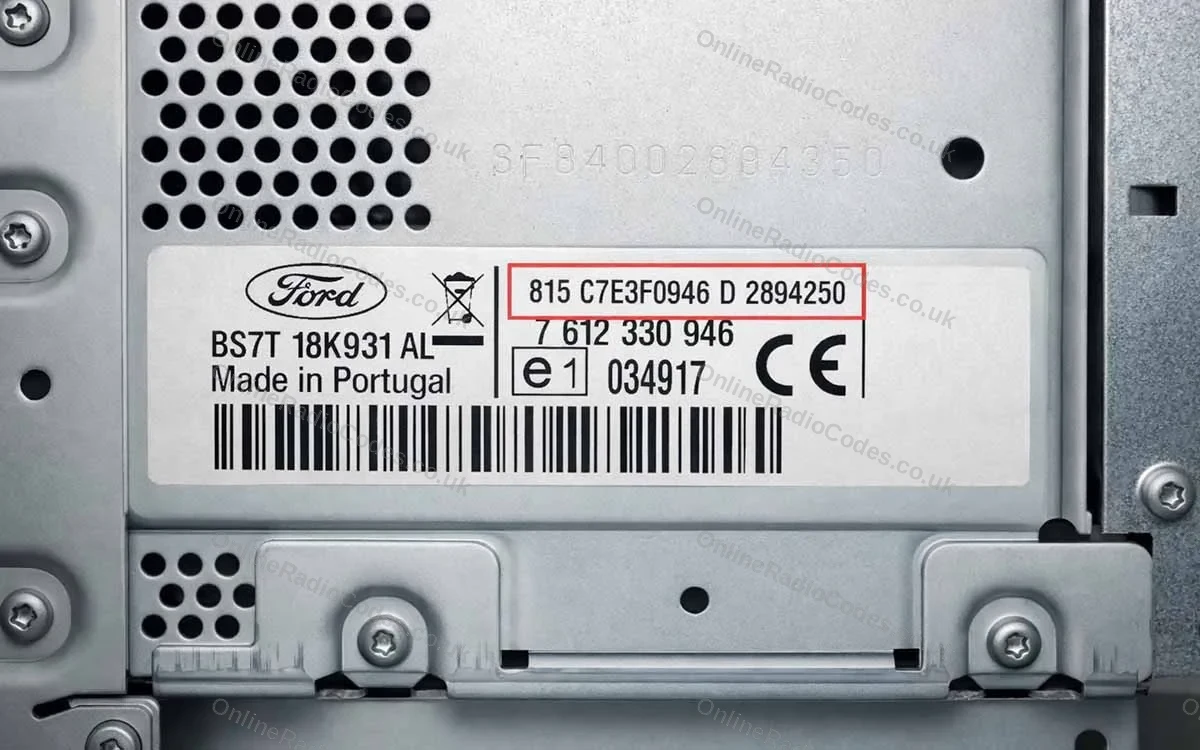
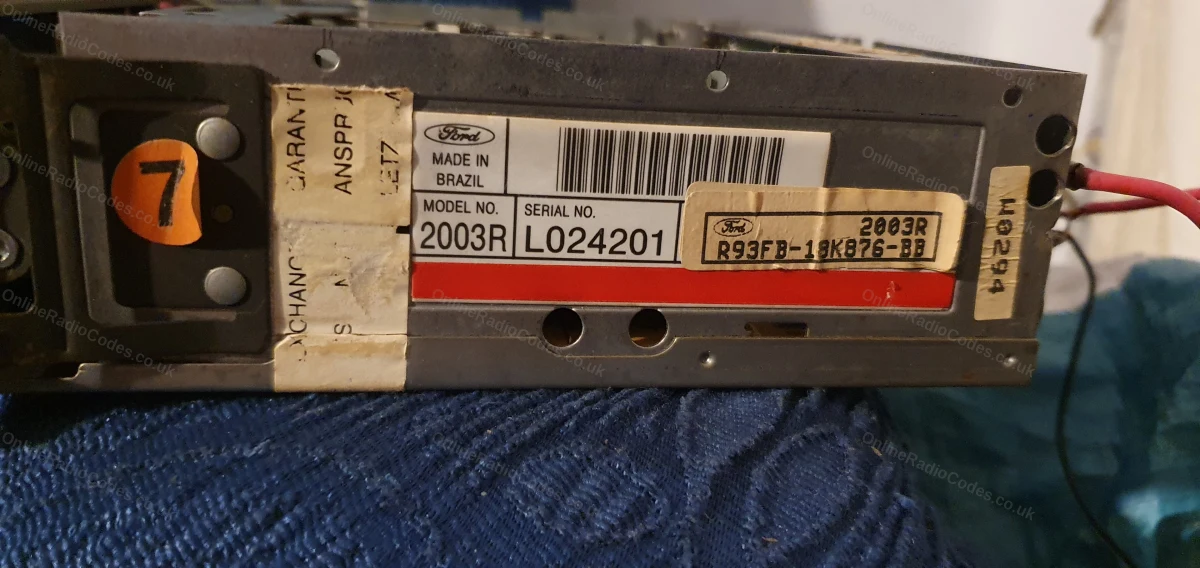
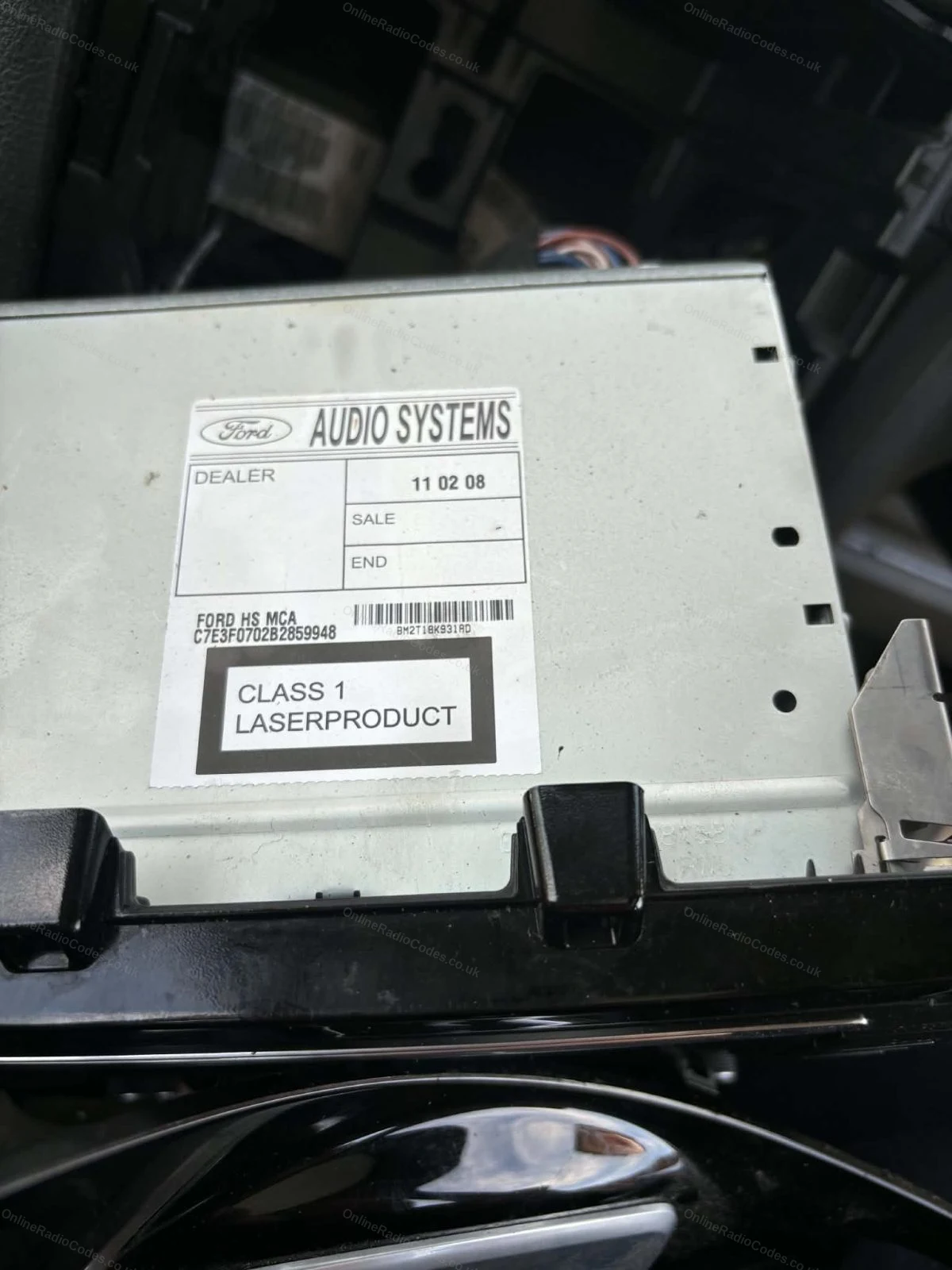
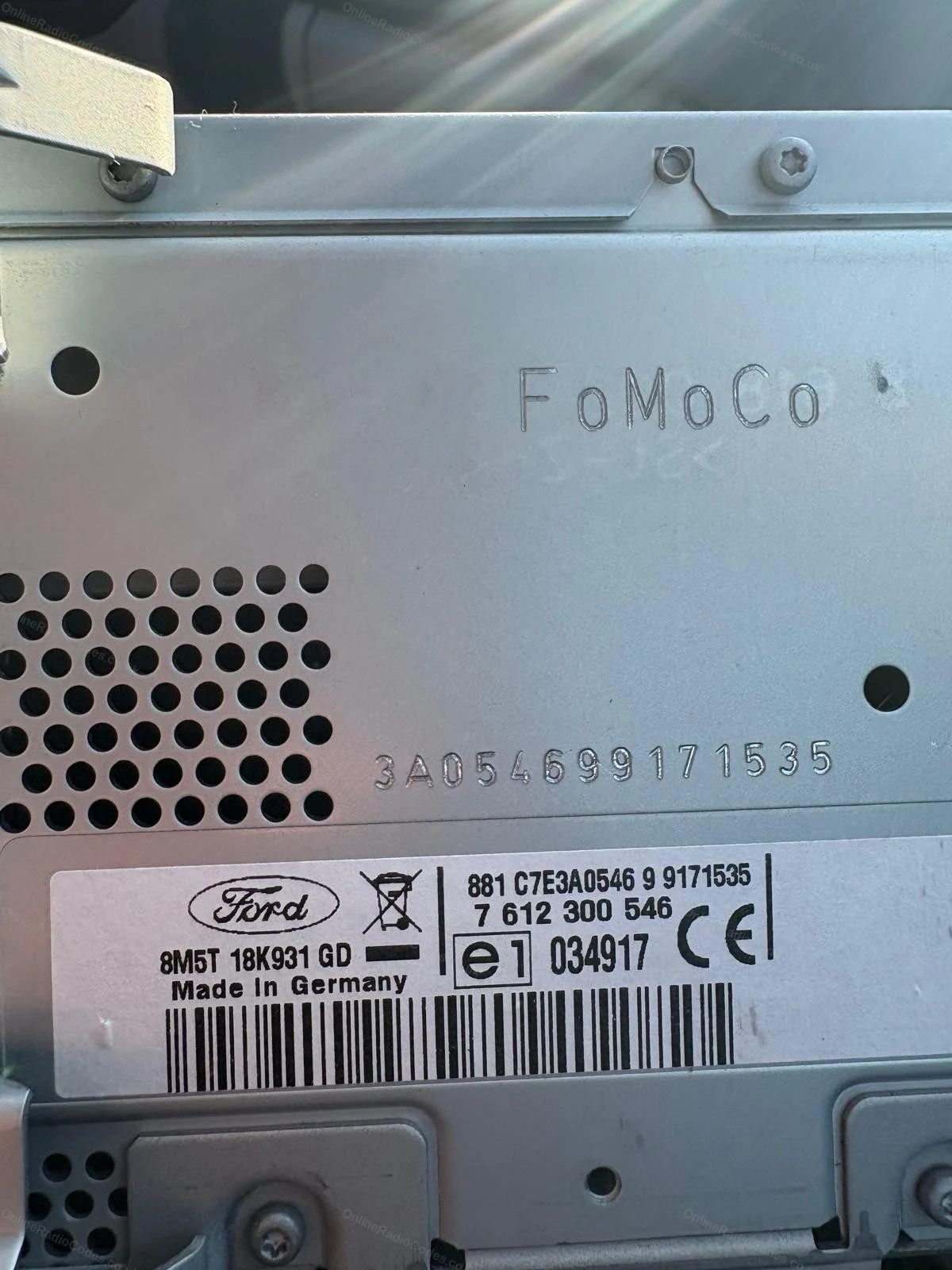
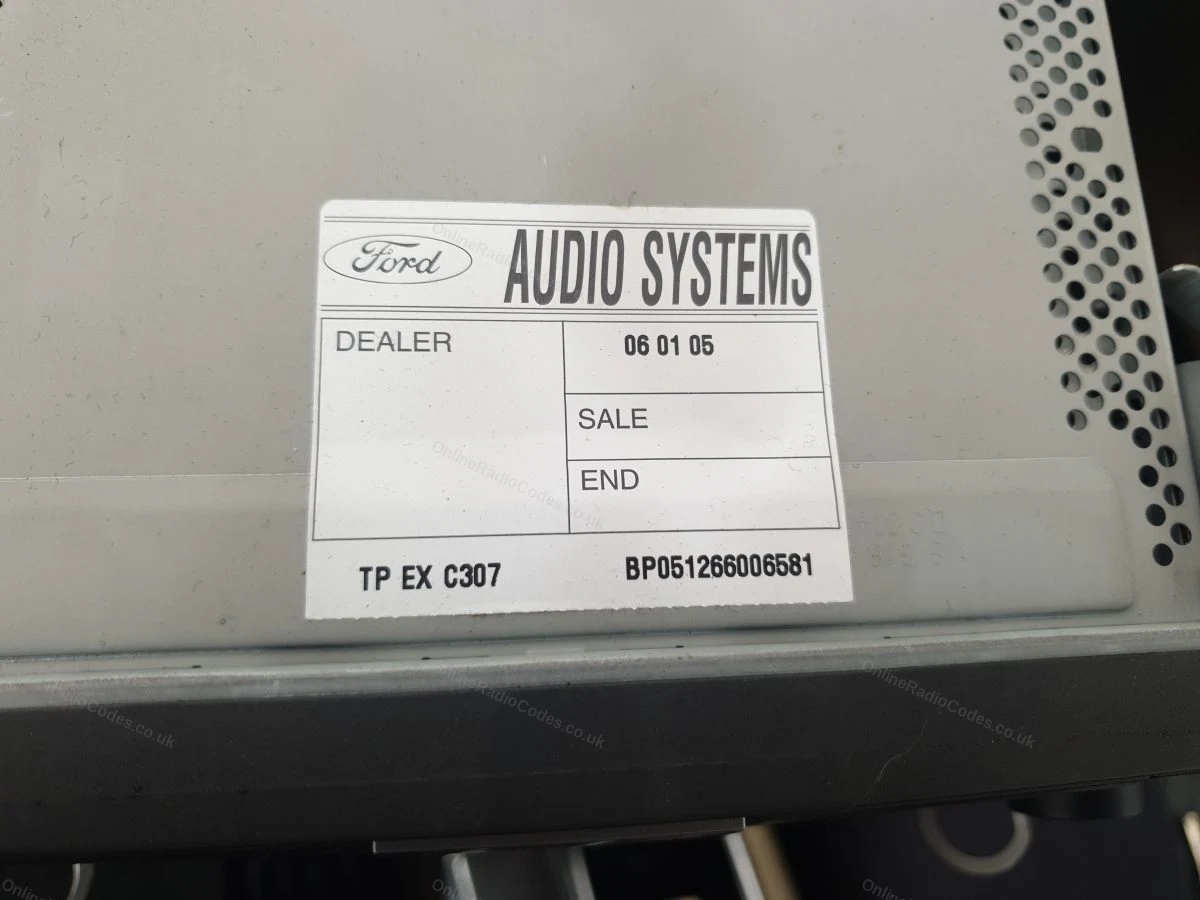
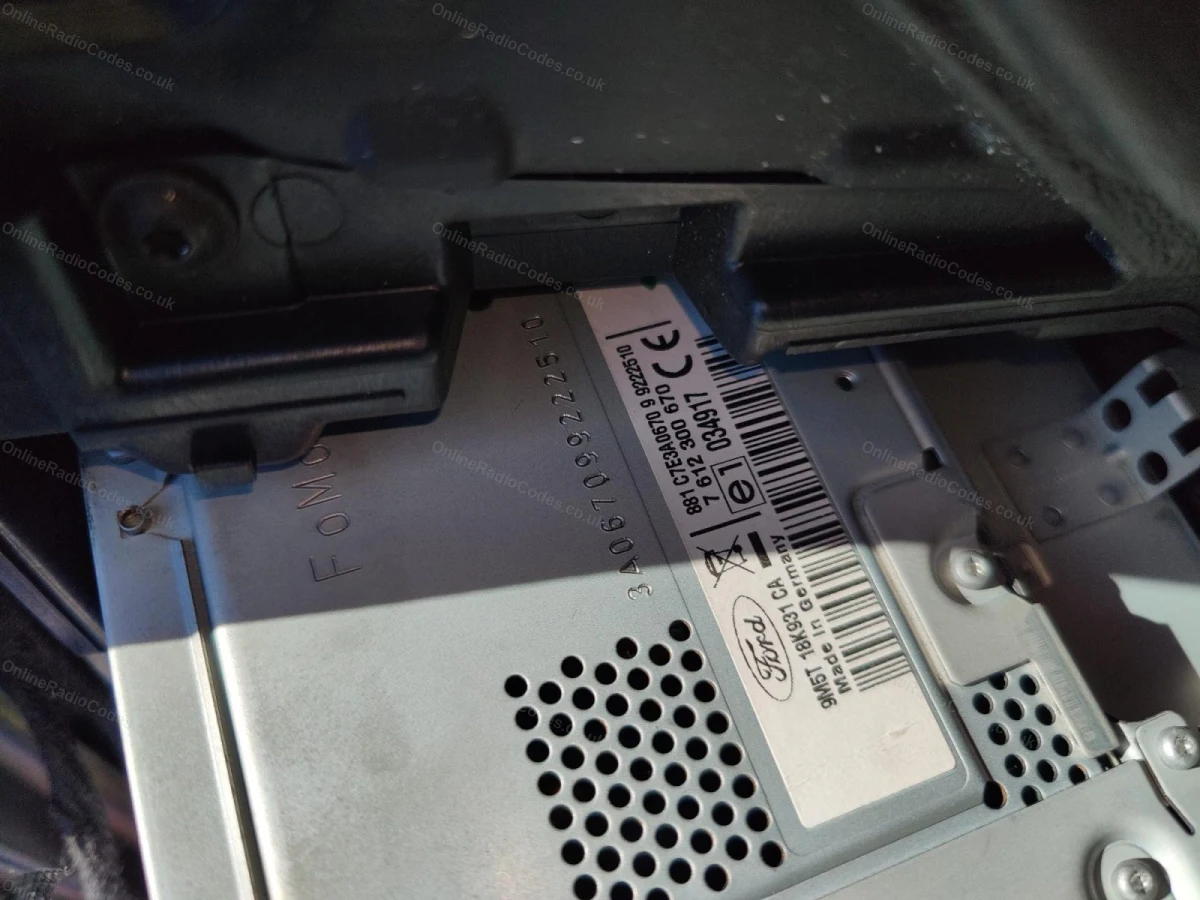
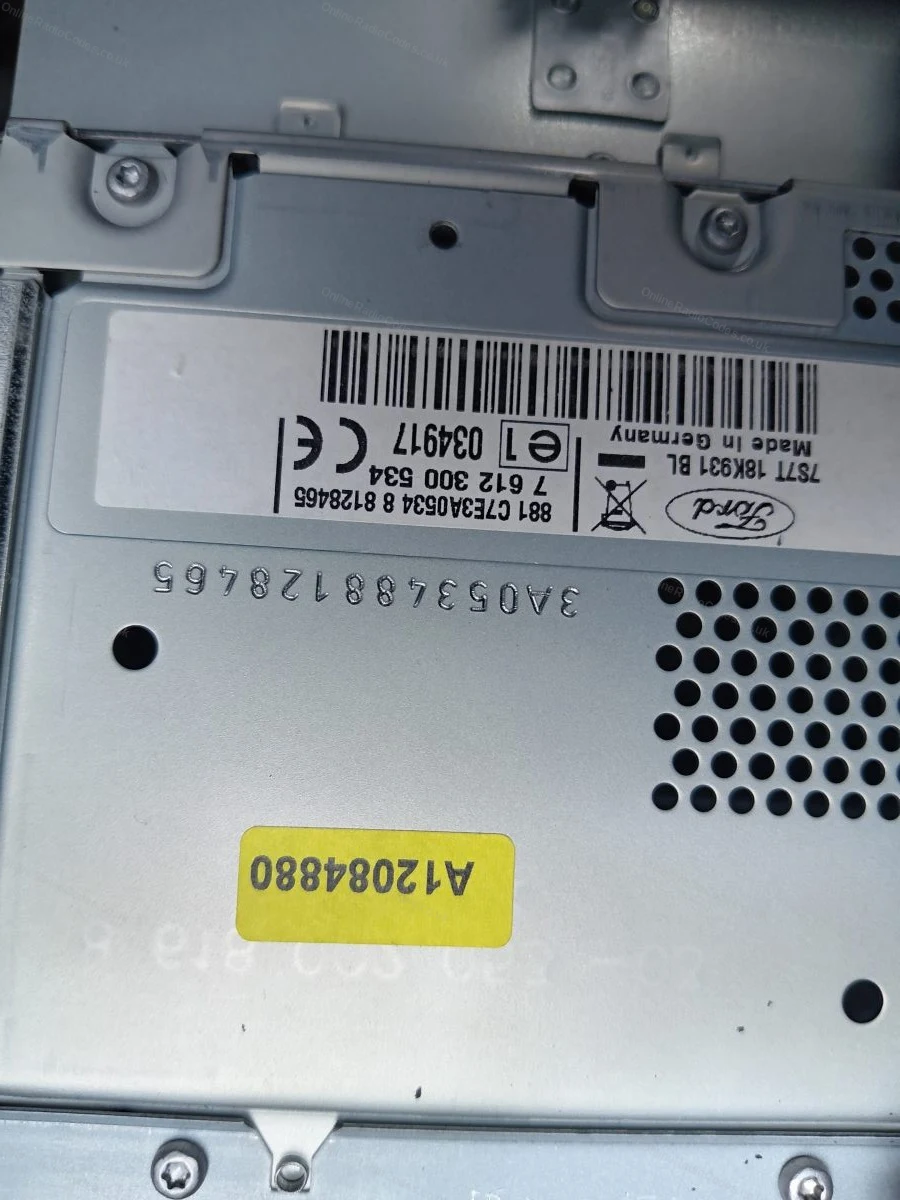
The serial is on a sticker on the back or side of the unit. It may start with V, M, L, C7 or BP depending on the manufacturer, enter it exactly as shown on the label including the prefix letter.
MK7 / MK8 · Z / A Prefix
Get your serial from the screen
Press buttons 1 and 6 as above. From 2008 the serial starts with Z (2008–2017) or A (2018 to present) followed by 6 digits. Enter all 7 characters including the letter prefix. Z and A serials are decoded using the same method.
Fitted to Fiesta MK7+, Focus MK3+, Mondeo MK4+ and most Ford models from 2008 onwards.
Ford TravelPilot
Remove the unit to find your serial
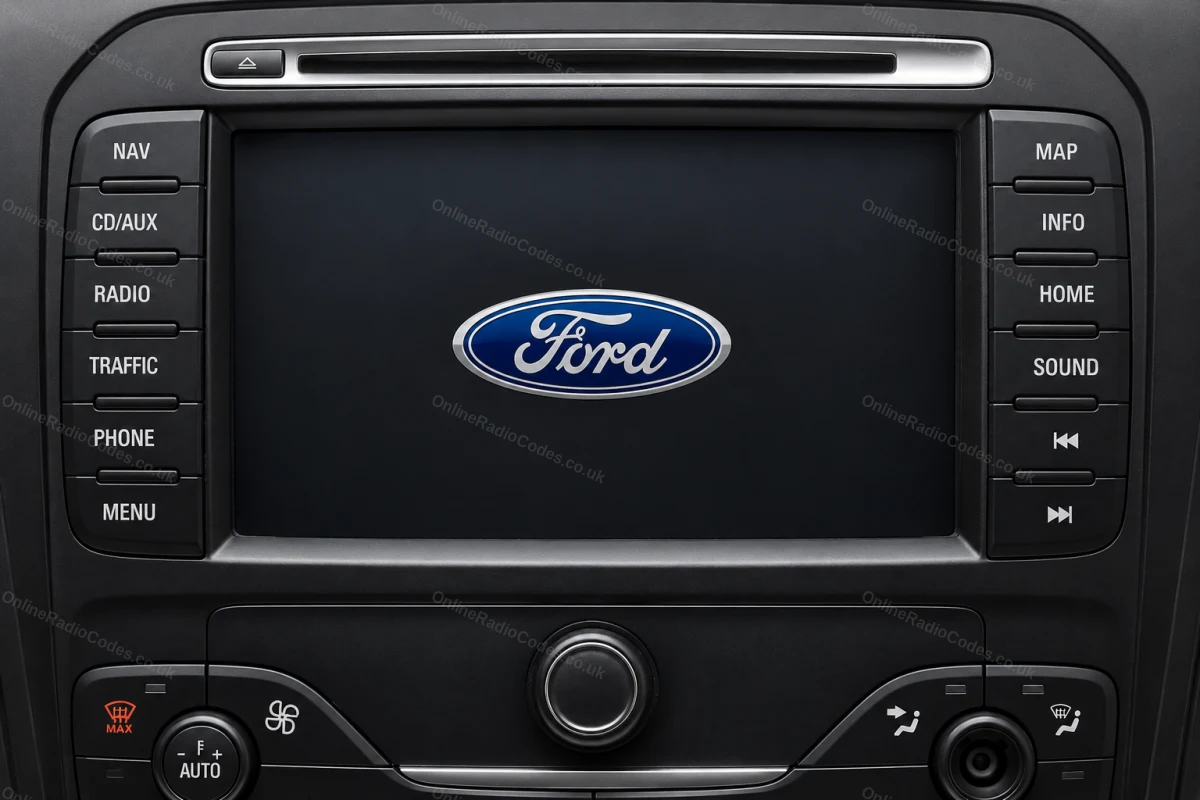
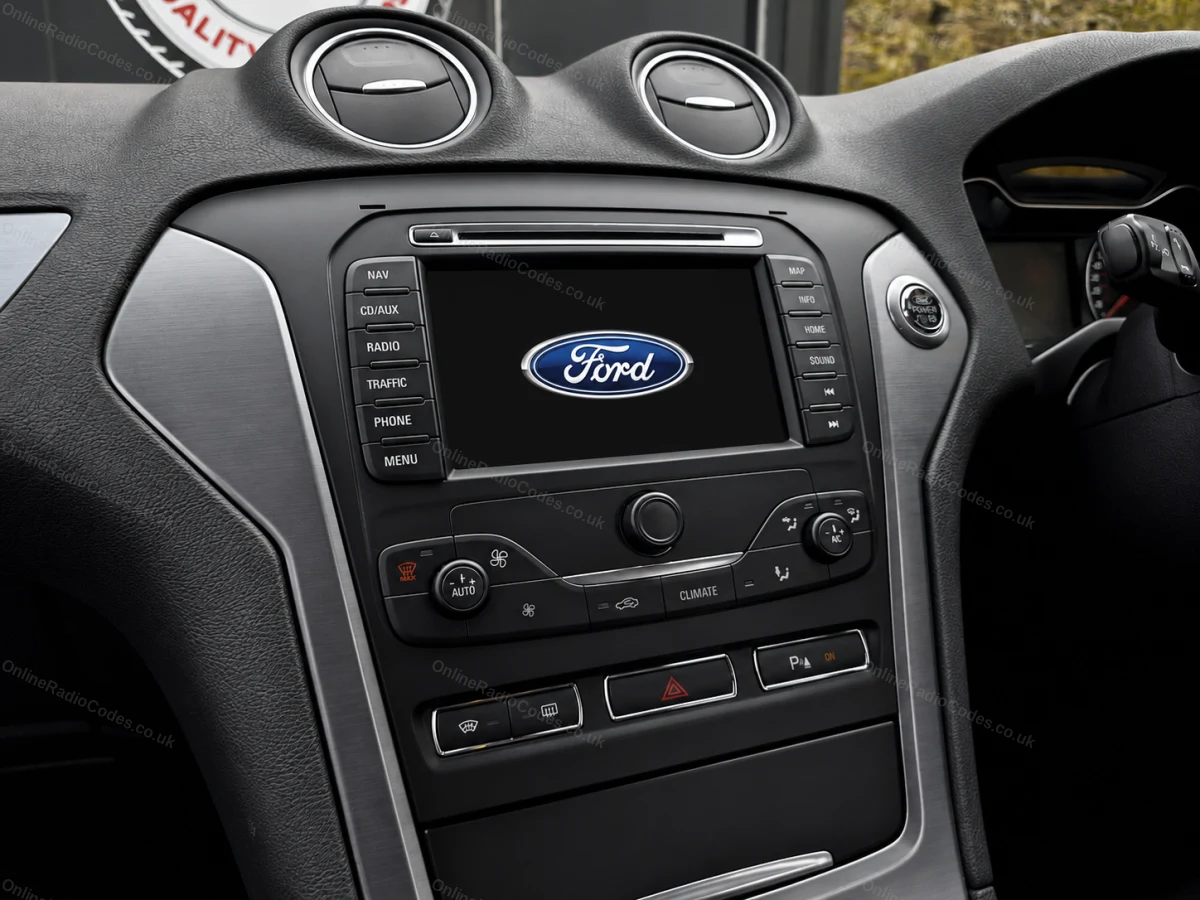
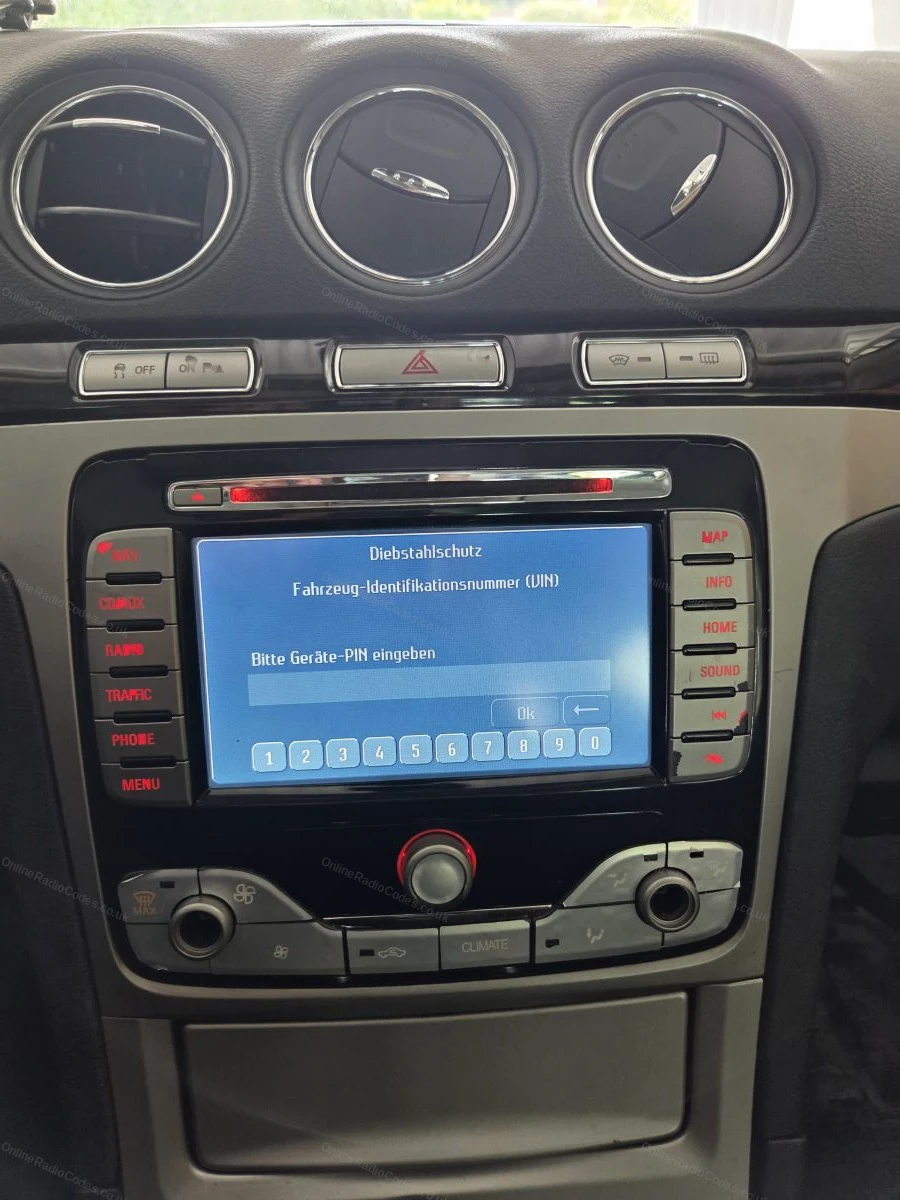
The Ford TravelPilot is a built-in touchscreen navigation unit. You will need to remove the unit to find the serial, insert release keys into the four corner holes and slide it forward.
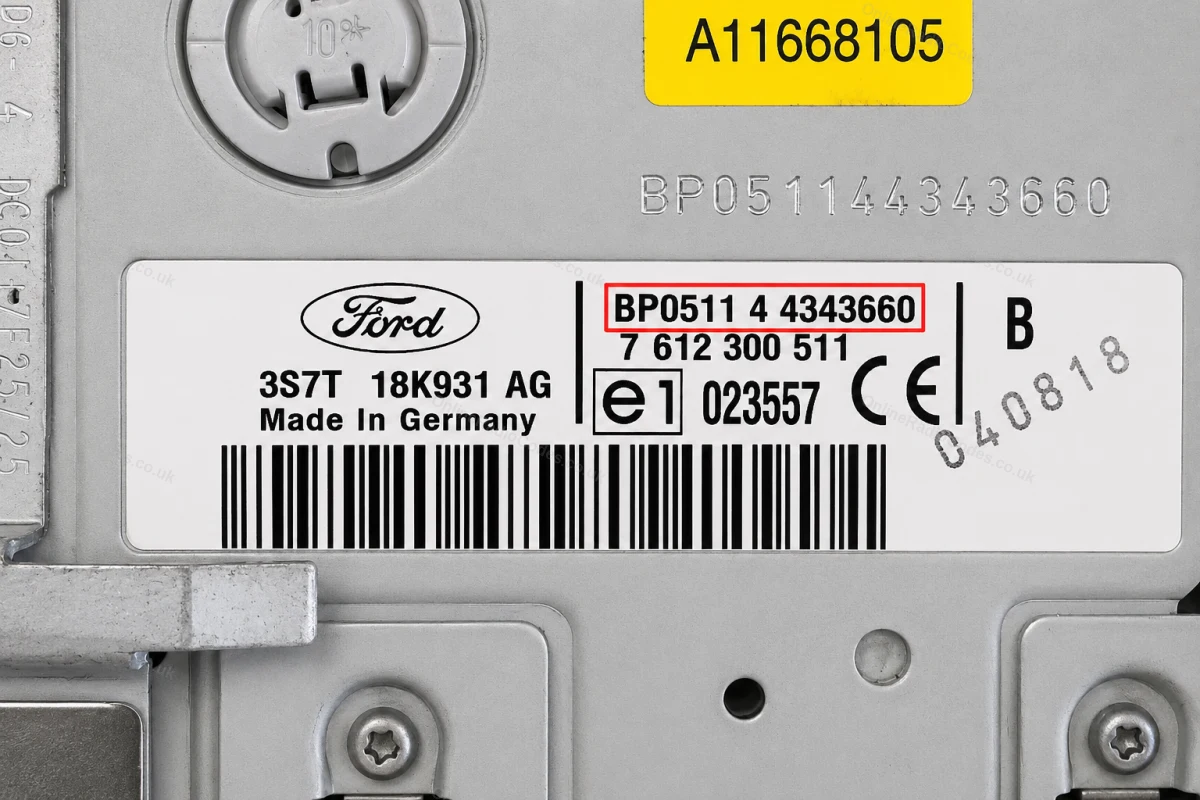
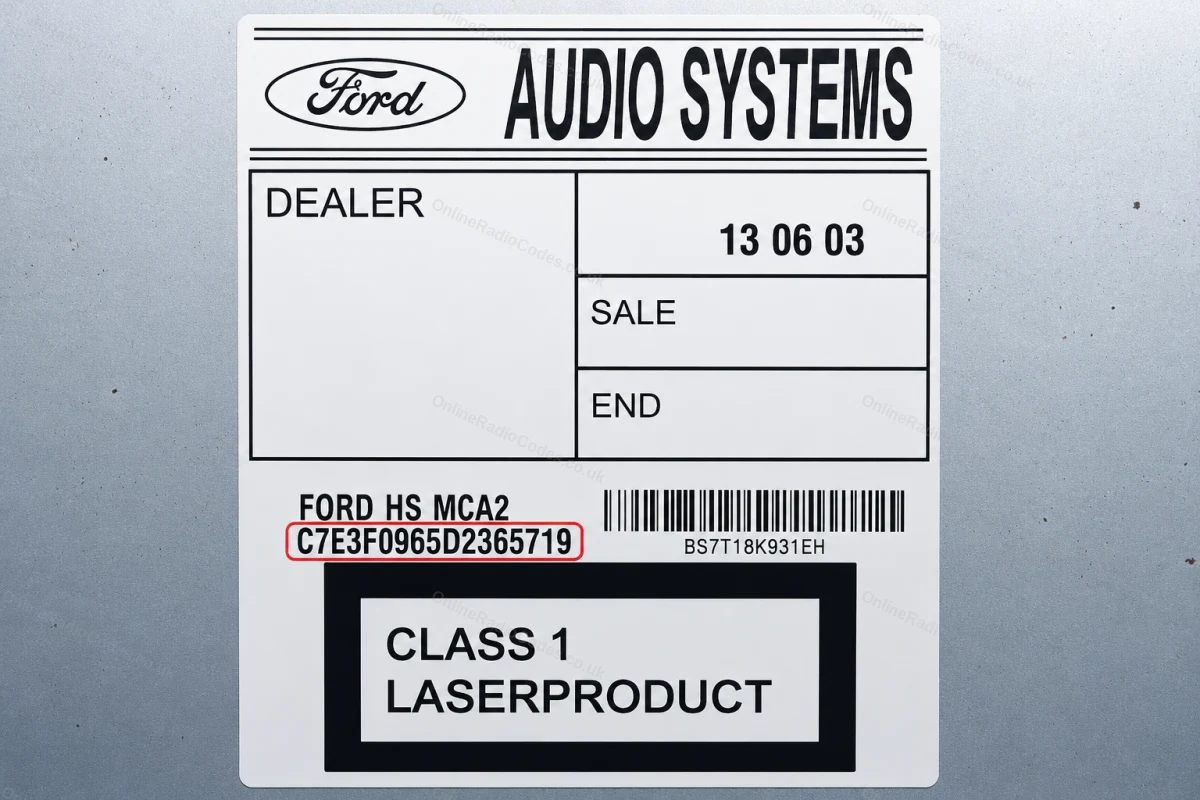
The serial is on a sticker on the back of the unit. It starts with BP (2001–2007, e.g. BP0511 4 4343660) or C7 (later models, e.g. C7E3F0965D2365719). Enter the full string exactly as shown including the prefix.
What your Ford serial looks like
V-SeriesV123456
M-SeriesM987456
Z-SeriesZ435692
C7-SeriesC73F0961C0536857
BP-SeriesBP62034596031
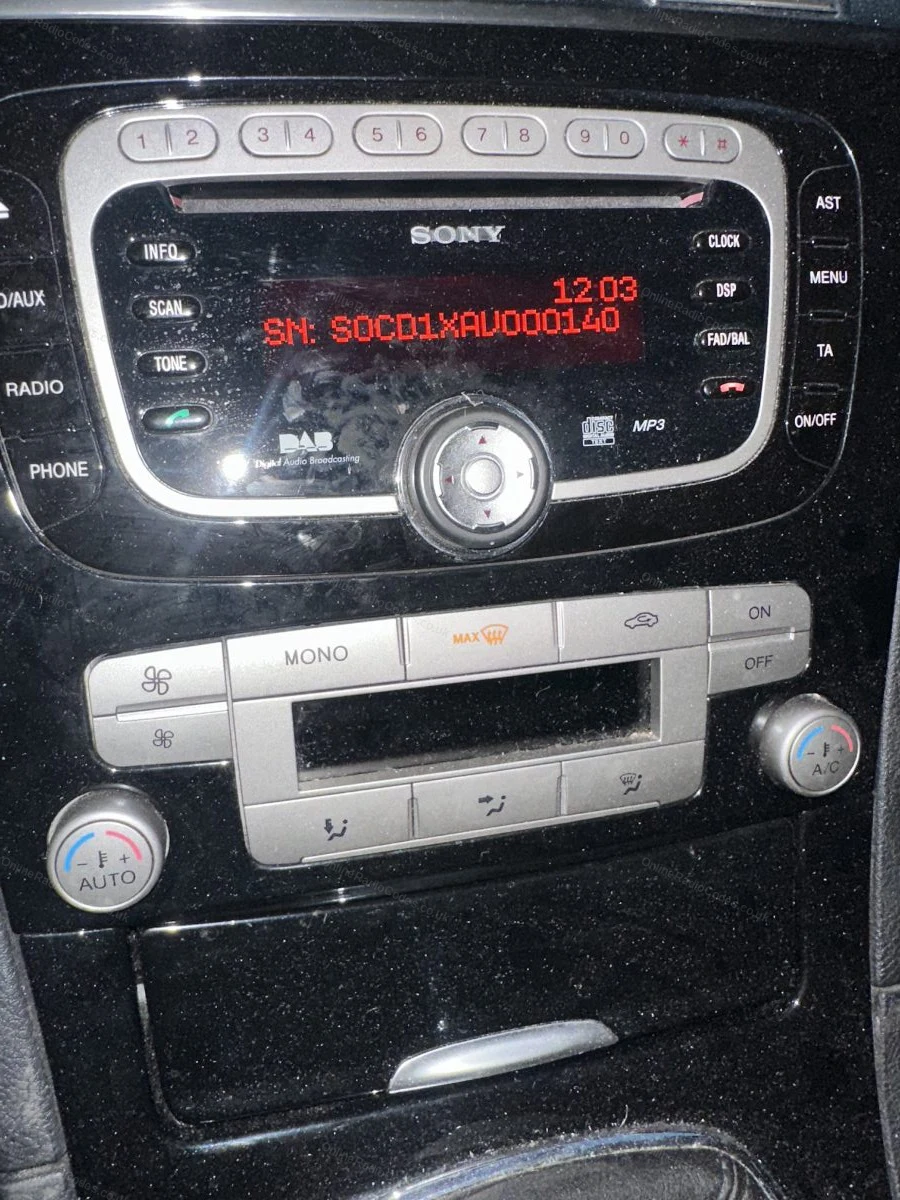
Sony (SN/SOCD)SN SOCD6X7V011473
L-SeriesL033843
C-SeriesC123456
Figo / VisteonVC0AKZ13211068
Figo / Visteon (FIB)FIB123456
Can't find it? Contact us. We'll help you locate your serial before you pay a penny.
Radio & label examples
Audio Systems label on top of the radio
Serial engraved on the casing above the radio label
Serial label on the removed radio
Engraved serial and label on the radio casing
Part and serial label on the side of the unit
Serial number shown on the radio display
Navigation unit asking for the anti-theft PIN
Since 2015 · 1 million decodes
The World’s Leading Ford Radio Code Service
A Decade of Decoding
Retrieving car radio codes since 2015, with more than a million codes delivered. Registered UK company No. 09736186. Read our story
Your Code, Fast
Most codes appear on screen the moment payment clears. The rest are handled by our team, usually within the hour in business hours.
Works, or Your Money Back
If your code does not work, we refund you in full. One of the very few radio code services that backs every single order.
Your Code, Kept for Life
Lose your code in five years? We keep it on file and will resend it free of charge, as many times as you need.
Real people, worldwide, around the clock
Meet our radio experts
A small team who have decoded radios for a decade, with Nova, our AI assistant, covering around the clock. Wherever you are in the world, we're here to help.
Live chat and email 24/7. Phones Monday to Friday, UK hours.
Gavin
Emma
Lucy
Mika
Liz
Nova24/7
FAQ
Frequently asked questions
Why is my C-Max radio asking for a code?
The radio lost power, a battery change being the usual culprit, and locked itself. Standard anti-theft, nothing is broken. Driving a different Ford? The Ford radio code page covers every model we support.
How do I find the serial on a C-Max?
Hold buttons 1 and 6 together with the radio switched on and the serial appears on the display, a letter followed by six digits such as V536284 or M123456. If your unit does not show it, the serial is on the casing label.
Do I treat the letter O as a zero?
Yes. Ford serials use the digit zero, so if you read what looks like a letter O on the display or label, enter it as 0. We normalise it automatically either way.
How do I enter the code on a C-Max?
Display shows CODE. Press preset 1 repeatedly for the first digit, 2 for the second, 3 for the third, 4 for the fourth, then press 5 to confirm. Done slowly it takes twenty seconds.
What if the display says LOCKED 10?
Ten wrong codes have gone in and the unit has paused. Leave the ignition and radio switched on for about an hour, the display returns to CODE and you can enter the correct code. Do not disconnect the battery, it does not reset the counter.
Recomiendo!!! No tenía fé pero llegó y súper rápido (aunque dice 24hs hábiles y era sabado a la noche, sólo demoró unas horas).Me salvó la radio! Graciasss!!!
Online Radio Codes is an independent radio code service and is not affiliated with, authorised by, or connected to Ford Motor Company Limited or any of its subsidiaries or affiliated companies. All manufacturer names, model names and trademarks are the property of their respective owners and are used solely for identification and reference purposes.


















 Ford · Radio Codes
 22,788 reviews on