VW Golf radio code by serial number, delivered instantly. Works with the VWZ serial, covering all RCD 300, RCD 500, RNS 510 and navigation units fitted across Golf MK4, MK5, MK6 and MK7.
The guide below will show you exactly where to find your Volkswagen radio serial number.
Step 1
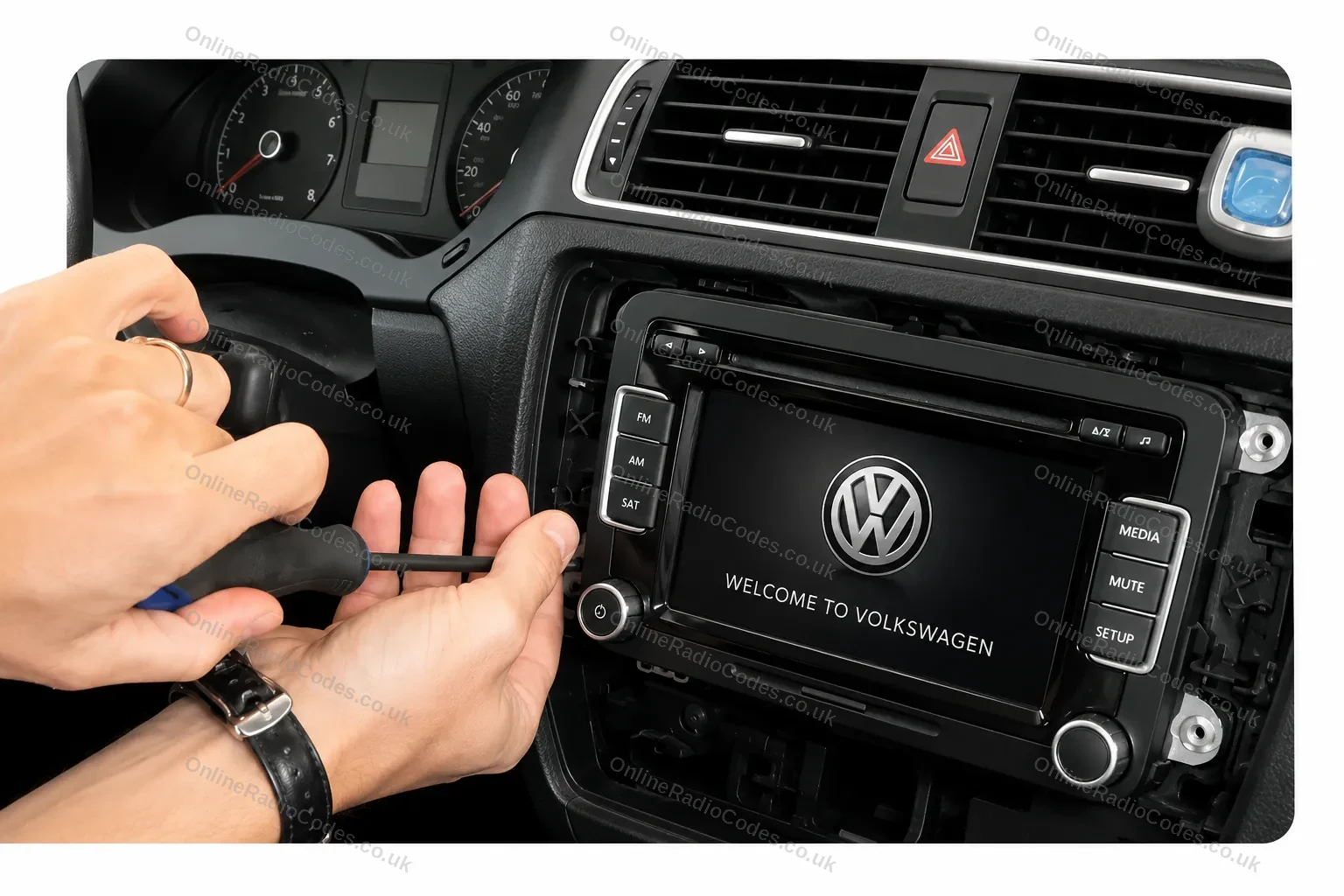
Remove your radio
Remove the surrounding trim panels and slide the unit out of the dashboard. Depending on your model you will use a flat-head screwdriver, a prying tool, or radio release keys inserted into the corner slots. You do not need to disconnect any wires. The unit will slide far enough forward to read the label.
Step 2
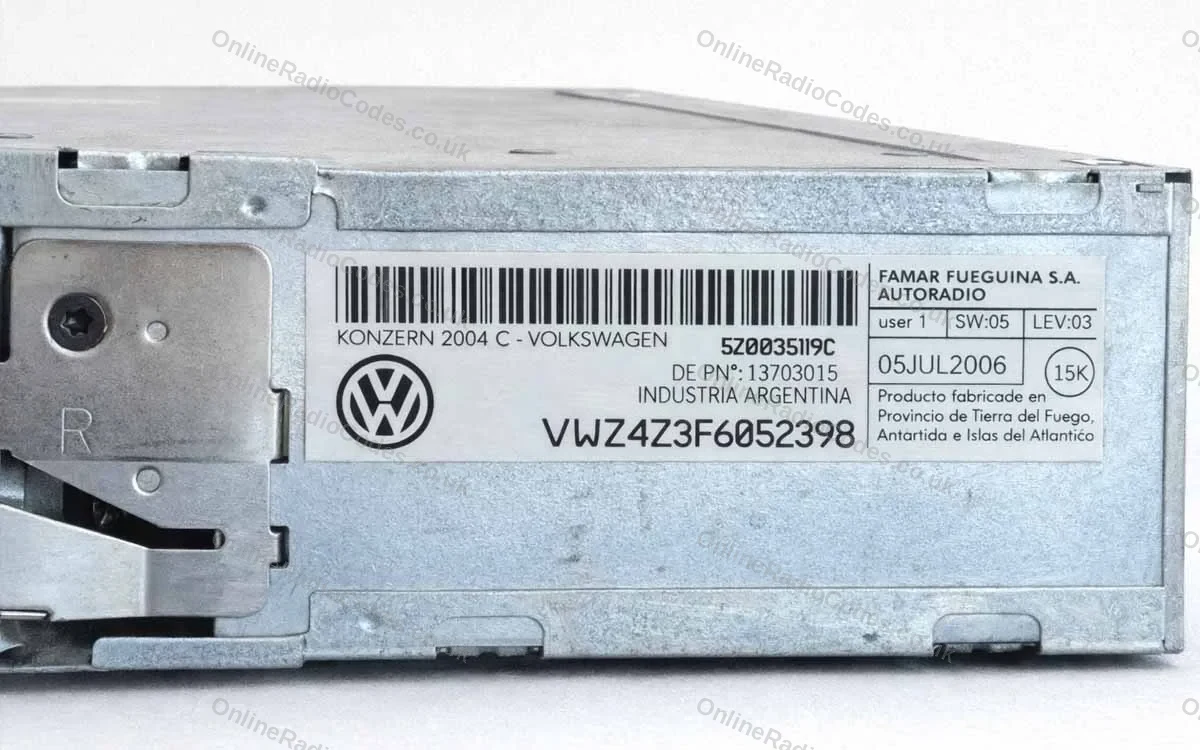
Find your serial number on the label
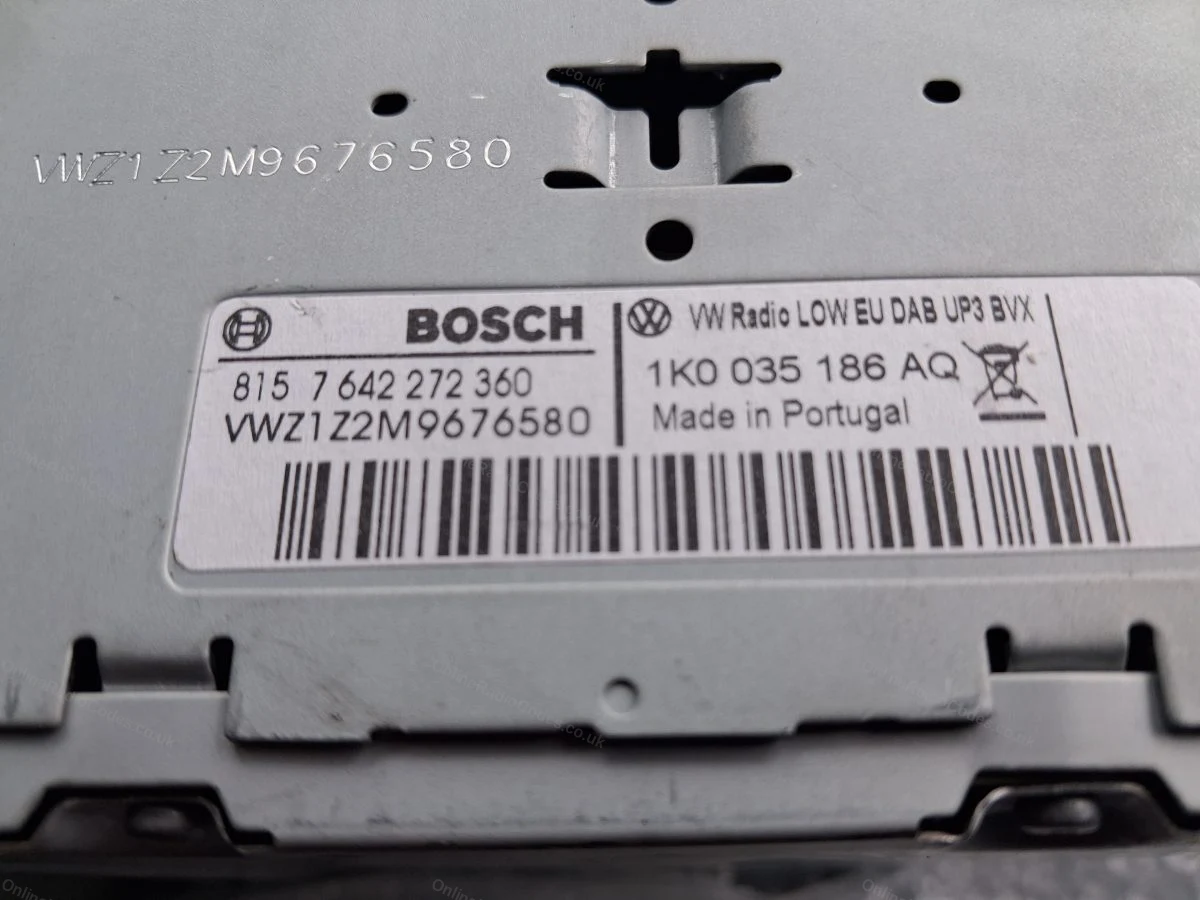
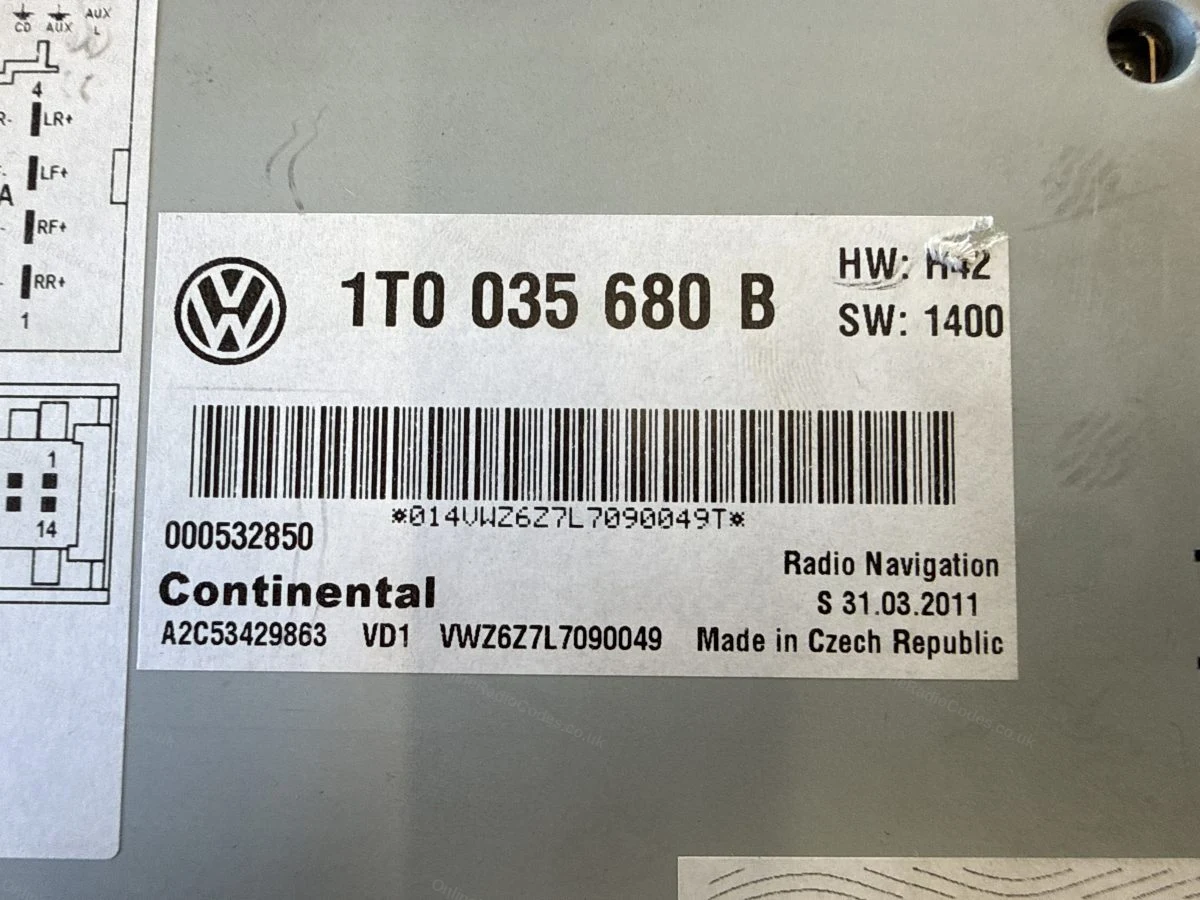
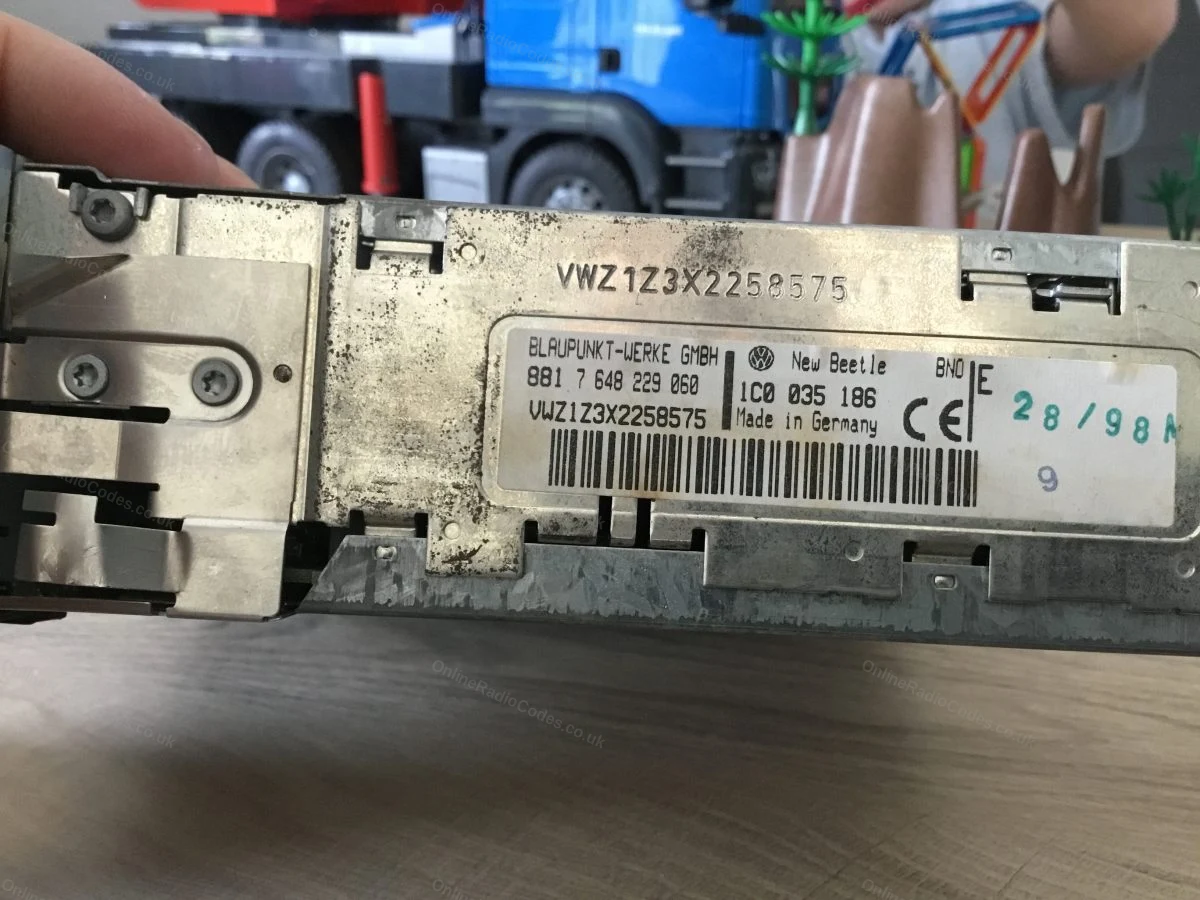
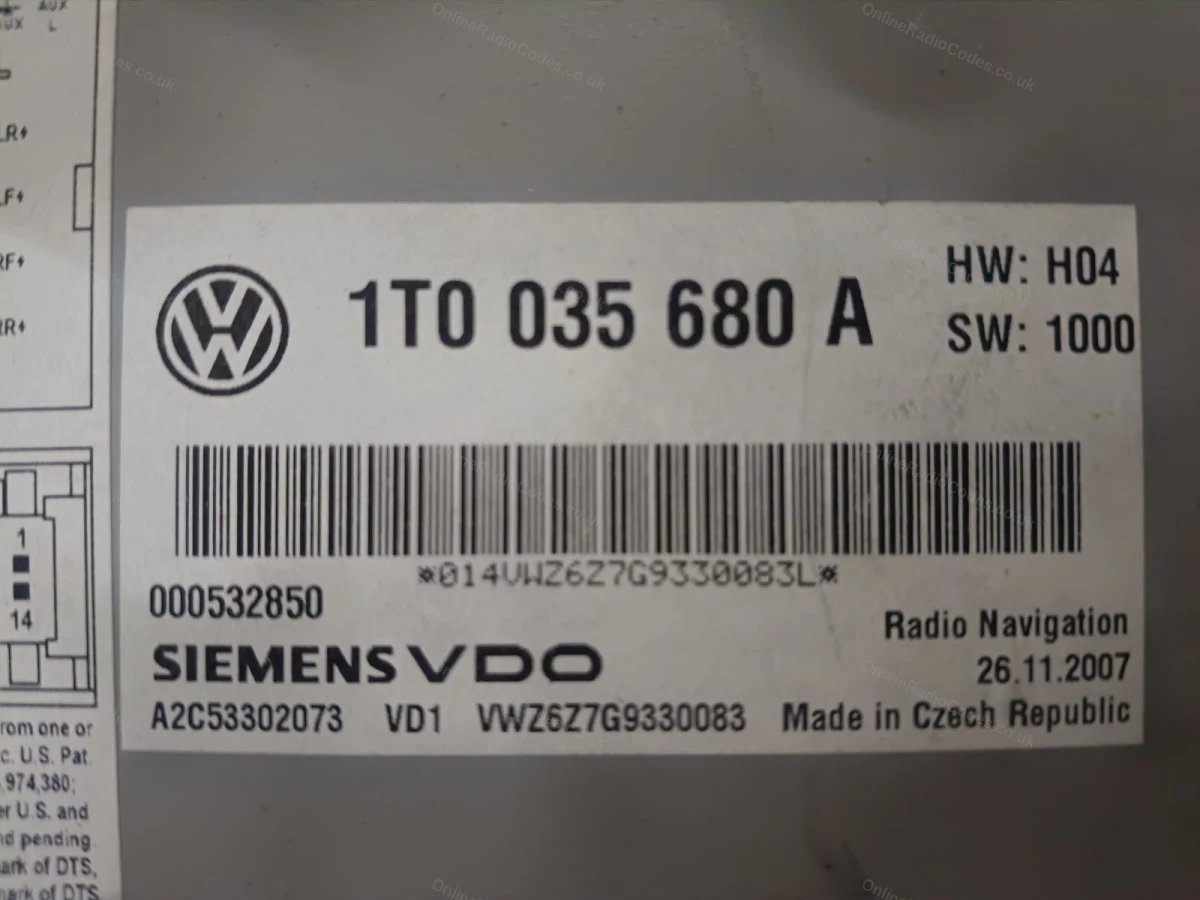
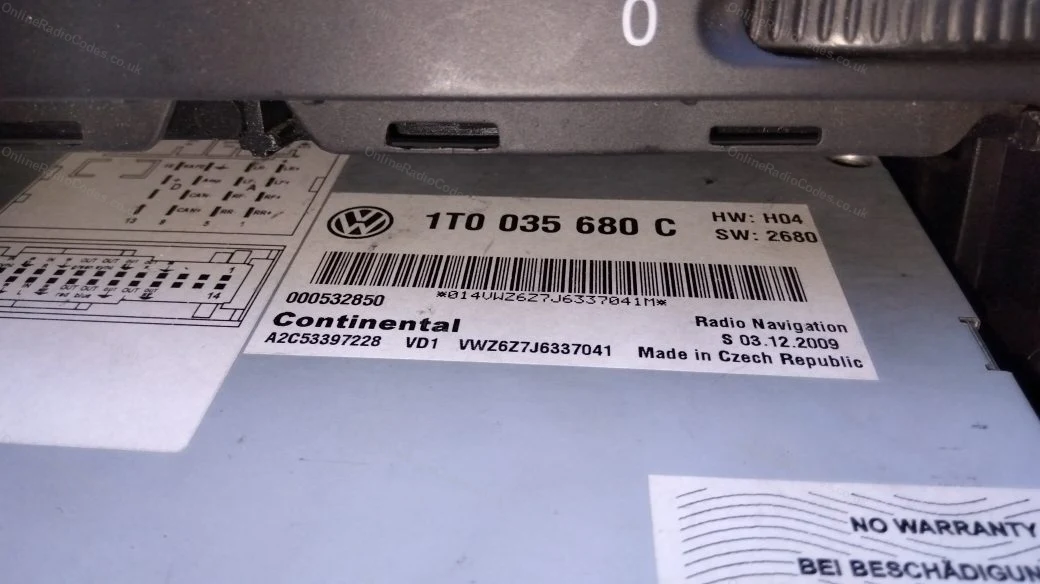
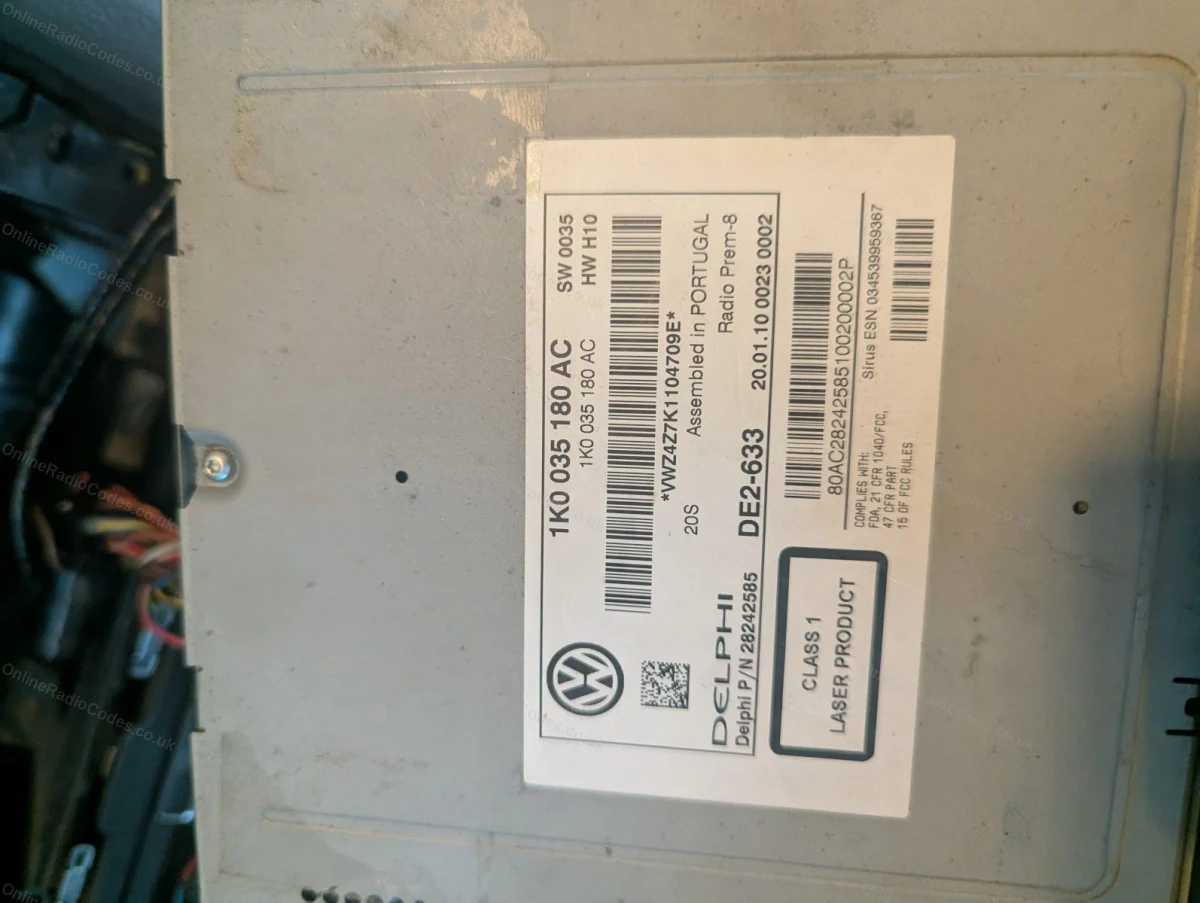
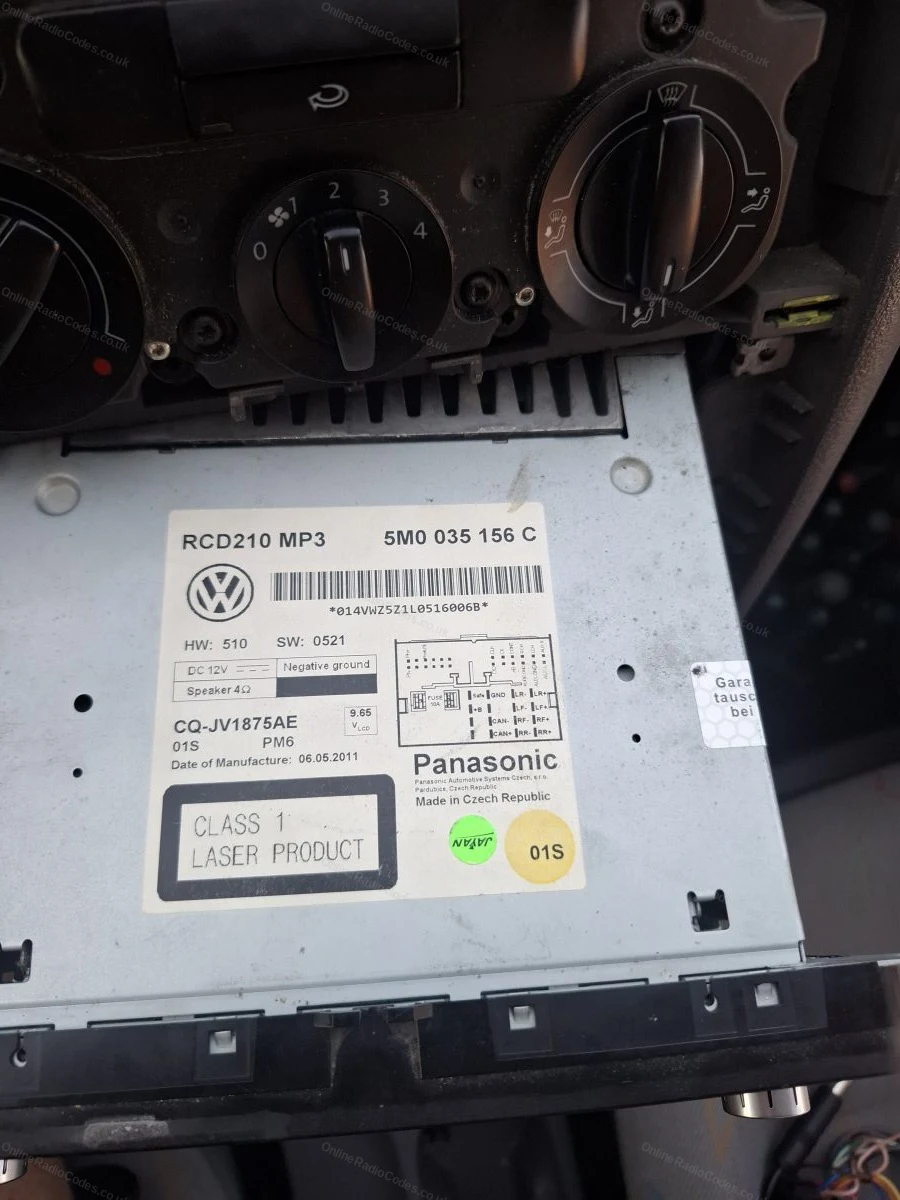
Your serial number is on a sticker on the side or rear of the casing. All VW serials start with VWZ and are 14 characters long, for example VWZ1Z2H1234567 or VWZ5Z7L0496236.
Enter it into the box above and we will do the rest.
Note: the capital letter I and the number 1 look very similar on these labels. Check carefully before entering.
Common models
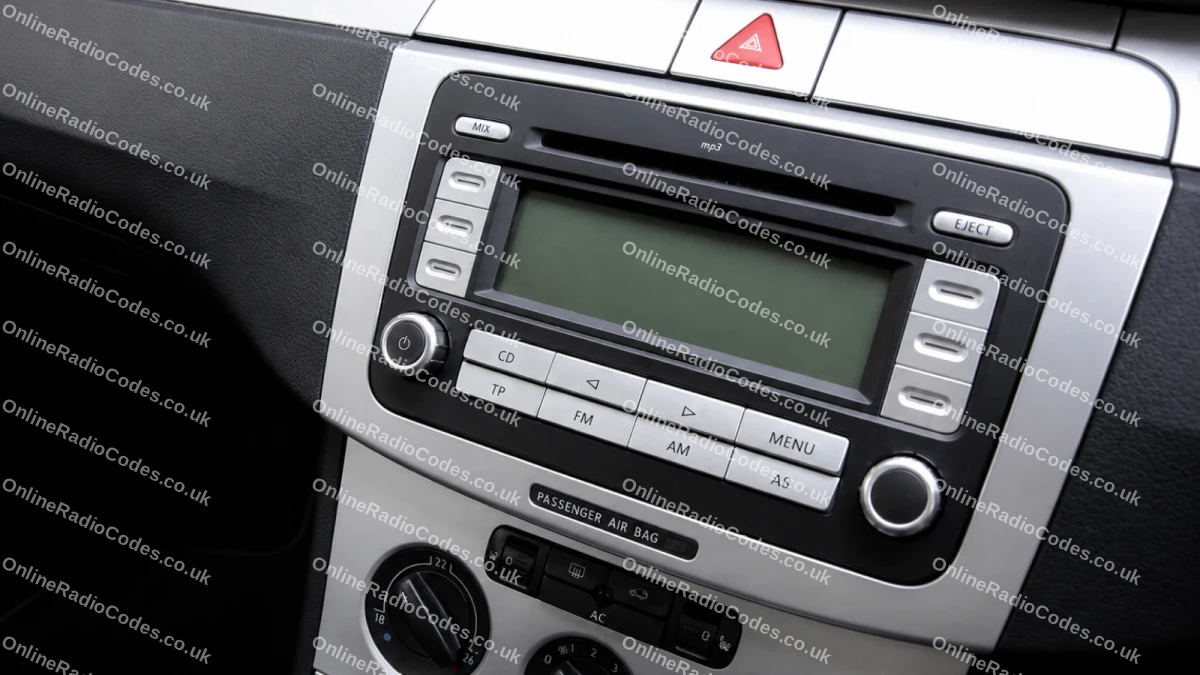
Common VW radios
Pictured: VW RCD 300 (VWZ1Z prefix). Other common models include the RCD 500/510 (VWZ4Z prefix) and RNS navigation units (VWZ6Z/VWZGZ prefix). The serial label is on the back of the unit on all models.
What your Volkswagen serial looks like
VWZ-SeriesVWZ1Z1L1234567
VWZ-SeriesVWZ2Z2F1394291
Can't find it? Contact us. We'll help you locate your serial before you pay a penny.
Radio & label examples
VWZ serial on the Bosch label, also stamped into the casing above
Serial label on a VW radio navigation unit
Label on the top of the unit, with the VWZ serial also engraved in the metal
VW navigation label with the barcode serial
Serial label visible after sliding the radio out of the dash
VWZ serial label on the top of the radio
Label on the side of the radio as it is removed
Since 2015 · 1 million decodes
The World’s Leading Volkswagen Radio Code Service
A Decade of Decoding
Retrieving car radio codes since 2015, with more than a million codes delivered. Registered UK company No. 09736186. Read our story
Your Code, Fast
Most codes appear on screen the moment payment clears. The rest are handled by our team, usually within the hour in business hours.
Works, or Your Money Back
If your code does not work, we refund you in full. One of the very few radio code services that backs every single order.
Your Code, Kept for Life
Lose your code in five years? We keep it on file and will resend it free of charge, as many times as you need.
Real people, worldwide, around the clock
Meet our radio experts
A small team who have decoded radios for a decade, with Nova, our AI assistant, covering around the clock. Wherever you are in the world, we're here to help.
Live chat and email 24/7. Phones Monday to Friday, UK hours.
Gavin
Emma
Lucy
Mika
Liz
Nova24/7
FAQ
Frequently asked questions
VW Golf Code Entry
Turn the radio on and CODE then 1000 shows on the display. Use the top two buttons each side of the screen to input the code. Press the top left button repeatedly until the first digit you need appears, then move to the next button for the next digit. An X on the display marks the digit you are changing. Once your full code is showing, press the bottom right button next to ENTER on the display.
Which radio does my Golf have?
Golf MK5 and MK6 models usually have the RCD 300, the most common radio we decode for any brand. Higher trims carry the touchscreen RCD 310, RCD 500 or RCD 510, and navigation models have the RNS 310 or RNS 510. Your serial number tells us exactly which unit it is.
What does a VW Golf radio serial look like?
It is 14 characters long and starts with VWZ, for example VWZ1Z2E8123456. The two characters after VWZ identify the radio: VWZ1Z is an RCD 300, VWZ4Z an RCD 500 or 510, and VWZ6Z or VWZGZ an RNS navigation unit. You will find it on the sticker on the radio casing.
Why does my Golf radio say SAFE?
SAFE means the anti-theft lock is active because the radio lost power. Turn the ignition and radio on, wait for 1000 to show, then enter your code with the preset buttons. If SAFE stays on the screen, too many wrong codes have been tried. Leave the radio powered on for about an hour and it resets.
Will my code still work after a battery change?
Yes. The code belongs to the radio unit and never changes. Every battery change triggers the same lock and the same code unlocks it, so keep the code with your documents once you have it.
Which Golf generations are covered?
All of them. From the MK3 and MK4 cassette era through MK5 and MK6 RCD units to MK7 touchscreens, the code is generated from the radio serial, so the model year of the car does not matter. Other VW models are listed on the Volkswagen radio codes page.
Recomiendo!!! No tenía fé pero llegó y súper rápido (aunque dice 24hs hábiles y era sabado a la noche, sólo demoró unas horas).Me salvó la radio! Graciasss!!!
Online Radio Codes is an independent radio code service and is not affiliated with, authorised by, or connected to Volkswagen AG or any of its subsidiaries or affiliated companies. All manufacturer names, model names and trademarks are the property of their respective owners and are used solely for identification and reference purposes.


















 Volkswagen · Radio Codes
 22,788 reviews on