100% Money Back Guarantee The World's Leading Car Radio Code Service Trusted by 1,000,000+ customers
Peugeot Peugeot · Radio Codes
Est. 12 Hours

Peugeot Radio Code

Lost your Peugeot radio code after a flat battery or a service? Enter your serial number above and we'll deliver your unlock code by email. Covers all Peugeot radio types including Blaupunkt, Philips and Clarion. Guaranteed to work or your money back.

Money back guarantee Lifetime free retrieval
Enter your serial number
Over 1 million codes delivered worldwide.
Not sure which serial to enter? See examples
Est. 12 Hours Money back guarantee Secure checkout

Step 1 of 3

How to find your Peugeot serial number

The guide below will show you exactly where to find your Peugeot radio serial number.

Remove the radio to find your serial
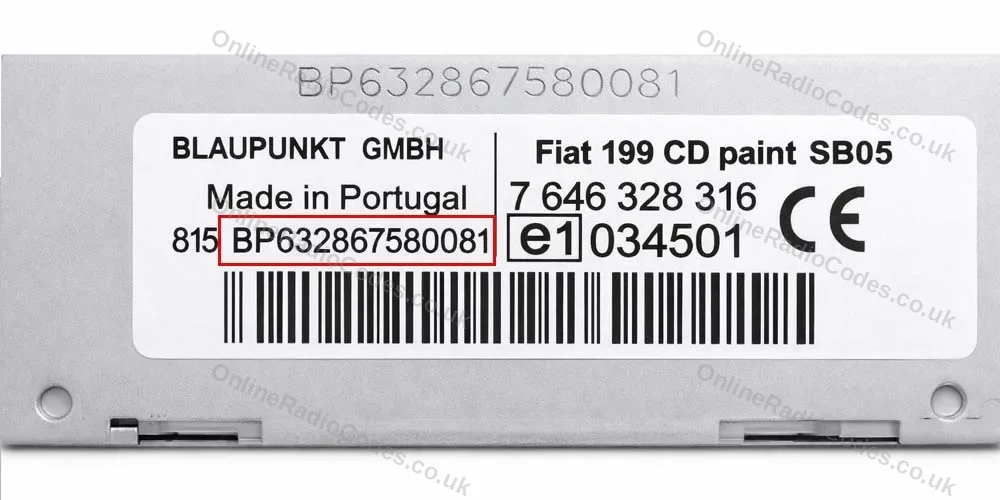
Peugeot Blaupunkt / Continental
Remove the radio to find your serial
Use a flat-head screwdriver to pry off the surrounding dash panels, then insert radio release keys into the four corner holes to pull the unit forward.

The serial is on the sticker label on the back. It starts with 815BP or 815CM, around 18 characters total (for example, 815BP730181889575). There is also a part number on the label, do not use that.
Remove the radio to find your serial
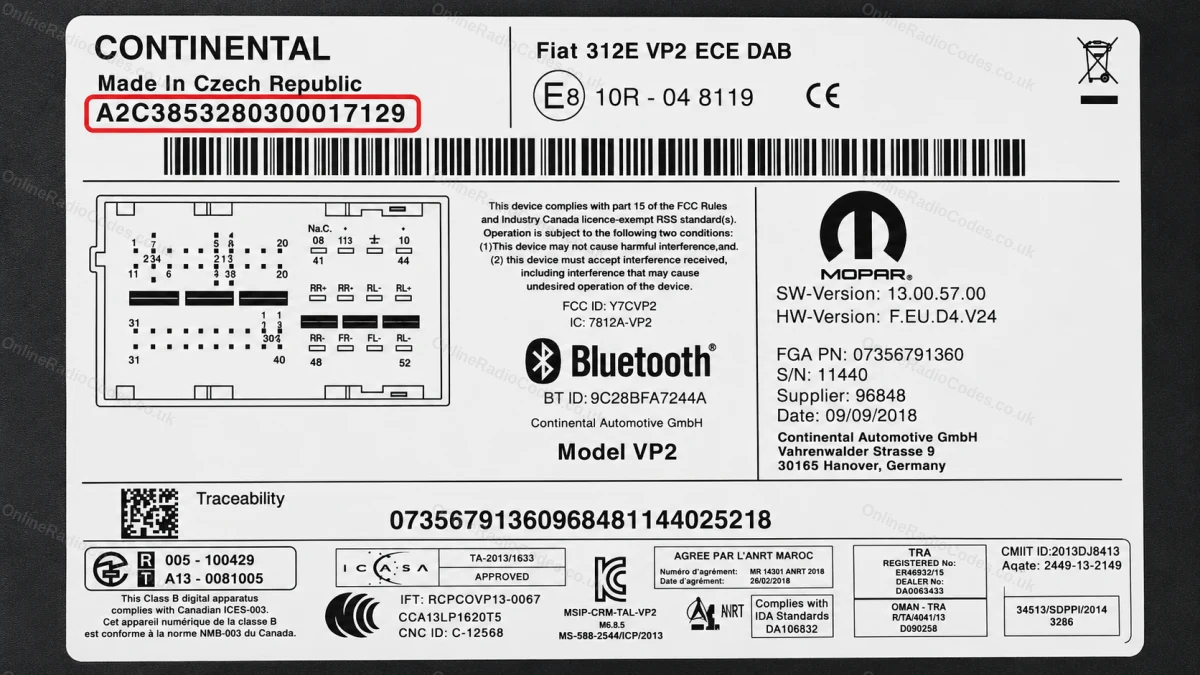
Peugeot Continental (A2C)
Remove the radio to find your serial
Use a prying tool to release the trim surround and a screwdriver to remove the mounting screws. Slide the unit forward.

The serial starts with A2C followed by digits (for example, A2C53424334). It is printed on the sticker label on the back of the casing.
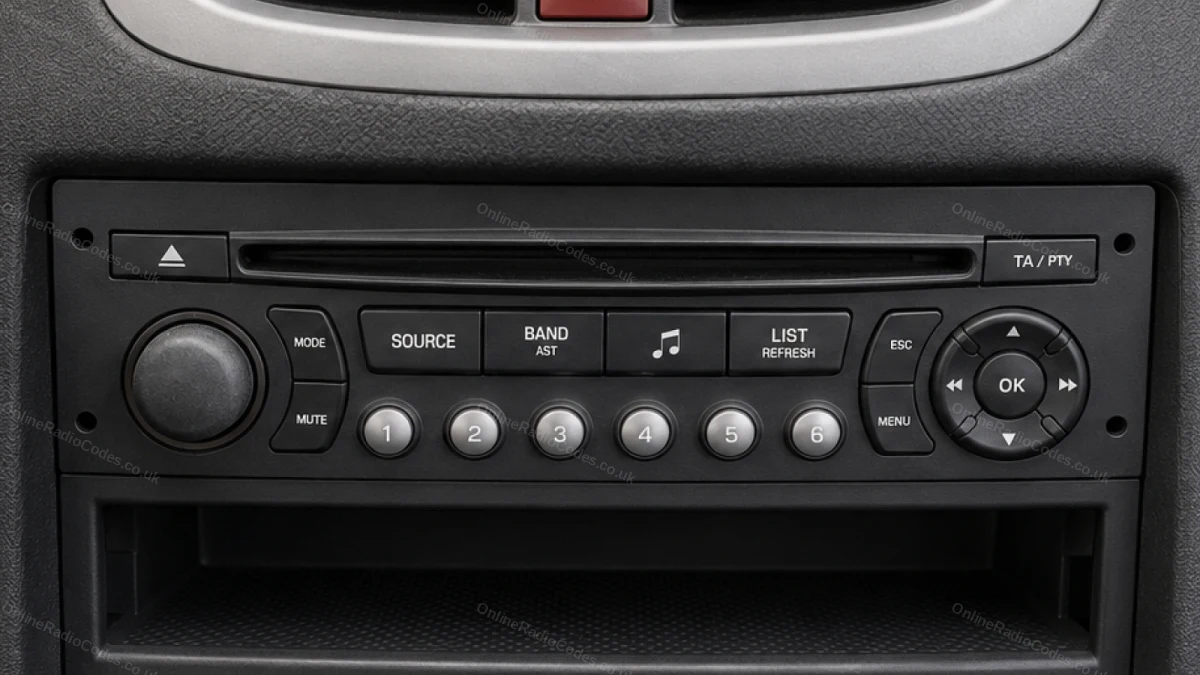
Peugeot Philips
Find your serial on the radio face
The serial on Philips units is a letter followed by 3 digits, for example H758 or A123.

It is printed on the front face of the radio. You may need to remove the unit to read it clearly.
Remove the radio and note three values
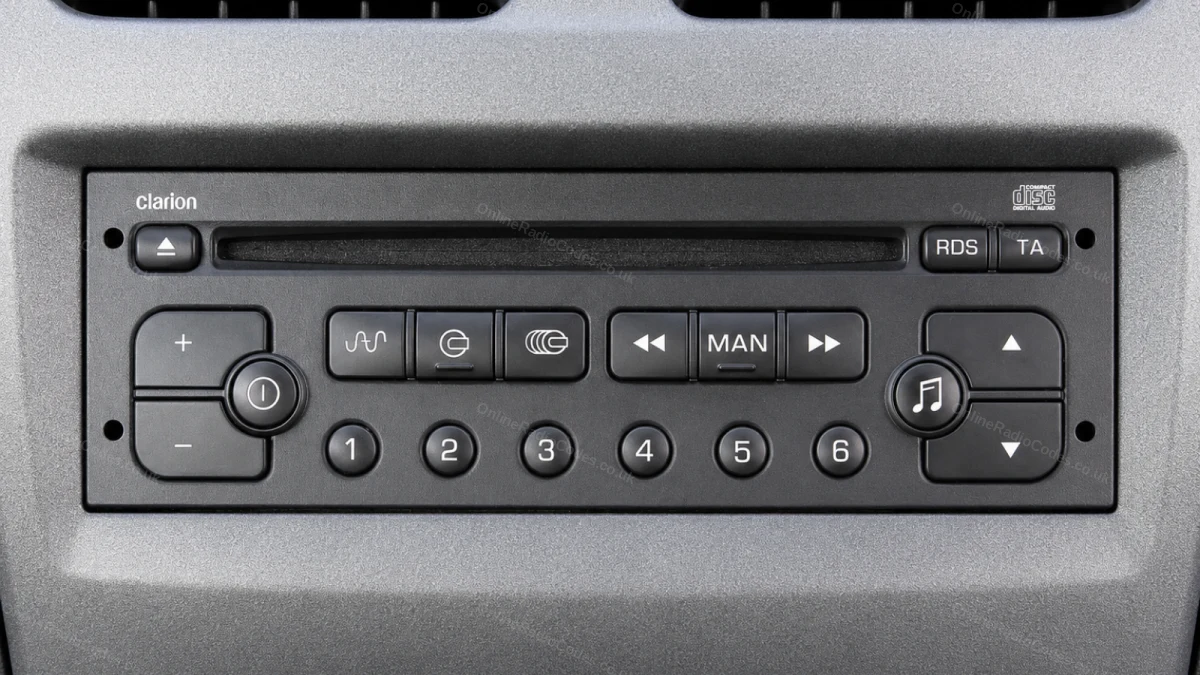
Peugeot Clarion
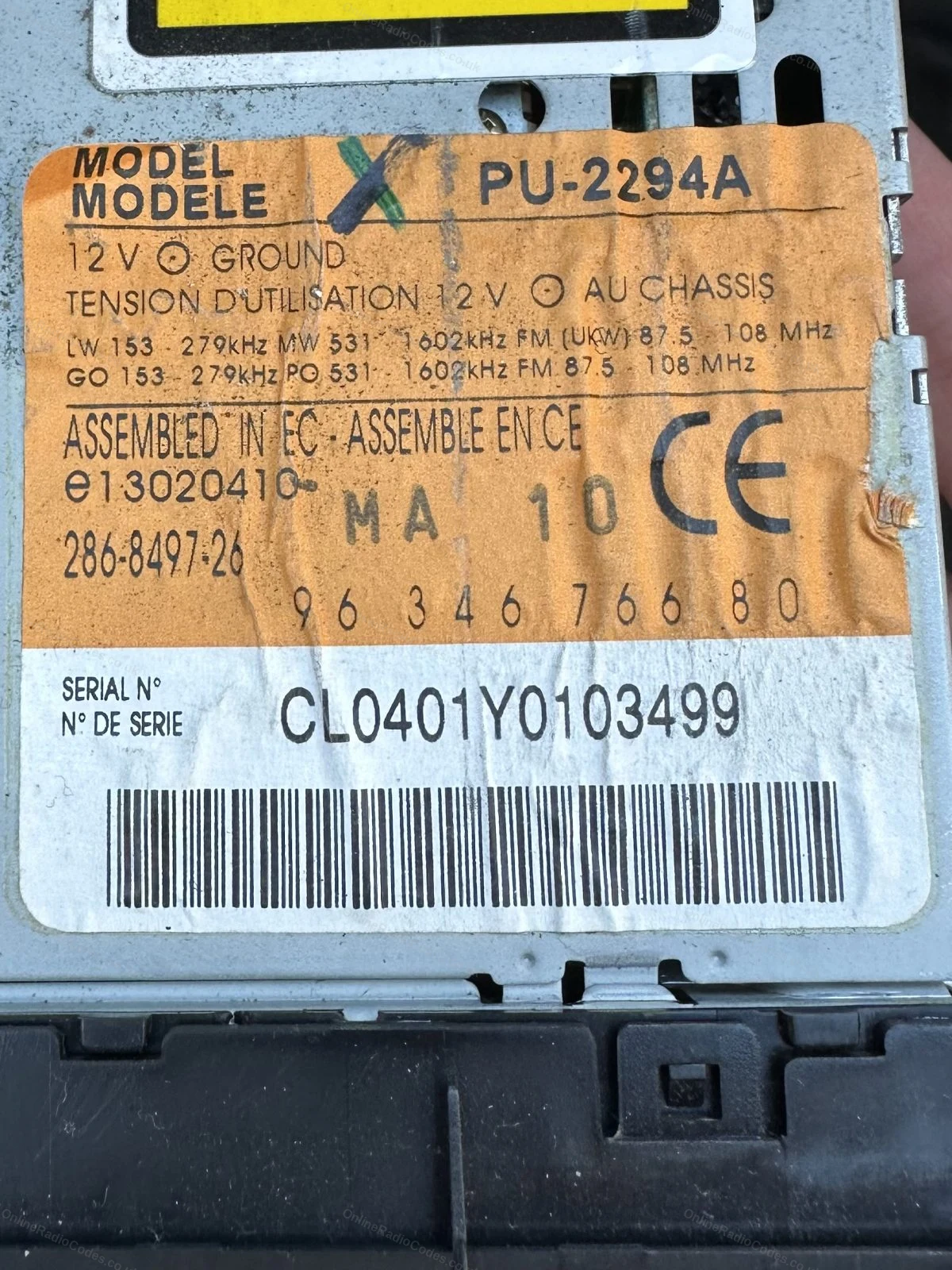
Remove the radio and note three values
Remove using release keys to access the two sticker labels on the back of the unit.

You need three values: the model reference (for example, PU-2294A), the serial (starts with CL, for example CL040161046605C) and the barcode reference (shown between asterisks). Submit all three.

Older Peugeot navigation units (RT3 / RT4) use a C7 prefix followed by 9 digits, for example C7000001521. This is found on the same label on the back of the unit.
Peugeot Becker (RNEG)
How to find your serial on a Becker RNEG navigation unit
The Becker RNEG is the factory navigation head unit fitted to 207, 308, 3008, 407 and 508 models with built-in sat nav (approximately 2008 to 2014). It has Harman/Becker Automotive Systems printed on the label.

Remove the unit using a pry tool and screwdriver to release the surrounding trim. The label on the back shows a Model No. (e.g. BE 6427) and a separate Serial No., a single letter followed by 7 digits, for example B5320240. Enter the serial number only, not the model number.
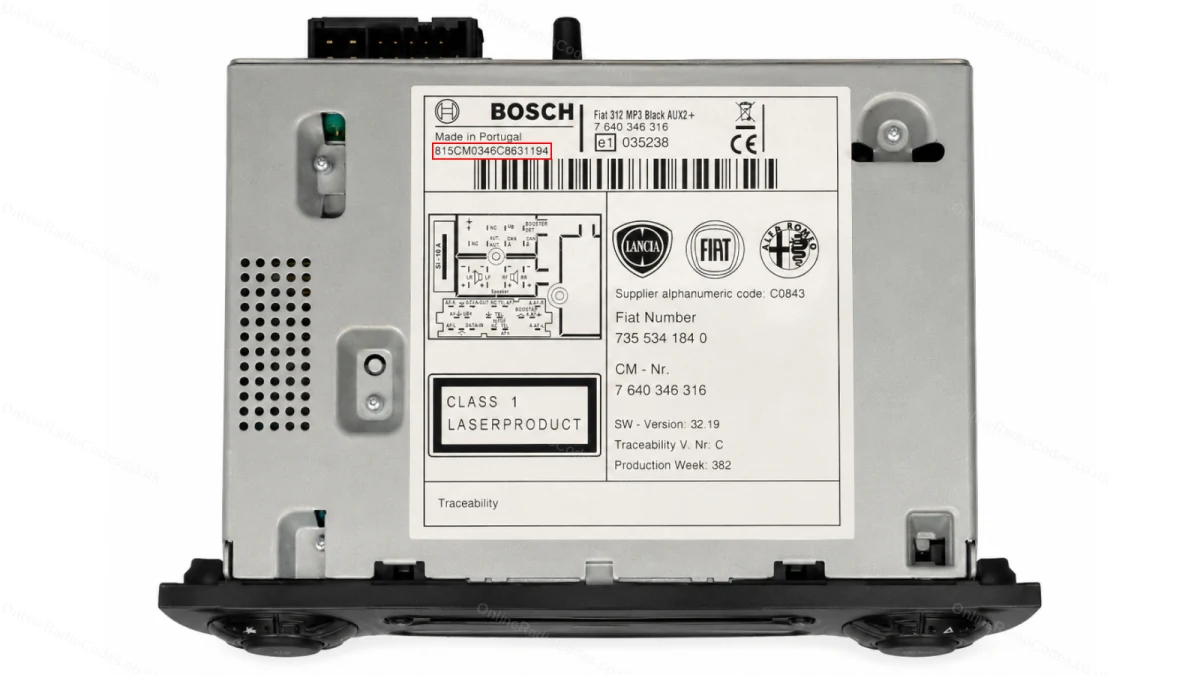
Find the 815CM serial on the label
Peugeot Bosch 815CM
Find the 815CM serial on the label
Your radio label is on the side or rear of the unit. The serial number starts with 815CM followed by letters and digits. Note it down exactly as shown, it is case-sensitive.

What your Peugeot serial looks like
BP-Series BP62034596031
A2C-Series A2C53254693AA
CL-Series CL040161046605C
C7-Series C7000001521
Philips H758
Becker RNEG B5320240
Serial 815CM8583A9207566
Can't find it? Contact us. We'll help you locate your serial before you pay a penny.

Why choose us

The World's Leading Peugeot Radio Code Service

World's No.1
OnlineRadioCodes.co.uk is the world's leading supplier of car radio codes, with over 1 million codes delivered. Our radio experts are on hand to help you every day.
Instant delivery
Most codes appear on screen the moment payment clears. For brands that require manual lookup, our team typically delivers within the hour during business hours.
Money back guarantee
If your code does not work, we refund you in full. No questions, no hassle. We are one of very few radio code companies to back every order with a complete money back guarantee.
Lifetime retrieval
Misplace your code weeks or even years from now? Just get in touch and we will resend it free of charge, every time. One purchase gives you access for life.

FAQ

Frequently asked questions

Why does my Peugeot radio need a code?
Peugeot radios have a factory security lock that activates when the power supply is interrupted. A flat battery, a battery change or the radio being disconnected will all trigger it. The code is unique to each radio unit.
How do I tell which type of radio I have?
Look at the serial number prefix. If it starts with 815BP or 815CM, you have a Blaupunkt unit. If it starts with T0D, it is a Philips unit. If it starts with CL or PU, it is a Clarion unit. The prefix tells you which guide to follow above.
What is the difference between the serial number and the part number on the label?
The part number is a longer numeric reference used for ordering replacement parts. The serial number is what identifies your specific unit. For Blaupunkt units, the serial begins with 815BP or 815CM. Do not submit the part number as it will not produce a valid code.
How long does delivery take?
Peugeot radio codes are typically delivered by email within 60 minutes of ordering. You will receive the code at the email address you provide at checkout.
Which Peugeot models does this cover?
We cover all Peugeot models including 206, 207, 208, 306, 307, 308, 406, 407, 508, Partner, Expert and Boxer.
For Clarion units, do I need to submit all three values?
Yes. Clarion units require the model reference, the CL serial number and the barcode reference to generate the correct code. All three are found on the two labels on the back of the unit.
My code does not work. What should I do?
Check that you identified the correct serial prefix and that all characters were read correctly. For Clarion units, confirm all three values were submitted. If everything looks correct, contact us and we will investigate. All codes are guaranteed.
Do I need to disconnect the battery when removing the radio?
No. You only need to slide the unit out far enough to read the serial label. There is no need to disconnect the wiring.

Verified · Trustpilot

Don't just take our word for it

5 stars
7 hours ago Trustpilot

I have had my audio codes sorted twice…

I have had my audio codes sorted twice now both online and through the telephone service. I have never been disappointed with there service and would thoroug…

Andy Waugh · GB · Audi
5 stars
10 hours ago Trustpilot

Fast service

Fast service , got my code within hours , good customer service

Hasaan Malik · GB
5 stars
13 hours ago Trustpilot

Great service

Great service. So quick. Helped me find the unit serial no. Well worth the money

Derek · GB
5 stars
18 hours ago Trustpilot

Worked as expected

Worked as expected, very quick retrieval time. Thank you

Colin · GB
5 stars
1 day ago Trustpilot

Old van 2006

Old van 2006, replacement radio had no code but they supplied one within 30 minutes.

paul sansum · GB
5 stars
1 day ago Trustpilot

Does what they say they’ll do

Filled in the form and sent a picture code sent within couple of hours job done

Simon Giffen · GB
5 stars
2 days ago Trustpilot

Top marks

It was great. I called up gave my car information five minutes later my radio was back up and running thank you

Keith Roberts · GB
4 stars
2 days ago Trustpilot

Simple But Slow

The online form was quick and simple and the correct code was supplied.. only annoyance was the time I had to wait but overall great service.

Richard Hepburn · GB
5 stars
2 days ago Trustpilot

I waited too long for the code

I waited too long for the code. Everything else is fine.

Vladimirs Pastors · IE
5 stars
2 days ago Trustpilot

After contacting a few local…

After contacting a few local dealerships and being given inaccurate information, I contacted these guys! I had my code by the end of the day and my radio is …

Peter · GB
5 stars
2 days ago Trustpilot

Very fast and easy efficient service

Very fast and easy efficient service

Marie French · GB
See our 21,914 reviews on Trustpilot

Ready to unlock your Peugeot radio?

Enter your serial number above and get your unlock code in seconds.

Get my code now
OnlineRadioCodes.co.uk is an independent radio code retrieval service and is not affiliated with Stellantis N.V., Peugeot S.A. or any of their subsidiaries. All radio codes are sourced from official databases. Peugeot and all model names are trademarks of their respective owners.
Get my radio code